Posts Tagged ‘RFI’
 The Mysterious Case of Alternator Noise
 May 10th, 2013 |
  Author:
 When I purchased my 2003 Ford Escape, I decided to install multiple ham radios and a bunch of antennas. Mostly I use a Yaesu FT-8900 FM transceiver for operating on the 2-Meter and 70-cm ham bands. A while back, I started getting reports that I had alternator whine on my transmit audio. I was perplexed because I thought I had done a pretty darn good job of installing the radio, including connecting heavy 12V power cables directly to the battery. (See K0BG’s web page for more information on battery connections.) I really wasn’t sure if this was a day one problem (and no one ever told me about the crummy audio) or something that had just started. My first course of action was to ignore it and see if it goes away. This strategy failed miserably as my FCC-licensed spouse continued to report that I was “whining”. Finally, I decided to put my alleged knowledge of electricity to work. I got out my trusty oscilloscope and took a look at the voltage near the transceiver. There was about 800 mV of ripple on the DC voltage, as shown below.
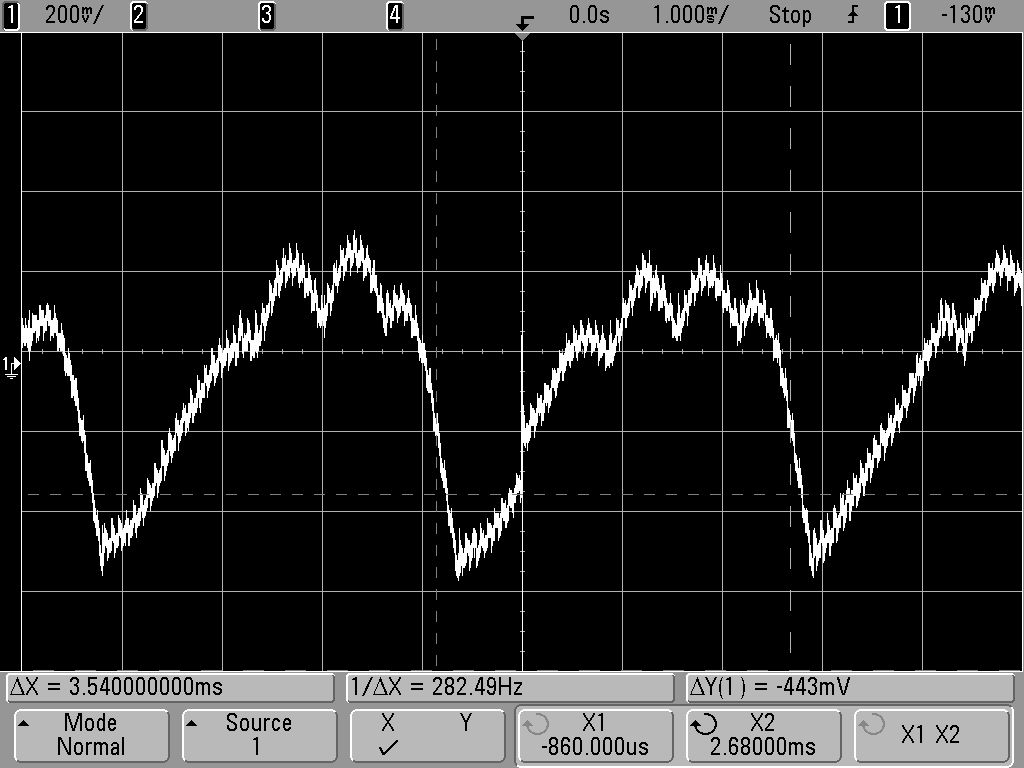
The frequency of the ripple was in the audio range, consistent with alternator whine. The frequency of the ripple increased when I rev’d the car engine, so it was clearly coming from the alternator. I was surprised to find that the size of the ripple did not depend much on whether I was transmitting or not. The transmit current is much higher than the receive current, so I expected the ripple to be worse on transmit.
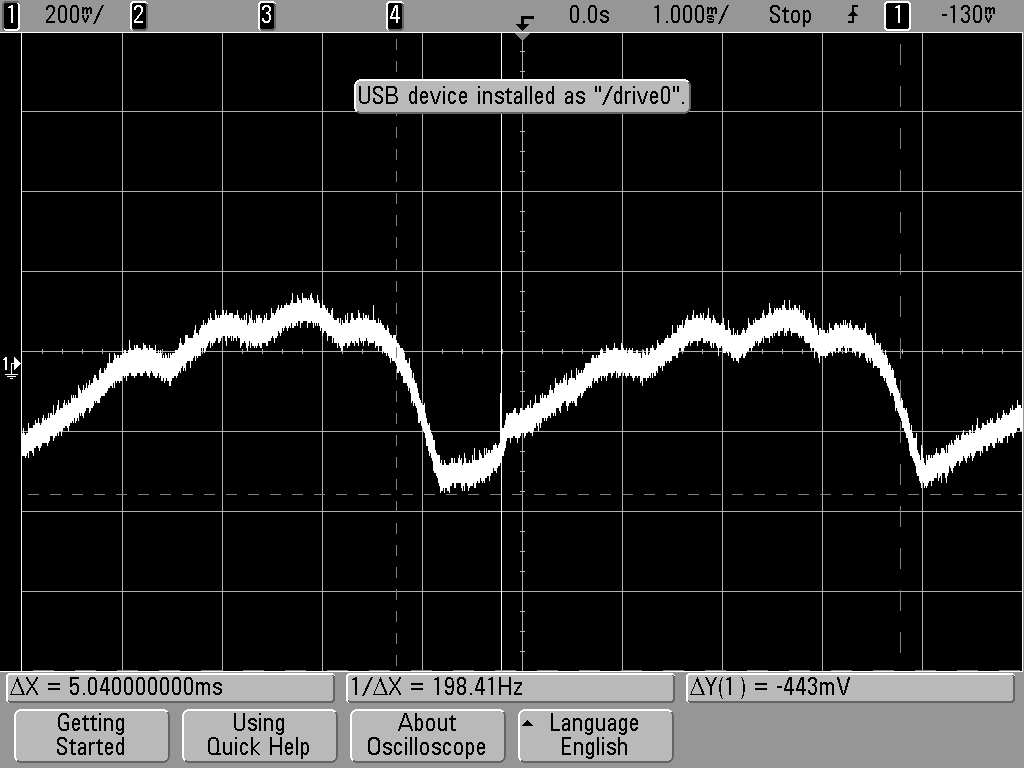
Then I decided to measure the ripple voltage right at the battery, which is shown below. The peak-to-peak ripple is smaller (about 400 mV) than at the radio but still present. I expected the the voltage to be mostly clean right at the battery.
I pondered what to do next. One approach would be to install a filter to eliminate the ripple. However, filtering out a few hundred Hz signal while maintaining a low voltage drop on the 12V power feed is not trivial. More importantly, I had the sense that the Escape’s electrical system was just not operating properly. I decided to take it to my local mechanic, who tested the alternator and determined that a diode had failed. He replaced the alternator for me and the whine is now gone.
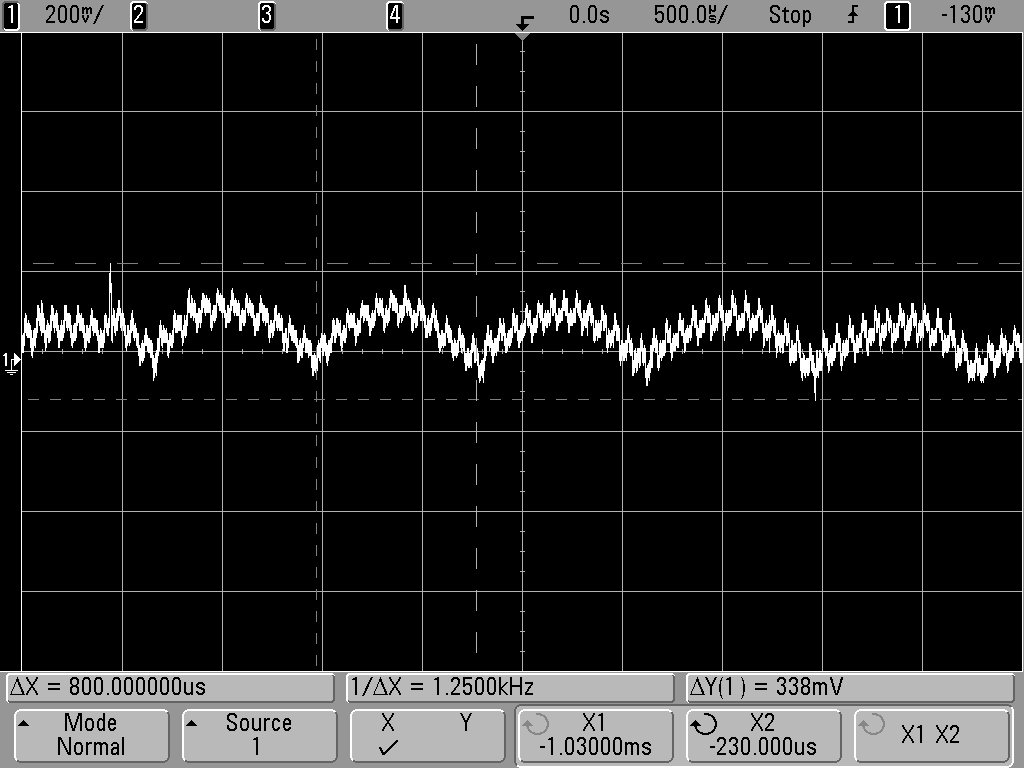
I did measure the 12 volt supply with the new alternator installed and the radio transmitting. I was surprised to find that there is still some ripple, a bit less than 200 mV (shown below). Apparently, this is not enough to disturb the FT-8900 signal.
So that’s the story about my alternator whine.
My spouse says “I still whine sometimes” but it has nothing to do with my ham transceiver.
– 73, Bob K0NR
MFJ 1026 noise canceling unit…for today ham!
 |
| Things don't seem to work when you really need them |
Seems doing nothing is doing something…..
 |
| RFI Friday night |
1. I changed out the video cables and wrapped them with chokes as well.....did nothing.
2 Moved the monitors to other locations on the operating desk...that was loads of fun and it too did nothing.
3. Tried running the K3 just off battery power and.... nothing.
4. Ran the monitors from the 12 volt Astron power supply and again nothing.
5 Put snap on chokes on ALL cables coming out of PC and the ALL cables from each monitor.....NOTHING!
6. Even tried tin foil on the back of the monitor and grounding it...only made monitor look sci-fi.
7. Put 1:1 balun on the coax coming out of the K3 and still had problem.
8. Tried my Elecraft K2 (maybe just a K3 problem) found same issue with K2.
 |
| Sunday...not to bad |
9. Plugged monitors into separate AC outlets on different circuits and did not fix issue.
10. Ran a ground up to each monitor and video card on the PC (PC is already grounded) and nothing.
11.Repositioned screen to see if that made any difference I thought it did but turned out not to.
So that was how my Saturday was spent and from doing all the above I was able to find out a few things that I hope may ring a bell on how to solved the RFI isssue
1. As I move my hand closer to the monitor the RFI increases.
2. When the rig is on the dummy load the RFI is gone.....but so is everything else regarding signals.
Now it's Sunday and I have come to the understanding that I am going to just have to live with the problem. I know where it is coming from that sometimes that is half the battle! I am going to do some reading and thinking about the issue. I came into the shack to just roll the desk back up against the wall and tidy up the room. I then turned on the K3 along with the PC and for some reason the RFI is still there but not as much at all!!! Seems doing nothing is doing something!!
This Interference Seems to Follow Me Everywhere
 A few weeks ago, I was at my day job working diligently on something. I popped up the SotaWatch web site to see of anyone was out activating SOTA summits. Sure enough, Steve (AKA Goathiker, AKA WG0AT) was headed up Mt Herman for the day. (I have recently declared Mt Herman to be the Most Radioactive Summit in Colorado…at least for amateur radio.)
When I had a few minutes break, I went out to my amateur-radio equipped SUV in the parking lot to call Steve on 146.52 MHz. Steve came back to my call and we made a quick contact and he was in the log. Even though he was an easy line-of-sight path away, I had trouble copying him. Opening the squelch revealed that I had a large noisy signal sitting on 146.52 MHz. I didn’t think too much of it and assumed it was coming from the vast array of electronic equipment inside the building.
As I left work that day, I tuned to 146.52 MHz to see how quickly the interference disappeared as I drove away. I was surprised to find that the interference did not go away, it was covering a wide area. On my commute home, the noise was remarkably constant. This interference seems to follow me everywhere! Eventually, it sunk in that the interference was coming from my own vehicle. Huh, I didn’t have that problem before.
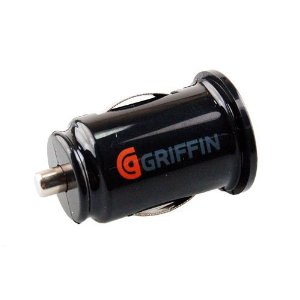
When I arrived home, I turned off the ignition and the noise was still there. I started disconnecting everything in sight, trying to make the noise disappear. Finally, I unplugged the cute little USB charger/adapter that was inserted into the cigarette lighter socket. Bingo, the interference disappeared. It seems that this little adapter has a switching circuit in it that is generating a large amount of hash. I have not investigated it fully, but it trashes out a substantial portion of the 2 Meter ham band.
It used to be my favorite adapter. Buyer beware.
73, Bob K0NR
Monitor RFI issue…..
 |
| RFI from new monitor |
 |
| Both monitors off |
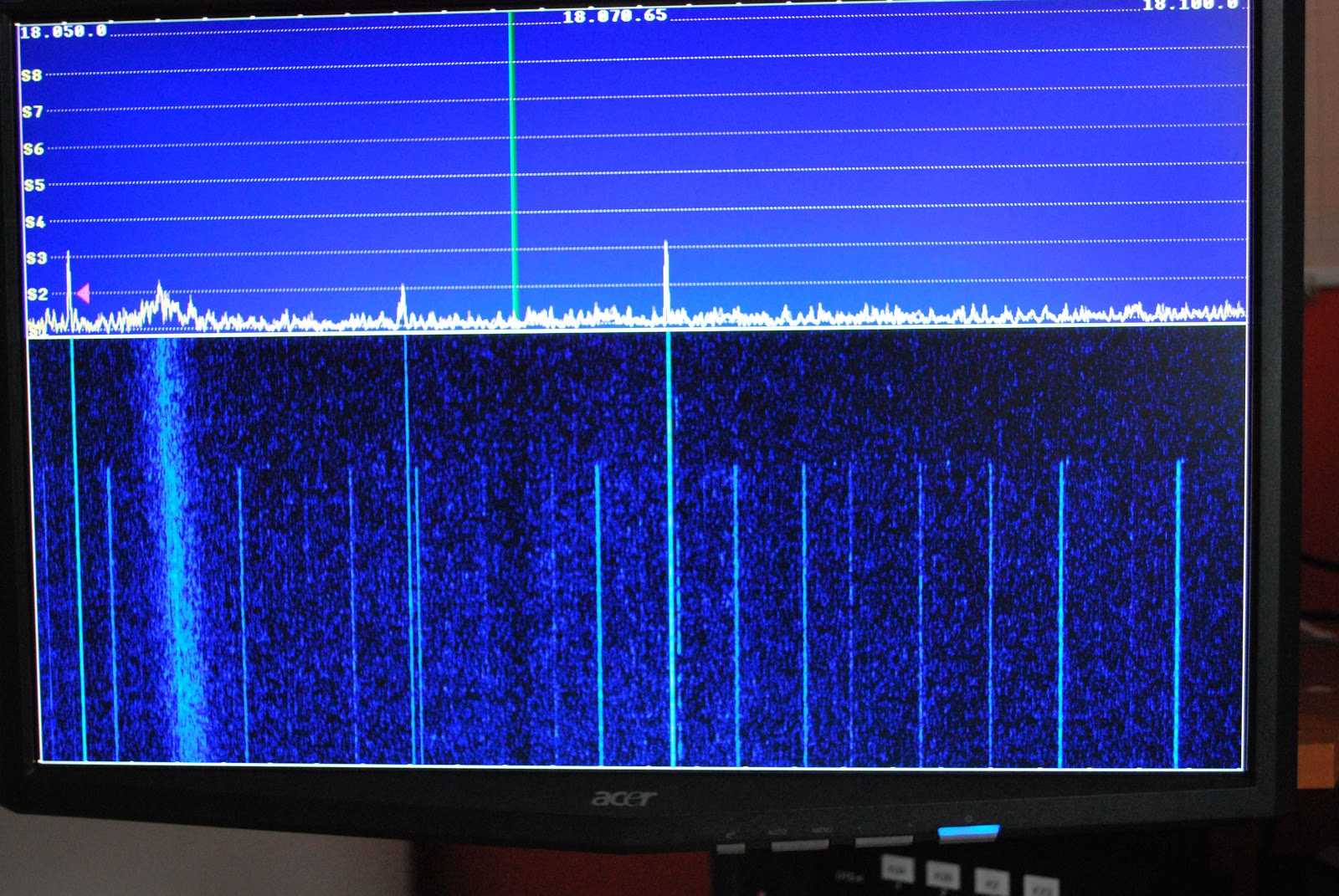
See if you can identify this mystery interference….

Speaker failure

Yesterday the Medion computer speakers that I used with my Elecraft K3, failed. I was WSPRing on 10m and had the speakers switched off at the time but I saw some unusual interference on the waterfall and switched them on to listen. Nothing happened. No audio, nor did the blue power LED light up.
I checked the obvious things such as the cables and that the power supply was delivering 14V DC. It was. I took the speaker containing the audio amp over to the workbench and tried it on the bench power supply. Although the speaker was behaving as if no power was being applied, 20mA was being consumed when the switch was on. I have no idea where it was going.
Without a schematic there isn’t much I can do but I doubt that the speakers are repairable anyway. There are no active components on the circuit board apart from one integrated module attached to a small aluminium heatsink. This has presumably let its smoke out. There are a number of capacitors on the board and the cable connections are extremely well filtered against RFI. I have never seen such attention paid to preventing RFI. I guess that this is because Medion is a German company and Germany seems to be the only country that takes compliance with EMC standards seriously. The speakers were almost completely immune even when I ran 100W. Having a tone control they produced very rich-sounding audio from the K3, unlike its internal speaker which is shrill to listen to and has very little bass response.
I’ve now replaced the Medions with a pair of passive speakers that I originally got for this task but with those the audio sounds boxy no matter how I fiddle with the K3’s RX EQ settings. The only benefit of them is that I’m using one less wall wart!
These Genius speakers look like they might be a good replacement but ordering a pair would be a lottery as I have no way of knowing if they are RF-proof enough. One pair of Logitech speakers I bought were a dead loss. They were handed to the local Oxfam shop within an hour of the postman delivering them as they were so sensitive to RF they were beyond hope.














