Posts Tagged ‘Computers’
 Setting up digital modes or going to the dentist what’s better…….
 January 11th, 2012 |
  Author:
 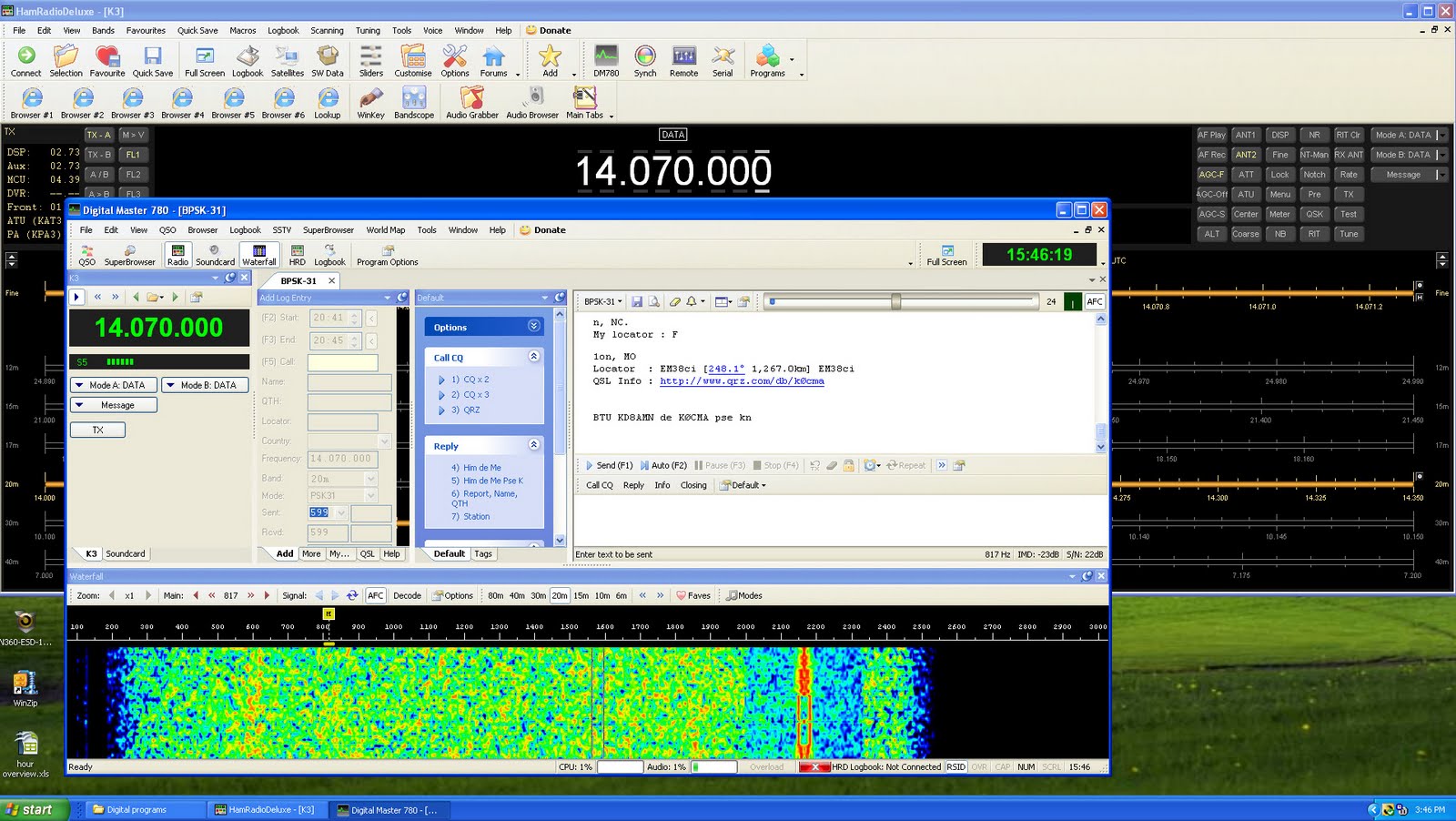 |
| HRD DM-780 |
software. I was not disappointed.... figuring out the com port, stop bits, CAT settings,
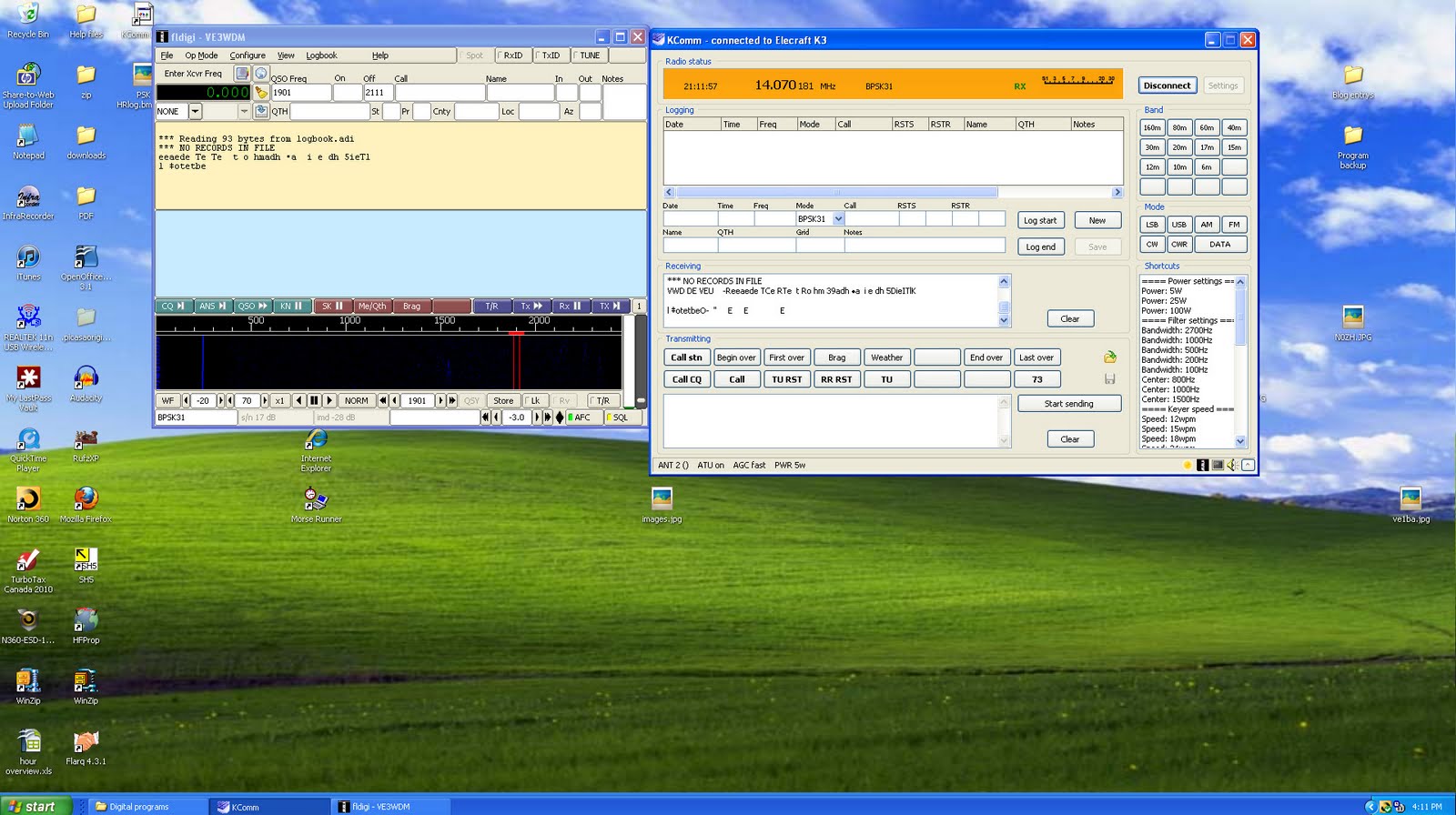 |
| Kcomm with fldigi |
handshake or not....and the list goes on was a challenge. Then there is the sound card setup and settings!! Some of the troubles I ran into were.....not being able to get the K3 to key up when the software said it should. After overcoming that the K3 had no problem keying up but then would not un-key at the end of the macro!!! After solving those two hurdles I then had troubles getting the 5 watts output I wanted to have. It turned out to be a jungle of sound card tuning and radio tweaking. I was not sure how I did it but I am now able to have a solid 5 watts out on all bands and simply adjust the K3's power control if I want to increase the power. I won't try to figure out what I did as when I do for some reason I un-configure the configured. The software I decided to stick with was DM-780. Kcomm is great and works well with the
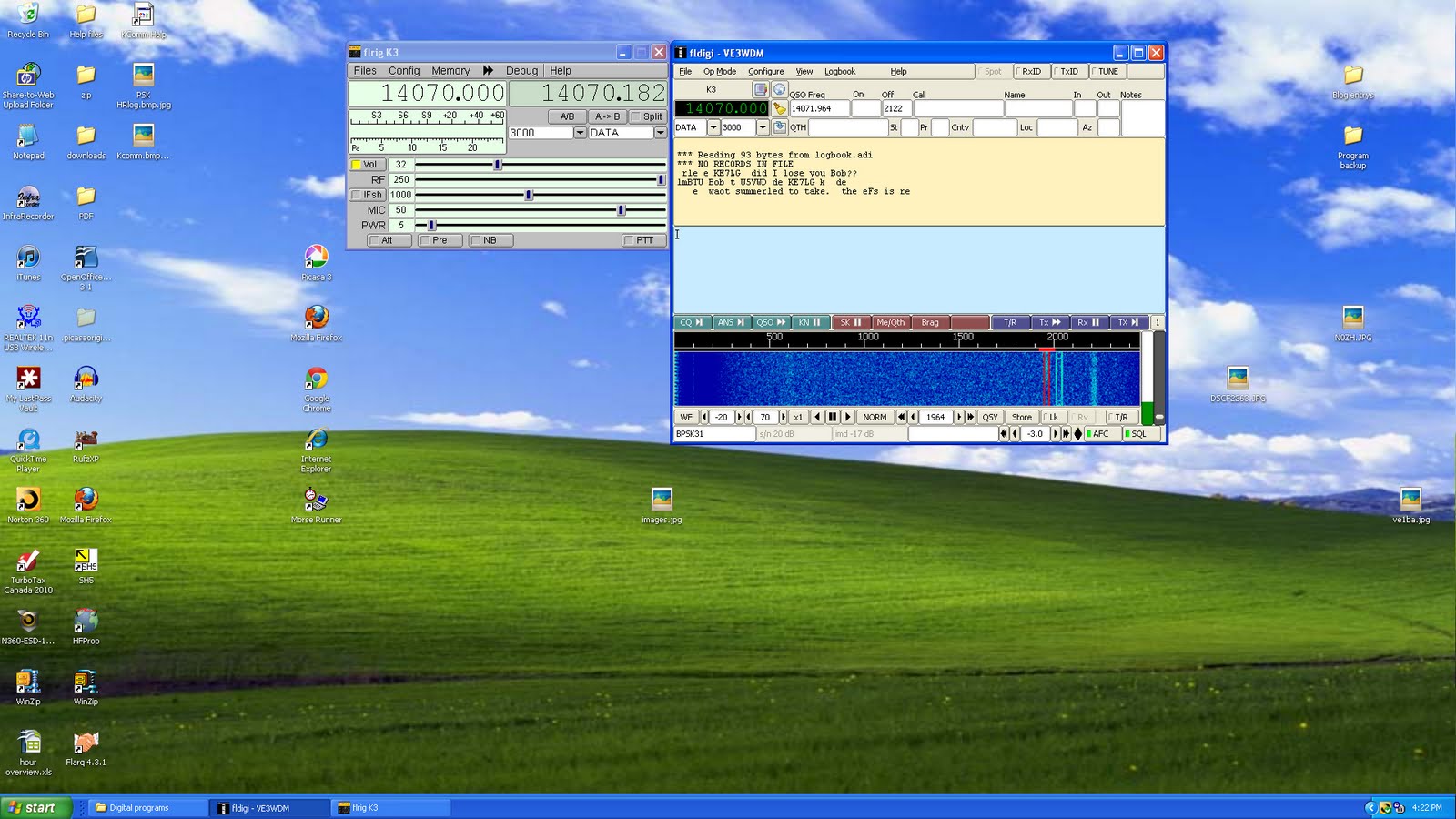 |
| fldigi with flr |

Anyone for raspberry pi?
There’s a lot of excitement right now in the UK tech community about a new computer called the Raspberry Pi. It’s a bare board computer with an ARM processor that runs Gnu/Linux that is expected to sell for $25. It’s aimed principally at the education market with the intention of getting schools to teach students how to program and build things with computers instead of just learning Word and Excel as they do now.
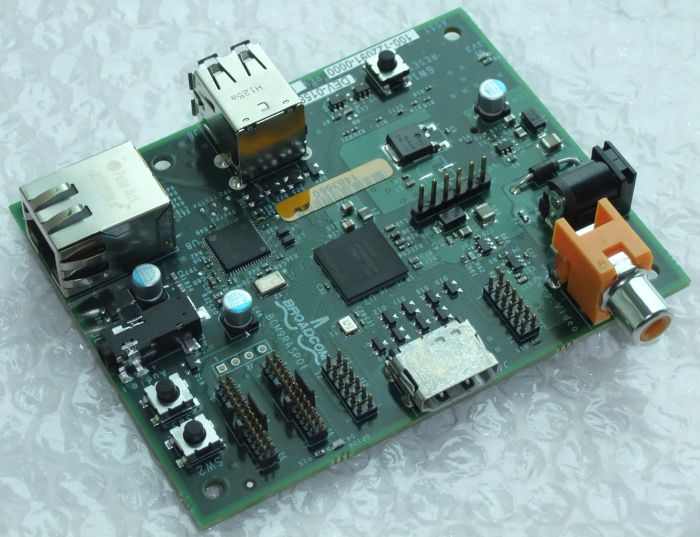
The Raspberry Pi will soon be available for anyone to buy. When they are, I’m tempted to get one. My recently acquired Gadget Gangster has helped me recapture some of the magic and excitement I felt when I first started dabbling in home computers back in the ’80s with things like the Nascom 1, ZX81 and Sinclair Spectrum. I think the Raspberry Pi would do the same.
PCs and Windows are great tools, but they have turned computers into appliances and made computing boring. Microcontrollers are like QRP computers – more of a challenge to use but when you succeed you feel a real thrill at having accomplished something.
I think there has never been a better time than now to have an interest in electronics. I hope the Raspberry Pi is a huge success. Perhaps it will result in more of our young people becoming engineers instead of wanting to be lawyers or salespeople.

The Ubuntu Linux learning curve………..

trying what they said then getting back to the Youtube video and then back to the same spot in Ubuntu again. That was just a receipe for frustration as this game plan was far from smooth going. It was off to some user groups but that turned out most of the time to be a hunting trip. I would end up going to so many links that the original question was forgotten and at my age that process does not take long. I came to the conclusion the written word in the form of books was the way to go to solve this monkey on my back. I hope to become more familiar with the Ubuntu OS now and get past the wall I have come up against. Over the Christmas break I will be taking a leisurely approach with the help of some books and hands on learning to get Ubuntu in check.

SDR Radio
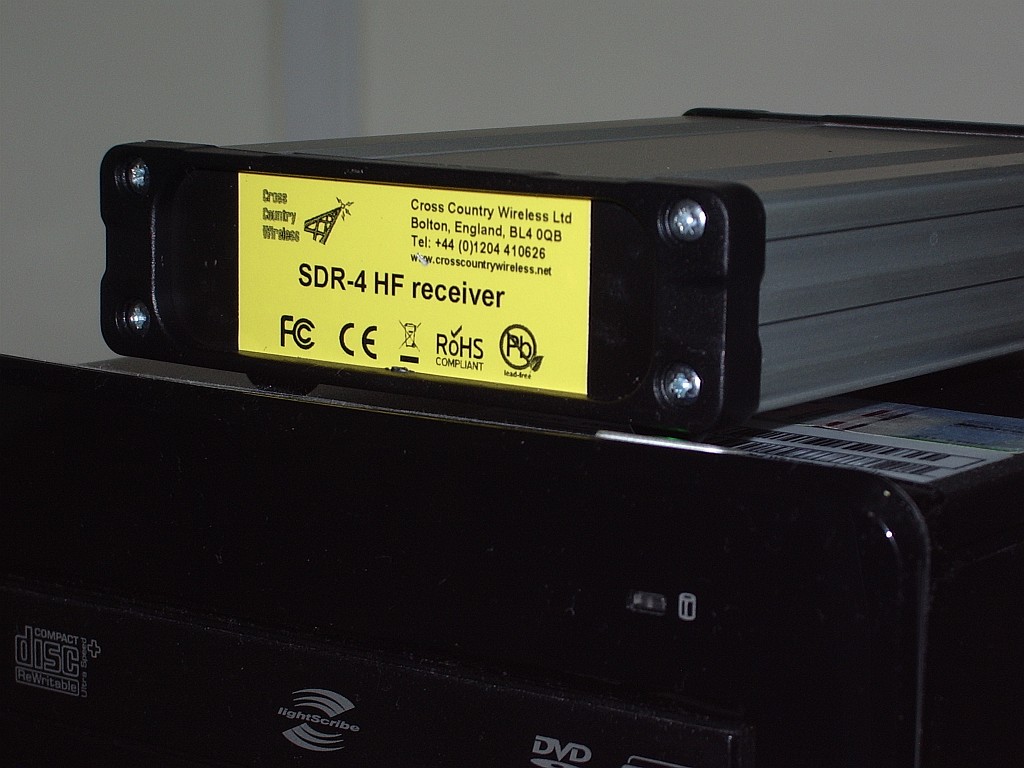
An early Christmas present to myself is this SDR-4 HF receiver from Cross Country Wireless. Actually, it wasn’t intended to be a Christmas present. I decided to get one a couple of months ago when I first found out about it.
I think the SDR-4 is the lowest cost ready built HF bands software defined radio on the market (£150 or about $250 US). Unless you know different, of course. However it seems that a lot of other people thought so too, as there is a waiting list – people are ordering them faster than the designer Chris G4HYG can make them!
The SDR-4 works with the usual free SDR applications. But it also works with the free version of Simon Brown HB9DRV’s SDR-Radio.com application. This is the best SDR software by a mile, though due to all the treatment and medication I am receiving for my brain tumour my mind is a bit slow at the moment and I find figuring out how to do what I want with it a bit challenging.
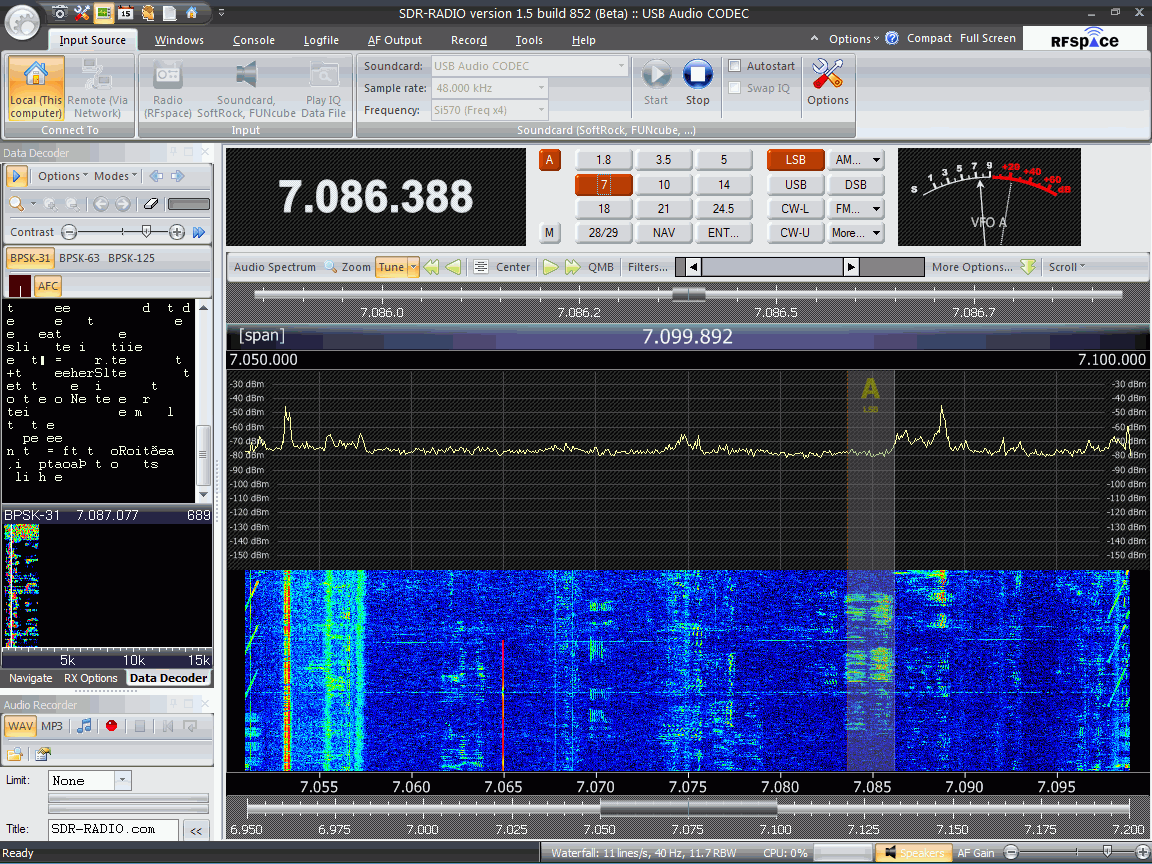
As you might expect from the author of Ham Radio Deluxe, SDR-Radio.com has built-in support for decoding digital modes. Unfortunately I haven’t managed to work out yet how to get the digital decoder waterfall to be a reasonable size: At the moment it’s a small window on the left hand side which is trying to display 15kHz worth of spectrum and although I’m hearing PSK31 I can’t find a trace to click on! I’m also still trying to discover if there is a PSK Browser in the program that sends reports to the PSK Reporter reverse beacon site. Hopefully someone will enlighten me.
I’m sure I’ll be writing more about the SDR-4 receiver and SDR-Radio.com in due course, but in the meantime if you want more information or to ask questions about the receiver there is a Cross Country Wireless Yahoo! group. You can even try an SDR-4 out over the Internet if you follow the instructions posted by Chris. I did and it worked perfectly – and it was so nice to hear the amateur bands without the awful frying noise I have to endure here.
Yahoo! is also the place to go for information and support of SDR-Radio.com (the software.) I look forward to seeing some comments and experiences of any of my readers who are tempted into trying this software defined radio.

One on one with the PC………

was able to multi-task during the contest between two computers using two nice LCD monitors. The next day after the contest the net-book was snuggled in it's case and it was time to use
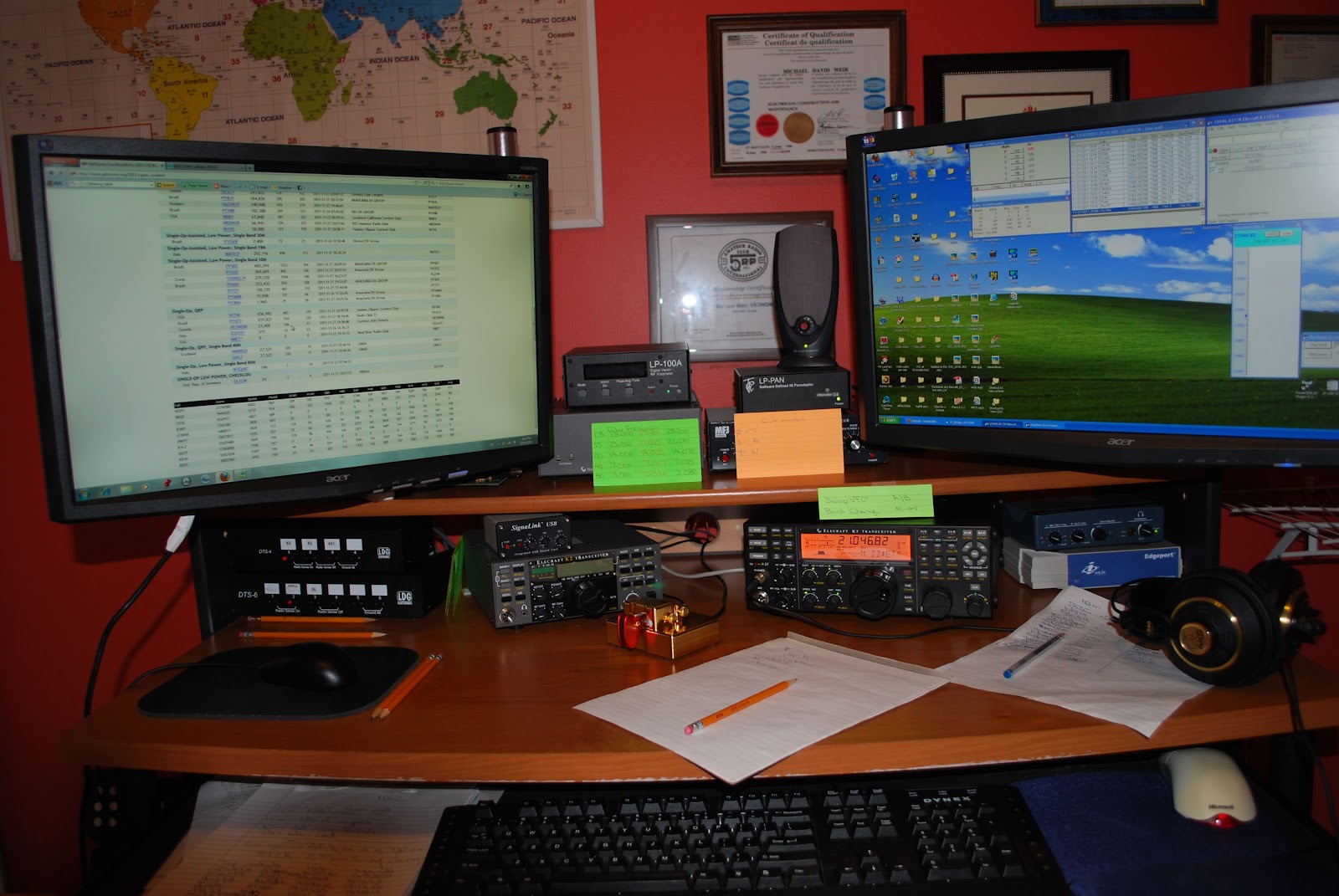 |
| During the contest with both monitors |
both LCD monitors on the main PC as it always had been done....As the PC booted up the one monitor display read "not connected". I then preceded to connect reconnect and change out the video cables but nothing had worked. I was still getting the "not connected" message floating around. I then in WinXP had a look at my video card. Maybe I just had to tell the PC to recognize the other monitor again. In the process of trying a dual monitor setting I did not read the warning that was counting down from 15 seconds. I just said "ok". Well now both monitors were blank with the message "not connected" Well that went well!!! It was off to Google to solve my troubles. Seems the net-book could had changed the monitor refresh rate and or resolution settings. Settings the main PC was not able to recognize and thus the message "not connected". According the the advice derived from Google searches I have to boot in VGA only mode. It was simple, I was told "wait for the Windows logo to appear and press F8". Easy if both monitors were not blank!!! So began the many restarts guessing when to press F8. Well in time I was successful and was able to get into VGA mode and repair both monitors. All is working well now and lesson learned. It turns out the net-book changed both the refresh rate and the resolution.

Signalink = fantastic…getting it to work….frustrating
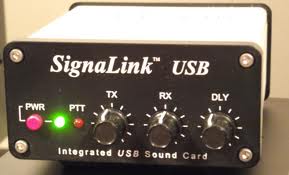 This week has been dedicated to setting up for the CQ WW DX CW contest this weekend. Making sure the contest logger works (N1MM), try out the CW macros along with the K3, test out the antenna on all the bands and finally make up some goals. I find by doing some prep work before the contest Murphy does not rear his head as often during the contest. Early last week my Tigertronics Signalink USB came in and it was my ticket to get into the digital world. Years ago I had a Yaesu FT-1000MP MKV I had the Rigblaster Pro along side it. I dabbled in PSK and was into RTTY contesting at that time. I had hopes of setting things up and getting on the surf board of Digital communications last weekend.
 Well that dream was short lived, the memories came back of sound card setup, adjusting the ALC level and basically getting everything just right for the digital engine to purrrr. Over the weekend the setup was not purrrring at all it was more of a hisssssss. The connections between my K3 and Signalink were smooth going. The PC recognized the on board sound card in the Signalink. At first I ran into some trouble setting up the CAT connection between the K3 and software (Ham radio delux's digital master 780) I was able to decode PSK signals with Digital Master, in transmit with the K3 set at 100 watts I was able to use the TX control on the Signalink to raise the output power to what I wanted (5 watts). The unresolved problem is I am not able to get any ALC reading on the K3. I know the ALC is very important to a clean signal. I have given up trying to solve this problem at this time. I am as I said concentrating on the CQ WW DX CW contest.

Linux Ubuntu here I come………..

could be loaded on my laptop along side Windows. Kinda have two OS's on one machine. Now I am not a fan of doing this for the long term and I don't think it is meant for that. It was a way of test driving Ubantu 11.10 and see how I liked it and how the laptop liked it. An installer called Wubi allows you to install Ubuntu on a Windows machine. If you don't care for Linux it can be removed also using Wubi. If you want to go ahead and install Linux Ubuntu using Wubi just follow the step by step instructions found on the Internet. There was no need for any fancy computer whiz bong knowledge it was similar to installing any windows program. Before you know it Uantu was up and running and each time I started the laptop I was asked if I wanted to load Windows or Ubuntu?? The first thing I noticed was it sure did load faster than Vista and that was a BIG plus. For a few days I gave Ubuntu a test drive. I had only done things the Windows way so the desktop and how programs were launched took some getting used to. I kept reading "take time to get used to Ubuntu it's not Windows" I went to YouTube to check out some tutorials on the operating system to learn more. This was were I thought I ran into my first Ubuntu troubles. At YouTube I was greeted with the messages "Adobe flash is required to view YouTube" The flash upgrade was painless and was a matter of just clicking on a link. The needed update was downloaded and installed then YouTube was up and running. After playing with Ubuntu for a weekend it was time to take the plunge and remove Vista and do a perminant install of Linux Ubuntu on my laptop. There are step by step instructions for this as well on the Internet. So after a week what is my impression of Ubantu....it's loads in 20 seconds compared to Vista's 3-5 minutes. It comes complete with a word processing program, spread sheet, a power point type program, workspace switcher were you can have four windows going at once and switch between them. You can run windows programs by using a program called wine. I have not venture down this road yet. One thing I did notice was it eats up the laptop battery time but there is something out there in Linux land to help that along. As times goes on I will continue to learn more. Have not tried it yet with any ham radio programs but my laptop was never used for that.














