Archive for the ‘ham radio’ Category
 General License Class: Black Forest, CO Feb 24/Mar 3
 December 6th, 2017 |
  Author:
  Sat Feb 24 and Sat Mar 3 (8 AM to 5 PM) 2018
Black Forest Fire Station
11445 Teachout Road
Colorado Springs, CO 80908
The General License provides access to regional and worldwide communications on the HF bands, greatly expanding your ham radio fun!
• Upgrade from Technician to General Class radio privileges
• Pass your FCC General Class amateur license exam Mar 10*
• Live equipment demonstrations and activities
• Learn to operate on the HF bands, 10 Meters to 160 Meters
• Gain a deeper understanding of radio electronics and theory
• Take the next step with antennas, amplifiers, digital modes
Registration fee: $30 ($20 for under 18 years of age)
Students must have the required study guide: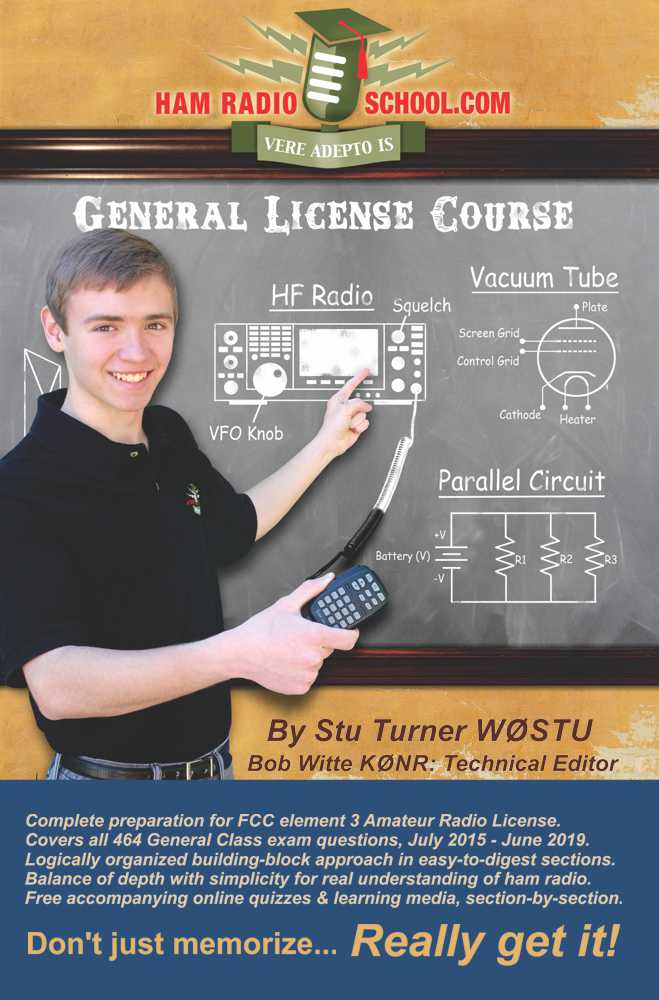
HamRadioSchool.com General License Course
Second Edition, effective 2015 – 2019, $22.95
* Free FCC exam session on Mar 10 at Black Forest Fire Station 9:30 am.
To register for the class, email: Bob KØNR [email protected]
Sponsored by the Tri-Lakes Monument Radio Association
The post General License Class: Black Forest, CO Feb 24/Mar 3 appeared first on The KØNR Radio Site.
Pikes Peak SOTA (W0C/FR-004) Winter Activation
Joyce/K0JJW and I had intended to hike Pikes Peak this year for a Summits On The Air (SOTA) activation but somehow the plan never came together. I still had my eye on it as a drive-up activation before the end of 2017. The road to the summit is open year round now but closes frequently due to snowstorms passing through. Saturday morning the road was open to 13 miles (out of 19 miles) with the promise that it would be open to the summit later in the morning. (Call 719 385-7325 for a recorded message on road conditions.) By the time we got to the toll gate around 10 am, the road was open to the summit.
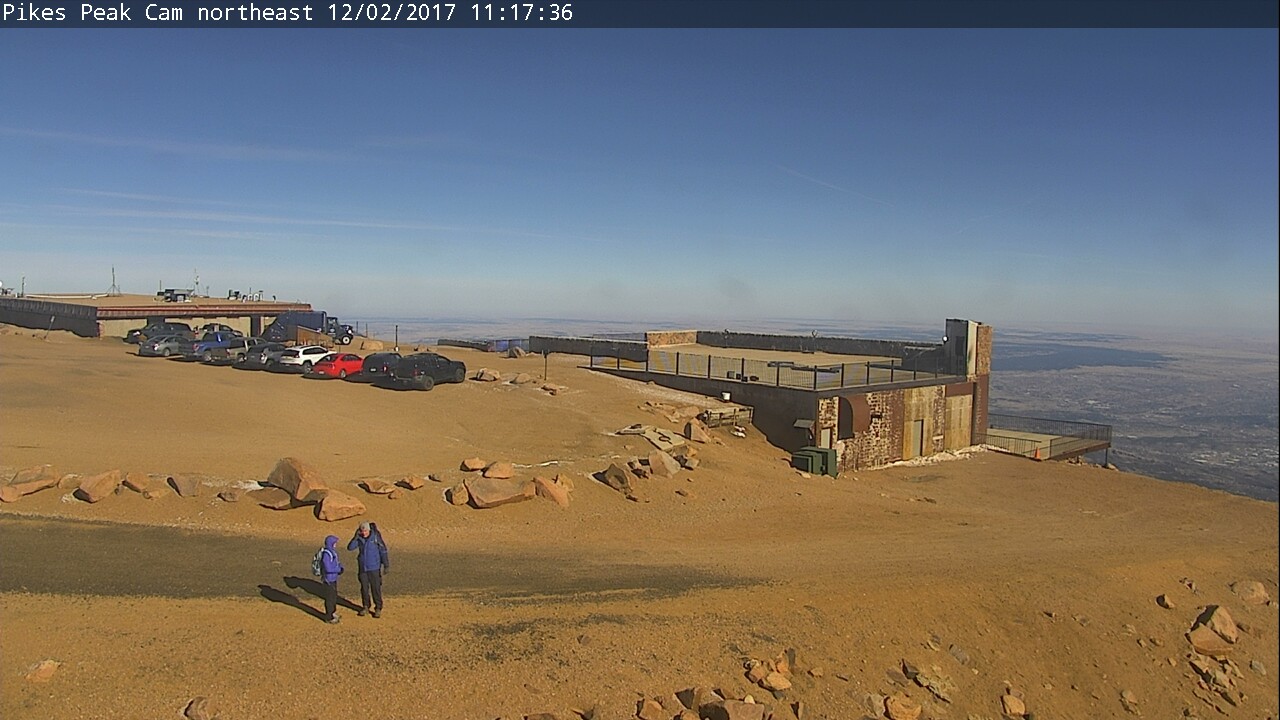
When we reached the summit, the weather conditions were 20 deg F with 20 mph winds, creating a windchill of 4 deg F. We were prepared for that having loaded up on the winter clothing. Still, it was freaking cold up there. As you can see in the webcam picture, there was only traces of snow on the summit.
To be SOTA-compliant, we had all of our gear loaded into our packs and walked some distance away from our vehicle to set up. Because of the wind, we chose the observation platform, tucked in behind one of the walls. Normally, that platform is to be avoided because its overrun with tourists but with the cold weather we only had a few people to contend with.
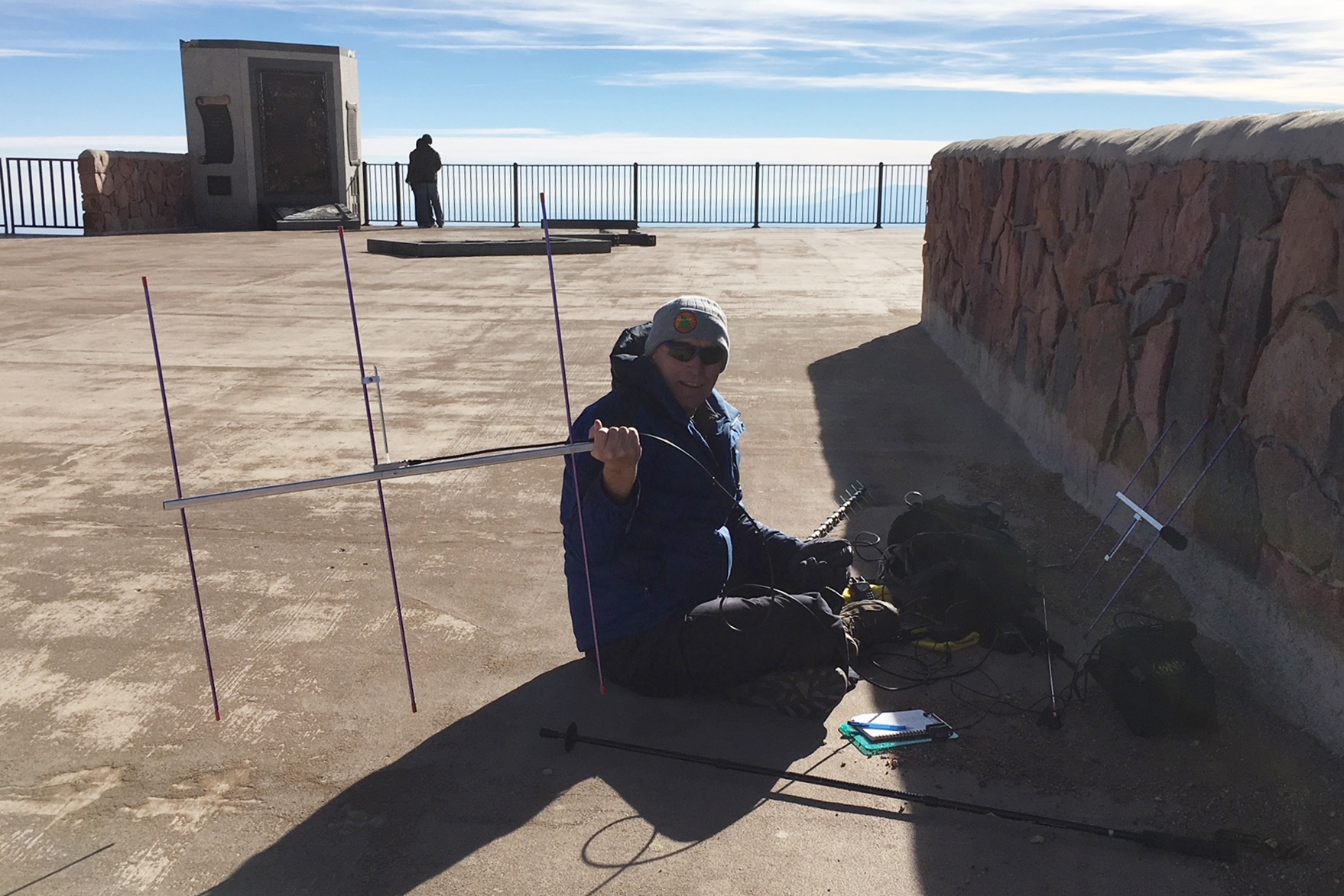
Joyce set up on 2m fm (146.52) using a handheld transceiver (HT) with a vertical antenna. Even with her headset (foam protection on the microphone), the wind noise on her signal was significant. I started out on 2m fm but quickly moved up to 223.5 MHz and worked a few stations there, then on to 446.0 MHz. I had HTs and small yagi’s on both of those bands. Then I fired up 1.2 GHz with an Alinco HT (just 1W on that band) and a 16-element yagi. I worked Paul/W0RW, Gary/WB5PJB and Wayne/N0POH on that band. My QSO with N0POH in Aurora was a new personal best for distance on 23cm/1.2 GHz, at about 90 km.
I tried 2m SSB using my FT-817 but made only one contact: Jim/WB0GMR. Shortly thereafter, I switched back to 2m fm using the 25W mini-mobile rig with a 3-element yagi to work many more stations. Again, just running a bit of power and having a decent antenna on 2m fm was very effective at making radio contacts. I expected the Tytera radio to be overloaded with signals on the summit of Pikes but it actually held up well with just occasional bursts of interference.
Overall, we made 54 QSOs (not too shabby): 43 QSOs on 2m, 5 QSOs on 70cm and 3 QSOs on both 1.25m and 23cm. Our best DX was Jeff/N0XLF near Akron, CO for a distance of about 130 miles (on 2m and 70cm).
73, Bob K0NR
The post Pikes Peak SOTA (W0C/FR-004) Winter Activation appeared first on The KØNR Radio Site.
Hidden Gem: W0C/SP-076 Unnamed SOTA Summit
Walt/W0CP had recommended this Summits On The Air (SOTA) summit (W0C/SP-076) to me a while ago. Somehow it had escaped my attention, probably because it’s an unnamed peak and not that well known. Joyce/K0JJW and I decided to give it a try today and it turned out great.
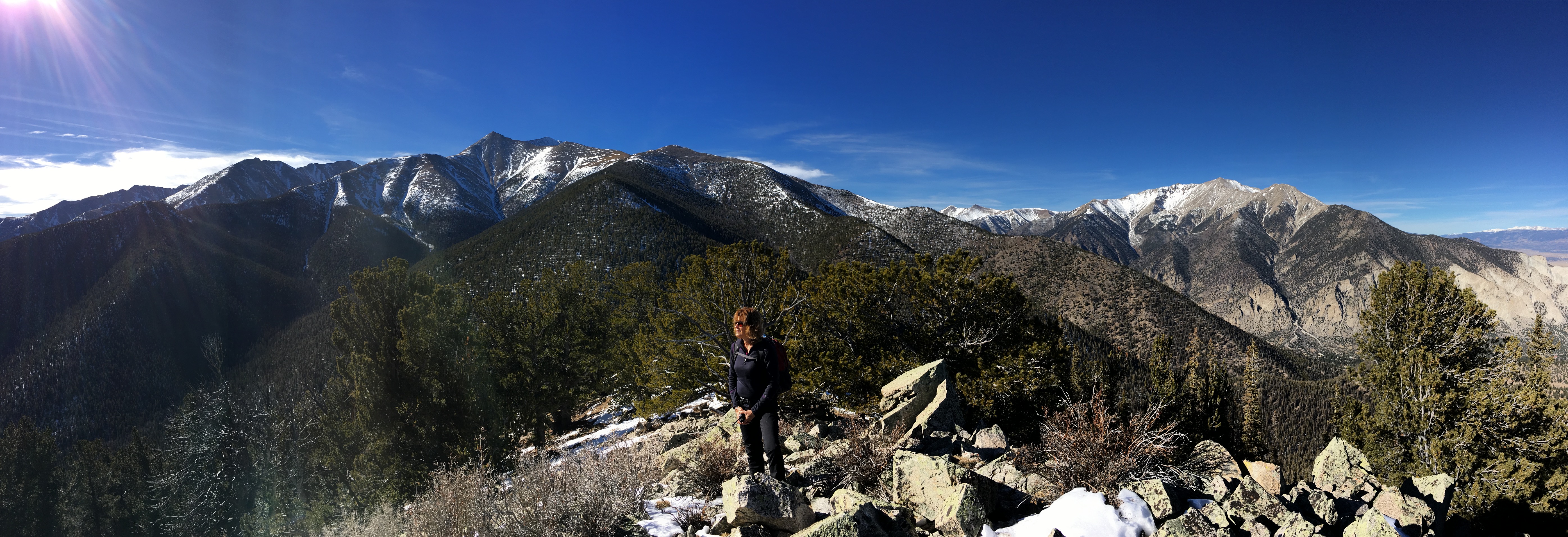
We followed Walt’s directions on the SOTA website, using the southern route. We were pleasantly surprised to find a pretty good trail most of the way to the summit. There were a few spots with downed timber, where people have diverted around the logs, but generally the trail was easy to follow. The trail is not shown on many maps, including the USFS San Isabel Forest map. Thus, I was expecting considerable bushwacking to get to the summit.
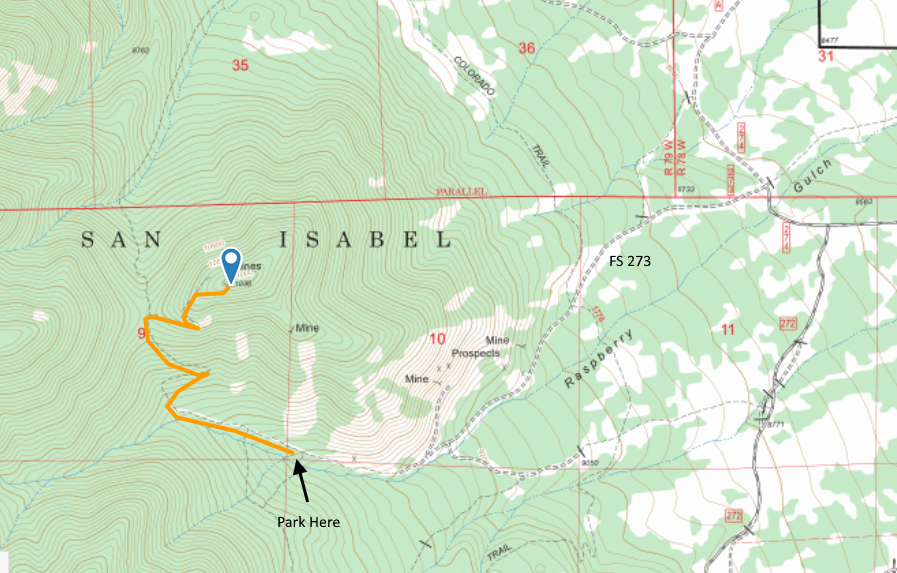
The route to the trailhead is via FS Road 273, easily accessible from Highway 285 south of Buena Vista and north of Salida. See the San Isabel National Forest map for orientation. The road is narrow in spots. Our Jeep Wrangler fit OK but a wider vehicle would get to deal with the brush on both sides of the road. The road is easy 4WD and should be passable with a high-clearance 2WD vehicle. The road had some snow on it (Nov 25, 2017) and with a few more snowstorms may not be passable.
The road continues a little further than indicated on our topo map but it is obvious when it ends. After that, the road turns into a nice trail (our route shown on the map above). The trail has a few broad switchbacks that made for easy hiking. When we got near the summit, the trail was covered by many small snow drifts, so we opted to go off trail and just head for the summit. So our last quarter mile or so is probably not optimal for summer hiking. There are several mines at or near the top of the mountain.
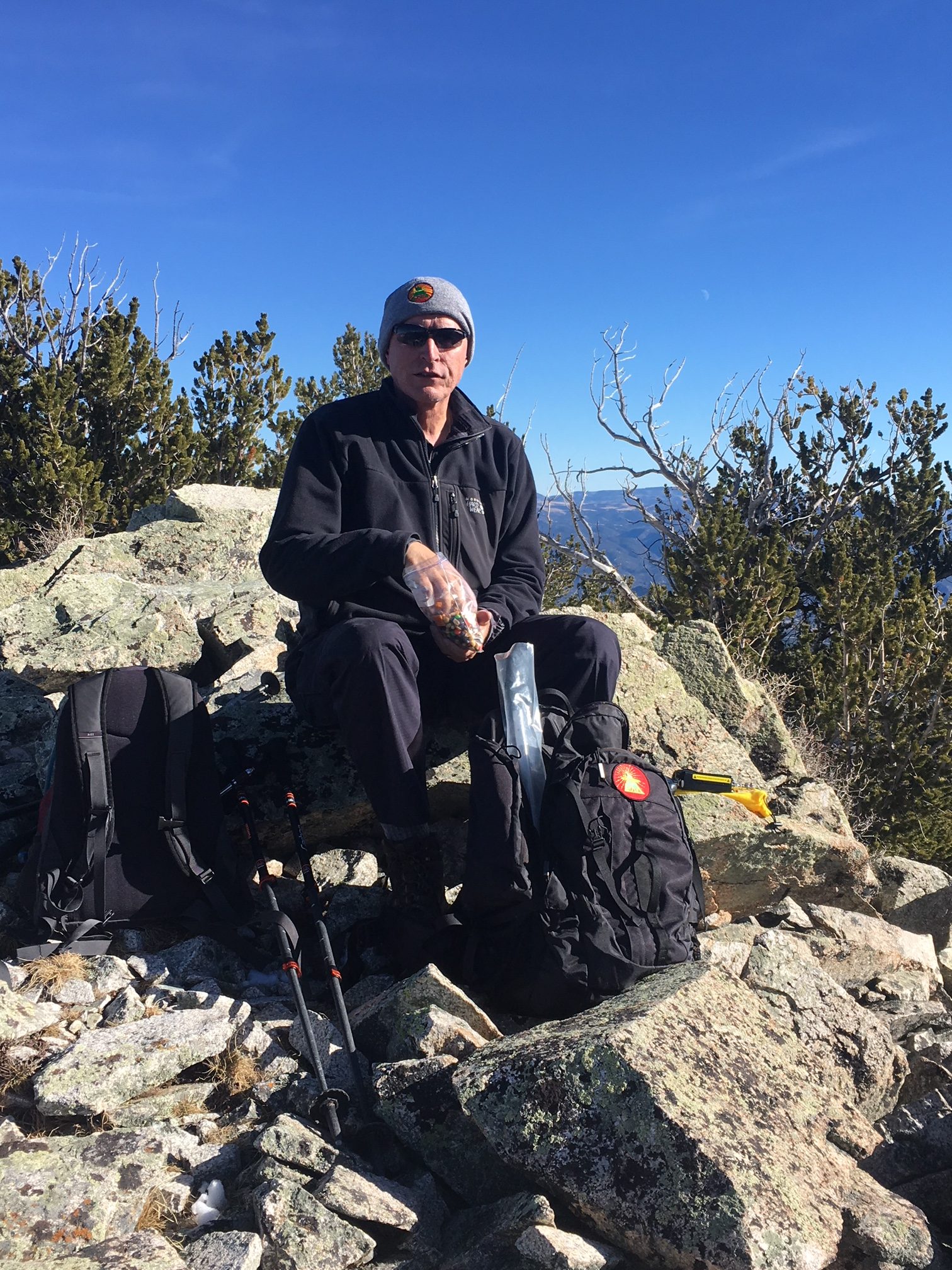
We had quite a variety of radios with us, for 2m, 1.25m, 70 cm and 23 cm, FM only. We started on the workhorse band (2m FM) with the 25W Tytera radio and a vertical half-wave antenna. It seems that someone (me) left the 3-element 2m yagi antenna at home. We quickly made contacts with KD0MRC, W0BV, KD0VHD, KE0DMT and KL7GLK on 2m and/or 70 cm. I used my Alinco 222 MHz handheld to work KD0MRC on 223.5 MHz, which is apparently the first 222 MHz SOTA contact in Colorado. (Yeah, not a popular band.)
For the most part, it was pleasant on the summit, about 40 degrees F, but it got cold whenever the wind picked up. Without the wind, it was great. With the wind, kind of cold.
This is a great hike and a great summit. Only a few people have activated it for SOTA, so I wanted to write it up for others to consider. We will definitely return to this one due to it’s excellent combination of easy accessibility, good trail and wonderful views.
73, Bob K0NR
The post Hidden Gem: W0C/SP-076 Unnamed SOTA Summit appeared first on The KØNR Radio Site.
Come Join the Fun With Olivia on HF (Shortwave Digital Mode Olivia)
For those of you who have dived into the crowded but fun pool of FT8 operation or one of the other Joe Taylor modes (such as JT65 or JT9) and are excited now about digital modes, here’s something you might enjoy, too. Unlike those modes that allow you to make quick work of getting DX stations into your logbook, simply by exchanging callsigns, a signal report, and a grid square, there are other modes that offer keyboard-to-keyboard conversational QSO opportunities.
One such mode is known as Olivia and this mode offers keyboard-to-keyboard chatting for when you want to relax, and maybe make a friend. Ham radio is the oldest electronic social networking infrastructure.
In 2005, SP9VRC, Pawel Jalocha, released to the world a mode that he developed starting in 2003 to overcome difficult radio signal propagation conditions on the shortwave (high-frequency, or HF) bands. By difficult, we are talking significant phase distortions and low signal-to-noise ratios (SNR) plus multipath propagation effects. The Olivia-modulated radio signals are decoded even when it is ten to fourteen dB below the noise floor. That means that Olivia is decoded when the amplitude of the noise is slightly over three times that of the digital signal!
Olivia decodes well under other conditions that are a complex mix of atmospheric noise, signal fading (QSB), interference (QRM), polar flutter caused by a radio signal traversing a polar path. Olivia is even capable when the signal is affected by auroral conditions (including the Sporadic-E Auroral Mode, where signals are refracted off of the highly-energized E-region in which the Aurora is active).
Currently, the only other digital modes that match or exceed Olivia in their sensitivity are some of the modes designed by Joe Taylor as implemented in the WSJT programs, including FT8, JT65A, and JT65-HF–each of which are certainly limited in usage and definitely not able to provide true conversation capabilities. Olivia is useful for emergency communications, unlike JT65A or the newly popular FT8.
Here is a demonstration of a two-way transmission using the Olivia digital mode on shortwave. I am in QSO (conversation) with KA5TPJ. There are two other Olivia QSOs just below our frequency. Just above us is a lot of FT8 activity. Below the two other Olivia QSOs are PSK31 QSOs. The band is active. Olivia is not dead!
The standard Olivia formats (shown as the number of tones/bandwidth in Hz) are 8/250, 8/500, 16/500, 8/1000, 16/1000, and 32/1000. Some even use 16/2000 for series emergency communication. The most commonly-used formats are 16/500, 8/500, and 8/250. However, the 32/1000 and 16/1000 are popular in some areas of the world and on certain bands.
This can cause some confusion and problems with so many formats and so many other digital modes. After getting used to the sound and look of Olivia in the waterfall, though, it becomes easier to identify the format when you encounter it. To aid in your detection of what mode is being used, there is a feature of many digital-mode software implementation suites: the RSID. The video, below, is a demonstration on how to set the Reed-Solomon Identification (RSID) feature in Ham Radio Deluxe’s Digital Master 780 module (HRD DM780).
I encourage ALL operators in any digital mode such as Olivia, set the RSID feature on as shown in this example. In Fldigi, the RSID is the TXID and RXID (I believe).
Please make sure you are using the RSID (Reed Solomon Identification – RSID or TXID, RXID) option in your software. RSID transmits a short burst at the start of your transmission which identifies the mode you are using. When it does that, those amateur radio operators also using RSID while listening will be alerted by their software that you are transmitting in the specific mode (Olivia, hopefully), the settings (like 8/250), and where on the waterfall your transmission is located. This might be a popup window and/or text on the receive text panel. When the operator clicks on that, the software moves the waterfall cursor right on top of the signal and changes the mode in the software. This will help you make more contacts!
+ NOTE 1: MixW doesn’t have RSID features. Request it!
+ NOTE 2: A problem exists in the current paid version of HRD’s DM780: the DM780 RSID popup box to click does not work. HRD support is aware of the problem. You can still use the textual version that you can select in the settings so that it appears in the receive text areas. If you click the RSID link that comes across the text area, DM780 will tune to the reported signal, and change to the correct settings.
+ NOTE 3: some websites publish frequencies that are right on top of weak-signal FT8, JT65 and JT9 segments. Even if that is a matter of contention, follow the regulations and be kind: DO NOT QRM weak-signal QSOs! AGAIN: make sure that your signal does not cross into other sub-bands where weak-signal modes are active. For instance, do not have any part of your signal at x.074 or higher, as this is the sub-band for FT8, JT65A, and JT9.
Quick Reference: we in the active Olivia group suggest 8/250 as the starting settings when calling CQ on the USB dial frequency of 14.072 MHz with an offset of 700 Hz, on 20m–that translates to a CENTER frequency of 14.0729 MHz. On 40m, 7.072 MHz on the dial with an offset of 700 Hz (and again 8/250) which translates to a center frequency of 7.0729 MHz.

An example of the calling frequency on 20 meters with a center frequency of 14.0729 MHz, 8 tones, and a bandwidth of 250 Hz.
Also, do not quickly switch to other modes without calling CQ for at least a five-minute window. It is really horrid when people call CQ and change settings, modes, bandwidths, tones, every time they call CQ during the same session!
There are several key resources that we in the Olivia community are developing, to make it easier for you to enter into the great world of Olivia. One is an active support e-mail group to which you can subscribe at https://groups.io/g/Olivia — a group containing topical areas of interest which can be filtered so that you are not flooded by email containing topics of which you are not interested. It has a files section, as well, in which we will add helpful how-to instructions and so on.
Another resource is our Facebook group, at https://www.Facebook.com/groups/olivia.hf — also with a files area containing help files. This group is a great resource for getting help from like-minded Olivia digital mode enthusiasts.
Some more eavesdropping on an Olivia QSO:
And, two more:
One last note: Olivia is NOT a weak-signal mode. There are no points won by barely making a contact. In the USA FCC regulations, you are directed to use only the power necessary to make the QSO. Typically, with poor propagation, using Olivia with an output power of 100w is the minimum to establish a reliable circuit. You just cannot go beyond your rig’s duty cycle (don’t burn out the finals in your radio!). You also must be sure that you do not overdrive the audio chain into your radio. Be sure that you do not have RF coming back into your audio chain. Yes, 100 watts is acceptable. Don’t let anyone convince you otherwise. After all, think about RTTY.
Welcome to Olivia! See you on the waterfall.
73 de NW7US
Is the Internet Destroying Amateur Radio?
 How many times do you hear the comment “ham radio…do people still do that?” followed by the statement that “surely the internet has made ham radio obsolete.” For the most part, that misses the point about the use and attractiveness of amateur radio. And yes, that is a clickbait headline.
I’ve written before that Amateur Radio Is Not for Talking and that the Universal Purpose of Ham Radio is to have fun messing around with radios. One significant statistic is that the number of FCC amateur radio licensees remain at an all time high. Eventually, the demographics will likely catch up with us and this number will start to decline, but it hasn’t happened yet.
The internet has become a tool that is used to complement amateur radio, often in ways that we may not have predicted. Although there are plenty of “keep the internet out of amateur radio” folks in the hobby, there are many more that have found clever ways to make use of the internet. I view emerging technologies and technological innovation as unstoppable forces that will impact us whether we try to ignore them or not. Using that lens, let’s examine the impact of the internet on amateur radio.
Here are a few broad categories of impact:
1. Communication Pipe
The internet is often used to provide an additional mechanism for transporting ham radio communications. Obvious examples are VoIP systems such as EchoLink and IRLP. Also included in this category are digital voice systems that use the internet to connect radios together: D-STAR, Yaesu System Fusion, Brandmeister Network, DMR-MARC Network. WinLink is a global email system using ham radio. The core transport technology is the Internet Protocol Suite (TCP/IP) which is not limited to the public internet. Some ham radio organizations are implementing IP links using microwave gear on the amateur radio bands so they are independent of the internet.
Another application in this category is remote operation of ham stations. That is, use an internet connection to control a ham station at another location. Sometimes people refer to this as the Long Microphone Cord Model (or maybe I just made that us). Hams do this with their own private stations but there are also shared stations established by radio clubs and commercial vendors (see Remote Ham Radio). With community restrictions on external antennas being very common, having a remote station available is very attractive.
This has turned out to be quite disruptive because so much of ham radio operating depends on your location, which is generally determined by the location of the transmitter. But now you can have a person sitting in downtown Denver operating a transmitter that is in Fiji. Kind of confuses things a bit. Regulatory issues also come into play: that transmitter in Fiji is going to fall under Fiji regulation which usually means needing an amateur radio license issued by the local government. The day is coming when a DXpedition to a remote island will consist of a helicopter delivery of a remote radio box (with satellite link and self-deploying HF antenna) that is operated by someone sitting at home using their smartphone.
2. Reporting and Coordination
Ham radio operators also use the internet for spotting and reporting purposes. Spotting has been around for a long time, which basically means letting other hams know that a particular station is on the air and can be worked from a particular location. Hams have done this without the internet but the internet certainly allows for more efficiency. Or at least a lot more spots. DX Maps is a good example of a spotting web site that supports lists and mapping of spots.
Radio hams also use the internet for coordinating radio contacts. One of the most extreme examples is the use of pingjockey for arranging meteor scatter communications. Typically, two hams will connect on pingjockey and agree to try a meteor contact on a specific frequency, with specific timing, etc. This technique is easy to abuse, either intentionally or via sloppy operating habits, because you can inadvertently share the radio contact information via the internet. However, properly used, pingjockey is a wonderful tool that promotes meteor scatter operating. ON4KST operates an amateur radio chat website that enables a wide variety of online communication and coordination between hams.
The Reverse Beacon Network (RBN) is a network of radio receivers listening to the amateur bands and reporting what stations they hear. These stations are often referred to as CW Skimmers because they skim the CW information from the received signals. RBN began with decoding CW but now also supports RTTY. There’s no fundamental reason it couldn’t be extended to other modes, even voice modes, with sufficient computing power.
PSK Reporter is a similar reporting system which accumulates signal reports from HF digital stations. As the name implies, it was first focused on PSK31 but has expanded to include other digital modes.
3. Logging and Confirmations
For decades, hams have been keeping their radio logs using a wide range of software that is available. This is a handy way of keeping track of radio contacts and tracking progress towards operating awards. More recently, online systems have been developed to allow radio contacts to be confirmed electronically. That is, instead of exchanging QSL cards as confirmation of a radio contact, both hams submit their log information to a central server that records the radio contact. The ARRL offers the Logbook of The World (LoTW) which supports these awards: DXCC, WAS, VUCC and CQ WPX. The eQSL web site was the first online QSL site, offering electronic QSL card delivery and its own set of operating awards. Club Log is another online electronic logging system. The popular qrz.com web site has added a logbook feature to its set of features.
Electronic confirmation of radio contacts is a huge improvement for ham radio. While many of us still enjoy getting a paper QSL card, collecting QSLs for awards is a royal pain. Mailing QSL cards is expensive, takes time and often involves long delays.
Impact on Amateur Radio
Here’s my analysis of the situation: Categories 2 and 3 mostly represent a net positive influence on amateur radio. These are straight up information age applications that provide useful and quick updates about radio propagation and radio contacts. Yes, there is some downside in that many hams become dependent on them instead of doing it the old fashioned way: turn the big knob on the radio and listen. Not a big deal given the benefits.
Category 1 is more of an issue for me. The major effect is that it enables worldwide communication a lot easier while using ham radio. This is what causes many hams to say That’s Not Real Ham Radio when the internet is used to do so much of the work. Focusing on the actual radio wave propagation, there is really no comparison between working DX on the 15m band and making the same QSO with a UHF DMR handheld piped through the internet. At this point, I try not to overthink the issue, dropping back to The Universal Purpose of Amateur Radio is to Have Fun Messing Around with Radios. So if chasing DX on 15m floats your boat, keep on doing it. If the DMR handheld provides enjoyment for you, I’m OK with that, too.
Perhaps more importantly, we can’t really stop the impact of new technology. Oh, I suppose the amateur radio community could petition the FCC to restrict Category 1 use of ham radio. There could be regulations that limit the use of the internet being interconnected with Part 97 radio operation. However, that would have an even bigger negative impact on the hobby by arbitrarily restricting innovation. Imagine if we had to tell technically-minded newbies in the hobby that “well, we have this rule that says you can’t actually use the biggest technology shift in the 21st century” while using ham radio. We do have some rules concerning awards and contests such as you can’t use a VoIP network to quality for DXCC. There will probably be more of that kind of restriction occurring as technology moves forward, which is fine by me.
What’s Next?
When it comes to technological change, its often difficult to predict the future. Some of it is easy: we’ll see higher bandwidths and more wireless coverage on the planet as 5G and other future technologies roll out. Figuring out how this affects ham radio is a bit more difficult. Right now, there are still remote locations that aren’t on the network but that will change. I expect even remote DXpeditions to eventually have excellent connectivity which could lead to instant check QSLs. (That’s kind of happening already but it could become more of a realtime event.) As systems become smarter (e.g., machine learning, artificial intelligence), distributed systems will become more automated. We can expect more automation of ham radio activity which will certainly be controversial. Did you really work that other station if the software in your home ham station did it while you were away at work?
To wrap up, I don’t think the internet is ruining amateur radio but it is certainly changing it. The key is to keep having fun and enjoying the hobby. If you aren’t having fun, you probably aren’t doing it right.
What do you think?
73, Bob K0NR
The post Is the Internet Destroying Amateur Radio? appeared first on The KØNR Radio Site.
My Twitter Novel
This happened the other day on Twitter.
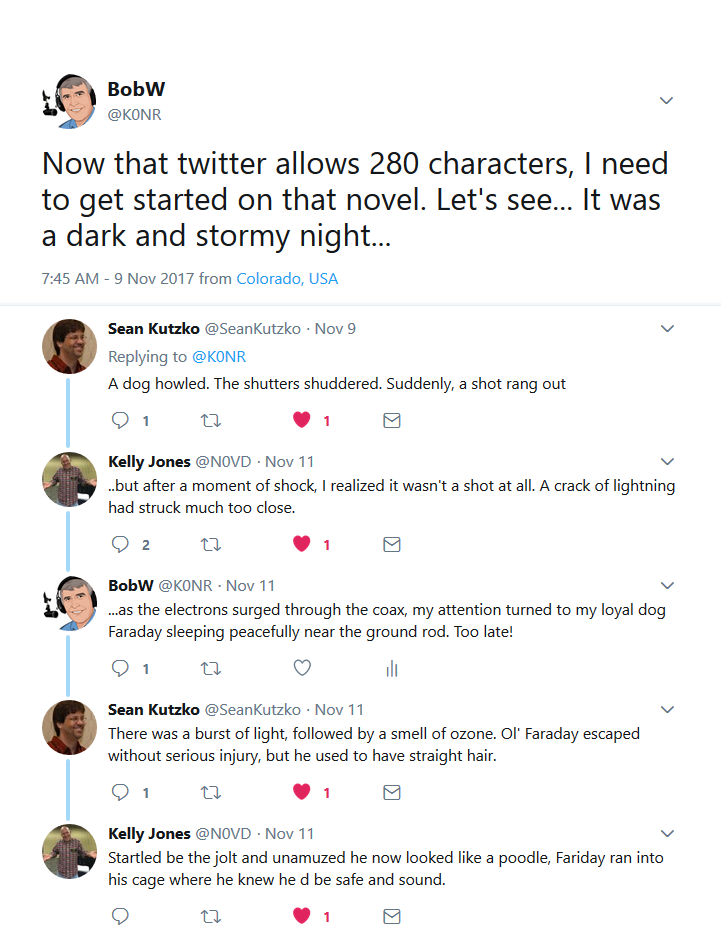 I thought it was funny. Thanks for the help, Sean and Kelly.
73, Bob K0NR
The post My Twitter Novel appeared first on The KØNR Radio Site.
Colorado (W0C) SOTA Activators
Here’s the SOTA activator scores for Colorado (W0C). I have to admit that I like checking this to see how everyone is doing. Some of it is friendly competition but mostly its enjoying the accomplishments of my fellow SOTA enthusiasts.
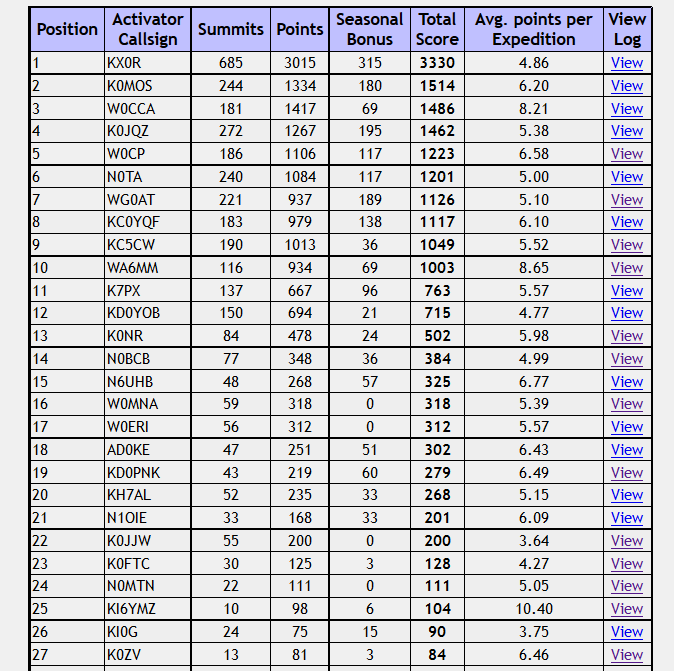 We’ve got 10 “Mountain Goats” in Colorado now, with 1000 or more points. Carey, KX0R just never stops activating. It seems like he is out there on a summit every day. My friend Brad WA6MM just made “Mountain Goat,” by activating only Colorado summits, never repeating any, with many difficult climbs. Note that his average points per expedition is 8.65, higher than any of the other MGs. (W0CCA comes close at 8.21) Congratulations, Brad!
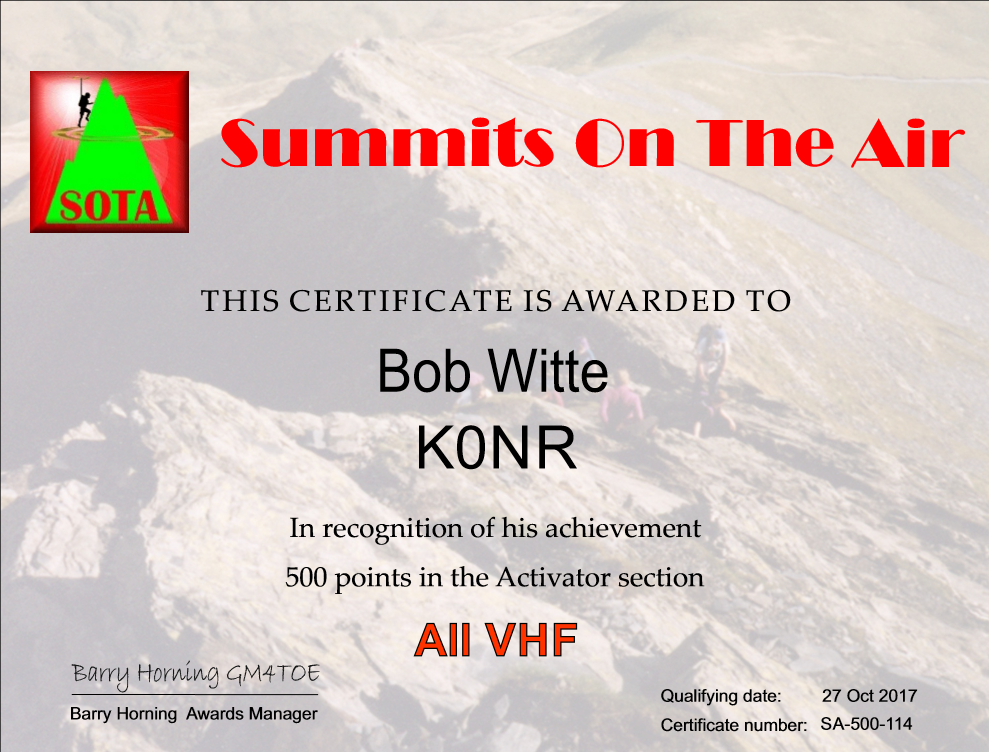 It looks like K7PX and KD0YOB are next in line for Mountain Goat, while I am still a ways back. My hiking partner Joyce/K0JJW is coming on strong, having accumulated 200 points. I just cleared “half a Mountain Goat” at 500 points, so I requested a certificate for that accomplishment. At my current rate of progress, I am about 2 years away from Mountain Goat. I keep telling myself to be patient, keep at it and (most of all) enjoy the journey.
73, Bob K0NR
The post Colorado (W0C) SOTA Activators appeared first on The KØNR Radio Site.













