Bring it on!

Using Dual watch 
There have been some blog posting regarding the ARRL State QSO party challenge. After looking over the ARRL site regarding this "challenge" it is something that can fit right into my schedule. My wife Julie works most Saturdays and Sundays, our weekends are Tuesday-Wednesday. This leaves me with time to jump into the weekend QSO party fray! In the past (post-retirement) the weekends were occupied with yard work, food shopping and cleaning house BUT now that I am retired all these things can be done during the week now.
The kickoff (Super bowl lingo) to the ARRL QSO party challenge was very busy with 3 QSO parties this weekend. The BC QSO party, Minnesota QSO party and the Vermont QSO party were in full swing this weekend.  The challenge to me was how to participate in 3 contests using only one contest software program?  The software I have used in the past for contests were N1MM+ and N3FJP's contest software. I did read regarding Scott's N3FJP's contest software that you can run multiple contests using API (application program interface). Now I never claim to be a computer guru and API meant nothing to me until Thursday last week when I read about it on the N3FJP software user group site. For this weekend I used N1MM+ and loaded all three QSO parties and just loaded the contest I was logging in and for the time being, it worked just fine for me until I can read up on this API thing.
Why has the ARRL QSO party challenge appealed to me:
- I have the weekends more or less free now.
- These contests are not a full 48-hour effort.
- They are local meaning North America and low sunspots do not have as much of an effect.
- Maximum power is 100 watts so most of us are on the same level of playing field.
- The modes are CW, Phone and in some QSO parties, the digital mode (FT8 and FT4) has been            embraced so there are lots of opportunities no matter what your choice of operating is.
- If CW is your forte I have found the speeds are slower and sometimes a TU (thank you) and 73 is      added to a contact.
BC QSO party shot

So how did the first weekend of QSO party contest go.......
Vermont QSO party:
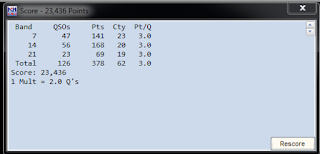
This was a tough one as I made only 2 contacts both on 40 meters and I felt because Vermont is close to home my contacts would be ground wave. I was not able to hear any Vermont stations on 20m at all. I had to settle for 2 contacts with a score of 16. When I visited the contest score webpage 3830 I was shocked to see that all others had scored low as well.
Minnesota QSO party:
There was more action in this contest but for some reason, the only station I heard were ones I already worked (Dupes).  I ended making a whole 7 contacts in this contest for a final score of 98.
BC QSO party:
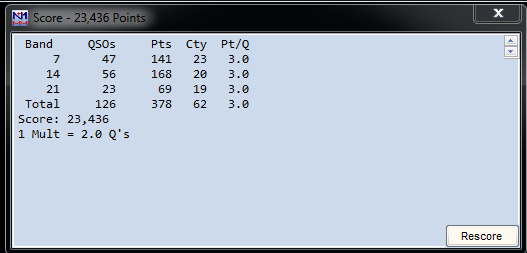
In this contest, I was able to hear lots of BC stations but the conditions were changing very fast such that I would make the contact but then they went below the noise level. I ended up making 6 completed contacts with a score of 116 but lots of contacts that ended up being incomplete as they were washed up in the noise floor.

The benefits of the these QSO party contests:
- It gets me on the radio as most of the time just planning to get around to it never happens.
- I want to enter the CW category this will help me improve my code.
- When CW slows and if the contest allows digital FT8/FT4 I will give this new way of contesting a       go. 
- Allows me to learn more about my Icom 7610 in contest situations.


A nice surprise on 60m FT8

I was on 60m operating FT8 just after finishing dinner and to my surprise a fellow blogger John AE5X was calling me on the waterfall. A very nice surprise for sure I have read his blog for some time and it was great to make contact with him on the rig. 

Upgrading to Windows 10…..for a short time anyway.

Last week I decided it was time to update my computer OS from Windows 7 pro to Windows 10 pro. Because I have a registered version of Windows 7 the Windows 10 is a free upgrade and with this upgrade, I am able to keep all my programs on the computer that I had on Windows 7. I did the upgrade and it went off without a hitch and all my programs there were in Windows 7 were alive and well in Windows 10.......or, so I thought!
After the update was done I check my virus software, OpenOffice documents, ham radio programs and the virtual com port program. All seemed to be fine so next, I started my radio programs Win4Icom, N3FJP logging and finally JTDX digital program. The radio and software had no issues with communication and in no time I was up and running with FT8 making contacts. Now it's time for the "BUT" I noticed my JTDX waterfall started moving very slow, I was not getting any decodes and finally on the waterfall you normally get a horizontal line containing the band and time. These lines show up once you finish transmitting and go back to receive. I was getting these lines one after the other and very closely spaced. I checked PSK reporter and my signal was being decoded by other stations but I had no decodes.
I shut down the program and restarted it and all was good for about 10 minutes and then it started to happen again. I then tried WSJT-X and it did the same thing within about 10 minutes again. This time
Missing Microphone icon. 
I noticed in the taskbar a strange behaviour happening. In Windows 10 if the taskbar is full there is an arrow and when you click on it the remainder of the icons appear, this area is called the overflow. In this overflow area, there is an icon that looked like a microphone. This microphone appeared and then disappeared. The other icons in this overflow were shacking which the best way to describe it. So much for not having any issues, I did some digging on the internet and some were saying it was an RF issue. This did not surprise me as the Endfed antenna has been full of surprises.


Here is what I did:
After my fresh install of Windows 10, what did I add to the PC?
1. I added a USB 3 cable to an external hard drive for backup purposes.
2. I updated my video driver.

I removed the USB 3 cable and this made no difference. The thought was it had no toroids on it thus a good RF antenna. This did not fix the issue.

I could not see the video driver being the issue but for &%*# and giggles I downgraded the driver and as I suspected it made no difference.

Next, I wanted to check possible sources of RF:
1. Check all my connections on the radio (Icom 7610) and the accessories.
2. I removed the Endfed from the picture and transmitted into a dummy load.
3 I lowered the wattage output to zero.

Here is what I found:

All the connections were good and tight.

When I transmitted into a dummy load I had the same issue with both JTDX and WSJT-X.

With the wattage on the 7610 at zero, I once again found the same issue with both programs.

This led me away from RF from my radio setup being the issue and I looked at other options.
While I was surfing the internet I found numerous posts about Windows 10 has a mind of its own by changing or deleting sound settings. I began to investigate the sound settings specifically the settings that would have anything to with digital modes. The Icom 7610 (when software has been installed) has one I/Q port and 2 USB ports for digital programs.  I went into device manager and all ports were there. I then opened the properties' menu for the  2 Icom USB ports (sound and mic properties) to make a long story short I spent a huge amount of time adjusting, reinstalling, turning off and on again each of these 2 devices.  Toward the end of my fiddling, I did notice the microphone icon in the overflow tray started to act up just like before!
This was my confirmation that it was not an RF issue but in fact, a software issue and it was a software issue I NEVER had with Windows 7 pro.  At this point, I could have done more investigating but I had just about enough of Windows 10! There is an option to downgrade back to Windows 7 but it has to be done within 10 days of the Windows 10 upgrade.......hmmm 10 days for Windows 10.......was it 7 days for Windows 7 to downgrade back to XP..... I digress.
I chose to downgrade back to Windows 7 pro and later I will find the answer as I am still able to upgrade back to Windows 10 pro.
Windows 7 error message
Once the computer restarted I was greeted with an error message, I thought screw it, for now, I clicked "OK" on the error message to see if Windows 7 pro loaded. It loaded and now I wanted to see if I had the sound issue I had with Windows 10 pro. All programs started ok and after extensive testing my digital programs I had no issues at all. It was now time to deal with this error message, it turns out it was from my NVIDIA video card. I reloaded the drivers from the NVIDIA installation CD and all was good. 
Has anyone out there using Windows 10 had this similar issue and if so what did you do to overcome it? As for me now that things are working again I am going to take my time and see if I can sort this issue out.

Arrival of new antenna

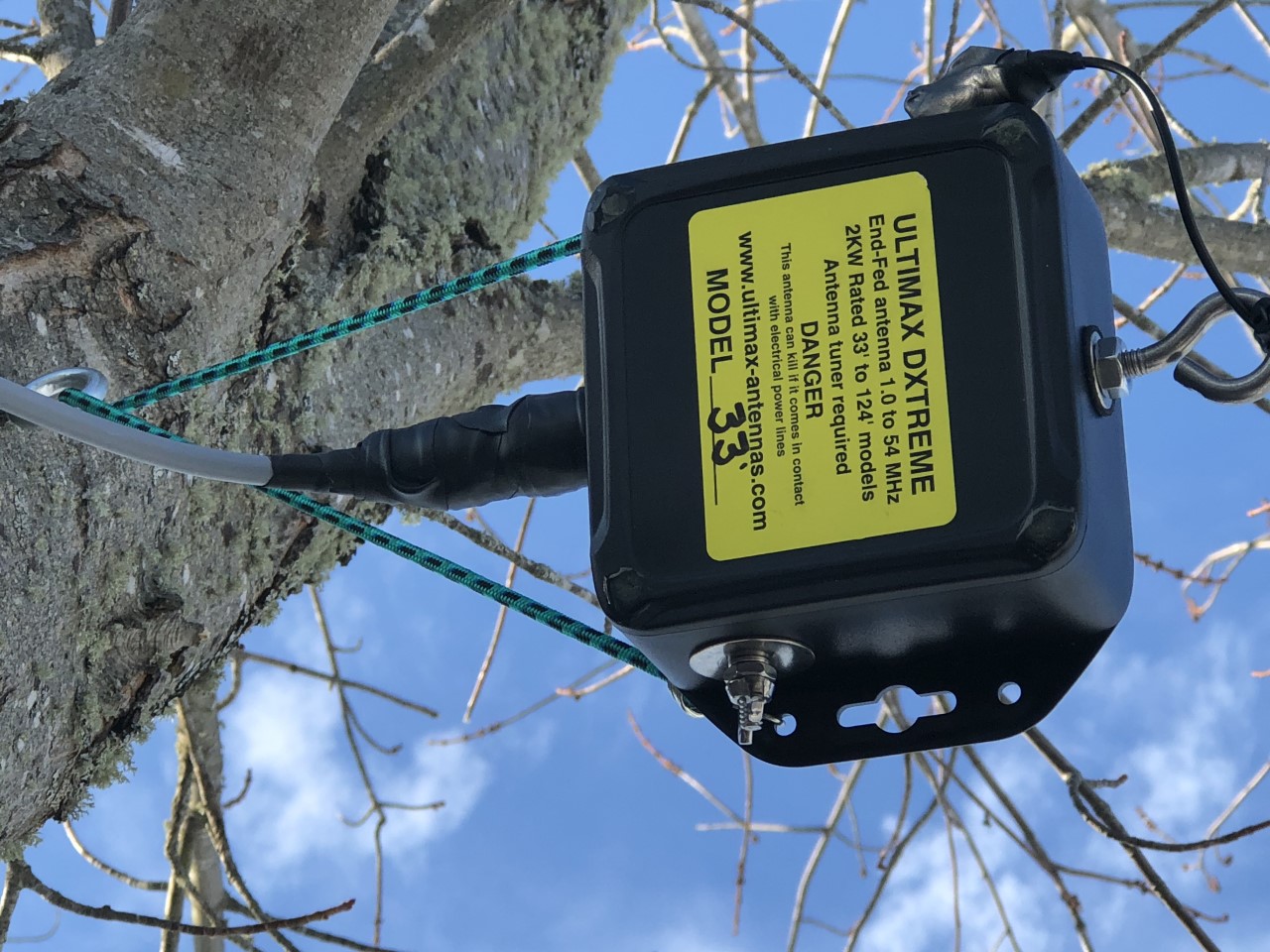
The End-fed antenna I have now is the W1SFR KX3 helper End-fed antenna. It's a great antenna and is working nicely. It is very well-made along with a 100% satisfaction guarantee, I have been very happy with mine and have used it without issue as a full time antenna. So with all this positive feedback why am I looking at and purchased another End-fed antenna? The W1SFR has a maximum rating of 100 watts. With my digital operations I have to be mindful that my End-fed is only rated at 100 watts max and I imagine that is an SSB rating. The other "thing" is the W1SFR uses the coax shield as the counterpoise and it has been causing me some grief at my  home station, some lights and our washing machine. I wanted to stay with an End-fed antenna as it fits on my property nicely and over all I am very happy with the performance of the End-fed type antenna. The antenna I decided on is from Ultimax Antennas and it's their Ultimax DXtreme, their 33 foot model. You can order the Ultimax antenna with lengths from 33-124 feet. I chose the 33 foot model as it just fits my property nicely, it would be great to go for something longer but at this time I am going with easy and convenient.
On the Ultimax site it says that the DXtreme antenna covers 6m to 160m and that ALL DXtreme models are of a different design that work most efficiently with the length of wire it is sold with. This End-fed antenna has a rating of 2kw which is more than enough of a buffer for me. Unlike the W1SFR End-fed antenna the DXtreme has provision for a counterpoise. I ordered the counterpoise that Ultimax offers for their antennas. As with most End-fed antennas an antenna tuner in needed and I have my new LDG AT200proII. I will be interested to see if I can get the antenna to tune on 80m! I would imagine the bandwidth may be narrow but that is where the AT-200proII tuner comes into the picture with its ability to call up a memory tune in no time.
The DXtreme antenna arrived here last week but the weather has not been co-operative for me to install the antenna. I don't want to rush the installation as some heights are involved and at my age, I don't bounce very well anymore!

Kazakhstan in the log.

The other day I was very pleased to work a new one using FT8  Kazakhstan UN7CBY Vladimir. I had seen him in the waterfall in the past but was very happy to get him in the log on 30 meters.

Time to get some ham bucks.

Getting the AT-100pro ready to sell.
About a month before the New Year I had a look around the shack and realized that I moved some items down to our new home that I used just as much as when they were at my old QTH.......these items were only taking up space and gathering dust. I decided it was time once again to put some radio items up for sale and send them on their way to someone who can use them. This gave me some "ham bucks" and to be honest I did not need much but what I did get was a new LDG 200proII antenna tuner and a new Endfed antenna which was the Ultimax DXtreme Endfed antenna   I did have the LDG AT-100pro (not the proII)  I say "did" because the LDG AT-100pro was sold. The reason I sold it was the LDG AT-100pro tuner is rated at 30 watts when operating digital modes. With propagation being what it is these days I have moved some of my operating toward FT8 digital. I would like to move a bit beyond 30 watts and the only way that can be done was to change out the LDG AT-100 pro to the LDG AT-200 proII tuner. A nice surprise was the LDG AT-200proII was able to tune a great match better than the LDG AT-100pro did. For example, I never had a decent SWR on 60M and for some reason when I switched to the LDG AT-200proII the tuner was able to tune 60m to a very decent SWR. I can now operate on this band without any SWR issue.  On the bands were a tuner was needed the AT-200ProII outperformed the previous AT-100pro. I have the interface cable from LDG that connects the tuner to my Icom 7610. This makes using the LDG tuner a breeze. The tuner when in tune will automatically reduce the Icom 7610 power to 10 watts. When a match is found it's stored in the LDG tuners memory using this interface cable I am able to operate on 30m and then go to 60m and when I start to transmit the LDG tuner reverts to the memory tuned position for 60m is a split-second, and I am good to go. If the band I chose does not have a stored memory tune then the tuner will perform a full tune at a reduced wattage of 10 watts. I just have to operate and the interface cable looks after the LDG tuner and getting me the best SWR. In my next post, I will look at the Ultimax DXtreme Endfed antenna.

Merry Christmas and Happy New Year!

As 2019 moves closer and closer to becoming 2020 I wanted to spend time and look back on 2019. I looked at my blog posting history from 2019 and it was a slow year for posting. This had to do with working long hours and just too tired to get on the radio or to blog for that matter. My new Icom 7610 did not see too much operating time. During July, my wife and I had some heart-to-heart talks and I decided to retire. We both agreed it was time to move on to the next stage in life. The only thing that was holding me back was the change I had done the work thing at the same company for over 30 years. To just stop what I had been doing for so long made me feel uneasy but I put my notice in and by the end of July I was retired!
The next change was the location...... Julie and I both agreed that living in downtown Toronto was nice but it was time for a change. A slower pace was very agreeable to us both, so we decided to move to the east coast of Canada. We sold our condo in Toronto and purchased a home in New Brunswick and started to pack and move. I have to be honest I have NEVER made this many decisions in a single year in my entire life.
Fast-forward to the present.....we are settled in New Brunswick and my new call is a 2 letter call VE9KK. In Ontario, 2 letter calls are very very hard to get. In New Brunswick, I had a choice of 2 letter call signs. I chose a call that had good CW qualities. I have put up an EndFed antenna the property is small and the Endfed was my desk drawer taking up space, so I decided to put it into service. I'm now in my 5th month in New Brunswick and to date, I have logged 447 contacts as VE9KK and the first months at the new QTH I was unpacking and setting the house up. My first contact was on October 13 with IU8DON and since then I have logged more contacts in two and a half months than the first 7 months of 2019 as VE3WDM, I made a total of 311 contacts so it looks like retirement is treating me well in regard to my radio hobby.
I'm Looking forward to 2020 and what are my goals.......I want to look into the CWops cw academy program as this is really the only option I have found that works and can get my code on the upswing. Get involved with the local amateur radio club in town the Moncton Amateur radio club or MAARC. I would like to explore contacting some DXpeditions both CW and FT8 and or FT4. The above goals seem like a good start for the year as I don't want to go overboard with one hopeful goal after the other.
Merry Christmas and Happy New Year to all my blog readers.

Subscribe FREE to AmateurRadio.com's
Amateur Radio Newsletter

 
We never share your e-mail address.


Do you like to write?
Interesting project to share?
Helpful tips and ideas for other hams?

Submit an article and we will review it for publication on AmateurRadio.com!

Have a ham radio product or service?
Consider advertising on our site.

Are you a reporter covering ham radio?
Find ham radio experts for your story.

How to Set Up a Ham Radio Blog
Get started in less than 15 minutes!


  • Matt W1MST, Managing Editor