Posts Tagged ‘Computers’

Learning more about the Alexloop

What turning the loop can do
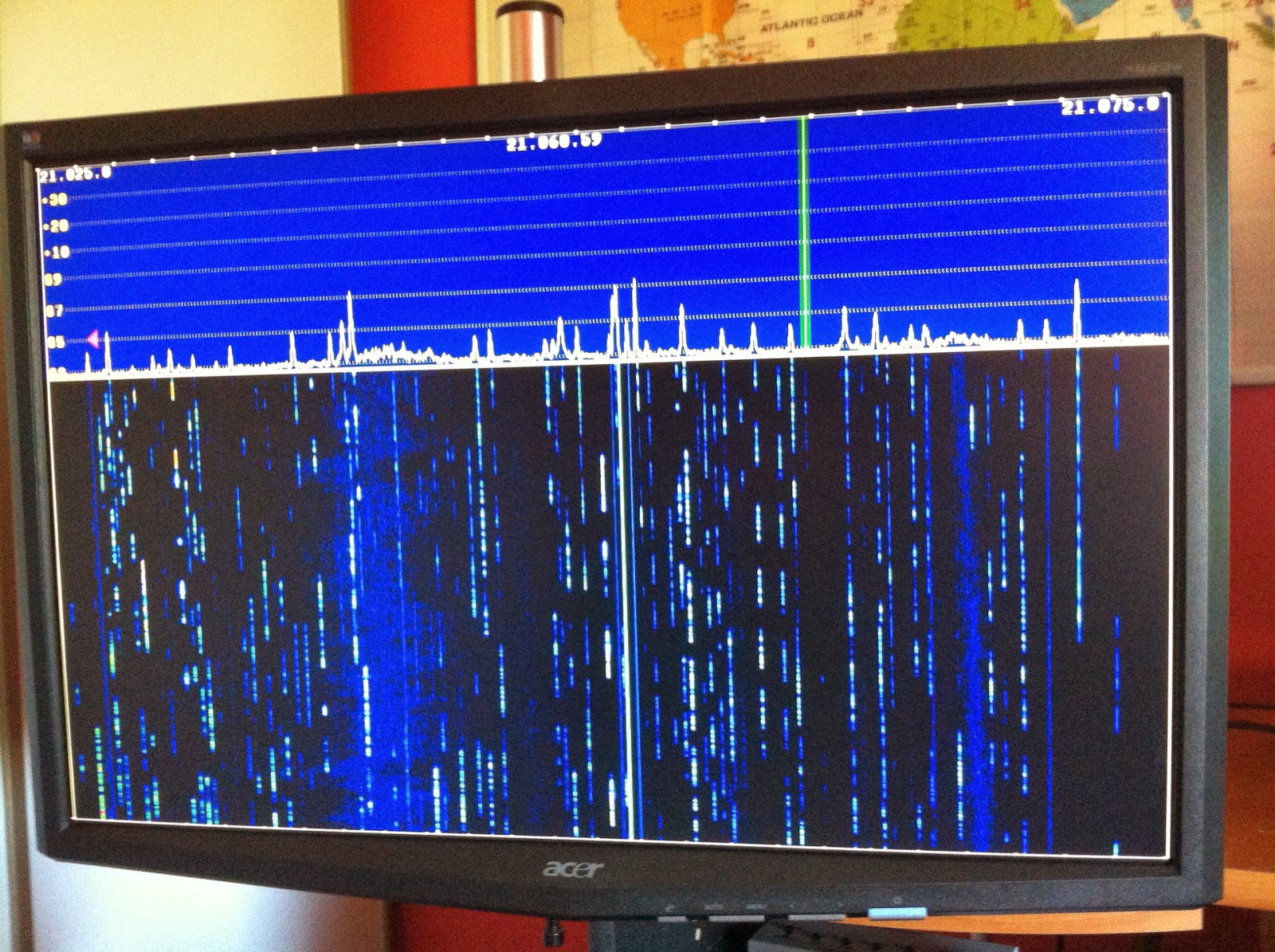
As times goes on and I use the Alexloop more and more I am coming to realize that this antenna may not be a bad choice for my condo antenna. The loop is small and I thought may not preform that well, stacked up against my Alpha Delta DX-EE dipole antenna yes it does not far very well. BUT for limited space, fast to assemble and take down and stealth the Alexloop is a great contender. Recently I have been only using the Alexloop indoors and either on the main floor or my second floor shack. The power has been set to 5 watts and as was said in my previous posts I was able to get into Europe with some decent reports. This weekend using the loop antenna along side my K3 (Up to this point I have only been using my KX3) they seem to get along very well. The tuning of the antenna has been made easier because of the P3 and external monitor. I am able to tune to peak noise using the band scope or otherwise known as the Elecraft P3. Peaking the noise level this way has almost netted me a perfect SWR on all bands. There was only a very minor self tune I had to do in order to get the SWR flat.

Man made noise on the band
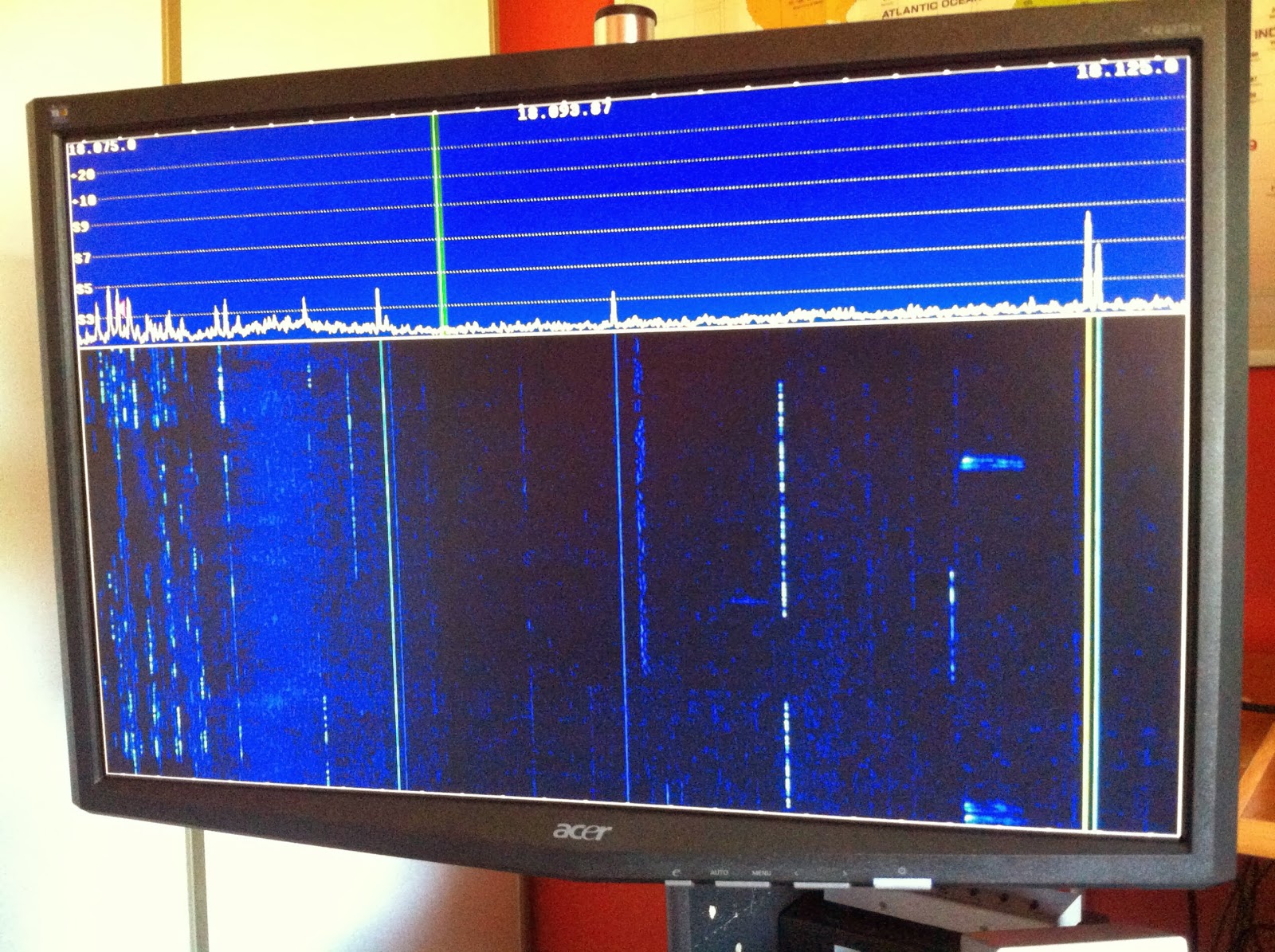
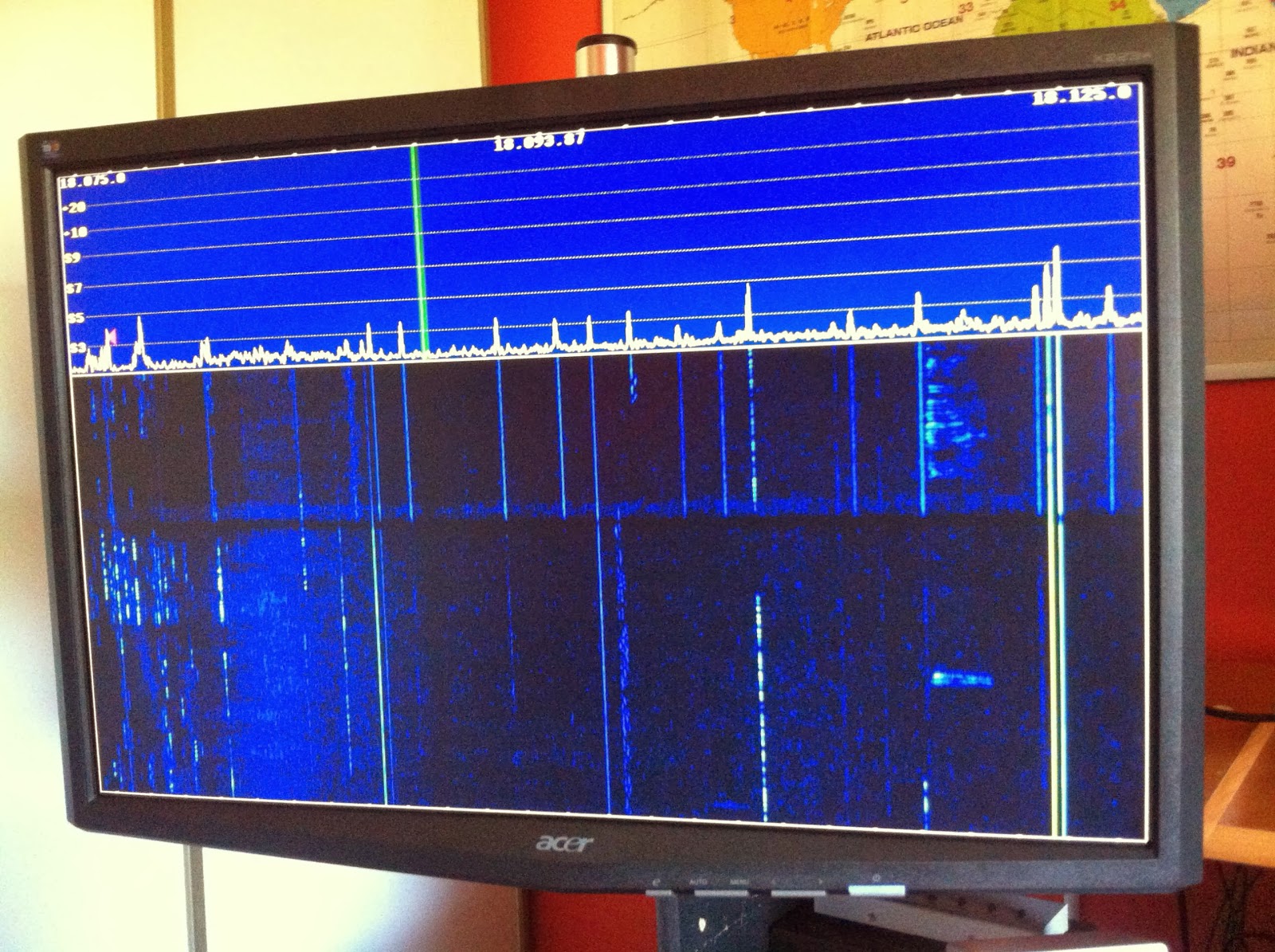
I did notice on 30m today there was lots of man made interference and by simply rotating the loop most if not all the interference was eliminated. As well after rotating the loop the signals I was listening to were still there. That to me can be a great bonus once in the city of Toronto and the interference problem may increase and by turning the loop I may be able to rid myself of some of it. I also wanted to know what the loops receive bandwidth would look like on the P3 and I am please to say that's it's great. As for transmitting I have found the loop has to be re tuned anywhere from 10 to 25 Khz depending on the band. This was a good learning weekend for me regarding the Alexloop. I have been toying with the idea of the MFJ magnetic loop as you can tune it from your desk. I have tried to add some extra length to the Alexloops coax and have had some good and bad results with tuning the loop for best SWR. I have noticed as well that when tuning the loop your body has an affect on the SWR as well. You may see a great SWR but once you have moved back to  your radio the SWR goes from your tuned 1.2 to 1 to 2.2 to 1. This is not the case all the time but has happened now and then.
A nice bandwidth with the loop
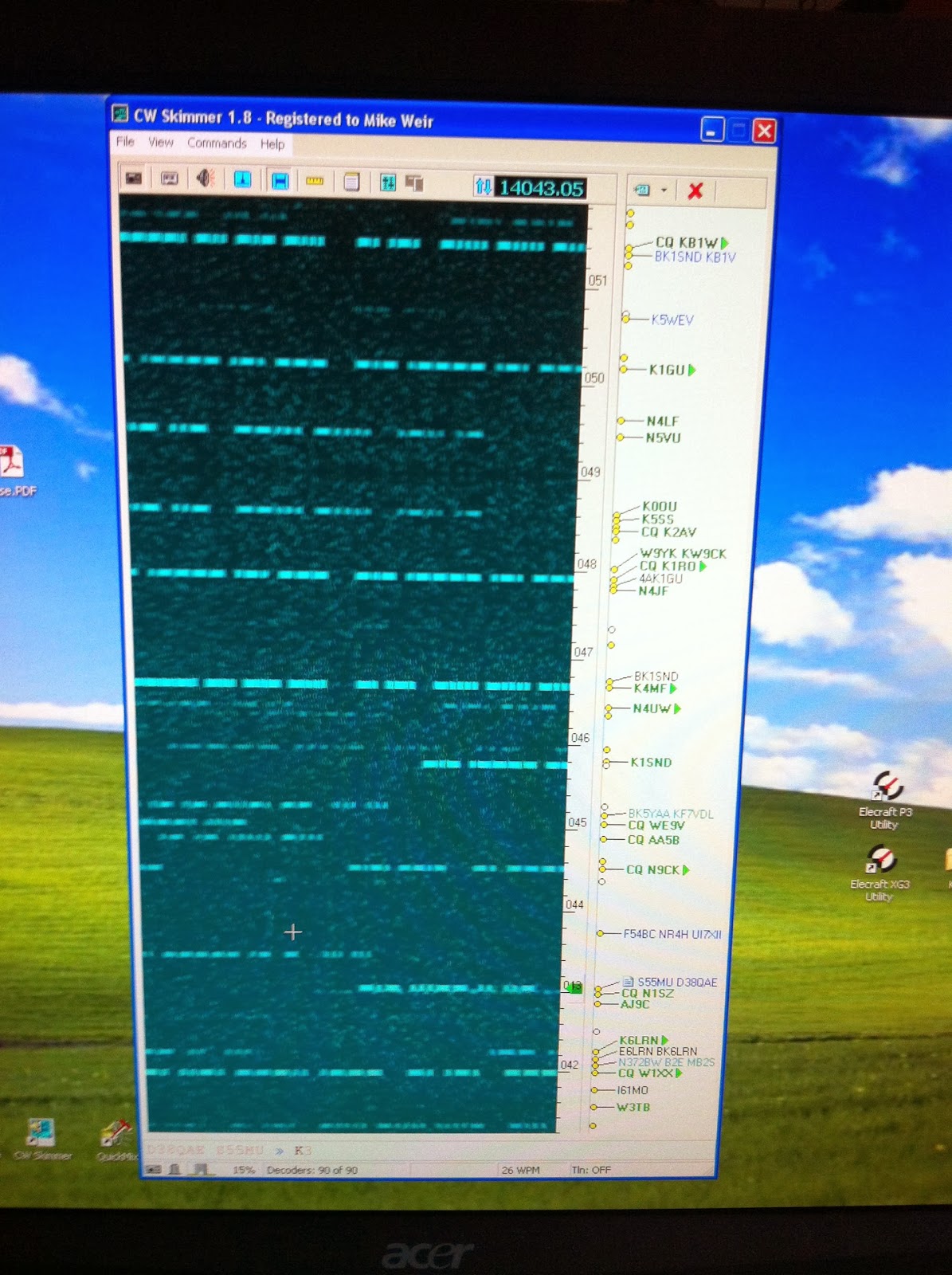
One other element I wanted to try this weekend was Skimmer, there was a contest on and I wanted to see how well it did. The results were very pleasing and I was able to see how Skimmer can help me. I have played with Skimmer in the past and just could not get it working but I stuck with it this time and am pleased with the results.
Skimmer showing the picture

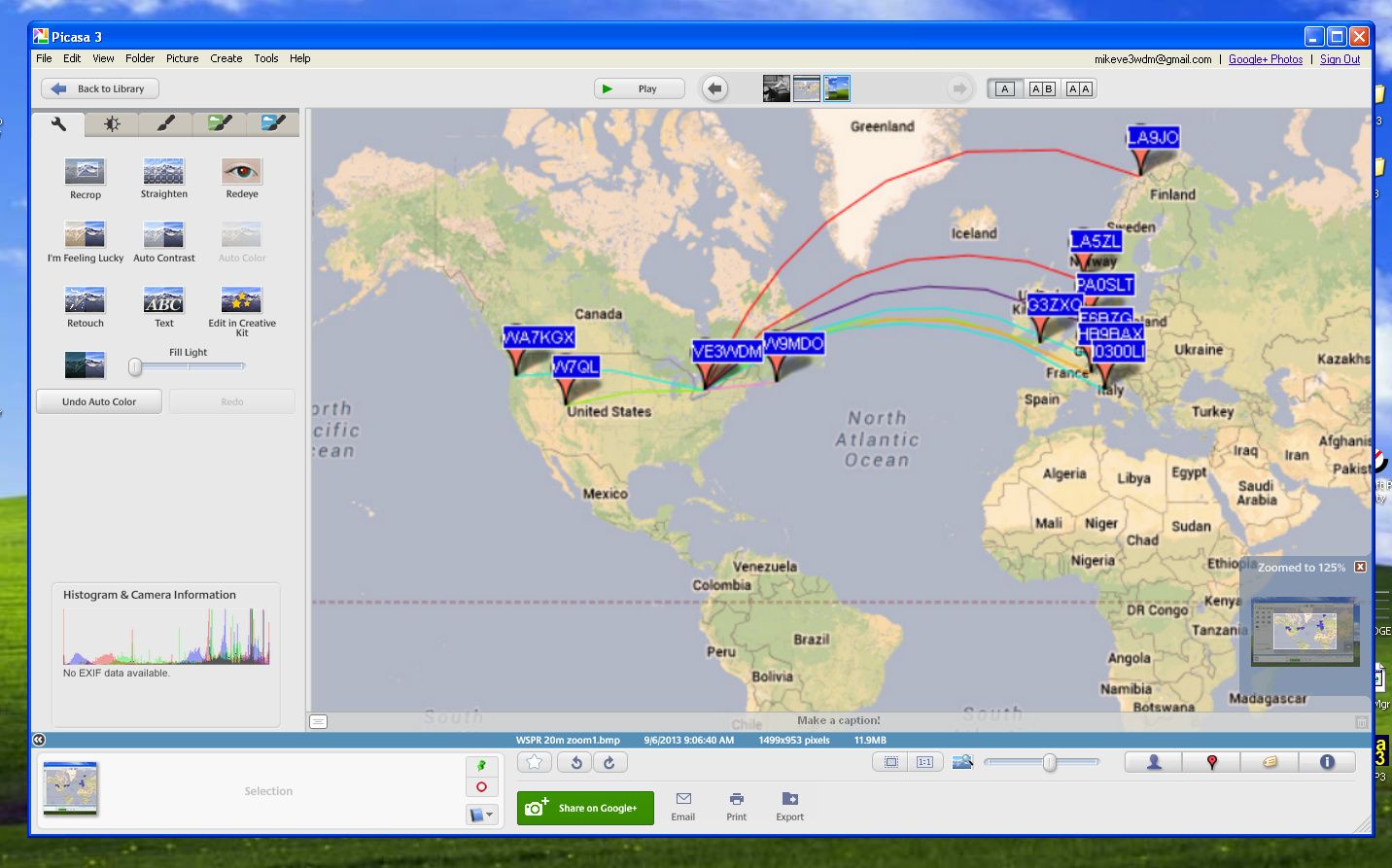
20m WSPRing

 Click on each image to enlarge

I have changed the shots to try to make them larger as some readers were wanting to see more details. The original pictures were done with Windows Print screen key. Not a very good option if one wants to see detail....lesson learned.These are not the greatest but the best I can do with the original prints.


Well I'm off work today and tomorrow I was off last week with a very bad cold and sinus infection but went back to early and am off again. Now I'm on med's and things seem to be turning around. Oh one thing the doctor asked me to try was a Neti Pot. In a nut shell you flush out your nose with water, it goes in one nostril and flows out the other!! I have heard of this and my son actually does it but there is just something funny about running water all the way through your nose up and into the sinus cavities and out. You just have to be careful and not use tap water and only the solution that is advised to use..........any way what does this have to do with WSRPing.......NOTHING.......I again have set up my Elecraft K3 for WSPR and it works better than ever. I set it up on 20m this afternoon to see how my 5 watts could venture out and about. I was very surprised that my signal made it over into Europe. A fellow blogger Paul PC4T in the Netherlands has hoped to have a WSPR signal meeting....up to this point it has been a no go. But this time around I did make it into the Netherlands to PA0SLT and PA3EDR as well as Italy, Switzerland, Finland and France.
I’ve been had and taken for a ride!!

You think a deal is deal....NOT
Over a week ago I blogged that I was having some trouble with my home PC and was getting this error message whenever I wanted to run some ham software. I was not able to open the software at all I was just shown this error message. I did lots of searching on the web to see if there was a work around or a solution other than re-formatting my hard drive. In my travels on the web I came across this site that said their software dealt specifically with removing Windows error codes. I did some reading and they did have a free trial software so I downloaded it and gave it a go. Sure enough it did identify the problems on my PC and namely it pointed out that ERROR 2908 was a big one and could be cleared......BUT.........to do so the software had to be purchased! Well I did some looking around the net again about this software in particular and it did get some good reviews. So I sent the money via PayPal  and soon after had a email with what I thought would be the key code to unlock the program and allow me full access. Well a 1-888 number was given and I was asked to call the get the key code. So I did and sure enough a person answered and gave me a code and the program was up and running. While on the phone with me this person wanted to make sure I knew how the program worked and the problem I had to want me to purchase the program. I thought "well this is customer service" After about 10 minutes on the phone with me and paying 50.00 for the software' I was told that my problem was "complex"........BUT........he could fix my problem via having control of my PC in about 20 minutes. Again I thought "this is great customer service"........BUT........then he added for 200.00 via PayPal it could be all looked after!!!!
Well that was the end of that call and my PC was not fixed at this point, as a matter of fact he never even used this software to see if a fix could be done. So I ran the software and it finished, it removed my ham programs and would not allow me to download them again. I have contacted PayPal to dispute this product and get my money back so we will see what happens there. They are in the final steps so I should know soon.
My solution was to re-format my hard drives and get a good Mal-ware/spyware tool!!

Error 2908 is gone……

After becoming very frustrated with this error I decided to re-format my hard drives. I dug up the XP install CD and all the drivers needed. I then transferred  all (so I thought at the time)  items from my drives before starting the re-format. The process went very smooth there was only one "are you kidding me" moment when the Win XP CD said there was an error loading a file. It was a matter of cleaning the CD and I was back in biz.
The error is now gone and most if not all of my ham programs have been loaded, now it's time to get them running the way I want them too. This is the part that takes time up to this point  my only trouble has been getting N4PY radio control program and N1MM contest logger to talk to each other via VSP manager!! I can remember having trouble with this in the past and I just can remember what I did for them to get along. Once the system was up and running it was then I had some "you can't be serous moments"....I did not save a backup copy of my log from DXlab, I did not save any of my contests in N1MM nor all my macro setups.........oh well at least the PC is healthy again........until that is another virus or malware decides to play games with me that is!!

When simple turns to exhausting
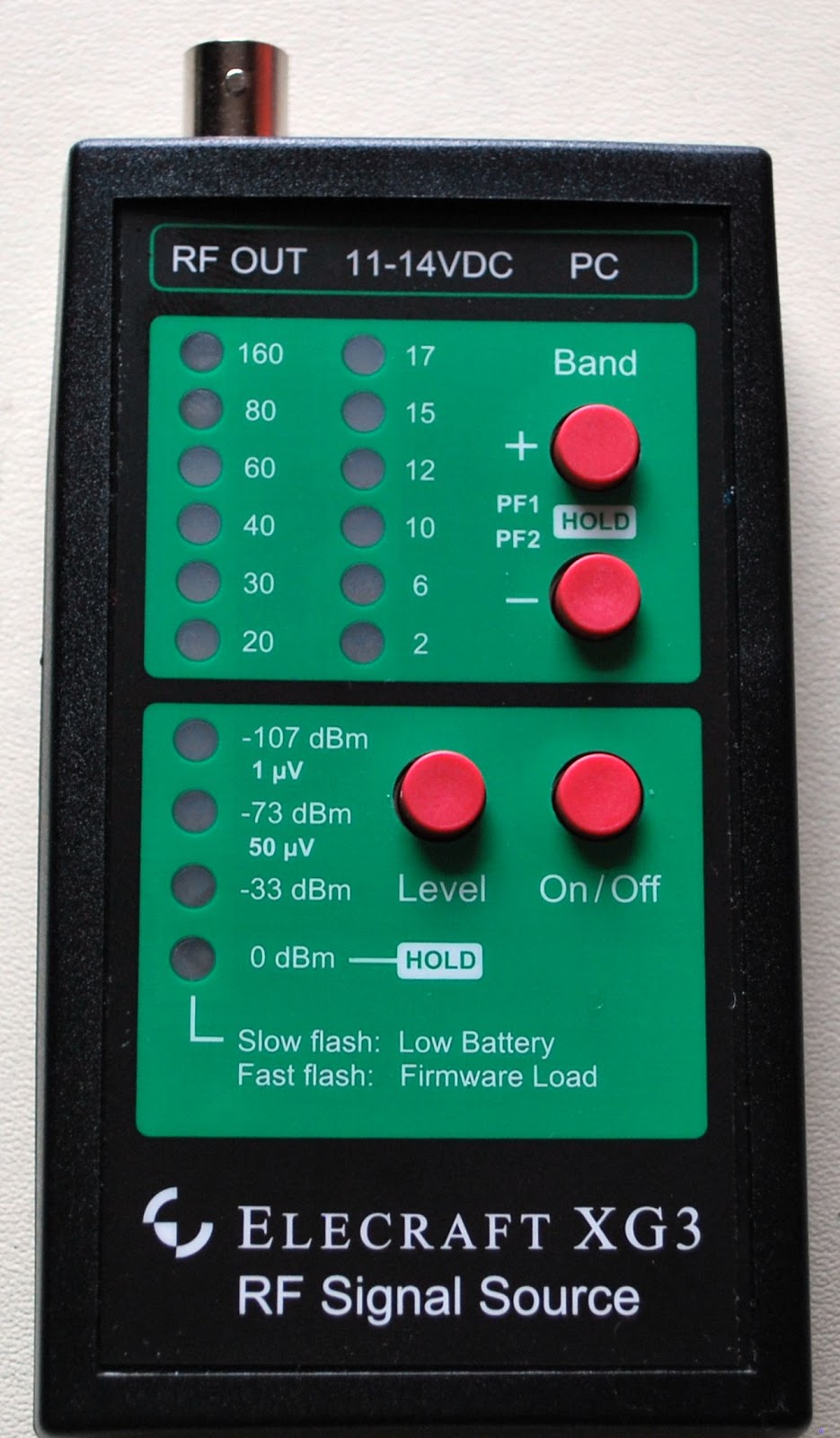
Three weeks ago I ordered from Elecraft there XG3, it's an RF signal source device with a range from 1.5 to 200 mhz,  two programmable sweep functions, 12 programmable bands  (2m to 160m) and 4 calibrated output levels as well as a few more bells and whistles. This unit can be updated via your PC which is great when Elecraft comes up with bug fixes and new options for the unit. You can either power the device by a 9 volt battery or your DC power supply (11 to 14 volts DC). One of the reasons for me purchasing this unit was it can via software preform an Rx Sideband Null Field Calibration. This is an experimental Field Calibration program and the instructions and program were sent to me via Elecraft support. The reason I wanted to do this calibration was to stop the "woodpecker" effect I was getting on my KX3 during CW contests with stations that were very close by. The program needs run for around 20 minutes to complete and I thought this would be a great Saturday afternoon project.....not thinking that 20 minutes would turn into 2 hours with the calibration not even starting!! 

So far so good but Murphy shows up!
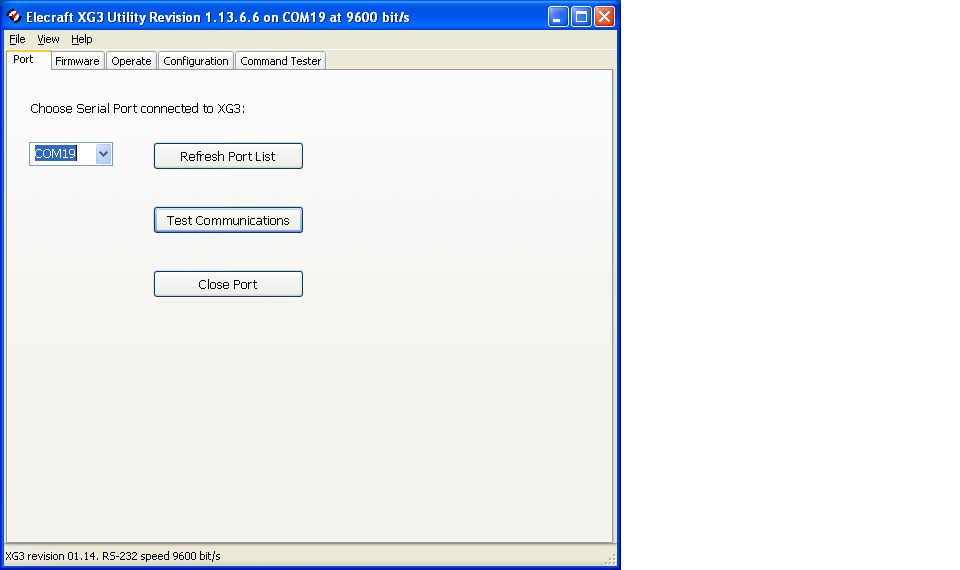
To do the test you first have to make sure the XG3 has the latest firmware loaded so I plugged in the supplied USB cord to update the XG3. I had the "new hardware found" info box come up and I then began the search for the USB port......well for some reason I was not able to find it. I then just plugged in my KX3 USB cable I use to update the KX3 rig with and it's com port 13. I used that cord and plugged it into the XG3 and had it look at com 13 and all was well. It seemed the firmware was up to date. For the calibration test I needed to have both the KX3 and XG3 running on USB ports of their own. So I swapped some USB cables around and I was able to see my XG3 on com 19. That was great (so I thought). I started up the RX
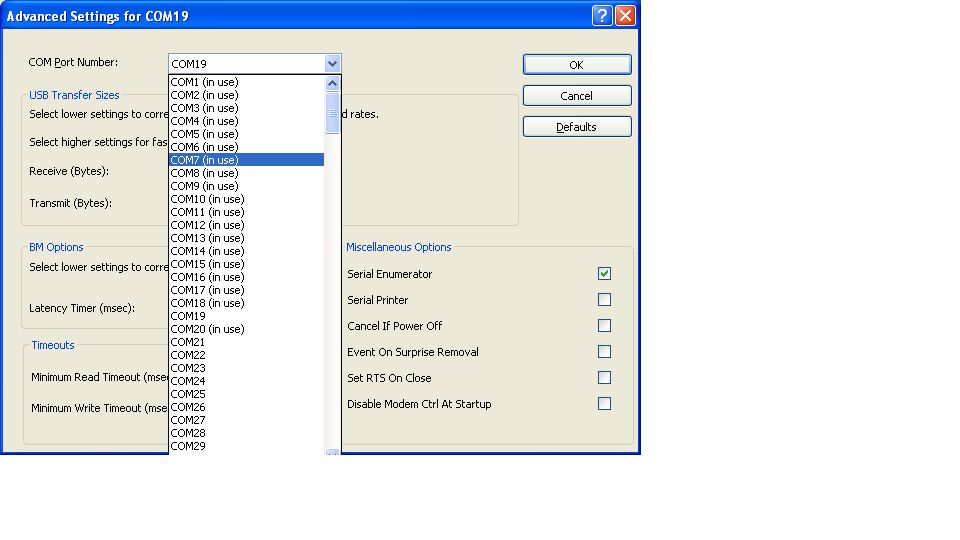
Not able to use available com ports
sideband null field calibration program and the first thing I was asked was to enter the com port of the KX3 and XG3. I entered the KX3 (com13) and  the program said all is well and was able to see the rig. I then went to enter com19 for the XG3 and the drop down menu in the Elecraft program only went to com port 16!!!! WHATS UP WITH THAT!!! So the calibration test came to a fast end. All this farting around took 2 hours of my time and got nothing done......I went into my device manager to see what was going on and I tried to change the XG3 to a lower com port number but I was informed that all com ports from 1 to 18 are in use, funny thing is I don't have 18 USB items to take up that many ports.....but I do have LP Bridge and VSP manager that create virtual ports and also an 8 port Edge port device that takes up virtual ports as well. My question is why does the XG3 program only go up to com port 16.....N1MM does the same thing and it's a pain!!! So I will be emailing Elecraft support to see if there is a solution to this or maybe I will go the Mac way and set this up on my wife's mac computer.


Visitors Book gone!

They say that to err is human, to really foul things up you need a computer. And I have been fouling a lot of things up recently. The latest thing that I fouled up is the G4ILO’s Shack visitors book.

On the site I also have a contact log. This runs from a backup of my KComm (MixW format) log file. KComm automatically backs up my log to the web server, in order to create an off-site backup of my log. As a bonus, I have a PHP script that reads this backup file and displays the contents in a human-readable format.

What I stupidly did, when re-configuring KComm after my computer troubles a couple of weeks ago, was put the guest book file name log.dat for the backup file name, instead of what it should have been: g4ilo.log. So when KComm uploaded my contact log backup it overwrote the guest book data file instead. I only discovered this after wondering why the contact log on the site wasn’t updating.

I looked back in the site backups maintained by the hosting service but they only go back a couple of weeks.  I must have made the error before then. All I have managed to salvage is the most recent 3 entries. I’m rather upset about that, because the guest book contained comments made over many years from the early days of the site, which I had painstakingly preserved over various versions of guest book script.

At least I didn’t lose my contact log going back to 2001. That would have been a disaster!

Ham radio and software……….
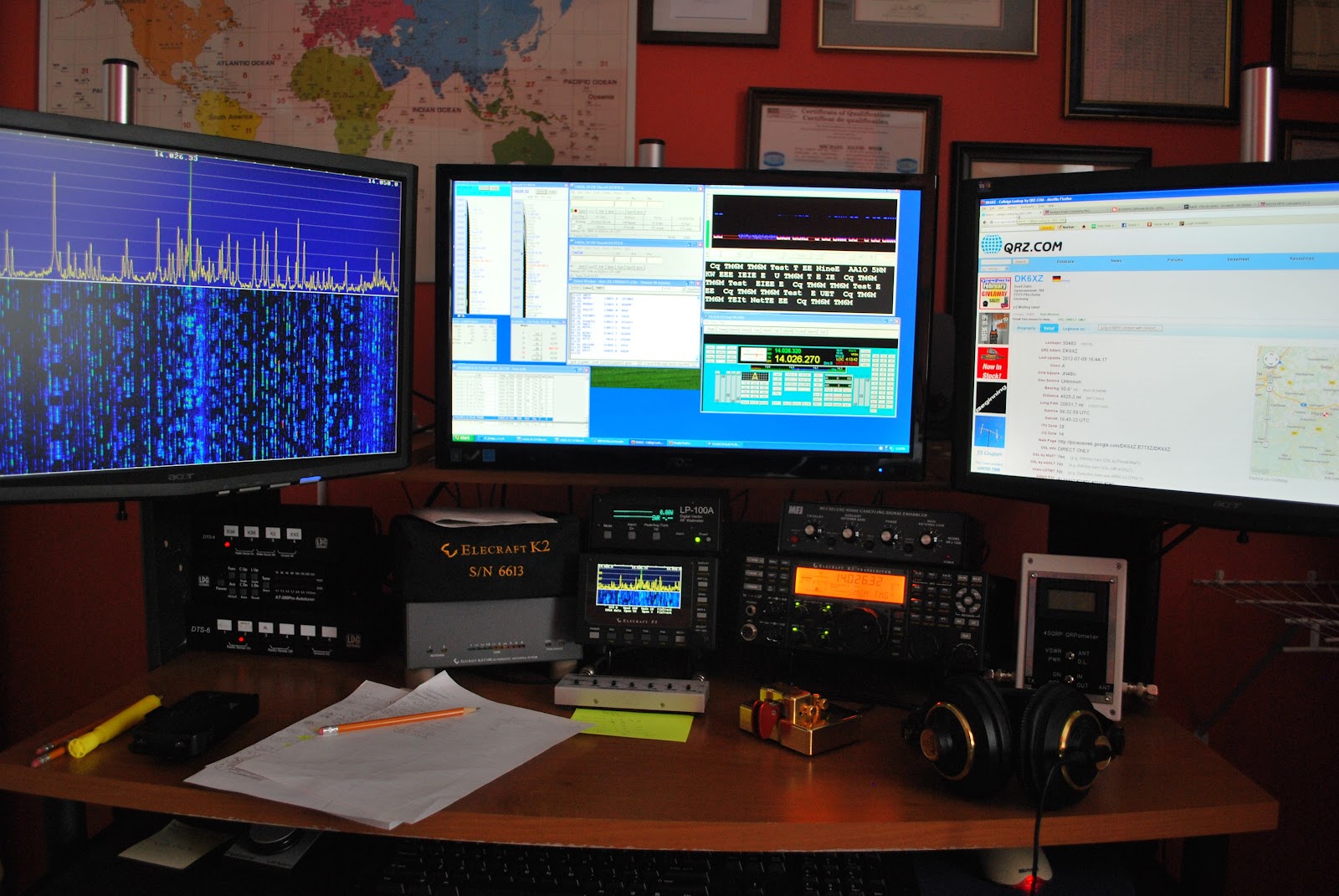
It would seem that software and ham radio can get along very well and there is an abundance of software out there to choose from. Some software is free other are available for a price, I have both here at VE3WDM. There seems to be some myths about both the free software and the software for a price. Regarding the free software I have read and heard.....
1.  It's no good as it's not supported.
2. Since it's free it must be very simple and buggy
3. I am sure it's not updated.

As for the software for a price I have heard and read......
1.It's way over priced.
2.Why pay when free software is out there?
3. Someone is just trying to make a buck.


I have both free and software I had to paid for and am very happy with both products. My software is not  the be all and end all but it's what works for me. There is some fantastic software out there that can make you grow in your ham radio journey. I hope to just excite  you to look to see what is out there.
Here is what I use and as most ham I know they love free stuff and here is the free software I use.

1. DXlabs for my every day radio adventures I am sold on DX Labs! This software has rig control, logging, world map view of DX, QRZ (and many more) look up feature and much more. With this software and with the click of a mouse able to use many features of my K3. At a glance I am able see on a world map DX spots, I am told if  I worked this country before....on what band.....and what mode. There is a huge amount this free software can do. As for updates it seems that it's almost daily this software is improving. Oh and as a side note updates are a breeze to instal and no need to jump through hoops to get the latest and greatest upgrade. If you are not sure about a feature or if the software does not seem to be doing what it should, support is fast and readily available on the internet.

 2. If you are into contesting (like me) then once again the free stuff comes to the rescue. N1MM seems to be one of the staples for contesting. Again it has rig control features, CW and SSB features, VFO A and B control, spotting networks this is just to name a few things this amazing software can do.
There are regular updates and bugs are very few and far between. Again if you have troubles the support is there and it's fast.
 
Ok lets talk crazy now.....paying for ham software

1. When contesting I said I use N1MM but I also use a rig control program by N4PY and it's not free but WOW does it enhance my contesting. (now this software is not only for contesting I just chose to use it this way) This program allows me to adjust most of my Elecraft K3 controls with the mouse or keyboard. I can used my K1EL keyer, this program allowed me to use my Flexcontrol knob.

2. Another program I dished out some coin for and never looked back is MRP40 cw decoding program. Now I know what your thinking "there are lots of free CW decoding programs out there" This is true I have tried them and they are good BUT MRP40 is GREAT. In contesting when the speeds get to what I call "crazy speeds" this program has no trouble at all decoding them. 

Lets say  you want to have multiple programs work together without a hitch.........

 3. Then LP Bridge or  VSP manager come to the rescue. These are free programs and will allow your computer to set up virtual ports thus having multiple programs working at the same time and talking to each other. These programs work like a dream and as far as my needs go no bugs at all.

4. If you are into the digi modes like I was and in the near future hope to be there is a free program called Quickmix. This program will remember all the audio settings you use for each digi mode, so for example when operating PSK and you want to now switch to WSJT-X which has new audio settings for you PC. You no longer have to remember them Quickmix can in the blink of an eye adjust the sound card to the new settings for the selected digi mode!!



Subscribe FREE to AmateurRadio.com's
Amateur Radio Newsletter

 
We never share your e-mail address.


Do you like to write?
Interesting project to share?
Helpful tips and ideas for other hams?

Submit an article and we will review it for publication on AmateurRadio.com!

Have a ham radio product or service?
Consider advertising on our site.

Are you a reporter covering ham radio?
Find ham radio experts for your story.

How to Set Up a Ham Radio Blog
Get started in less than 15 minutes!


  • Matt W1MST, Managing Editor