Posts Tagged ‘Computers’
 Chromium plated
 July 23rd, 2013 |
  Author:
I never did find out what was causing Google Chrome to crash so much on my computer. However, after several months of using Chrome I found Firefox rather slow and clunky. So I had a look round to see if there were any other browsers. It turned out that there were more alternatives than I ever imagined.
The first alternative browser I found was one called Avant. This is a powerful browser with a lot of configurability, developed by a Chinese programmer. It boasts the ability to render web pages using your choice of the Internet Explorer, Firefox or Chrome rendering engines, which is probably handy if you’re a website developer. I set it to use Chrome and it displayed the pages that had give me trouble with nary a murmur. But I found the user interface rather heavy after the minimalist approach of Google Chrome. So I kept it on my hard drive but carried on looking.
The next candidate I stumbled across was SRWare Iron. It almost counts as two browsers in one, as it installed two shortcuts on my desktop, one named SRWare Iron and one named Chromium, both pointing to the same executable. This turns out to be a browser built from the same open source code as Google’s Chrome by a German company. Germans seem to be a bit sensitive about privacy, so the main difference with this SRWare browser is that it does not send information about your browsing habits back to Google. What, you didn’t know Google Chrome did that? Neither did I until I discovered this program, though I thought I opted out of this during Chrome’s installation.
Apparently you can opt out of all the Google tracking if you choose the appropriate settings in Chrome, but most users won’t do this. So Iron / Chromium could be said to be a better version of Chrome than Google’s, certainly from the privacy point of view. Chrome extensions like AdBlock Plus work as with the real thing. Chromium even supports the ability to log in to your Google account to save and restore your bookmarks and other settings, which was very handy. Try it, you’ll never notice the difference.
I’m happy with Chromium / Iron as my default web browser now. So far, it hasn’t crashed on me. But I also discovered another Chrome clone. It’s called Comodo Dragon and it’s made by the Comodo security company. Dragon is also built from the Chrome open source code and omits the Google tracking code, but it has some extra security features added by Comodo. So it looks like an even better option if you are really privacy-conscious.
Life without Chrome
I’ve not been doing much radio the last couple of weeks. I haven’t been able to raise much enthusiasm. No doubt for those of you with jobs, being able to play radio all day would be a blissful situation. But it’s not much fun being in this small, sweaty shack in this hot, sunny weather. I’d really like to be able to get out and about in the beautiful Lakeland countryside, further than I can reach on my own two feet. And my hopes of doing that took a bit of a blow yesterday.
I did continue trying to get Google Chrome to run on my shack computer. For a short time I thought I had succeeded. I spotted that Microsoft .Net 3.5 was installed twice. I uninstalled both copies and Chrome appeared to be stable after that. Then I spotted Windows Update installing Net 3.5 again, and before I could stop it Chrome immediately crashed. I tried removing Net 3.5 again after disabling automatic updates, but this time it didn’t help. I could crash Chrome every single time I opened this post from PD0AC’s blog. Usually Chrome would just vanish from the screen, but other times I got blue-screen or black-screen error messages and once Windows XP spontaneously rebooted. So I have given up.
Time and trouble
I’m still reconstructing my PC system after the disk got trashed. I didn’t lose any important files nor my ham radio stuff. But many of the configuration settings that Microsoft helpfully squirrels away in hidden locations like the registry or somewhere off Documents and Settings were not backed up. Mea culpa. Unfortunately I never came across a full backup system that I liked (I purchased Acronis but it was full of bugs that they want you to pay for an upgrade to sort out.
I keep on discovering things that need to be restored. I was getting some gobbledygook decodes from WSJT-X and then remembered that I needed to install Meinberg NTP. But the installation failed: the service wouldn’t start, reporting the error that “NTP failed to respond in a timely manner.” There is a note on the Meinberg website that the service might fail unless you install some Visual Studio restributable package, so I installed it but still no luck. I’ve run Meinberg NTP for years and have recommended it to everyone and it’s so annoying that I can’t install it.
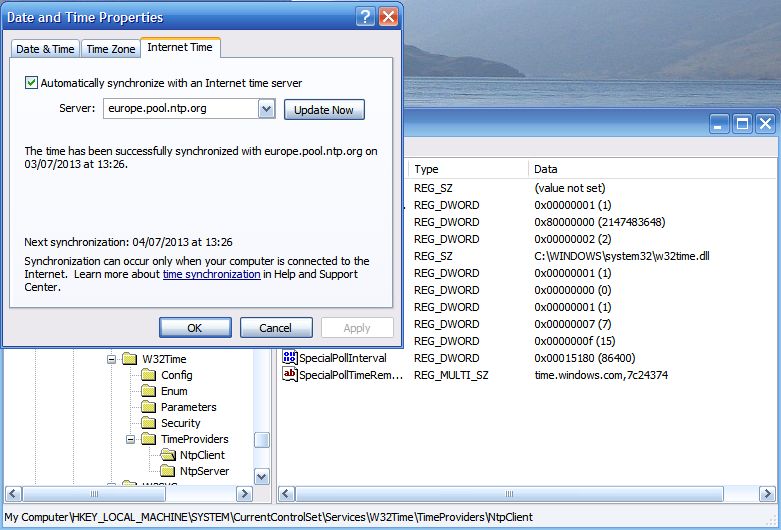 |
| Hacking the registry to up the frequency of Windows Time updates. |
Nothing for it but to rely on good old Windows Time Service. I found the registry hack that lets you increase the frequency of updates. I also changed the time server to europe.pool.ntp.org which responded much more quickly that time.windows.com. Hopefully that will do the trick. I hunted for an old version of Meinberg from before 2009 which I must have installed when I first set the PC up, but no luck.
Disaster!
I have just trashed my shack PC. Not intentionally, you understand. I was trying to resolve a problem and the result was that the system has restored itself to the state it was in when it was new back in 2006 or whenever it was.
I have been using a backup program called Magicure. I’ve probably mentioned it in this blog before. It’s kind of a System Restore on steroids. It has saved my bacon countless times and I have come to depend upon it. But it started giving an error message when it tried to do a backup. No new backups were being made. So I had to do something about it.
I emailed Magicure support for help but didn’t receive a reply. I saw that there was a newer version of the software so I decided to download and install that in the hope that this would get it working again.. But the installer complained that there was another version present and asked me to remove it first. So I started to uninstall Magicure. That was a mistake.
The uninstaller said that it was going to roll back to before Magicure was first installed. If I was a bit sharper-witted I might have smelt a rat at this point. But I thought “no, surely it isn’t going to do that.” I just want to remove Magicure. So I clicked OK and within a few seconds I was looking at a Windows XP login screen with only Administrator as the available login. This looked ominous. No user “Julian”. It looked as if it had rolled back the entire system to the state it was in when new, when I first installed Magicure.
I have no idea what the Administrator password was. But if I knew it I would be no better off because the computer won’t respond to the mouse or keyboard. So I can’t get in to the system to assess the extent of the damage. I don’t seem to have a Windows XP disc to reinstall from scratch, either.
What an utter disaster. I have no idea what to do at this point.
It’s nice when a plan comes together
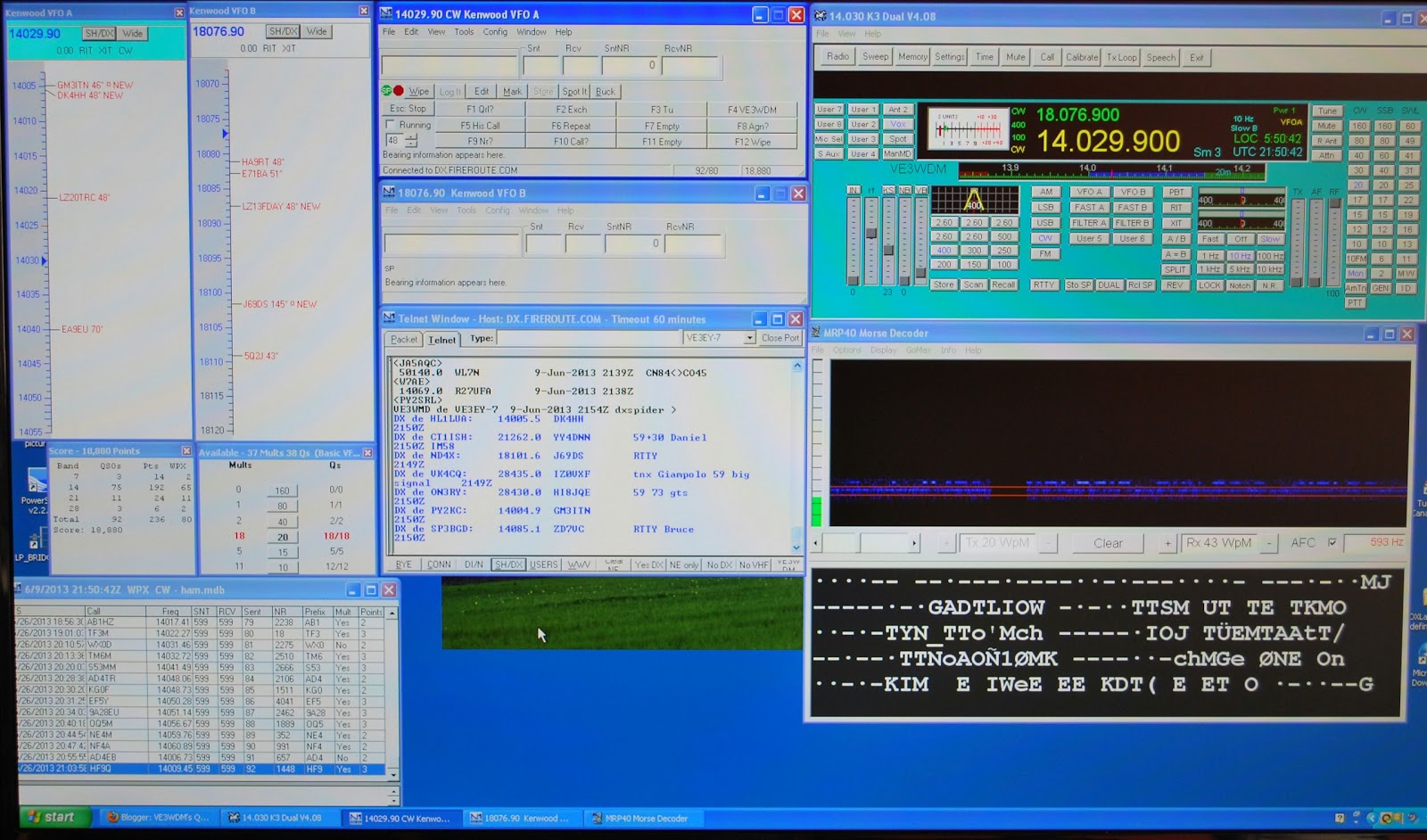 |
| My contest screen |
Begali Contour key and why not VFO control as well!!! Now comes the Flexcontrol VFO knob. This is a USB device that allows you to tune your rig (and more) from where you ask.....well the keyboard tray of VSP manager to the mix. This great little program (that is free to hams) allows all the programs to live happily with each other.
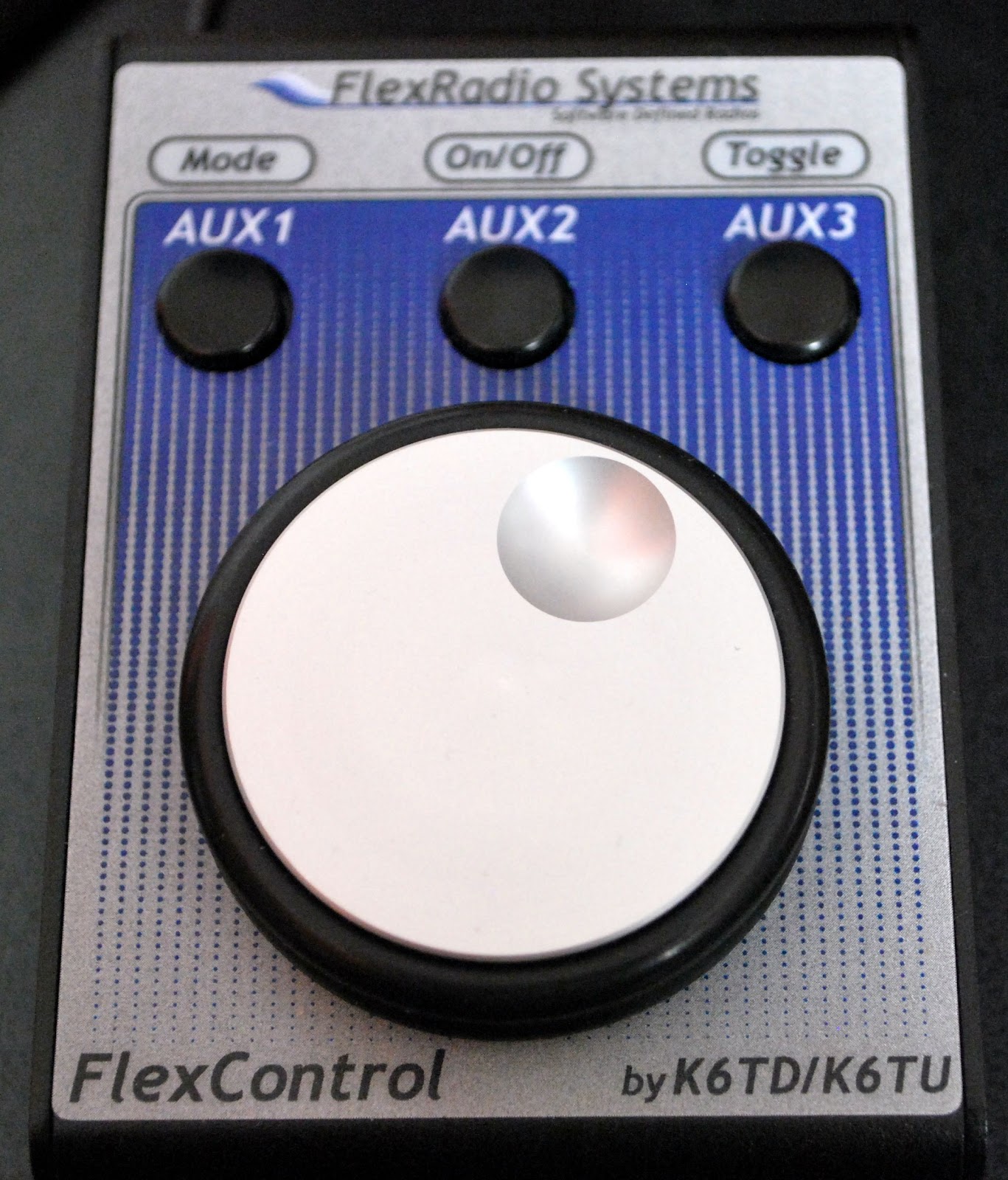 |
| FlexControl knob |
You all know how it is when you have had a nice dinner and there is still room for a nice desert......well my nice dinner on my keyboard tray was the Flexcontrol knob, Begali Contour key and the mouse....there is still room for one more item! I added the K1EL USBwinkey which I assembled myself. The N1MM contest program is able to incorporate the Winkeyer in it's program, so when I program the CW messages into the winkeyer they will be used by N1MM when I mouse click on the N1MM macro button. This is great because the Winkeyer is very easy to program and you can save various keying programs into individual files. This way I will have a file for each CW contest and just a mouse click to program N1MM for each CW contest. If all files are stored on my PC and the Winkeyer is set up via the PC and CW is set through N1MM logger then why the heck does the Winkeyer have to be on the tray!!! Well Winkeyer has a nice variable pot control that can vary the CW on the fly. This way for op's who are sending slower or faster CW you can be varied by a simple turn of the Winkeyer knob.
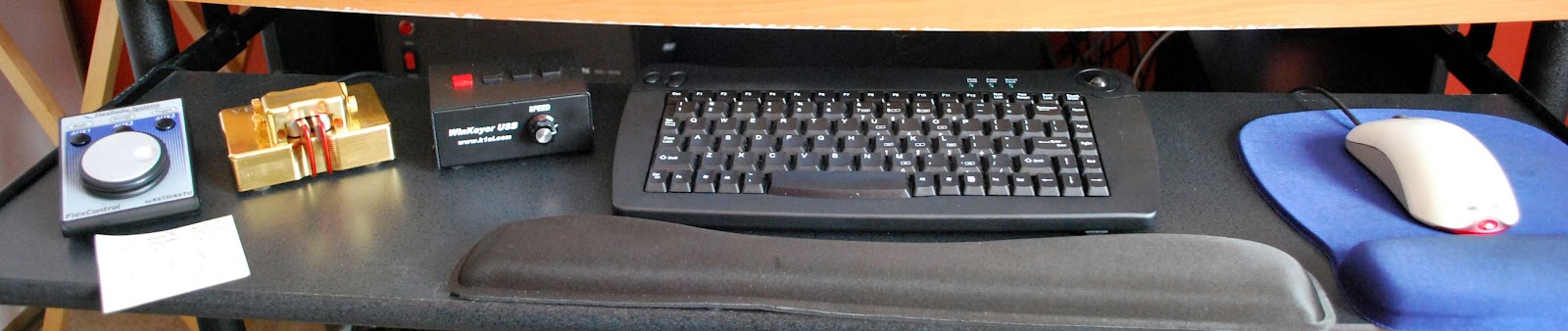 |
| Keyboard tray setup |
Brakes are on
Well its happening again. The computer which started out life nice and zippy like a gazelle in the morning sunshine, joyfully springing across the warm savannah has me wondering what I’ve done to inherit its predictable slow down. More time now is spent watching a little blue circle than is good for anyone
If I were a real cynic I’d think that these things are made to self destruct slow enough for you not to really notice but fast enough for you to buy a new one every few years to keep the silicon industry happy. Still, its a good time to buy a new machine as there’s a sale on…..That’s it no more sarcasm, I promise, honest.
CQ WPX CW contest in the books
 |
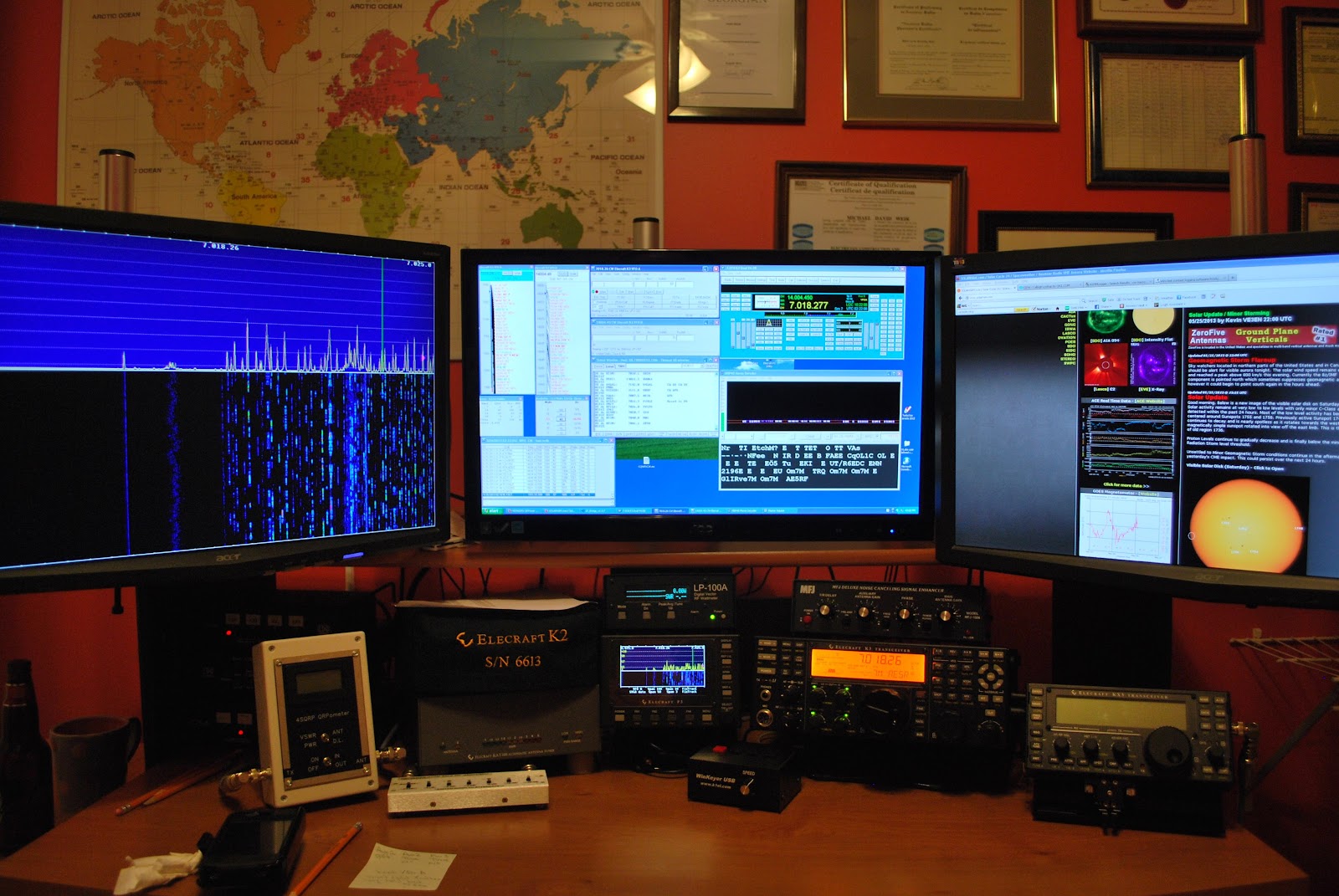
| Lots of Solar action |
- When running N1MM logging program, N4PY rig control software and the Flex Radio Flexcontrol vfo knob all together through LP-Bridge some very very strange things can happen. This resulted in some lost contacts and down time due to software issues.Going to have to get these programs to shake hands and get along.
- Funny thing.....I have been practicing my contest CW code with Morse runner and using my laptop. Well it would seem that my fingers became very familar with the smaller keyboard on the laptop. When I contested on my home PC and regular sized keyboard I was making mistake after mistake while keyboarding calls and exchanges. I do have a smaller keyboard for the desktop PC and started to use it towards the end. Going to have to stick to the same keyboard as it seems size does matter.
- It seemed to me that most of the contesters CW speed was in around 25-30 wpm and I did find that very comfortable.
- At least the bummer conditions were world wide and leaves us all in the same playing field more or less.
- I contacted OQ5M in the contest and soon after he commented on my blog of how good my signal was. This fast interaction is kinda cool.
- My contact with Australia, Cuba and Hawaii.
- The politeness of the op's whom I had to give several repeats too, those who still could not make out my call just said "bad QRM and hope to contact later 73"











