Posts Tagged ‘Computers’

Day one of CQ WW CW contest

Most of the time during these full weekend contests I don't get on Friday evening as I find it to be a ZOO with lots of stations sending at a blinding speeds. I don't blame them as they want to get their score rolling so that on Saturday they are well in the game. I started on Saturday morning around 8 in the morning the power output is 5 watts QRP into my attic dipole. It's funny I was sending serial numbers in the teens and I am receiving serial numbers the the triple digits. Now that would be depressing if I was in the contest to make a showing...but I'm in it to have fun!! So how did the first day go......
The facts
  1. The propagation was.....shall we say (because this is a family blog) crap!! 
  2. I was in the contest for a grand total of 5 hours today. 
  3. There was some down time as you can tell from fact number 2...software troubles, USB port trouble and K3 updates and the list can go on.  (This is normal contest OMG stuff)
  4. The attic dipole once again did very well considering the conditions.
  5. The evening once 20m closes down I am done as with the poor conditions for some reason 40m has not been a great band for me with the attic dipole. 
Day one surprises 
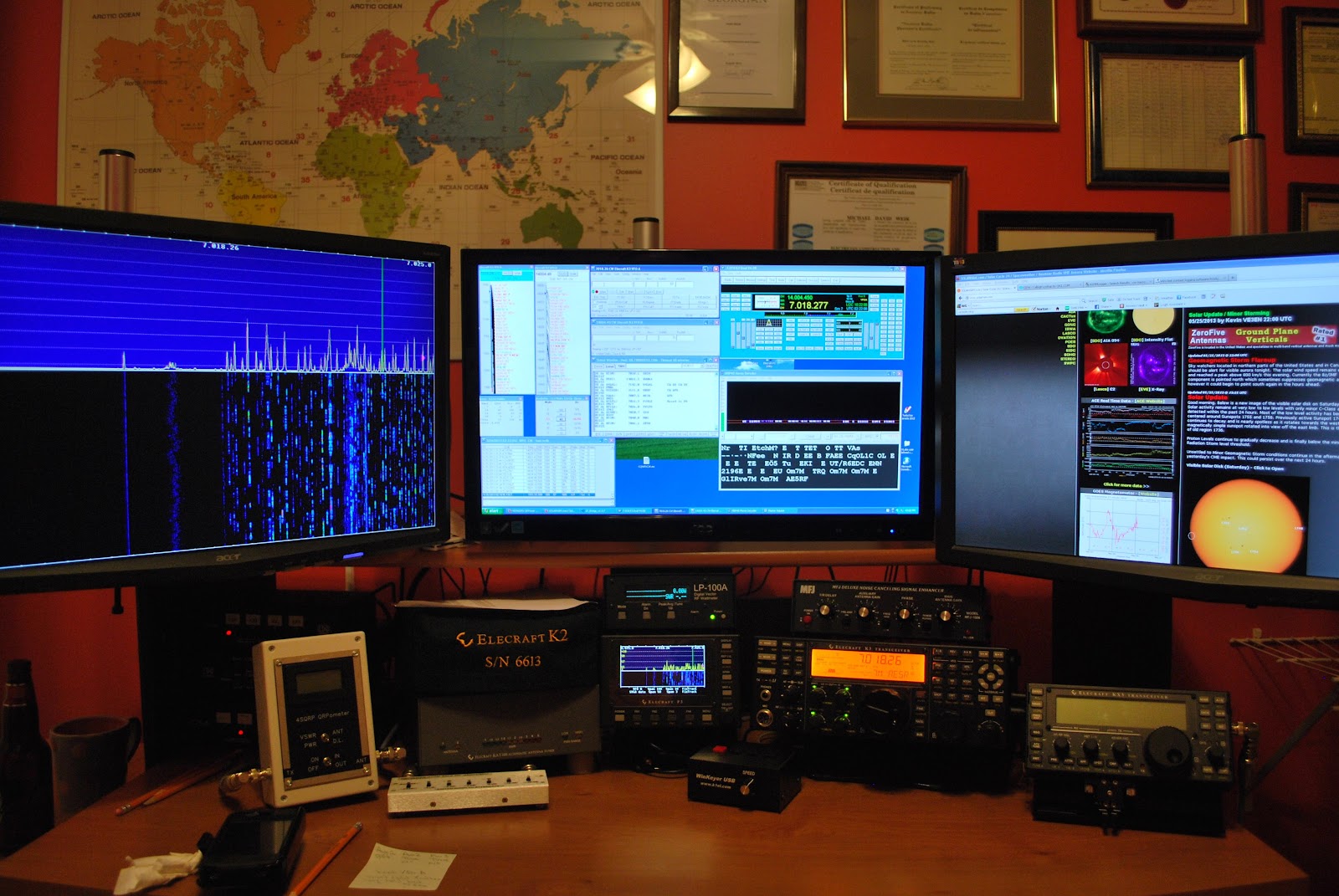
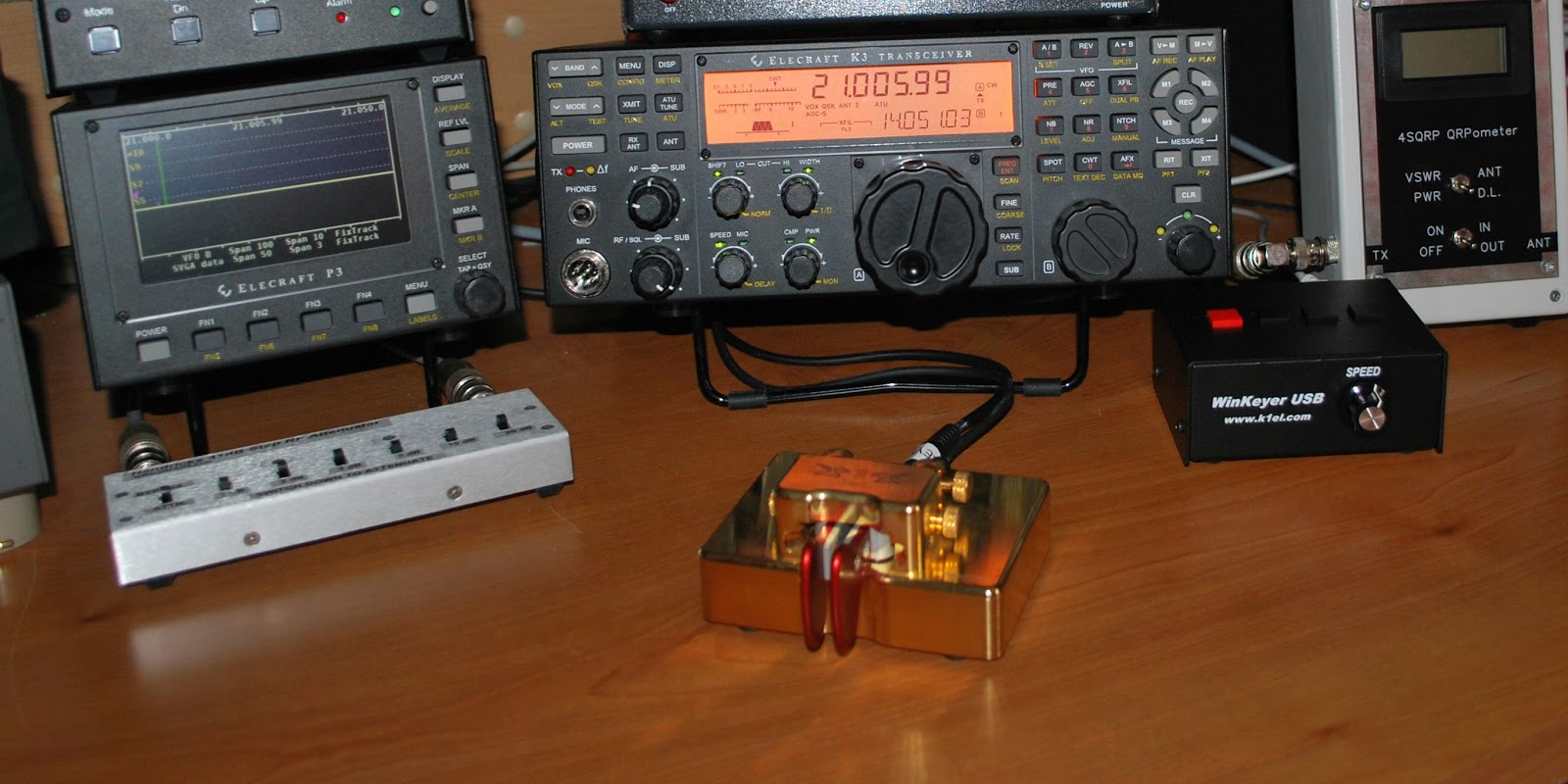
  1. So far I have not used any paper and pencils to copy call's I have been able to just use the keyboard. Now yes in the picture above in the center monitor bottom right you will see MRP40. (cw decoding program and the BEST one out there) That was up and running for the contester who for some reason send at @#@%$$# SPEEDS!! 
  2. With the propagation conditions in the dumps I was very please to get my QRP signal heard in Hawaii, Australia, South America and Cuba. 
  3. I have been practicing my contest code with some programs and for the first time code at 30-35wpm was clear and understandable! 
   So there  you have day one.......Sunday is another ball of wax! Good luck to all in the contest and to those not in the contest the bands will be your on Sunday evening.........just being a smart ass...:)))

WSPR up and running

No contacts heard or made but it's working
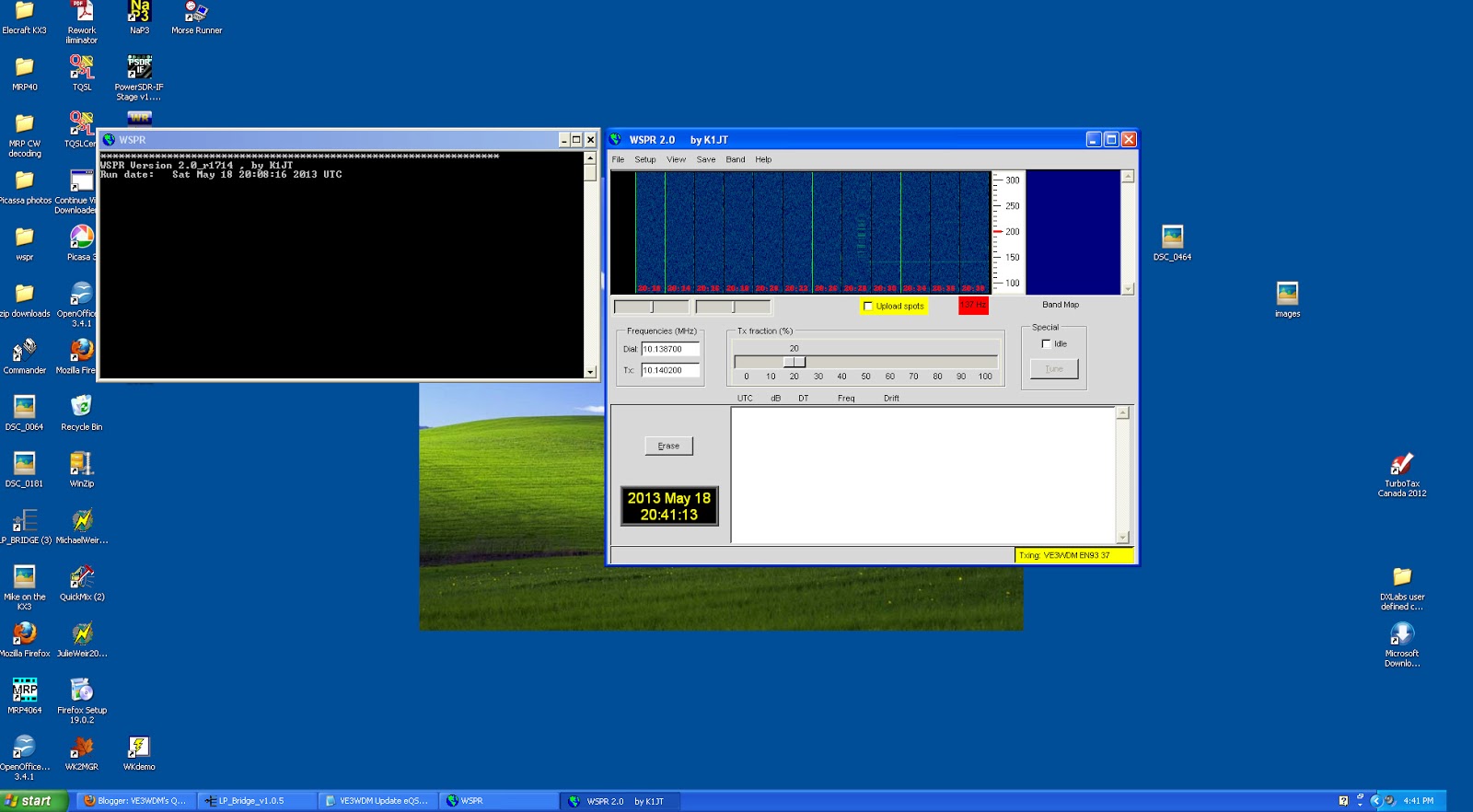
Good afternoon from the shack of VE3WDM, it's a long weekend up this way with Monday being a holiday! I have been seeing lots of posts about Dayton and a huge amount of tweets. It would seem that most if not all major manufactures have some new goodies they are premiering at Dayton. For those of you who read this blog and are sending use the news of Dayton.......KEEP IT UP!! So what's new around here.....well I have updated my VE3WDM K2 build blog with a new page. This is my second Elecraft K2 I have built and I wanted to blog about it. I want to highlight the build as well try to make this blog a good resource  for ham radio kit builders. This K2 build is taking longer with taking pictures and blogging about it but I am having a hoot. Today I decided to get WSPR going once again in the shack, well I must admit that at first it was to TRY to get WSPR going again. I did have WSPR installed and running with my K3 in the past and for some reason (as I have found many digi modes do) the rig would not come out of transmit. No matter what I did I could not  repair this odd event. Today I decided to remove the WSPR program from my PC and start fresh. I am happy to say that all is working well agian. A fellow blogger Bas had mentioned to me while I was comparing my attic dipole to my new Alexloop antenna that WSPR would be a very good way to compare the two. At this point this evening I am just making sure WSPR is functioning as it should and so far all looks well. My next step will be to put the attic dipole up against the Alexloop.

Time for a change,

The IMac and KX3
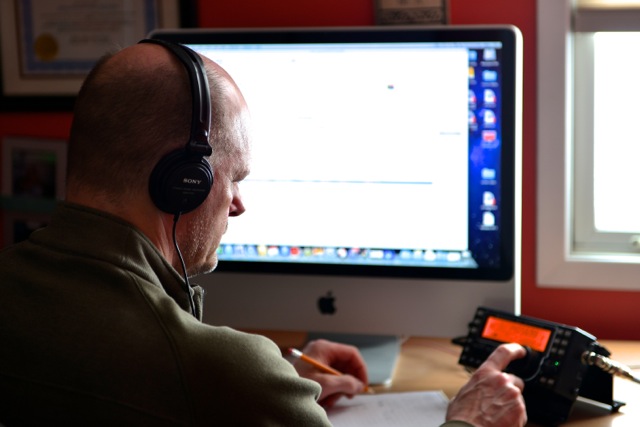
For those of you who are regular readers of my blog know that I run an Elecraft K3 along with Windows XP programs. I also have the Elecraft KX3 that runs on Mac programs. My eyes were sure opened up to the software programs out there for ham's running on Mac machines. I will admit for this long time Windows user getting the swing of Mac took some time.....and I am not done learning as of yet! My wife Julie is very much into photography she has a Mac pro laptop and did have the IMac desktop PC. Some months ago she felt it
Downsizing
was time to part with the IMac. I simply walked the IMac down the hall to my shack and hooked the KX3 up and thus began the Mac adventure. Julie since then has been taking some evening College course's in photography, this has put a flame to her picture taking!  As they say " to make a long story short" the IMac has found it's former home in Julie's office down the hall. I am now a strict Windows ham again! It sure was a fun ride and maybe in time the funds will come in to get a Mac of my own.

VE3WDM's QRPower BLOG 2013-04-02 19:16:00

CT8/PA4N
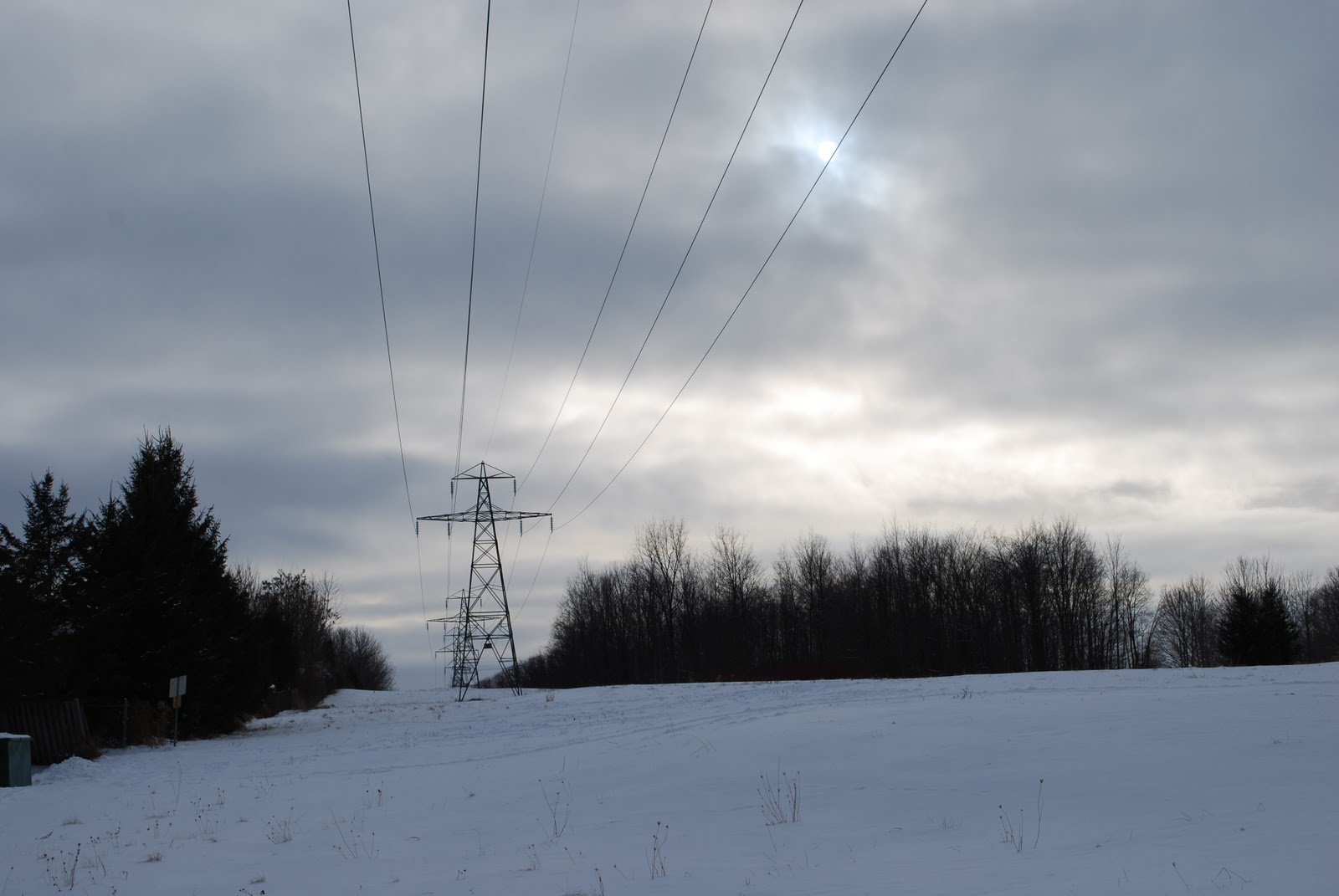
I finally had a chance to fire up the K3 on Monday afternoon, it has been a very busy weekend besides I have been reading on most blogs how poor the conditions were....even for the digi folks. It was very windy and cold up this way on Monday with the surprise of snow in the morning. We have some 230KV lines at the back of the house and when they start to blowing around some (I guessing) loose insulator cause me some QRN. The blogs were spot on and the bands were not in real good shape at all besides the power line QRN was not helping either. Later in the afternoon the winds settled and the bands had some CW spikes showing on the P3 here and there.
230KV lines out back
I was on 20m and heard CT8/PA4N who was operating from Sao Miguel island (EU-003) on the Azores.  Frank was only going to be on the island until April 3rd so I wanted to give him a shot. The band was not busy at all, they were not running split and since conditions were not that great I pumped the K3 up to 5 watts. With only one repeat of my call I made the contact. As I was entering the logging info into DxLabs there was a pileup developing so it would seem I got in at the right time.  I also noticed that fellow blogger John N8ZYA has also made contact with the team as well.

MFJ 1026 noise canceling unit…for today ham!

Things don't seem to work  when you really need them
I have been reading on many blogs of fellow hams who have had an increase in QRN due to many electrical sources and routers just to mention a few. The enjoyment of ham radio has been for many cut short due to devices blowing a hole in the spectrum!! Yes the companies are suppose to adhere to regulations regarding emissions. BUT both the adhering and the enforcement are very much lacking. We as hams are left to somehow deal with the hash that many modern items produce. I have this feeling it is not going to decrease as time goes on but increase. I have found this is were in my case the MFJ 1026 shines for me. I have a Plasma TV on the main floor and when Julie is cooking, surfing the net or relaxing the TV is on with some music playing in the background. I could go down and ask her to turn the TV off....but....I am a married man not a foolish man. Below is a YouTube video I did today showing how effective the MFJ 1026 is. It was done with my Iphone so some movement will be noticed. (note to self....get a proper recording device)

K1EL Winkeyer USB complete

K1EL Winkeyer ready for action
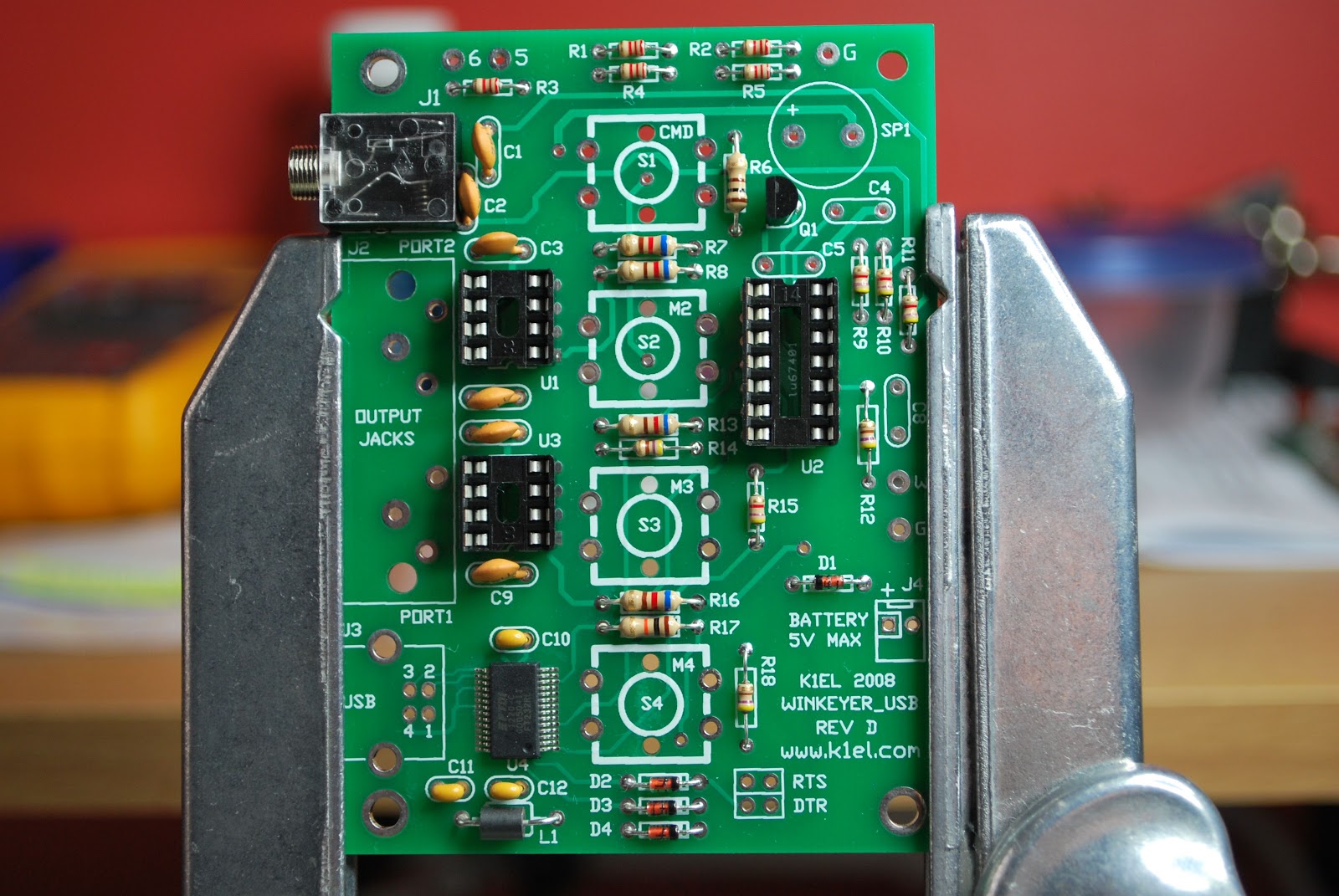
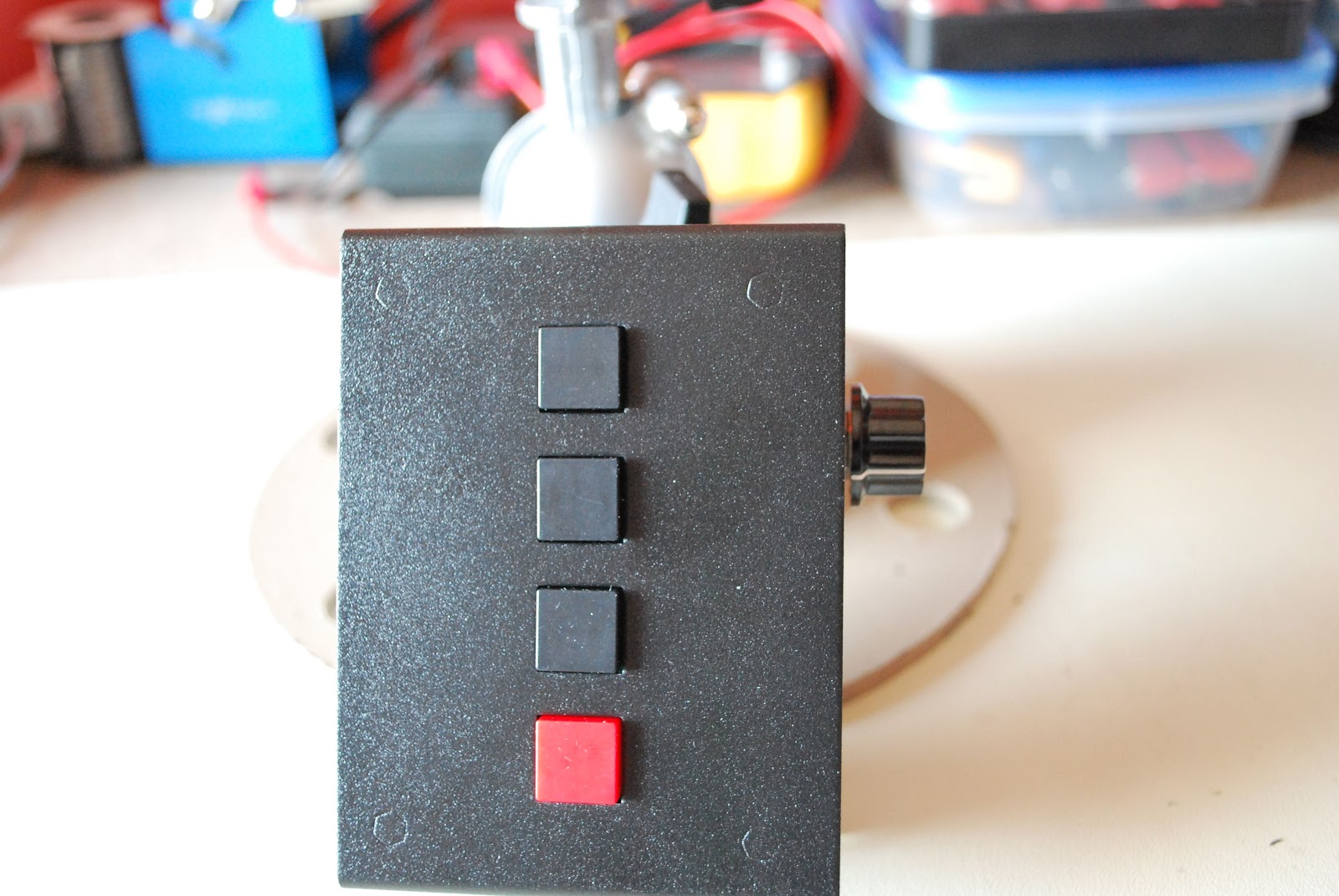
For some time now I have wanted a stand alone keyer as well as one that integrated with my PC allowing me to change and update messages.  The Winkeyer USB is the perfect match as I am able to add 3 AAA batteries and take the keyer with me on outings or keep it at the desk hooked up to the PC via a provided USB cable. The unit comes as a kit with all SMD components already on the board so there is no worry about having to deal with super small parts and the soldering headache that goes along with it. The kit was shipped out and delivered very fast and very safely boxed for the ridge to my QTH. 
The first day of assembly
 The only thing that has to be downloaded is the instructions. I find this to be a fantastic way of doing things. If there are updates to the build then it's a simple update on the website and you are downloading the current assembly instructions. Take the time to print off the instructions that way you can check components off as you do the inventory.  Do yourself a favor and print the instructions in color as there are some great pictures to assist you. The kit went together very smoothly and KE1EL put thought into the order of  assembly. Follow the order and the kit
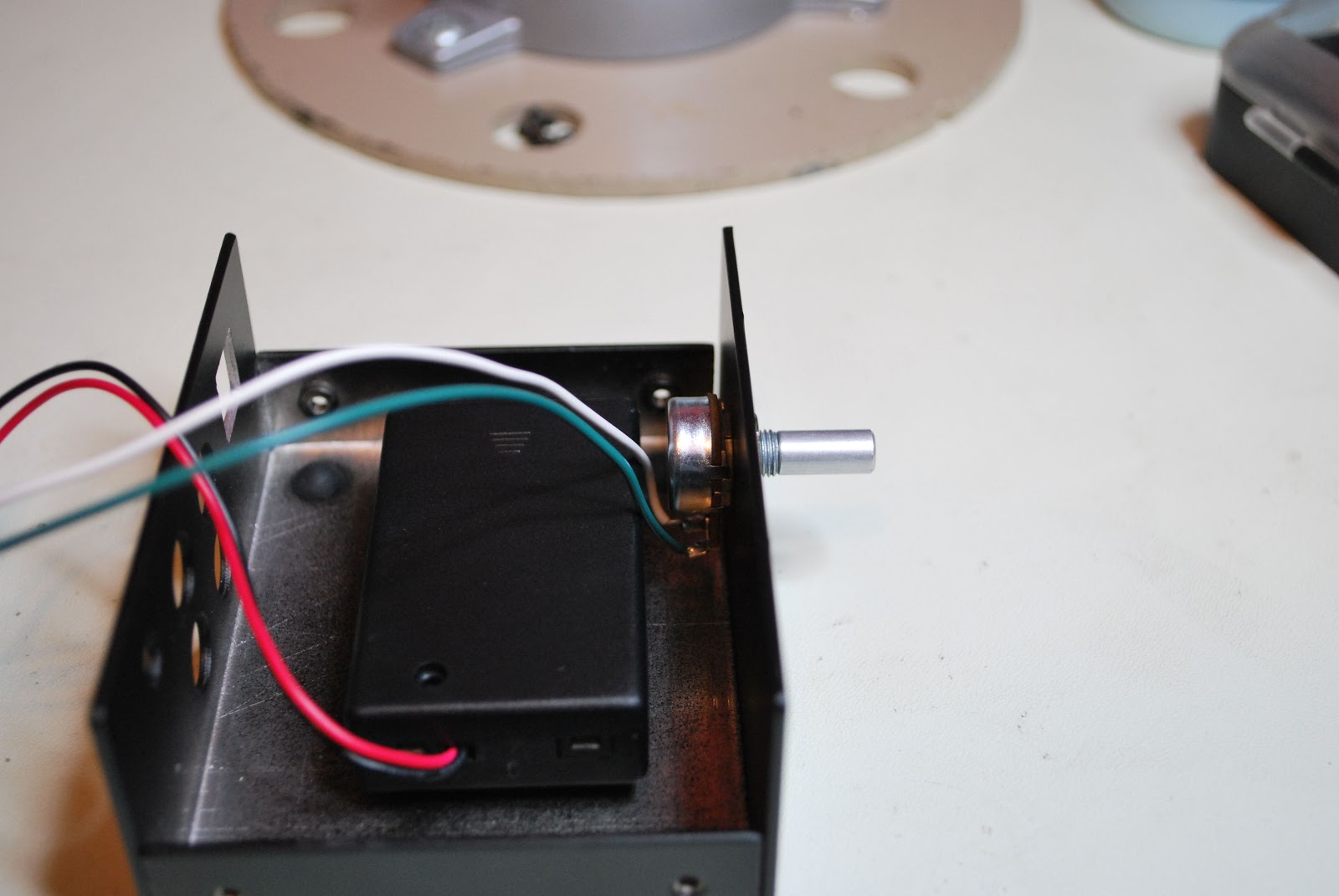
Battery holder

 building will be a smooth experience. Take your time building the unit, it's not a race as certain components such as USB connector, 1/8 jack and 4 way RCA jack should be mounted with care. This makes the final assembly of the two metal covers fit without any surprises.
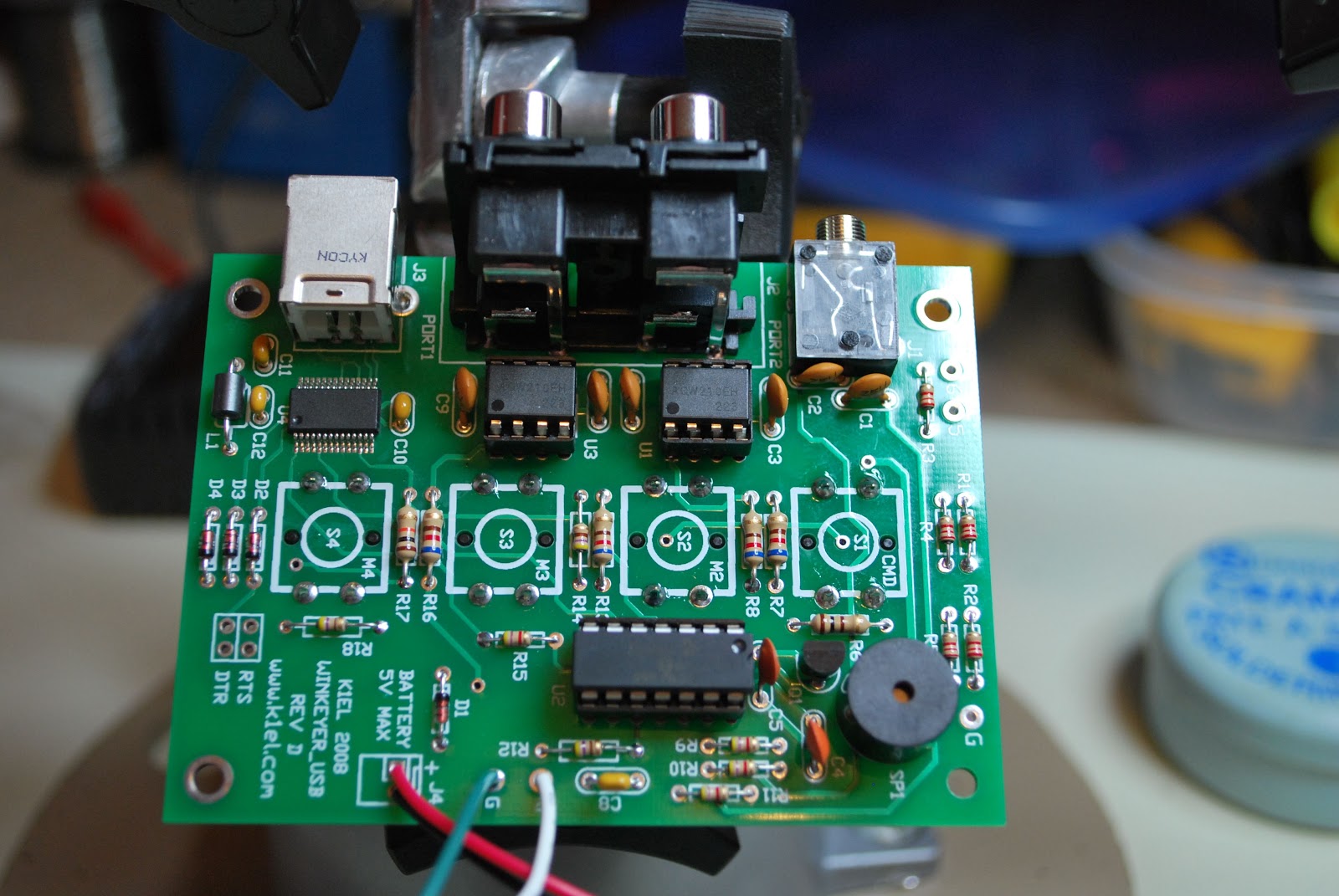
Kit complete
Once the kit is done there are some checks to be done to make sure all is working well. Once that is done you are on your way to hooking up to your PC. Easy to follow documentation is provided instructing you how to have your PC recognize the keyer and what to do if things don't go as planned. The kit also comes with a CD containing programs that will allow you to program the keyer from your PC and download the messages to your keyer. Not to mention all the settings one could imagine for setting up a key as well. The only 2 issues I had with the kit and by no means are they show stoppers.
1. There is a 10k potentiometer and the shaft was just a bit to long and I had to trim it. This was only for looks as I did not like the knob extended away from the keyer.
 2. No hookup wire was provided to go from the potentiometer to the board. This is no big deal either as I did have the wire...but.....it would had been nice to include it in the kit.
Pot before mod
Pot after mod

Piece o’ cake (almost)

I was fortunate enough to work both 40 Meter QRP-L Foxes tonight.  Jimmy WA4ILO and Jerry N9AW are superb operators, both with good ears, so that had a lot to do with it.  But I used the KX3 tonight and that made it all the easier.

The “Dual Watch” feature is something else, and makes working split a snap!  You go into the KX3’s menu until you get to “Dual RX” and you turn it from “Off” to “Auto”. What happens next is that you hear your quarry on VFO A in your right earbud.  VFO B is heard in your left earbud, so you can tune around VFO B until you hear the Hound the Fox is currently working.  Once you know where the Fox is listening, it’s just a matter of time!  The only caveat is that the Dual Watch feature will only work with splits less than 1.5 kHz.

Anyway, I nabbed Jerry N9AW at 0106 UTC, six minutes into the hunt, and Jimmy WA4ILO at 0139. For the last hour, I was just listening to the two Foxes work my friends.

The past few days, I have been getting very few e-mails.  I subscribe to quite a few QRP e-mail reflectors and I was wondering what was up.  I thought that maybe it had something to do with that Microsoft / arrl.net thing that was going on last week, as I always use my arrl.net address for e-mail.

This evening, I checked my Web-based Verizon e-mail page.  Everything was in the spam, folder!  All the spam was in there; but also a ton of good e-mails, too! For the longest time, Verizon’s e-mail spam filter was doing an excellent job and I never really had to give it a second thought.  Looks like for the next while that I am going to have to regularly check the spam folder until the e-mail client “learns” what is spam and what is not.

I got an e-mail from my good friend Bob W3BBO, telling me that he was fortunate to work the Easter Island DXpedition on both 12 and 15 Meters today.  I haven’t had much luck hearing them loud enough to work them, and when they have been loud enough – they have been calling for EU stations only.  I don’t know how much longer they are going to be there; but I do have this Friday (Good Friday) off; so maybe when I’m not in church, I just may get an opportunity.  I’ve worked Chile many times, both QRP and QRO, but I have NEVER worked Easter Island.  It would be appropriate to work them this week, wouldn’t it?

72 de Larry W2LJ
QRP – When you care to send the very least!


Subscribe FREE to AmateurRadio.com's
Amateur Radio Newsletter

 
We never share your e-mail address.


Do you like to write?
Interesting project to share?
Helpful tips and ideas for other hams?

Submit an article and we will review it for publication on AmateurRadio.com!

Have a ham radio product or service?
Consider advertising on our site.

Are you a reporter covering ham radio?
Find ham radio experts for your story.

How to Set Up a Ham Radio Blog
Get started in less than 15 minutes!


  • Matt W1MST, Managing Editor