Posts Tagged ‘Computers’
 Virtual ham radio…sounds interesting!
 January 25th, 2016 |
  Author:
Open Web RX
If, like me you have an rtl dongle, there is another ‘thing’ you can do with them that I bet you never knew. Ok you did but I’ll bet all of you didn’t know. Its called OpenWebRX

You can also arm yourself with one of those old netbooks you’ve got loafing about in the corner and put it to use into the bargain.
To tell the truth I’d not heard about it until Daniel, 2E0DNX mentioned something in passing as I was driving him back from the club night last Monday. I can’t remember what started it but we got onto the subject of putting receivers on the web a la WebSDR and the well known Hack Green SDR. This time, as we are both cheapskates, it was around the use of the cheapo dongles.
So, after downloading a copy of Lubuntu (A lightweight ubuntu distro) I installed it onto an old netbook. I thought I followed the instructions on the website and but I hadn’t and after a false start with some rubbish spelling had a receiver running on the local host. I did get some pretty speedy support from the developer though who helped to narrow down my incompetence.
Getting it on line is a little more complicated and needs a bit of fettling. In order to get it listed on the site it needs a web presence. To get that you can pay for it and host it or you can be a cheapskate and use a service like N0-IP. Guess which route I went? They provide a web address that you can use and some really handy instructions for linux installations, if, like me, its not a natural environment to work in but you can largely follow instructions.
After all instructions followed correctly (there are no spelling mistakes in your config file  ) then the last thing to do is make sure your router lets the traffic through (port forwarding). This can be a pain if you’re on BT like me and can lead to no end of frustration that was eventually fixed with a new, non BT router. I’ve got my head round this and will now look to set up a more permanent installation, perhaps with a RPi2 if its got the right mojo.
All in all you’ve got to hand it to people who set out these environments as they are becoming a great way of distributing amateur radio to a wider audience. Thanks Andras, HA7ILM and well done!
Win4K3suite added to shack.
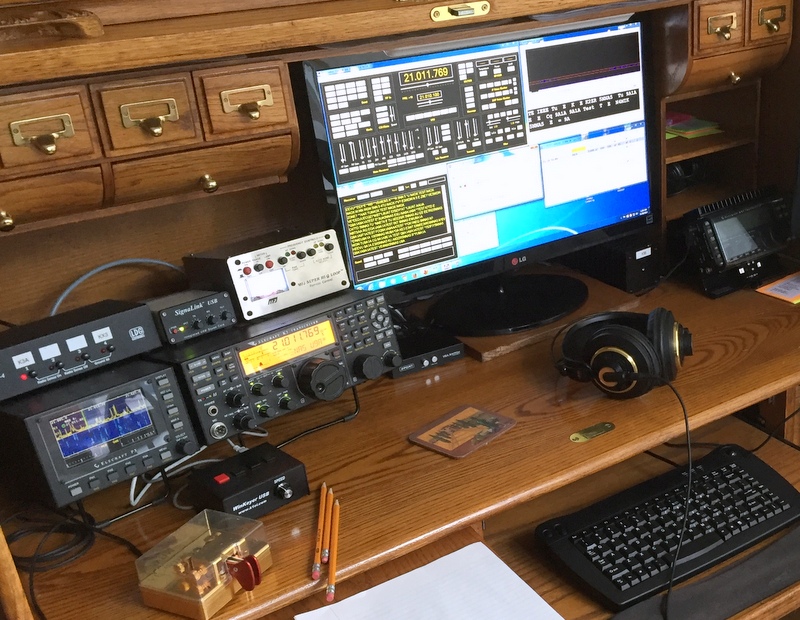 |
| Win4kSuite up and running |
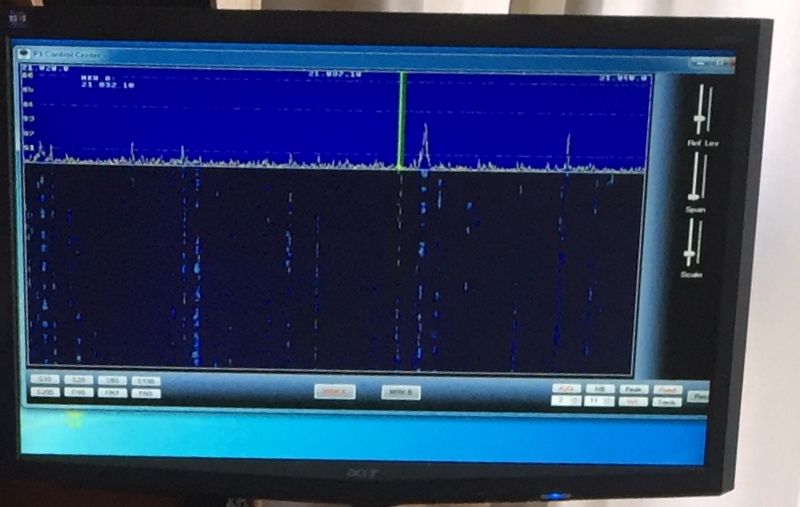 |
| P3 on the monitor |
Christmas project
What’s the use of holidays if you just do nowt? It’s never going to happen in our house. So I decided to do something with one of he old netbooks I have. Remember them? Mine is an Advent 4211 that my lad decided to pull the keys off and eat them whilst our backs were turned and he was a less mobile menace
Anyway. A media server is something we’ve been missing since our NAS decided to go on a ‘go slow’. After 20 mins Googling I ended up with OpenMediaVault. Impressed eh?

An all in one server is almost on us. I did the usual and downloaded the iso, burnt it to a USB stick with Rufus and installed it on the machine. As expected the installation was simple and I used this tutorial to help. Needless to say the 20 mins Googling the right software was the quick bit.
The MiniDLNA bit was what I was after and after a few ‘Uh’s’ and a quick trip round the internet and back and it looks like its going to serve me nicely. Did you see what I did there? serve? server? Oh well never mind. Here’s to you internet and your ability to give me ideas for stuff to do in the holidays whilst I’m waiting for stuff to arrive from China……Now what’s next on eBay?
WW1USA
I had the opportunity to be a guest operator at WW1USA today. WW1USA is a special event station located at the National World War I Museum in Kansas City, MO.
There was a request for operators that I saw on Larry’s List. Larry’s List is an awesome resource for hams in the greater Kansas City area. Not just another email list-serv, but a truly valuable resource in understanding what is happening in the area. From community events, swap-n-shop, club meetings, weekly nets to nearby hamfests – Larry’s List is one stop shopping for everything you need to know about amateur radio in Kansas City.
I read about the opportunity to sign up for operator/logging slots during this weekends activation of WW1USA and thought it would be a neat opportunity.
Arriving about 10 minutes before my shift started, I was immediately directed to a position and asked to start logging for an operator working contacts on 20 meters. The brief instructions I received was to log the callsign, name, and state of the contact. I think I recognized the logging program as N3FJPs logging program for Windows. I had used this program before during Field Day 2009 with my dad, KD6EUG.
As I adjusted into the chair, my ear turned towards a speaker, my fingers pecking away entering callsigns… I noticed there were not any radios here! Each of the operating positions were laptops, using HRD to control a rig at a remote location. Pretty cool. As I believe it would have been fairly difficult to raise antennas on top of the museum and then route feedlines down to an operating room, the planners of this special event used internet connectivity. To be honest, as an operator, the fact that I was not in front of the rig was really not even apparent.
After twenty minutes, I slid into the operators chair and proceeded to work contacts for the next two hours. Again, the planning effort of this operation became evident when I saw a short script in front of me for calling CQ as well as providing answers on how calling stations could QSL the contact. When a station at the distant end asked for more information about the reason for the special event, I was handed another card which talked about commemorating the failed Gallipoli campaign.
I had a great time making contacts: stations all over Canada and the United States. What a fun time!
I’m back…

It’s time
To explain what I mean ..... I went down to the shack last night to add some entries to my main logging program from the HamLog app I use when operating portable. I flipped the on switch at 9:30 PM and by the time it had booted up and the logging program had loaded it was about 9:47 PM. 17 minutes is not good. I wanted to start pulling out my hair by then. I think watching paint dry, or grass grow would have been less stressful and more entertaining.
That exercise in frustration drove me to start searching the Web. At work, IBM issued me a Lenovo T410. I still use this model every day. Yes, they are slowly being refreshed out with the newer T440 model, but mine has served me decently well at the job over the last few years. I have found a couple places where I can pick up a refurbed T410 with 4G of RAM, a 250 GB hard drive and Windows 7 Professional in the $150 neighborhood.
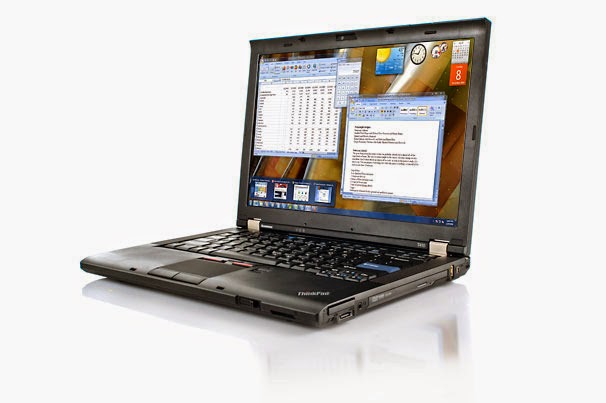
This model has everything I would need. It can hook up to the Internet wirelessly, it has 3 USB ports (need one for the KX3, one for a mouse, and one for an external keyboard), provisions for adding a second VGA monitor and the standard audio ports, so I can do the digital modes, should I ever be inclined to go down that road. Not planning to go there, but you never know. I'll have to dip into savings to acquire one, but having a computer in the shack has almost become a necessity.
Of course, I could always go native and log strictly with paper and pencil, but I don't think the ARRL would accept mailed in Xerox copies of my log for LoTW. Also, I like to keep my eye on QRPSPOTS as well as SOTAWatcher. Can't do that without some kind of computer, although I guess I could always just use my cell phone for those. And having a Telnet DX Cluster at my disposal for confirming that I correctly copied the call of that DX station who was sending at a blistering 45 WPM is a nice thing to have, too. (Was that an "H", or a "5" ? - 37 years of Hamming and my ears still wig out on those two, at times.)
This is another occasion where I'll just have to bite the bullet and take the plunge. Good thing I wasn't planning on going to Dayton.
Oh, and by the way, as long as I mentioned Dayton .... best wishes to all those heading to Ohio for FDIM and Hamvention. May the weather be good, the traffic light and travelling conditions safe - there and back!
72 de Larry W2LJ
QRP - When you care to send the very least!











