Posts Tagged ‘Computers’
 Gremlins
 March 28th, 2012 |
  Author:
 This year I have decided to focus on the high frequency bands – 10m and 6m – this spring and summer. The predictions for the peak of this solar cycle are not very good, as you can read in several blogs, but it’s all we’re going to get for the next 10 years so I may as well make the best of it.
To this end I have started WSPRing on 10m when I switch on in the morning, with the intention of moving up to 6m if there appears to be a chance of propagation. On the previous few days I have been rewarded with a two-way path to VK on 10m at quite decent signal strengths. Not bad for 5 watts to an attic dipole. But today I received not a single spot, not a single trace.
Although not the reason for the lack of spots today, I think there is a gremlin in the machine. Twice I have come up to the shack to see what is happening and found the K3 in transmit mode but with no RF output. The K3 monitor mode shows no audio is being sent to the radio, so it isn’t a radio problem. The WSPR software settings haven’t changed, and are correct. Restarting the program makes no difference. The only solution is that hoary old first resort of the computer technician: Switch it off and then switch it on again. Works every time. But I wish I knew why it is doing it.

Taking a tablet
A month or so ago I solicited the advice of my readers on the selection of a device for reading e-publications. I learned that the Kindle – my original choice – would not meet all of my needs, but I received some strong endorsements for the Apple iPad.
As someone who pays full price for SIM-free mobile phones just so as not to be tied to one provider, the idea of a device that only let you use what Apple approves and insists on being tethered to iTunes did not, unfortunately, appeal to me. My online activities are very Google-centric, I’m a fan of open source and I already have an Android smartphone so inevitably my thoughts turned to Android tablets. Someone mentioned that Maplin had some cheap tablet computers in their sale – the Archos Arnova 10 G2. Maplin is rarely the cheapest source of anything even in a sale so I visited a price comparison site and found that Carphone Warehouse had the Arnova for £10 cheaper and with free shipping. I checked some reviews and the majority were very positive, even though many qualified their comments with “for the price.” The tablet was in my hands 24 hours and £139 later.
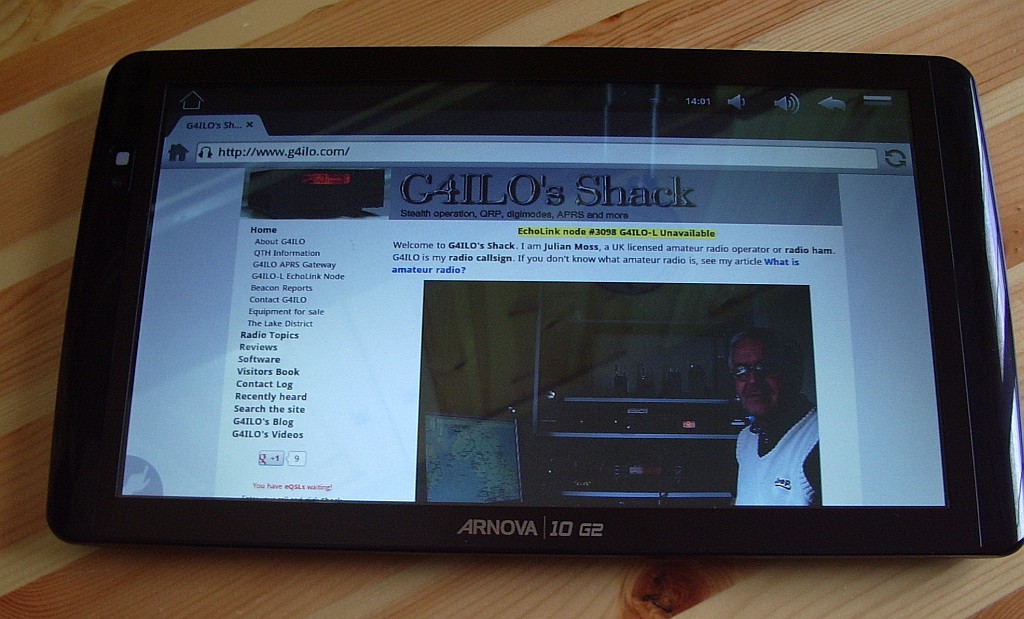 |
| Archos Arnova 10 G2 |
As a tablet virgin my impressions probably aren’t worth much but even I can tell that the Archos is not Apple build quality. The plastic case is more reminiscent of something that came out of a Christmas cracker. £11 on eBay got me a leatherette case/stand for the tablet so I don’t see the case anyway. But as many reviewers said, it’s a lot of tablet for the money. I haven’t got around to trying any e-book readers yet but I’ve used it for email and web surfing and I love it already. Battery life is great, the tablet is silent as there is no fan inside and no Intel Pentium giving you a hot lap so it’s a much better laptop device than a laptop.
One problem was that there was no Gmail app as I use on my smartphone. The Arnova doesn’t come with the standard Android Market so the choice of apps is rather limited. I found some instructions for installing Android Market on the Arnova but as usual whenever I attempt something technical with computers I got error messages that aren’t mentioned in the description. After trying a few things at random and on the point of giving up I noticed that Gmail had been installed and I had the full Market, except that it has been renamed Google Play. That probably confused me into thinking it was something to do with games, which I have no interest in.
The one thing I haven’t managed to do yet is find an app for my blogging activities. On the PC I use Blogger Dashboard in a browser (Firefox, of course) but on Android Dashboard is no good for keeping up with the blogs I follow because the list of posts is in an iframe and the Android browser doesn’t support scrolling in an iframe. Nor does the Dolphin browser, which I was led to believe would be the solution. I’ll probably have to use gReader, as I do on the smartphone, but I’d hoped the tablet would let me use something a bit more sophisticated.
We watched a TV show on the Arnova using the BBC iPlayer and I was impressed by the quality. Until then I could never understand why anyone would want to watch TV on a computer but in fact the angular size of the Arnova screen in my lap is larger than that of the TV when I’m sitting in my armchair, so it’s actually better. As you may gather, I’m pleased with my new gadget!

So what’s been going on………
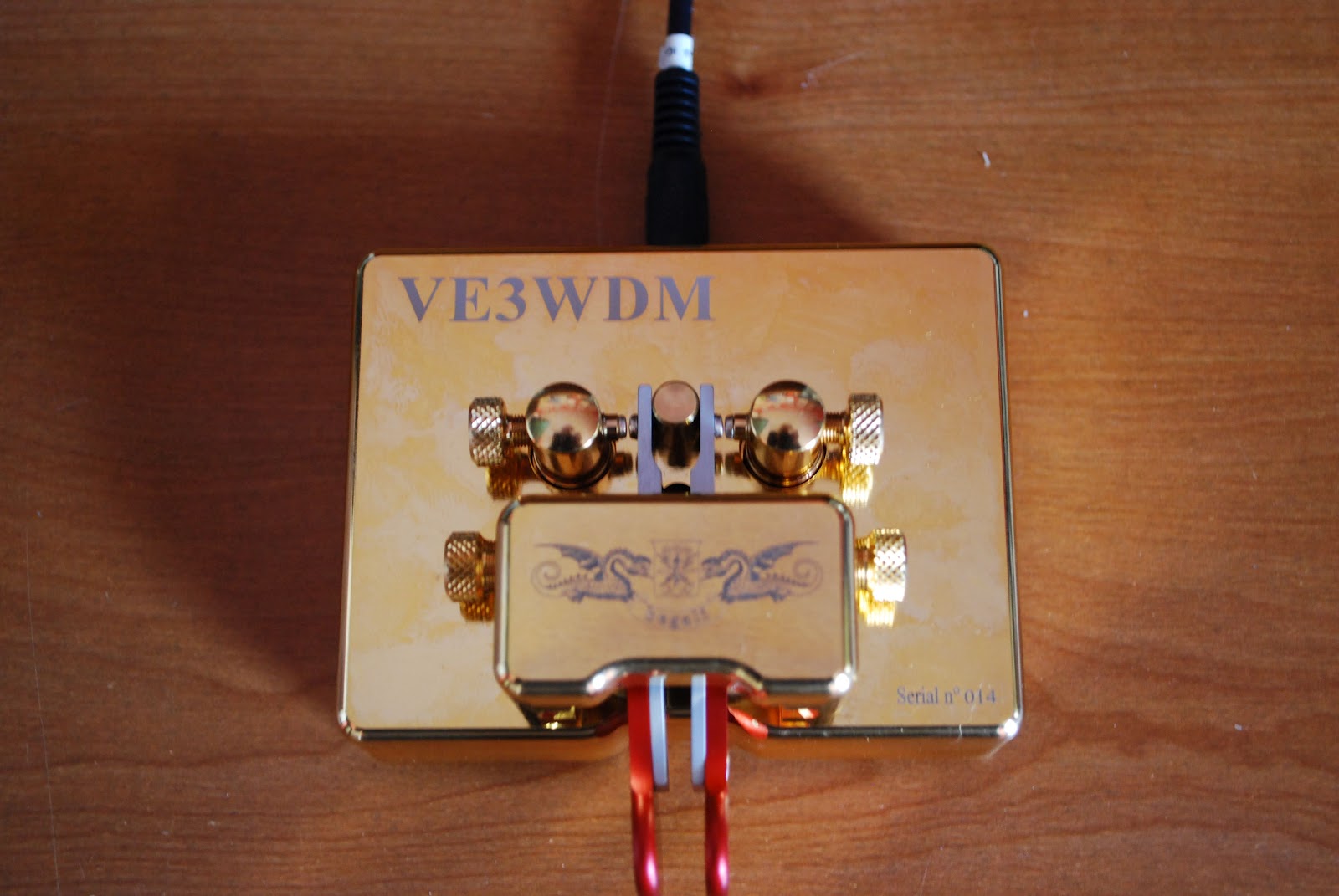 |
| The repaired key ready for action |
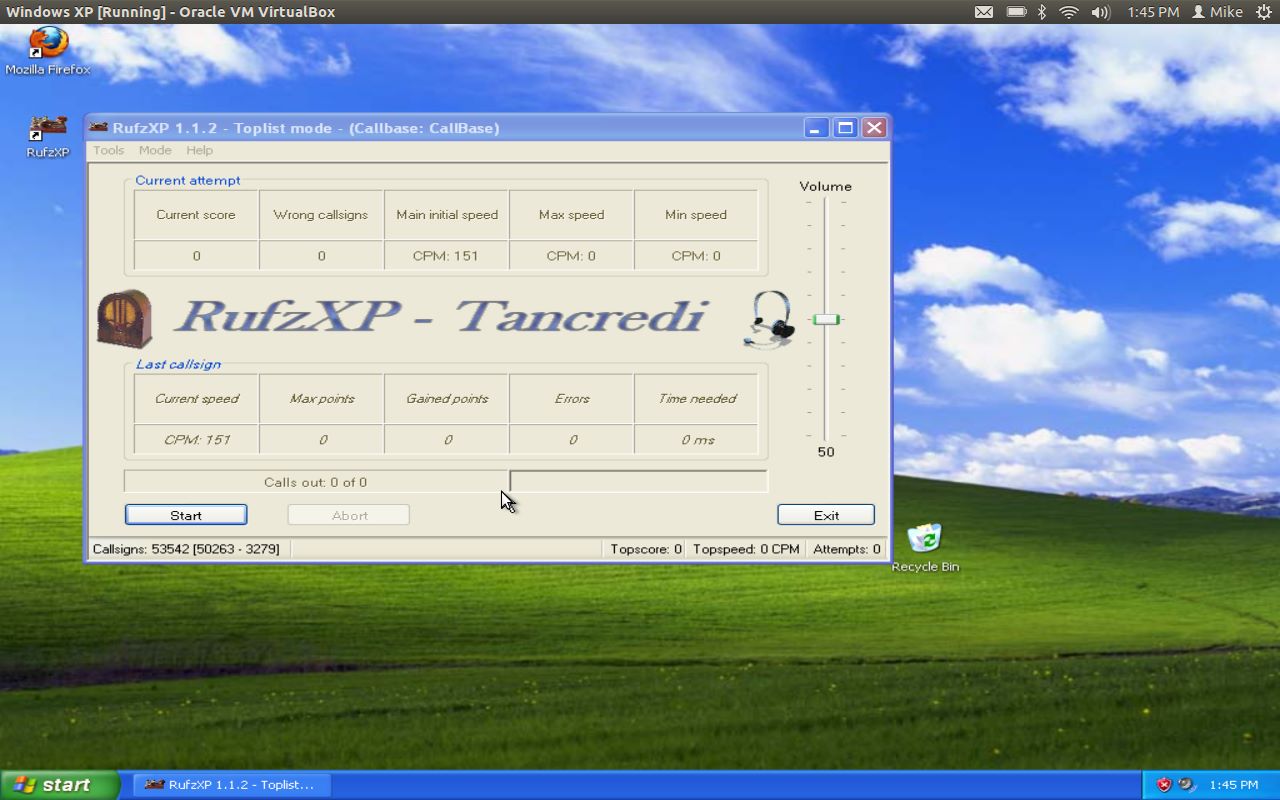 |
| RufzXP happy again |
took the jump and downloaded Virtualbox onto my Ubuntu laptop and installed WinXP. Virtualbox is a great program that allows you to run other operating systems within a "virtual computer" it creates. I now have Windows XP running on my machine and was able to install Netframe 2.0 and RufzXP...all are getting along just fine now.
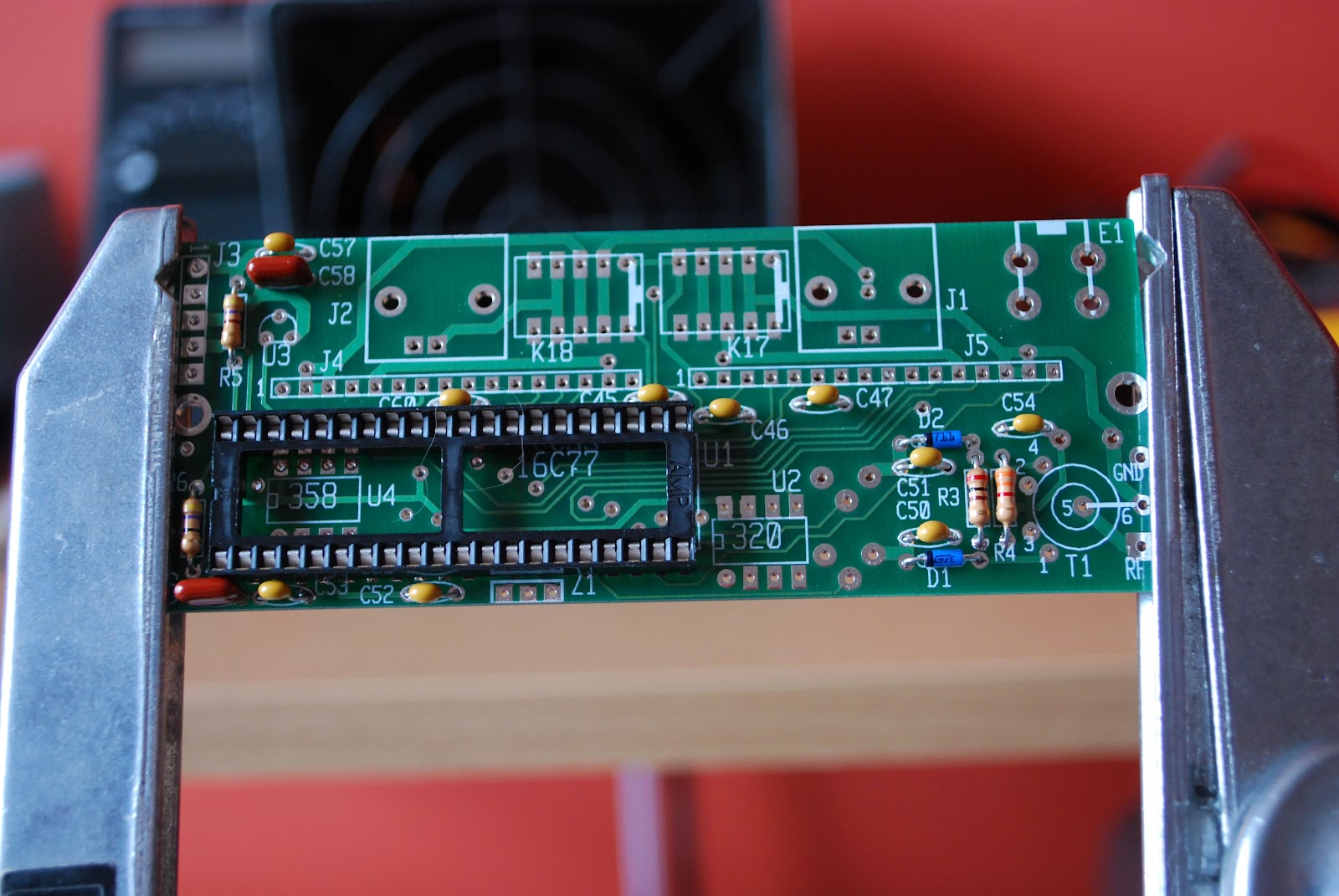 |
| The KAT2 which also has a "cat" hair |

Kindley advise me
I’ve been thinking about buying an Amazon Kindle. But I’m not sure if it will really be useful for what I want or whether it will just end up sitting on a shelf like my Eee PC and other gadgets of the month.
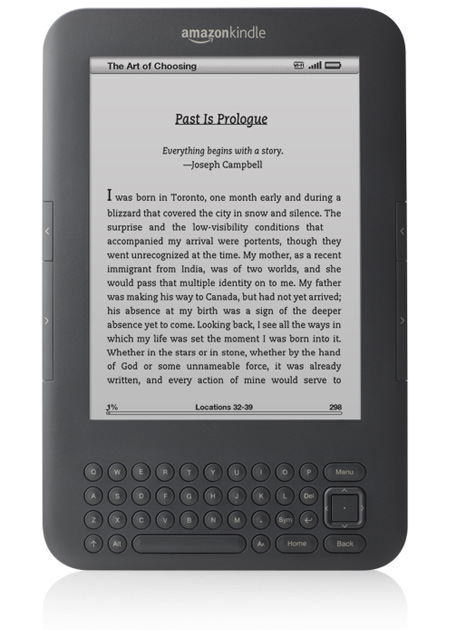
I know that the real purpose of the Kindle is for reading electronic books purchased from Amazon.com. However I don’t see myself using it for that very much. What I am interested in is reading ham radio and electronics publications that are increasingly being made available in electronic format. Are these magazines viewable on a Kindle or do they use some proprietary format only supported by a special application that needs a PC or Mac?
One of the publications I’d probably use it for is CQ, as I’m not sure it is really worth the international postage. Then there is World Radio, which is only available in electronic form, which I have never read due to the inconvenience of having to use a PC to do it. Now ARRL is bringing out an electronic version of QST. I still look forward to the printed magazine landing on the doormat but I do pay quite a premium for that.
I’d be interested to learn from Kindle users what formats the device supports. A couple of months ago the back issues of the now defunct 73 magazine and Ham Radio were put online. I downloaded the Kindle application for Windows and was disappointed with the results. The magazines were available in Kindle format but it looked as if they had been badly scanned using an OCR system and half of the content was in Greek! The PDFs were huge files and looked more like a poor quality FAX. The best format appeared to be one called Deja Vue. I downloaded a reader for it. Does the Kindle support that?
My eyes might find it easier reading on a device that lets you zoom in and enlarge the font. Does the Kindle let you do that?
How well does the Kindle support PDF files? I expect I would use it for those a lot. With a Kindle could I read PDFs I’ve downloaded and stored on a drive on our network or a memory stick? I’ve often considered, for nostalgic reasons, ordering some electronic back issues of Radio Communication (now RadCom) from the years when I first got interested in ham radio, though so far I have always changed my mind when I see the cost!
So over to my readers. Your thoughts on this, if you would be so kind!

Anyone for raspberry pi?
There’s a lot of excitement right now in the UK tech community about a new computer called the Raspberry Pi. It’s a bare board computer with an ARM processor that runs Gnu/Linux that is expected to sell for $25. It’s aimed principally at the education market with the intention of getting schools to teach students how to program and build things with computers instead of just learning Word and Excel as they do now.
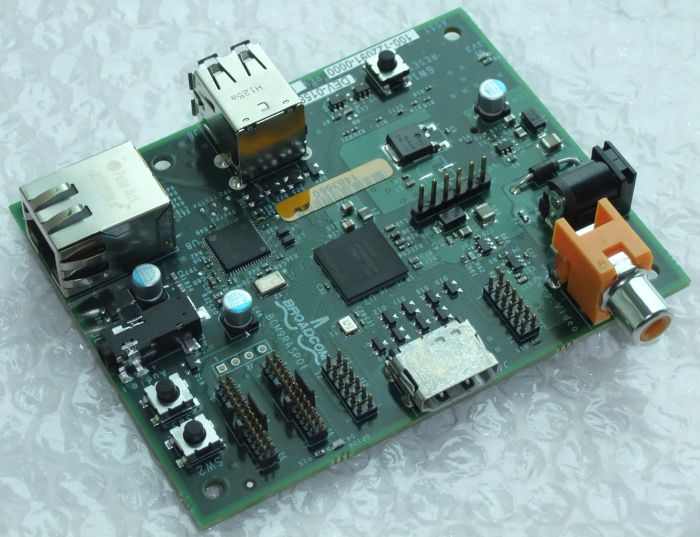
The Raspberry Pi will soon be available for anyone to buy. When they are, I’m tempted to get one. My recently acquired Gadget Gangster has helped me recapture some of the magic and excitement I felt when I first started dabbling in home computers back in the ’80s with things like the Nascom 1, ZX81 and Sinclair Spectrum. I think the Raspberry Pi would do the same.
PCs and Windows are great tools, but they have turned computers into appliances and made computing boring. Microcontrollers are like QRP computers – more of a challenge to use but when you succeed you feel a real thrill at having accomplished something.
I think there has never been a better time than now to have an interest in electronics. I hope the Raspberry Pi is a huge success. Perhaps it will result in more of our young people becoming engineers instead of wanting to be lawyers or salespeople.

The Ubuntu Linux learning curve………..

trying what they said then getting back to the Youtube video and then back to the same spot in Ubuntu again. That was just a receipe for frustration as this game plan was far from smooth going. It was off to some user groups but that turned out most of the time to be a hunting trip. I would end up going to so many links that the original question was forgotten and at my age that process does not take long. I came to the conclusion the written word in the form of books was the way to go to solve this monkey on my back. I hope to become more familiar with the Ubuntu OS now and get past the wall I have come up against. Over the Christmas break I will be taking a leisurely approach with the help of some books and hands on learning to get Ubuntu in check.

SDR Radio
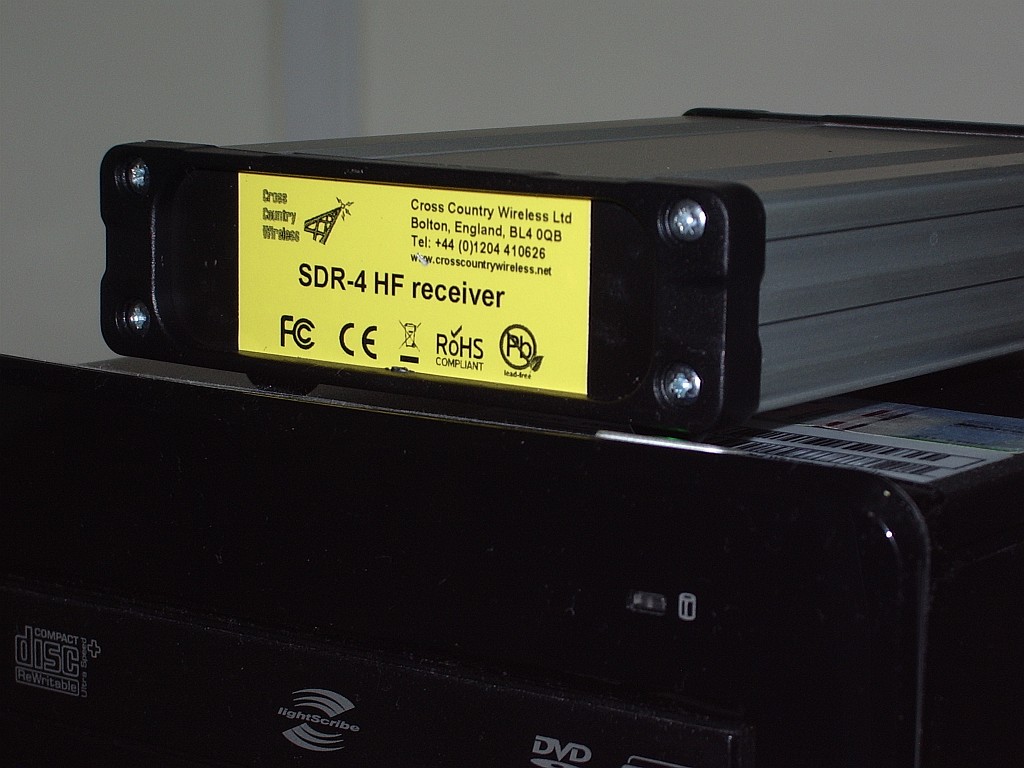
An early Christmas present to myself is this SDR-4 HF receiver from Cross Country Wireless. Actually, it wasn’t intended to be a Christmas present. I decided to get one a couple of months ago when I first found out about it.
I think the SDR-4 is the lowest cost ready built HF bands software defined radio on the market (£150 or about $250 US). Unless you know different, of course. However it seems that a lot of other people thought so too, as there is a waiting list – people are ordering them faster than the designer Chris G4HYG can make them!
The SDR-4 works with the usual free SDR applications. But it also works with the free version of Simon Brown HB9DRV’s SDR-Radio.com application. This is the best SDR software by a mile, though due to all the treatment and medication I am receiving for my brain tumour my mind is a bit slow at the moment and I find figuring out how to do what I want with it a bit challenging.
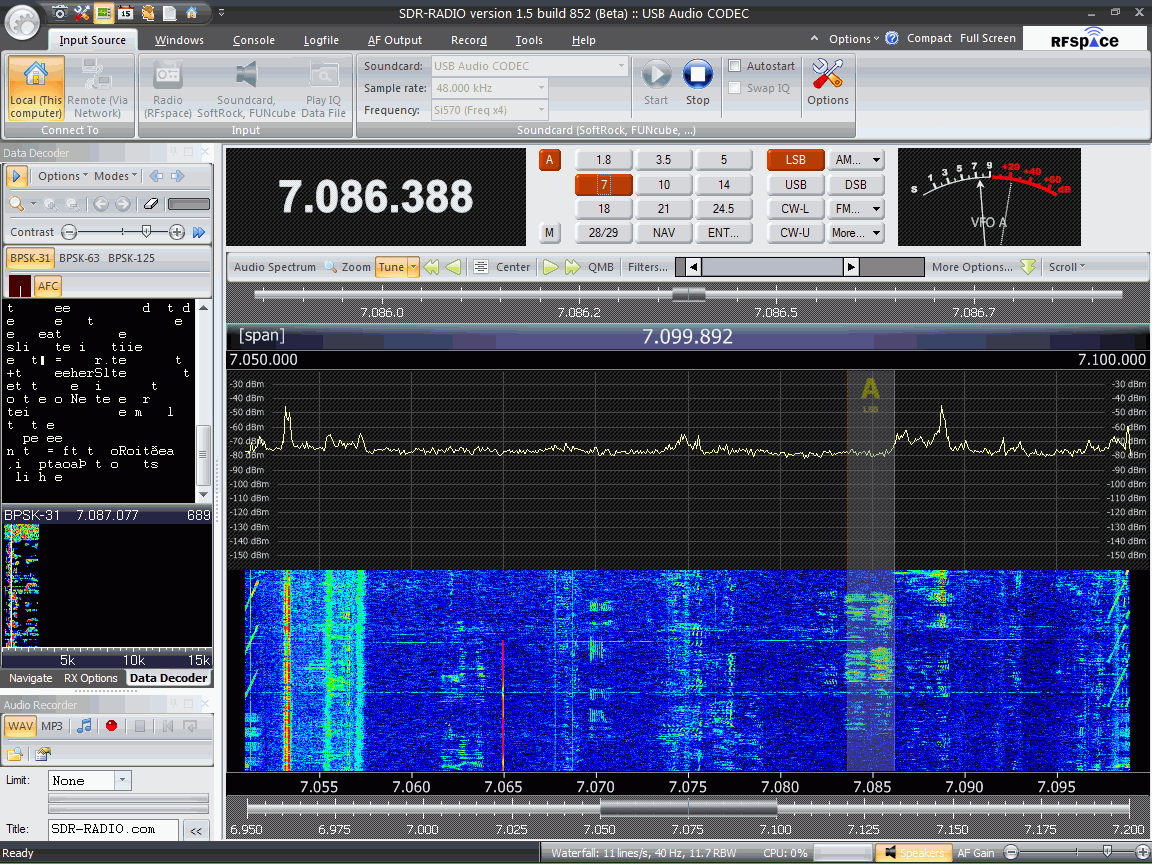
As you might expect from the author of Ham Radio Deluxe, SDR-Radio.com has built-in support for decoding digital modes. Unfortunately I haven’t managed to work out yet how to get the digital decoder waterfall to be a reasonable size: At the moment it’s a small window on the left hand side which is trying to display 15kHz worth of spectrum and although I’m hearing PSK31 I can’t find a trace to click on! I’m also still trying to discover if there is a PSK Browser in the program that sends reports to the PSK Reporter reverse beacon site. Hopefully someone will enlighten me.
I’m sure I’ll be writing more about the SDR-4 receiver and SDR-Radio.com in due course, but in the meantime if you want more information or to ask questions about the receiver there is a Cross Country Wireless Yahoo! group. You can even try an SDR-4 out over the Internet if you follow the instructions posted by Chris. I did and it worked perfectly – and it was so nice to hear the amateur bands without the awful frying noise I have to endure here.
Yahoo! is also the place to go for information and support of SDR-Radio.com (the software.) I look forward to seeing some comments and experiences of any of my readers who are tempted into trying this software defined radio.












