Archive for the ‘qrp’ Category
 Using WSPR for some band analysis
 January 2nd, 2016 |
  Author:
 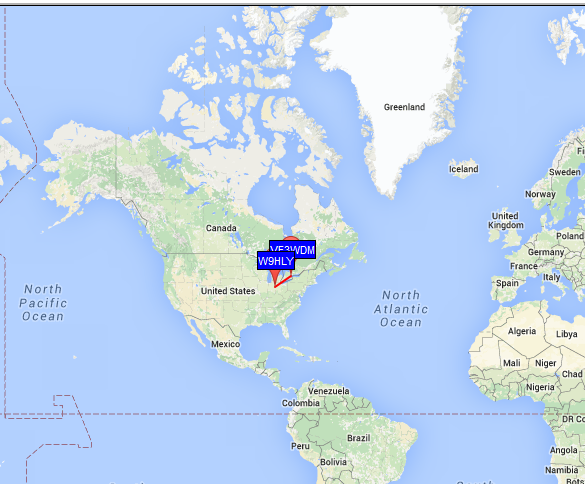 |
| My wet noodle on 40m WSPR on Dec 30 2200 UTC |
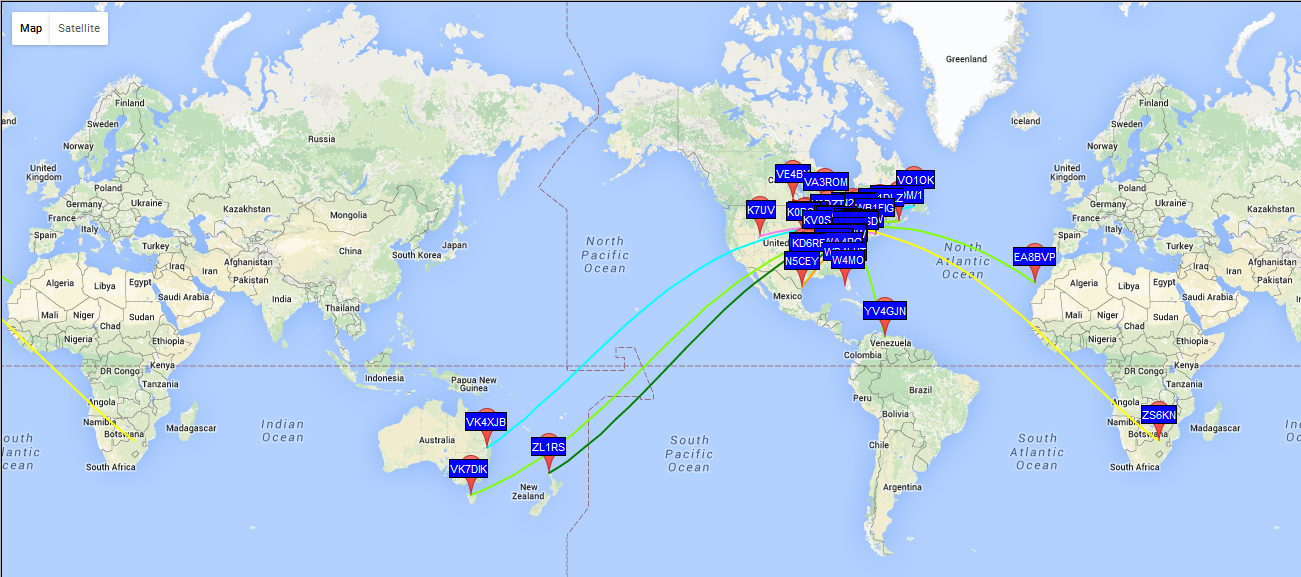 | ||||||
| 30m results at 2100 UTC Dec 30th |
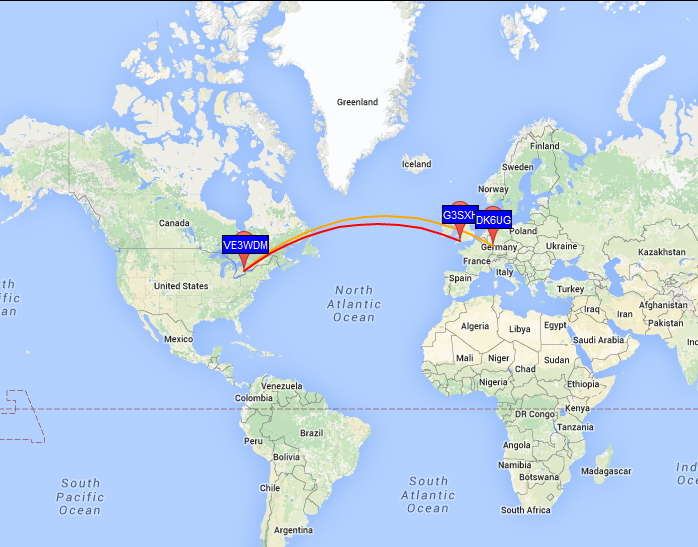 |
| 17m from 1500-1550 UTC Dec 31 |
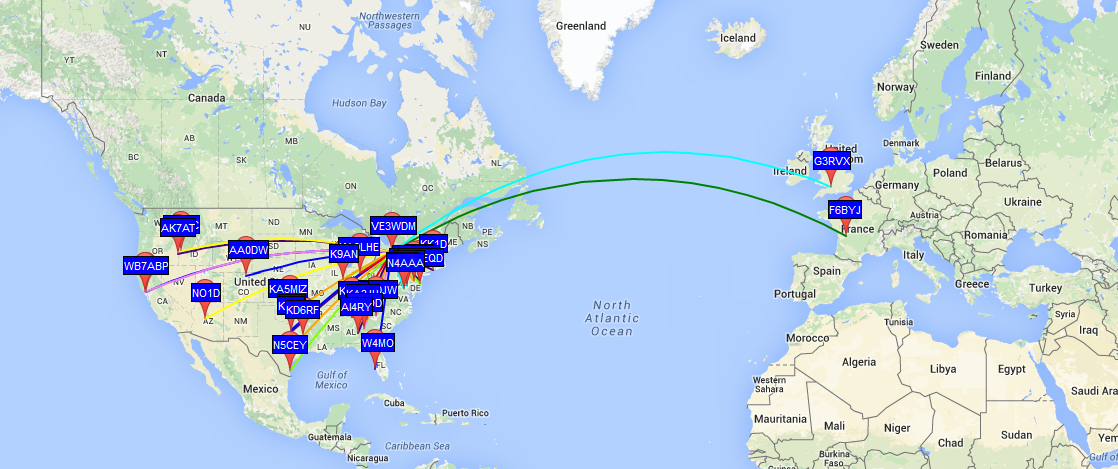 |
| 20m from 1600-1700 UTC Dec 31 |
Which antenna is better?
Real world antenna comparisons
The RBN
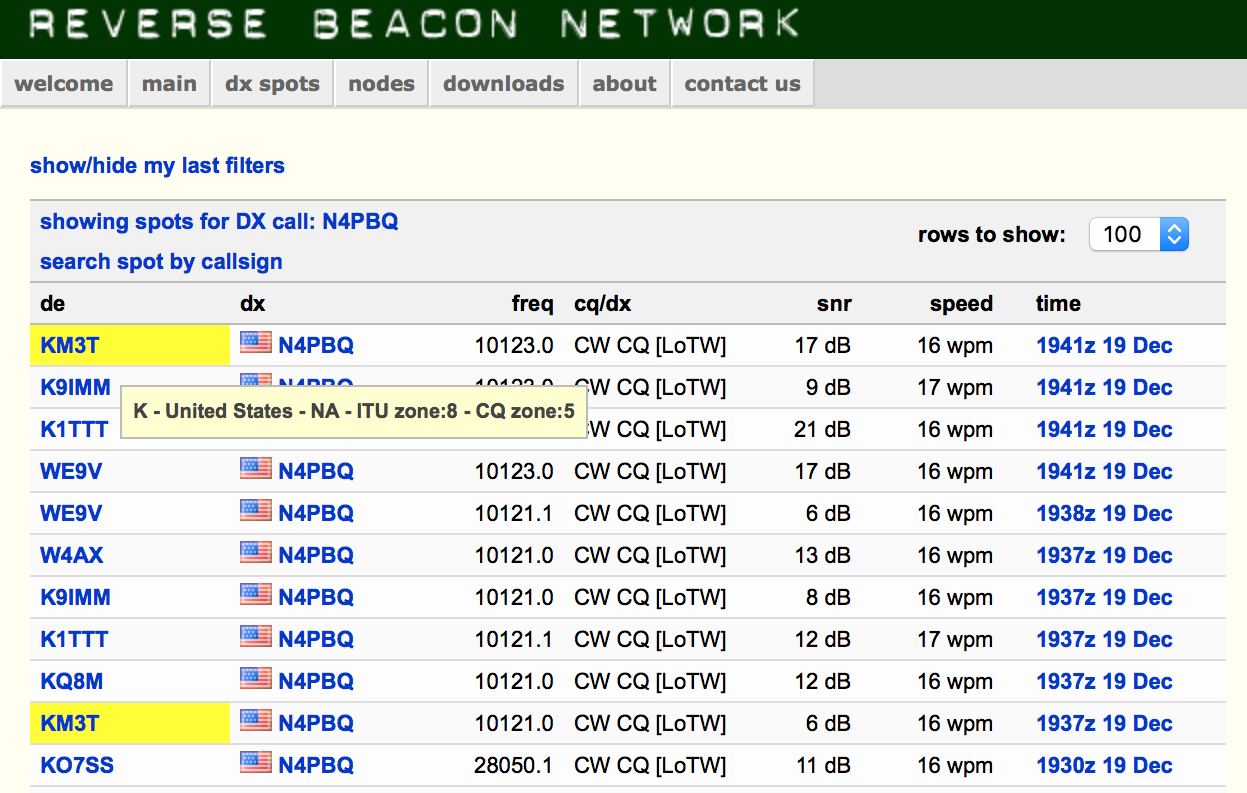 |
| Two highlighted records show the difference when I switched antennas and moved the transmit frequency slightly to cause a new report to be sent |
Process
Get Ready: Month-long Special Event for SKCC, the 2016 K3Y Celebration
Are you ready for the annual, month-long special event by the Straight Key Century Club (SKCC)? The SKCC Group membership is free, and celebrates the longest tradition of amateur radio: Morse code. But, not just any Morse code. The manual creation of Morse code by “straight” keys means no electronic origin, only mechanical. This is a month-long event, during January 2016, modelled after the ARRL Straight Key Night.
Here’s a video that I made showing my activity as the control operator of the special event station, K3Y/0, during one of the many shifts during January (2015). K3Y is the special event callsign of the Straight Key Century Club (SKCC). The special event operates each January. I’ll be doing this again, this coming month, January of 2016.
K3Y, the Straight Key Century Club’s annual January celebration, commemorates the club’s founding in 2006 following the American Radio Relay League’s Straight Key Night. A small group of participants wanted to extend the fun of SKN throughout the year. The SKCC is the result.
For the first three years, the club’s founders used K1Y, K2A, and K3Y as the celebration’s special-event calls. But someone cleverly noticed that a 3 is nothing more than a backwards, curvaceous E. This “KEY” event has operated under the K3Y call ever since.
The on-air party is open to members and non-members alike. It runs from 0000 UTC Jan. 2 through 2359 UTC Jan. 31. It’s a great time to introduce others to the joys of hand-crafted Morse code using straight keys, bugs, and side swipers.
This year, January 2016, we’ll be fielding K3Y operators in each of the 10 US call areas, plus KH6, KL7 and KP4, along with specially scheduled stations in each of six IARU continental regions. Your QSOs with event operators in all these 19 areas will be tabulated in the Statistics section and can be confirmed with a K3Y QSL card and Sweep Certificate.
+ The SKCC website is at http://skccgroup.com
+ The K3Y special event page is http://www.skccgroup.com/k3y/
73 de NW7US
dit dit
Don’t Bug OUT when hearing a Vibroplex semi-automatic key
Vibroplex Bug Morse Keys
 |
| Vibroplex Original Semi-automatic Bug |
The Vibroplex semi-automatic Bug is considered a manual key by the SKCC (Straight Key Century Club) so it counts in SKCC contacts.

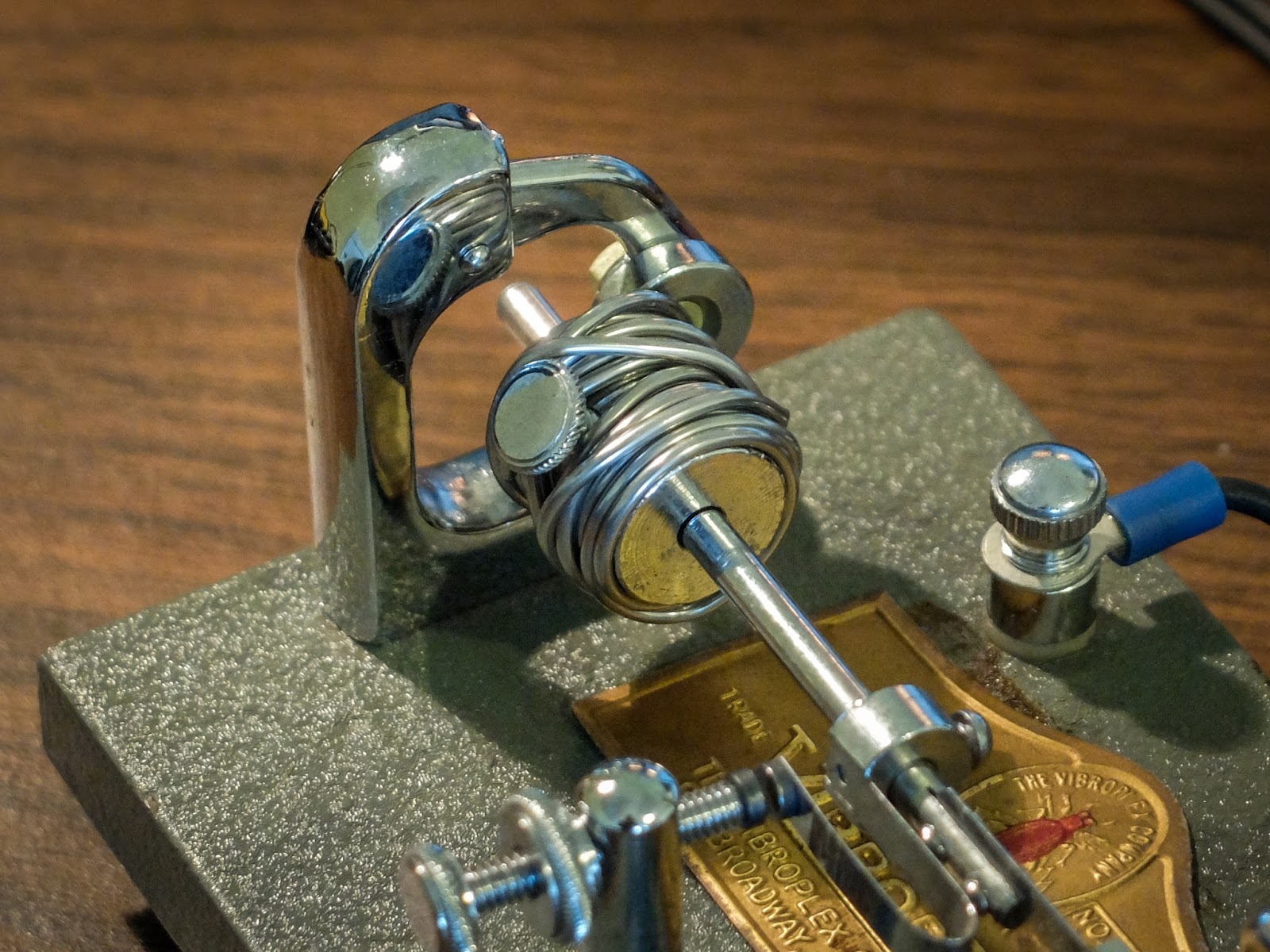 |
| Wrap the pendulum weight with solder to slow it a bit |
Here is a video running through the keys to see if learning a Vibroplex messes up my ability to use a paddle with an electronic keyer The Vibroplex Bug next to a Kent Hand Key. 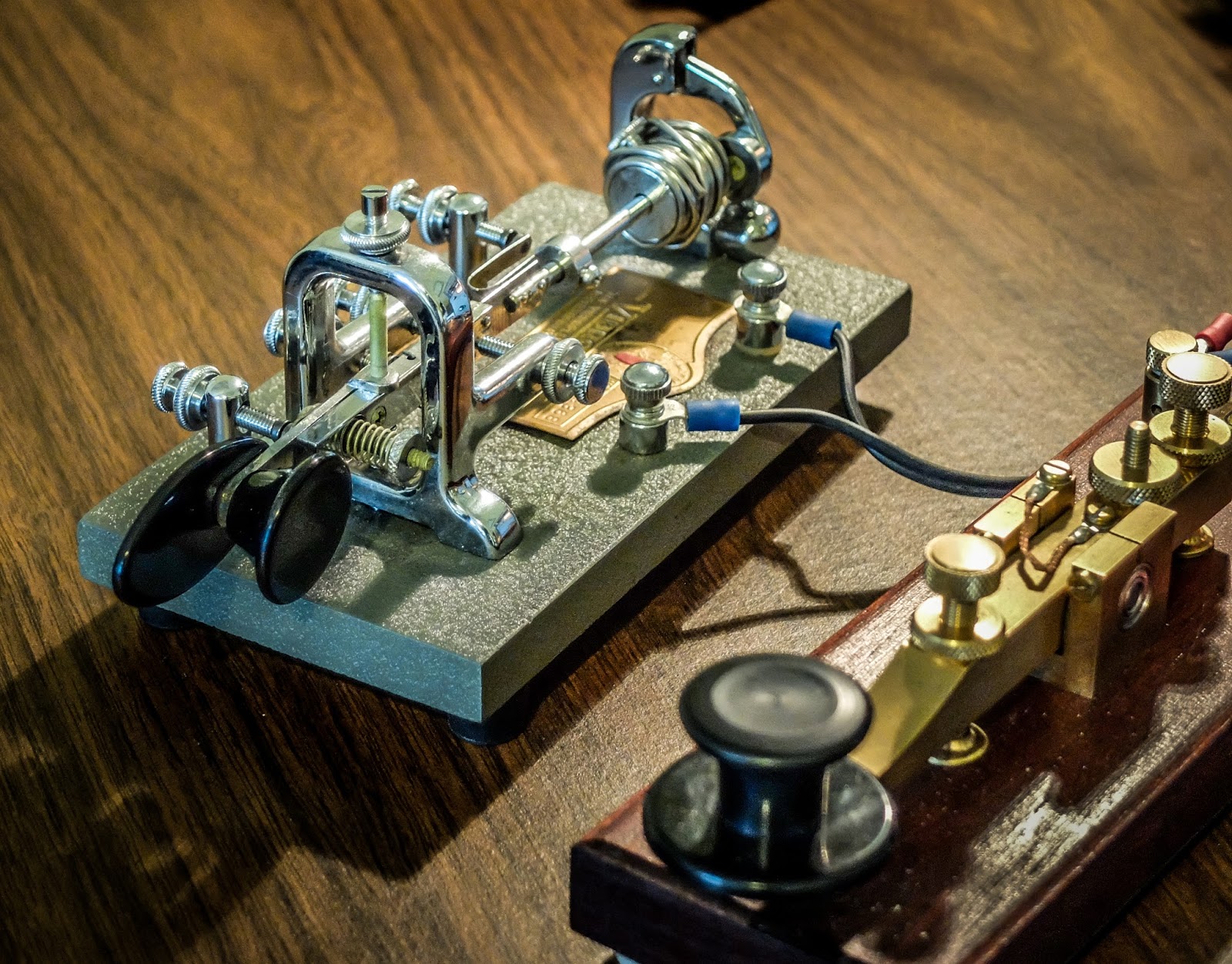 |
| Manual Morse Code Keys |
Learn Morse Code – All the Cool kids are doing it
Amaze your friends / Confound your enemies
Ok so maybe all the cool kids aren't doing it... who wants to be a cool kid anyway? They have issues.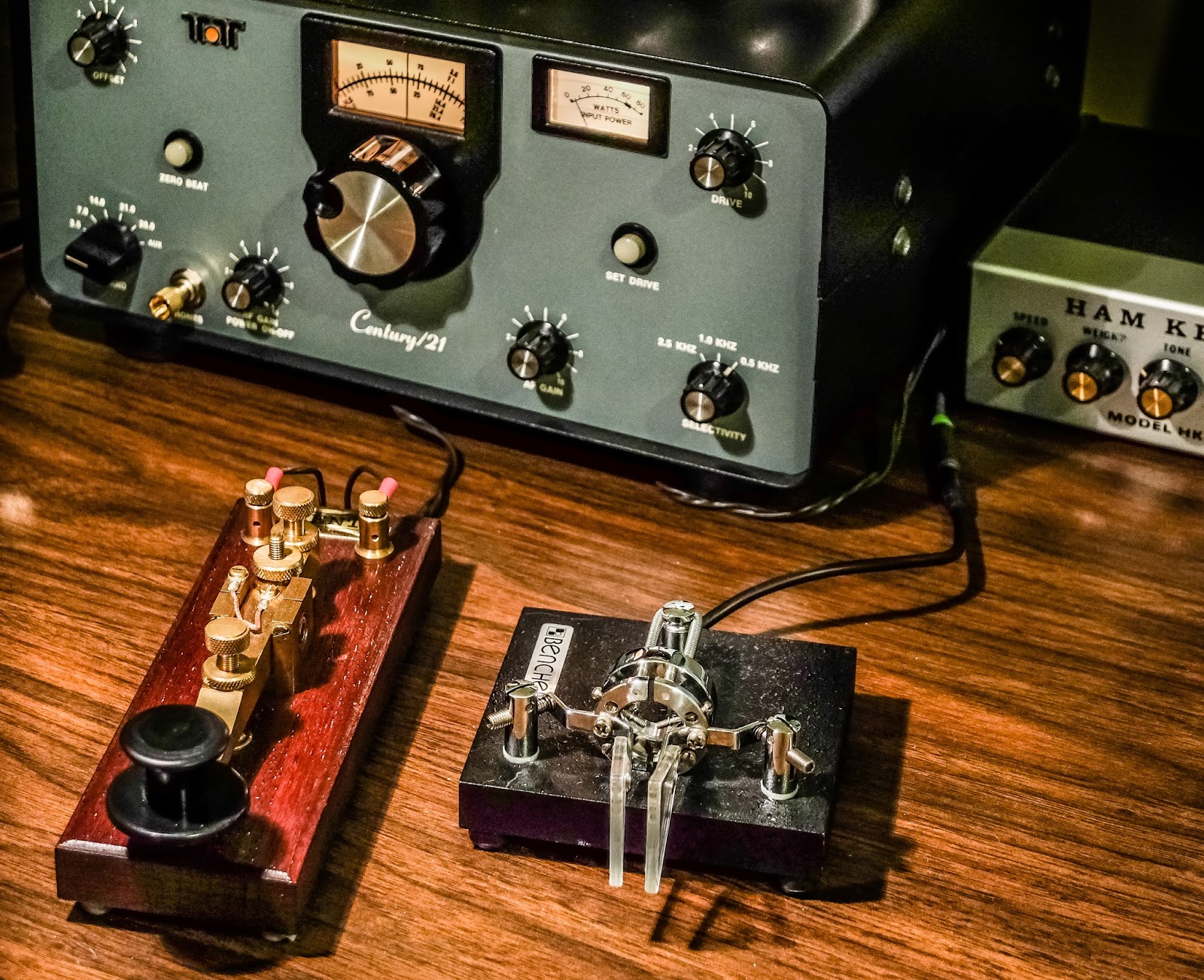
So whats up with all this beeping?
Morse code is fundamentally a method of encoding every letter in the alphabet plus numbers and punctuation as two pieces of data. Two sounds actually, one 3 times longer than the other. If you were to speak the two sounds out loud one would sound like DIT and the other DAH. That's it. That's all you have to know. Two sounds, one 3 times longer than the other. There, and you thought this would be hard? Pah!
 |
| Beep Beeeeeep -- There you have it... Morse Code. Any questions? |
Why is it called Morse Code?
Why learn Morse code?
CW is small but powerful
CW uses between 100Hz and 150Hz of bandwidth compared to 2400Hz - 3000Hz used by phone modes. That makes it about 20 times more efficient, or put another way, your signal to noise is improved by a factor of 20 over phone. It's also easier to copy (interpret) a CW signal down in the noise than a spoken voice.So you want to learn "the code"
A "C" in Morse Code sounds like DAH DIT DAH DIT. It has a beautiful rhythm when you listen to it out loud. Go ahead and shout it out, you've got nothing to lose at this point.
So, if you have toyed around with learning Morse Code and have some visual chart with dots and dashes. Shred that chart right now. Go ahead and do it. I'll wait... Did you shred it? Ok let's proceed.
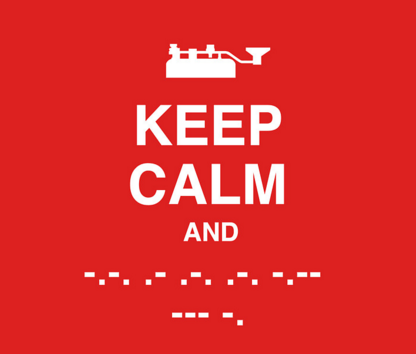 |
| Carry On |
Methodology
One wrong way
Morse Code was a requirement for my General amateur radio license in 2006, but I only had to prove copy skills at 5 words per minute. Someone recommended a set of tapes that employed mnemonic phrases to memorize each letter. Basically each letter "sounds" like some phrase. I'm going to tell you one of the mnemonic phrases as an example but please immediately erase it from your memory because it takes a long time to un-learn this method. The letter "Y" sounds like the following phrase said out loud "Why did I die?" OK, now just imagine you've memorized some phrase like that for every letter of the alphabet and punctuation mark. Now every time you hear a letter in Morse Code one of these phrases runs through your head and you have to let it run its course before the letter pops out on the other side of your consciousness. You can understand how crippling this becomes when the speed goes above 5 words per minute. Trying to counts DITs and DAHs hits the same wall.
One right way
I'm not going out on a limb to say there is only one right way to learn Morse Code so I will say that what follows is "One right way" to learn the code and it is working for me.
This method is recommended by the ARRL and is implemented by many applications used for Morse Code training. This allows you to learn the sound of the letters at the full target speed you want to operate at. If you learn the sound of the letters at 13wpm then you will find yourself stuck there until you relearn them at a higher speed because you're learning to recognize sounds, not DITs and DAHs. Our brain has an easier time of slowing a sound down than speeding it up so if you start at the target speed the slower speeds will work themselves out. I started with a target speed of 18wpm and I am kind of stuck there right now, while learning the sound of the characters at a higher speed to progress. I wish I had originally chosen 20wpm as my target speed because in my experience that is a common speed in many QSOs.Farnsworth Method
Learn the sound of the letters at the full target speed you wish to be able to copy.
Keep the speed of the letter spacing (silence between the letters) to be at your current learning speed to give you thinking time. I.e. you're letter spacing may be set at 8-10wpm to start out with while you're actually learning the characters at a target speed of 20wpm.
Your training should also incorporate the Koch Method which directs the order in which you learn the letters, numbers and punctuation and determining when to progress to the next element.
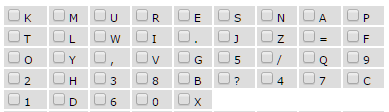
Koch Method
Begins with just two characters (K, M). Once strings containing those two characters can be copied with 90% accuracy, an additional character is added, and so on until the full character set is mastered.
Code Trainer
I looked at a number of different code trainers. I tried PC applications, mobile device apps and internet based applications. I live in a very internet connected place and I nearly always have access to the internet. I don't always have my PC with me but I do usually have access to a guest PC or a mobile internet capable device so I chose a website that has a training application that incorporates both the Farnsworth and Koch methods and would keep track of my progress.Learn CW Online http://lcwo.net/
Learn CW Online is a really nice Morse Code tutor. You create a login for it to keep track of your progress and settings for character speed and effective speed. It has multiple ways to train so try the different ones out to find out what works best for you. I used the Koch Method CW Course which is accessible after you log in. It starts out with two letters and keeps track of your accuracy, making suggestions as to when you should add an additional letter. There are 40 lessons in that course which include the alphabet, numbers and punctuation. I've read that other people really like the MorseMachine application on that site.
After you've gone through all 40 Koch lessons you may still have trouble with a particular set of characters. Use the Code Groups application to work through your stumbling blocks. Lastly natural language training is provided in the plain text training application which sends real sentences at your speed settings. You can also paste text into the convert text to cw application and download the resulting MP3 to practice off-line.
Listen to real QSOs
Secondly you'll begin to start copying the myriad of abbreviations and prosigns and jargon used during QSOs that exists nowhere outside of amateur radio CW conversations. As you come across new "words" that you copy. Circle them until you begin to recognize what they mean. Some of the abbreviations are standardized but many others are just shorthand and sometimes unique to a particular operator or region. You'll also start to become familiar with the way operators communicate their goodbyes which vary greatly in content, abbreviations and length. Some goodbyes in morse code seem to take as long as the entire previous part of the QSO. In other cases the conversation ended and you didn't even hear the door slam behind you.
A word about Morse Code translators
Pace yourself and have fun
Morse Code is a mode for folks that don't have a lot to say but want to take a long time to say it; so why rush?
Sending Morse Code
Personally, I'd recommend that you hold off practicing sending code until you have worked through all the lessons and can properly copy. Your brain needs time to memorize the proper sound for each letter. If you start practicing too soon you could develop poor timing habits that will take time to correct.
I have had a little over 300 CW QSOs now and while that is still a relatively small number easily a 3rd of them have been lengthy ragchews lasting over 20-30 minutes so I've spent a lot of time "off-script" from the standard exchange. At this point I don't have to concentrate much on what I'm sending, it just comes out. I only have to think about spelling long words.
Remember the golden rule. It's better to send good code than receive.
What kind of key
The video below discusses some difference in learning to send on a straight key versus a paddle...
Straight key
 |
| Straight Key (manual key) |
Straight keys are simple, inexpensive and can work with many inexpensive practice oscillators such that you don't need a radio to practice sending. The disadvantage of straight keys is that your reflexes are entirely responsible for properly spaced DITs and DAHs in addition to intra-character and word spacing. The advantage is that after some practice they become an extension of your arm and simply repeat what you're hearing in your head. I personally started with a straight key and still like to use one for the majority of my QSOs but it's a personal preference.
Paddle with electronic keyer
 |
| Paddle -- requires electronic keyer |
A paddle works with an electronic keyer. The disadvantage of a paddle is it requires additional equipment and that you will be learning a different reflex from the actual code that is in your head. I.e. when you send an I or an S or an H you are not reflexively sending the DITs that make up the letter but are instead training yourself how long to depress the paddle for the string of DITs. This is a new skill and doesn't directly correspond to what you hear in your head. The advantage to using a paddle with an electronic keyer is that the keyer will send perfect length and ratio DITs and DAHs every time so your reflexes don't have to be as quick or precise. Also it requires far fewer movements of your hand to send code with a paddle and you won't tire as quickly as you would with a straight key. I won't go into the concept of squeeze keying here. For now don't worry about it.
As to the specifics of using a paddle with a keyer:
The electronic keyer may be external or built-in to the radio. If it's external then it will normally have a speaker or mic jack to provide a sidetone allowing you to practice without connecting to a radio. If you don't have an external keyer and want to practice with a paddle you will need a radio with a built-in electronic keyer and be aware how to set it to not transmit for practice. Usually this is accomplished, strangely enough, by turning off VOX (which stands for voice activation) in the radio's menu. Keyers have a speed setting and weighting. Speed seems pretty obvious. Weighting is the ratio of the length of the DIT to the DAH in length. In general the weighting should be set to a higher value when you are sending at a slow speed and set to a lower value as your speed goes up.
Your first on-air QSO
You are ready to venture into your first, heart pounding, fight or flight response on-air QSO
If none of those options present themselves then just go for it on-air. Find an ongoing QSO that you feel you can copy or is moving just slightly faster than you can copy. Copy the call-sign of the station you can best copy and wait for them to sign with each other (they will each send their 73s / 72s and send a DIT DIT at the very end). Then call that station.
AA4XX AA4XX DE N4PBQ N4PBQ N4PBQ PSE QRS KNIf you've been listening to regular QSOs you'll recognize the form above. The repetition of the other station's call is to get their attention. You repeat yours for their benefit. The PSE QRS is asking them to slow down and the prosign KN means you're asking only them to respond. Have a prepared QSO text ready in terms of what to send. The SKCC beginners corner has a good sample QSOs.
Here is a sample QSO from when I was just venturing onto the air.
What is going on in the radio
As far using Morse Code in radio communication is concerned; a transmitter modulates a 100Hz to 150Hz wide signal called a Continuous Wave or CW at a particular frequency. The time the signal is transmitted corresponds to the length of time the trasnmitter key is depressed. When listening on a receiver you hear a tone whose pitch is determined by your offset from the frequency of the transmission. If you are listening exactly on the same frequency you will hear nothing because there will be zero Hz offset. So most modern receivers offset the receiver frequency above or below the signal and offset their own transmit frequency by the chosen offset. So if the offset is 750Hz you will hear a 750Hz tone if you are exactly on frequency with the other station. Confusing? Good, you're well on you way.Summary
I've jotted down my thoughts on the ins and outs (mostly outs) of learning Morse Code as part of my QRP Ham Radio adventure. I think it is relevant enough to visitors to the Ham Radio QRP website to make it a static page available from the main menu:
KX3 Shield installation
Amongst many deliveries this week, one very welcome package was side plate covers for the KX3. Ive noticed on recent trips that the soft pouch that I use to hold the KX3 is offering very little protection to the knobs.
The side plates allow the installation of a clear cover that is intended to give protection to the delicate front panel.
Installation is easy. It takes less than 10mins and also comes with a Heat sink to help the PA transistors stay cooler for longer. I didn’t want to fit the heat sink at first – I thought it wouldn’t allow the radio to fit in the carry pouch. But as you will see the case I use was able to take both the radio and heat sink. To complete the installation you will need 10minutes of spare time, a screwdriver and a 10mm spanner.
If you own a KX3, use it out and about – this is a quick and simple upgrade you should seriously consider.
KX3 Shield installation
Amongst many deliveries this week, one very welcome package was side plate covers for the KX3. Ive noticed on recent trips that the soft pouch that I use to hold the KX3 is offering very little protection to the knobs.
The side plates allow the installation of a clear cover that is intended to give protection to the delicate front panel.
Installation is easy. It takes less than 10mins and also comes with a Heat sink to help the PA transistors stay cooler for longer. I didn’t want to fit the heat sink at first – I thought it wouldn’t allow the radio to fit in the carry pouch. But as you will see the case I use was able to take both the radio and heat sink. To complete the installation you will need 10minutes of spare time, a screwdriver and a 10mm spanner.
If you own a KX3, use it out and about – this is a quick and simple upgrade you should seriously consider.















