Archive for the ‘qrp’ Category
 SOTA Rig Reconfiguration
 January 17th, 2016 |
  Author:
 Since I've retired, I've now have the opportunity to have continuous thoughts about things like this without the interference of work or schedule related thoughts, it's great. Consequently, I've had some time to give my rig configuration some thought. What I have done is not totally unique as I have gotten ideas from others and mixed them into my own concoction. I have the 3 Band MTR, with 17m, 20m and 30m. I chose these particular bands so that I would have flexibility on contest weekends. So below is my latest, not my last configuration.
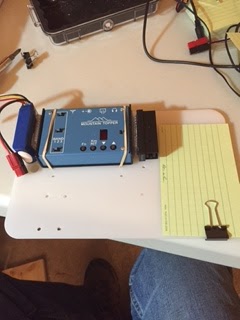
As you can see I am using a backpacking cutting board as the foundation of the setup. I used a product called Scotch Extreme fastener to attache the LIPO battery and the Pico Paddle, it's sort of like Velcro but it snaps into place and is 10x stronger than velcro. I simply drilled holes (this board has seen several iterations as you can see the many holes), and used rubber bands to hold the radio in place. I may decide to use the fastener instead. The "Rite in the Rain" card is for logging. A nice neat package to pull out of the pack, hook up the antenna, plug in the power and off I go.
There are however a couple of further improvements.
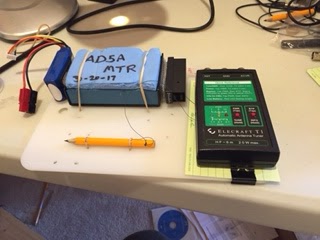
You can see I've added a tethered pencil for logging and an optional Elecraft T1 tuner, if you have a non-resonant wire. I can fasten it to the board with either rubber bands or the Scotch fastener.
I've also added a protective cover for the MTR. It's made from sleeping pad foam and protects the face and switches on the MTR when getting jostled in your pack. On the backside of the cover I've cut out recesses where the switches are and added little magnets that are attracted to the four screws on the case. Thanks to Fred, KT5X for this idea.
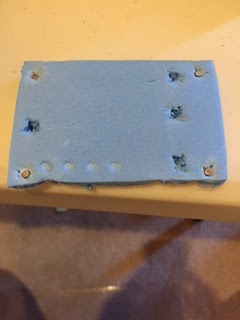
So there you have it, a light, three band, package that is compact, light and ready to go. So until I reconfigure again.
SOTA Rig Reconfiguration
Since I've retired, I've now have the opportunity to have continuous thoughts about things like this without the interference of work or schedule related thoughts, it's great. Consequently, I've had some time to give my rig configuration some thought. What I have done is not totally unique as I have gotten ideas from others and mixed them into my own concoction. I have the 3 Band MTR, with 17m, 20m and 30m. I chose these particular bands so that I would have flexibility on contest weekends. So below is my latest, not my last configuration.
As you can see I am using a backpacking cutting board as the foundation of the setup. I used a product called Scotch Extreme fastener to attache the LIPO battery and the Pico Paddle, it's sort of like Velcro but it snaps into place and is 10x stronger than velcro. I simply drilled holes (this board has seen several iterations as you can see the many holes), and used rubber bands to hold the radio in place. I may decide to use the fastener instead. The "Rite in the Rain" card is for logging. A nice neat package to pull out of the pack, hook up the antenna, plug in the power and off I go.
There are however a couple of further improvements.
You can see I've added a tethered pencil for logging and an optional Elecraft T1 tuner, if you have a non-resonant wire. I can fasten it to the board with either rubber bands or the Scotch fastener.
I've also added a protective cover for the MTR. It's made from sleeping pad foam and protects the face and switches on the MTR when getting jostled in your pack. On the backside of the cover I've cut out recesses where the switches are and added little magnets that are attracted to the four screws on the case. Thanks to Fred, KT5X for this idea.
So there you have it, a light, three band, package that is compact, light and ready to go. So until I reconfigure again.
I Need You in My Log! SKCC K3Y/0 Special Event (January 2016)
I need your help!
Come meet me on the shortwave (HF) ham bands for the Morse code (CW mode) special event, the Straight Key Century Club (SKCC) celebration, with special callsign, K3Y. During the shifts (time slots) listed below, I am the control operator as K3Y/0.
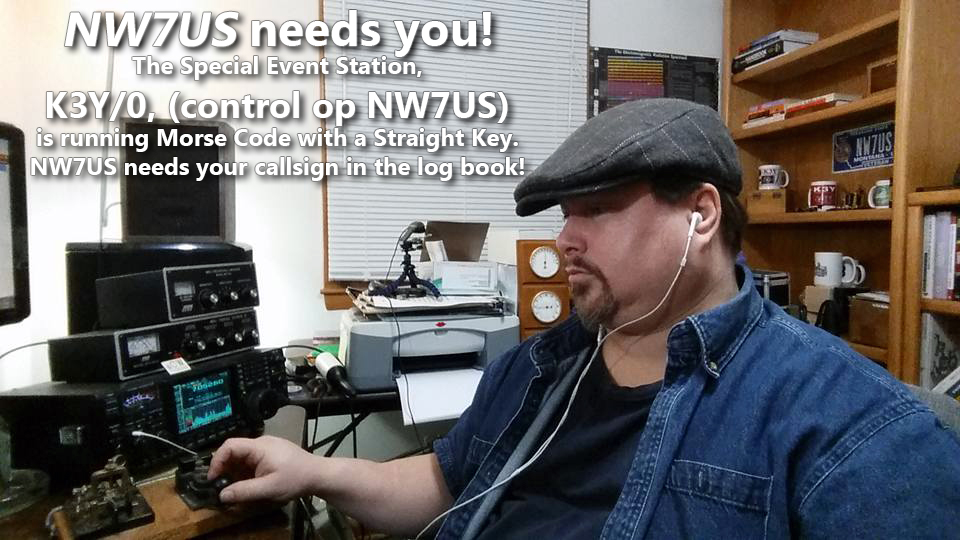 I need you to make a contact with me.
This special event takes place every year during January. We celebrate the legacy of Morse code, and promote Morse code and manual creation of the code by any non-electronic (digital) device and method. Which means that we love mechanical bugs, straight keys, two ends of a wire, or any other manual device, if Morse code is generated. The Straight Key Century Club is a free membership group. The link to their website is below.
I need you to make a contact with me, during my scheduled times, listed below.
NOTE: YOU DO NOT NEED TO BE A MEMBER OF THE (free) SKCC GROUP. To get into my logbook, you meet me on my frequency, and use Morse code to communicate with me. It is painless. If you must, you can use computer-generated Morse code. Or, you can tap it out on any Morse code signalling device, like a bug, a set of paddles, or a straight key; whatever you choose to make Morse code emanate from your HF transmitter.
HOWEVER: For those of you who want to get fully immersed in the spirit of this event, you are invited to use a straight key. And, as a bonus, you may and can join the SKCC group for FREE. Then, you would have your own SKCC number. That’d be cool; we SKCC members use that number in our exchange during our QSO information exchange. But, you don’t need that. Since it is free, why not?
What is needed is simply you, getting on the shortwave band, finding me, hearing me, and responding to me with Morse code. In other words, we need to have a QSO using Morse code. I am not a fast operator, so no problem if you are not very fast. I’ll meet your speed.
In any case, here are some of the times I will be on the air as K3Y/0… please dust off your straight key, bug, paddles, whatever, and make a QSO with me. Thanks!
My current schedule:
UTC Start/End (remember, these are NOT your local times, but are the UTC (GMT) times!)
(revised times, as of edit date)
 00:00 - 02:59 19-Jan-16
 00:00 - 02:59 20-Jan-16
 00:00 - 02:59 21-Jan-16
 00:00 - 02:59 22-Jan-16
 00:00 - 05:59 23-Jan-16
 14:00 - 18:59 23-Jan-16
 20:00 - 21:59 23-Jan-16
 00:00 - 02:59 24-Jan-16
 14:00 - 18:59 24-Jan-16
 21:00 - 21:59 24-Jan-16
 00:00 - 02:59 25-Jan-16
 00:00 - 02:59 26-Jan-16
 00:00 - 02:59 27-Jan-16
 00:00 - 02:59 28-Jan-16
 00:00 - 02:59 29-Jan-16
 00:00 - 05:59 30-Jan-16
 13:00 - 18:59 30-Jan-16
 20:00 - 21:59 30-Jan-16
 00:00 - 03:59 31-Jan-16
 13:00 - 23:59 31-Jan-16
Now, what frequency will I be on?
To find out what frequency I am on:
Visit http://g.nw7us.us/sched4SKCC and look on the right side for my callsign, NW7US. I usually post my frequency of operation right after my call sign.
Typically, evening operation is 30m, then 40m, and then possibly 80m.
If you are trying to alert me to your presence, you may message me on my personal Facebook profile, under my “Tomas David Hood” profile messages, but I may not see that right away.
Here is the detail covering the K3Y operation and the SKCC group: http://skccgroup.com/k3y
73 de NW7US
dit dit
This was last year:
https://www.youtube.com/watch?v=UfRvITFpTb4
..
..
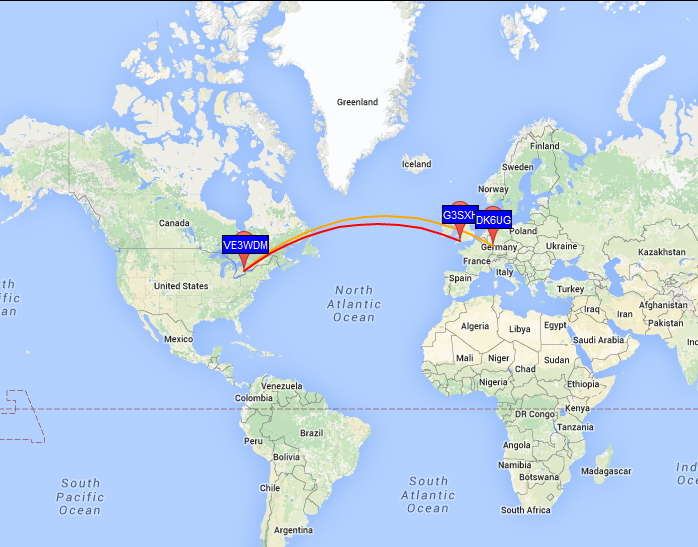
Using WSPR for some band analysis
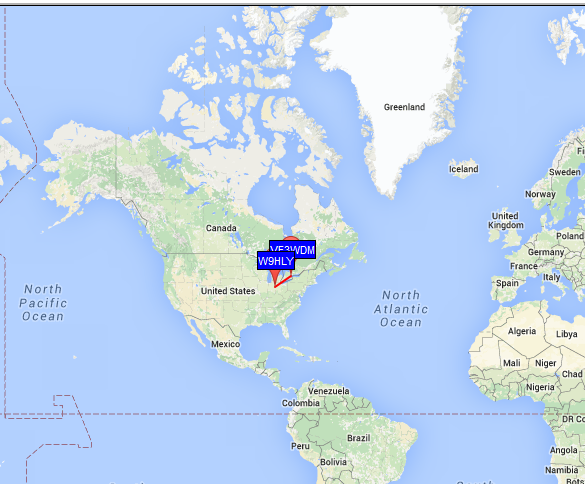 |
| My wet noodle on 40m WSPR on Dec 30 2200 UTC |
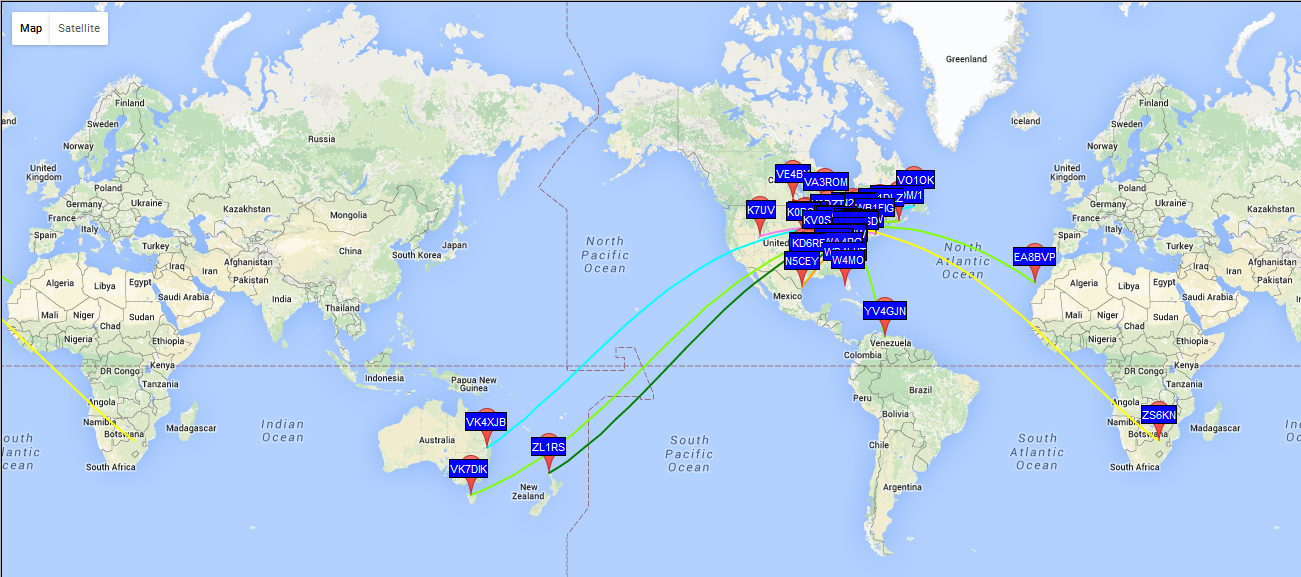 | ||||||
| 30m results at 2100 UTC Dec 30th |
 |
| 17m from 1500-1550 UTC Dec 31 |
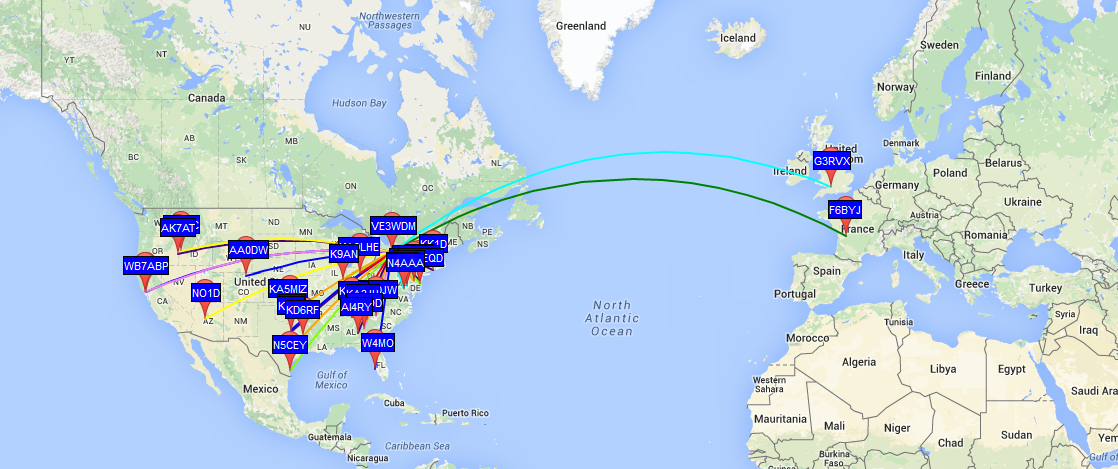 |
| 20m from 1600-1700 UTC Dec 31 |
Which antenna is better?
Real world antenna comparisons
The RBN
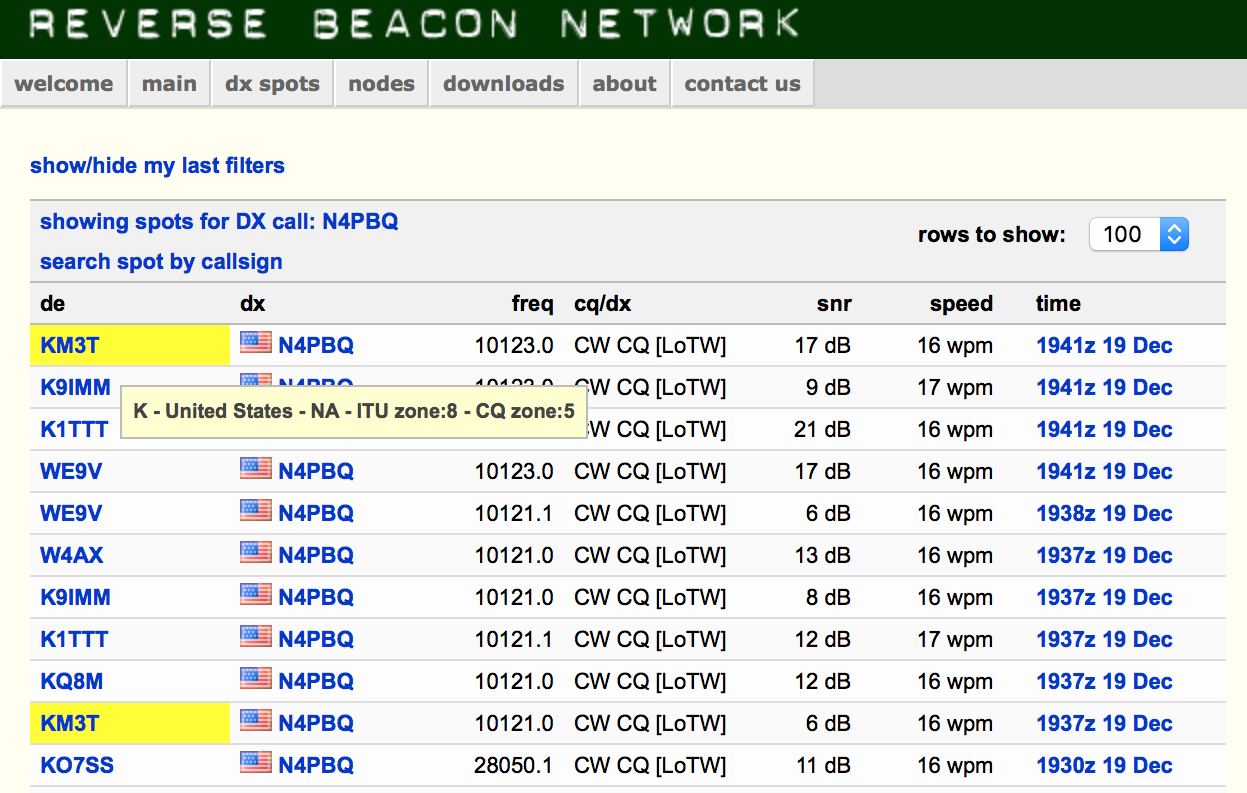 |
| Two highlighted records show the difference when I switched antennas and moved the transmit frequency slightly to cause a new report to be sent |
Process
Get Ready: Month-long Special Event for SKCC, the 2016 K3Y Celebration
Are you ready for the annual, month-long special event by the Straight Key Century Club (SKCC)? The SKCC Group membership is free, and celebrates the longest tradition of amateur radio: Morse code. But, not just any Morse code. The manual creation of Morse code by “straight” keys means no electronic origin, only mechanical. This is a month-long event, during January 2016, modelled after the ARRL Straight Key Night.
Here’s a video that I made showing my activity as the control operator of the special event station, K3Y/0, during one of the many shifts during January (2015). K3Y is the special event callsign of the Straight Key Century Club (SKCC). The special event operates each January. I’ll be doing this again, this coming month, January of 2016.
K3Y, the Straight Key Century Club’s annual January celebration, commemorates the club’s founding in 2006 following the American Radio Relay League’s Straight Key Night. A small group of participants wanted to extend the fun of SKN throughout the year. The SKCC is the result.
For the first three years, the club’s founders used K1Y, K2A, and K3Y as the celebration’s special-event calls. But someone cleverly noticed that a 3 is nothing more than a backwards, curvaceous E. This “KEY” event has operated under the K3Y call ever since.
The on-air party is open to members and non-members alike. It runs from 0000 UTC Jan. 2 through 2359 UTC Jan. 31. It’s a great time to introduce others to the joys of hand-crafted Morse code using straight keys, bugs, and side swipers.
This year, January 2016, we’ll be fielding K3Y operators in each of the 10 US call areas, plus KH6, KL7 and KP4, along with specially scheduled stations in each of six IARU continental regions. Your QSOs with event operators in all these 19 areas will be tabulated in the Statistics section and can be confirmed with a K3Y QSL card and Sweep Certificate.
+ The SKCC website is at http://skccgroup.com
+ The K3Y special event page is http://www.skccgroup.com/k3y/
73 de NW7US
dit dit
Don’t Bug OUT when hearing a Vibroplex semi-automatic key
Vibroplex Bug Morse Keys
 |
| Vibroplex Original Semi-automatic Bug |
The Vibroplex semi-automatic Bug is considered a manual key by the SKCC (Straight Key Century Club) so it counts in SKCC contacts.

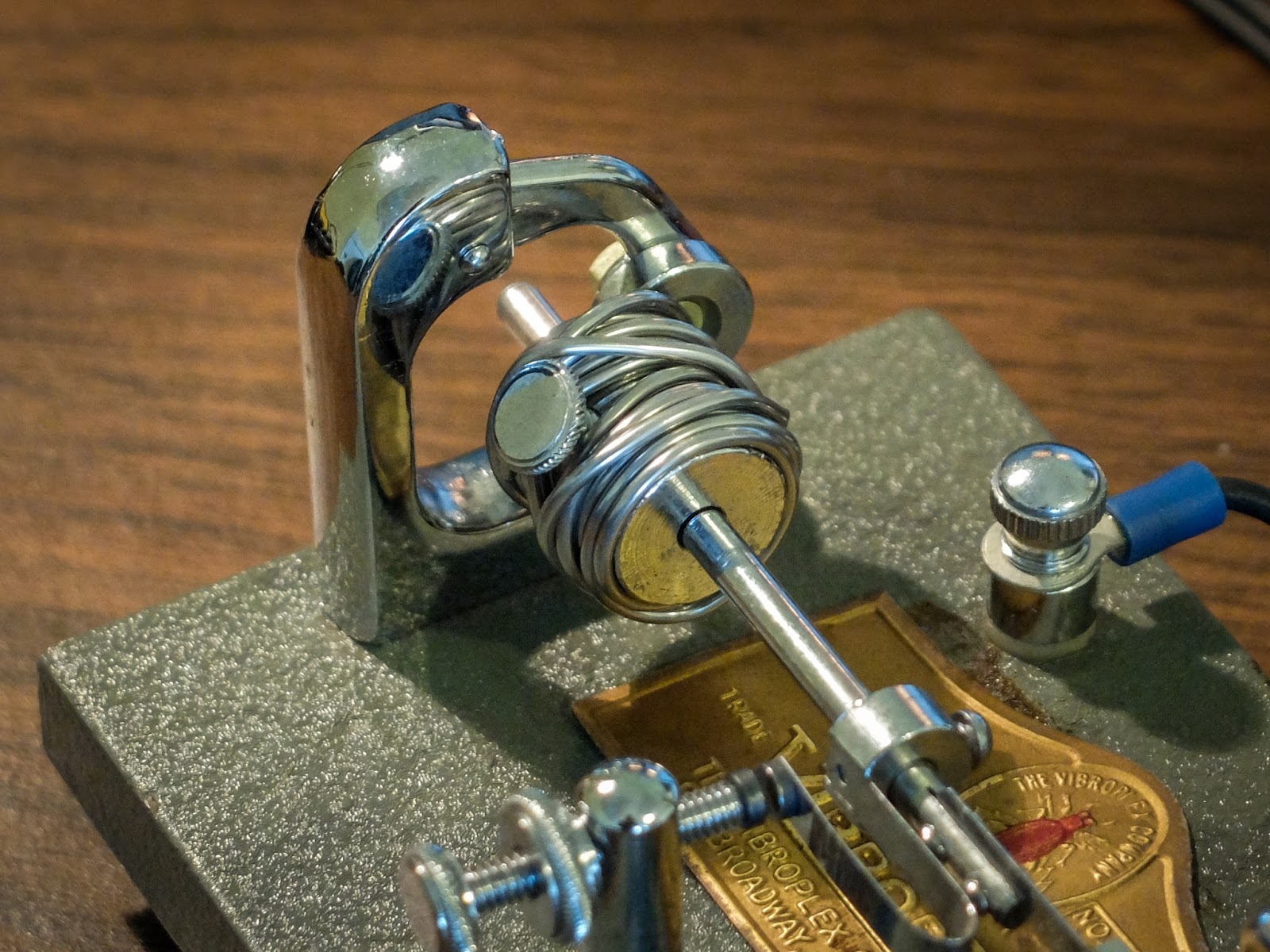 |
| Wrap the pendulum weight with solder to slow it a bit |
Here is a video running through the keys to see if learning a Vibroplex messes up my ability to use a paddle with an electronic keyer The Vibroplex Bug next to a Kent Hand Key. 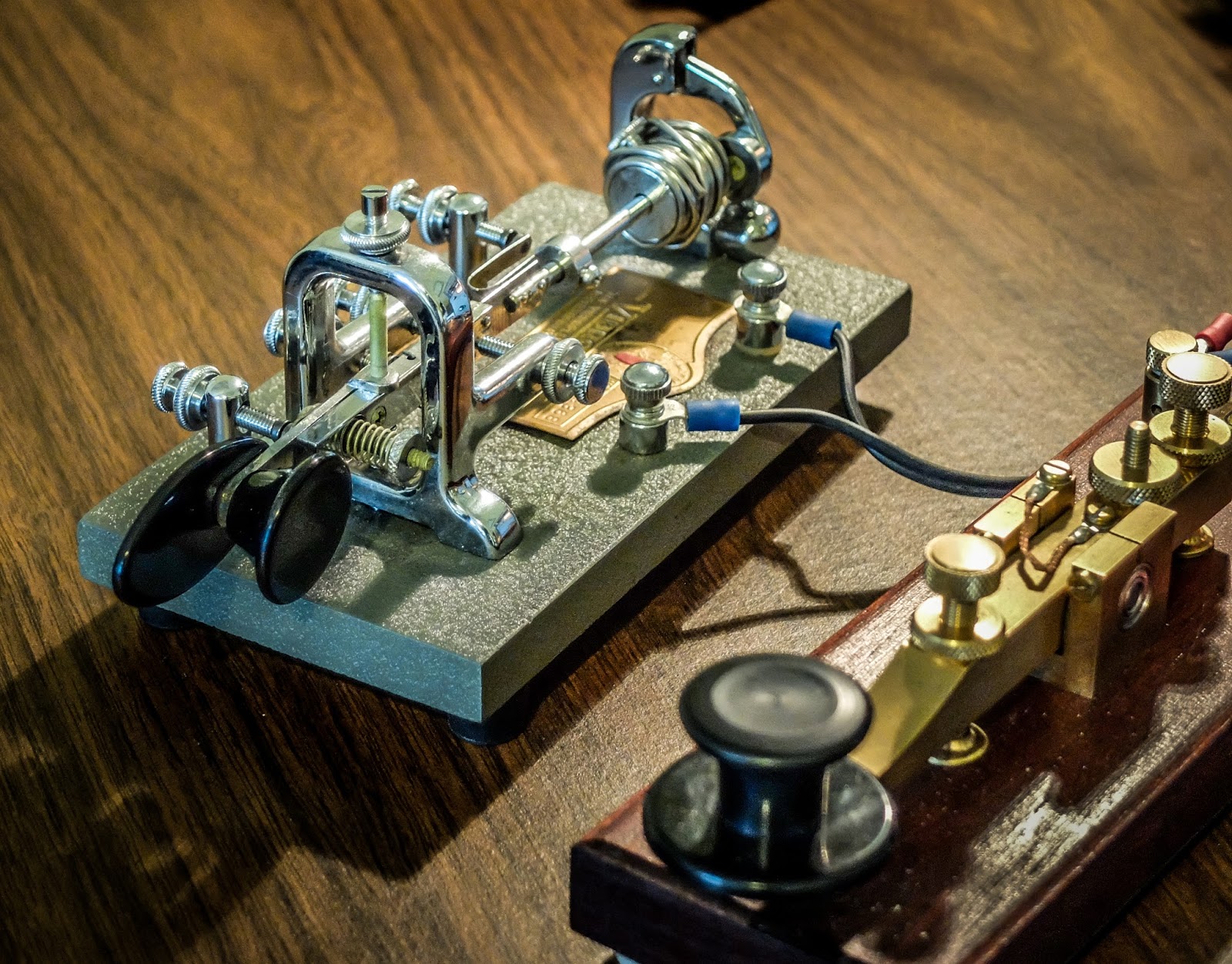 |
| Manual Morse Code Keys |