Archive for the ‘qrp’ Category
 ARRL DX CW contest done for 2016
 February 21st, 2016 |
  Author:
 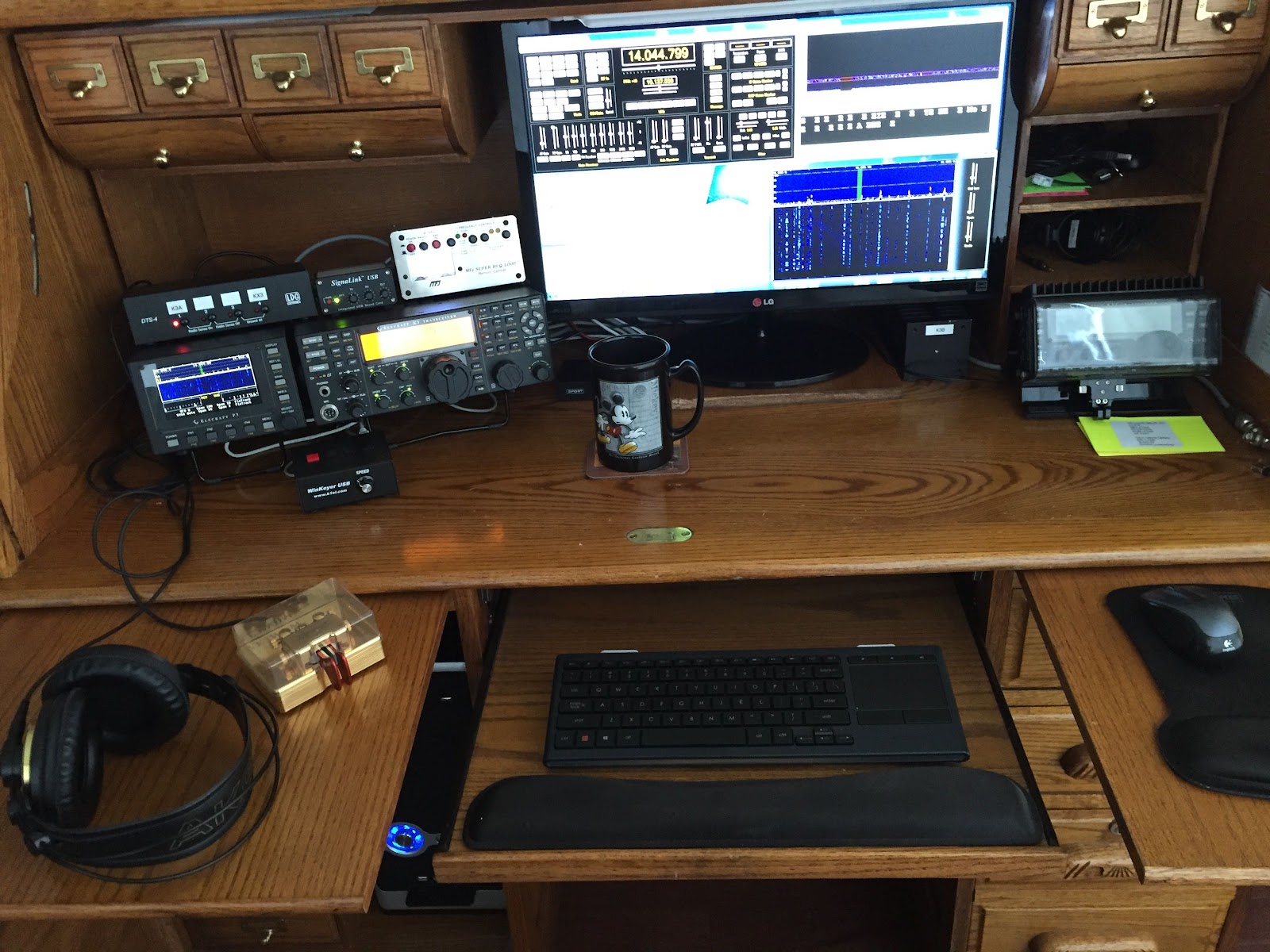 |
| The roll top radio desk |
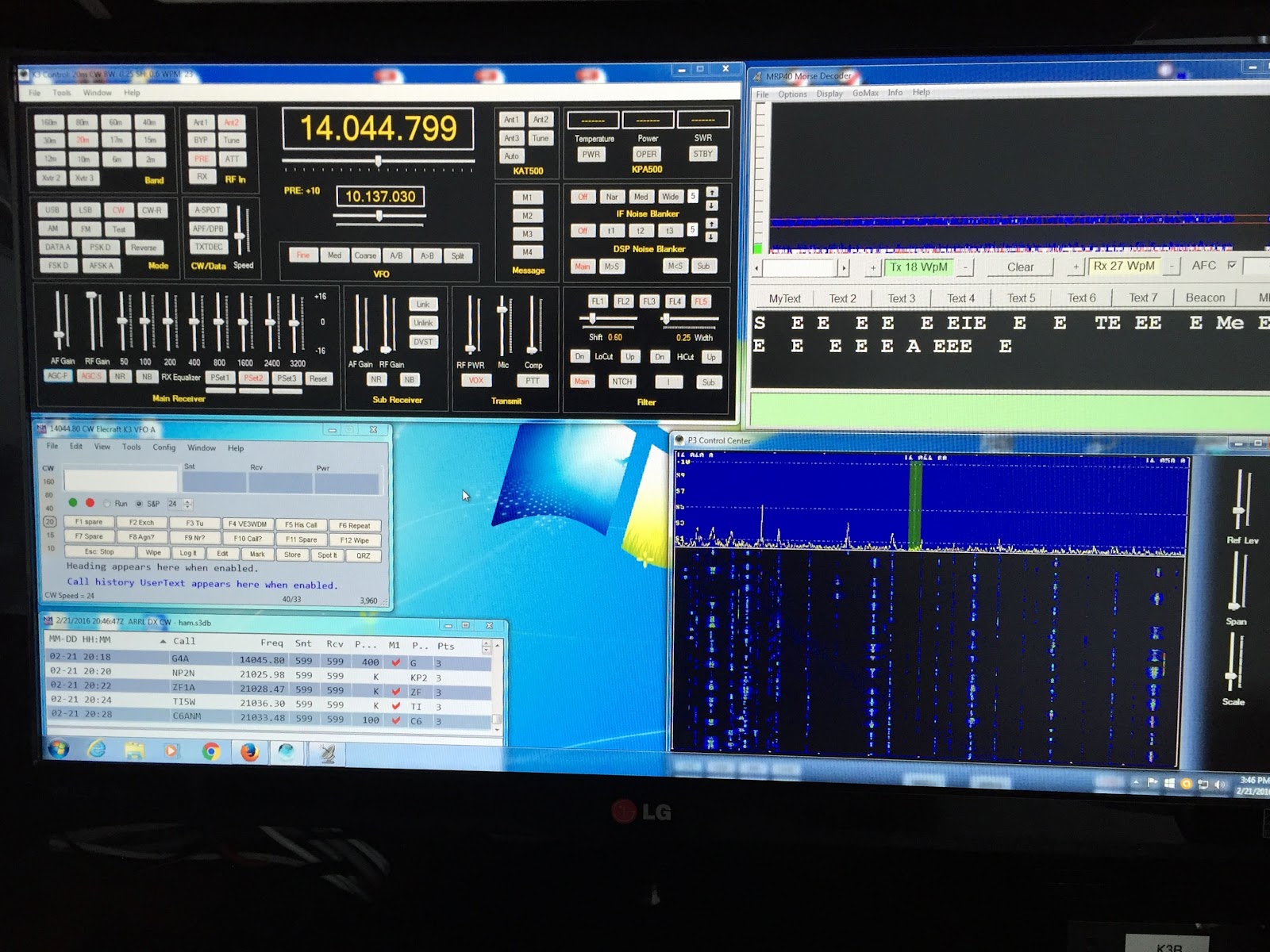 |
| The contest desktop |
1 Watt and a Wire… in the Attic
You can't always get what you want, but you try sometimes...
Recently I've dialed my normal 5 watts down to 1watt (one watt, singular) for all my contacts. To throw some water on the fire I've decided to use my attic antenna which weaves all around my metal ductwork and electrical wiring. Mostly this was to prove a point to myself but it may be enlightening to deed restricted hams that they can use a qrp radio and an attic antenna successfully.
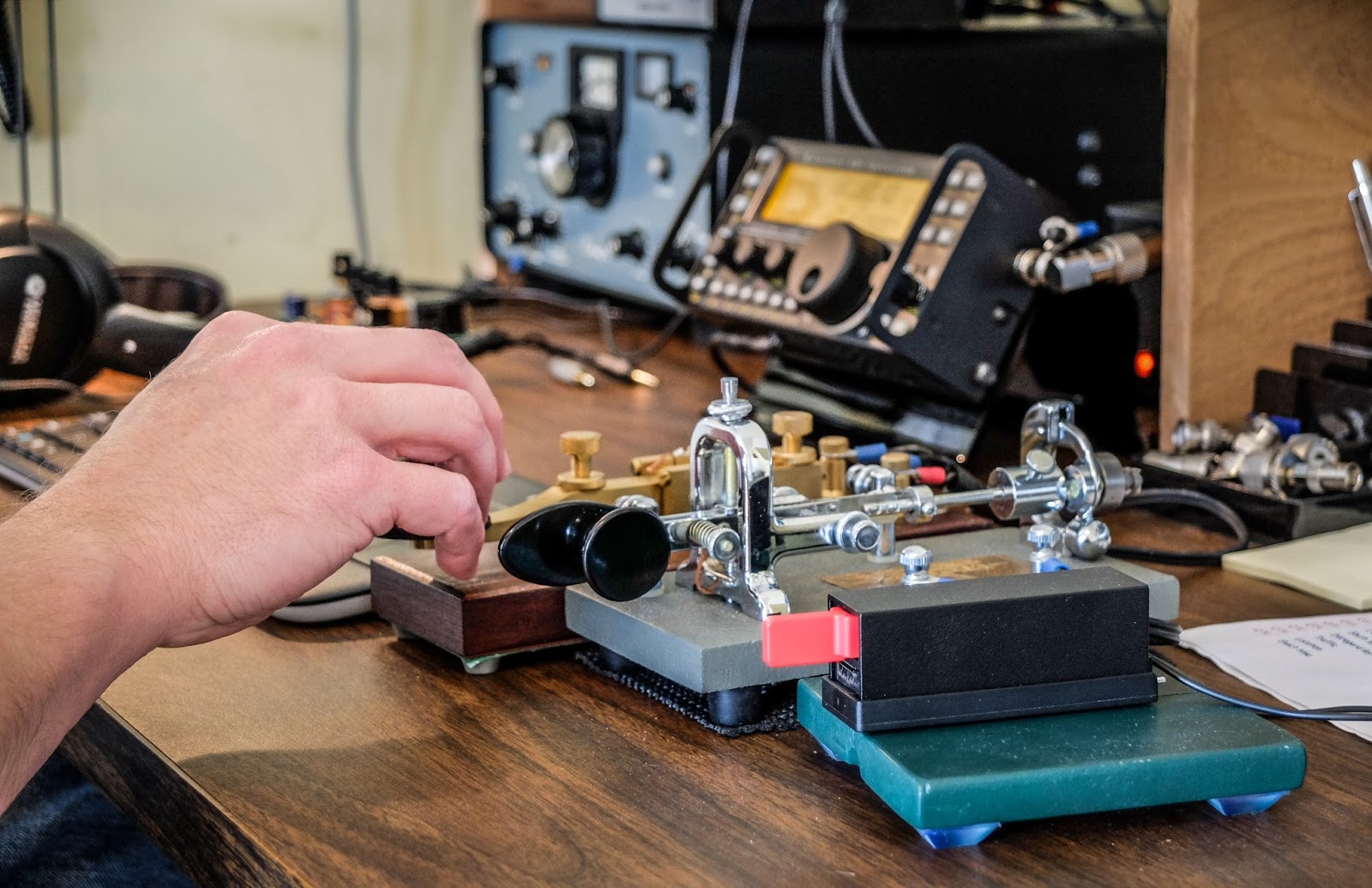 |
| Key lineup... Palm Single (paddle), Vibroplex Bug (circa 1970s), Kent Hand key |
It only seems pointless until you try
Calling CQ with 1w QRPp into a poor attic antenna isn't as pointless as it would seem. I didn't have to wait long when calling CQ before I got an answer most of the time.
Now am I going to bust a pileup with 1 watt ? Possibly not but I think that my assumptions about both how much power I need and how big an antenna I need are usually out of proportion with reality.
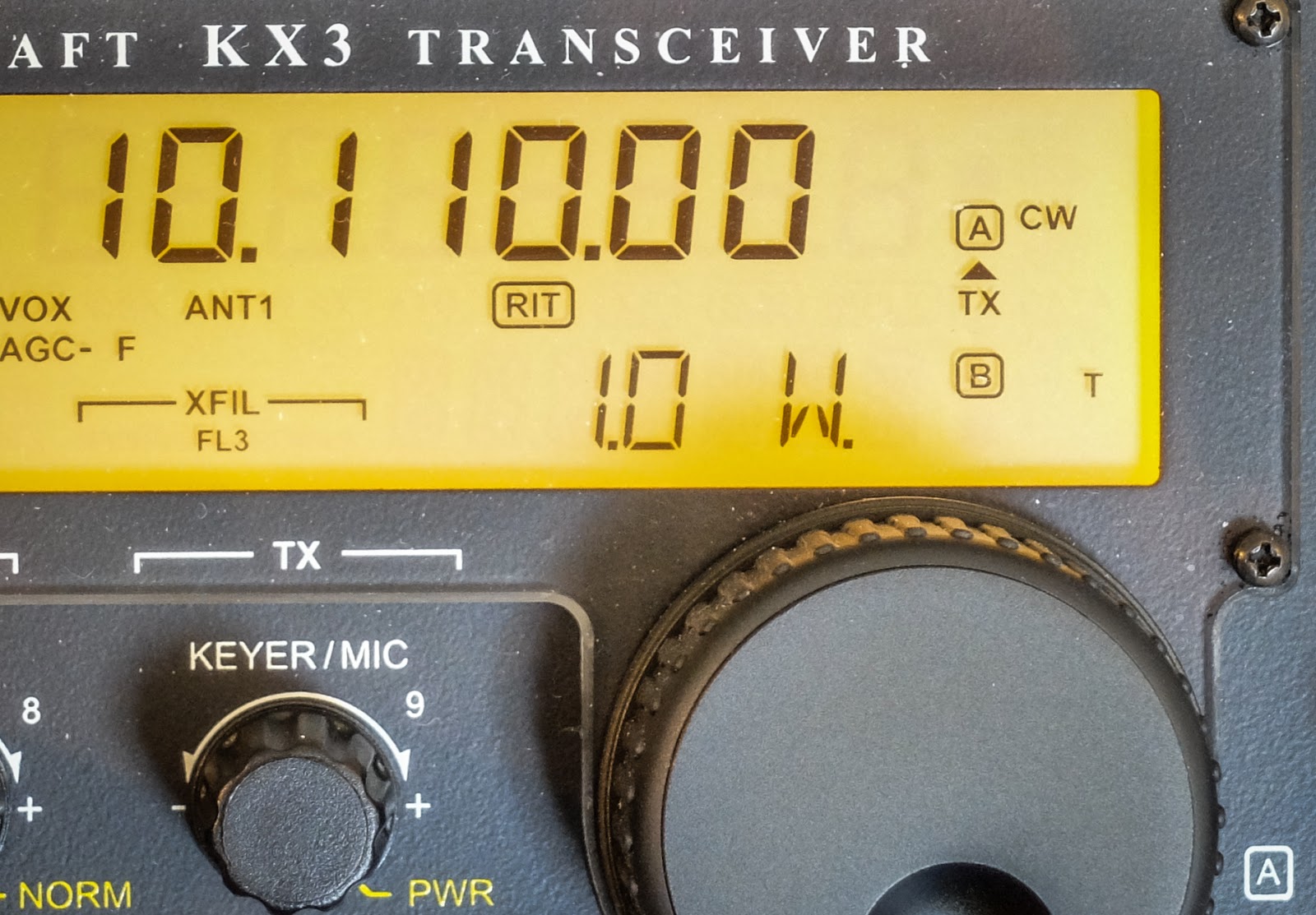 |
| 1 mighty watt |
My assumptions are often incorrect
I made QSOs on 30m, 20m, 17m and 10m this morning all at 1 watt. The solar conditions report was not really fantastic, especially for 10m. Yet 1 watt through the attic antenna bagged the only DX I heard on 10m. I had a couple of other multiple exchange contacts on 20m, 17m and one good old fashioned 25 minute long ragchew on 30m where I received a 599 report for my one watt from Bob (NR8M) in Ohio. Admittedly, Bob was booming in and we had good propagation to each other.
 |
| http://www.hamqsl.com/solar.html |
Video
The recording below was number 4 or 5 this morning. I wanted to post this one because I was working another QRP station in Arkansas (K5EDM) and we did NOT have great propagation to each other. He was running 5w while I was running 1w so it was QRP to QRPp. In the video you can see that I'm using some of the KX3's tricks to pull the signal up because there was a lot of QSB and noise (note the GEOMAGNETIC FIELD UNSETTLED in the solar report).
I had the volume maxed and was using the RF gain control mostly. I eventually had to turn on the preamp which really washed me in noise but I dropped the RF gain more and eventually switched in the APF (audio peaking filter) which performed magic on this contact. Often I find that APF doesn't help but this time it made a big difference.
That's all for now
So lower your power and raise your expectations
72/73
Richard N4PBQ
VP8STI with QRP

Another small celebration in the shack. I wasn't sure the time was right to spend much time chasing South Sandwich with a QRP signal. I usually save that attempt for the last day or two of a big expedition and the VP8 guys are still working to satisfy a lot of demand. In fact I did try earlier in the day and just rationalized, after calling for a while, that the pile-up was still too big. The other deterrent to my thinking was that they just weren't that loud. As a rule of thumb I figure the DX needs to be 559 or better for them to hear my QRP signal. However as the sun went down I checked the 20 meter pile up on the Elecraft P3, hmm, not too big on the screen. Their signal was probably only an S3, what the heck, let me have a go, as my British buddies would say. I turned the K3 down to 5 watts, hit the split button and started listening on the second VFO. I found him and followed him up for 4 or 5 QSO's and then he came back to me, just like he does with the big guns, AD5A 599:-) That was when the small celebration broke out.
I love this radio stuff.
VP8STI with QRP
Another small celebration in the shack. I wasn't sure the time was right to spend much time chasing South Sandwich with a QRP signal. I usually save that attempt for the last day or two of a big expedition and the VP8 guys are still working to satisfy a lot of demand. In fact I did try earlier in the day and just rationalized, after calling for a while, that the pile-up was still too big. The other deterrent to my thinking was that they just weren't that loud. As a rule of thumb I figure the DX needs to be 559 or better for them to hear my QRP signal. However as the sun went down I checked the 20 meter pile up on the Elecraft P3, hmm, not too big on the screen. Their signal was probably only an S3, what the heck, let me have a go, as my British buddies would say. I turned the K3 down to 5 watts, hit the split button and started listening on the second VFO. I found him and followed him up for 4 or 5 QSO's and then he came back to me, just like he does with the big guns, AD5A 599:-) That was when the small celebration broke out.
I love this radio stuff.
K5P on QRP
I managed a QSO with K5P yesterday on 20m CW with 5 watts out for my 180th country on QRP. I don't know why, but I am always amazed by this, especially when breaking a pile-up. I have a decent antenna, a log periodic up 50 feet, but so do most of the QRO guys. Always fun. I suppose that's what's interesting about ham radio, it's never the same two days in a row.
I will be looking to work VP8STI on QRP. I need some band slots on QRO, but still need them in my QRP log for the first time.The pile-ups will need to die down a little before I jump in.

I like this logo, nothing against the SSB guys, but it only has a morse key on it:-)
I will be looking to work VP8STI on QRP. I need some band slots on QRO, but still need them in my QRP log for the first time.The pile-ups will need to die down a little before I jump in.
I like this logo, nothing against the SSB guys, but it only has a morse key on it:-)
K5P on QRP
I managed a QSO with K5P yesterday on 20m CW with 5 watts out for my 180th country on QRP. I don't know why, but I am always amazed by this, especially when breaking a pile-up. I have a decent antenna, a log periodic up 50 feet, but so do most of the QRO guys. Always fun. I suppose that's what's interesting about ham radio, it's never the same two days in a row.
I will be looking to work VP8STI on QRP. I need some band slots on QRO, but still need them in my QRP log for the first time.The pile-ups will need to die down a little before I jump in.
I like this logo, nothing against the SSB guys, but it only has a morse key on it:-)
I will be looking to work VP8STI on QRP. I need some band slots on QRO, but still need them in my QRP log for the first time.The pile-ups will need to die down a little before I jump in.
I like this logo, nothing against the SSB guys, but it only has a morse key on it:-)
Get a taste of the RF coming and going
Elecraft CP1 - A tasty RF treat
I had some time this afternoon to assemble another Elecraft mini-module kit. This time it was the Elecraft CP1 directional coupler.
 |
| Elecraft CP1 Kit |
Couple what?
Ah, so if your new to this like me you might be asking what does a coupler do? Well it sorta listens in on the signal going out (forward) and reflected (back) and is able to send an attenuated sample of the signal to other devices. It attenuates the sample by either 20db or 30db depending on how you build the kit.The 20db version is good for signals 25 watts and less so that's the way I built it. It was easy to build but my glue under the second toroid wasn't strong enough and you can see it popped up a bit. Also the Elecraft instructions had one confusing instruction concerning mounting the toroids. The instructions say "... When wound and mounted correctly, the enamel wire will emerge from the top of each core and connect to the top hole at each inductor location". Well when you wind a toroid only one of the wires can "emerge from the top of the core" while the other comes from underneath. This confused me for a minute until I finally just went on with the install. Anyway, if you're a stickler for following instructions that one may cause a moment of pause...
The switches for the two outputs forward, reflected (J3, J4) are in the up position when they are not in use. When the switch(es) are in the up position the 50 ohm 3 watt resistor(s) take the place of the switched off output. Don't disconnect an output and leave the switch in the bottom position. I'm not sure what will happen... maybe nothing, probably a bit of a mismatch on the SWR, or maybe it could be like "Crossing the streams" in Ghostbusters. Your mileage may vary.
My uses for a coupler
My old Ten-Tec Century 21 has an analog VFO dial that gives me a good guess at where I'm at but I use an external frequency counter to give me more information. I had it sorta rigged my frequency counter to sample the signal from RF leaked on the shield but I didn't really know how much power I was sending to the counter so this coupler allows it, as well as other devices, to be safely connected to the transmitted signal.I also plan to use the coupler for IMD tests using a oscilloscope and other projects. It's handy device to have in your collection.
My confusion
I will admit I am still such an idiot when it comes to understanding how this stuff works. After I built it I was testing continuity and saw that input/output (J1, J2) both showed a short from ground to center pin on both BNC connectors. I thought I'd mis-soldered something and spent the next two hours unsoldering components and trying to trace the fault...
There was no fault. The way this thing works is a bit of mystery to me but as best I can tell it simply reverses the phase of the signal coming in one side (J1) and leaving the other (J2) and as far as continuity tests go, EVERYTHING has almost zero impedance. I'm still bewildered but it's AC not DC so my continuity tests don't mean much.
But in the end - It works
I finally just resoldered it, scratched my head and thought I'd give it a try. I connected the coupler between my radio and a dummy load and transmitted a watt and noted that the SWR on the radio was fine. Then I hooked up my frequency counter and it worked like a charm sending an attenuated signal to J3 for the frequency counter.
My MFJ watt meter doesn't seem to be all that accurate but I did a power test with it both in-line and absent. My MFJ watt meter measures 300w / 30w so it isn't very accurate at QRP levels. But I noted a slight difference in power reported when the coupler was in-line. If I had to guess by "Mark-One-Eyeball" I'd say the coupler was stealing about 1/2 watt. Maybe a bit more so that's something to consider. I'll know better once I build my Elecraft watt meter since it's accurate down to a tenth of a watt.
That's all for now
So lower your power and raise your expectations
72/73
Richard, N4PBQ