2nd annual Skeeter hunt contest

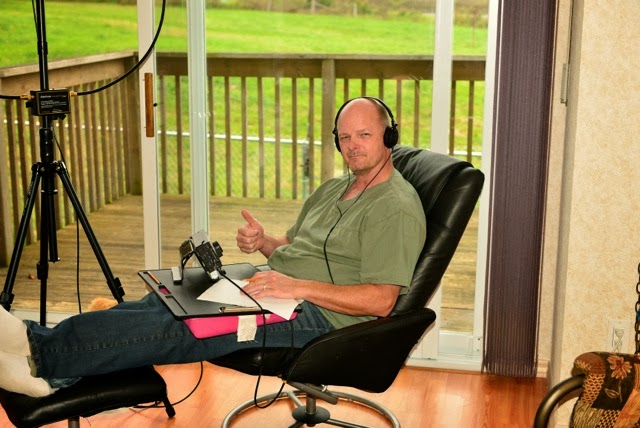
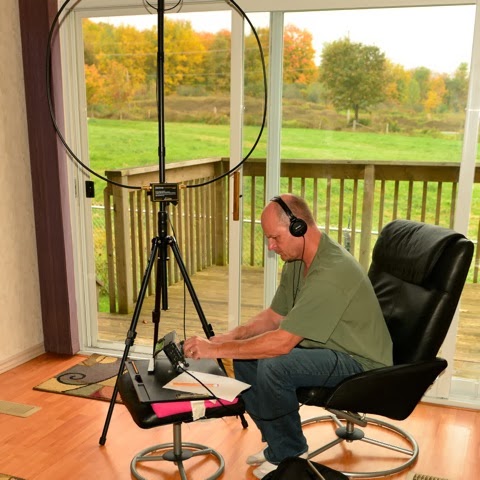
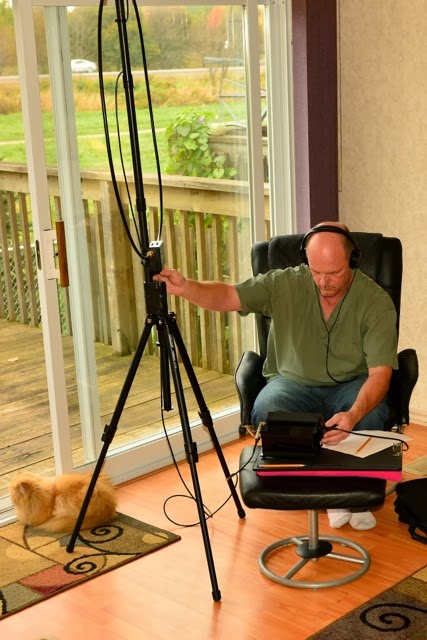
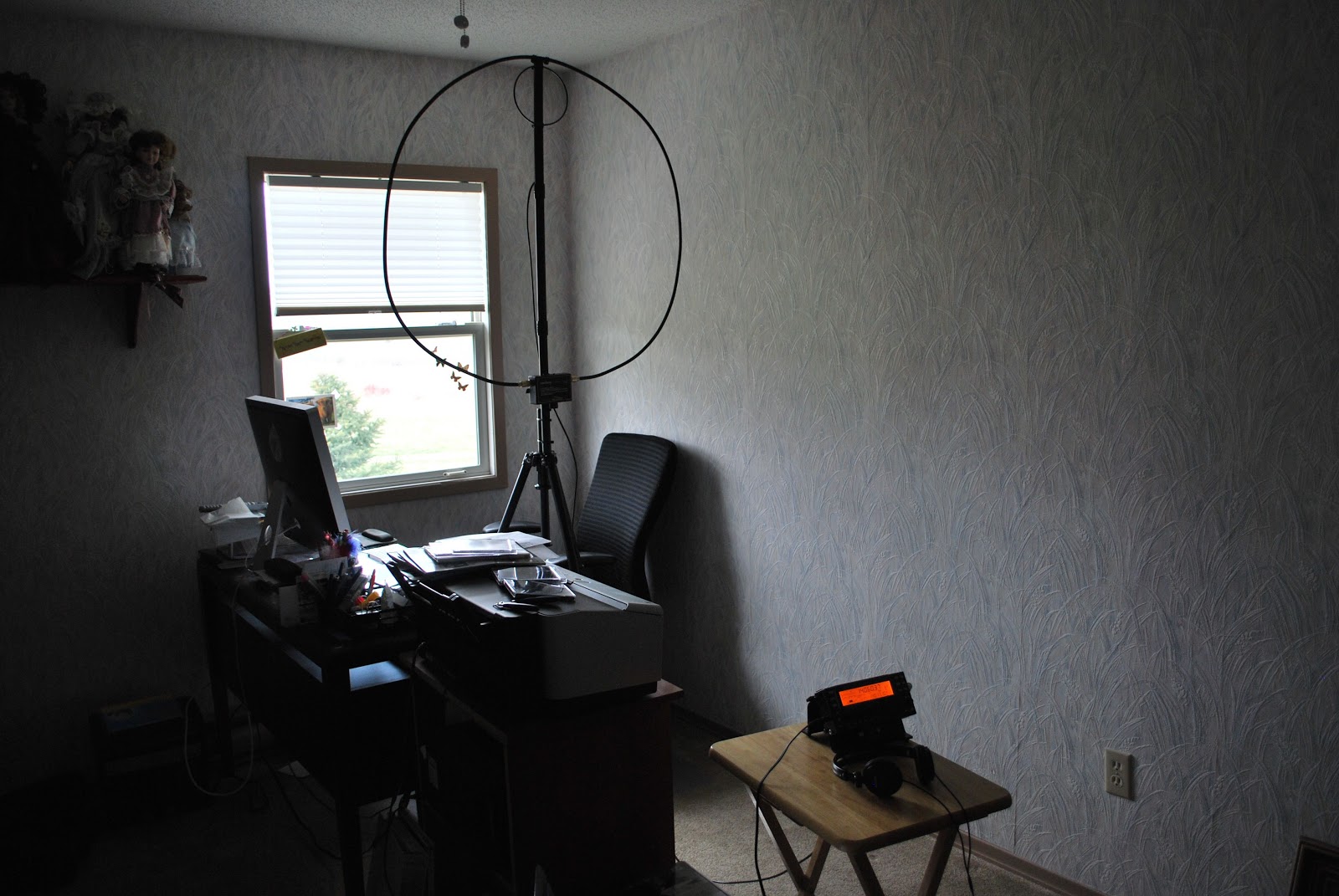
The operating chair
The Skeeter hunt   is a great QRP contest that has really caught on with the QRPer's. It's only a 4 hour contest and offers extra points if you want to take on a challenge. Last year it was to brew up a home made key and use it in the contest. If you did this (supporting photo's needed) then you picked up huge bonus points! Well last year I was not able to come up with a homemade key so the bonus points were out the window for me. This year the challenge was to operate beside a body of water......no problem for me as there are 3 rivers within 5 minutes or less for me.
Storm clouds
I scooped up my bonus points (passed along the pic's to back it up) but I was not able to make the same amount of contacts that I did last year. There were some factors to this, conditions had changed from last year, I worked an all nighter on Saturday so I was operating on more that 24 hours without any sleep and thus I did not spend as much time in the test........well a 1/2 hour less. I used my Elecraft KX3 operating on the internal batteries. The antenna was a mono band 20m whip from my car. I was going to use the Alexloop so I could take advantage of more bands...but...the weather conditions were looking very stormy. I did not want to take a chance and have the Alexloop damaged from rain.
The weather turned out to be great it did not rain but the storm clouds over head kept it cool and the sun off me. I operated from Riverside park which is a great park about 5 minutes from my QTH. Funny thing I never had anyone come up to me wondering what I was doing! In the past this has happened and it gave me a chance to explain ham radio. Something new in the contest this year is operating SSB, I did not take advantage of this and stayed CW and just single band.
A look towards the river
Some of the highlights were contacting TF/LX1NO (who was in the WAE contest) for whom you get bonus points for! Also I brought along an extra external battery just in case the AA internal rechargeable batteries died on me. To my surprise they lasted for 3 hours with me constantly calling CQ BZZ.
Another shot of the river.
So I was able to make 18 contacts with a total score of 1396. Funny thing my last years score was 1392.....So technically I did better than last year by 4 points!!!

Toroid winding can be fun…..well almost.

The dreaded toroid...
When I first started kit building some years ago it was the dreaded toroid winding that I never looked forward too. After winding and rewinding over time it has not become a dark task, it has taken some time to get the hang of it but I can say that I  no longer get uptight about the process. I have learned some tricks and some never ever skip steps when it comes to toroids. 
I am in the process of building my second K2 rig from Elecraft and there are lots of toroids to be wound. Now having said that if you want you can order per-wound toroids from the toroid guy. If you do order toroids that are per-wound I would encourage you to try to wind your own as well. What I have found is it's only practice that is needed to get the hang of the winding thing. In the past I have built many Elecraft kits were toroids have been involved, I have learned as I said some tricks, some must do stuff and things to stay away from when it comes to this art. 

My advice when winding single conductor toroid....
1. Most if not all the time you have more wire than you need so when told to cut a conductor to lets say 12 inches I give myself around 13-14 inches. A wise person told me "it's better to have and not need than to need and not have" 

2. If you are winding a toroid that has lets say 20 turns when you hit 19  I stop and count the turns just to make sure I am not at 20 or that I lost count and am only at 18!  I have had both happen.... it's better to check rather than cutting the excess wire and finding out you need to somehow add 2 more turns. 

3.Once the toroid is wound check the turns to see if they are more or less equally spaced. Take your time and move the windings around the core. Use a plastic tool or wooden tool for this a metal tool (screw driver) may remove the paint on the wire and cause a potential short.

4. Take the new toroid and see how it fits on the board. Sometimes you may have to squeeze the turns or open them up a bit for the toroid to fit properly. 

5. Once the turns are good and the fit is good you can trim off the extra wire. When I do this I always make on leg shorter than the other. I find you can place the toroid on the board with less effort by having the lead staggered in lenght. This is very evedent when you have a toroid with more than one winding..

6. Now that the toroid has the right amount of turns, it is spaced correctly, fits nicely and the leads are cut one longer than the other....its time to remove the enamel coating off the wire. There are some various
 ways to to this........ 
Getting ready for solder blob
A. Use a lighter to burn off the coating
B. Use sand paper.
C. The solder blob method.
D. Use a razor knife to scape the coating off.
E. I have heard some dipping the wire in var-sol....would not recommend it.  

I use the solder blob method and I have tried the sandpaper (find it just to rough for the delicate work that is needed) I have tried the lighter method but found on the smaller toroids I am not able to control the heat and end up burning off to much insulation. The razor blade scraping I have not tried and really don't want a razor knife that close to my fingers. SO....it's the solder blob for me!! I find if I put the toroid in an alligator clip to hold it I can in a very controlled fashion remove the right amount of enamel from the toroid.
I change the tip on my Weller soldering iron to a larger tip and use a .030 diameter solder. Most of my board work is done with a .020 diameter solder.

DO NOT SKIP STEP 7.....
7. Once the toroid wire has been stripped I use my DMM to check to make sure the coating has been removed and there is good continuity. Oh and for toroids that have more that one winding I check to make sure there is not shorts between the windings as well.

8. It's now time to solder the toroid in place and I find once the toroid is soldered in place before the leads are trimmed you can heat each solder blob up again and give each lead a LIGHT pull with a pair of pliers. This will allow the toroid to sit firmly on the board.

Some tips
1. Practice practice practice......it's like CW it's an art and over time you will get the idea and look forward to it.
2. Some toroids have nice rounded edges but be aware of those with sharp 90 degrees edges. These toroids can if your not careful remove the insulating coating from your wire and potentiality cause a short.

Using a paper and pencil to count
3. When  you have a toroid with 20 turns or more you can go buggy trying to check the turn count. What I do is lay the toroid on a sheet of paper and pencil make on the paper each turn. I then count the pencil marks and sometimes ticking them off as being counted.

4. Use two sizes of soldering tip's one (I use the Weller ETC 1/8 tip) for the solder blob used to melt the insulation off the wire. Then a thinner tip (I use the Weller ETR 1/16 tip) for soldering the toroid to the board.
ETR and ETC tips


Coming soon how to wind the bi-filar toroid and transformer toroid.


Great weather and contesting.

This past weekend was a long weekend up this way with Monday being the holiday. My plans were to get involved in the North American QSO party contest on Saturday. This is a short 10 hour CW contest  and when conditions are not that great a North American contest can be very attractive. To make a long story short I started and ended the contest on 15m. It was rough going and I found the bands  really not be all that busy. The other contest problem was it was a gorgeous day outside!!! For some reason this year I just was not getting into the contest mode.

One observation I made before surrendering  to the great weather outside was in Ontario our section is no longer ON. This changed a short time ago when the province was divided into 4 sections Ontario North (ONN), Ontario East (ONE), Ontario south (ONS) and finally greater Toronto area (GTA) In the contest I would attempt to send ONS but most of the time I could only get to ON....my "S" was interrupted with TU.

This is really was not the fault of the contester as I found N1MM  auto filled my section as ON and not ONS. Not sure if my N1MM is up to date and that change has been made but it was tough getting the ONS across during the contest. My contest effort stopped about an hour into the it. I made 17 contacts but the weather was calling my name. I figured the good weather days are going to become limited and soon the snow and cold weather will be here.....then lots of time to spend on the radio.

This coming weekend is the Skeeter hunt contest. This is the second running of the contest. I found it was a nice way to spend 4 hours of your Sunday afternoon. You are encouraged to get out into the out of doors for this contest. This year if you can operate beside a body of water you get bonus points!! I have scouted out two locations close to home were water (river) is....have to make my mind up as to where I will be heading. I had a look at the long range forecast today and Sunday is looking great!

Contest wall paper…….

Most of the time I participate in a contest just for the fun of it without any expectation of placing anywhere close to the top. Last week I was reading some of the blogs that I follow and Scot KA3DDR blogged about CQ WW DX  contest certificates you can get online. It's very simple you plug in your call and low and behold you are told if you have a certificate waiting for you. If you do it's easy you just download it and print it!

Just a short time on the radio

The attic dipole is working it's magic agian!
It's Sunday afternoon and thought I would flip the K3 to the on position. The RSGB IOTA contest is in full swing but I was only able to hear  few stations. As I spun across the band I came across G0PZA/EU11 in London area. I gave him a call at 500 mW's but it was just not going to happen. As I slowly raised my power I was able to make the contact with 1 watt for a 3594 miles per watt contact. I then moved around the band but was not able to hear all that much. I was pleased with this contact as the bands over the last couple of days have not been really all that great. Last night I heard a station calling CQ from Nova Scotia and even with full power at 5 watts I was not able to raise this station. I consider this evening to be an accomplishment with a 1 watt DX contact as compared to almost a local call and being shut out with 5 watts. It's 5 o'clock in the evening and I am very tired (considering I pulled an all nigher at work on Saturday) so it's soon time to hit the hay and looking forward to another week at work....NOT!!!
Have a good week everyone
 

When simple turns to exhausting

Three weeks ago I ordered from Elecraft there XG3, it's an RF signal source device with a range from 1.5 to 200 mhz,  two programmable sweep functions, 12 programmable bands  (2m to 160m) and 4 calibrated output levels as well as a few more bells and whistles. This unit can be updated via your PC which is great when Elecraft comes up with bug fixes and new options for the unit. You can either power the device by a 9 volt battery or your DC power supply (11 to 14 volts DC). One of the reasons for me purchasing this unit was it can via software preform an Rx Sideband Null Field Calibration. This is an experimental Field Calibration program and the instructions and program were sent to me via Elecraft support. The reason I wanted to do this calibration was to stop the "woodpecker" effect I was getting on my KX3 during CW contests with stations that were very close by. The program needs run for around 20 minutes to complete and I thought this would be a great Saturday afternoon project.....not thinking that 20 minutes would turn into 2 hours with the calibration not even starting!! 

So far so good but Murphy shows up!
To do the test you first have to make sure the XG3 has the latest firmware loaded so I plugged in the supplied USB cord to update the XG3. I had the "new hardware found" info box come up and I then began the search for the USB port......well for some reason I was not able to find it. I then just plugged in my KX3 USB cable I use to update the KX3 rig with and it's com port 13. I used that cord and plugged it into the XG3 and had it look at com 13 and all was well. It seemed the firmware was up to date. For the calibration test I needed to have both the KX3 and XG3 running on USB ports of their own. So I swapped some USB cables around and I was able to see my XG3 on com 19. That was great (so I thought). I started up the RX
Not able to use available com ports
sideband null field calibration program and the first thing I was asked was to enter the com port of the KX3 and XG3. I entered the KX3 (com13) and  the program said all is well and was able to see the rig. I then went to enter com19 for the XG3 and the drop down menu in the Elecraft program only went to com port 16!!!! WHATS UP WITH THAT!!! So the calibration test came to a fast end. All this farting around took 2 hours of my time and got nothing done......I went into my device manager to see what was going on and I tried to change the XG3 to a lower com port number but I was informed that all com ports from 1 to 18 are in use, funny thing is I don't have 18 USB items to take up that many ports.....but I do have LP Bridge and VSP manager that create virtual ports and also an 8 port Edge port device that takes up virtual ports as well. My question is why does the XG3 program only go up to com port 16.....N1MM does the same thing and it's a pain!!! So I will be emailing Elecraft support to see if there is a solution to this or maybe I will go the Mac way and set this up on my wife's mac computer.


Ham radio and software……….

It would seem that software and ham radio can get along very well and there is an abundance of software out there to choose from. Some software is free other are available for a price, I have both here at VE3WDM. There seems to be some myths about both the free software and the software for a price. Regarding the free software I have read and heard.....
1.  It's no good as it's not supported.
2. Since it's free it must be very simple and buggy
3. I am sure it's not updated.

As for the software for a price I have heard and read......
1.It's way over priced.
2.Why pay when free software is out there?
3. Someone is just trying to make a buck.


I have both free and software I had to paid for and am very happy with both products. My software is not  the be all and end all but it's what works for me. There is some fantastic software out there that can make you grow in your ham radio journey. I hope to just excite  you to look to see what is out there.
Here is what I use and as most ham I know they love free stuff and here is the free software I use.

1. DXlabs for my every day radio adventures I am sold on DX Labs! This software has rig control, logging, world map view of DX, QRZ (and many more) look up feature and much more. With this software and with the click of a mouse able to use many features of my K3. At a glance I am able see on a world map DX spots, I am told if  I worked this country before....on what band.....and what mode. There is a huge amount this free software can do. As for updates it seems that it's almost daily this software is improving. Oh and as a side note updates are a breeze to instal and no need to jump through hoops to get the latest and greatest upgrade. If you are not sure about a feature or if the software does not seem to be doing what it should, support is fast and readily available on the internet.

 2. If you are into contesting (like me) then once again the free stuff comes to the rescue. N1MM seems to be one of the staples for contesting. Again it has rig control features, CW and SSB features, VFO A and B control, spotting networks this is just to name a few things this amazing software can do.
There are regular updates and bugs are very few and far between. Again if you have troubles the support is there and it's fast.
 
Ok lets talk crazy now.....paying for ham software

1. When contesting I said I use N1MM but I also use a rig control program by N4PY and it's not free but WOW does it enhance my contesting. (now this software is not only for contesting I just chose to use it this way) This program allows me to adjust most of my Elecraft K3 controls with the mouse or keyboard. I can used my K1EL keyer, this program allowed me to use my Flexcontrol knob.

2. Another program I dished out some coin for and never looked back is MRP40 cw decoding program. Now I know what your thinking "there are lots of free CW decoding programs out there" This is true I have tried them and they are good BUT MRP40 is GREAT. In contesting when the speeds get to what I call "crazy speeds" this program has no trouble at all decoding them. 

Lets say  you want to have multiple programs work together without a hitch.........

 3. Then LP Bridge or  VSP manager come to the rescue. These are free programs and will allow your computer to set up virtual ports thus having multiple programs working at the same time and talking to each other. These programs work like a dream and as far as my needs go no bugs at all.

4. If you are into the digi modes like I was and in the near future hope to be there is a free program called Quickmix. This program will remember all the audio settings you use for each digi mode, so for example when operating PSK and you want to now switch to WSJT-X which has new audio settings for you PC. You no longer have to remember them Quickmix can in the blink of an eye adjust the sound card to the new settings for the selected digi mode!!


Subscribe FREE to AmateurRadio.com's
Amateur Radio Newsletter

 
We never share your e-mail address.


Do you like to write?
Interesting project to share?
Helpful tips and ideas for other hams?

Submit an article and we will review it for publication on AmateurRadio.com!

Have a ham radio product or service?
Consider advertising on our site.

Are you a reporter covering ham radio?
Find ham radio experts for your story.

How to Set Up a Ham Radio Blog
Get started in less than 15 minutes!


  • Matt W1MST, Managing Editor