Thanks everyone for your help!!

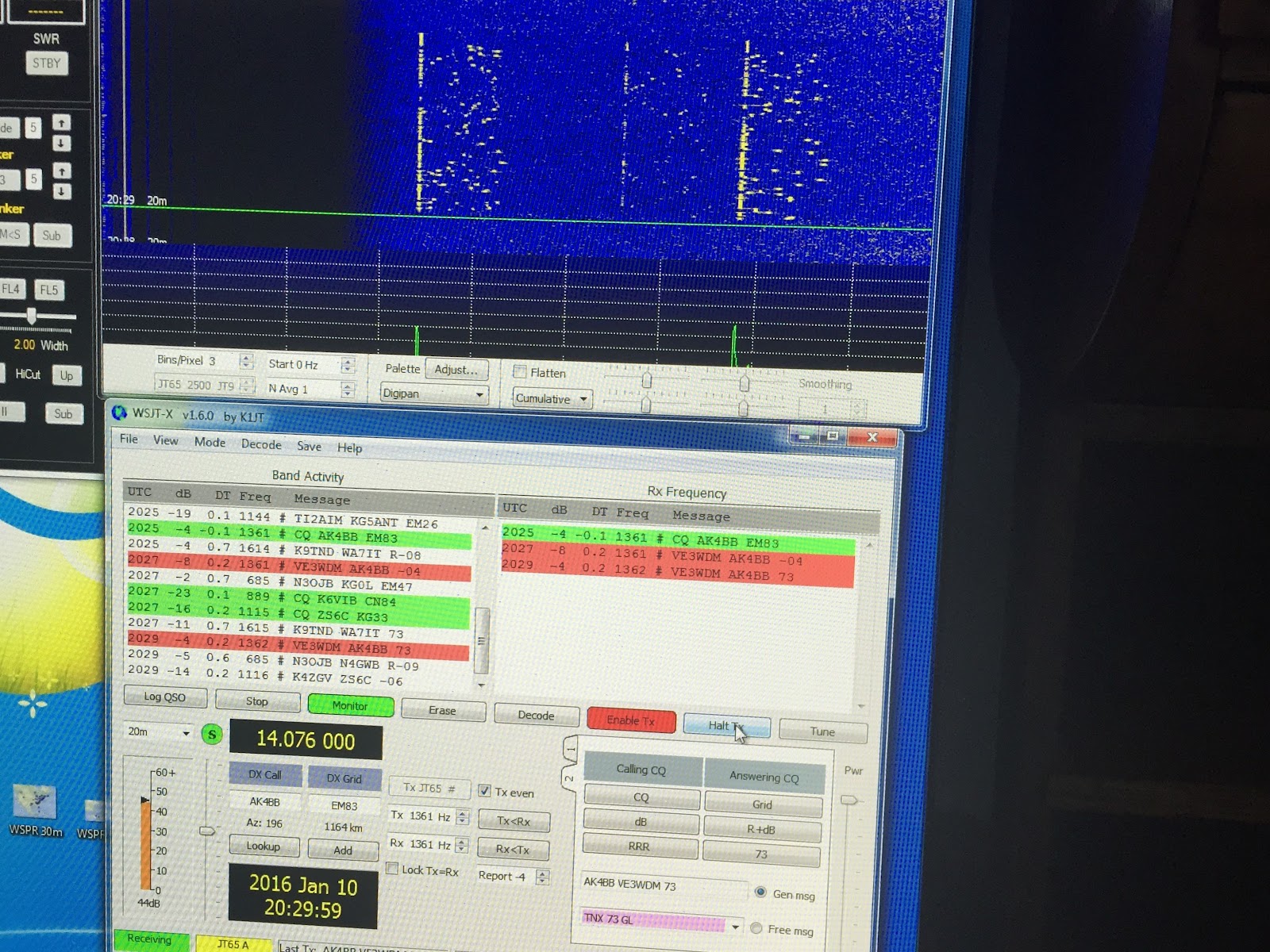
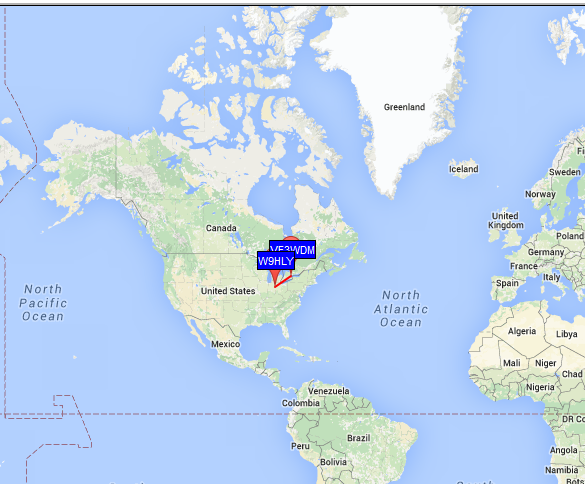
My contact on 20m
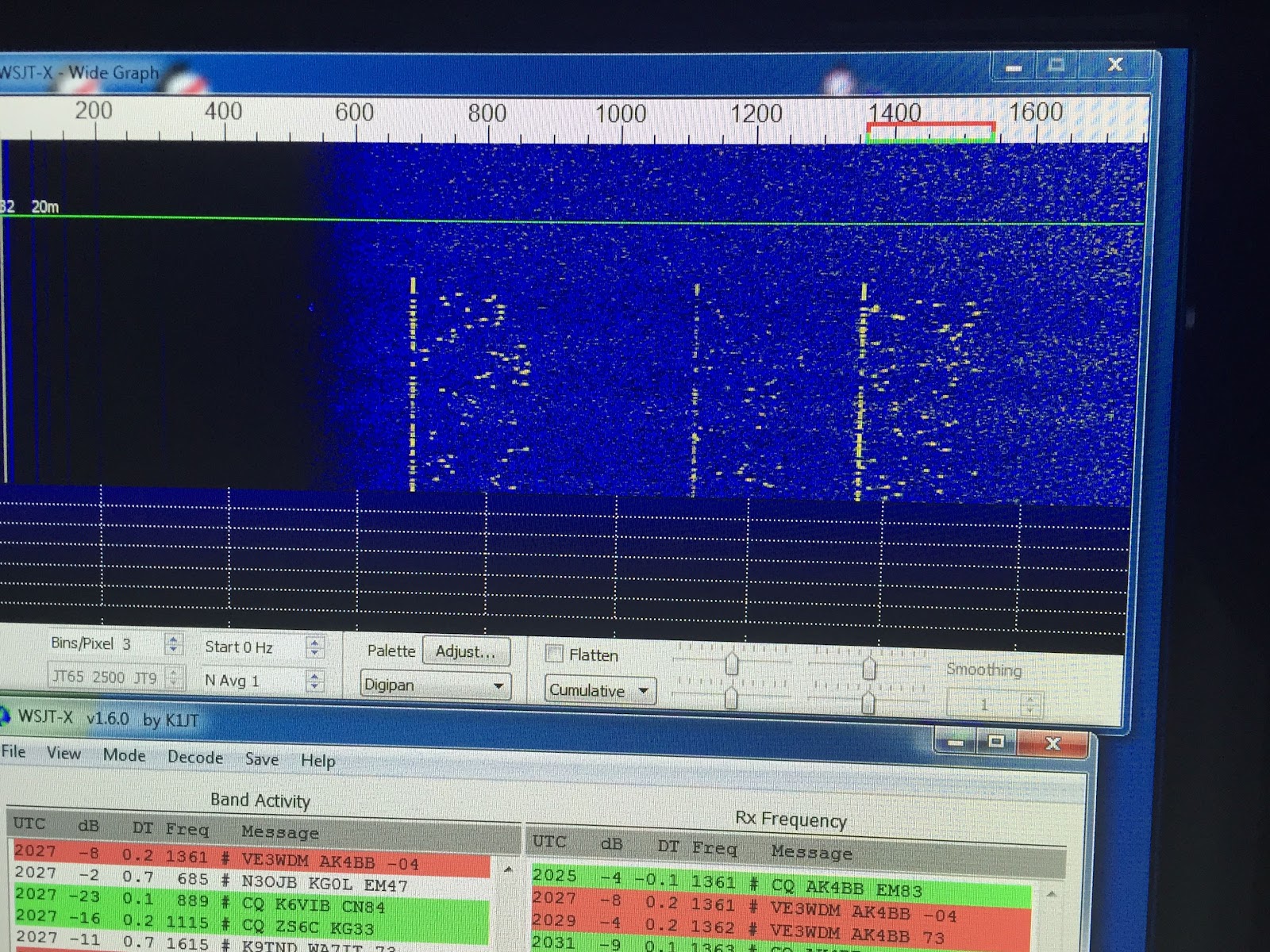
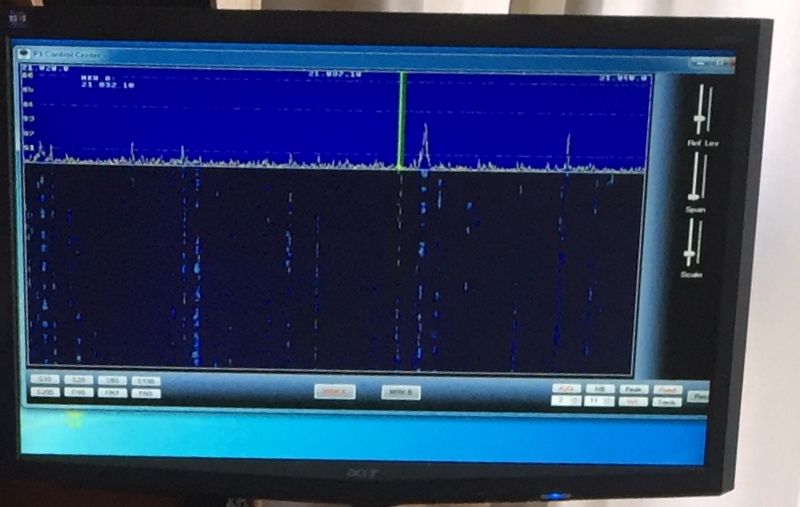
New and improved waterfall
Yesterday I spent some frustrating time trying to get WSJT-65 HF software up and running. I was having sound card issues and software issues, it sure was making my Saturday radio time very upsetting. I sat down and posted on my blog the issues I was having and I received lots of advice via the blog and emails. From the advice here is what I did…..with regards to the WSJT-65 HF program I made these adjustments. Bin/Pixel I set to 3 from it's setting of 7, I removed the check mark from flatten, NAvg was set to 1 from 5 and HZ was set to 0 which it was already. These settings made a world of difference to the waterfall display. Since I have the Signalink USB which has it's own sound card I was advised to just use the RX control on the Signalink for the waterfall setup. Yesterday I tried to do this and any adjustments to the RX really only had sporadic effects at best. Once the software settings were changed to what I mentioned above the RX adjustments seem to work very well. With all that was done to the program today I was able to make 2 contacts. AK4BB on 20 meters and K4OP on 30 meters. Again I just want to thank everyone who me great advice and because of that I am up and running on WSJT-X program.

Needing some help with JT65-HF

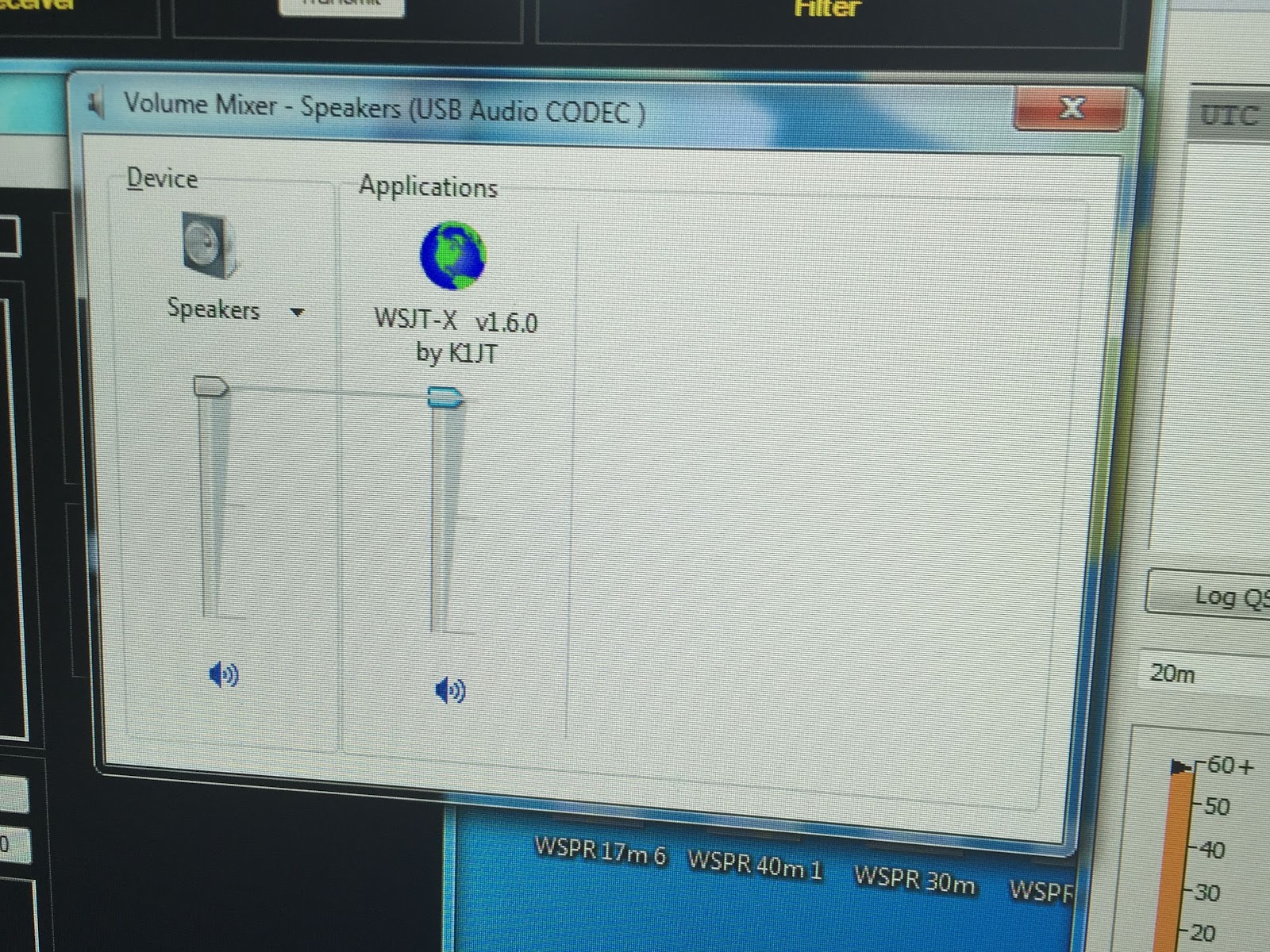
Ok all you JT-65 op's out there I have some questions about my setup here at VE3WDM using the new release of WSJT-X ver 1.6.0. Here is what I am using in my setup- Elecraft k3 in DATA A mode, Signalink USB, Windows 7 and finally as I said WSJT-65 ver 1.6.0. Tigertronics has a great web page for setting up the sound card for Windows 7. I followed all the step and all seemed to go well until I noticed one setting keeps reverting back to a default setting. Once I go to the step "Setting the windows software playback levels" you are instructed to set WSTJ's sound level to 50% which I did. I kept this window open but notice once the WSJT program came out of transmit the WSJT volume reset to 100% and stays there? To get the setting back to 50% you have to manually reset the volume but once again it resets to 100% after
Reset sound setting?
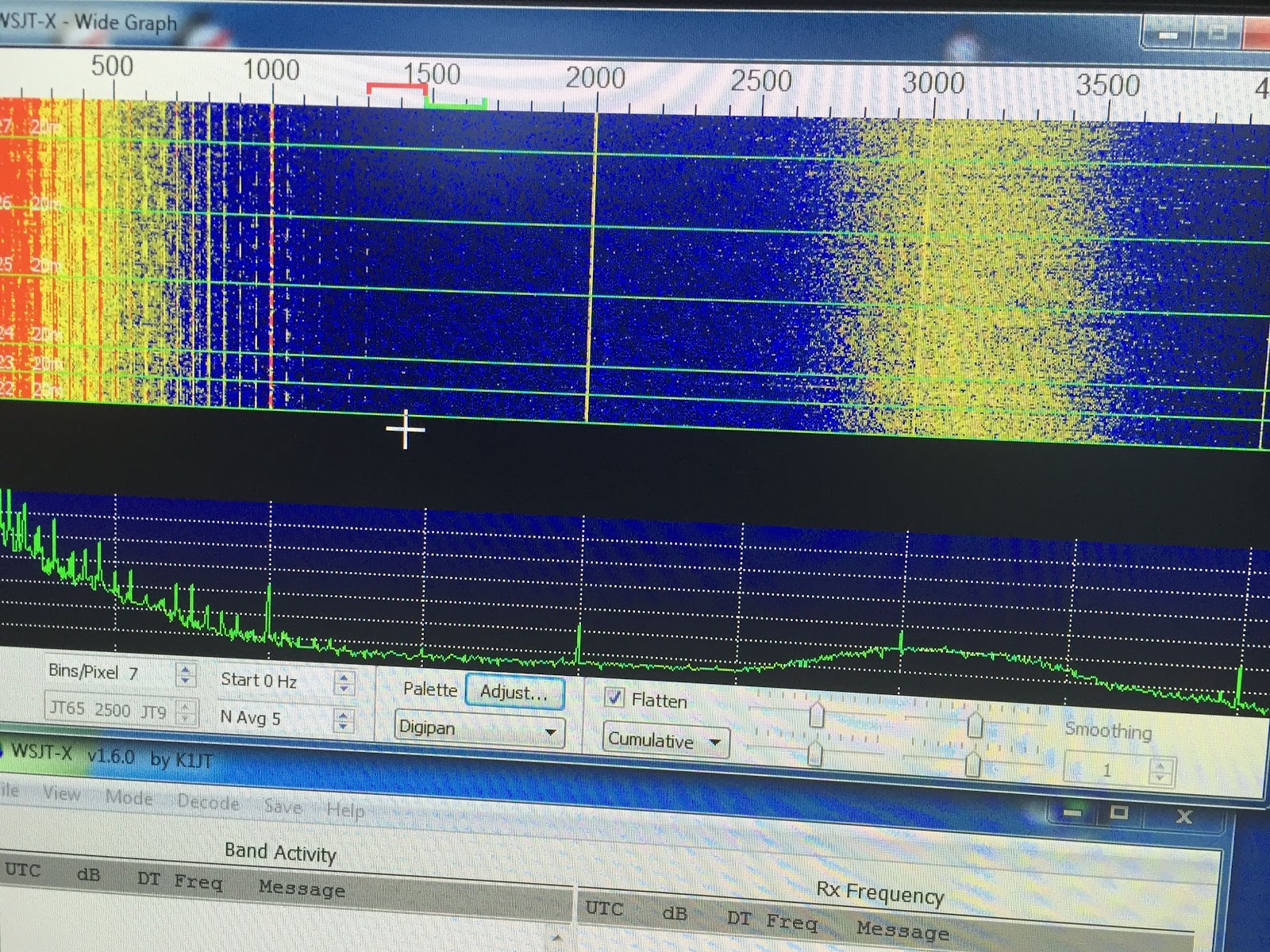
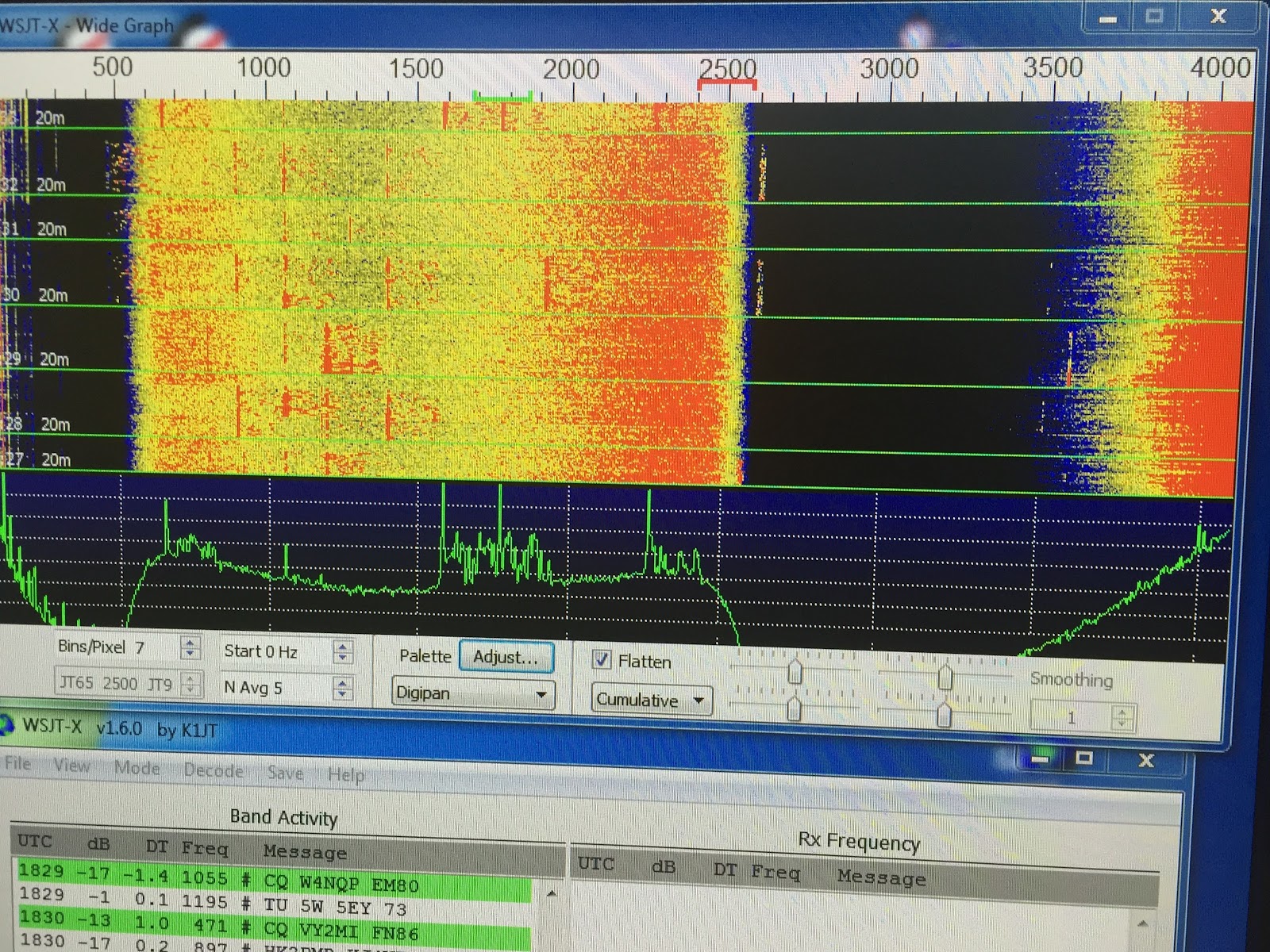
transmitting. The other issue is my waterfall and really at this point Im really not sure if it's a issue or lack of knowledge of this mode. I have seen on many Youtube videos of a nice blue waterfall with yellow and red JT-65 signals. My waterfall has two very large "signals" on the left and right of the waterfall. The first picture (PIC-1) is with the signalink RX at zero so there is no decodes (that makes sense) but what are the "things to the left and right on the waterfall?
PIC-1
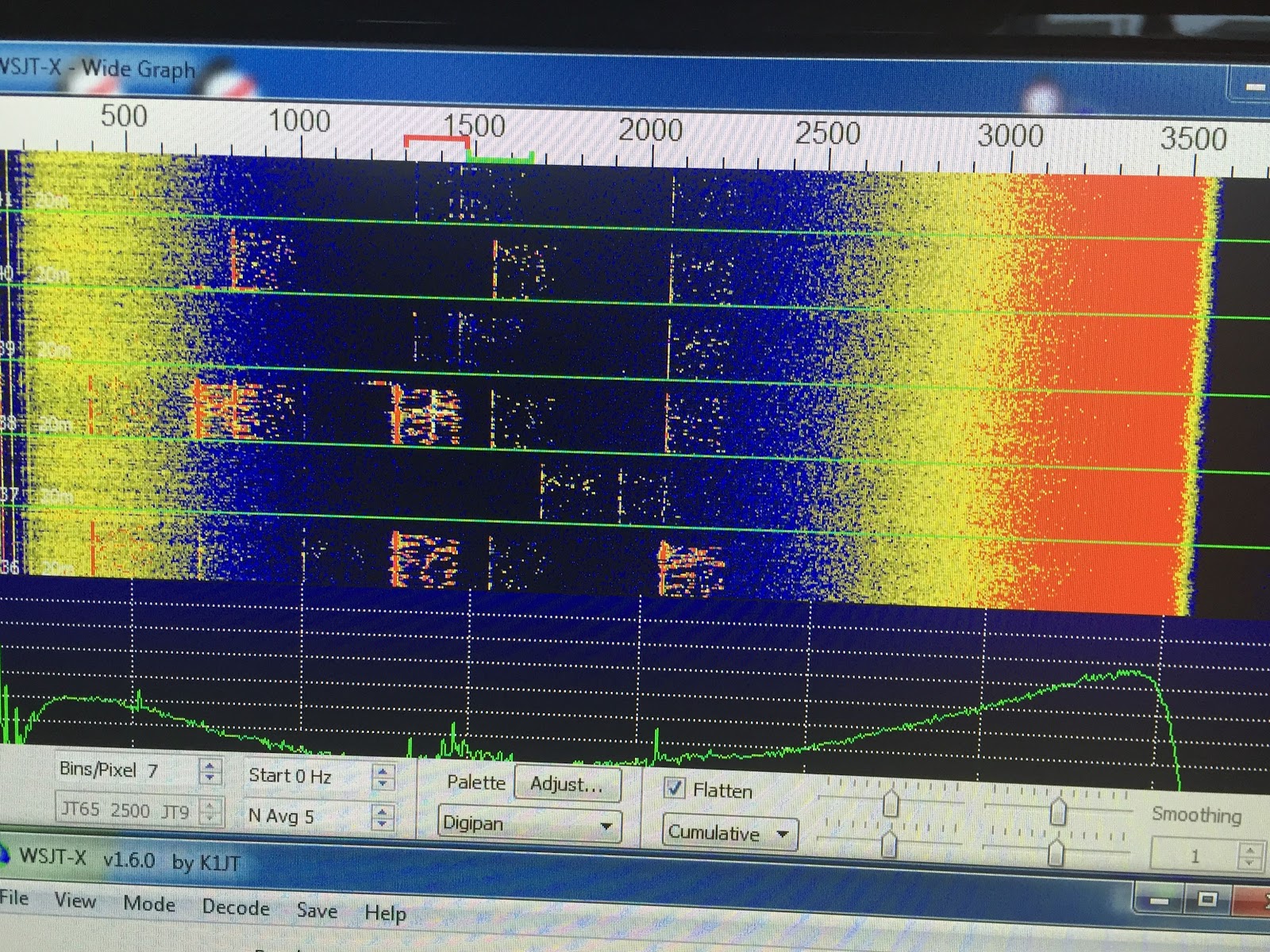
As I turned the volume setting on the Signalink to 9 o'clock I was able to see decodes but the mystery signals were still present on the left and right to the waterfall. This can be seen in PIC-2 but then just an hour later with all settings the same what waterfall looks like PIC-3!
PIC-3
PIC-2
So I'm not really sure what is going on with the receive RX and why the sound setting is getting reset from 50% to 100% after each transmission. Any input would be a great help to getting this mode up and running.

Using WSPR for some band analysis

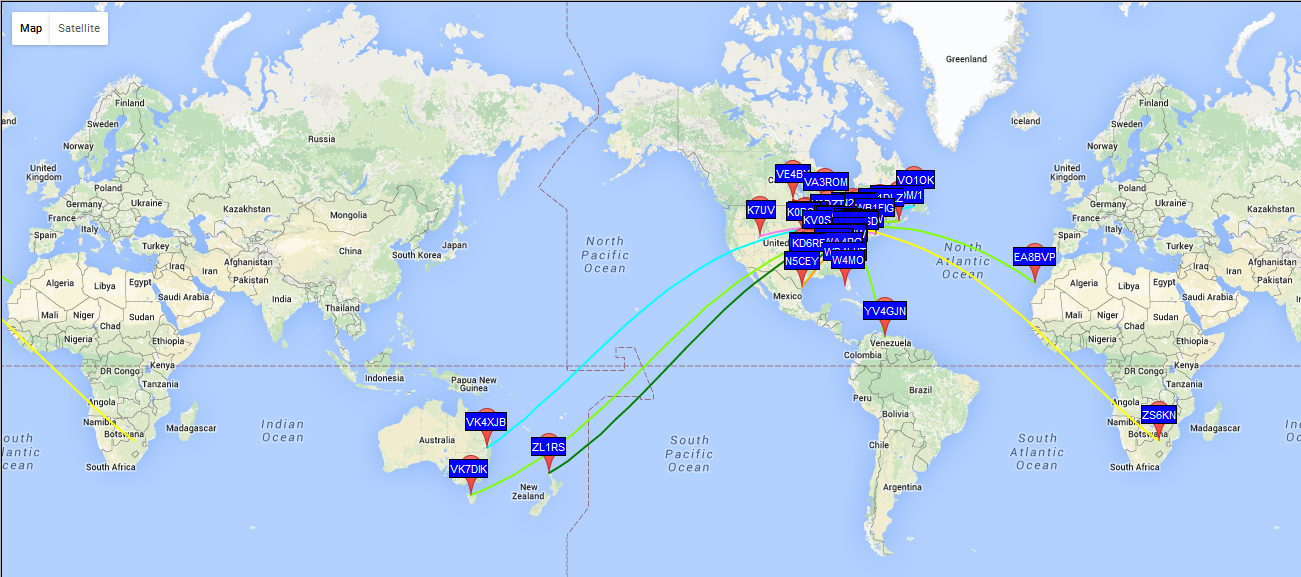
My wet noodle on 40m WSPR on Dec 30 2200 UTC
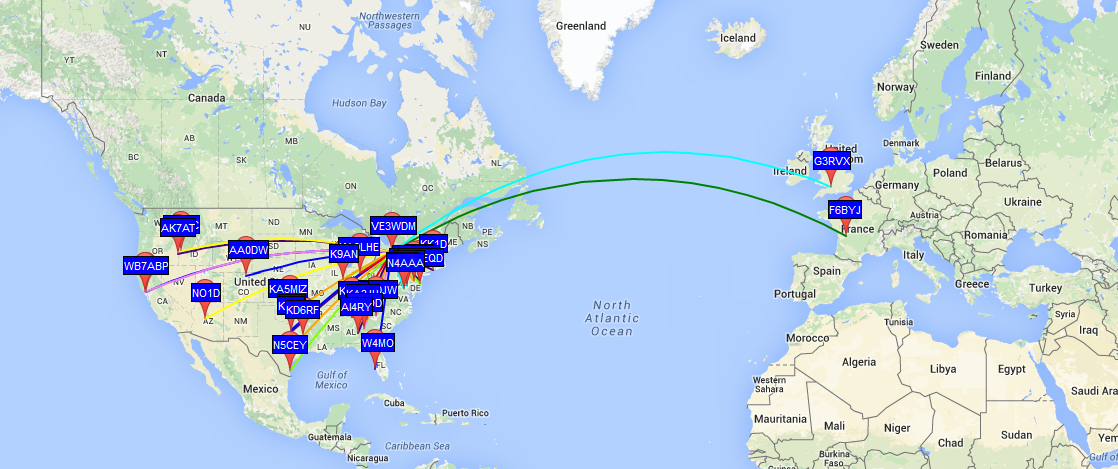
30m results at 2100 UTC Dec 30th


Over the holidays I was able to get some time to activate WSPR (at 5 watts) using WSJT-X version 1.6 the latest version which now includes WSPR. I wanted to investigate band activity with relation to UTC time from my QTH using my MFJ 1788 loop from the balcony. I started WSPRing on Dec 30th on bands I thought to be the "good" bands such as 15, 17 and 20m. From the UTC times of 1600 to 2200 I netted zero results on these bands!!  It could had been due to poor propagation on these bands as I had very poor results. 30m was my best band of all the test bands for that day. I did confirm that my MFJ loop is just a wet noodle on 40m as I was only spotted by two very local stations on a band that seemed very busy.
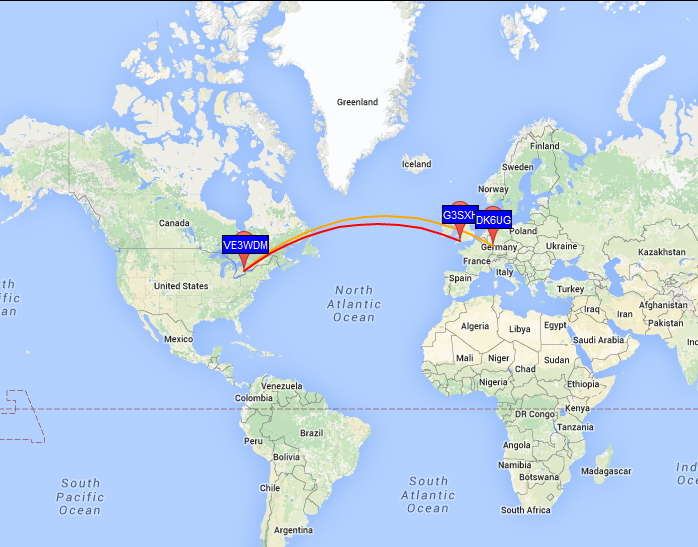
17m from  1500-1550 UTC Dec 31
I was on again on Dec 31 testing to see how the propagation gods were treating me that day. It turned out that my faith in 17m and 20m was uplifted a bit with some decent results. and once again 30m seemed to be consistent. It would seem from my limited testing that 30m is the band for me to go to on evenings when I get in from work. Also 20m but it may be more hit and miss. During the day on weekends 17 and 20m seem to be a charm. But then again there is always propagation that plays into the numbers and then just good old luck. I try not to just play these numbers games all the time. In the past (as I am sure most reading this post also have had it happen) there has been times when a band should be shut down and I make an amazing contact against all the odds.
20m from 1600-1700 UTC Dec 31

2016 dreams…….I mean goals.

2015 is ending and soon it's going to be 2016 before you know it! In the past I have made New Years resolutions some very ambitious and short lived and other I still hold to today. As I age I realize more and more the most important thing is your health. One of the areas of your health that affects a whole lot of areas is your weight. I would be happy to loose about 20 lbs or so and that for sure would help me out in the long run. With regards to ham radio in the past I have made New Years goals of improving my CW speed, getting on the air more, trying new modes and so on. For some reason I fall into the same old same old, not finding the time to see these goals to reality. It seems these days it's all about finding the time or should I say setting the time aside to achieve the goals you set for yourself. Time has always been my problem as it seems you are pulled in many directions. Maybe it's about multi tasking.......at this moment I am typing this post and I have the rig on listing to CW and checking the P3 band scope for any activity. The post may take a bit longer (there is that time thing again) but I am able to get some radio time in and accomplish a blog post as well. This brings me back around to the start of my post....am I going to make any resolutions for  2016?? Of coarse I am.........for the hobby I would like to try to keep this multi tasking thing going it seems to be working for me so what the heck. Maybe I can get more posts out and improve my on air time. Personally I would like to eat better, drops some pounds and fit in some more activity. Happy New Year to all my readers and all the best in the coming new year.

Win4K3suite added to shack.

Win4kSuite up and running
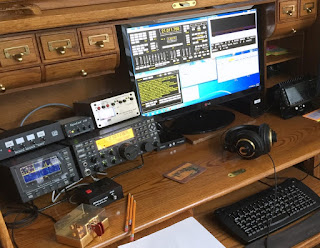
I have decided to change up my rig control software to Win4K3 suite I downloaded the trial version and was very impressed. I would had done it sooner but my PC was not up to the grade to properly run Win4K3 software and to be honest it was long over due for a PC upgrade. The PC was upgraded and if your interested that can be viewed here.  I decided to purchase the Win4k3 software (50.00) and change from my long time N4PY's Pegasus Plus rig control program. Carls Pegasus Plus program is very good and the support that Carl offers is excellent but I found the Win4k3 software was more catered to my Elecraft rigs. Once installed you have full rig control including the Elecraft P3, KPA500 amp and KAT500 tuner and the Sub receiver if you have these installed. (I did have the sub but sold it and I look back on that with regret)  I have the K3, P3 and KX3. The software installation has very good documentation and there are videos as well. Im the type of person who picks up much more from videos than written instructions. With the Win4K3 suite I was able to have PC control of all my K3 functions that some other software programs did not offer, such functions as spot, test, equalizer setup, terminal program, cw decode, Auto tuner and APF just to name a few. I also have the Elecraft P3 and with my PC upgrade I added a VGA capture board and since my P3 already had the SVGA board installed I N1MM contest software and Log40M. (More about Log40M in another post…. great software)
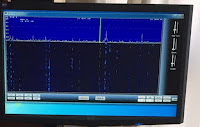
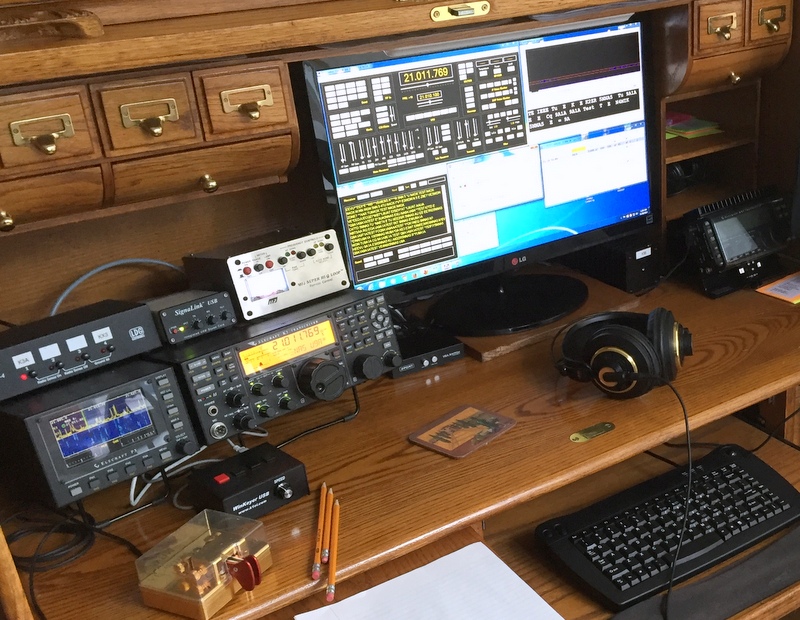
P3 on the monitor
was able to add point and click with my mouse to my P3 and this is great during contests. The SVGA board also allows me to view my P3 on a second monitor and mine being a 22" LCD monitor the P3 looks great on it. This software also has the availability to set up virtual ports. Now in the past just hearing "setting up virtual ports" made me nervous I really never had to much luck setting them up and getting them to work! With Win4K3 suite VA2SFQ makes it almost plug and play with both very detailed easy to follow steps and software that makes it painless…..and best of all IT WORKS!! The 3rd party software I set up to "play" with Win4K3 so far are If you have either the Elecraft k3 or KX3 (I have not setup my KX3 rig with the Win4k3 yet) and you are looking at PC controlled software then consider downloading Tom's trial version and give it a go!

Merry Christmas and Happy New Year!!

A picture Julie took of the CN Tower in Toronto from our condo
I just wanted to wish all my readers a Merry Christmas and a Happy New Year!

Ok you contesters (and non contesters) here is a question??

The CQ WW CW contest for 2015 is now in the books and I did participate in it as non assisted, QRP and single band. I find that search and pounce is the way to go when my power is low and my antenna is the MFJ 1788 loop antenna. I figured with what is stacked up against me to add to it calling CQ contest would prove to be very frustrating contact wise. In this last contest I did hear a station who was search and pounce and QRP.......not sure about his antenna though BUT he was adding /QRP to the tail end of his call. I found this to be interesting and the times I ran into him in a pileup he seemed to get the attention of the station he was calling very fast and was able to move on to search and pounce more contacts.  I will be honest I have thought about doing this in the past but for various reasons I did not. So this is just a question to those out there......what's your feeling during a contest about a station that signs "VE3WDM/QRP??


Subscribe FREE to AmateurRadio.com's
Amateur Radio Newsletter

 
We never share your e-mail address.


Do you like to write?
Interesting project to share?
Helpful tips and ideas for other hams?

Submit an article and we will review it for publication on AmateurRadio.com!

Have a ham radio product or service?
Consider advertising on our site.

Are you a reporter covering ham radio?
Find ham radio experts for your story.

How to Set Up a Ham Radio Blog
Get started in less than 15 minutes!


  • Matt W1MST, Managing Editor