The bands are dead but can a WSPR defibrillator get results

20m WSPR results
As most of you know the conditions on HF over the last week have been dismal at the best of times. Over the weekend I found 20m to be flat and 40m was just more or less local stuff. So Monday I thought it was time to give WSPR a go again. I set the output to 1 watt and gave 40, 30 and 20m's  a go. I was surprised that 20m was alive on WSPR. It was odd that I was unable to hear any CW on 20m's but using WSPR at one watt I was heard overseas.  My fan dipole in the attic is not really setup for 30m's but with the tuner in the K3 I
30m's was local only
am able to fool the rig to see a flat match. The SWR on the other side of the K3's tuner for 30m's is about 9:1 (according to my LP100A) so with one watt from the K3 and a 9:1 match what type of power is getting up to the antenna. With the help of this calculator I can enter my feed line type, power input, frequency and SWR this will get me a rough idea of the power at the antenna. So at 1 watt with an SWR of 9:1 using 30ft of  LMR-400 on 30m's the output at the antenna is around 892mW's of  raw power!! That raw power got me local responses on WSPR.  As for 40m's with one watt........it was more or less dead.

40m's was dead

Great Propagation forecast but that’s it…..

I was on the radio now and then over the weekend with my hopes set on picking up some new DXCC's with the CQMM contest. I have very few of the South American DXCC's and it would had upped my total for the ARRL Jubilee. The news seemed good with rising sunspots,flux and lower solar wind....BUT....  for some reason the spots were all over my DXLab DXview world map but that's as far as it went. I heard nothing at all at this end. It just seemed to be one of those weekends with great conditions on paper but in the real world not so good. On Saturday I did make one contact PP1CZ Brazil (all ready have that DXCC) made it in with one watt with several repeats. That gave me a distance of 5088 miles per watt. Today the numbers look great again  sun spots (118) and SFI (148) but I did notice the Bz is at -15.5 that is the lowest I have seen it for some time now and once again the bands were dead.

DXLab’s software

My DXLab's desktop
Over the past couple of weeks I have been dabbling with "all in one" radio software. I narrowed my search down to Ham radio deluxe and DXLab. In the past I had about 4 different radio software programs on my computer. I found that I used one for a month then switch to another one. I would once again have to hit the  learning curve to get familiar with the program. A lot of time was wasted doing this and it could get very frustrating at times. So last month the decision was made to narrow my choice down to ONE and stick with it. So it was time to release the hounds and begin the chase!!!! It was recommended I give DXLab a shot. Up to that point I really had not heard of this program not sure why but just never had. After working with this program over the past month I have decided this is the program for me. DXLab's is made up of 8 applications ranging from rig control, logging and a  web cluster app just to mention 3 of the 8 modules.

Reason's why I chose DXLab
  1. You can pick and choose what applications you want to install. 
  2. Once an application is installed you are able to customize it to your needs.
  3. Great support, the short time I was running DXlabs they released fixes and upgrades.
  4. Running all 8 applications  did not seem to take up much of the PC's processor.
  5. Each Application has over the top documentation in great detail. 
  6. It will start up 3rd party applications to run with DXLab. For me so far I have my LP-100A virtual meter starting up within DXLab. 
Things you want to do if you chose the program
  1. Make sure you read the documentation to fully understand what each app can do. 
  2.  The first application you want to download is called Launcher. This app when up and running at the push of a button install each app you want to try. It also (when configured to) will check for updates of all the programs each time it opens. It will also with one click start-up and shut down all DXLab app's. I made the mistake of not using this program and I manually unzipped, created a folder and installed each application. The Launcher makes installation a painless experience. 
  3. Join the DXLab yahoo group for outstanding support. I posted a questions and it was answered in 20 minutes.  
So in conclusion this is one of the best programs I have come across and it's FREE as well. I have not as of yet installed all the application programs that I have planned too. I want to take the time to read about each app and understand it's capabilities. So for me it's still a growing adventure if your in the market for an all in one radio application do give DXLab's a shot!

Saturday afternoon radio surprises

The view from JY5HX's beam
On Saturday afternoon I was able to spend an hour on the rig....well the rig was on in the background as I was tiding up some "stuff" on the PC. I have been reading on different blogs about poor conditions over the past week or so. I was reading this morning that things are going to pickup again with some new sunspots making there way around to earths side of things. Anyway......Yesterday I was able to snag W0S which is a special event station commemorating the 100th anniversary of the Titanic. The contact was made on 20m with 2 watts at this end. I was reading (see W0S link above) on the Southgate Amateur radio new site that W0S was also running QRP. I was surprised to read this as he had a great signal into Ontario. We exchanged names, QTH and reports then he moved on to the next in line. W0S is located in Branson Missouri and they had a station setup outside the Titanic Museum in downtown Branson.

Just a short time later on 20m's TM27UFT out of  France had a pileup and I jumped in to see what would happen with my 2 watts. This again is another special event station out of France. It was for the Union Francaise des Telegraphistes 27th meeting. I made contact after 4 tries and because of the pileup he had it was strictly business and off to the next station in the Q.
The big event of the day for me was seeing a spot on the cluster for JY5HX out of Jordan. If  I made this contact it was another DXCC for me and a first for contacting anyone in the middle East. So this was serous business I cranked the K3 up to 5 watts as my Jubilee DXCC is going to be all QRP. I double clicked on the spot and to my surprise I could hear JY5HX from just above the noise level to about an S3 at times. There have been many times when I see a spot on the cluster and head there to just hear noise so this sure was a surprise.  On went the headphones and so began my what I thought to be a long round of calling into the pileup. Funny thing was there was no pileup and the next funny but great thing was he came back to me on my third call to him. Now JY5HX is in the log book and that brings my QRP DXCC count up to 68! Using 5 watts along with my attic dipole for this contact it turned out to be 1172 miles per watt.

QRPometer ready for action

QRPometer complete
Well the QRPometer has made it from a pile of parts to a very useful tool for the shack and portable op's. It's no wonder this kit sold out in record time and now the 4 state QRP group will have to round up more parts and move out some more kits as the demand is out there. I began this project the same way I have with all my projects.... by doing a parts inventory. That went by without a hitch all the parts and pieces were present and accounted for. It was then off to the "puttin" the parts where they belong. The instructions are very easy to

Solder blob mod done
follow and very well laid out. If you are not sure about things and need a picture you will find it on the 4 State QRP groups website. During the resistor install there is a note to hold off on two resistors until after the calibration stage. I did get an email from the 4 State group letting me know that there is also a third resistor that should not be installed as well. Now that is great support each person that ordered a kit receive an email with updated info! There is a very small mod that has
Ribbon cable soldered to LCD
 to be done to the LED meter a solder blob has to be removed from a pair of pads. A new blob has to short a pair of center pads it went very smooth and allowed me to use my Hakko 808 to remove the solder blob. With all the parts installed it was now time for calibration and I wish all kits could be this easy to calibrate!!! All that is needed is a voltmeter (my Fluke meter) for the first step and then an RF input between .5W to 5 watts (my trusty K3) for this second step.


The kit pro's
1. Very easy to build and calibrate
2. No toroid or SMD for those kit builders who shy away from them.
3. Instructions are well written and very easy to understand.
4. Meter has a built in dummy load when measuring power.
5. When meter is turned off it can still be left in series with antenna and transmitter the meter is in bypass.
6. Professional silk screen front panel.
7. Parts layout on the the circuit board are...may I say "Elecraft quality"!

Con's
Calibration complete
1. The TX and ANT connectors are RCA and not BNC. I had to buy RCA to BNC adapters.
2. There is no cover for the back of the circuit board.

So lets put 2 and 2 together.......7 pro's to 2 con's = home run!!

The QRPometer arrived

The 4 state QRP QRPometer
Back in late March I read on W2LJ's blog a post about the new QRPometer available from the 4 state QRP group. At the time I was also building my Elecraft KAT2 antenna tuner. I was getting to the stage of testing and setting up the tuner. I needed a watt meter for one of the tests. I do have the LP-100A meter and it is a super meter! BUT for me to use this meter it involves removing it from my Elecraft K3 setup and that is a REAL pain to do. So reading Larry's post about this new meter had me come to the understanding that this unit would be a nice fit for my shack......and also it's a kit! This little unit is a great SWR and watt meter. It's reads from 10 watts and goes down to 100mW's it has a large easy to read LED read out. The kit arrived at the shack on Wednesday of this week and it's still waiting assembly. I was fortunate to get the kit as it sold out very fast. I hope to get the unit built over the Easter weekend.

Seeing the big picture

The new setup
Old setup
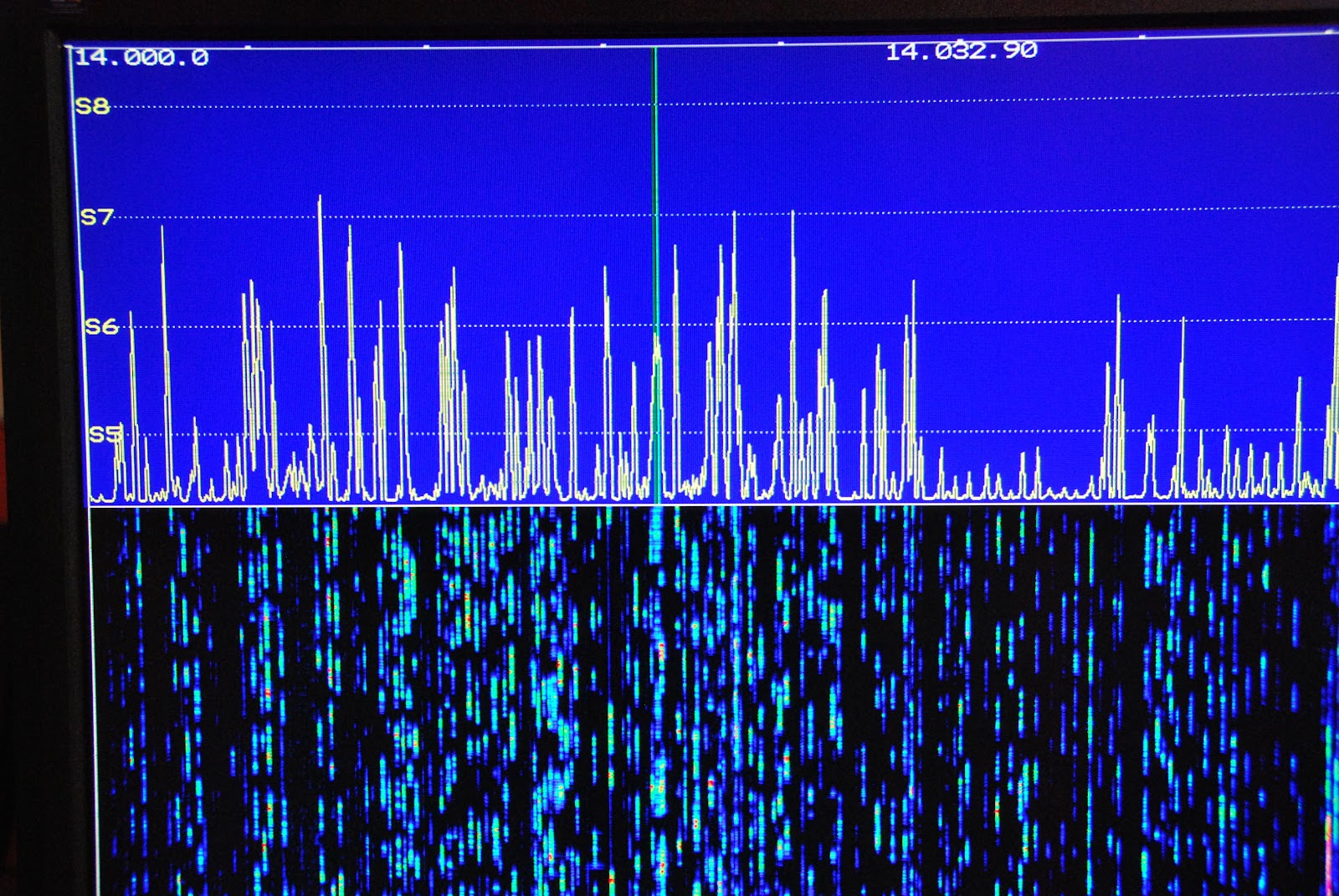
 On Friday my new P3 SVGA card came in this cool add on allows me to move the band scope that is on the P3 up to a large monitor. This has been an add on I had been looking forward to for sometime. The SVGA card from Elecraft fits into the P3 and took about 20 minutes to complete the installation. It was then
New P3 SVGA

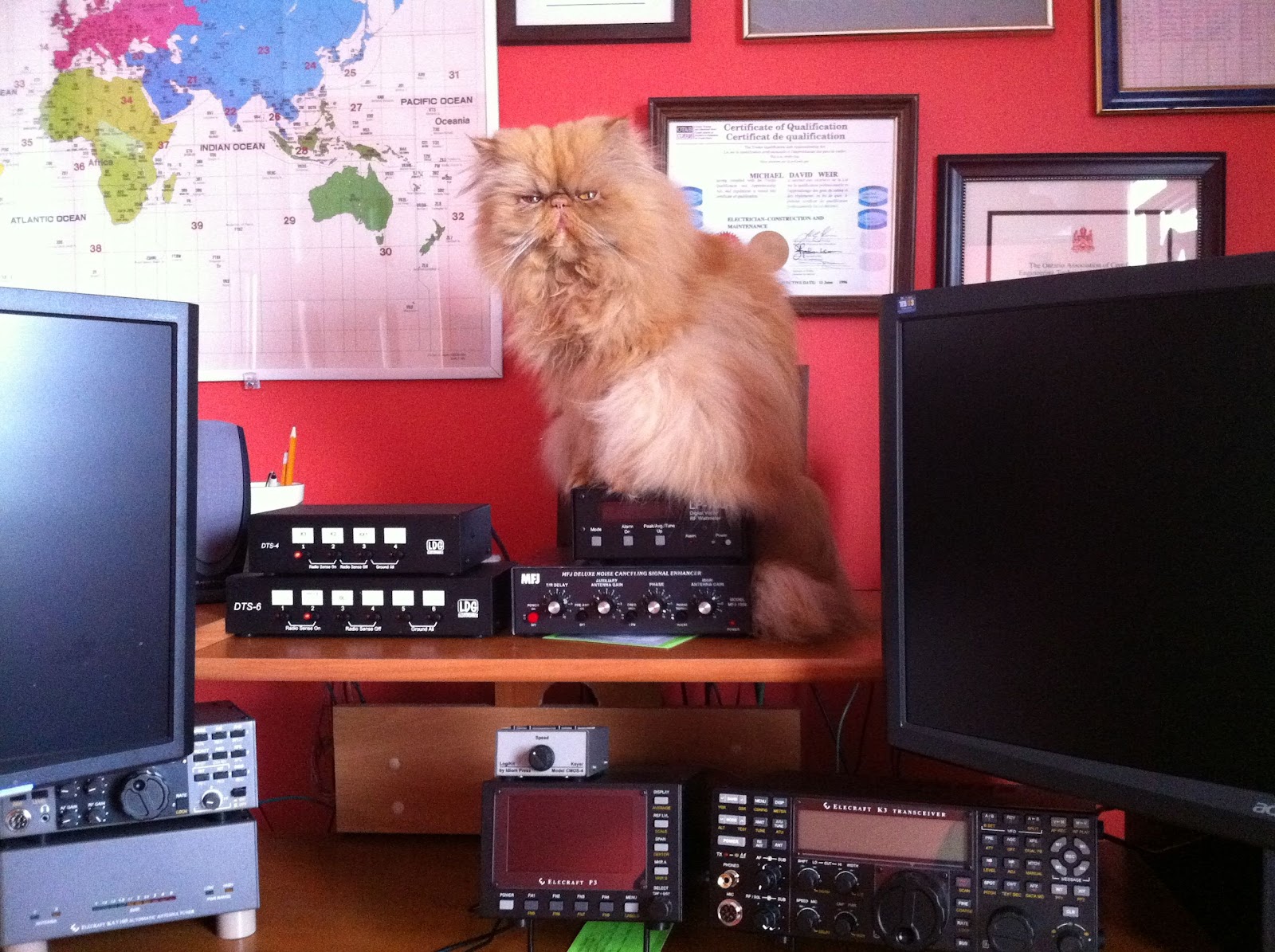
time to give it a whirl. As a side note I kept a monitor that I was not using but knew I would use it some day. Well the day came when I needed a monitor for the SVGA it's great when I can reuse! The P3 was hooked back into K3 I then powered up the K3 and P3.......BUT the monitor was blank!!! Well lets reboot and try again.....NOTHING..........It them came to me go to the Elecraft site and update the P3's software. I did that and low and behold the monitor came to life with a great looking band scope! It sure is nice to have a scope up close and personal. Now Elecraft has plans to add mouse control, RTTY and CW decoding and more suggestions are piling in. When I added the new monitor I had to do some moving of equipment on the desk. The LP-100A, MFJ 1026 and the LDG switches all found a new home. The monitor was mounted on
moveable arm so when not in use I can move it out of the way.  When the final position for all the equipment
P3 apart and ready for SVGA
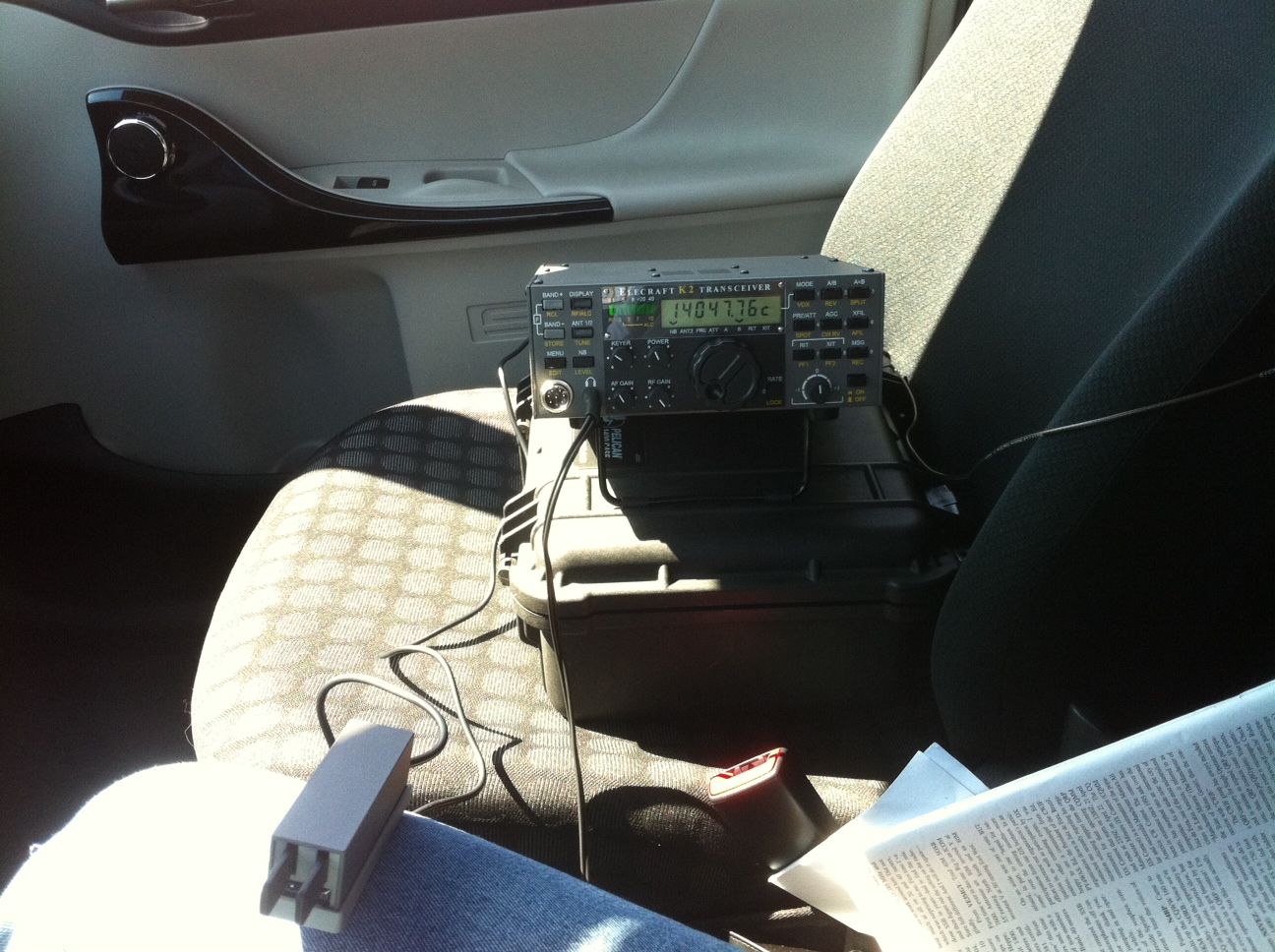
 was found it was better than the old setup. All my ham equipment is on the same level and easier too view and adjust. Also it was due time to label all the cables and wires at the back of the ham gear. There has been many a time when I have removed cables to only have to re-connect them later that day and sure as shootin somehow I messed it up  with some very strange results. I pulled out the P-Touch label machine and tagged all the cables. It was a job that was long overdue and had to be done.  Now that I plan on making the Elecraft K2 portable I will be removing it from the desk along with all the hookup cables. Once I am done my portable op's the K2 can be hooked back into the desk position via the
SVGA installed

labeled cables. My next project is to investigate logging software, radio control software and propagation software. I have been using a hodge-podge  of software and I want to clean up the software end of my ham hobby so now it is time to look at some of the free ham software out there....any suggestions would be great!
View on the monitor
Monitor out of the way


Subscribe FREE to AmateurRadio.com's
Amateur Radio Newsletter

 
We never share your e-mail address.


Do you like to write?
Interesting project to share?
Helpful tips and ideas for other hams?

Submit an article and we will review it for publication on AmateurRadio.com!

Have a ham radio product or service?
Consider advertising on our site.

Are you a reporter covering ham radio?
Find ham radio experts for your story.

How to Set Up a Ham Radio Blog
Get started in less than 15 minutes!


  • Matt W1MST, Managing Editor