Happenings over the last few weeks

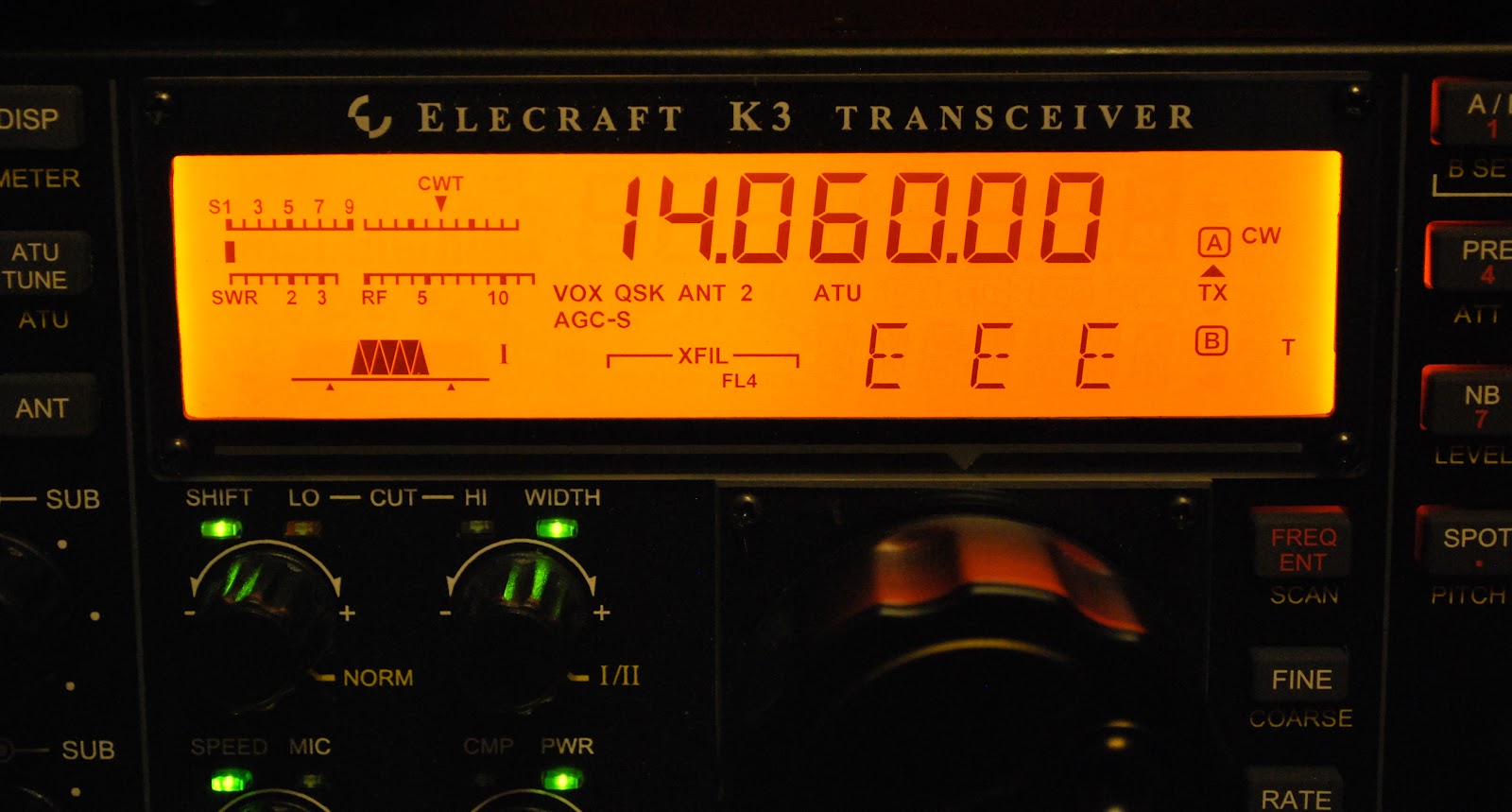
Over the past few weeks I have been able to get on the air during  the evenings for about an hour and this has paid off with some new DXCC's.  I have been finding a spot on one of the clusters (a DXCC I am in need of) from either DX Watch or the data base in DXLabs spotcollector software. Tuning to that frequency but in the past if I heard nothing I just moved on to another spot. Now I have been sitting on the frequency listening whilst doing other things on the computer....like this post. I have found that as conditions change the static breaks and the new country comes into focus!! At times I have had to use my Audio Peak filtering (APF) which works great to bring the new contact up from just above the noise level.  There have been times when I should had acted faster, like the time Somalia broke through the static. By the time I "filtered up" it was only static and no Somalia!!! 
 Below is a YouTube By PY1FR showing the APF on the K3 in action.


 Below are some of the contacts I had made along side a little background

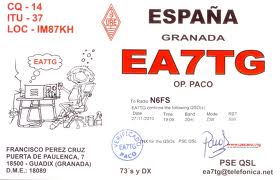
D3AA from Angola:  I  had seen for many evenings D3AA on the spotting networks, I found either there was a huge pileup trying to contact him OR he just was not there even after laying in wait on the frequency for 15 minutes or so. Then one evening as I was looking at my Elecraft P3 pan-adapter, I noticed a signal to one side of the frequency I was monitoring. I spun the VFO and to my surprise it was D3AA calling CQ!!! He was just above the noise and I could copy him fine so I called and he came back to me first call with a 559 and he is in the log. 

FP/VE2XB St.Pierre& Miquelon: These are French islands off the coast of New Newfoundland...Here in Ontario that is like next door when it comes to ham radio. It surely would be an easy catch and one for the DXCC  books.....WRONG......The propagation gods were not smiling down on me at all. Most of the time I could hear the pileup trying to work FP/VE2XB but that was it. Every night he was on and the spotting network had him being spotted from all over but could he be heard here at VE3WDM...NO!! It was with this contact I found my new strategy, to just sit on frequency and wait and see. One evening in came FP/VE2XB and after a few calls I got him in the log book.

UPDATE....I UPLOADED THE WRONG SOUND FILE....ALL IS GOOD NOW.

Here is an audio sample from my K3 of a DX-pedition operating split ( calling on one frequency and listening on another frequency)  using the main and sub-receiver. You can very clearly hear the pileup in one ear and the DX in the other ear...you have to have some headphones on to hear this. There is a point were a station is calling on the DX's  calling frequency.
This is just but another feature of the k3 that allows me to snag DX-peditions and add them to my DXCC count.

5N7M Nigeria: This contact was booming in and I called and he came back to me with 599 and that was it. Each night I have seen 5N7M spotted he has been booming, I wish all the DX was like this...oh well it would take the fun and challenge out of it. 

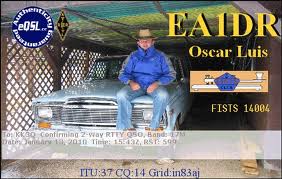
OY1CT Faroe islands: This group of islands is just above England and are Danish. To get this call into the log I had to pull out all the stops. He was fading in and out but when his signal was good it was about an S8 and then moments later just above an S2 noise level. I ended up making the contact when he was in around S3. I found I was watching my monitor that was displaying the feed from the Elecraft P3 pan-adapter. I could see his signal in the waterfall and it was then time to try the Audio Peak filtering along with Diversity receive. That did the trick here at the receive end but was my signal going to make it to him?? I gave him a call and he came back to me........well so I thought.....have you ever have this happen....You want to make the contact so bad that you "think" you hear your call but in fact it's just background noise?? This was what I thought was happening until he gave my call out again and this time he was S7 so the contact then was completed at my end.


Two years of blogging…………

It's hard to believe that I have been blogging for 2 years now!! I have had a great time learning about the hobby from other bloggers. I have been able to expose myself to new areas of ham radio. It's because of blogging I have dipped my toes into QRPp very low power operations. I was able to make a 45,686 miles per watt contact earlier this year. I have somewhat moved away from Windows as my only OS and invited Linux into the mix. That has turned out very well although it's been learning curve but a refreshing challenge. Also with reading many posts about outdoor QRP operations I have also started to do the same, operating from parks in the area as well as my car when the weather is not so inviting. I have taken on the challenge of the ARRL Jubilee award and hoping to complete it (as you only have one year to complete it) and doing it with QRP power.

Once again it is the readers time to give me some input......
What they would like to see more (or less) in the blog?
How is the flow of the blog?
Are there topics you enjoy more than others in the blog?
How is the setup of the blog sit with you?
Finally any other input you would like to add don't hold back let me know!

A VERY SMART charger

Charger ready for testing
I have built  A&A Engineering's 1 amp Smart Battery QRP charger mainly for my Elecraft K2's internal battery. This very much is a smart charger and here are a FEW reasons why.....

1. The charger can be connected to the battery indefinitely and no harm will come to the battery. Once the battery is fully charged the Smart charger will remain in maintenance mode delivering a float charge. Therefore the battery cannot be over charged.

2. The charger can stay hooked up to the battery while operating the radio if you so choose to do so. The charger will enter the bulk mode to help with the load of the radio operating.

3. When the charger is connected it automatically determines the type of charge the battery needs.


Close to done but no heat shrink on LED
 The charger can either be ordered fully assembled and tested or as a kit.....yours truly held true and strong the the QRP spirit and chose the kit. The kit did arrive very fast and all parts were checked and accounted for. If you are a first time builder of  kits this may not be the one for you as the instructions are vague at times. I did get myself into problems after  realizing I had missed part of the assembly and had to go back to add parts and two jumpers. The kit does not give you the "standard" step by step instructions regarding assembly. It's more or less tells you too "install the components according the the pictorial diagram".  There are even little side notes here and there one in particular relating to jumper installation that I totally missed. I did get the charger all together and it was time to check the unit out. So I plugged the charger in, turned it on and ........no 12 volts DC from the leads on the charger!!!!
Top view with no jumpers or D1 ops

Fried resistor
 It was time to check the board to see if parts were installed according to plans and if all solder joints were good and soldered. All seemed to be good so it was off to the internet to see if anyone had the same troubles. It was on the internet I found a test procedure for the kit version of the  charger from A&A Engineering. For some reason beyond me I am not sure why this was not included in the kit!!! Anyway.....one of the things what was emphasized was if the charger is not hooked up to a load you will NOT get any output. Well that solved the problem of no output and things now seemed to be "normal" There was a test procedure in the text that
Decided to use Anderson conn's
allowed you to see if parts of the charger were working as they should. It involved removing the IC and shorting legs of the IC 16 pin socket to certain areas of the circuit board. When this was done certain voltage reading should be observed or LED's should turn on. Here is my BIG problem with this type of testing......when you short things out things can go WRONG and they DID!!! I guess I was not paying close attention and I shorted the wrong pin on the IC to ground and I FRIED a resistor on the board. When you short out to test I call this a destructive way of testing I much more prefer using a meter to look for certain voltages. If  you either don't get the right voltage or a down right outrageous voltage you understand
either:
1. You are in measuring in the wrong place.
2. You have made a mistake in the assembly.
In either case nothing has been toasted
Some heat shrink fun
In the end all checked out ok with the Smart charger and it working great to charge my Elecraft K2.  Over all this is a great unit even with the hiccups that I had. Some of the things that are not clear in the instructions are as follows
1. The heat shrink tubing is very clearly stated to go on the transistor but it also should go on the leads of the LED's...that was not so clear and I have redo the LED's.
2. Make sure you add the jumper J1 to J2 in my case it is mentioned but off to the side of the instructions
3. There is no diode to be installed in D3 position, instructions just say install parts and there are is D1, D2 and D3. Just install the diodes (both are the same diode) one in D1 the other D2.
D1 needs to have the diode not D3

4. If  you ordered the QRP version of the charger as I did you will get a separate kit that allows the charger to switch between two charging currents. Read those instructions and install the resistors they tell you too or you will end up removing resistors if you follow the main instructions then move to the add on kit instructions as I did.
5. When done remember the output leads will SHOW NO VOLTAGE UNLESS A LOAD IS APPLIED.
6. The document required to test the unit can be found at the link above under "test procedure". BUT when  you do it be very careful!!!

Last weekend was a contest in the park.

The setup at the park
Last weekend on Saturday the weather here was great lots of sunshine and very few clouds. So it was off the the park with the radio to give the ARCI welcome to QRP contest a go. Its a 3 hour contest from late morning to early afternoon. I setup my Elecraft K2 along with my mono band mobile whip antennas. The key I used was the Mini Palm paddle which works great and has a super feel to it. I found the bands to be in good shape but was not able to find many who were participating in the contest. In total I made 3 contacts contacts in 2.5 hours of operation. While operating I did hear W6/DL6AP/P who was operating in the SOTA at location CT-086....translation Strawberry peak in California. I was not able to contact W6/DL6AP/P but I did hear him in there. There was some other very attended State QSO party contests going on at the same time and were very well attended. So over all I did not strike it rich in the contest by any means...BUT.......I did pickup some bonus points for just being portable on battery power with a portable antenna.

It has been a Captchas morning!!!

Its been one of those days
As those who read my blog on a regular basis I did have a post not to long ago about these DAM captchas that are used when you post a comment. After reading the post you may had gotten the idea that I was not really a fan of them....in fact I don't use them on my blog. I do get more spam now but I just delete them and move on. Well this weekend I have been trying to post a comment or two on blogs that use the captcha. For some reason I have not been able to crack the letter pattern. At first I thought it may had been my laptop and it being Linux and all......but not so. I have tried it on my XP OS, Mac OS and Windows 7 and on all the machines I am shut out from solving the captcha!!!!! Are the chaptcha gods raining their wrath down on me OR are others of you having troubles as well?? As a side note I thought maybe it was due to the fact my Linux OS was out of date and needed to upgrade. So I began the upgrade and for some reason Oliver my cat (for now anyway) walked across the keyboard. He must had "Pawed" in a keyboard combo and now I have to totally re-instal Linux and all the programs that were on the laptop are now gone.

SD memory cards…great when they work!!!

Missing fingers on SD card
This weekend I took part in the ARCI  Welcome to QRP contest it's only a 3 hour contest from 11:00 am to 2:00pm (local time). I decided to take this contest to the park as it sure does help with the bonus points that are offered for going portable. I took my camera along to snap some shots. Most of us who blog do have a camera of some kind to add the flavor of pictures to the blog post. My camera is a Nikon D60 and has been giving me some trouble,  now then it would not recognize the SD memory card and failed to take a picture.
Just like a sore tooth that gets better just before the dentist visit....the camera would work just fine at the camera store. Today the camera worked great and when I go home I wanted to email a contacts I had that turned into a very nice QSO.
Seam problem

Seemed the SD card knew I was in a hurry and wanted  pictures to add to an email. The computer told me it could not recognize the memory card. The card was then put back in the Nikon D60 but now it too would not recognize the card either. GREAT here we go again I thought but after close examination I found the card to have some damaged fingers at the far right!!! I went on the internet and downloaded some programs that claimed they could recover pictures from damaged SD cards. I didn't have any luck with these programs other than them taking up space on my hard drive. I still was getting a
The fix until all was downloaded
message to place the SD card into the reader so photos could be recovered. Well the card was in the reader and it was not looking good at all. I then had a closer look at the card there was not only fingers missing but the card was separating at it's seam. I tried  taping the seam as the card may be separating when entering the card reader and not allowing the contacts of the card to come in contact with the reader. After a few attempts it worked and I just copied the photos to my external hard drive. Now the SD card is in the garbage, I also had a very close look at the other SD cards for damage. All the cards were in good shape but lesson learned.....take a close look at the SD cards as I believe this was the problem with the camera from the get go as it is the only card I was using.

QRPometer case….

Finished product

A few months ago I built and blogged about my  QRPometer build from the 4 state qrp club its a great kit. In the post there was only 2 con's that I could think of regarding the kit.
1.The TX and Antenna connections were RCA and not BNC, the kit now ships with the RCA to BNC      adapters.  
2. The meter did not come with a case and the rear of the meter had an exposed circuit board. I felt this left the meter vulnerable to damage.

My solution to problem number 2
first attempt....not good
We have in town a great electronics parts store it's been here for just a few years now but it's fantastic I don't have to travel for about 40 minutes to the next closest store. I ventured off to the store for a case, it was a plastic case I had in mind. The metal and or aluminum  cases I felt were just not as easy to work with for the needs I had. I brought the QRPometer with me to assure I got the right depth and width. I found a case that was deeper than I was wanting but it was all they had....so I purchased one.....that later turned out to be a mistake!!
New opening and front plate on
With the chosen Hammond 1594E box at home using my machinist ruler I traced the cutout on the box that was needed to house the meter. The best tool to cut the case I felt was the Dremel hand held rotary tool that I had....so I thought!! With my pencil lines all in place the Dremel was used to make the hole, I found I was so consumed with the cutting line that I did not notice the spinning chuck that held the cutting blade was destroying my plastic box. As Murphy's law would have it this problem was only noticed after all the cutting was done. The top cover was a mess and since I am a VERY fussy person this just would not due. So it was off to the electronics store for another box and to rethink the opening for the QRPometer. It was not until I got home the idea came to me to use my coping saw. There is more control with the coping saw and a neater cut would be the end result. I also came to the conclusion that a smaller opening would be smarter as well, less cutting and less chance for a mistake. With the revised hole cut with
Meter in the new case
the coping saw the QRPometer with some tweaking of the hole fit just right. As always another thought came to mind........the meters power comes from a 9 volt battery that is sandwiched between the QRPometer circuit boards. In the future this battery is going to have to be changed. I am not going to want to take 20 minutes of dis-assembly and assembly to change a battery!!!! As you all know batteries go dead at the most inopportune times. It was off AGAIN to the electronics store for a 9 volt battery holder. I found the perfect flush mount holder and to instal it meant  to just extend some battery leads off the QRPometer board and cut but another hole in the plastic box. This was a very fast addition to the QRPometer box and the coping saw again made short work of adding an opening to the side of the plastic box.
9 volt battery mod
Side view of 9v holder


Subscribe FREE to AmateurRadio.com's
Amateur Radio Newsletter

 
We never share your e-mail address.


Do you like to write?
Interesting project to share?
Helpful tips and ideas for other hams?

Submit an article and we will review it for publication on AmateurRadio.com!

Have a ham radio product or service?
Consider advertising on our site.

Are you a reporter covering ham radio?
Find ham radio experts for your story.

How to Set Up a Ham Radio Blog
Get started in less than 15 minutes!


  • Matt W1MST, Managing Editor