Author Archive
 Receiving 10GHz EME signals with an RTLSDR
 December 25th, 2013 |
  Author:
 Via the ever interesting RTLSDR blog, I was fascinated to read that Rein, W6SZ had used an RTLSDR receiver, a satellite LNB and an 18 inch dish to receive the DL0SHF 10GHz EME tests.
I really need to bump my LNB project up the list, I think.
See the article here
Very cool indeed!
A project for the holiday: Packet Radio and the International Space Station
I’ve got the luxury of two weeks off work for the holidays – having not managed to take much holiday earlier in the year. It’s been fun, over the last few weeks, looking forward to some of the radio projects that I want to do over the time. More on that in some upcoming posts.
One of them, though, was to have a go at receiving the packet radio signals from the International Space Station, and perhaps, trying to send some signals through its’ digipeater.
Both Andrew, M6GTG and Berend PA3ARK had both mentioned it recently on Twitter and it seemed like a fun thing to do.
My last experience of packet radio was probably 20 years ago when I used the PK-232 TNC! Although it’s still around somewhere, I was keen not to go there. I started off thinking that I would use SV2AGW’s AGWPE (AGW Packet Engine) software, but in conversation with Pete, 2E0SQL, he suggested using UZ7HO’s Packet Soundmodem software which he felt worked better and was simpler to setup for this purpose.
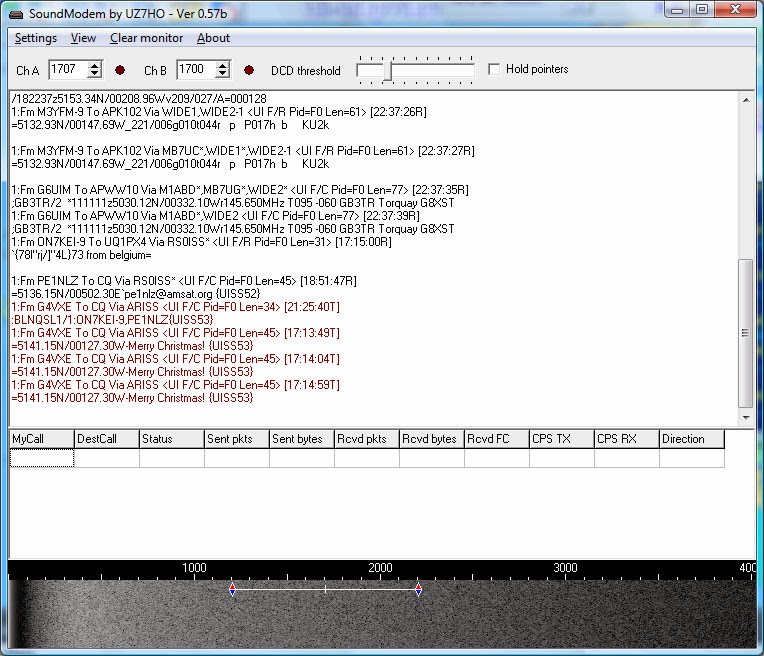
I downloaded the software and hooked up the FT8900 to the G4ZLP interface (fortunately it uses the same interface lead as the FT817). With an absolute minimum of effort, I ran the software up and changed the VFO on the rig to 144.800 the APRS frequency. Instantly I was seeing lots of packets being decoded. Good news!
The software that I had seen Berend PA3ARK use was UISS by ON6MU. It looked simple to use, had a nice map and most of all, seemed fun! I downloaded this and installed it – all good – but it complained that AGWPE was not installed. Hmmm – I don’t want to use it, I want to use UZ7HO….
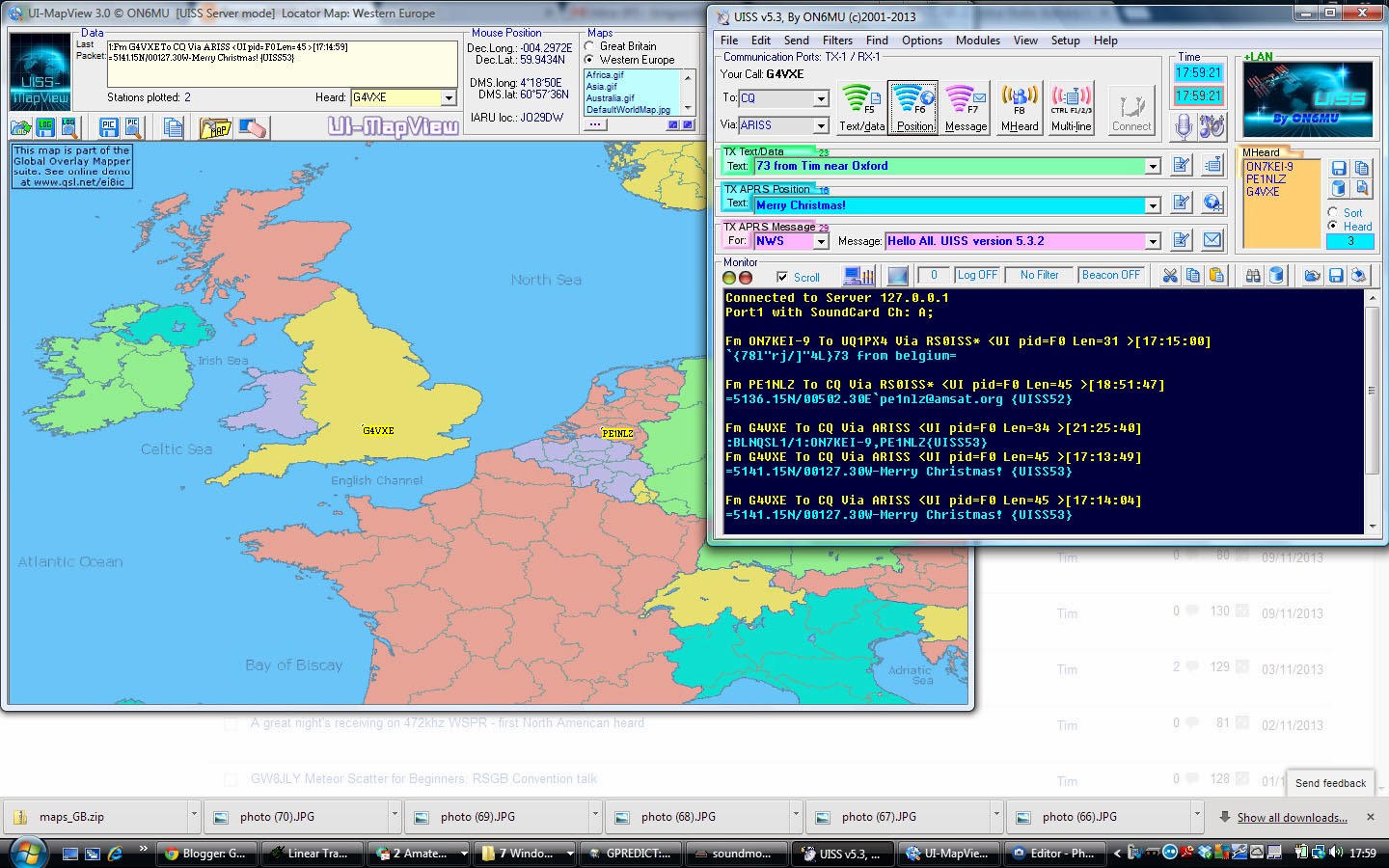
After a little digging, I discovered that the way around this is to go into Setup/Section/LAN Internet in UISS and enable the LAN setup. Point it at the local IP address (127.0.0.1) and port 8000, remembering to click ‘Enable LAN Mode’
That did the trick – then – all the stations that I was hearing on 144.800 displayed in the packet window on UISS and those with a position, were plotted on the map.
All good!
I have listened for 2 or 3 passes of the ISS and have received some frames from PE1NLZ and ON7KEI – but it was all running in unattended mode, so was not able to bounce any signals through the digipeater. I hope to try this over the holiday period.
The antenna I am using for this is the V2000 vertical on the roof. Signals, so far, have not been great from the ISS digi. I may resort to taking it all outside and using the Elk yagi! However, we will have to wait for the weather to get better.
This looks a fun thing to try! Fingers crossed I can hear some more signals through the digi and perhaps get my signals through it as well.
Sunday morning DSTAR at the henhouse – and an update of the G4KLX software
It seems to have evolved that the time I think of doing some DSTAR operating is when I’m out in the garden on a Sunday morning doing whatever chores are possible or needed (possible relates to the winter weather!). This morning, I popped out to clean out the henhouse for the girls and booted up the Raspberry Pi and DVAP. Happily it came up straightaway, which isn’t always the case and I ventured out.
As usual, there were some nice QSOs to be had; Tom AA8RT in Dallas, talking about the winter storm they’d had last week, Ian VK6SKY who, at the other end of the temperature scale was having a really hot summer with over 40C. Another really nice QSO was with John LA2QAA on Frei Island.
John is kind enough to read this blog (hello John!) and it was interesting to talk to him about some of his satellite experiences, as a control station for Oscar-7 as well as how difficult it is to use the SO-50 satellite from his high latitude.
After I’d finished the nice QSO with John, it just came onto rain, so I finished off freshening the henhouse and ventured in.
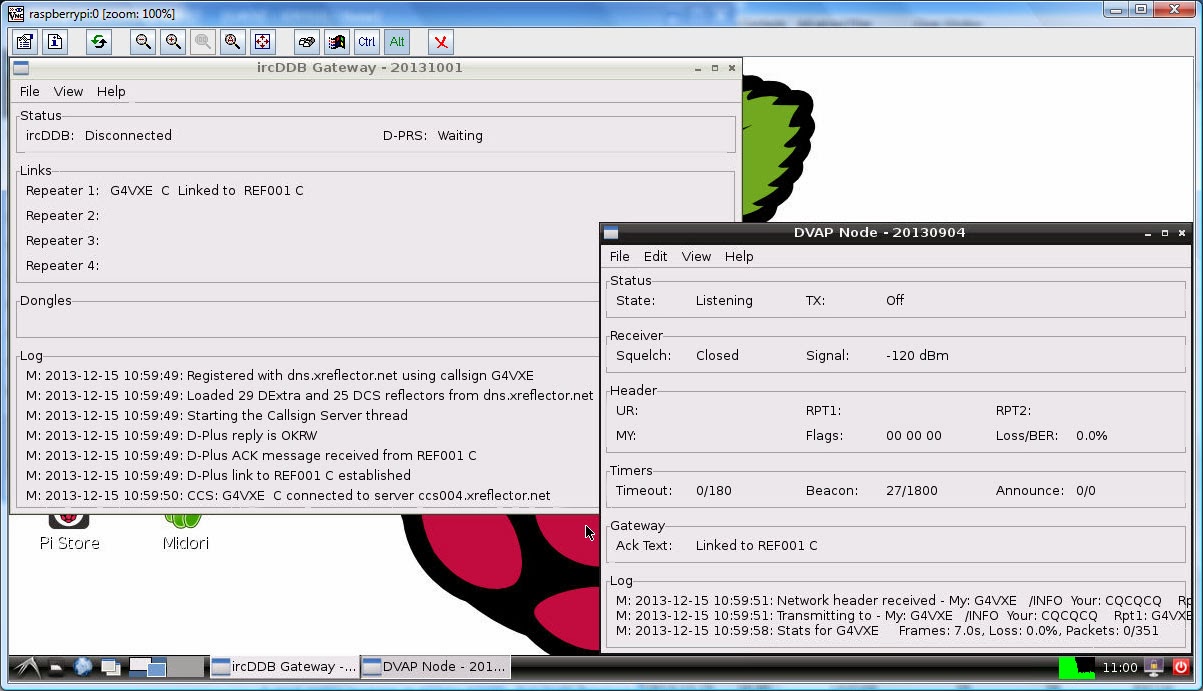
I took the opportunity to update the G4KLX ircDDBGateway and DVAPNode software on my Raspberry Pi to the latest versions (20131001 and 20130904 respectively) as it was a little while since I’d done that.
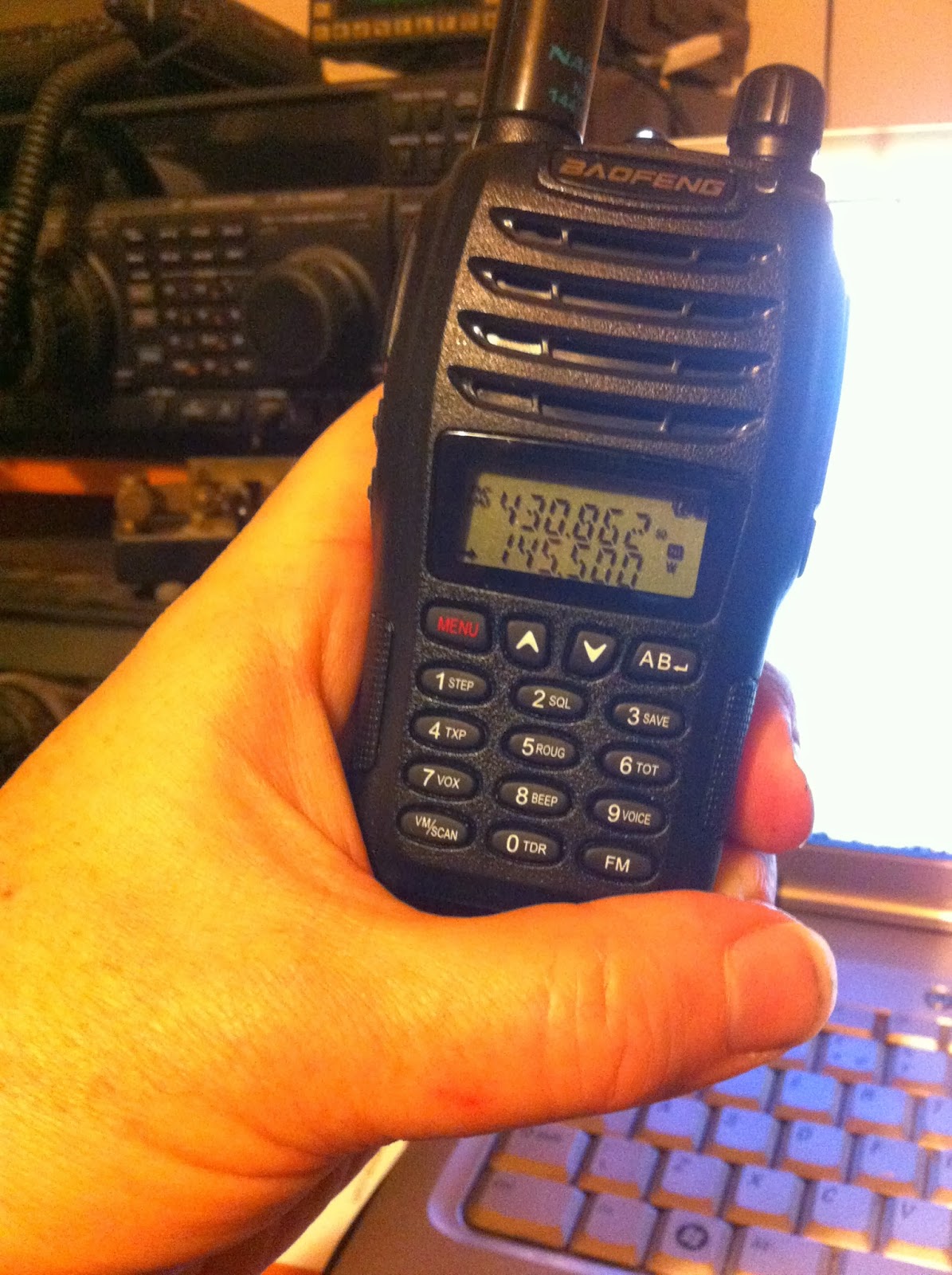
Baofeng UV-B6: 144/432MHz for under £30 – you can’t really say no!
My Baofeng UV-5R has been an unqualified success. I’ve always liked it as a simple, no-nonsense handheld. Since the summer, connected to my Elk hand held yagi, it has become my satellite transceiver of choice for making contacts on SO-50.
As I have commented before, I have enough handhelds really. However, Sunday night saw me on the Handy Radio website (a UK based vendor of Chinese handheld radios and accessories) looking around for an after market antenna to stick on my tiny Baofeng UV-3R. I couldn’t help but notice the Baofeng UV-B5 on sale at £28.99. It would have been silly not to, really.
Using the Raspberry Pi and GPredict software to track Funcube-1 (or many other) satellites
A couple of days ago, I had an email from Terry M0CLH who said that he was using his Raspberry Pi computer and GPredict software to track satellites. One of the things I really like about the Raspberry Pi is its’ ability to run particular applications without tying up the main computer, so I thought Terry’s idea was a good one.

This morning I decided I would see if I could get it going. It proved to be even simpler than I imagined! Boot your Pi up, and then start up a terminal window (LX Terminal). Then type
sudo apt-get install gpredict
The Pi will then download and install the GPredict software for you and return to the commaind prompt once it has finished.
To start the software up, from your terminal window, simply type
gpredict
The software will then start. You need to do a little configuration to tell the program where you are (the default is Copenhagen where the author lives!).
Click Edit/Preferences and then select the Ground Stations tab. Hit Add New and you can add the details for your location, latitude/longitude and your altitude. Save that, then you can delete the sample location of Copenhagen and make your own the default.
Whilst you’re in preferences, you can decide on the layout of the screen. If you’ve got a nice large monitor, then the optimum is Map, table, polar and single sat (wide), but you can play around and see what suits you best. I found I had to restart the program to see those changes take effect.
Around now it might be good to check that you have the latest satellite data, which the program will download for you. Choose Edit/Update TLE/From network and wait for the update to complete.
Finally, you’ll want to configure which satellites you are tracking. The software defaults to the Amateur radio module. Click on the module options/shortcuts which is in the top right of the main window, just below the main Windows controls (minimise, maximise and close). Click on that, then configure…
You can then choose which satellites you want to track. Funcube-1 or AO-73 is not showing up under those names, but it is thought to be 2013-066B, so you can search for that and include it. Other satellites that I included were FO-29, ISS, SO-50 and VO-52. Your choice may vary.
You should now see the position of all your satellites plotted on the screen.
If you want to see more about a particular satellite, highlight it in the list at the bottom and right mouse to select ‘Show next pass’ or ‘Future Passes’.
GPredict software works nicely on the Pi. It does seem to max the processor out pretty well, but it’s quick to start up and shut down if you want to do something else.
Happy tracking!
Receiving telemetry from the new Funcube-1 (AO-73) satellite
Following the launch of the eagerly awaited Funcube-1 (now also known by it’s official AMSAT designation of AO-73), I thought it would be fun to try and receive some telemetry from it.
During local daylight hours, the satellite will send telemetry, with the intention that it will be available for schools to receive and decode and then at local dusk, the satellite will switch into Amateur Radio mode, with a 435/145MHz inverting transponder (SSB/CW).
At the time of writing, the satellite has just been switched into autonomous mode when it will switch between telemetry and the transponder automatically as described above. If that works out ok, it will stay in that mode.
To decode the telemetry, you need the Funcube Dashboard software, which you can download here
Setup is fairly easy, although is only currently available for the Windows platform and you’ll need the .Net 4 framework available on your PC. As I don’t have a Funcube Dongle Plus, I needed to use my Windows soundcard, connected to the FT847 via the usual G4ZLP interface. I had a slight false start when it didn’t seem to be selecting the soundcard, but that was easily resolved in File/Settings.
Then it’s just a question of setting Capture from Soundcard in the software and waiting for the satellite. My best antenna (given that I did not want to be outside waving the Elk antenna in the cold) was the V2000 collinear.
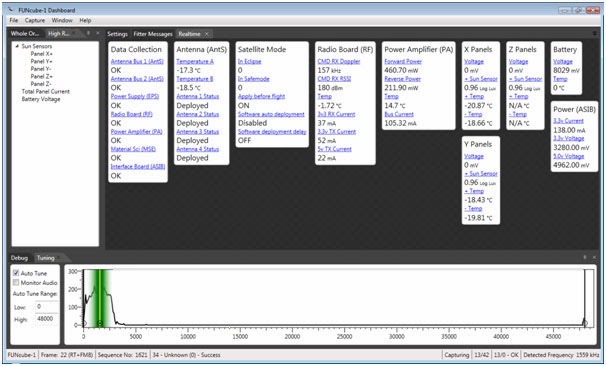
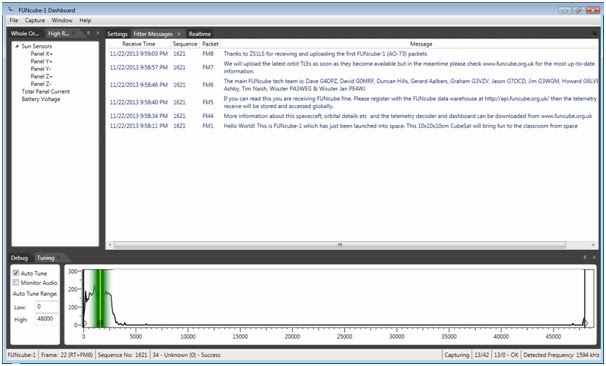
Fortunately, the first pass that I tried was quite a high one and I was able to receive quite a few good frames – some screenshots of which are shown below
A SOTABeams desk stand – so much better than propping the rig up!
There’s never quite enough room in the shack, no matter how much space you are lucky to have! So it is that whatever VHF/UHF rig is in use here, tends to perch on top of the FT1000MP. To prevent scratching, a piece of junk mail had been placed between the two rigs!
However, SOTABeams have a very nice range of desk stands for various rigs, including Baofeng UV-3R, Elecraft and Yaesu FT-817. They’re very reasonably priced and rather attractively, have your callsign on the front. Handy for when you forget it!
The rstand is made of good quality plastic and was nicely finished, no rough edges. There’s some edging strip provided to use as feet and a backstop which clips into the back of the stand, to prevent the rig falling off the back.
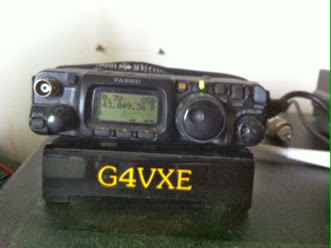
The rig is presented at a good angle and distinctly better than propping it up on a
– pen
– case of jewellers screwdrivers
– book
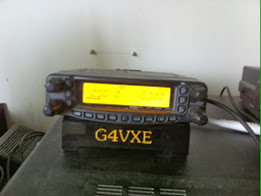
Another benefit I found was that although the stand is designed for the FT817, I found that the FT8900 fitted nicely too – a little overhang, but the rig is solidly placed on it and won’t go anywhere at all.
Excellent!
It’s good to read of SOTABeams success. Started by Richard G3CWI with products aimed at lightweight portable operation (SOTA operation, of course!), they have grown and grown and have recently moved to larger premises













