Posts Tagged ‘SOTA’
 SOTA Sloth
 June 29th, 2013 |
  Author:
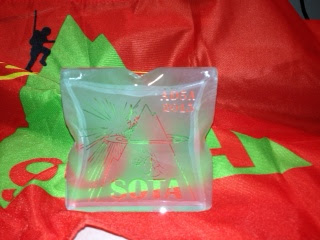
 So, I was very pleased to come home yesterday and my SOTA Sloth award was in the mail box. As I have written, I am having a lot of fun with the Summits on the Air (SOTA) program both chasing summits and activating them as well. The SOTA Sloth award is for getting 1,000 chaser points. Summits are assigned a point value from 1 to 10,so for each summit contact made, the chaser gets credit for the points assigned to the summit..
The awards are very nice and each is a little unique. They are made of glass are called Ice Blocks. The certificate if authenticity that comes with the award reads:
Four SOTA Summit Activation’s in W1
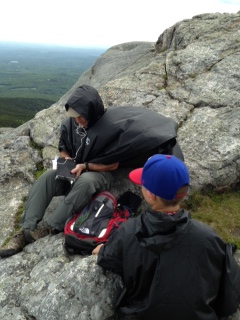
W1/HA-009 Mount Monadnock (4 pts) June 6, 2013, New Hampshire
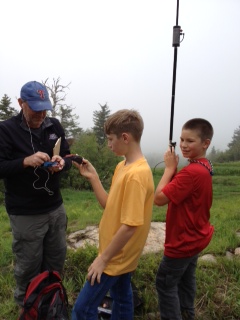
This is a tough 4 pointer. With over 2,000 feet of prominence I under estimated the mountain and made a few mistakes as well. First I counted on my grandson to carry the Buddi-stick, he forgot it and I didn't double check. Thankfully I had an EFHW with me, but only a 13 foot pole to run it from. There are no trees on the summit. Accordingly I think my signal suffered a little. It was very windy and cool on the summit and relatively crowded, which ultimately shortened our stay. I used an FT-817 on this activation because the original plan was for my two grandsons, KF5GYD and KF5GYE to operate some SSB, however conditions were marginal for CW, so we weren't able to execute that part of the plan.
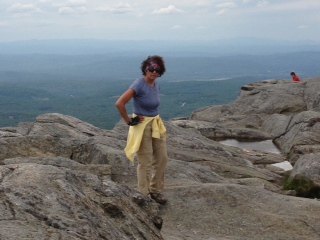
The trail up is one granite rock after another. I had envisioned a wide, sodden trail to the summit, but that is not the case, lots of scrambling up granite slopes on a trail that goes straight up. For those familiar with the mountain, we took the White Dot Trail up, the more direct, and the White Cross Trail down. Coming down is tough because its like descending on a path of uneven steps and no real opportunity to enjoy the downhill slope and some relatively steep pitches down granite slabs. Two hours up and 1.5hrs down. I was able to make 7 QSO's from here (it only takes 4 QSO's to qualify for the points). I did work G4ELZ and S58AL to spice up the day.
W1/AM-381 Mount Agamenticus (1 pt) June 7, 2013, Maine
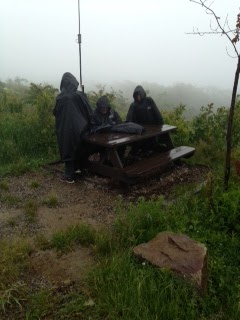
The morning dawned with steady rain and the forecast called for more. Not a good day for a hike. We decided to travel to the southern coast of Maine. A quick check of the SOTA database revealed a drive-up one pointer, Mt. Agamenticus. Easy, right. Wrong. My grandsons and I set up, after the ceremonial climb up the last few feet, on a picnic table in the blowing rain and zero visibility. Let's get four quick QSO's and get out of here. What I didn't know was that the A-index was 34 and the K was 4. Over an hour later I made the fourth QSO, way too much work for one point. This day was our 38th anniversary and Boogies 11th birthday.
W1/GM-003 Equinox Mountain (8 pts) June 8, 2013 Vermont
Equinox Mountain is near the town of Manchester, VT. It is an 8 Pointer, with a road to the top. I decided to make the most of my remaining time in the region and a drive up would save some time and give me a shot at getting another summit in. There is a toll road to the top and there is actually a functioning monastery on the mountain. Again visibility was near zero on the summit and misting rain. I first set- up with the vertical and had some success but it was noisy as conditions still weren't very good, so I was able to get some height on the EFHW, lashing my telescopic pole to the balcony of the visitor center on the summit, and made a few more QSO's finishing with 10. I started with the FT-817, but finished with my MTR which I discovered has a better receiver in noisy conditions. No real DX from here, NS7P from Oregon was my most distant contact.
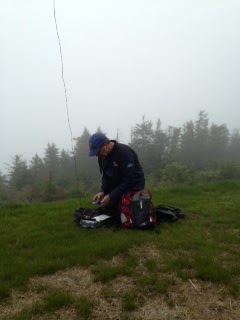
Mount Snow is a ski mountain with a lift most of the way up the mountain leaving a relative short but steep hike to the summit. The question was whether I could get the QSO's I needed in the time I had. We arrived at the mountain at 3:00 and the lift closed at 4:00. We summited at 3:25, set up the vertical with one grandson holding the trekking pole mounted vertical, the other holding my battery and me with the MTR, micro key and log and we were on the air by 3:30. DJ5AV was the first in the log and CT1BQH followed a couple of minutes later. By 3:40 I had 6 QSO's in the log. A quick tear down and back to the lift by 3:55. Made it. This one was the most satisfying, six points I didn't think I would get.
Big or Small: Radio, Key and Antenna
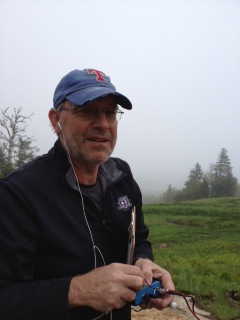
In the picture below there are two keys, actually three if you count the Begali Adventure key on the KX3. Also in the picture, on the left side, is the Te Ne Ke and next to it is the Micro Key. Clearly a size difference, but also a weight difference. Also in the picture is the KX3 (160 - 6m)and the KD1JV designed Mountain Top'er Rig (MTR), (40m/20m CW only). Again, the bigger radio brings more options, the smaller one easier to carry.

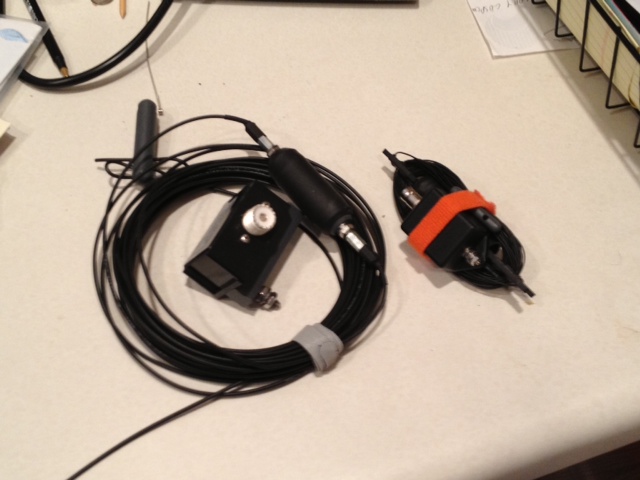
Of course you must have an antenna support. Below are three telescoping poles to choose from, a 33ft. MFJ Telecsoping Pole, a 20ft Black Widow and a 13ft Spirit of Air. Again, size, weight and optionality.
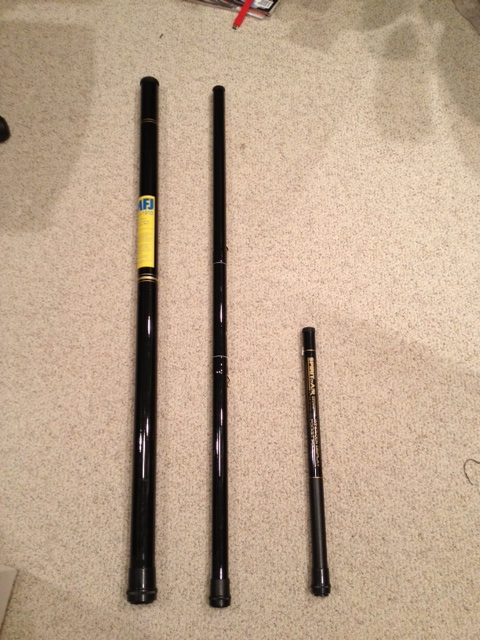
So many options and so little time. As WA0ITP says, "I like this radio stuff".
Dayton’s Over – Time to Analyze
I made it to the Dayton Hamvention this year, after a multi-year absence. Due to that four-letter word known as work, I was not able to arrive until really late Friday night. That left all day Saturday and the half day on Sunday to partake of the event.
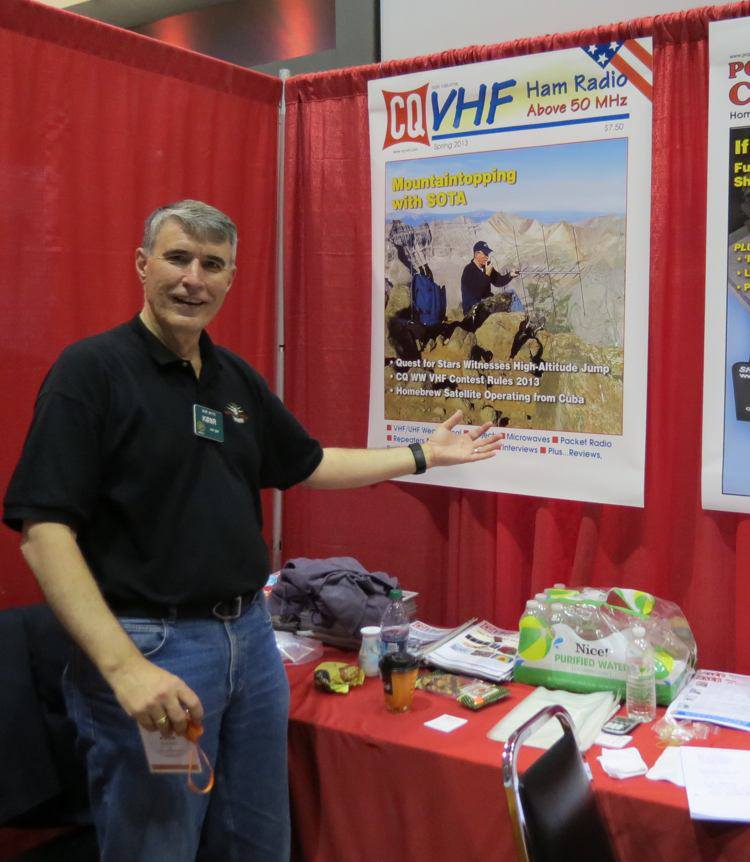
Bob K0NR discovers the cover photo for the spring CQ VHF
I’ll start with the obligatory dig at Hara Arena, repeating my tweet:
Hara Arena continues to be everything that I wish it wasn’t.
Check out the posts by Jeff KE9V and Steve K9ZW about their impressions of Hamvention.
I spent some time helping out at the HamRadioSchool.com booth in the north hall. Wow, what a positive response we got from that effort. Stu W0STU’s Technician and General Class books have really hit their mark, finding a good balance between covering the material to pass the FCC exams while also helping students to really get it. We heard quite a few instructors stop by and say “This is what I have been looking for!” If you are teaching a ham radio licensing class, you need to check out the HamRadioSchool.com books….and the companion web site and iOS apps.
One of the high points of the weekend was discovering the poster-size front cover of Spring 2013 CQ VHF with my mountaintop photo on it. Joyce K0JJW took a great shot of me operating from Mt Sneffels last August (Colorado 14er Event and SOTA), so it was an excellent complement to my article: “A Little Mountaintop Operation”.
So I leave Dayton, thinking about the highs and lows for the weekend. There was not much new that really caught my attention. (Disclaimer: I am sure I didn’t see everything there.) I am still looking for an FT-950 with 2 Meters, an Android HT and a D-STAR radio from Kenwood, Yaesu or even Alinco. Also, there is a real trend of vaporware instead of products. I’ve gotten really jaded about this. If a company can’t quote price and delivery, then it doesn’t exist in my world.
As K9ZW pointed out, much of the fun of Dayton is being with great people: some old friends (like my bud Denny KB9DPF) and some new ones, too.
How was your Hamvention?
73, Bob K0NR
The Updated Incomplete List of Ham Radio iPhone Apps
 It is about time I updated one of my more popular posts, The Incomplete List of Ham Radio iPhone Apps from 2011. This was a challenging task back then and has gotten more difficult as the number of ham radio apps for the iPhone has greatly expanded. Still, I will give it a shot and appreciate your feedback to make the list better. I am only evaluating iPhone apps, not iPad apps, since I don’t use an iPad.
In general, I will focus on free or low cost (less than $5) apps that I am actively using.
From the Simple Utility Category:
Maidenhead Converter (Author: Donald Hays, Cost: Free) Handy app that displays your grid locator, uses maps and does lat/lon to grid locator conversions.
Ham Radio Handbook (Author: Antonis Miliarakis Cost: Free) This app provides some basic ham radio info: Q Signals, Country Prefixes, Band Plans and RST signal reporting.
UTC Time (Author: Michael Wells, Cost: Free) A simple app that displays UTC time and local time.
Ham I Am (Author: Storke Brothers, Cost: Free) A handy app that covers some basic amateur radio reference material (Phonetic alphabet, Q Signals, Ham Jargon, Morse Code, RST System, etc.) Although I find the name to be silly, I like the app!
There are quite a few good apps for looking up amateur radio callsigns.
CallBook (Author: Dog Park Software, Cost: $1.99) Simple ham radio callbook lookup with map display.
Call Sign Lookup (Author: Technivations, Cost: $0.99) Another simple ham radio callsign lookup with map display.
CallSigns (Author: David Fleming W4SMT, Cost: $1.99) This is my favorite ham radio callsign lookup. The features are not much different than the others I have listed but the graphics are nicer and the user interface a little cleaner. I am sure this is mostly personal preference.
There are a few repeater directory apps out there:
iHAM Repeater Database (Author: Garry Gerossie, Cost: $4.99) Geolocation repeater directory. This seems to work well.
RepeaterBook (Author: ZBM2 Software, Cost: Free) I’ve only used this one a bit but it seems to work well and its free.
If you are an EchoLink user, then you’ll want this app:
EchoLink (Author: Synergenics, Cost: Free) The EchoLink app for the iPhone.
There are quite a few APRS apps out there. I tend to use these as my needs are pretty simple….just track me, baby!
iBCNU (Author: Luceon, Cost: $1.99) The first APRS app I was able to get running. It just turned on and worked. It integrates the aprs.fi mapping into the app, so it is easy to use. I recommend this one for most casual APRS users.
Ham Tracker (Author: Kram, Cost: $2.99) APRS app, works OK, uses external maps such as Google and aprs.fi. “Share” feature allows you to send an SMS or email with your location information.
Satellite tracking is another useful app for a smartphone:
ISS Lite (Author: Craig Vosburgh, Cost: Free) A free satellite tracking app for just the International Space Station. It has annoying ads but its free.
ProSat Satellite Tracker (Author: Craig Vosburgh, Cost: $9.99) This app is by the same author as ISS Lite, but is the full-featured “pro” version. Although it is a pricey compared to other apps, I recommend it.
For Summits On The Air (SOTA) activity, there are a few apps:
Pocket SOTA (Author: Pignology, Cost: Free) A free app for finding SOTA summits, checking spots and accessing other information.
SOTA Goat (Author: Rockwell Schrock, Cost: $4.99) This is a great app for SOTA activity. It works better when offline than Pocket SOTA (which often happens when you are activating a summit).
For Technician License training, I like the HamRadioSchool.com app. (OK, I am biased here as I contribute to that web site.)
HamRadioSchool (Author: Peak Programming, Cost: $2.99) There are a lot of Technician practice exams out there but this is the best one, especially if you use the HamRadioSchool license book. They also just released the General practice exam, too.
For a mobile logbook:
HamLog (Author: Pignology, Cost: $0.99) I am not too keen on the idea of keeping a log on an iPhone, but it does come in handy once in a while. More importantly, HamLog includes a bunch of handy tools including UTC Clock, Callsign Lookup, Prefix list, Band Plans, Grid Calculator, Solar Data, SOTA Watch, Q Signals and much more.
Well, that’s my list. Any other suggestions?
SOTA Activation: Aspen Ridge (W0/SP-084)
Spring is finally coming to the Colorado high country so it was time for a SOTA (Summits on the Air) activation. I don’t know which idea comes first: let’s go hiking or let’s play SOTA. I suppose it doesn’t really matter.
I’ve had my eyes on activating Aspen Ridge, which is near our family cabin but I wasn’t sure if the road was open. It turned out to be an easy Jeep ride down Forest Service Road 185 to get close to the summit. Then a half mile hike around and over the occasional snow patch got Joyce K0JJW and me to the summit.
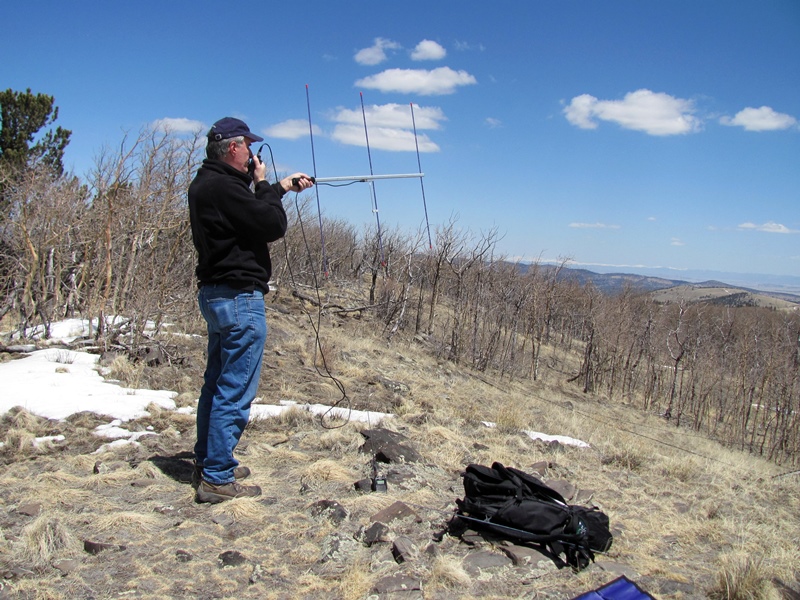
My portable station was a Yaesu FT-60 handheld and a couple of antennas. Shown above is my dualband Arrow II antenna with only the 2 Meter elements installed, resulting in a 3-element Yagi antenna. My other antenna is an omni-directional MFJ-1714 1/2-wave whip antenna, which is a little easier to handle for general use. Often that is the only antenna I bring along but this time I decided to add a few more dB of signal by using the Yagi. I also take along a Yaesu VX-8GR that pings my location on APRS (www.aprs.fi/k0nr-7).
After a few calls on 146.52 MHz FM, I worked KC8I in Woodland Park. A few minutes later, I caught Steve WG0AT operating from another SOTA peak (Mt Herman, W0/FR-063) for the QRP To The Field contest. A little later, I worked Ted N0ZPX who was fishing at Antero Reservoir, then N0VXE mobile near Salida and Ron N0MQJ in Ranch of the Rockies.
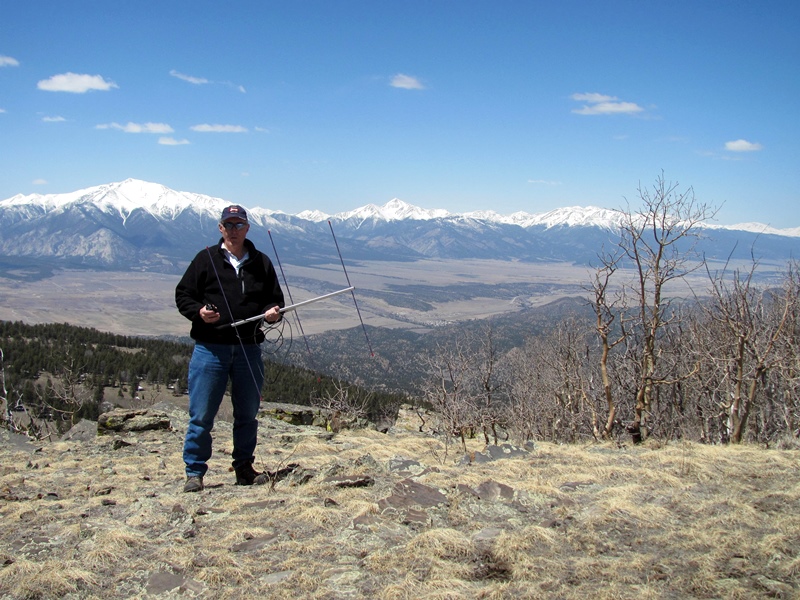
This photo shows the beautiful Collegiate Peaks in the background, with plenty of snow still showing. Needless to say, it is a gorgeous view from Aspen Ridge!
73, Bob K0NR
SOTA Logging
Pencil is mightier than the keyboard…discuss
I’m a pen and paper kind of guy at heart but thought I’d try and find an electronic solution, just in case my pencil breaks and my phone is the only workable solution.
Bet you’ve never heard that before.
Well after a lot of scratching around I found VK Port-a-log. It is an android solution so tough luck fruit based phone users. A really easy to use solution for those who carry a phone. The screenshot below is pretty neat and from the original website. Well worth checking out. To get it you need to be able to install the .apk from the Yahoo Group. Thats a bit of a pain but hey ho no big deal really.

But I still like a pencil!!
Of course you do, it is the most versatile solution. But adding the data into the SOTA databse can be a slow process. So here is another Windows tool that is really very good. I’ll run through the idea.
Log as normal with a pencil and pen. Instead of getting home and logging via the website. Use Fast Log Entry (FLE) instead. This uber geeky method by DF3CB allows you to type the information as you need and then export a SOTA compatible csv file ready for upload. I found it really quick and easy to use. Here is a screen shot from the authors website so you get the idea.

Type in the left using the tags to identify what it is you are saying. Press F5 and hey presto the log appears on the right of the screen. There is a sample file to crib from.
So thats me sorted for this years mini adventures into the fells. Once again, very happy to use these great tools. Thanks to both the developers for making stuff that works just as we want it.













