Posts Tagged ‘Computers’
 Upgrading to Windows 10…..for a short time anyway.
 January 16th, 2020 |
  Author:
After the update was done I check my virus software, OpenOffice documents, ham radio programs and the virtual com port program. All seemed to be fine so next, I started my radio programs Win4Icom, N3FJP logging and finally JTDX digital program. The radio and software had no issues with communication and in no time I was up and running with FT8 making contacts. Now it's time for the "BUT" I noticed my JTDX waterfall started moving very slow, I was not getting any decodes and finally on the waterfall you normally get a horizontal line containing the band and time. These lines show up once you finish transmitting and go back to receive. I was getting these lines one after the other and very closely spaced. I checked PSK reporter and my signal was being decoded by other stations but I had no decodes.
I shut down the program and restarted it and all was good for about 10 minutes and then it started to happen again. I then tried WSJT-X and it did the same thing within about 10 minutes again. This time
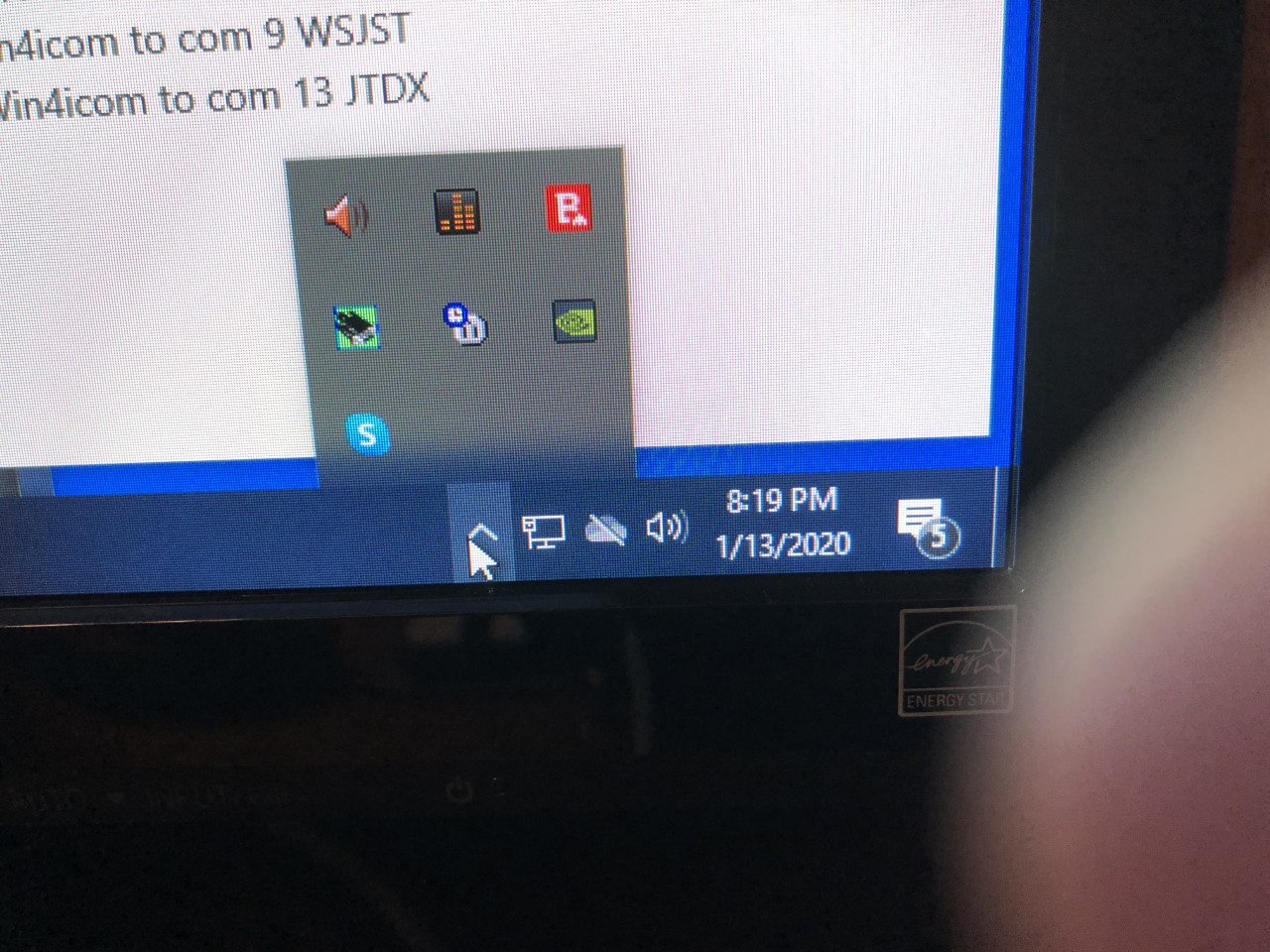 |
| Missing Microphone icon. |
Here is what I did:
After my fresh install of Windows 10, what did I add to the PC?
1. I added a USB 3 cable to an external hard drive for backup purposes.
2. I updated my video driver.
I removed the USB 3 cable and this made no difference. The thought was it had no toroids on it thus a good RF antenna. This did not fix the issue.
I could not see the video driver being the issue but for &%*# and giggles I downgraded the driver and as I suspected it made no difference.
Next, I wanted to check possible sources of RF:
1. Check all my connections on the radio (Icom 7610) and the accessories.
2. I removed the Endfed from the picture and transmitted into a dummy load.
3 I lowered the wattage output to zero.
Here is what I found:
All the connections were good and tight.
When I transmitted into a dummy load I had the same issue with both JTDX and WSJT-X.
With the wattage on the 7610 at zero, I once again found the same issue with both programs.
This led me away from RF from my radio setup being the issue and I looked at other options.
While I was surfing the internet I found numerous posts about Windows 10 has a mind of its own by changing or deleting sound settings. I began to investigate the sound settings specifically the settings that would have anything to with digital modes. The Icom 7610 (when software has been installed) has one I/Q port and 2 USB ports for digital programs. I went into device manager and all ports were there. I then opened the properties' menu for the 2 Icom USB ports (sound and mic properties) to make a long story short I spent a huge amount of time adjusting, reinstalling, turning off and on again each of these 2 devices. Toward the end of my fiddling, I did notice the microphone icon in the overflow tray started to act up just like before!
This was my confirmation that it was not an RF issue but in fact, a software issue and it was a software issue I NEVER had with Windows 7 pro. At this point, I could have done more investigating but I had just about enough of Windows 10! There is an option to downgrade back to Windows 7 but it has to be done within 10 days of the Windows 10 upgrade.......hmmm 10 days for Windows 10.......was it 7 days for Windows 7 to downgrade back to XP..... I digress.
I chose to downgrade back to Windows 7 pro and later I will find the answer as I am still able to upgrade back to Windows 10 pro.
 |
| Windows 7 error message |
Has anyone out there using Windows 10 had this similar issue and if so what did you do to overcome it? As for me now that things are working again I am going to take my time and see if I can sort this issue out.
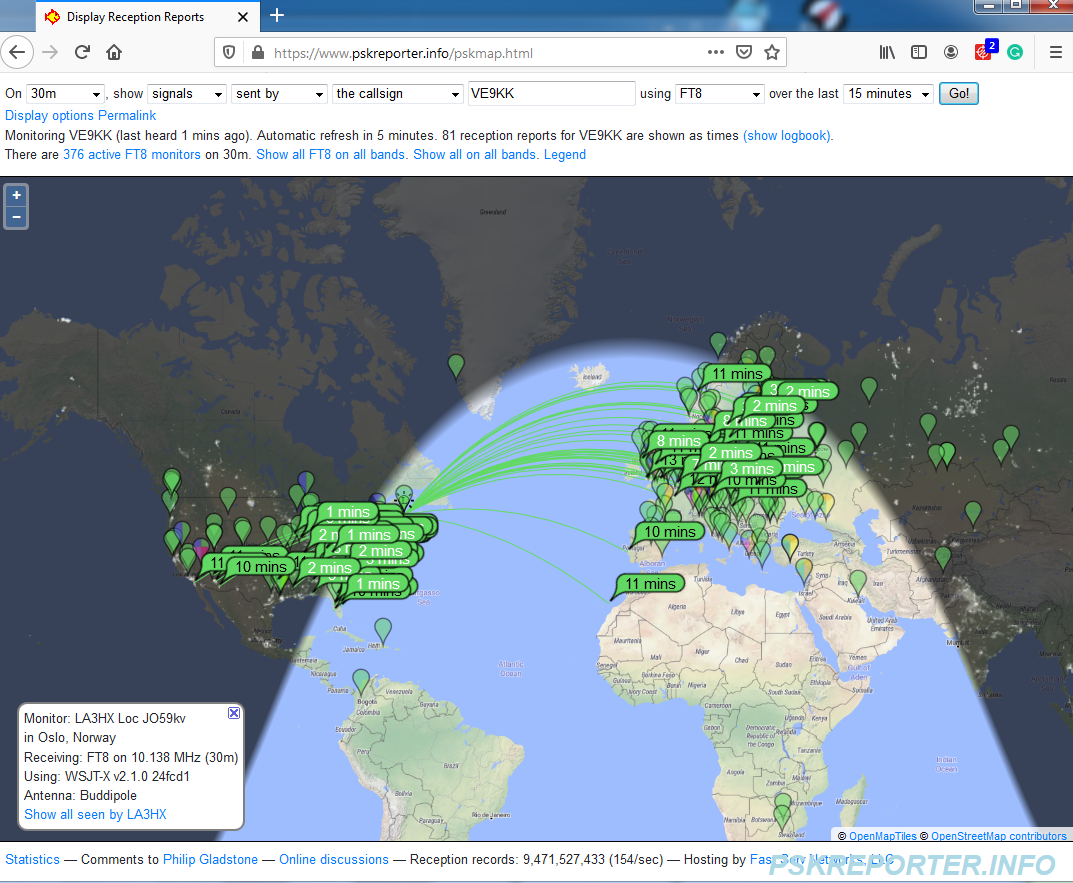
30m FT8
Good old Murphy!!!

Time to update!
- N1MM+ my contesting program
- WSJT-X my digi program
- JTDX my digi program I am testing out to see if I like it over WSJT-X
- Amateur contact log my logging program and sometime contest program
- WSJT-X JTAlert
- Win4icom my Icom 7610 radio control program
- Win4K3 my Elecraft KX3 radio control program
After I had finished with all that excitement it was then time to do a Windows update (running windows 7 64 bit pro), virus software which is Bitedefender and malware software which is Malwarebytes.
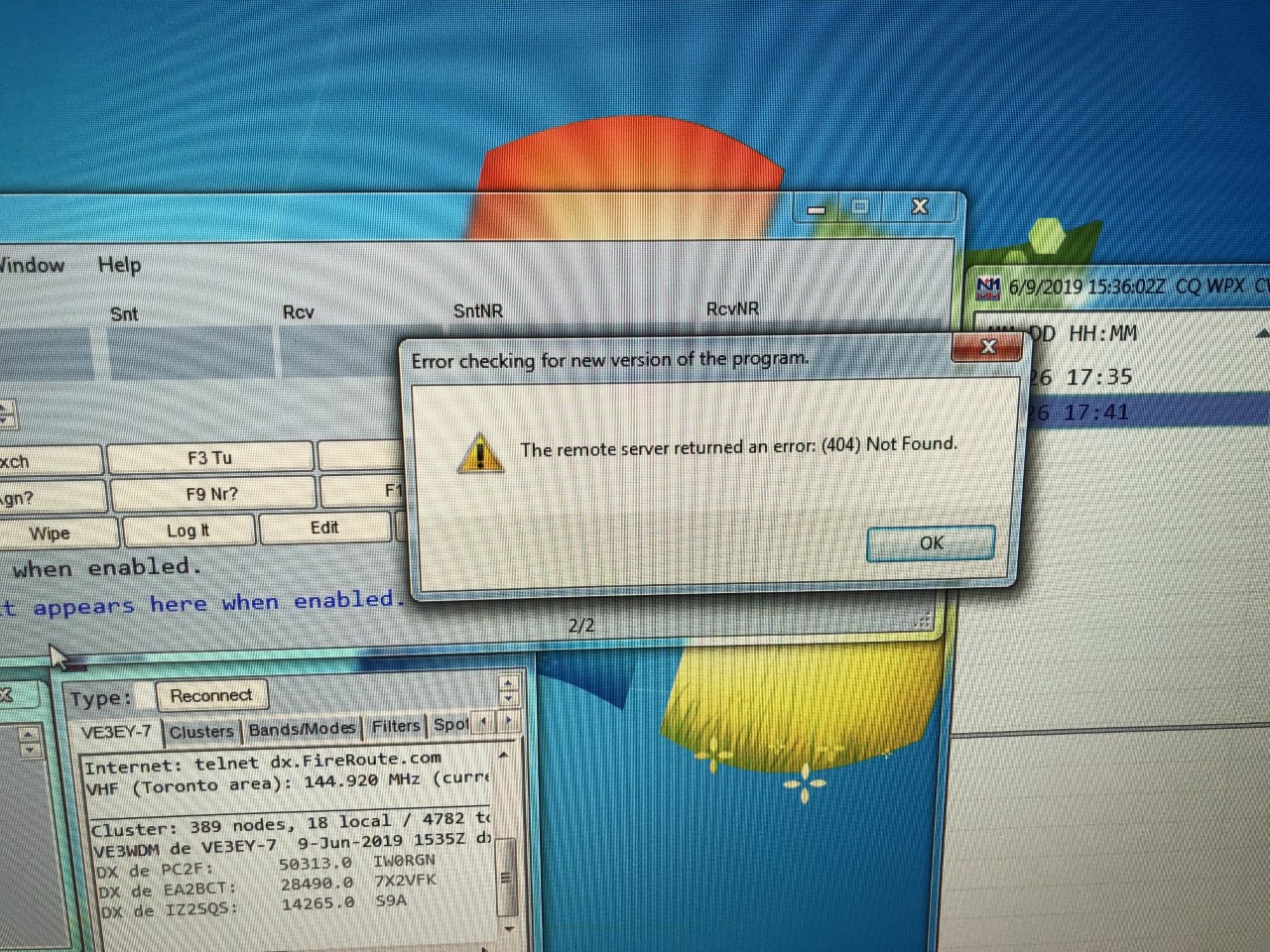
The first program I tackled was N1MM+ contest program and this was one program I have updated many times in the past without issue. I thought this would be a nice place to start off the whole process. I had everything updated and install. When I started the program I was greeted with the message below on my PC.
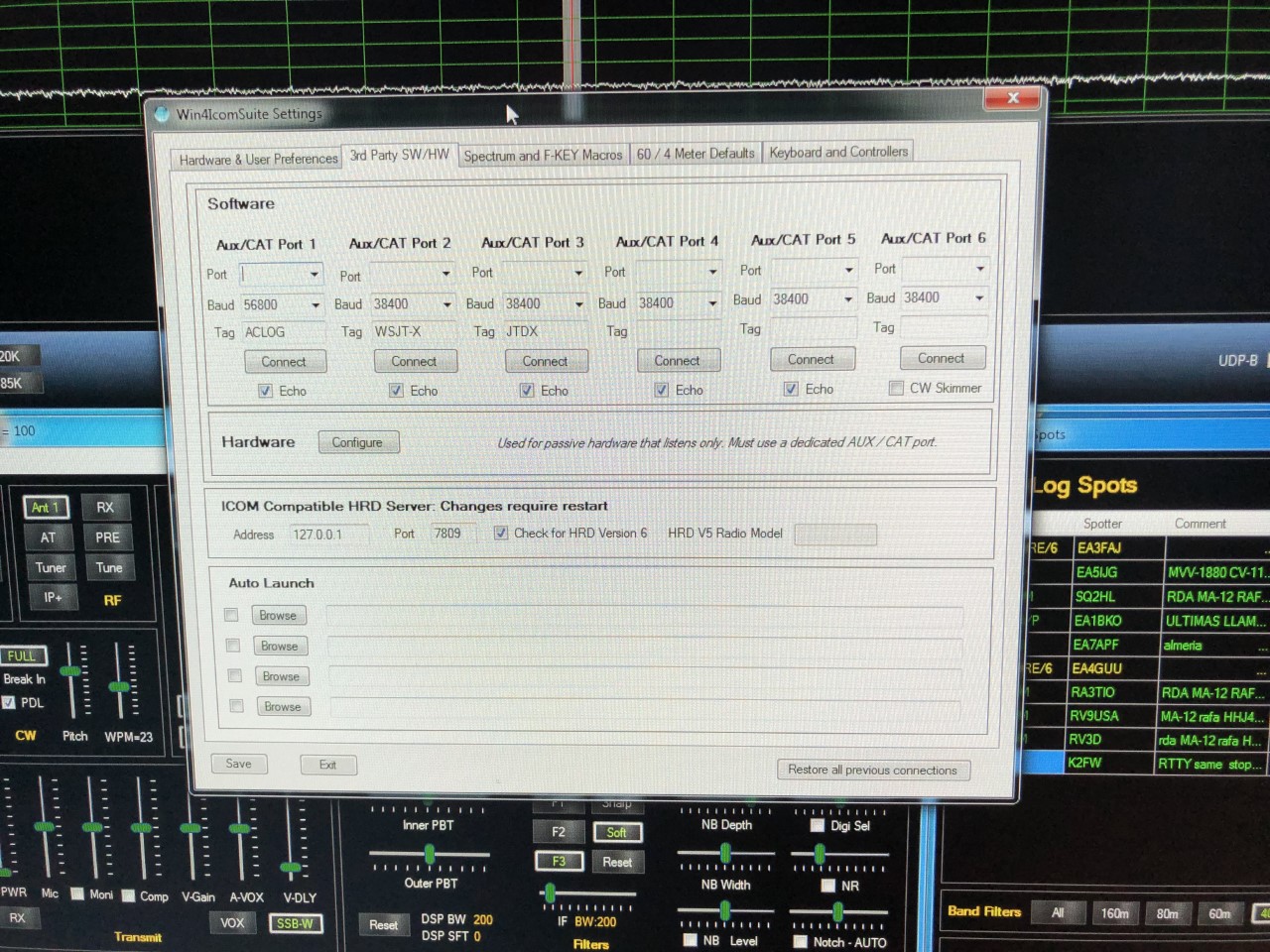
I then moved onto Win4icom radio control program for it's latest and greatest! All downloaded just fine and then when I started the program all was well and it connected with my rig no problem. I then tried to connect my logging program and Win4icom was not able to connect to it. I then went to the settings page of Win4icom and was greeted with the message below:
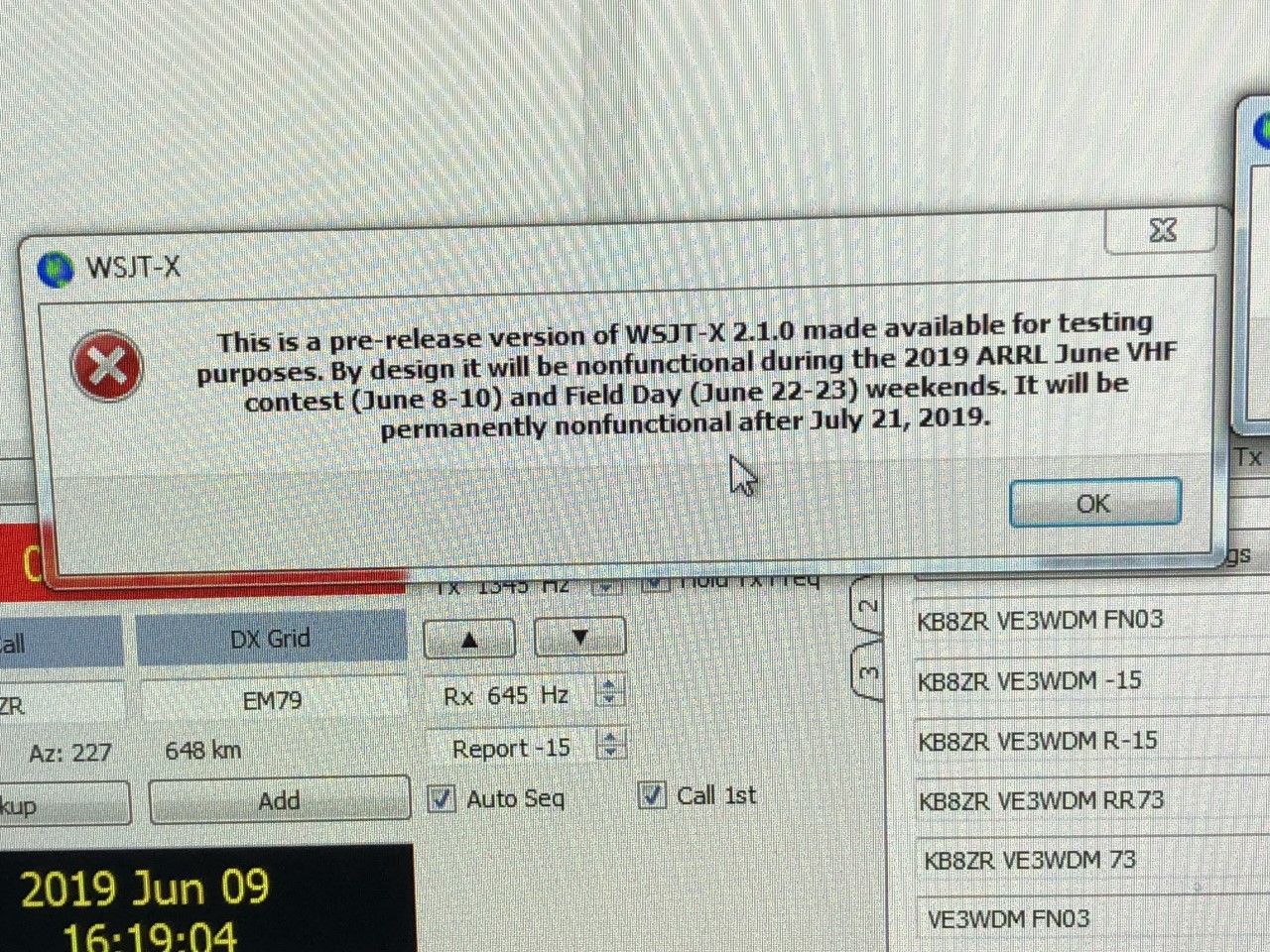
My next task was to upgrade WSJT-X to the latest and greatest 2.1.0 rc7 and once done and I started it for the first time I was greeted with the message below:
To keep track of my ports, order of program start up and some common problem fixes I have post it notes on the PC desktop.

Slimming down
This post builds on the RPi Zero W Cloudlog installation that I did in December with a RPi 3 that was destined to be used in the shack for something. I have long used a laptop to do most of the heavy lifting but have moved most of the clever stuff on to individual machines. The line up is growing but is a bit all over the place. I have….
- A RPi3 as a VHF SatNOGS station that runs nicely but needs a proper home (antenna ia indoors and a lash up)
- A RPi3 as a UHF SatNOGS station that is subject to loads of noise at the moment which needs a cure. It also needs a better home
- A RPi2 as a Flight Radar receiver
A spare RPi3 that was used as a media player in the lounge. Now redundant really as tech has moved on. This needed a new function. So I thought I would bring it into service as a shack server. Trouble is I have no expereince of servers and even the word makes me quiver. I tend to smile, nod politely (It’s a British thing) then retreat carefully to avoid uncomfortable conversation. Anyway it’s time to take the plunge a bit further. I have after all mastered the Cloudlog thing.
What distribution?
Normally I would run straight to Rasbian, but this time I made a detour through to DietPi. It’s a ligh tweight distribution that supports a few bits of software that are simple to install and configure. Perfect for the lazy, like me. The game is pretty much the same s every Raspberry Pi installation. Find a suitable SD card, burn the image to it and start the machine up. For this the recommendation is to hook up a screen and keyboard for the first bit until it’s all running then you can use SSH or whichever is your preferred method for getting into the machine once it is up and running.
What software?
Well Cloudlog for a start. That needed the webserver reinstalling. Guess what? DietPi had one. check the box and that gets installed. Then it was a simple fact of getting Cloudlog reinstalled. Job done and it took a lot less time this go. (need to find a log for this).
Next up was Pi-hole. I’m ok with a bit of advertising, people have got to make a living I suppose but I feel like I’m  swimming in a sea of bollocks (figuratively of course, I couldn’t really visualise this literally and don’t want too). Pi-hole claims to reduce the adverts to a more normal level and stops my browser looking like a version of the $1m dollar website (if you can remember that). Something has got to change. Installation was again more simple that you might imagine. Check the box and let the installer do its thing. As I had no idea what I was doing I used the default installation but made the error of not pointing my DNS server to the installation in my router settings. Don’t forget to do that otherwise it won’t do a thing.
There is a nice dashboard that gets filled with clever stuff. Bottom line is that there are already fewer ads on all my devices. Ace!

So what happens now?
Not much really. If you would like to have a go with a really lightweight distro for your raspberry pi (or other sbc – they support all sorts) then give it a go. The easy installation of software make a big difference for dullards like me and avoids time wasting.
I have thought about plugin in a RTL-SDR as a server but don’t really have a need at the moment. Perhaps something for the PiKon telescope now that I have got the lens. We’ll see how the thing goes. One thing I would like is a really simlpe website that does one thing on a button press, but that is a whole new game and perhaps another post.
I’m going to start planning my SOTA activations now 
Going about it the hard way…..WHY??
Last evening I finally had some time to get on the PC and check out what fellow ham radio bloggers were up too. For the past month I have been working every day and only having time to “fast read” a post and drop a short comment. While surfing the blog sphere last evening I came across KG3V’s blog, the subject of the blog caught my attention “Updating FTDX-3000 Firmware. Below is a link to what I only could call an “adventure”.
https://kg3v.com/2017/10/14/updating-ftdx-3000-firmware/
In the post Tom does a great job explaining how he went about the firmware upgrade and some issues he ran into. Tom also goes over the enhancements this firmware will forward to his FTDX-3000. It’s fantastic how far we have come in radio, in the past if you wanted the upgrades it meant selling what you had and purchasing the new and improved version. Today’s modern rigs can chat either over the internet or with pre-downloaded thumb drives and magic is worked within the rig to either over come an issue, enhance what is already there or add something new! Having said that I just can’t understand what the issue is with the process of the upgrade. It’s just not ham radio with our Nikon cameras to upgrade the firmware it’s…hold this while pushing that….make sure you don’t do this while doing that….and on and on and on. Resources are used writing the rigs new firmware upgrade, time and money is put into it and it’s to make the product better for the end user. If this is the case why the %&^* not make the process for the end user easy peasy!!

Having said the above and let me preface this with “I am not going to say what I am about to say just because I am a fan of Elecraft but if the shoe fits……” To upgrade my K3 or KX3 Elecraft has provided via their website a program that sits on your desktop, one of it’s functions is for firmware upgrades. The process is as follows:
1. Double click on desktop icon.
2. Click on Firmware tab.
3. Click on “Check versions now”
4. Below you will then see the firmware that is installed in your rig and new firmware that is available for your rig. You then click on “Send all new firmware to K3 or KX3.
Your rig will start to click, there will be “stuff” flashing on the rigs screen, sometimes even clicking noises from the rig and then your rig’s screen returns to normal and your done. I have owned Kenwood, Icom and Yeasu rigs and never has it been this easy and my question is WHY NOT!!! Now having said the above it is true I have not owned one of the above rigs for some time now so do comment if the process has changed…but is sure does not seem it has for the FTDX-3000 model rig!

OK I’m off my soapbox now….:))
Digital magazines
 |
| Still in the bag |
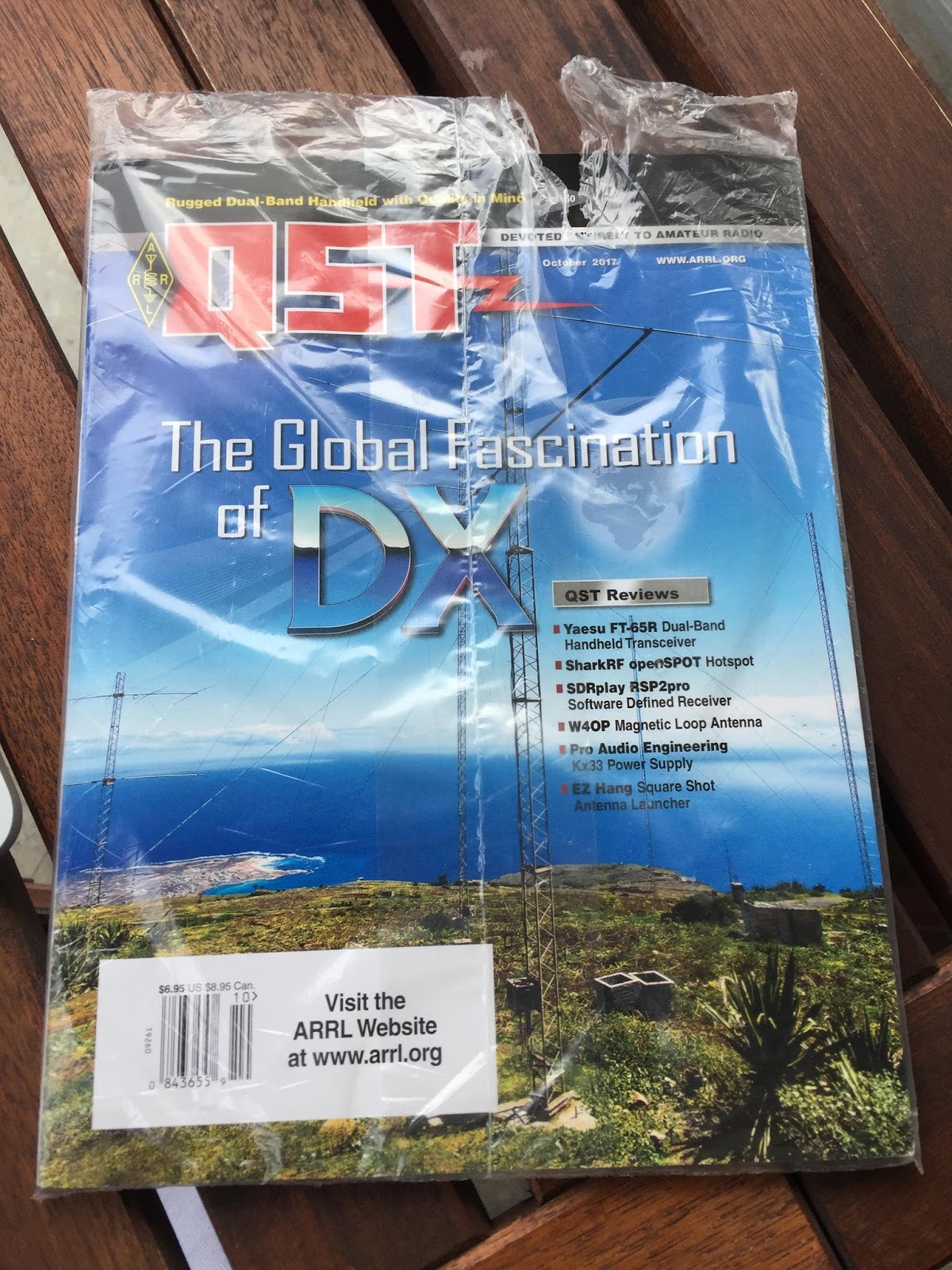
For those of you where like me and have not as of yet jumped into the digital magazine world I will say it's a very interactive way of reading. CQ uses a program called Zinio to view their magazine and QST uses Pagesuite It may just be me but I find Pagesuite easier to use, nice graphics and well laid out and I hope one day CQ will start to use them as well as Zinio.
Some of the advantages I find with having a digital copy are:
- Ability to view videos (QST often has product reviews and a video to along with it)
- Web links that can take you to more content.
- Ability to enlarge the print which is good for me.
- You can't just roll up the tablet or PC under your arm and take it with you.
- To download a new addition the internet is needed.
- To take full advantage of the digital copy again the internet is needed.













