Posts Tagged ‘Computers’
 An interesting discovery about sound cards
 January 10th, 2013 |
  Author:
  |
| CheckSR result at 48kHz with internal sound card |
I have several radios connected to my shack PC. For the audio interfacing I have several sound cards or sound devices since most of them are not internal cards but use USB ports. I wanted to make sure the rig I mostly use for digimodes used the best sound card I had so I thought I would do some tests.
Some people believe it’s better to use a high end sound card for radio work. I don’t think there is any benefit for HF use as the noise level will be much higher than even the poorest sound card. There is no advantage to using a device capable of more than 48kHz sample rate unless you are using SDR software and need the extra bandwidth.
The one factor that can really made a difference is the accuracy of the sample rate. Most digimode software uses either 11025Hz or 48000Hz. There is no theoretical advantage to using a faster than 11025Hz rate for terrestrial digimodes. A 48kHz sample rate should not give any benefit and will need more CPU cycles to transfer and process the extra samples.
Sample rate accuracy is important because it affects both the pitch of playback and the data rate. It’s like playing an LP at the wrong speed. If you play a 33rpm LP at 45rpm the music is played at a higher pitch and a faster tempo. If played at a lower speed the sound is lower pitched and slower. This is analogous to what happens if the sample rate of your sound card is not exactly what your digimode software expects it to be.
I tested a number of sound devices using CheckSR.exe. This is a utility that is distributed with the MixW digimode software, but you can probably find it on its own if you Google it. To use it you simply select sound devices for input and output and set the sample rate you wish to test. You then run it until the measured sample rate settles on a stable figure.
I tested the Realtek sound cards built into my shack PC (HP) and a laptop (Dell) using both 11025Hz and 48000Hz sample rates. Both sound cards were as close to the specified sample rate as makes no difference.
 |
| CheckSR result at 11025Hz with USB device |
I then tested a number of USB devices ranging from a $1 audio ‘dongle’ to a $10 model with surround sound and SP-DIF inputs and outputs. The drivers for these devices had names like ‘USB sound device’, ‘Generic USB sound device’ and ‘USB headphone set’. These devices were also close to spot-on at 48000Hz.
But at 11025Hz every single USB device had a measured sample rate of 11100Hz – 1% faster than specified. This would make a 1kHz audio tone play at 1010Hz, whilst a 1200baud APRS packet would be transmitted at a rate of 1212baud. This error is more than enough to prevent decoding of an FSK packet signal. Other digimodes are also subject to sample rate errors. If you have ever seen a PSK or Olivia signal that is strong and clear yet decodes as garbage, an incorrect sample rate (at one end or the other) is the reason.
I was surprised that the sample rate error at 11025Hz was consistent across all USB device samples. This suggests to me that the measured rate of 11100Hz is a factor of the drivers for these devices which may not run at the speed you select but instead resample down from a native speed of 48kHz. It would be interesting to see the results of running CheckSR on some branded USB devices or SignaLink USB interfaces that have their own drivers.
I ran some tests on USB devices at other sample rates. There was no consistency. At 8000Hz the measured rate was fast by a significant amount, but 16000Hz it was slower.
The results suggest that USB audio devices are only as good as internal sound cards if a 48000Hz sample rate is used. The use of lower sample rates with USB devices should be avoided.
A virtual impossibility
If you have been following my attempts to set up beacon monitoring using a software defined radio (SDR) then you may remember that I had found that Omni-Rig, the radio control software used by Faros, the beacon monitoring software, would not talk to the virtual serial port created using VSPE in order to control the SDR-Radio software. I thought there was a problem with SDR-Radio’s emulation of the Kenwood control protocol. In fact, that turned out not to be the case at all.
A reader asked if I had tried DDUtil, a.k.a. VSP_Manager, a program by K5FR so I got hold of a copy. The instructions made my hair stand on end as it seemed very complicated. But I managed to set up a virtual port pair between COM8, the control port that SDR-Radio was using, and COM9 which would be used by Faros. VSP_Manager threw up a few error boxes but it still seemed to have done what I asked. I then tried setting up Omni-Rig. The first attempt failed, but I decided to try again as the help files actually showed VSP Manager being used with Omni-Rig and sure enough I had Faros changing bands and frequencies of SDR-Radio.
My joy was boundless, but not for long. I fell at the next hurdle which was using a Virtual Audio Cable (VAC) to pipe the audio from SDR-Radio into Faros. VAC also looked complicated to set up, but what I was attempting to do was the simplest application of it. I created a virtual audio port and set the SDR-Radio output to use it. As soon as I connected this to Faros’ input Faros began spitting out “divide by zero” message boxes so fast that I couldn’t close them quick enough to get back to the Settings window to change it back again. Another brick wall.
A separate issue was that of creating a serial port splitter to allow two applications to connect to physical port COM3 used by my Elecraft K3. VSPE could do that easily, but yesterday I discovered that WSPR would not talk to the virtual port created by VSPE. However, VSP_Manager does not seem to enable you to split a real port into a pair of virtual ones anyway, so I did not pursue this avenue any further.
If you are confused trying to follow all this you are not the only one! I have abandoned the idea of using an SDR for beacon monitoring and am breathing a sigh of relief that I never decided to go down the road of buying a Flex or other software defined transceiver. SDR will never catch on until connecting the software defined radio to logging programs or digimode software becomes as simple as plugging in a real cable.
Hamlib and virtual serial ports
Sometimes it seems as if half the posts in this blog relate to trouble with computers.
After I got back from the hospital today I thought I would try some WSPR for a change. Paul PC4T had mentioned that conditions on 80m were good. 80 is not a band I often use so I thought I’d try there. But no sooner than I had tried to change band than the software beeped rudely at me. The console window contained an error message: serial_open: Unable to open COM13 – Invalid argument.
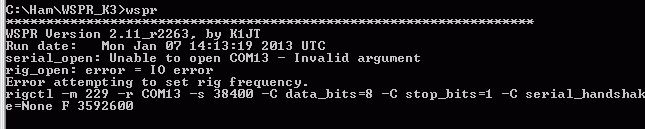
COM13 is a virtual serial port splitter on COM3 which I’d created using Eterlogic’s Virtual Serial Port Emulator, VSPE. I’ve used this utility for years to create virtual serial ports so that more than one program can open my radios’ computer control ports at the same time. I’d used one to try out CW Skimmer with KComm before Christmas. As I’d uninstalled Skimmer I removed the virtual serial port. WSPR, which does its rig control through hamlib, then opened COM3 up just fine.
That’s a temporary solution, but I haven’t given up the idea of running other ham software alongside KComm for good. I think there are other serial port splitters out there (there’s com0com which was far too complicated for me to figure out) but VSPE has always worked for me until now. Don’t you just love computers?
Time for some radio time………
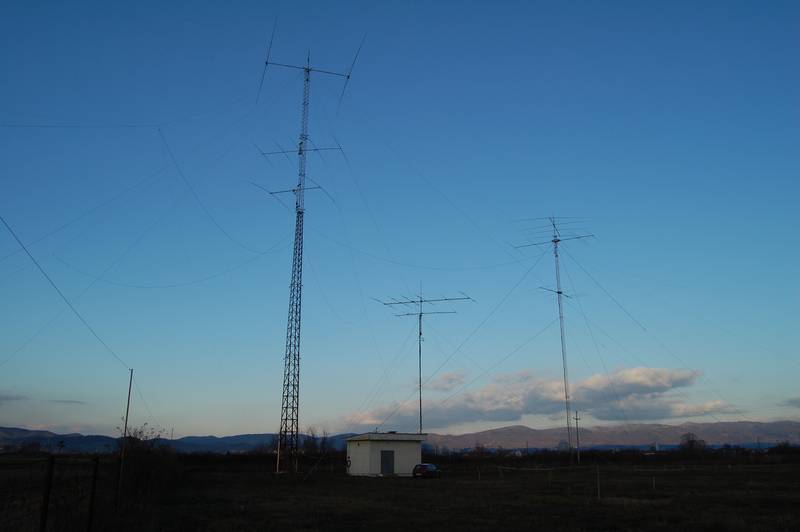 |
| Some of E77DX's antennas!!! |
I was able to make a fast DX 599 and go report to E77DX in Bosnia and I check on QRZ.COM and he sure does have a wild setup!! Emir was coming in around an S3 and I had to use my APF to really pic him out of a rising noise floor. This was on 30m's and I seem to find this a really go to band for me. I then for some reason jumped down to 10m's and VA7WW was calling CQ and he was in around an S2 to S3 here
%5B1%5D.jpg) |
| Now that is some great looking landscape!! |
to cut the QSO short but it was nice to have a CW conversation as to the 599 and move on. At this moment I am on 10m's again with VFO A in my right ear listening to QX3XR and KR7Q in my left ear on another spot on 10m's. Well I just contacted Peter OX3XR in Greenland he gave me a 559.......radio is so much more fun than farting around with the computer....
Grounded
I hope all of you had a very good Christmas. I was not very well a couple of days before the holiday. Nothing to do with my cancer, I’m glad to say, but possibly a result of all the treatment for it. I’m feeling a lot better now, but have got to have more tests and may have to go into hospital for removal of gallstones or kidney stones – I’m not sure which as I’ve been told I have gallstones but I have had some sharp pain in the kidney area. As a consequence of this I haven’t felt much like getting up at a reasonable hour to start the beacon monitor or HF APRS gateway.
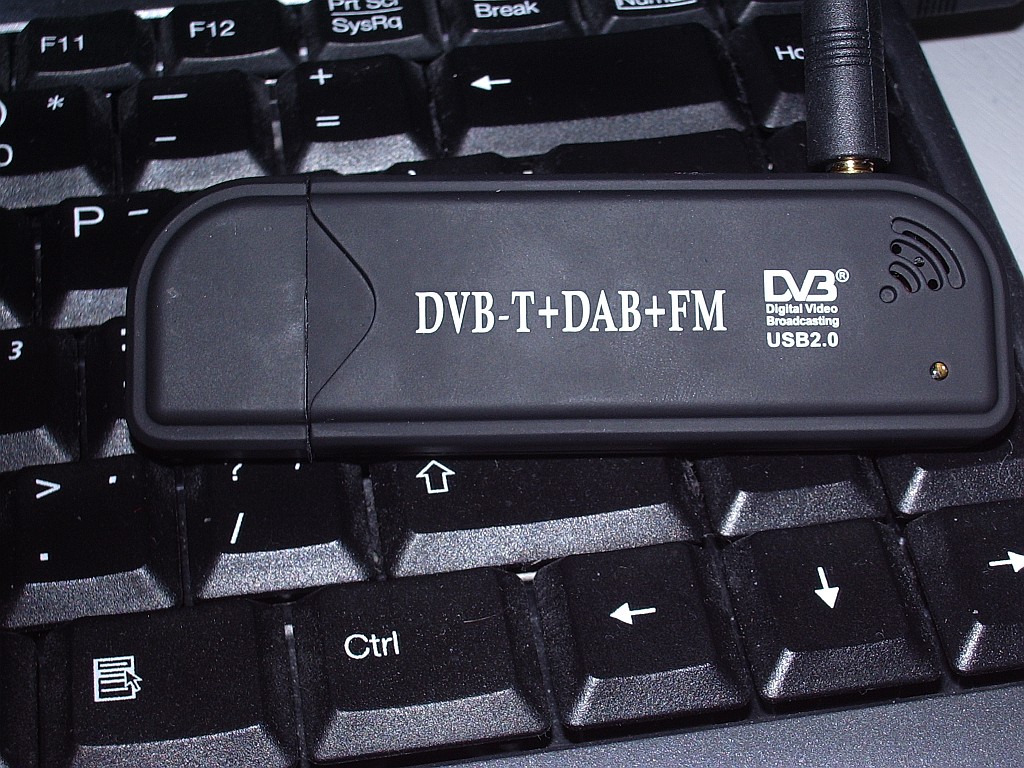 |
| Creative Design New FM+DAB USB DVB-T RTL2832U+R820T |
Before Christmas my interest was piqued by Tim G4VXE’s adventures using cheap digital TV dongles as receivers for, amongst other things, aircraft spotting. The first dongle I ordered was described as a Creative Design New FM+DAB USB DVB-T RTL2832U+R820T with antenna, and cost just over six quid!
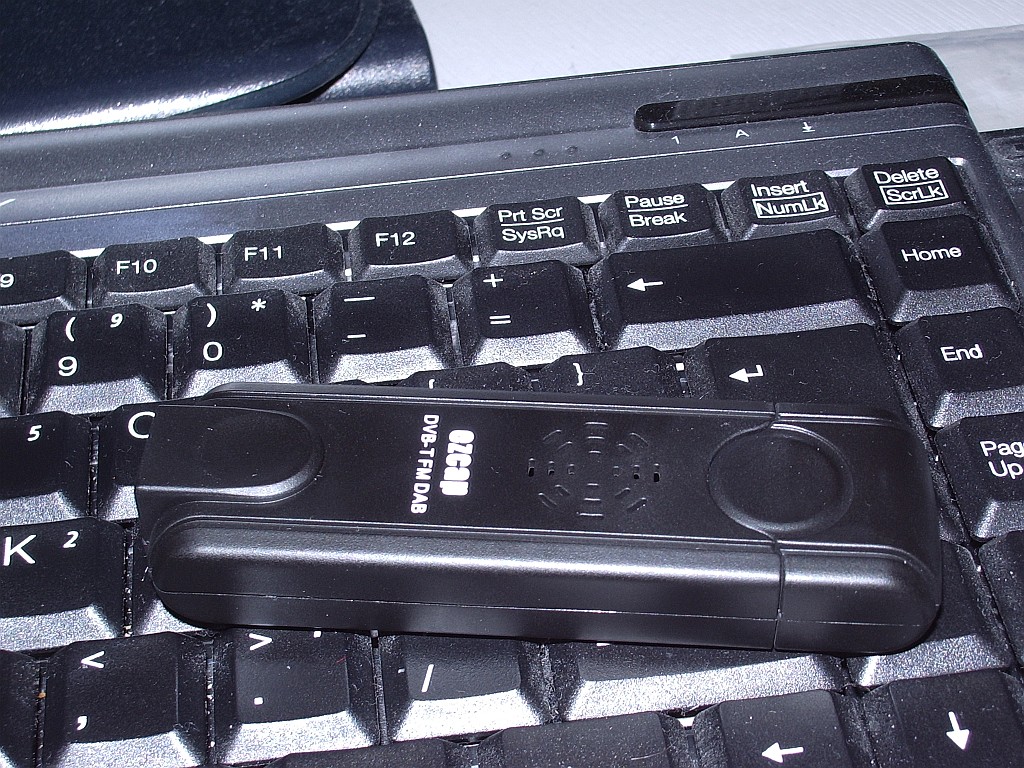 |
| EZCAP eztv645 RTL2832U / FC0013 USB DVB-T Digital TV Dongle |
After a bit more reading up on the subject I began to doubt that this would be compatible with the software everyone was using so I ordered a second one, described as an EZCAP eztv645 RTL2832U / FC0013 USB DVB-T Digital TV Dongle for WIN7 LINUX SDR which was a massive £8.68 including postage from Hong Kong.
Both arrived yesterday. I tried the ezcap first, but my shack PC didn’t like the mini-disc that came with it so I was unable to test it as a TV receiver. Following the instructions for the aircraft decoders I installed the driver using zadig_xp, then downloaded and ran rtl1090 which is a decoder for the ADSB packets. This seemed to work – no error messages appeared – but nothing else happened. To display the aircraft data that I hoped to receive I downloaded ADSBScope and installed it. I then spent a lot of time trying various options to connect ADSBScope with rtl1090 but got nowhere. I also tried SDRSharp in the hope that I could use the dongle as a VHF/UHF SDR, and ADSBSharp as an alterntive to rtl1090. But neither of them received anything.
After a while I gave up, disappointed. I then installed the Creative Design dongle and its software. A scan for channels found about 55 TV channels with its quarter wave antenna hung in the window. So it was obviously working. Just not with any of the SDR or ADSB software, as I had suspected.
This morning I tried installing the ezcap software CD that my shack PC couldn’t read on another computer. The software installed perfectly on this laptop so I plugged in the dongle and hung the antenna in the window. The software scanned for channels and found precisely nothing. I think this proves conclusively that I have a duff ezcap dongle. Ah, eBay!
The Blue screen of DEATH!!!!
 |
| The Blue screen of death |
Merry Christmas to all my readers!!!
Beacon monitor failure
After wasting most of the weekend trying to get it to work I have abandoned the idea of monitoring the IBP beacons using Faros. Although I did have it working with my Elecraft K3 I did not want to tie up this expensive transceiver on such a task. But my efforts to get my FT-817 working with this software came to nothing.
The first problem was getting Faros to control the FT-817. It uses a program called Omni-Rig to do this. The solution – no thanks to the developer who has still not replied to my plea for help – turned out to be a bad FT-817.ini file installed with Omni-Rig. I tried other programs to verify that my FT-817 CAT interface was working properly. I even ran the same developer’s CW Skimmer software which also uses Omni-Rig, and which controlled the FT-817 just fine. The idea of looking to see if there was a different FT-817.ini file was just a flash of inspiration.
Having got Faros controlling the radio the second and final problem was getting it and the Yaesu talking to the same sound card. This did work if I used the computer’s built-in sound card, but that is normally used by my K3. I have several radios in my shack, most of which are connected to the shack PC and all of the others use various USB sound devices. Whilst all of my other software – including my own program KComm – produce a drop-down list showing distinguishable names of all these devices, Faros displays a list showing three lines that all say “USB Sound Device.” I tried selecting each one of them in turn, but I could not get Faros to talk to the sound device that was actually connected to the FT-817.
If it was confusing for me trying to choose from identically named devices, it also seemed to confuse Windows, which ended up sending PSK31 audio out of the PC speaker instead of to my K3! I had to reboot the computer to get sound using the correct devices again. At this point I threw in the towel and admitted defeat. Some things just aren’t worth the hassle.
So endeth my attempt at beacon monitoring.













