Posts Tagged ‘Computers’
 Bring on the contest………..
 February 15th, 2013 |
  Author:
  |
| New monitor in place and ready for ARRL CW contest |
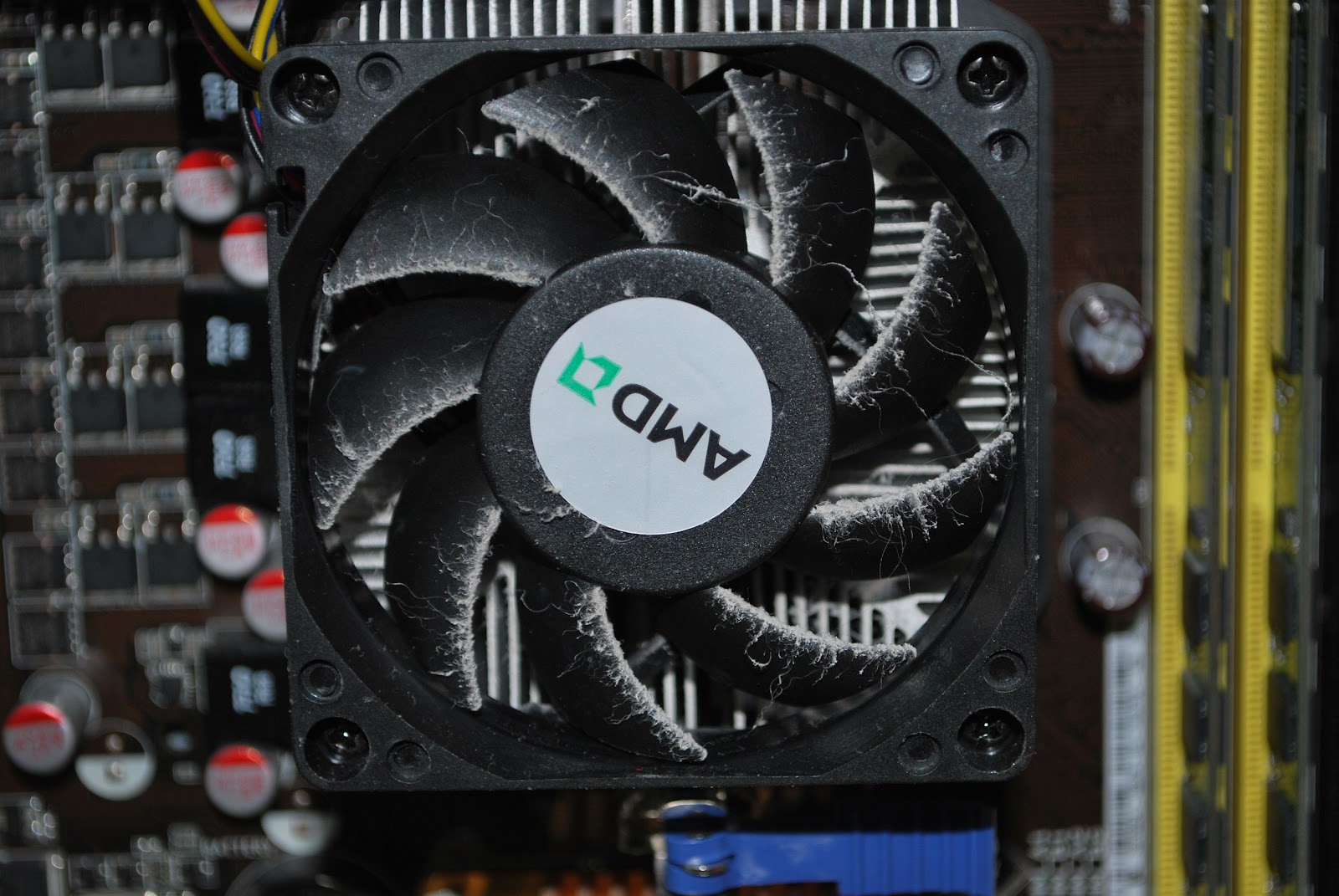 |
| Very dusty |
one DVI and one VGA output port. It was the VGA port that was not allowing my new monitor to shine with all it's resolution. I ended up purchasing the Zotac Geforce GT 620 video card. This has two DVI outputs and as with the other care supports dual monitors. A small part of the day today was spend
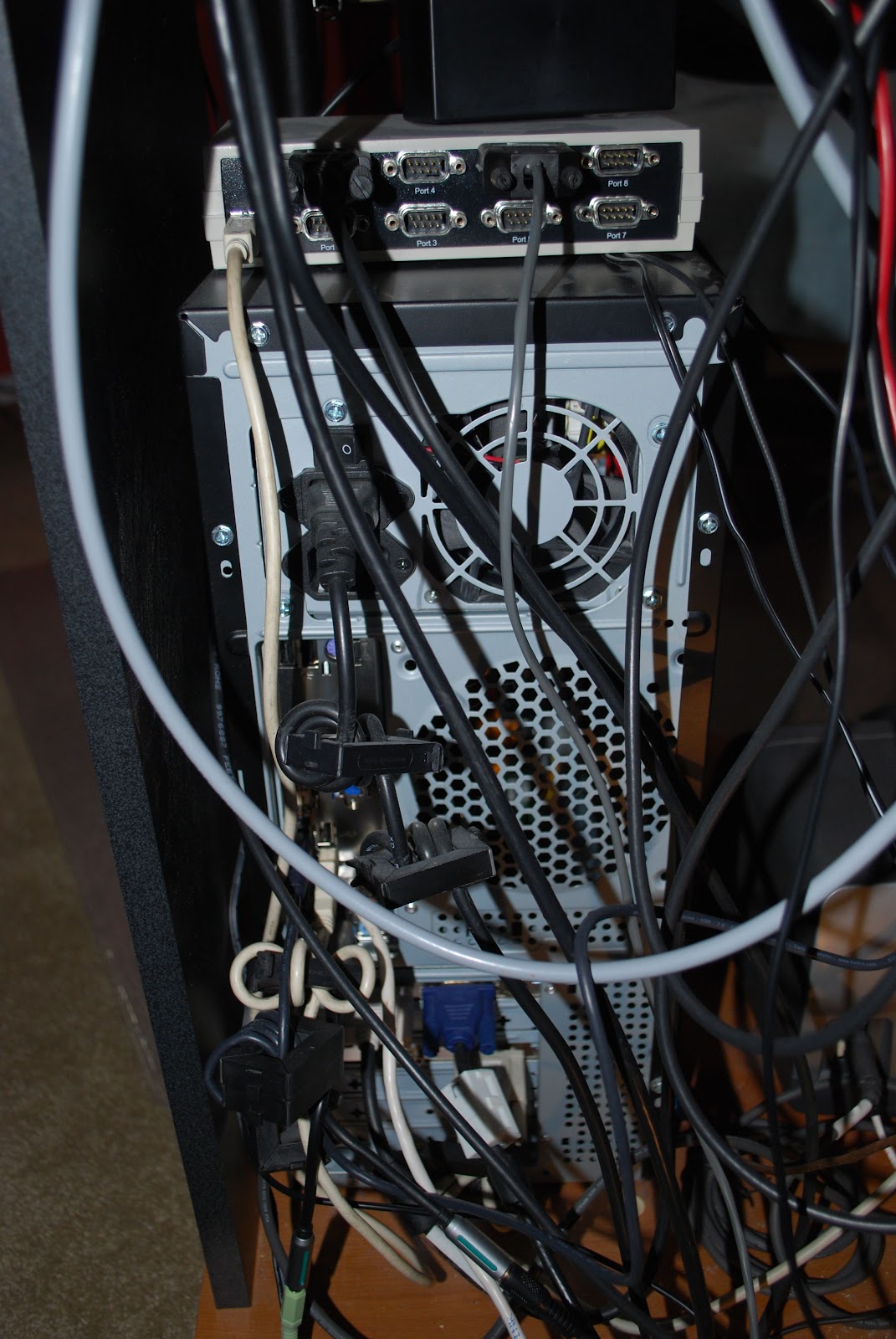 |
| Rear view of PC |
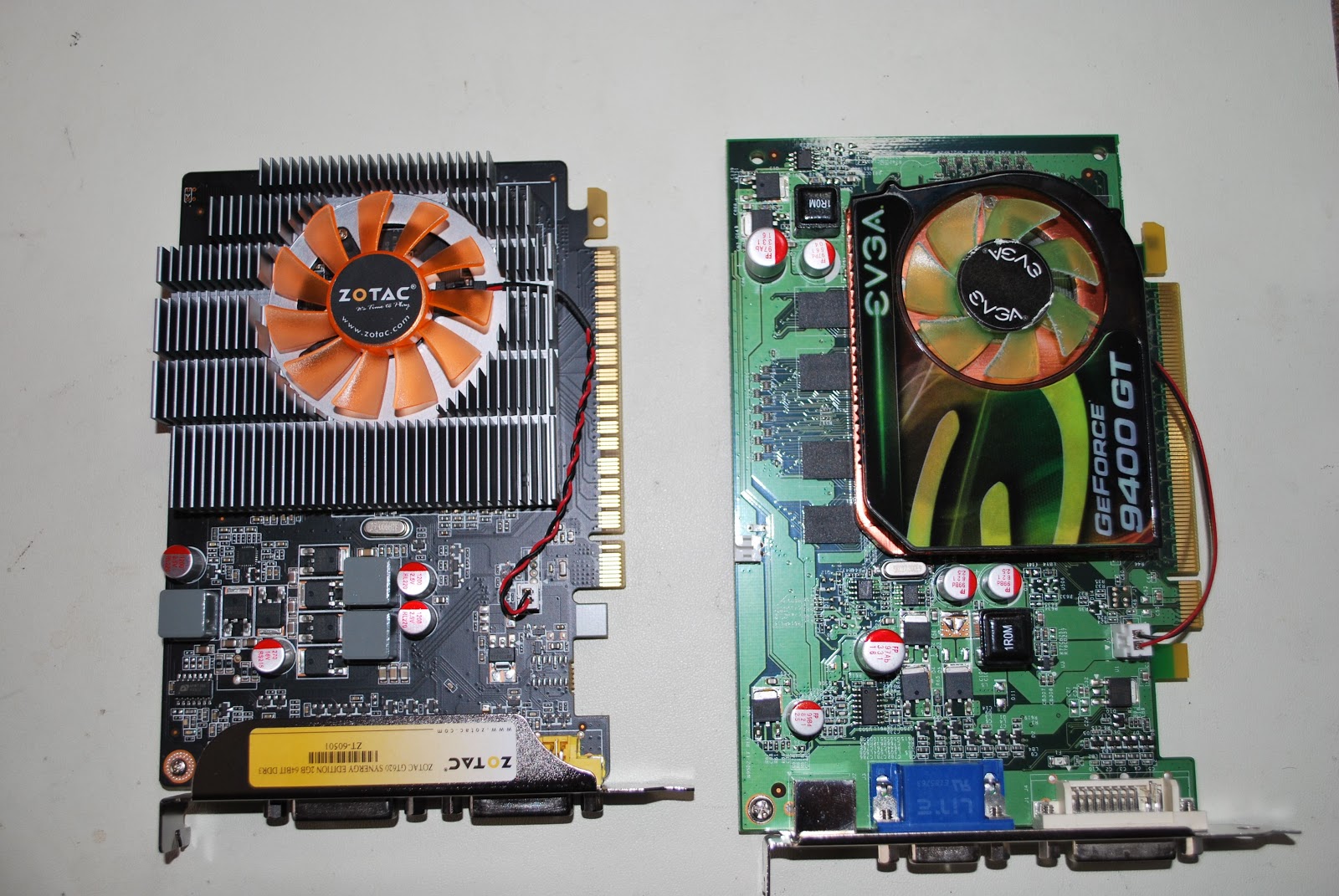 |
| New on left old on right |
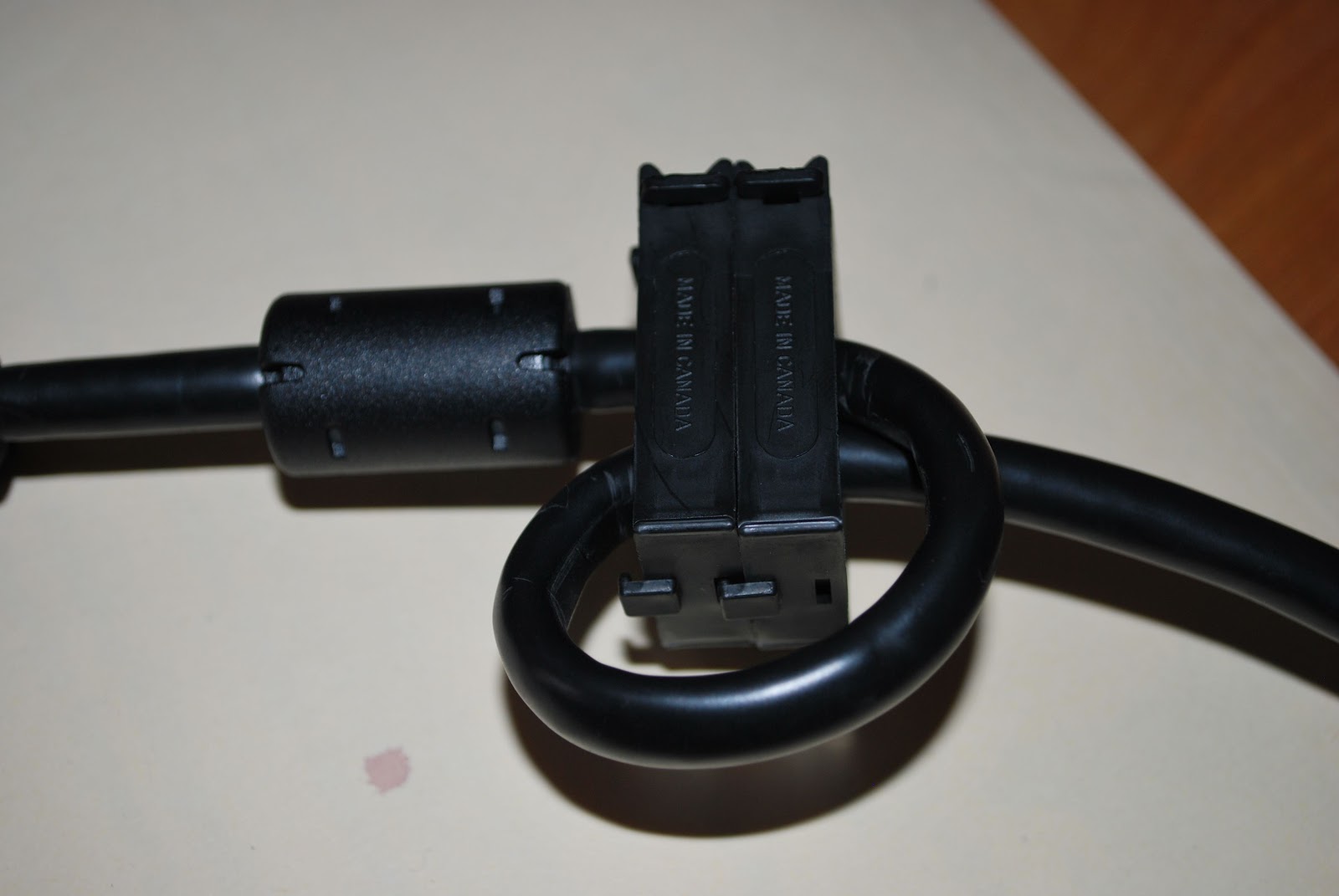 removing the Geforce 9400 card and replacing it with the new Zotac GT 620 card. It was great to have the PC out and on the test bench I was able to give the interior a good cleaning. It's very surprising how much dust gets in there and to have the processor nice and clean and running cool will extend the life of the chip. The picture of the back of my PC shows many clip on toroid around most if not every cable as well there is a ground wire grounding the cabinet as well. I also put some snap on chokes on the DVI cable to the new monitor. This way my PC and monitors are RF free!
 A blinking nuisance
It’s beginning to look as if my shack PC monitor is on the blink. Recently I have noticed that when the system comes back to life after going into standby the picture flashes repeatedly – flash, blank screen, flash, blank screen and so on. Nothing I do seems to bring this cycle to a halt, I just have to wait until the picture eventually stabilizes on its own.
This morning for the first time this occurred upon powering up the system from cold. So it looks as if the problem is getting worse. One day soon I expect the picture may not stabilize at all.
It is a 19 inch (48cm) monitor and must be about 8 years old, bought at a time when 19 inch monitors were quite a pricey item. So I can’t complain that I haven’t had good use out of it. I must have had three different system units in all that time. I should take this as an opportunity to replace it with a newer, larger screen. Except for the fact that I don’t really have the room for a larger monitor as my shack is so small.
I do have a laptop that I could use. It is a nice wide-screen Dell running Windows 7, purchased for work about 3 years ago but now little used as I have given up most of the things I used to do. The trouble with that idea is that the laptop doesn’t have the 4 real serial ports and 6 USB ports that the shack PC has, all of which are used.
So I guess I’ll be shopping for a new PC monitor some time soon. The thing that always puts me off buying new computer hardware is the fear that it will be RF-noisy and add to the already high noise levels I experience here. This old monitor actually causes some hash on the 2m band, which went unnoticed when it was new as I didn’t use VHF at the time. I think I’ll ignore cheap Chinese products for once and stick with one of the well-known European brands that have actually passed emissions tests instead of just sporting a CE sticker like I suspect many imports do.
Snow day = radio time!!
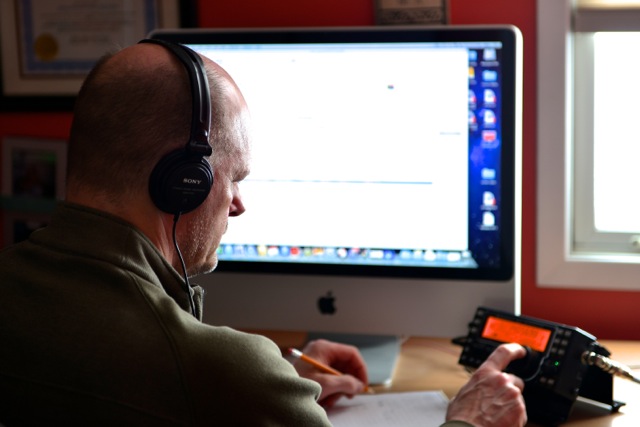 |
| Working the KX3 |
 |
| OQ5A setup |
I emailed Greet to let him in on some of the station info at this end. He was surprised I was only using 100mW's of power into an attic dipole to boot. Now here is the funny thing about propagation with 100mW's I tried to contact K0DNG in Kansas City Missouri and it was a huge struggle. I was going to up the power but Dennis was sending his 73s to me and moving on to calling CQ again.
 Finally I saw on my Maclogger's cluster a spot for W0RW/PM now the cluster showed this to be in Indonesia. He was very weak and kinda in and out and there were other station trying to contact him as well. I topped up the KX3 to the 5 watt level and gave him a go. He came back to me and gave me a respectable report. Now I thought there was something fishy about this cluster spot showing it as an Indonesian contact. I tripped off to QRZ.com and found out that PM stood for (in this case) pedestrian mobile!! Paul was in Colorado which is a not even close to Indonesia...(this is my high school geography shinning through) but it was great making contact as I have read on many blogs about Paul and his pedestrian mobile adventures.
 Seeing red
I just started up Google Chrome and my eye was caught by the minimize, maximize and close buttons in the title bar, which are bright red.

They stick out like a sore thumb. I can’t believe I wouldn’t have noticed it before. Is it just me, or my computer? If the buttons have changed colour, why? My eye is constantly drawn to these bright red buttons. It is a real eyesore.
An interesting discovery about sound cards
 |
| CheckSR result at 48kHz with internal sound card |
I have several radios connected to my shack PC. For the audio interfacing I have several sound cards or sound devices since most of them are not internal cards but use USB ports. I wanted to make sure the rig I mostly use for digimodes used the best sound card I had so I thought I would do some tests.
Some people believe it’s better to use a high end sound card for radio work. I don’t think there is any benefit for HF use as the noise level will be much higher than even the poorest sound card. There is no advantage to using a device capable of more than 48kHz sample rate unless you are using SDR software and need the extra bandwidth.
The one factor that can really made a difference is the accuracy of the sample rate. Most digimode software uses either 11025Hz or 48000Hz. There is no theoretical advantage to using a faster than 11025Hz rate for terrestrial digimodes. A 48kHz sample rate should not give any benefit and will need more CPU cycles to transfer and process the extra samples.
Sample rate accuracy is important because it affects both the pitch of playback and the data rate. It’s like playing an LP at the wrong speed. If you play a 33rpm LP at 45rpm the music is played at a higher pitch and a faster tempo. If played at a lower speed the sound is lower pitched and slower. This is analogous to what happens if the sample rate of your sound card is not exactly what your digimode software expects it to be.
I tested a number of sound devices using CheckSR.exe. This is a utility that is distributed with the MixW digimode software, but you can probably find it on its own if you Google it. To use it you simply select sound devices for input and output and set the sample rate you wish to test. You then run it until the measured sample rate settles on a stable figure.
I tested the Realtek sound cards built into my shack PC (HP) and a laptop (Dell) using both 11025Hz and 48000Hz sample rates. Both sound cards were as close to the specified sample rate as makes no difference.
 |
| CheckSR result at 11025Hz with USB device |
I then tested a number of USB devices ranging from a $1 audio ‘dongle’ to a $10 model with surround sound and SP-DIF inputs and outputs. The drivers for these devices had names like ‘USB sound device’, ‘Generic USB sound device’ and ‘USB headphone set’. These devices were also close to spot-on at 48000Hz.
But at 11025Hz every single USB device had a measured sample rate of 11100Hz – 1% faster than specified. This would make a 1kHz audio tone play at 1010Hz, whilst a 1200baud APRS packet would be transmitted at a rate of 1212baud. This error is more than enough to prevent decoding of an FSK packet signal. Other digimodes are also subject to sample rate errors. If you have ever seen a PSK or Olivia signal that is strong and clear yet decodes as garbage, an incorrect sample rate (at one end or the other) is the reason.
I was surprised that the sample rate error at 11025Hz was consistent across all USB device samples. This suggests to me that the measured rate of 11100Hz is a factor of the drivers for these devices which may not run at the speed you select but instead resample down from a native speed of 48kHz. It would be interesting to see the results of running CheckSR on some branded USB devices or SignaLink USB interfaces that have their own drivers.
I ran some tests on USB devices at other sample rates. There was no consistency. At 8000Hz the measured rate was fast by a significant amount, but 16000Hz it was slower.
The results suggest that USB audio devices are only as good as internal sound cards if a 48000Hz sample rate is used. The use of lower sample rates with USB devices should be avoided.
A virtual impossibility
If you have been following my attempts to set up beacon monitoring using a software defined radio (SDR) then you may remember that I had found that Omni-Rig, the radio control software used by Faros, the beacon monitoring software, would not talk to the virtual serial port created using VSPE in order to control the SDR-Radio software. I thought there was a problem with SDR-Radio’s emulation of the Kenwood control protocol. In fact, that turned out not to be the case at all.
A reader asked if I had tried DDUtil, a.k.a. VSP_Manager, a program by K5FR so I got hold of a copy. The instructions made my hair stand on end as it seemed very complicated. But I managed to set up a virtual port pair between COM8, the control port that SDR-Radio was using, and COM9 which would be used by Faros. VSP_Manager threw up a few error boxes but it still seemed to have done what I asked. I then tried setting up Omni-Rig. The first attempt failed, but I decided to try again as the help files actually showed VSP Manager being used with Omni-Rig and sure enough I had Faros changing bands and frequencies of SDR-Radio.
My joy was boundless, but not for long. I fell at the next hurdle which was using a Virtual Audio Cable (VAC) to pipe the audio from SDR-Radio into Faros. VAC also looked complicated to set up, but what I was attempting to do was the simplest application of it. I created a virtual audio port and set the SDR-Radio output to use it. As soon as I connected this to Faros’ input Faros began spitting out “divide by zero” message boxes so fast that I couldn’t close them quick enough to get back to the Settings window to change it back again. Another brick wall.
A separate issue was that of creating a serial port splitter to allow two applications to connect to physical port COM3 used by my Elecraft K3. VSPE could do that easily, but yesterday I discovered that WSPR would not talk to the virtual port created by VSPE. However, VSP_Manager does not seem to enable you to split a real port into a pair of virtual ones anyway, so I did not pursue this avenue any further.
If you are confused trying to follow all this you are not the only one! I have abandoned the idea of using an SDR for beacon monitoring and am breathing a sigh of relief that I never decided to go down the road of buying a Flex or other software defined transceiver. SDR will never catch on until connecting the software defined radio to logging programs or digimode software becomes as simple as plugging in a real cable.
Hamlib and virtual serial ports
Sometimes it seems as if half the posts in this blog relate to trouble with computers.
After I got back from the hospital today I thought I would try some WSPR for a change. Paul PC4T had mentioned that conditions on 80m were good. 80 is not a band I often use so I thought I’d try there. But no sooner than I had tried to change band than the software beeped rudely at me. The console window contained an error message: serial_open: Unable to open COM13 – Invalid argument.
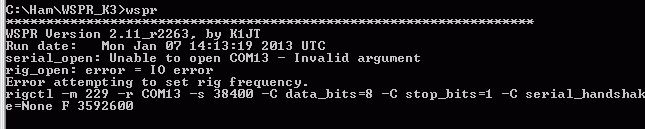
COM13 is a virtual serial port splitter on COM3 which I’d created using Eterlogic’s Virtual Serial Port Emulator, VSPE. I’ve used this utility for years to create virtual serial ports so that more than one program can open my radios’ computer control ports at the same time. I’d used one to try out CW Skimmer with KComm before Christmas. As I’d uninstalled Skimmer I removed the virtual serial port. WSPR, which does its rig control through hamlib, then opened COM3 up just fine.
That’s a temporary solution, but I haven’t given up the idea of running other ham software alongside KComm for good. I think there are other serial port splitters out there (there’s com0com which was far too complicated for me to figure out) but VSPE has always worked for me until now. Don’t you just love computers?











