Posts Tagged ‘amateurradio.com’
 You have two ears but only one mouth
 May 6th, 2016 |
  Author:
 Listen more than you send
In honor of Mothers Day this weekend here in the U.S. we recall what our wise Mothers told us...
Listen more than you talk because God gave you two ears but only one mouth
Learning CW is more about learning to copy what you hear than sending. So listen, listen, listen.
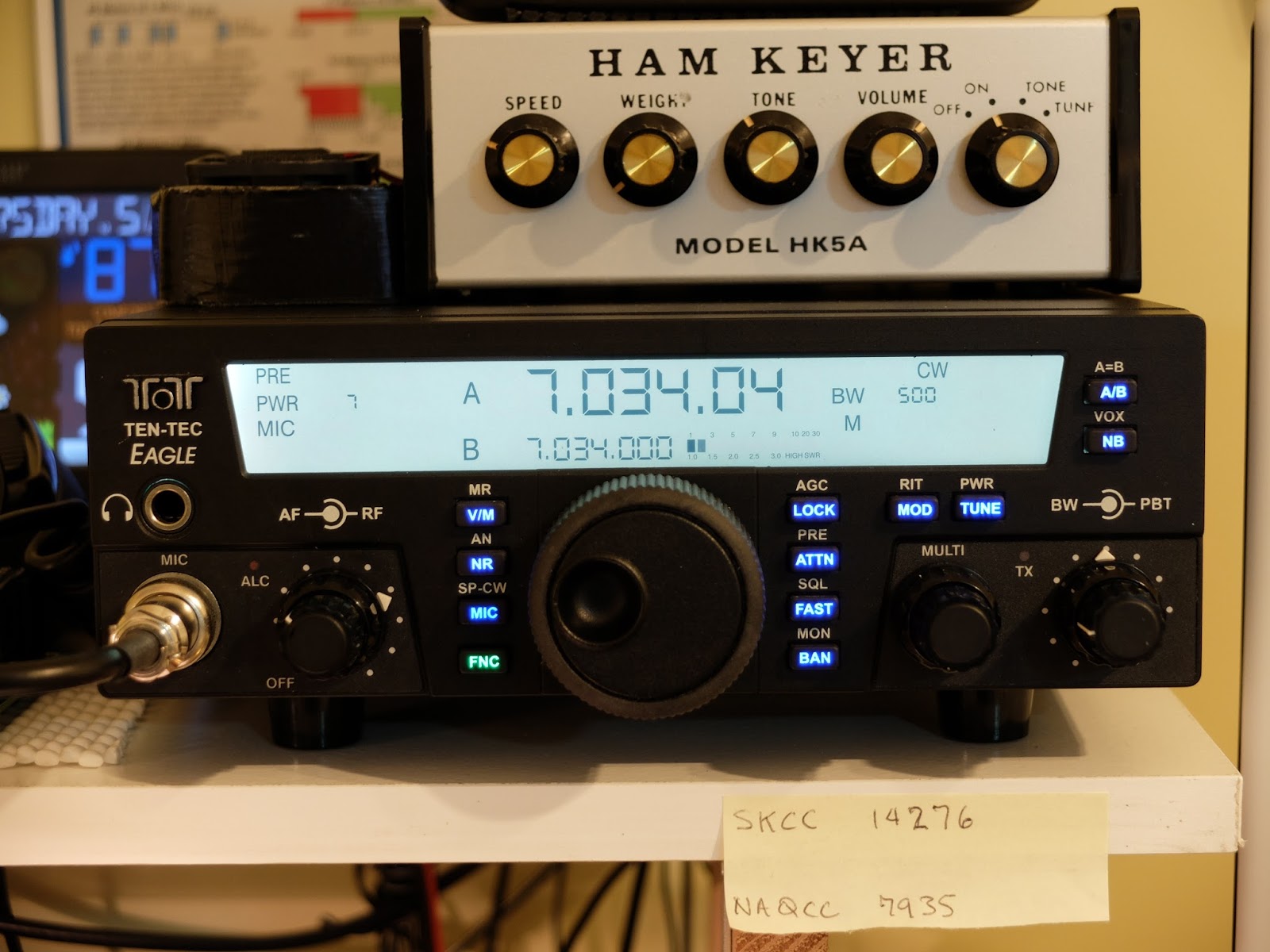
Listening to on air CW QSOs using your own HF radio...
Of course the best CW copy practice comes while listening to stations using your own HF radio and having on-air QSOs. So make the most of your opportunities to listen to live QSOs from your home station.
Find conversations that are at different speeds for your practice copy. In my experience, when I only practice copying higher speed CW for a time, my ability to recognize slower CW gets rusty so practice copying all speeds. I was worked by a station some months back when I was sending at only 13wpm who came back on the second exchange and replied that I was too slow to copy and he quit the QSO. I don't want to be like that.
Along with copying QRS stations, practice copying stations that are well above your comfortable copy speed in order to stretch yourself. You will likely miss much of the conversation but your ability to start recognizing common words and abbreviations will increase. Another side effect I find is that when I listen to a 25wpm (well above my present copy speed) exchange between two operators who have equally strong signals, I'll usually copy one station better than the other. I try to figure out why that's the case. Something about that operator's style is easier to copy and when I discern why that is, I try to emulate it.
I want to be able to copy all speeds of CW; both to encourage new QRS operators and ragchew with the QRQ old-timers.
Find conversations that are at different speeds for your practice copy. In my experience, when I only practice copying higher speed CW for a time, my ability to recognize slower CW gets rusty so practice copying all speeds. I was worked by a station some months back when I was sending at only 13wpm who came back on the second exchange and replied that I was too slow to copy and he quit the QSO. I don't want to be like that.
Along with copying QRS stations, practice copying stations that are well above your comfortable copy speed in order to stretch yourself. You will likely miss much of the conversation but your ability to start recognizing common words and abbreviations will increase. Another side effect I find is that when I listen to a 25wpm (well above my present copy speed) exchange between two operators who have equally strong signals, I'll usually copy one station better than the other. I try to figure out why that's the case. Something about that operator's style is easier to copy and when I discern why that is, I try to emulate it.
I want to be able to copy all speeds of CW; both to encourage new QRS operators and ragchew with the QRQ old-timers.
 |
| On Air Practice |
Listen to on air CW QSOs using remote radios
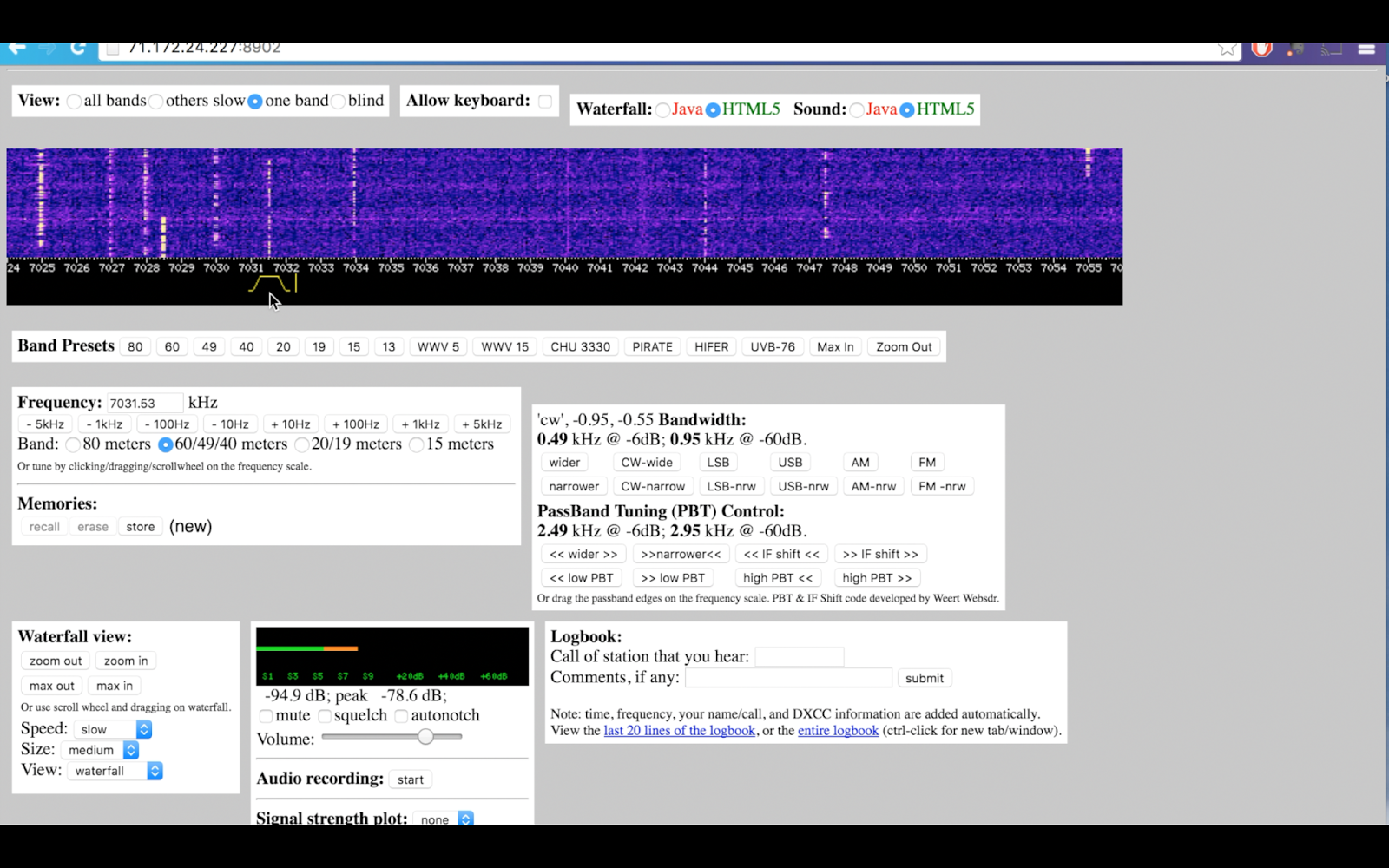
When you don't have hands-on access to an HF radio or when propagation is poor at your QTH web SDR stations are great resources for CW copy practice.
Web SDR stations are accessible from http://websdr.org and allow you to listen to CW anytime you have access to the internet. Web SDR stations are available from around the world, potentially from countries you haven't been able to regularly hear from your QTH. So it allows you to hear different sending styles from around the world.
Web SDR stations are accessible from http://websdr.org and allow you to listen to CW anytime you have access to the internet. Web SDR stations are available from around the world, potentially from countries you haven't been able to regularly hear from your QTH. So it allows you to hear different sending styles from around the world.
 |
| Web SDR station |
Listen to machine generated CW
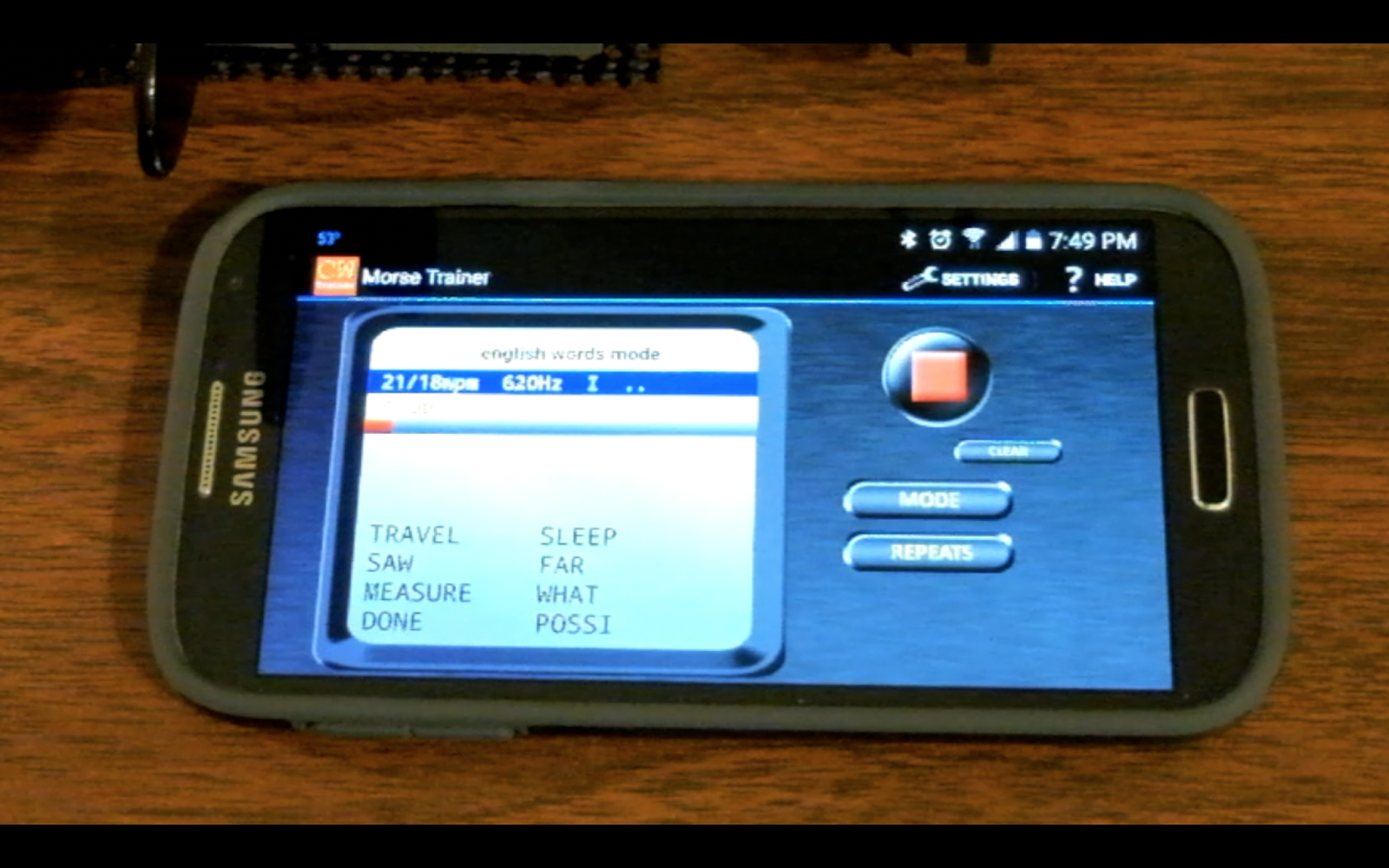
When live CW is unavailable you still have machine generated CW as an option. Practice copy of machine generated CW is a pale comparison to actual CW QSOs but it has it's uses and it's always available. The Morse Trainer App for Android devices offers most features standard in other learning applications plus a built-in list of randomized top English words and an e-book reader.
 |
| Morse Trainer app for Android |
Sights and sounds
This following video demonstrates the copy methods above.
So listen more than you send and your CW copy, as well as your interpersonal skills, will improve with practice at listening.
That's all for now
So lower your power and raise your expectations
73/72
Just the medicine for lowering impedance
Pill bottle balun
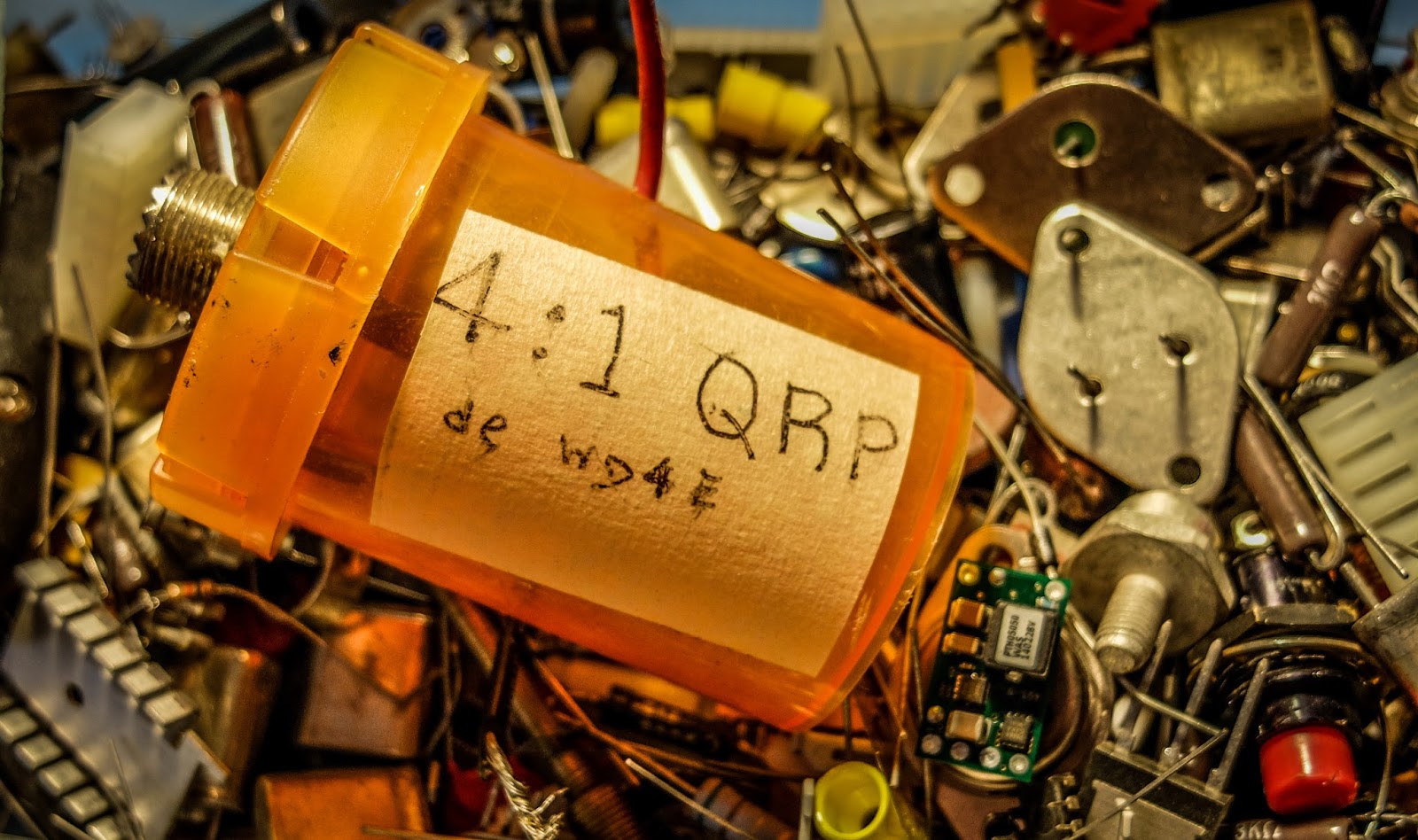
Jack-WD4E is a fellow NAQCC member and he sent me one of his QRP creations that I just had to share.
If you are staying on your meds you probably have the perfect enclosure for a QRP Balun.
 |
| If I could save RF in a bottle... |
Jack encloses his home-brew wound toroids in pill bottles.
The child and arthritis proof cap keeps the goods away from young and old alike...
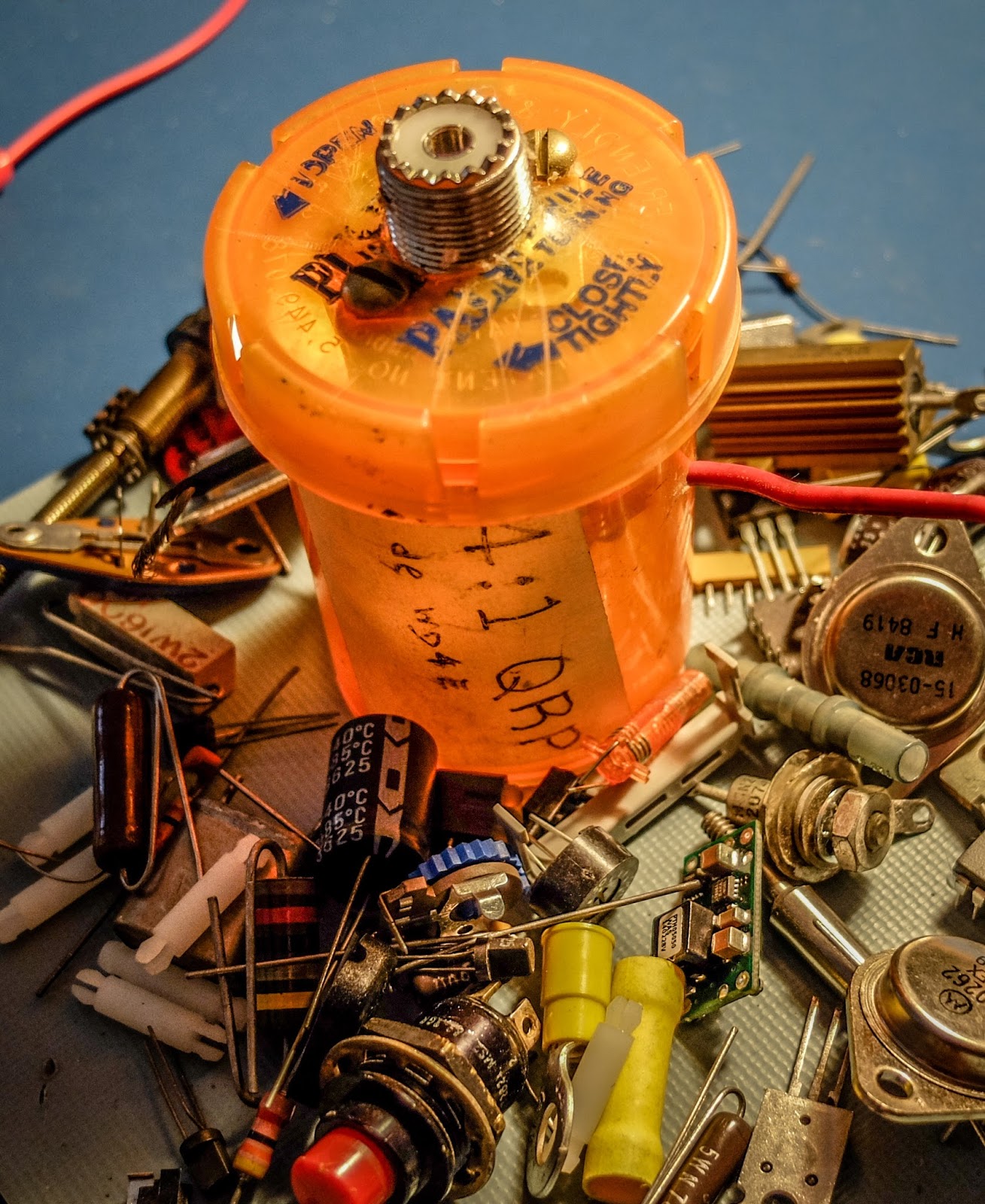
Just what the doctor prescribed...
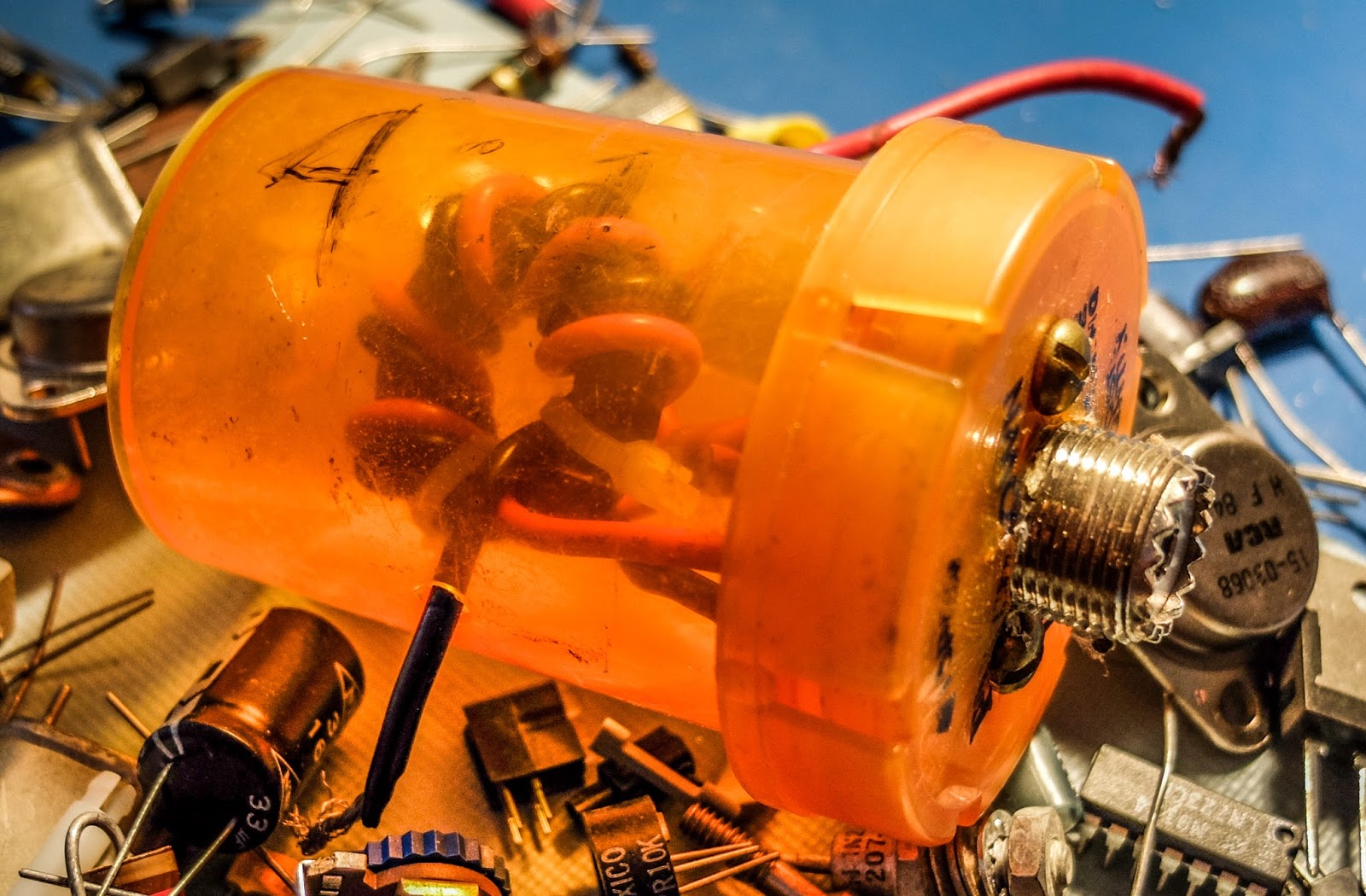
So re-purpose your medicare paid goodness and put it to work for you
Sorry all you entrepreneurs, Jack told me that he's already applied for the patent so you won't be competing with Facebook with this product idea. He owns it.
That's all for now
So lower your power and raise your expectations
72/73
Where is that blasted noise coming from?
Evil RF noise in Ethernet over power adapters
My internet comes in at a corner of the house. In that room I have my cable modem and a WIFI router. Unfortunately the WIFI is seemingly non-existent at the other end of my house and especially in the upper floor opposite the WIFI router. I tried re-orienting it and different antennas to no avail.As a solution, I purchased an Ethernet over powerline adapter. This routed the Ethernet through the house wiring to receivers plugged into outlets at points where the WIFI was weak, thus providing Internet access to those rooms. The model I purchased also had ethernet ports which I needed for some of my older devices.
Ethernet over powerline seemed like an ideal solution.
 |
| Typical Ethernet over powerline adapter |
The Search
I restored the power and fired up my Yaesu HT which has general coverage receive and tuned it to 7030kHz. I walked around the house and conducted a bit of a fox-hunt for the offending noise. The noise occurred at every outlet in the house !!!I tracked it down to one of the Ethernet powerline receivers. I unplugged it from the wall and discovered blissful silence. I figured it had just gone bad. It was out of warranty so back to the store I went and purchased another set. This time it was a different brand, as the first one was no longer carried.
I installed the new adapters and everything was fine... for a time.
Fool me once shame on you, fool me twice shame on me
This week the noise returned with a vengeance. Being wiser I went straight to the new adapter and unplugged it. Yep it had gone bad again. It was in warranty but I'd learned my lesson. Whatever sort of RF filtering these devices have doesn't last. Something zaps them. I can't plug the receiver into a AC line filter because it stops it from receiving the Ethernet over powerline.So out they came and back to the electronics store I went. This time I purchased a WIFI extender with Ethernet ports built-in. I'm back to blissful RF quiet (to a degree) at my QTH.
The moral of the story
If you have RF noise at your shack and you use these devices, check them out. They could be the S9 noise culprit. If you haven't bought them, take my advice and don't chance it.I didn't think a WIFI extender would work for me because my laptop can't even detect the WIFI in some of my rooms but the WIFI extender (at least the Netgear model) seems to work well. I now have blessed Internet in every room and no more broadband RF noise.
That's all for now
So lower you power and raise your expectations (and rid yourself of pesky RF noise)
72/73
Richard, AA4OO
http://hamradioqrp.com
Broke the 100 confirmations mark today!
NPOTA, that is:
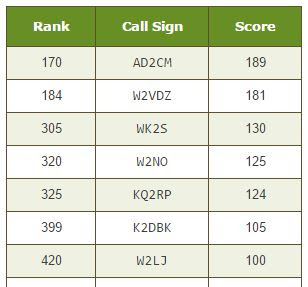
I actually have about 1/2 a dozen more that haven't been confirmed yet. According to LotW, those stations have not uploaded logs since their activations. A few were a while ago, so I guess it's possible that maybe they won't.
While working a few today, it was extremely embarrassing and saddening to see so may out there have no clue on how to handle themselves in a pileup. Guys ..... YOU HAVE TO LISTEN!
Throwing out your call sign ad nauseum without taking a moment to listen is the number one earmark of lid-dome. Seriously, if you send out your call ten times without taking a breath, how are you going to know if the activator is calling you back? By the time you've stopped sending your call, the activator has worked someone else and is calling QRZ again (and everyone else in the pileup has taken note of your call sign - you can count on it!). DON'T BE AN ALLIGATOR! You know, all mouth and no ears! Throw out your call once - maybe twice max, and then open up those ear holes and listen!
Which leads to a second and related problem. If you can't hear the station you are trying to work, you have NO business sending out your call, in the first place. If you can't hear the station well enough to know that he's answering someone else - or worse, is in QSO with someone else; but you keep sending your call anyway ..... bad scene, man, bad scene. You've marked yourself as a QRM generator and no one likes those. Don't rely on the Cluster. Just because DX Summit says Joe Ham is on 7.034 MHz at NPOTA NP256 ..... if you can't hear him, then don't even try. It's a waste of your time and everyone else in the pileup is going to think you're an idiot.
Now everyone makes an honest mistake now and then, and that's OK, But you can tell when someone has no clue as to what they're doing. And frighteningly, it seems to be becoming more and more common.
It's OK to be excited and enthusiastic. It's not OK to be reckless or use poor operating practises. Use common sense, read the DX Code of Conduct and you'll be OK.
72 de Larry W2LJ
QRP - When you call to send the very least!
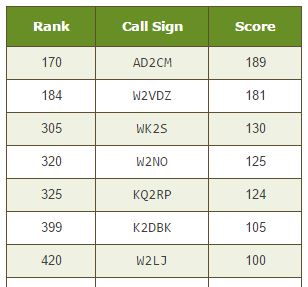
I actually have about 1/2 a dozen more that haven't been confirmed yet. According to LotW, those stations have not uploaded logs since their activations. A few were a while ago, so I guess it's possible that maybe they won't.
While working a few today, it was extremely embarrassing and saddening to see so may out there have no clue on how to handle themselves in a pileup. Guys ..... YOU HAVE TO LISTEN!
Throwing out your call sign ad nauseum without taking a moment to listen is the number one earmark of lid-dome. Seriously, if you send out your call ten times without taking a breath, how are you going to know if the activator is calling you back? By the time you've stopped sending your call, the activator has worked someone else and is calling QRZ again (and everyone else in the pileup has taken note of your call sign - you can count on it!). DON'T BE AN ALLIGATOR! You know, all mouth and no ears! Throw out your call once - maybe twice max, and then open up those ear holes and listen!
Which leads to a second and related problem. If you can't hear the station you are trying to work, you have NO business sending out your call, in the first place. If you can't hear the station well enough to know that he's answering someone else - or worse, is in QSO with someone else; but you keep sending your call anyway ..... bad scene, man, bad scene. You've marked yourself as a QRM generator and no one likes those. Don't rely on the Cluster. Just because DX Summit says Joe Ham is on 7.034 MHz at NPOTA NP256 ..... if you can't hear him, then don't even try. It's a waste of your time and everyone else in the pileup is going to think you're an idiot.
Now everyone makes an honest mistake now and then, and that's OK, But you can tell when someone has no clue as to what they're doing. And frighteningly, it seems to be becoming more and more common.
It's OK to be excited and enthusiastic. It's not OK to be reckless or use poor operating practises. Use common sense, read the DX Code of Conduct and you'll be OK.
72 de Larry W2LJ
QRP - When you call to send the very least!
Broke the 100 confirmations mark today!
NPOTA, that is:
I actually have about 1/2 a dozen more that haven't been confirmed yet. According to LotW, those stations have not uploaded logs since their activations. A few were a while ago, so I guess it's possible that maybe they won't.
While working a few today, it was extremely embarrassing and saddening to see so may out there have no clue on how to handle themselves in a pileup. Guys ..... YOU HAVE TO LISTEN!
Throwing out your call sign ad nauseum without taking a moment to listen is the number one earmark of lid-dome. Seriously, if you send out your call ten times without taking a breath, how are you going to know if the activator is calling you back? By the time you've stopped sending your call, the activator has worked someone else and is calling QRZ again (and everyone else in the pileup has taken note of your call sign - you can count on it!). DON'T BE AN ALLIGATOR! You know, all mouth and no ears! Throw out your call once - maybe twice max, and then open up those ear holes and listen!
Which leads to a second and related problem. If you can't hear the station you are trying to work, you have NO business sending out your call, in the first place. If you can't hear the station well enough to know that he's answering someone else - or worse, is in QSO with someone else; but you keep sending your call anyway ..... bad scene, man, bad scene. You've marked yourself as a QRM generator and no one likes those. Don't rely on the Cluster. Just because DX Summit says Joe Ham is on 7.034 MHz at NPOTA NP256 ..... if you can't hear him, then don't even try. It's a waste of your time and everyone else in the pileup is going to think you're an idiot.
Now everyone makes an honest mistake now and then, and that's OK, But you can tell when someone has no clue as to what they're doing. And frighteningly, it seems to be becoming more and more common.
It's OK to be excited and enthusiastic. It's not OK to be reckless or use poor operating practises. Use common sense, read the DX Code of Conduct and you'll be OK.
72 de Larry W2LJ
QRP - When you call to send the very least!
I actually have about 1/2 a dozen more that haven't been confirmed yet. According to LotW, those stations have not uploaded logs since their activations. A few were a while ago, so I guess it's possible that maybe they won't.
While working a few today, it was extremely embarrassing and saddening to see so may out there have no clue on how to handle themselves in a pileup. Guys ..... YOU HAVE TO LISTEN!
Throwing out your call sign ad nauseum without taking a moment to listen is the number one earmark of lid-dome. Seriously, if you send out your call ten times without taking a breath, how are you going to know if the activator is calling you back? By the time you've stopped sending your call, the activator has worked someone else and is calling QRZ again (and everyone else in the pileup has taken note of your call sign - you can count on it!). DON'T BE AN ALLIGATOR! You know, all mouth and no ears! Throw out your call once - maybe twice max, and then open up those ear holes and listen!
Which leads to a second and related problem. If you can't hear the station you are trying to work, you have NO business sending out your call, in the first place. If you can't hear the station well enough to know that he's answering someone else - or worse, is in QSO with someone else; but you keep sending your call anyway ..... bad scene, man, bad scene. You've marked yourself as a QRM generator and no one likes those. Don't rely on the Cluster. Just because DX Summit says Joe Ham is on 7.034 MHz at NPOTA NP256 ..... if you can't hear him, then don't even try. It's a waste of your time and everyone else in the pileup is going to think you're an idiot.
Now everyone makes an honest mistake now and then, and that's OK, But you can tell when someone has no clue as to what they're doing. And frighteningly, it seems to be becoming more and more common.
It's OK to be excited and enthusiastic. It's not OK to be reckless or use poor operating practises. Use common sense, read the DX Code of Conduct and you'll be OK.
72 de Larry W2LJ
QRP - When you call to send the very least!
The Best CW training app for Android
Morse Trainer for Ham Radio
I'm always on the lookout for useful tools to help increase my copy speed and enjoyment of CW/Morse Code. Training applications for beginners that teach letters and letter groups are great to get started but after you're making QSOs and copying at useful speeds those apps get a little stale.
I recently wrote about using the "Morse News" RSS reader application for PCs. What I liked about Morse News was that it would send the text of news articles as CW. I found it useful as a natural language trainer but I didn't like being tied to my PC during training.
I wanted a similar application for my smart phone.
I'm not sure how I missed the "Morse Trainer for Ham Radio" app up to now but I've been using it for a couple of weeks now and really find it useful.
https://play.google.com/store/apps/details?id=com.wolphi.morsetrainer
I have no affiliation with the maker of this application. I just wanted to share.
That's all for now
So lower your power and raise your expectations
73/72
Richard, AA4OO
I'm always on the lookout for useful tools to help increase my copy speed and enjoyment of CW/Morse Code. Training applications for beginners that teach letters and letter groups are great to get started but after you're making QSOs and copying at useful speeds those apps get a little stale.
I recently wrote about using the "Morse News" RSS reader application for PCs. What I liked about Morse News was that it would send the text of news articles as CW. I found it useful as a natural language trainer but I didn't like being tied to my PC during training.
I wanted a similar application for my smart phone.
Just the mobile ticket to CW training
I'm not sure how I missed the "Morse Trainer for Ham Radio" app up to now but I've been using it for a couple of weeks now and really find it useful.
 |
| Morse Trainer in QSO Text Mode |
Training Modes
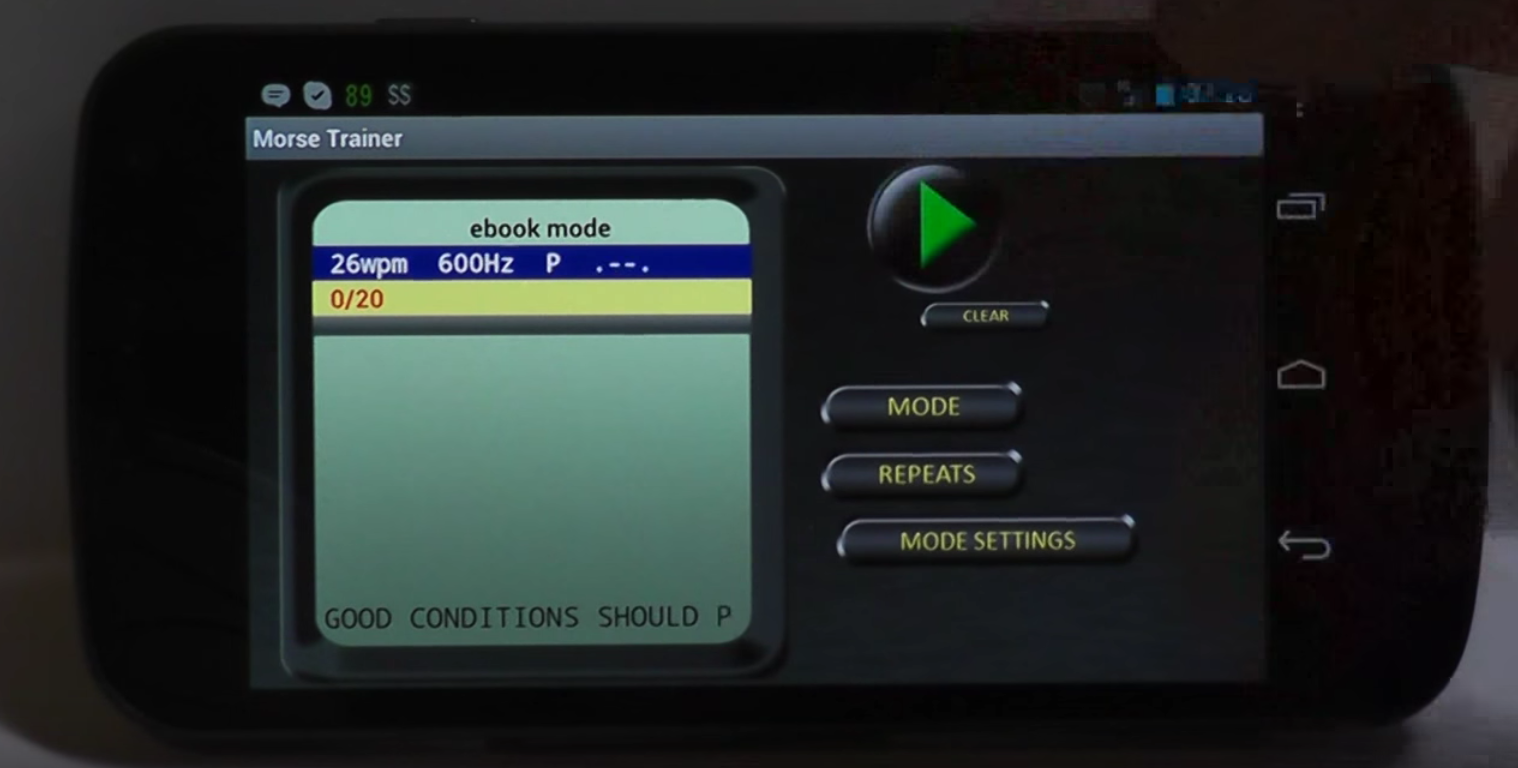
This app has all the standard Morse Code training tools such as letter training, letter groups, callsign training etc. It also can send the most common 500 words as well as a random sample QSO training mode. That's all great but what I really find useful is the ability to send your own text that you type or paste into the app and even... wait for it... an ebook reader!
I must really be a geek but I find the ebook reader makes this a must have CW training app for me. I converted some of my ebooks into plain text (using Calibre) and placed them in the CWTrainer's application folder on my smart phone. I then choose the ebook mode, choose a book and it will send it as CW to me and keep track of where I left off. I use this ebook reader mode to break the monotony of my long drive time.
 |
| ebook mode |
It's great fun to witness the expression of the person beside you at a stoplight hearing Morse Code pouring out of your car. Priceless.
I keep the speed higher than I can comfortably copy so I'm missing some of what is sent. There's nothing like reading an action novel where you're missing half of what's going on. Did Tex get shot or not? I missed that word, hehe.
I keep the speed higher than I can comfortably copy so I'm missing some of what is sent. There's nothing like reading an action novel where you're missing half of what's going on. Did Tex get shot or not? I missed that word, hehe.
While this app doesn't read RSS feeds like Morse News application for PC's the text and ebook reader modes more than make up for it. The only bug to-date that I've noticed on my phone is that if I rotate the phone while it's playing it will reset where it was reading from back to the beginning.
Here's a video from the application's author describing it's functions...
And here's a link to the application in the Google Play store.
https://play.google.com/store/apps/details?id=com.wolphi.morsetrainer
I have no affiliation with the maker of this application. I just wanted to share.
That's all for now
So lower your power and raise your expectations
73/72
Richard, AA4OO
6m/70cm antenna updates at the QTH
I have made some changes to my antenna set up. A local amateur was selling a second 13-element 70cm yagi and a 6m HB9CV antenna at a low price so decided to acquire them.

The 70cm yagi was to replace the small 7-element one which I pressed into service as a hand held antenna for potentially finding my HAB payloads last year.
To be honest I wasn't really after a 6m antenna due to the size and visual impact. I have a 6m 'wooden' moxon I made back in 2014 but it is heavy, ugly and unstable so had been collecting cobwebs in the garage. I decided with the prospect of 'Sporadic E' season around the corner I would be foolish not to put it up.
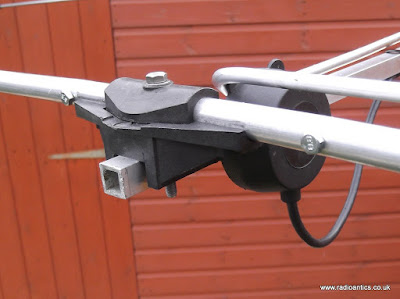
The HB9CV wasn't in the best of conditions but seemed complete albeit it was purchased dismantled. The elements were a little weathered so I set about cleaning them up with a light rubbing down with some wire wool and a rag with a drop of WD40. On closer inspection the tube that made up the front element had some noticeable bending and on removing the plastic mounting to investigate I spotted a crack in the tube wall by the hole for the mounting bolt.
While it hadn't totally separated it would only be a matter of time before it did fail as it was flexing, the plastic mount was the only thing holding it together. I found a suitable piece of alloy tube from a scrap antenna which was a perfect fit inside the broken element. I cut a suitable length and pushed it up inside the element to the appropriate position and then simply drilled through and bolted either side of the central hole to stabilise and strengthen it (can be seen in image below)
The next issue I had to address was the feed point, it came with about six inches of RG58 coax projecting from it where it had simply been cut for removal by the previous owner. I prised off the cover cap to find it full of water, the reason being a hole in the back and it being stored outside I believe.
Thankfully the trimming capacitor seemed okay, while it was wet it wasn't corroded. It was all dried out and the hole plugged with silicon and I set about re-assembling the antenna which was a little fiddly to get the phasing line to sit properly but once done it was a simple matter of adjusting the capacitor to get the VSWR to a minimum in the SSB section of the 6m band. I mounted on the rotator pole just below the X50 collinear.
I used it last month in the 6m UKAC and while my operating not exactly earth shattering I was happy with its performance using just 10W in the low power section just "search and pouncing" for a little over an hour.
.

The 70cm Yagi was straight forward as was already assembled, I just had to make a slight tweak to the gamma-matching bar as the VSWR was unexpectedly high around 2:1 in the SSB segment of the band, it seemed to have been tuned for the FM portion of the band. I managed just an hour "search and pouncing" in Aprils 70cm UKAC, I started late and while signal reports both ways were a marked improvement I found the extra directionality and off beam rejection something I will have to get used not helped by a temperamental rotator.


The 70cm yagi was to replace the small 7-element one which I pressed into service as a hand held antenna for potentially finding my HAB payloads last year.
To be honest I wasn't really after a 6m antenna due to the size and visual impact. I have a 6m 'wooden' moxon I made back in 2014 but it is heavy, ugly and unstable so had been collecting cobwebs in the garage. I decided with the prospect of 'Sporadic E' season around the corner I would be foolish not to put it up.
The HB9CV wasn't in the best of conditions but seemed complete albeit it was purchased dismantled. The elements were a little weathered so I set about cleaning them up with a light rubbing down with some wire wool and a rag with a drop of WD40. On closer inspection the tube that made up the front element had some noticeable bending and on removing the plastic mounting to investigate I spotted a crack in the tube wall by the hole for the mounting bolt.
While it hadn't totally separated it would only be a matter of time before it did fail as it was flexing, the plastic mount was the only thing holding it together. I found a suitable piece of alloy tube from a scrap antenna which was a perfect fit inside the broken element. I cut a suitable length and pushed it up inside the element to the appropriate position and then simply drilled through and bolted either side of the central hole to stabilise and strengthen it (can be seen in image below)
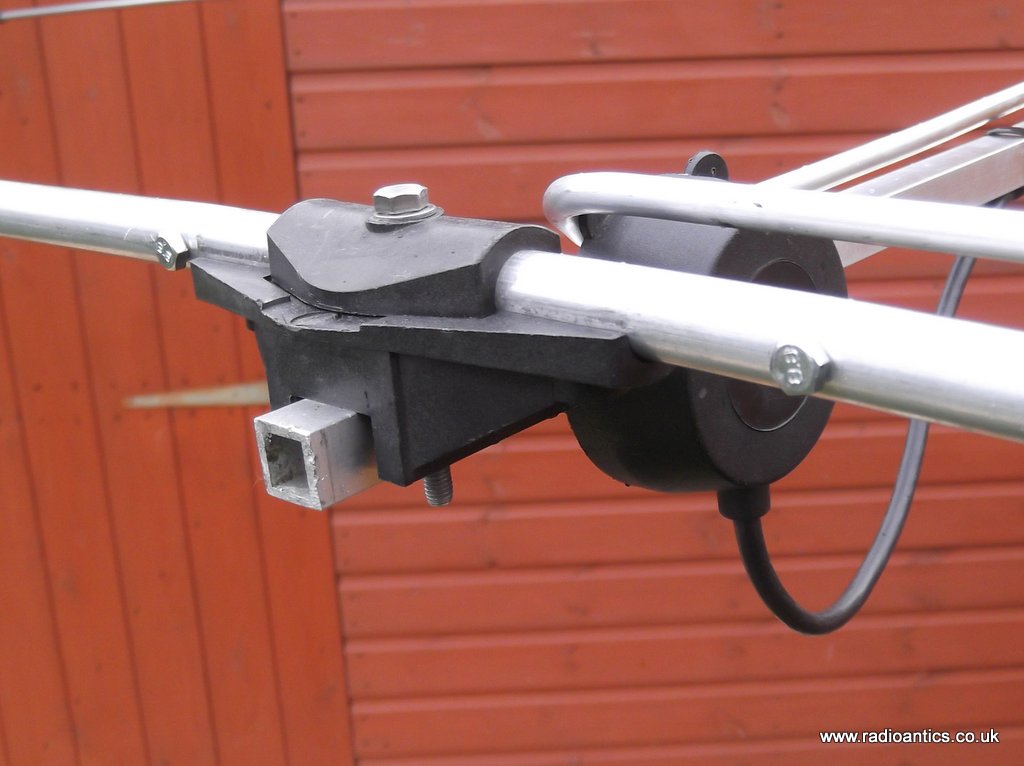
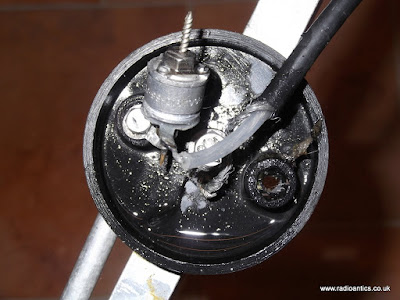
The next issue I had to address was the feed point, it came with about six inches of RG58 coax projecting from it where it had simply been cut for removal by the previous owner. I prised off the cover cap to find it full of water, the reason being a hole in the back and it being stored outside I believe.
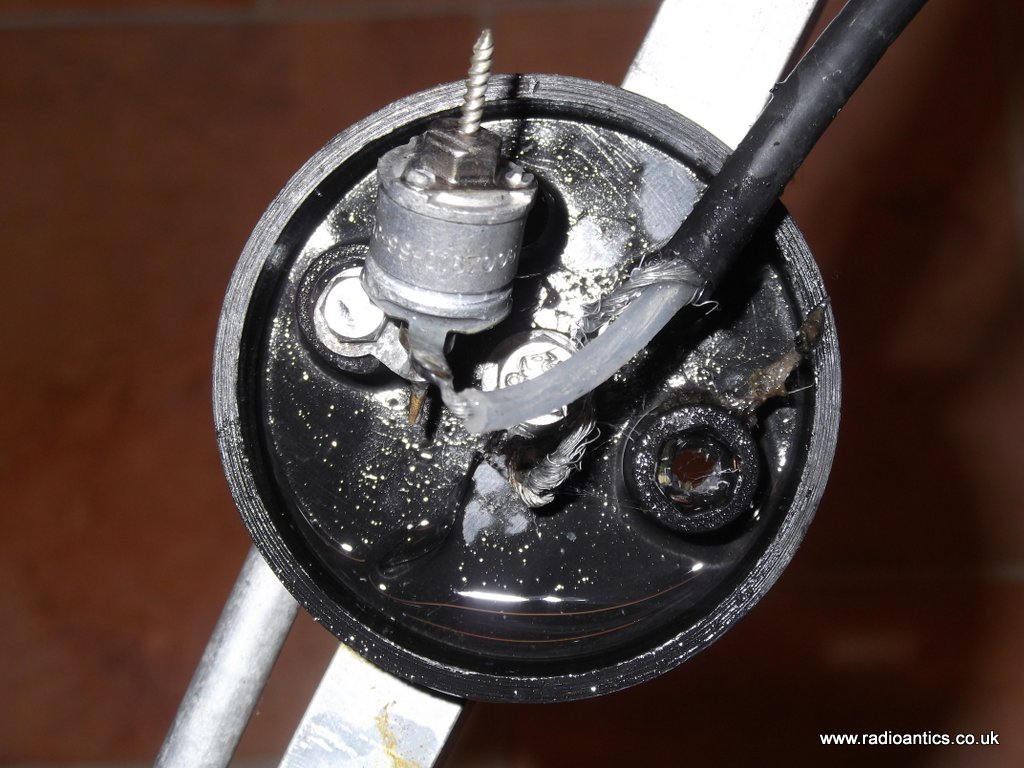
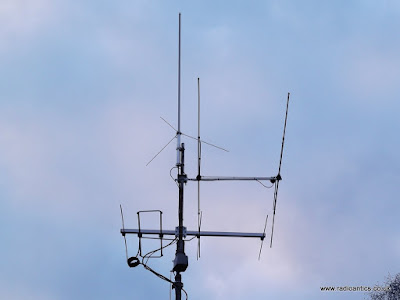
Thankfully the trimming capacitor seemed okay, while it was wet it wasn't corroded. It was all dried out and the hole plugged with silicon and I set about re-assembling the antenna which was a little fiddly to get the phasing line to sit properly but once done it was a simple matter of adjusting the capacitor to get the VSWR to a minimum in the SSB section of the 6m band. I mounted on the rotator pole just below the X50 collinear.

I used it last month in the 6m UKAC and while my operating not exactly earth shattering I was happy with its performance using just 10W in the low power section just "search and pouncing" for a little over an hour.
.
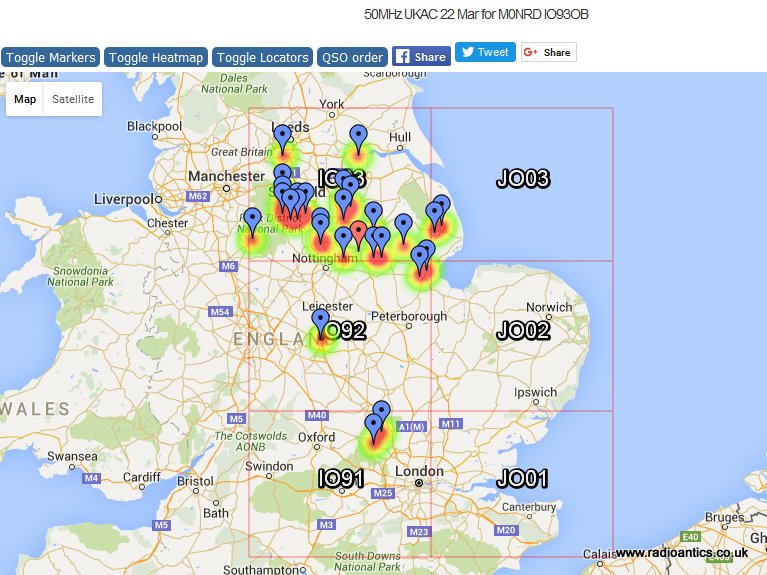
The 70cm Yagi was straight forward as was already assembled, I just had to make a slight tweak to the gamma-matching bar as the VSWR was unexpectedly high around 2:1 in the SSB segment of the band, it seemed to have been tuned for the FM portion of the band. I managed just an hour "search and pouncing" in Aprils 70cm UKAC, I started late and while signal reports both ways were a marked improvement I found the extra directionality and off beam rejection something I will have to get used not helped by a temperamental rotator.














