 |
 Fair?
Fair?
 10 July 2013 | by
Paul Stam, PC4T, is a regular contributor to AmateurRadio.com and writes from the Netherlands. Contact him at [email protected].
The radio amateurs are coming! Oslo Mini Maker Faire
“Have you dreamt about sending radio signals via the ionosphere? Or what about studying moon bounced echoes? Visit the radio amateurs and you can learn about analog and digital radio communications, antennas and electronics. There are 5-6000 radio amateurs in Norway, and they probably represent the oldest maker hobby.”

This was the enthusiastic introduction that we were given on the web pages of Oslo Mini Maker Faire. It was arranged at Norwegian Museum of Science and Technology on April 6-7, 2013 in collaboration with the University of Oslo. There were close to 4000 visitors during the weekend and about 100 exhibitors. Our joint stand between the radio amateurs of the Asker/Bærum and Oslo clubs also had a constant stream of visitors.
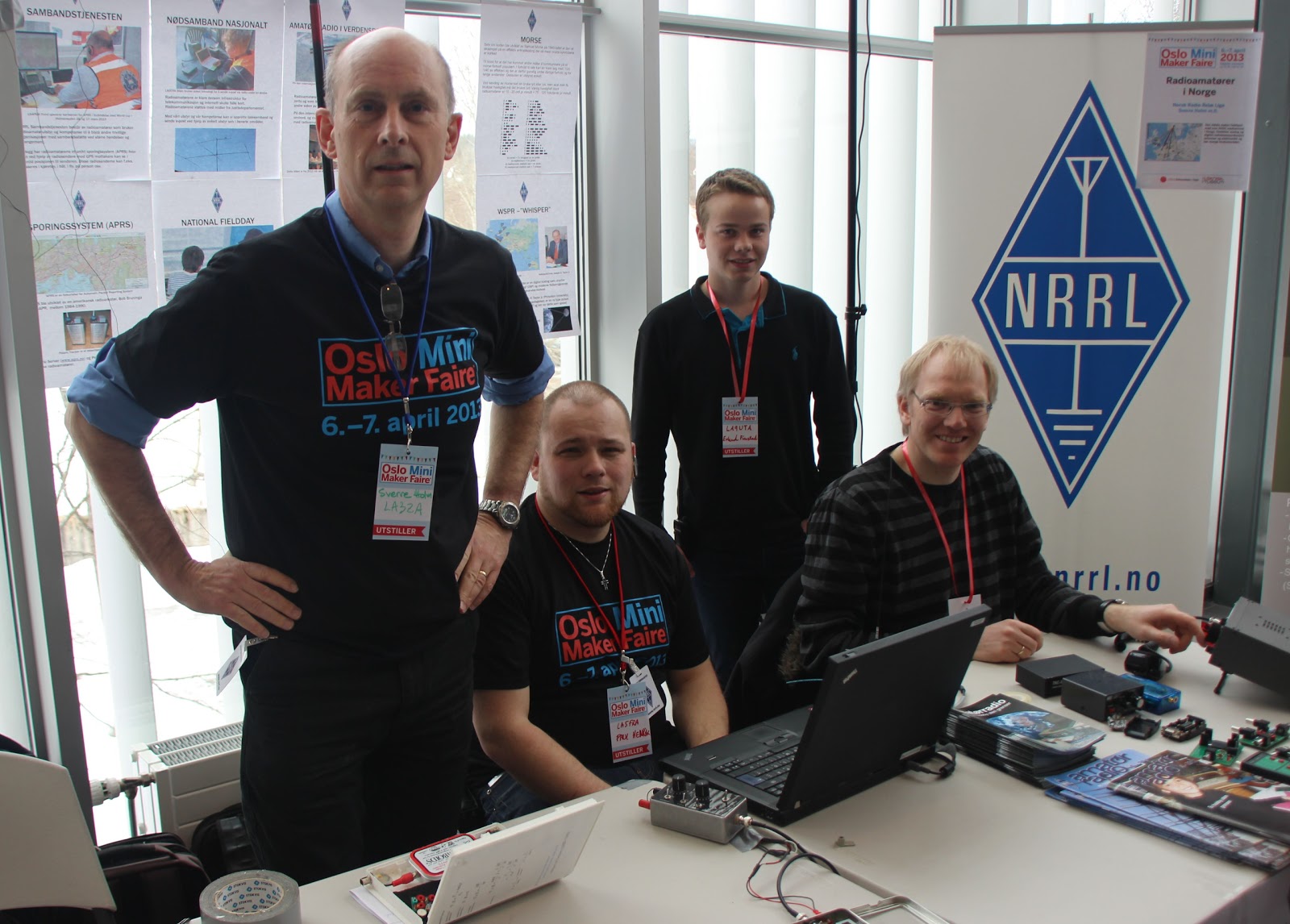 |
| LA3ZA, LA5FRA, LA9UTA and LA8OKA at the stand (photo LA5FRA) |
Our stand was only active on the first day, and it was manned by LA8OKA Martin, LA5FRA Paul Henrik, and LA9UTA Erlend in addition to me who served as the liaison to Oslo Mini Maker Faire since my employer, the Department of Informatics at the University of Oslo was a sponsor of the Faire. There was also a good deal of curious radio amateurs that stopped by during the day.
We had a couple of Elecraft K2’s, several home-brewed electronics projects, the possibility to send your own name in Morse code, and several posters that covered everything from emergency communications and APRS to radio amateurs on the space station.
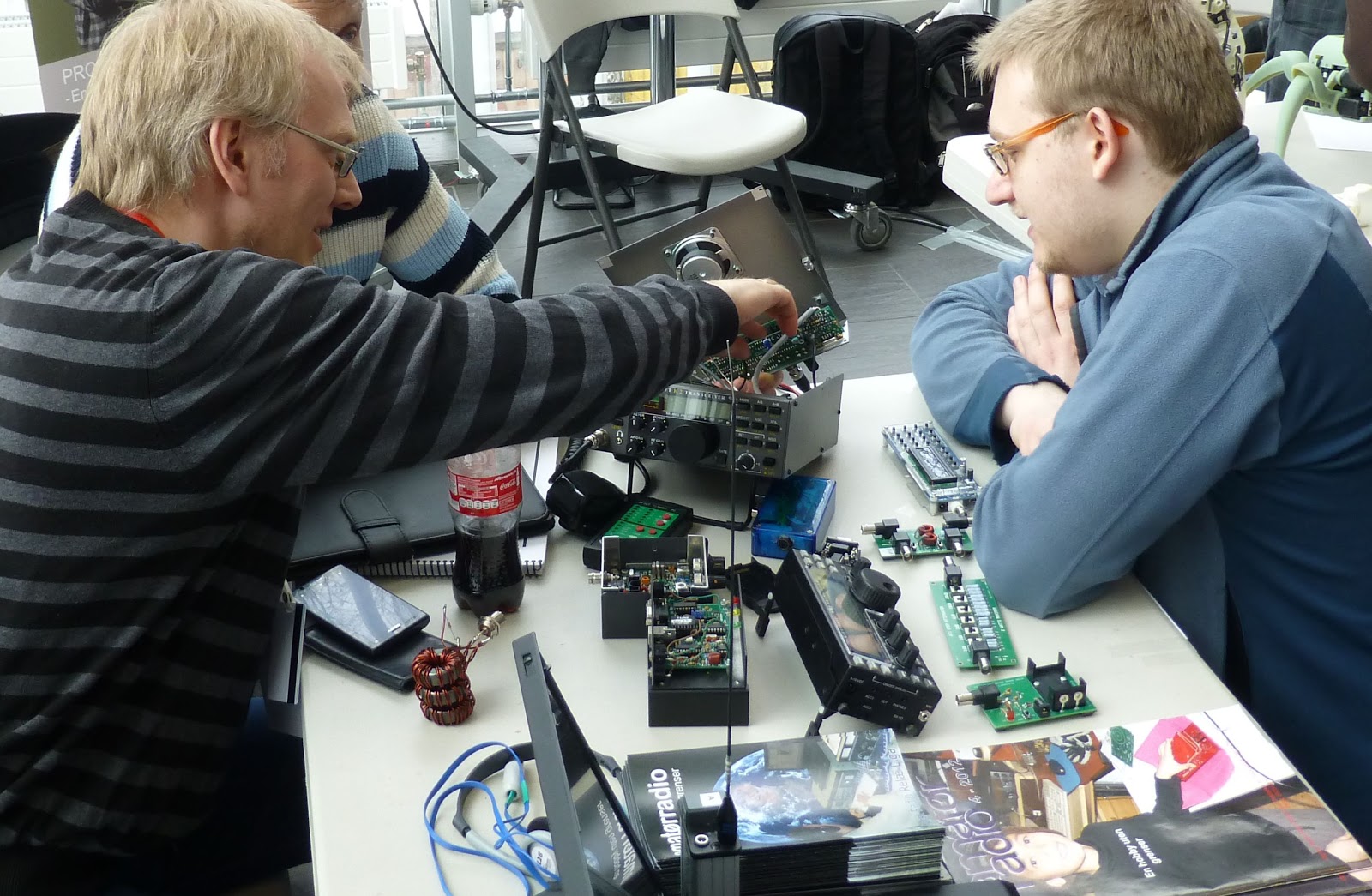 |
| LA8OKA explaining the innards of the K2 |
We also had a 0.15 W WSPR transmitter that we had hoped could transmit out through one of the large windows. The intention was that we could follow its reports on the internet, but there turned out to be too much metal in the window frames and the curtains so radio waves would neither enter nor exit – whether it was HF, VHF, or GPS-frequencies. Therefore we ended up explain the fascinating aspects of radio propagation from posters instead.
There was much interest in our stand, and many expressed that they found ham radio to be exciting. Several were also interested in ham radio courses. Among pan cake robots and other robots, 3D printers, Star Wars-enthusiast, computer gamers, 3D photo, advanced Lego builders and Norway’s largest smoke ring canon, this was finally a place where people like us with as nerdy an interest as radio felt quite normal.
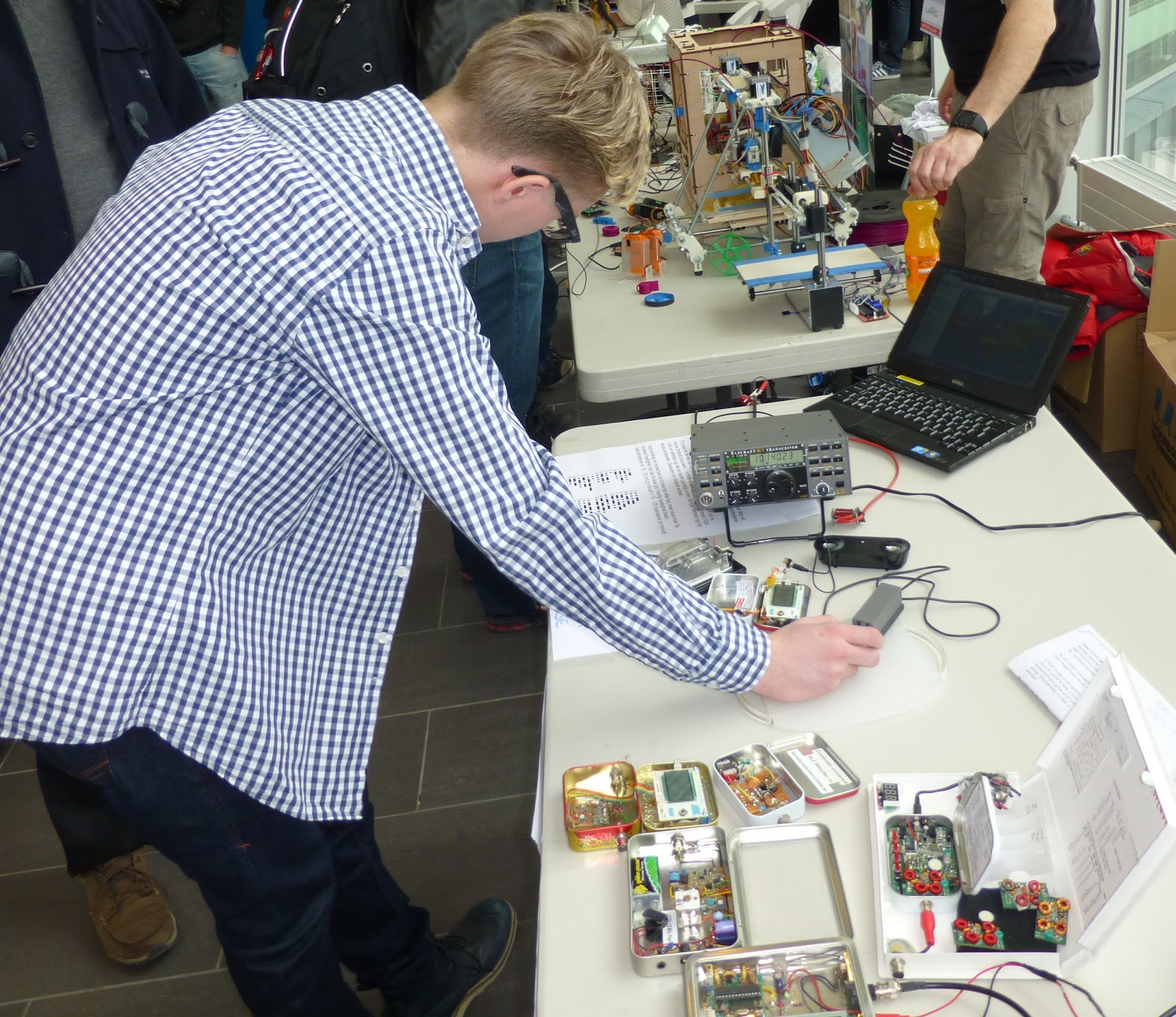 |
| Trying out Morse, in the background a 3D printer |
This was therefore a perfect place for radio amateurs to take part and since it most likely will be arranged again we should be prepared to take part next year also.
Sverre Holm, LA3ZA, is a regular contributor to AmateurRadio.com and writes from Norway. Contact him at [email protected].
Good-bye, old friend.
Larry Makoski, W2LJ, is a regular contributor to AmateurRadio.com and writes from New Jersey, USA. Contact him at [email protected].
WG2XPN 70MHz beacon heard in Europe
Via Dave, WW2R/G4FRE it was good to hear that yesterday, the WG2XPN 70MHz experimental beacon, run by Brian WA1ZMS was heard in Europe on 70.005.
The beacon was heard in GJ, I, DL and IS0 – at a distance of over 7300km. Jo, CT1HZE suggested that this could be as many 4 hops of Transatlantic Es.
Excellent DX!
Tim Kirby, G4VXE, is a regular contributor to AmateurRadio.com and writes from Oxfordshire, England. Contact him at [email protected].
The LinkedIn virus
I’m still getting the repercussions from the lapse in attention which resulted in LinkedIn sending invitations to anyone who has ever emailed me. Most people have just deleted or ignored them. A few were concerned that the email might have been a virus and contacted me to ask if I really had sent it. But now LinkedIn is emailing everyone who didn’t reply with a message saying I’m still waiting for them to accept the invitation.
A few people have been annoyed by these emails and have asked me to stop sending them. Unfortunately the deed was done a few weeks ago and I have no idea how to put a stop to it. If I had known that it was going to cause this much hassle I wouldn’t have even considered accepting someone’s invitation but hindsight is a wonderful thing that I unfortunately don’t possess and now there is no undoing it.
Julian Moss, G4ILO, is a regular contributor to AmateurRadio.com and writes from Cumbria, England. Contact him at [email protected].
Audio messed up
Paul Stam, PC4T, is a regular contributor to AmateurRadio.com and writes from the Netherlands. Contact him at [email protected].
Krun – a command line utility
Last week when I posted about using the new dual-mode version of WSJT-X I mentioned a utility I had used to put my Elecraft K3 into split mode before starting WSJT-X and returning it to normal operation after finishing. I’ve been asked to share information about it, so here you are.
The utility is called KRun, from K-Run. K for Elecraft radios (K2, K3 etc.) and Run because you use it to run another program. It was written to use with my Elecraft transceivers but I see no reason why it should not work with other radios that use a similar CAT command syntax such as Kenwoods. Don’t ask me if it can be used with your Yaesu or Icom radios because I know nothing at all about their command format.
If you run the utility it puts up a window listing its command line parameters.
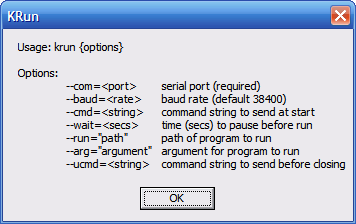
These command line parameters are what tells KRun what you want it to do, so you’ll need to know how to create a shortcut containing command line parameters, or use a batch file. You’ll also need to know what CAT commands to use, which will require a degree of familiarity with the Programmer’s Reference manual for your radio.
The parameters are:
- –com=n where n specifies the serial port used by your radio
- –baud=x where x os the baud rate to use
- –cmd=string specifying the string of CAT commands to send at startup
- –wait=s where s is an optional delay in seconds to give the commands time to execute
- –-run=”path” the path of the program (e.g. WSJTX) that you want to run
- –arg=”args” optional command line parameters for the program specified above
- –ucmd=string optional CAT commands to send on closing
An example invocation is:
C:\Ham\krun\krun.exe –com=3 –cmd=FT1; –run=C:\Ham\WSJT-X2\wsjtx.exe –ucmd=FR0;
where:
- C:\Ham\krun\krun.exe is the location on my computer of the KRun utility
- –com=3 specifies the com port to use
- –cmd=FT1; is the CAT command to set my K3 into split mode (with terminating semicolon)
- –-run=C:\Ham\WSJT-X2\wsjtx.exe is the location on my computer of WSJT-X
- –ucmd=FR0; is the CAT command to cancel split mode (with terminating semicolon)
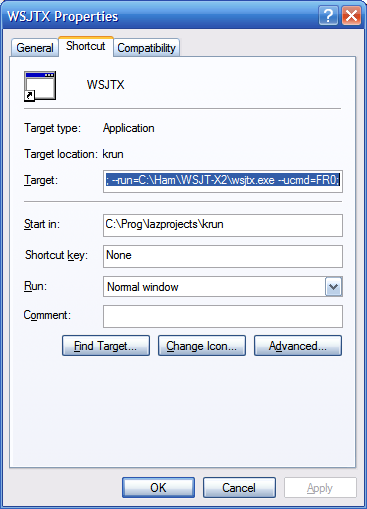 To create a shortcut to do this, first create a shortcut to KRun itself, then edit the Target to add the command line parameters as given above.
You can download KRun as a zip file which contains KRun.exe, the utility itself, and WSJTX, a shortcut configured as described above. If you try to use the provided shortcut instead of creating one from scratch yourself you will need to change the program paths to suit your own system.
So there you are. It works for me so hopefully it will work for you. If it doesn’t then a better solution would be to persuade K1JT to add these CAT commands to WSJT-X!
Julian Moss, G4ILO, is a regular contributor to AmateurRadio.com and writes from Cumbria, England. Contact him at [email protected].
 Ham Radio Deluxe |
 W5SWL Electronics |
 Ham Radio Prep |
 KB3IFH QSL Cards  Hip Ham Shirts  HamRadioAuctions HamRadioAuctions Reliance Antennas Reliance Antennas Enigma Shop Enigma Shop |  morseDX  Ni4L Antennas  R&L Electronics R&L Electronics antennas.us antennas.us QRV QRV |
- Matt W1MST, Managing Editor
