Author Archive
Sunday evening on the radio
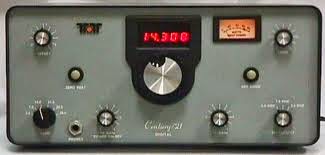
This weekend brought great weather and so it was out and about with Julie, but I did find some time for radio on Sunday evening. The bands were busy with contests and not wanting to get involved with them I skipped up to the QRP watering hole on 20m. I started calling CQ as I could not hear to much action. In a very short time W5TM came back to me and I was only 449 but it was a contact and that was good enough for me! Our QSO did not last to long as I was very much in and out I did send Edwin an email thanking him for the QSO. During my next CQ calling a G station came back to me but they were down in the mud. I switch on the APF and we did try over and over again to make contact but things just did not work out. It was pretty cool that my QRP signal was somewhat making it into "G" land. My last contact for the evening was with KA5KMS and this was a long QSO with a solid contact at both ends. Terry was running a Ten Tec Century 21at 25 watts into a dipole. It was a good evening on the radio! They all were short QSO's but it will help keep me in the hobby, keep my code up and help me become more and more aquatinted with my rig. I have found that I can easily get lost in my ham programs, antenna issues and PC hiccups that involve radio. Bottom line it's great to put all that to the side and get on the radio and make some good old contacts.
SWR up’s and down’s
| LP-100 reading |
| K3 meter |
Water + PL-259 = no radio for the day!
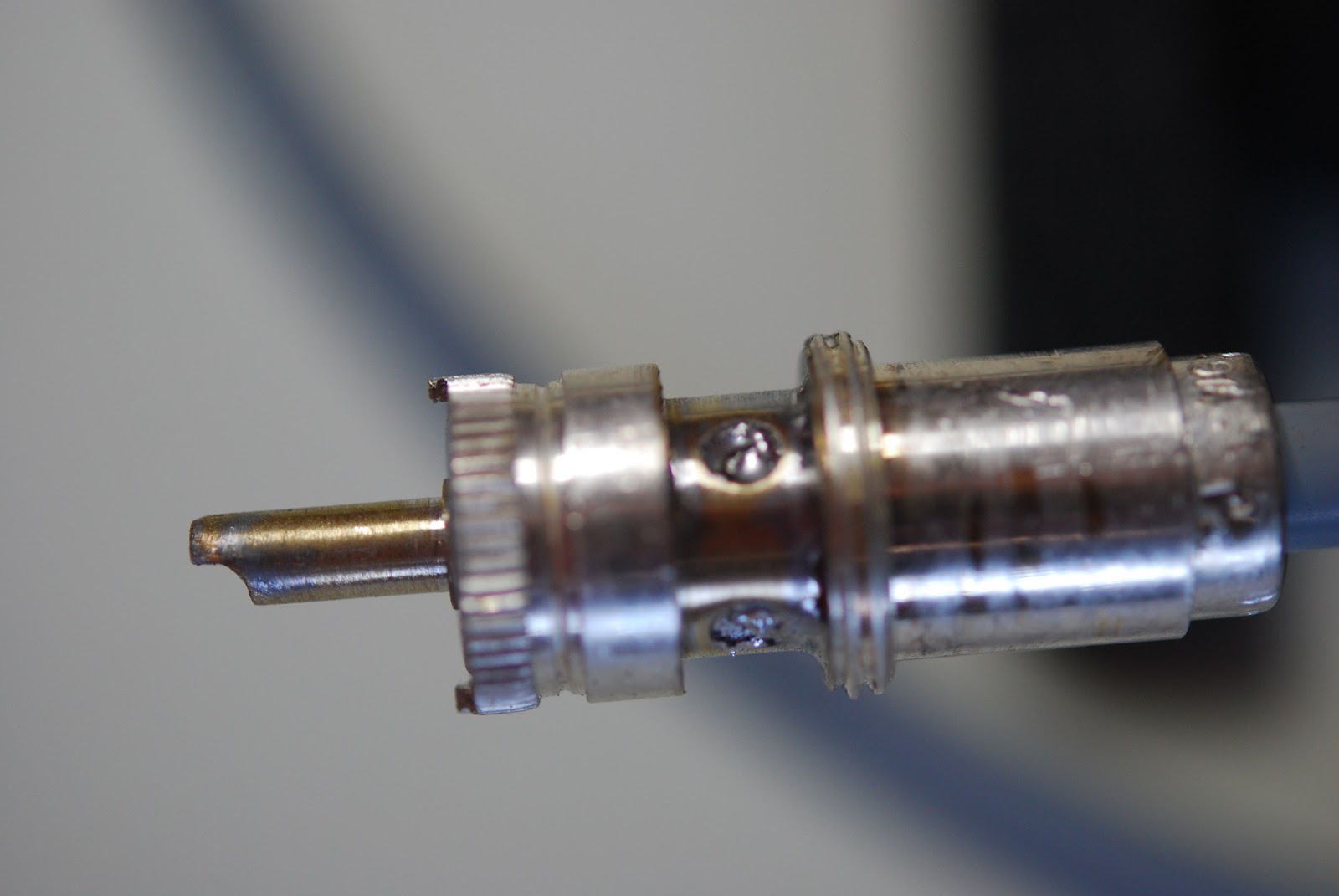
| The waterlogged PL-259 |
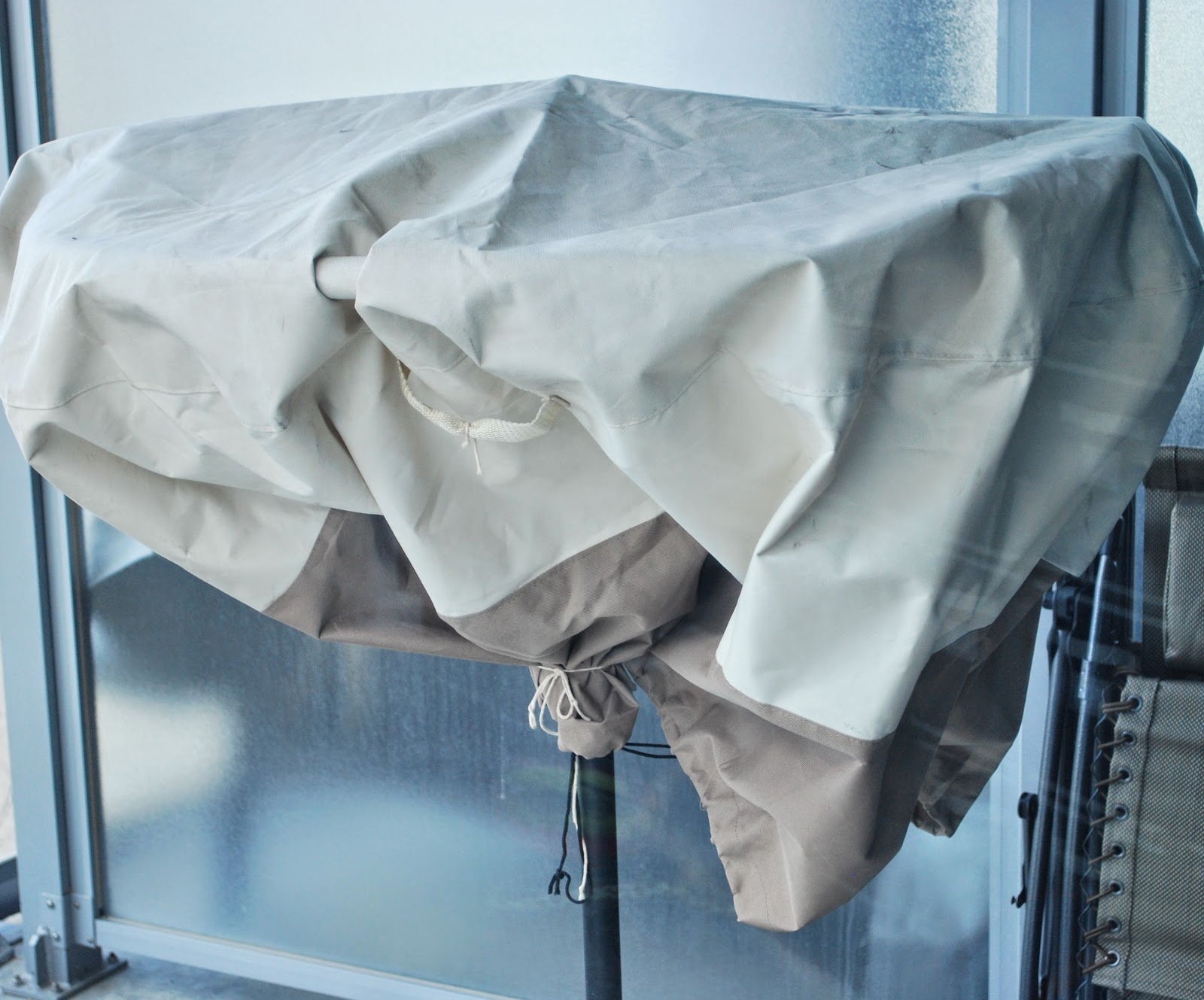
| A shot of the balcony antenna open for suggestions. |
Switching to Windows 7 adventure.
It was time to take the plunge and load Windows 7 on my PC, there were up's and downs to both the preparation to the loading of Windows 7 and also during the loading of 7. I had an external hard drive and decided to use it to help out in the Windows 7 transformation.
I used the external hard drive for the following:
1. Moved all files such as word documents to their own files.
2. I took screen shots of all ham radio programs setting pages to aid in the new set up of each program.
3. I moved my downloads folder which contained most if not all of my programs.
Once that was done it was time to say good bye to Windows XP and hello to Windows 7. The first step was to have my PC boot from the CD player and not the hard drive. It was off to the bios and make a "simple" change……as Windows loaded I was instructed to push the Del key for bios access. That just did not work I then tried F2, F10 and so on and after about an hour I gave up. To make a long story short it boiled down to the fact that my USB keyboard was plugged into a USB hub. The hub loaded once Windows started to load thus not allowing me to get into the bios page. I plugged the keyboard into the PC and I was into the bios with one press of the Del key!!
So it was off to change the boot sequence…….once I navigated my way there I found NO CD player listed!! It's hard to boot from a CD player that is not listed in the boot sequence. And again I say "to make a long story short" It was my fault I was looking in all the wrong places in the bios. The CD player was found and it was changed to the number one spot in the boot order. With that done it was time to load Windows 7. A nice thing with Windows 7 is it will allow you to either load over Windows XP (not what I want to do) or a fresh install which was what I wanted to do. The first time around for some reason I installed over top of Window XP…..I had to start over with the install! This time I wanted to watch over every step and make sure a clean install happened. So what could go wrong…..well……I was able to get Windows 7 start a clean install and I was warmed the PC would restart several times. During the first restart a message came up to press the Del key, I did what I was told and the install started allover again! Now I seem to be in a loop but it turns out that I should not had done what I was told to do and the instruction to press the Del key would time out and the install would continue. Windows 7 is now up and running and I am now in the process configuring my radio programs……that should make for some interesting future posts…..:)
You never know until you submit.
| Boy was I surprised to get this! |
The old boy is making a change…..
I want to first want to thank all those who commented on my last post. At the time I was making a choice of either upgrading Norton 360 for another year at a price of 60.00 or go with one of the online free programs. I received a huge amount of feed back from the blog world. There were comments sent to my blog, email and from amateurradio.com where my blog is also posted. I have decided to go with AVast for my PC online protection. There were lots of great suggestions and I even found out about some free software I never knew was out there. Thanks again for all your feedback. Now onto the next blog post......
As most of you know Windows XP has come to an end….. and how does that affect WinXP users.....will WinXP refuse to start up?……no it will start, will your programs start up and run……yes your loaded program will still run. So what's the big deal you ask? The end of Windows XP means Microsoft no longer "supports" XP and if you serf the net this could be an issue as you will no longer receive security updates. (maybe you could get past this issue with 3rd party virus protection) If you are a big IE browser fan and you continue to use it you will do so at your own risk as there is no updates. If your XP machine is just used to run off line ham and family related stuff you are good to go…….UNTIL…..you want to upgrade to a new program as most programs may stop supporting Windows XP platform as well. Windows XP was released in 2001 and it's hard to believe it has been around that long. In the past Windows has had some bust OS's for example ME, Win98 and Vista. If you have a PC that is not going on the net and your only going to use the programs that are on your PC I would think you could stick with XP! As for me Windows XP is really the only OS I enjoyed using and really had no troubles with. It has been around for a long time and those high up at Microsoft felt it was time for a channel change! My PC is on the net all the time both for ham radio and personal use. For this reason it is time for an OS change at VE3WDM. I chose to go with Windows 7. It has been around for some time ( released in 2009) and has good reviews, one bonus for me is you can run XP programs from within Win7. My PC will have no problem with Win 7 as the processor, ram and HD memory are well within spec's of whats required to run Win7. I have ordered Win7 and it's on it's way and my first decision is…….upgrade PC to Win7 or clean install ? So blog world give me your feedback!!
VE3WDM's QRPower BLOG 2014-04-04 10:02:00

For two years now I have used Norton 360 on my PC and it has served me well and not even a virus or any other problems………BUT I do have to shell out 60.00 per year to keep renewing it and having the fresh updates. There sure is a lot more I can do with that 60.00 than spending it on Norton! Then there is the other side of the coin how much will it cost me both in time and possibly PC tech help to remove a virus or what ever else there is out there from messing up my PC. In the past I have had some free virus protection programs along with trojan, malware and worms now and then it did not work. So am I getting the "wrong" free stuff, are they really not as good as rumored to be? My Norton 360 renewal message has been coming up my my PC for about a month now and as always I have been procrastinating the whole thing. Now I am down to the last day and just having to pay another 60.00 seems like a money grab to me. In the past here is the free protection I have had for the PC.
AVGfree ......this freeware say it protects against virus's, malware and spyware but to get a firewall, safe data download protection and anti spam you have to pay 60.00 per year.
Spybot S&D is free and will protect me in the malware dept but not sure since AVGfree does that if I am just repeating a protection? I know there must be other free software out there or others that cost money but not asking you for more each year? What do you use.....how is it working for you......I'm open to suggestions as I am very fast running out of time.

AVGfree ......this freeware say it protects against virus's, malware and spyware but to get a firewall, safe data download protection and anti spam you have to pay 60.00 per year.
Spybot S&D is free and will protect me in the malware dept but not sure since AVGfree does that if I am just repeating a protection? I know there must be other free software out there or others that cost money but not asking you for more each year? What do you use.....how is it working for you......I'm open to suggestions as I am very fast running out of time.