Posts Tagged ‘WSPR’
 20m WSPRing
 September 5th, 2013 |
  Author: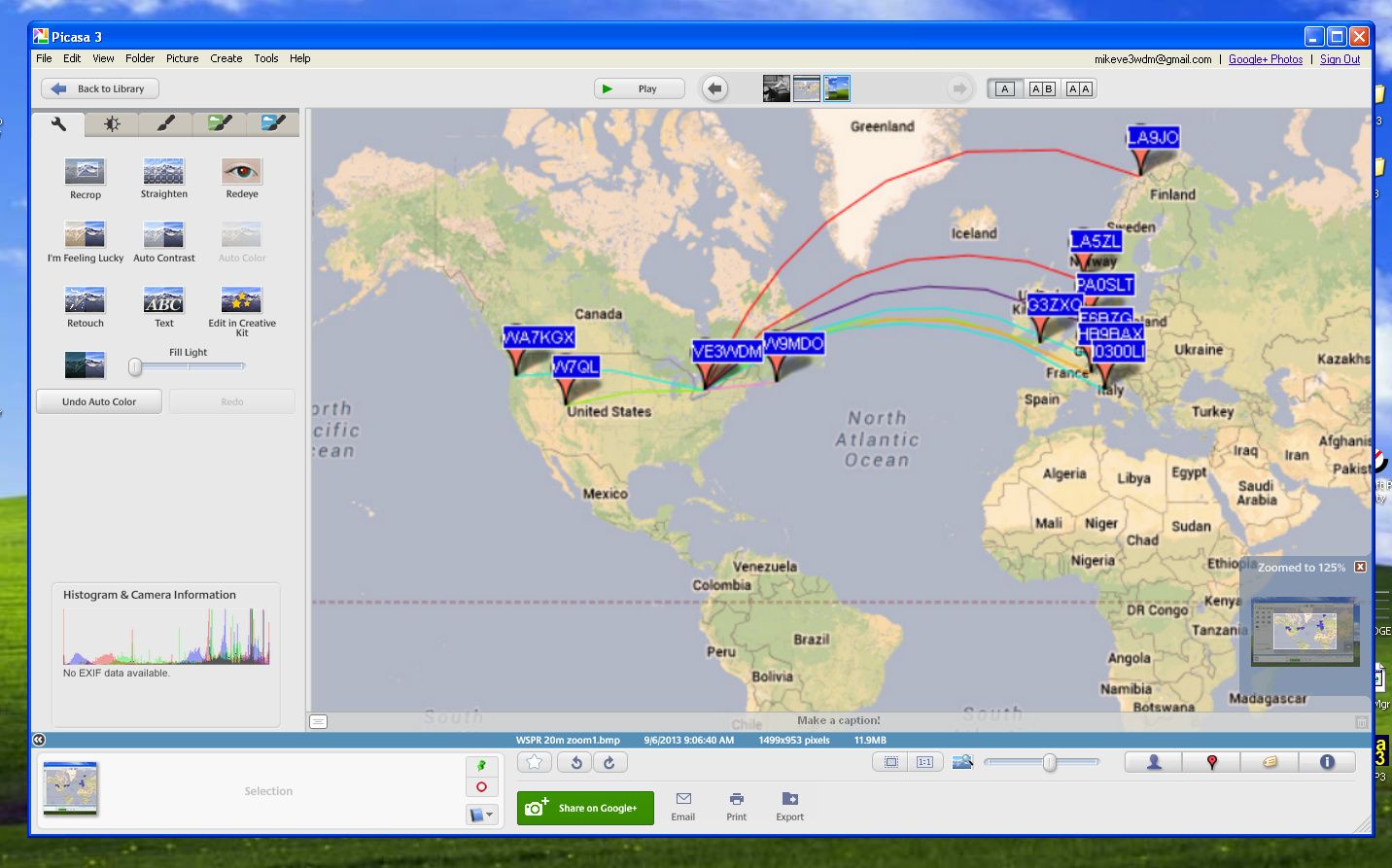
I have changed the shots to try to make them larger as some readers were wanting to see more details. The original pictures were done with Windows Print screen key. Not a very good option if one wants to see detail....lesson learned.These are not the greatest but the best I can do with the original prints.
Well I'm off work today and tomorrow I was off last week with a very bad cold and sinus infection but went back to early and am off again. Now I'm on med's and things seem to be turning around. Oh one thing the doctor asked me to try was a Neti Pot. In a nut shell you flush out your nose with water, it goes in one nostril and flows out the other!! I have heard of this and my son actually does it but there is just something funny about running water all the way through your nose up and into the sinus cavities and out. You just have to be careful and not use tap water and only the solution that is advised to use..........any way what does this have to do with WSRPing.......NOTHING.......I again have set up my Elecraft K3 for WSPR and it works better than ever. I set it up on 20m this afternoon to see how my 5 watts could venture out and about. I was very surprised that my signal made it over into Europe. A fellow blogger Paul PC4T in the Netherlands has hoped to have a WSPR signal meeting....up to this point it has been a no go. But this time around I did make it into the Netherlands to PA0SLT and PA3EDR as well as Italy, Switzerland, Finland and France.
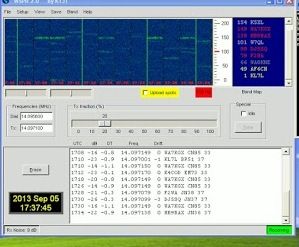
WSPR up and running
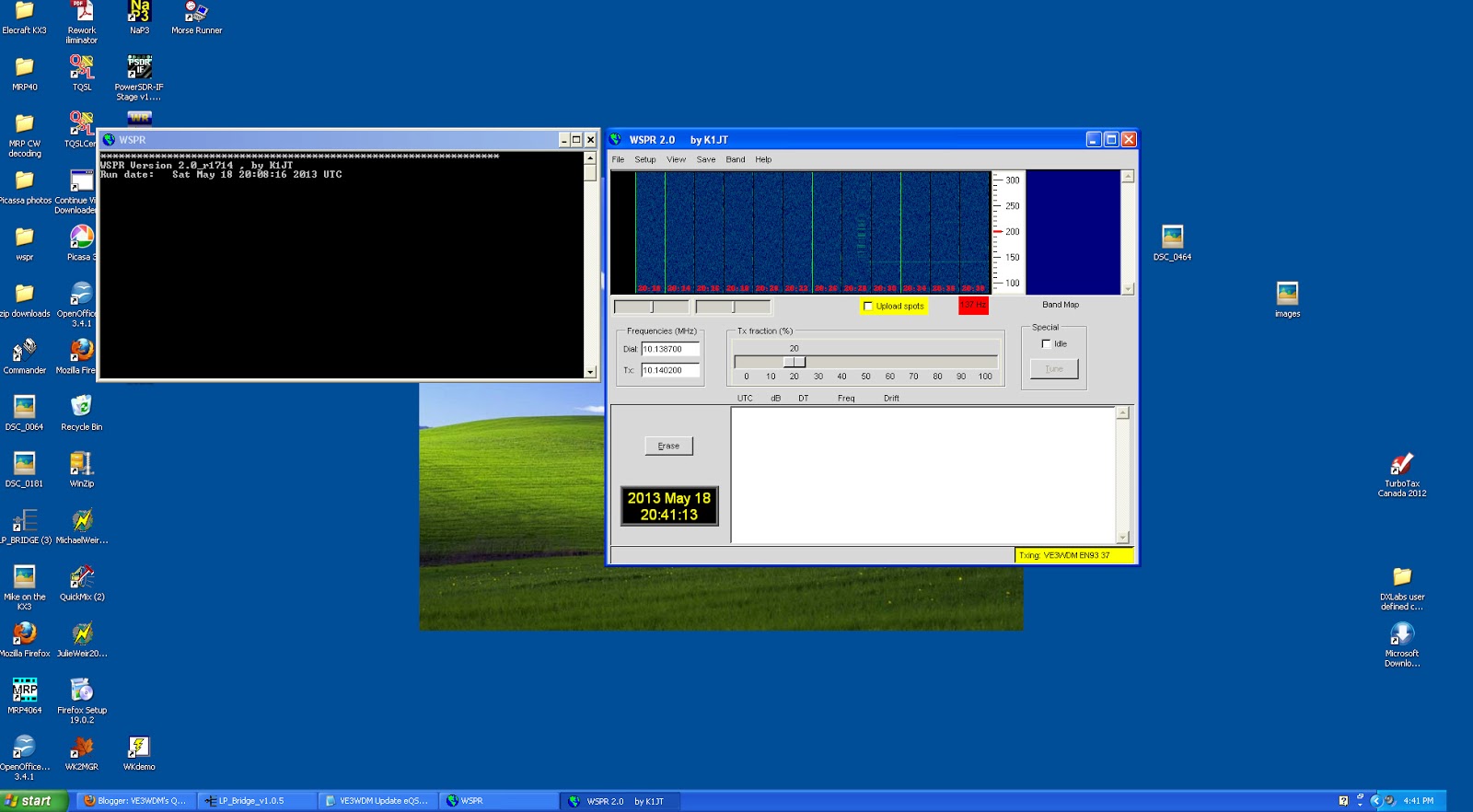 |
| No contacts heard or made but it's working |
10m 16 May 2013
 |
| 10m WSPR spots @ G4ILO 1242z 16 May 2013 |
By running WSPR day after day on the same band you start to get a feel for how propagation behaves that you don’t get from casual operation. It’s interesting to compare this map of WSPR spots for G4ILO around lunchtime today with the kind of results I was getting in November. Then I was getting DX spots throughout the day. Now I’m getting mostly local spots, within Europe.
In the autumn the picture changed slowly through the day. Now, in springtime, the picture changes all the time. Stations pop up for a few cycles and then disappear, never to be heard of again. The signal reports vary wildly as well, from just above the noise to +10dB or even higher in the space of a few minutes. This didn’t happen in November. It is a clear indication of Sporadic-E propagation: reflections from fast-moving clouds that are highly ionized and very reflective, creating a path with very little loss.
From time to time I pause the WSPR and tune the band to see what activity there is. I’ve also tried 6m for short periods. I’ve had a few spots on 6 (this is with 5W to my attic dipole) but the magic band is still fairly quiet at 55 degrees north. 10m is far from being wide open yet too. I’ve still to see what WSPR is like when the band is open and signals are romping in at S9+. So I will continue with my WSPR monitoring in the expectation that things will get even more interesting.
Classic WSPR vs WSPR-X
Are you a fan of WSPR mode? Have you tried K1JT’s new program WSPR-X yet?
 |
| Comparing classic WSPR to WSPR-X |
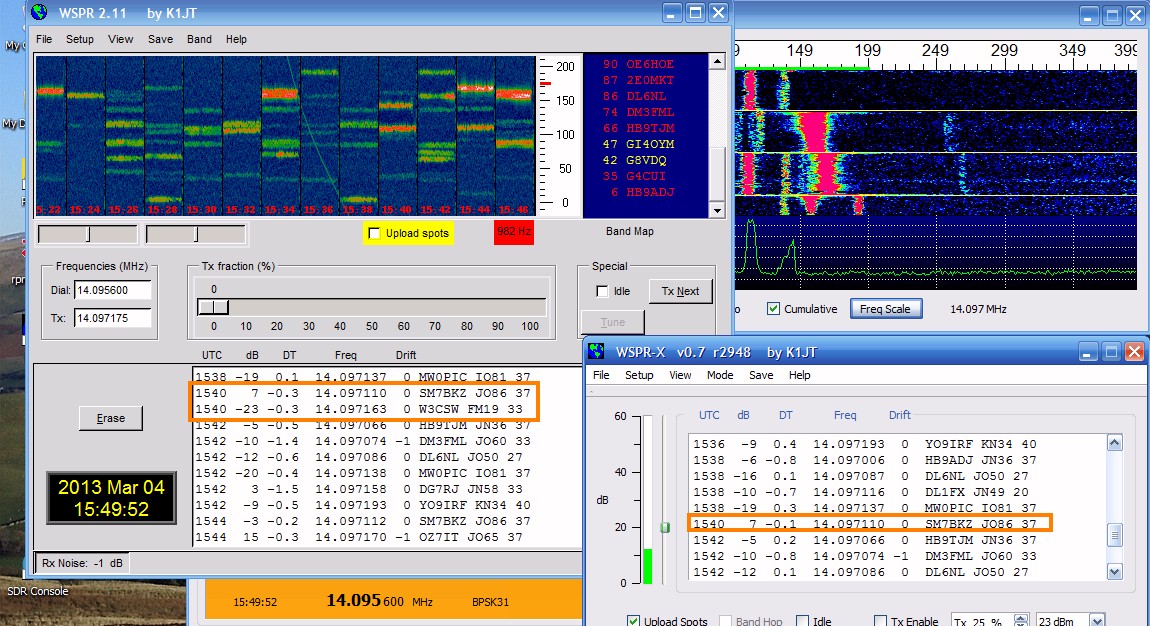
I decided to switch to the newer program as the older ‘classic’ version won’t work with VSPE virtual serial ports. But I had a sneaky feeling that WSPR-X was not decoding some of the traces it should. So I decided to run both programs in parallel, using the same sound card, the same radio, the same data source. Sure enough, WSPR-X is missing about 1 decode in 10 compared to WSPR 2.11. There is no apparent common factor between the signals it missed. They are not at the extremes of the frequency range, close to the limit of timing error nor especially faint.
Look at the screenshot above and look at the decodes for 1540. Classic WSPR has decoded two signals for this interval whilst WSPR-X has decoded only one. The signal from W3CSW was missed. Later signals from the same station were decoded. That is just one example. I only needed to wait a few minutes to find another.
I set the older WSPR to save .wav files and when these were processed by WSPR-X using its File Open option the result was the same as when the signals were received off-air. The same transmission was missed in each case.
WSPR-X seems a bit faster to run the decodes than WSPR. It prints them up on the screen before classic WSPR does. There are sometimes slight differences in the dB and DT figures, but not enough to worry about. Has anyone else noticed this?
More of a Shout than a Whisper…..
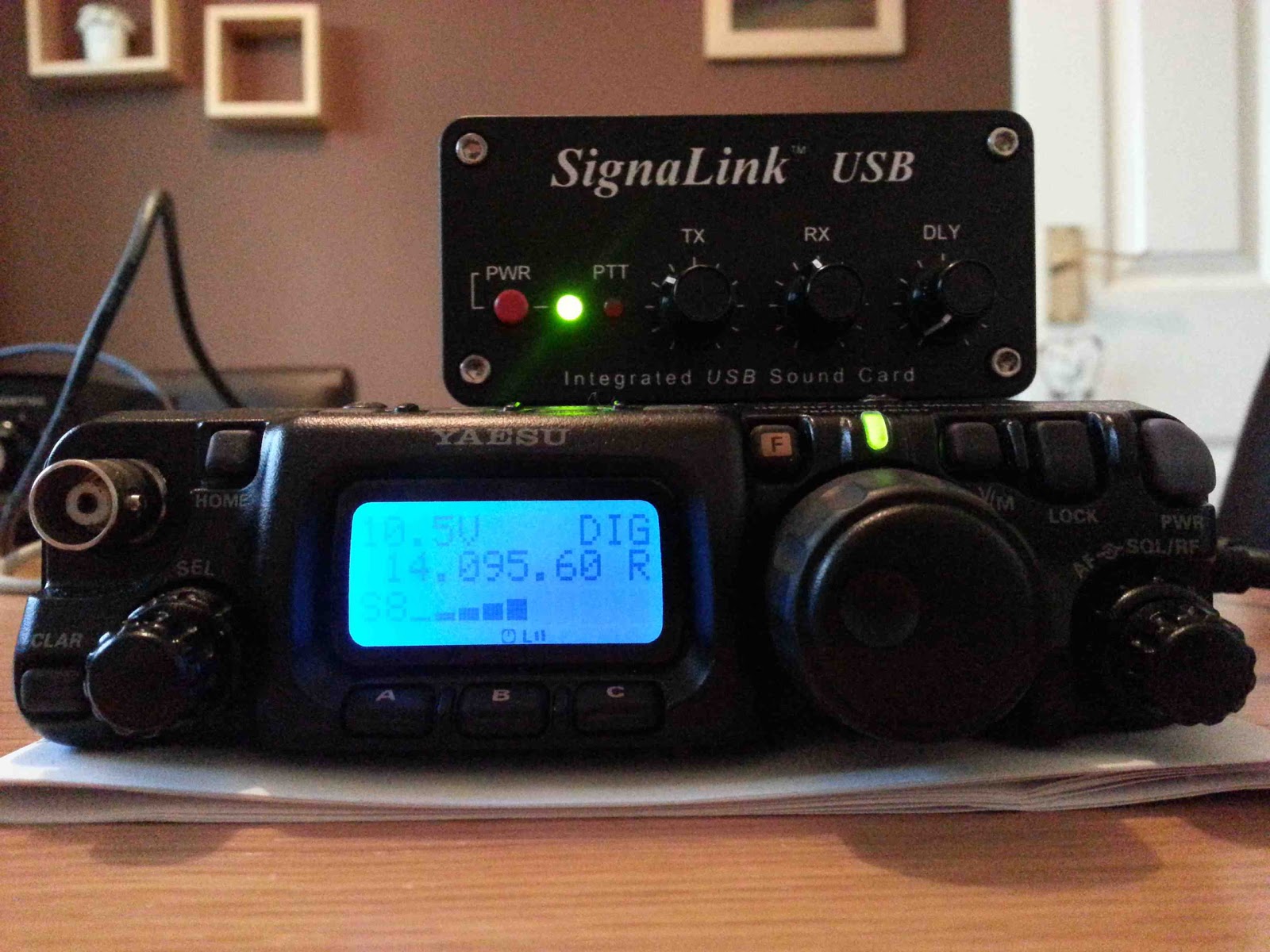 |
| FT-817 and Signalink USB Interface |
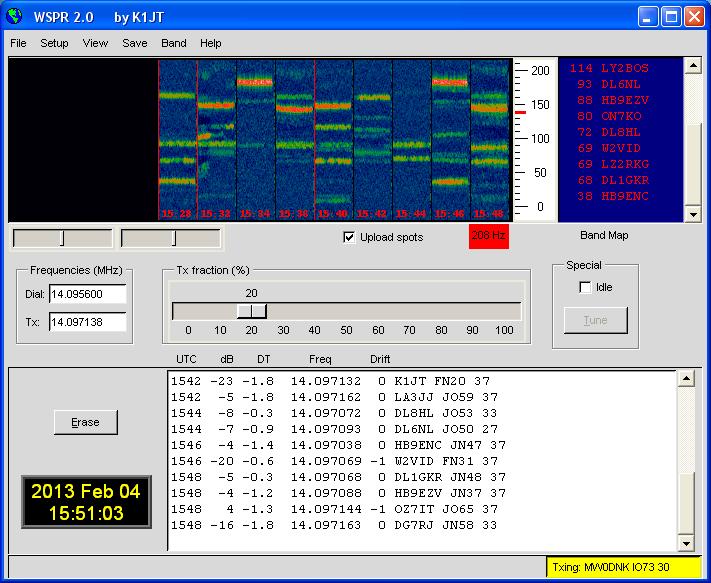 |
| WSPR Control Software |
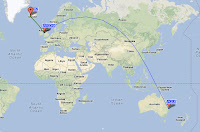 |
| 10 mins on 17m! |
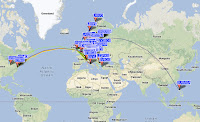 |
| 10 mins on 20m! |
First WSPR spots on 630m
A few of my blogging colleagues have written about having surprising success WSPRing with modest antennas on the 474kHz VLF band. I thought I would try to see what if anything I could spot using my attic dipole as an antenna.
 |
| Receiving WSPR-15 on the 630m band |
I downloaded the WSPR-X software which supports the new WSPR-15 mode. (The standard WSPR for HF and VHF is now called WSPR-2, the number indicating the duration in minutes of the transmit cycle.)
First problem was to find a receiver that would tune to 474kHz. My K3 would not tune below 490kHz nor the KX3. My K2 doesn’t have general coverage at all. My SDR-4 receiver would not go anywhere near the frequency. My FT-817 came to the rescue. I took it out of the drawer, blew the dust off it, found a power lead, switched it on and it tuned to 474.2kHz quite nicely.
The next problem was to find a sound card to receive the audio. I have three USB sound devices currently connected to the shack PC and I could only identify which driver was for which sound card by trial and error. After I realized that WSPR-X can be used for HF WSPR as well I tried it out first on 30m. For about an hour I had confusion as I did not seem to be receiving any WSPR signals at all. Eventually I tried WSPR-X on the sound card used by my K3. Once I verified that the program worked and was decoding spots I then tried receiving 30m WSPR on the ‘817. Once that was successful I tuned the receiver to 474.20kHz, set the mode to WSPR-15 and left it for a few hours to see what would happen.
I was doubtful whether I would receive anything on my 80 – 6m multiband dipole which is too short and totally unmatched on the 630m band, but when I came up to the shack later this evening I saw there were three spots of PA0A in JO33 at 30 minute intervals! These spots were not reported to WSPRnet as I had been so pessimistic of my chances of decoding anything that I hadn’t bothered to tick the “Upload spots” check box.
So the experiment was a success. I doubt that I will receive anyone else on this antenna so it is probably not worth leaving the radio set up for it but it was fun to see what can be received here on this new amateur band.
Show Notes #097
Introduction:
- Welcome to another episode of Linux in the Hamshackedness, where the Chocolate Shake Fairy visits Richard.
Announcements:
- LHS now accepts micropayment donations via Flattr. It’s been successful for the Linux Outlaws guys, so we’re giving it a try here.
- We now have a countdown timer on the Web site that shows the time remaining until the next live recording. Of course, now that we’re recording on Wednesdays, we’ve decided to move back to Tuesdays. That will happen in January. Keep an eye on the web site for the dates. (Tuesday, January 8, 2013, as of this moment.)
- We also have a Google Community for Linux in the Ham Shack. It’s a great method for leaving feedback, show suggestions, questions, hate mail or anything else.
- The Dayton Hamvention 2013 will be coming up soon, so we’ve added the donation thermometer to the website. Please make a donation and help send LHS to Dayton again in 2013.
- Sign up for the LHS mailing list, too.
- Gnorman has a bio on the LHS About Us page.
Topics:
- Raspberry Pi in the Ham Shack
- Russ has been working on getting an Echolink node running on his Raspberry Pi.
- He’s chosen Raspbian as the operating system, which is based on Debian Wheezy.
- Installation consists of downloading the iso, using dd to copy it to a secure digital card (SD flash memory card), booting the Raspberry Pi with the SD card, and following the prompts to install.
- VK2MEV has posted instructions for configuring a Raspberry Pi as an Echolink node.
- So far, Russ has Raspbian installed, as well as svxlink and qtel, but has not yet connected it to the usb sound card or attached it to his Rascal GLX interface to control the radio. Another option would be to use the Pi’s GPIO bus to control the radio instead of a digital mode interface.
- VK2MEV also has a page describing WSPR on a Raspberry Pi. (Another page is VK2MEV’s blog on WSPRnet.)
- Ted, WA0EIR, says he thinks some folks have his PSK31LX program running on a Raspberry Pi.
- Russ mentions that there is a Slackware build for the Raspberry Pi.
Feedback:
- Cory, KD0QEA, asks if there are any “hangout” radio frequencies for LHS hosts and listeners. Well, Cory, there are none due to lack of time for the hosts to get on the radio. However, perhaps our listeners would like to establish an LHS net. Email your suggestions for bands, frequencies and times and we’ll announce them on the podcast. When Russ gets his Echolink node/Raspberry Pi running, he’ll be there more often. The node number will be 54711 (LHS11 on the telephone pad).
- Doug, N6LMX, left a voice mail about the Raspberry Pi. He has one and wonders which ham radio apps can be used on the Pi. He’s also using Raspbian as the operating system. Doug will be attempting to create a media center with his, as well as ham radio applications. Russ suggests running the Pi headless and using ssh from a smartphone or tablet to access it. That would avoid having to carry a monitor and keyboard around with the Pi. It’s likely that most of the popular Linux ham applications, such as fldigi, would work fine with the Pi, though you may need to compile them yourself. As for the media server idea, the Pi may not be quite powerful enough. Raspbmc is based on XBMC, and might be the best option. Ted, WA0EIR, has several Linux ham radio applications that should work quite well on the Pi. Richard also wonders if there are folks running APRS on the Pi, and there’s at least one. Thanks for the voice mail, Doug. We appreciate it.
- Dave, M0DCM, has been catching up on the show, and responds to episodes 95 and 96. He uses 75-ohm coax as a feedline with a 1:1 balun to horizontal and vertical dipoles, and is able to bypass his tuner on 21 and 24MHz. He goes on to describe his Linux and radio activities. Thanks, Dave.
- Thanks to everyone who sent happy birthday messages to Russ.
- Gorkon, aka Joel, says there may have been a problem with the ogg version of episode 96. Russ will take care of it if he finds the problem.
- Mike, from Sugarland, TX, has been trying to use N3FJP’s Amateur Contact Log (ACLog) program for logging, presumably under WINE, but it crashes and he wonders if anyone else has had any experience with this. If any of our listeners have tried ACLog under Linux, let us know, or respond on the Google+ LHS community. Russ suggests forcing WINE into 16-bit compatibility mode.
Contact Info:
- Contact Richard at [email protected], Russ at [email protected], or both at the same time at [email protected].
- Listen to the live stream every other Tuesday at 8:00pm Central time. Check the LHS web site for dates.
- Leave us a voice mail at 1-909-LHS-SHOW (1-909-547-7469), or record an introduction to the podcast.
- Sign up for the LHS mailing list.
- Sign up for the MAGNetcon mailing list.
- LHS merchandise is available at the Merch link on Web site. Check out the Badgerwear or buy one of the other LHS-branded items at PrintFection.com/lhs or Cafe Press. Thanks!
- Thanks to Dave from Gamma Leonis for the theme music.
Music:
- None this episode.













