Posts Tagged ‘Computers’
 DXLab’s software
 April 21st, 2012 |
  Author:
 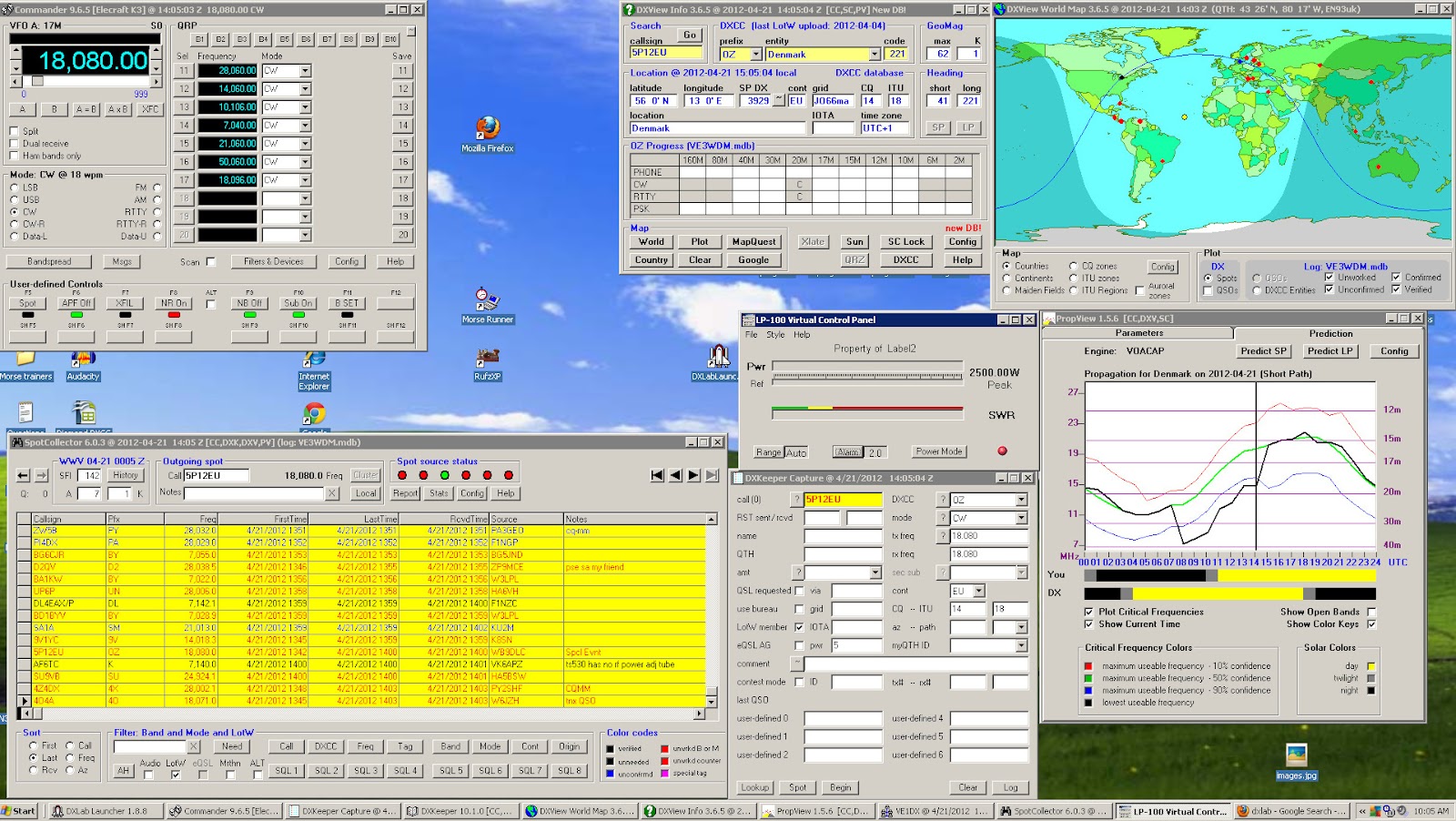 |
| My DXLab's desktop |
- You can pick and choose what applications you want to install.
- Once an application is installed you are able to customize it to your needs.
- Great support, the short time I was running DXlabs they released fixes and upgrades.
- Running all 8 applications did not seem to take up much of the PC's processor.
- Each Application has over the top documentation in great detail.
- It will start up 3rd party applications to run with DXLab. For me so far I have my LP-100A virtual meter starting up within DXLab.
- Make sure you read the documentation to fully understand what each app can do.
- The first application you want to download is called Launcher. This app when up and running at the push of a button install each app you want to try. It also (when configured to) will check for updates of all the programs each time it opens. It will also with one click start-up and shut down all DXLab app's. I made the mistake of not using this program and I manually unzipped, created a folder and installed each application. The Launcher makes installation a painless experience.
- Join the DXLab yahoo group for outstanding support. I posted a questions and it was answered in 20 minutes.

Prolific problems
A package from China arrived in the post this morning – a USB programming cable for the Baofeng UV-3R+. I got it from eBay seller happyhamshop where it was sold as a “USB programming cable for Wouxun handheld radio” but Baofeng claims that the UV-3R+ is compatible with Wouxun accessories. I was going to make my own cable but I didn’t have a 2.5mm stereo jack plug in my parts box so I decided to take the easy option and get a ready made cable for not much more than the cost of the plug from a components vendor.
The cable was detected and appeared as COM1 – the same com port number as my other USB to serial adapters that use the Prolific chipset. I haven’t tried it on the Wouxun – I can’t think of a reason to program channels on 4m – but it works with the Baofeng using both the manufacturer’s software and CHIRP, the platform and rig-independent memory management program.
It took me several attempts to transfer the memories from the old UV-3R to the new one. Writing a file taken from the old radio to the new one using either program caused the frequency display to read DDDD.25. Fortunately I knew enough about this issue to have used the software to make a backup of the factory configuration, which was easily restored.
The solution, if you’re interested, was to use CHIRP to export the memories from a file saved from the old radio to a rig-independent .chirp file, then load the factory configuration from the radio and import the file you just exported.
Problems with programming cables seem to be making up half the traffic in forums and groups dedicated to handheld radios. The problems are all associated with cables that use (or claim to use) Prolific USB adapters. These days, programming cables come with USB adapters built-in, so the need for separate USB to RS-232 converters – which could use a less troublesome FTDI or Silicon Labs chipset – is eliminated. But so, unfortunately, is the option to solve the problem by using a different type of adapter.
A couple of days ago I became aware of something that is certainly not going to make this issue any less common. Apparently a Chinese chip manufacturer has produced an unlicensed clone of the Prolific PL2303 USB to serial chip which is now being used in many of the USB cables that come from China. Prolific is understandably not very happy about this. It has released a new driver that detects the clone chip and fails with an error code 10, causing much frustration for the innocent end user. The solution, apparently, is to turn off automatic updating and install an older driver (the cable vendor will hopefully have a link to a driver that works with the cable they sold you.) The problem seems to be worst for users of 64-bit Windows 7 for which there are fewer old drivers in circulation. I deliberately stay as far from the bleeding edge as possible, and have automatic updates disabled on my shack PC. So far I have had no problems with the 32-bit Windows XP Prolific driver I’ve been using for the last couple of years.

Seeing the big picture
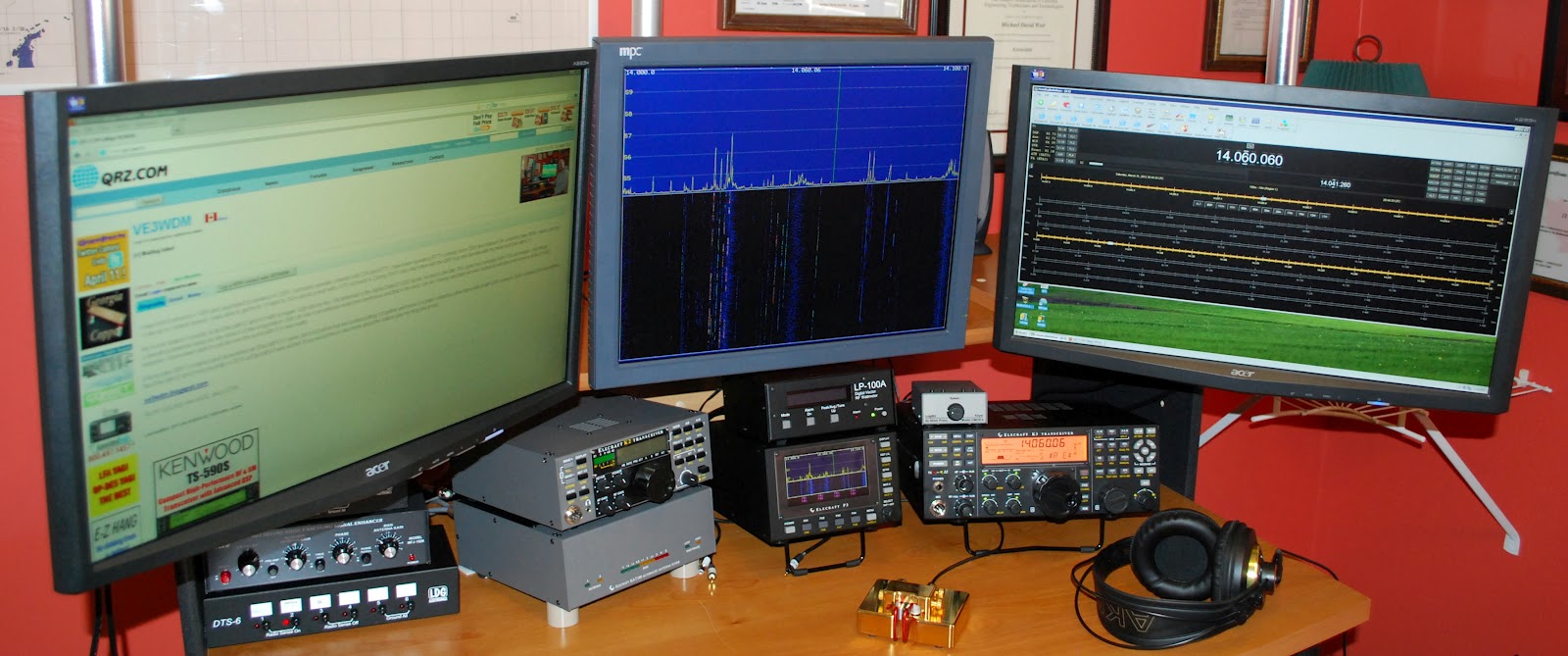 |
| The new setup |
 |
| Old setup |
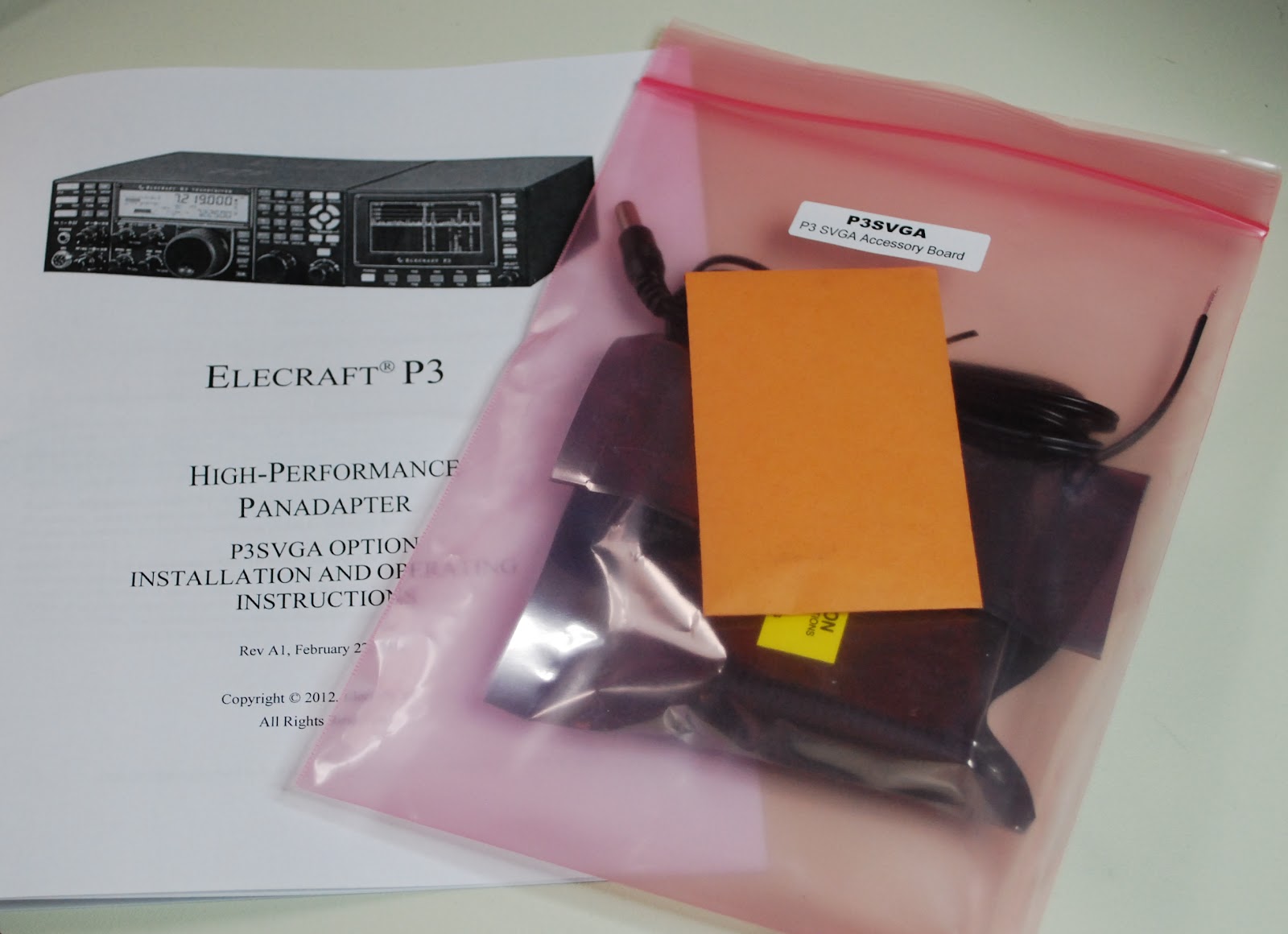 |
| New P3 SVGA |
time to give it a whirl. As a side note I kept a monitor that I was not using but knew I would use it some day. Well the day came when I needed a monitor for the SVGA it's great when I can reuse! The P3 was hooked back into K3 I then powered up the K3 and P3.......BUT the monitor was blank!!! Well lets reboot and try again.....NOTHING..........It them came to me go to the Elecraft site and update the P3's software. I did that and low and behold the monitor came to life with a great looking band scope! It sure is nice to have a scope up close and personal. Now Elecraft has plans to add mouse control, RTTY and CW decoding and more suggestions are piling in. When I added the new monitor I had to do some moving of equipment on the desk. The LP-100A, MFJ 1026 and the LDG switches all found a new home. The monitor was mounted on
moveable arm so when not in use I can move it out of the way. When the final position for all the equipment
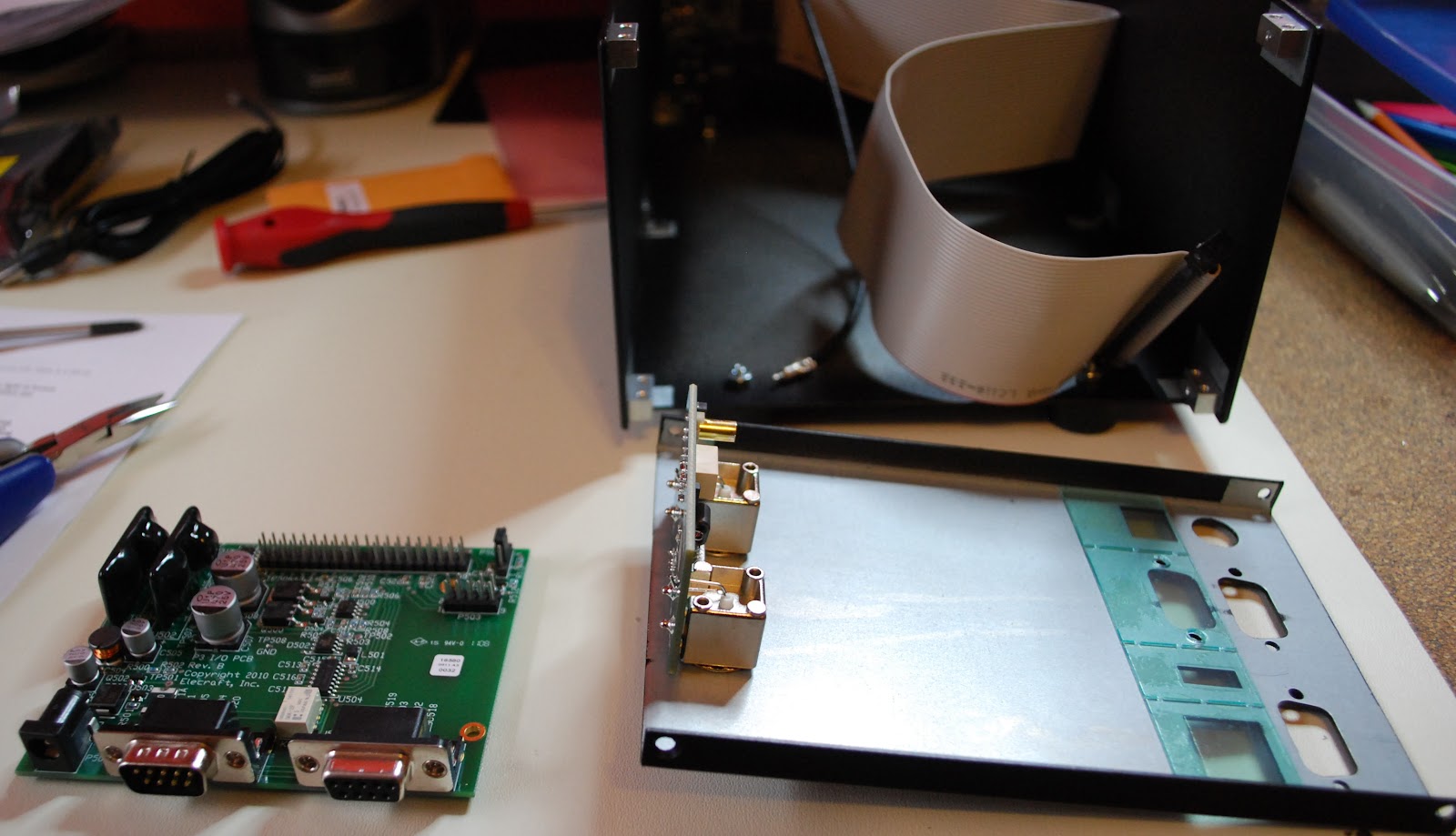 |
| P3 apart and ready for SVGA |
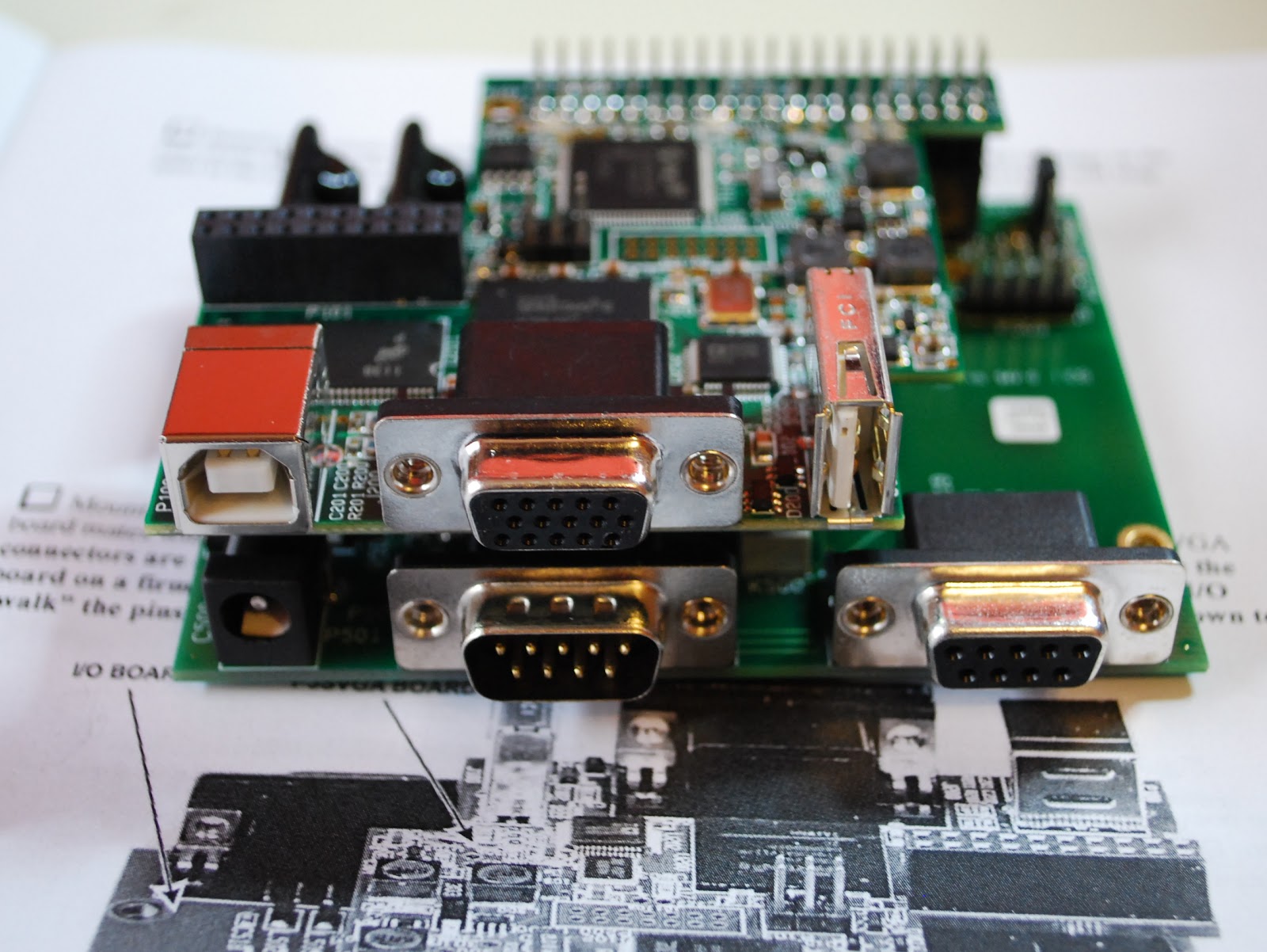 |
| SVGA installed |
labeled cables. My next project is to investigate logging software, radio control software and propagation software. I have been using a hodge-podge of software and I want to clean up the software end of my ham hobby so now it is time to look at some of the free ham software out there....any suggestions would be great!
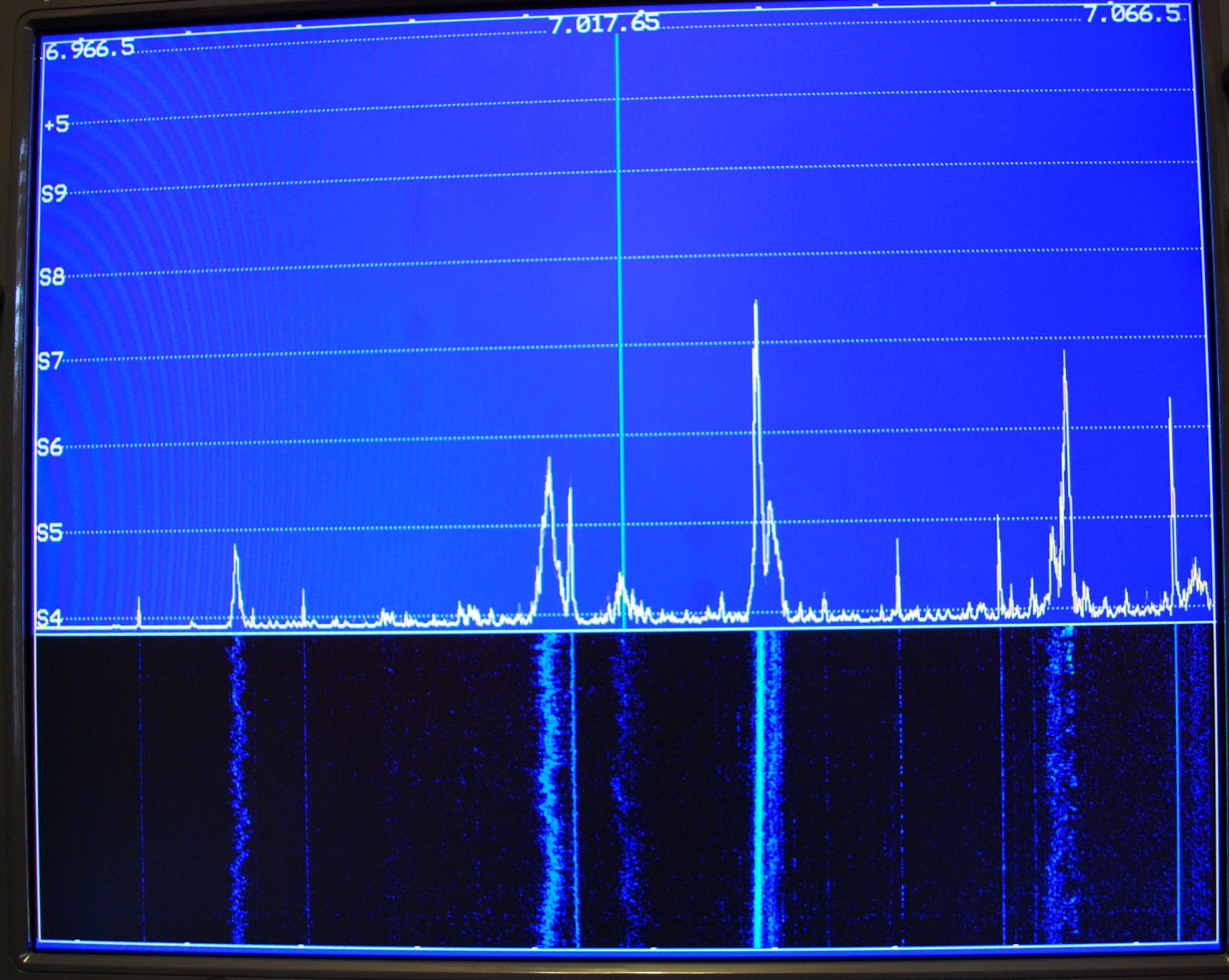 |
| View on the monitor |
 |
| Monitor out of the way |

Gremlins
This year I have decided to focus on the high frequency bands – 10m and 6m – this spring and summer. The predictions for the peak of this solar cycle are not very good, as you can read in several blogs, but it’s all we’re going to get for the next 10 years so I may as well make the best of it.
To this end I have started WSPRing on 10m when I switch on in the morning, with the intention of moving up to 6m if there appears to be a chance of propagation. On the previous few days I have been rewarded with a two-way path to VK on 10m at quite decent signal strengths. Not bad for 5 watts to an attic dipole. But today I received not a single spot, not a single trace.
Although not the reason for the lack of spots today, I think there is a gremlin in the machine. Twice I have come up to the shack to see what is happening and found the K3 in transmit mode but with no RF output. The K3 monitor mode shows no audio is being sent to the radio, so it isn’t a radio problem. The WSPR software settings haven’t changed, and are correct. Restarting the program makes no difference. The only solution is that hoary old first resort of the computer technician: Switch it off and then switch it on again. Works every time. But I wish I knew why it is doing it.

Taking a tablet
A month or so ago I solicited the advice of my readers on the selection of a device for reading e-publications. I learned that the Kindle – my original choice – would not meet all of my needs, but I received some strong endorsements for the Apple iPad.
As someone who pays full price for SIM-free mobile phones just so as not to be tied to one provider, the idea of a device that only let you use what Apple approves and insists on being tethered to iTunes did not, unfortunately, appeal to me. My online activities are very Google-centric, I’m a fan of open source and I already have an Android smartphone so inevitably my thoughts turned to Android tablets. Someone mentioned that Maplin had some cheap tablet computers in their sale – the Archos Arnova 10 G2. Maplin is rarely the cheapest source of anything even in a sale so I visited a price comparison site and found that Carphone Warehouse had the Arnova for £10 cheaper and with free shipping. I checked some reviews and the majority were very positive, even though many qualified their comments with “for the price.” The tablet was in my hands 24 hours and £139 later.
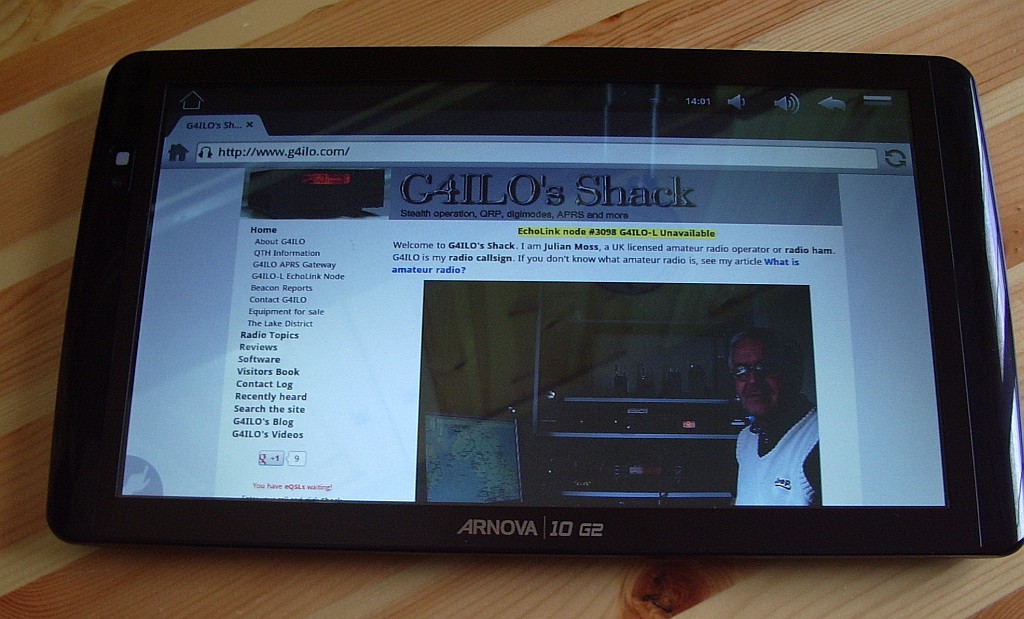 |
| Archos Arnova 10 G2 |
As a tablet virgin my impressions probably aren’t worth much but even I can tell that the Archos is not Apple build quality. The plastic case is more reminiscent of something that came out of a Christmas cracker. £11 on eBay got me a leatherette case/stand for the tablet so I don’t see the case anyway. But as many reviewers said, it’s a lot of tablet for the money. I haven’t got around to trying any e-book readers yet but I’ve used it for email and web surfing and I love it already. Battery life is great, the tablet is silent as there is no fan inside and no Intel Pentium giving you a hot lap so it’s a much better laptop device than a laptop.
One problem was that there was no Gmail app as I use on my smartphone. The Arnova doesn’t come with the standard Android Market so the choice of apps is rather limited. I found some instructions for installing Android Market on the Arnova but as usual whenever I attempt something technical with computers I got error messages that aren’t mentioned in the description. After trying a few things at random and on the point of giving up I noticed that Gmail had been installed and I had the full Market, except that it has been renamed Google Play. That probably confused me into thinking it was something to do with games, which I have no interest in.
The one thing I haven’t managed to do yet is find an app for my blogging activities. On the PC I use Blogger Dashboard in a browser (Firefox, of course) but on Android Dashboard is no good for keeping up with the blogs I follow because the list of posts is in an iframe and the Android browser doesn’t support scrolling in an iframe. Nor does the Dolphin browser, which I was led to believe would be the solution. I’ll probably have to use gReader, as I do on the smartphone, but I’d hoped the tablet would let me use something a bit more sophisticated.
We watched a TV show on the Arnova using the BBC iPlayer and I was impressed by the quality. Until then I could never understand why anyone would want to watch TV on a computer but in fact the angular size of the Arnova screen in my lap is larger than that of the TV when I’m sitting in my armchair, so it’s actually better. As you may gather, I’m pleased with my new gadget!

So what’s been going on………
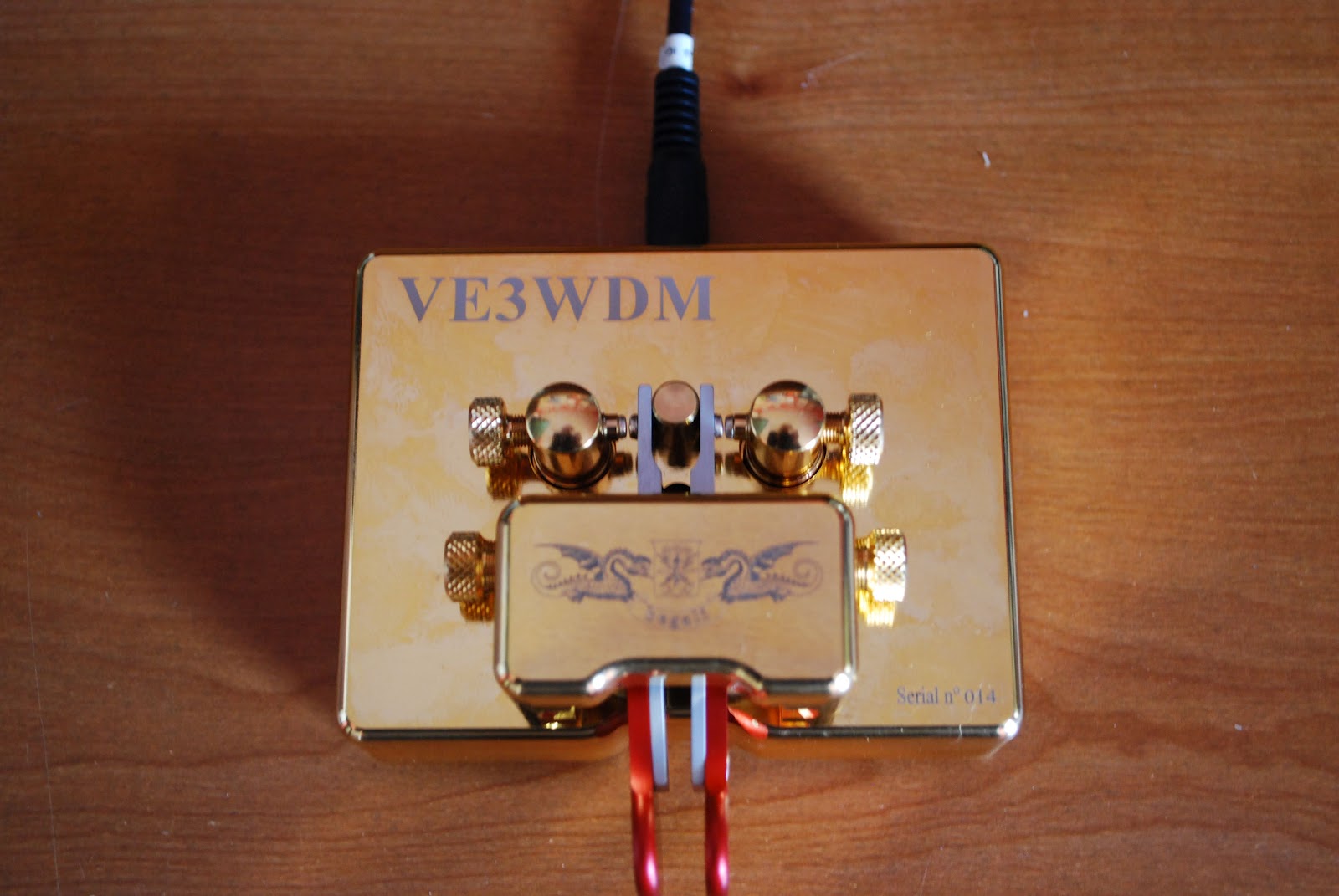 |
| The repaired key ready for action |
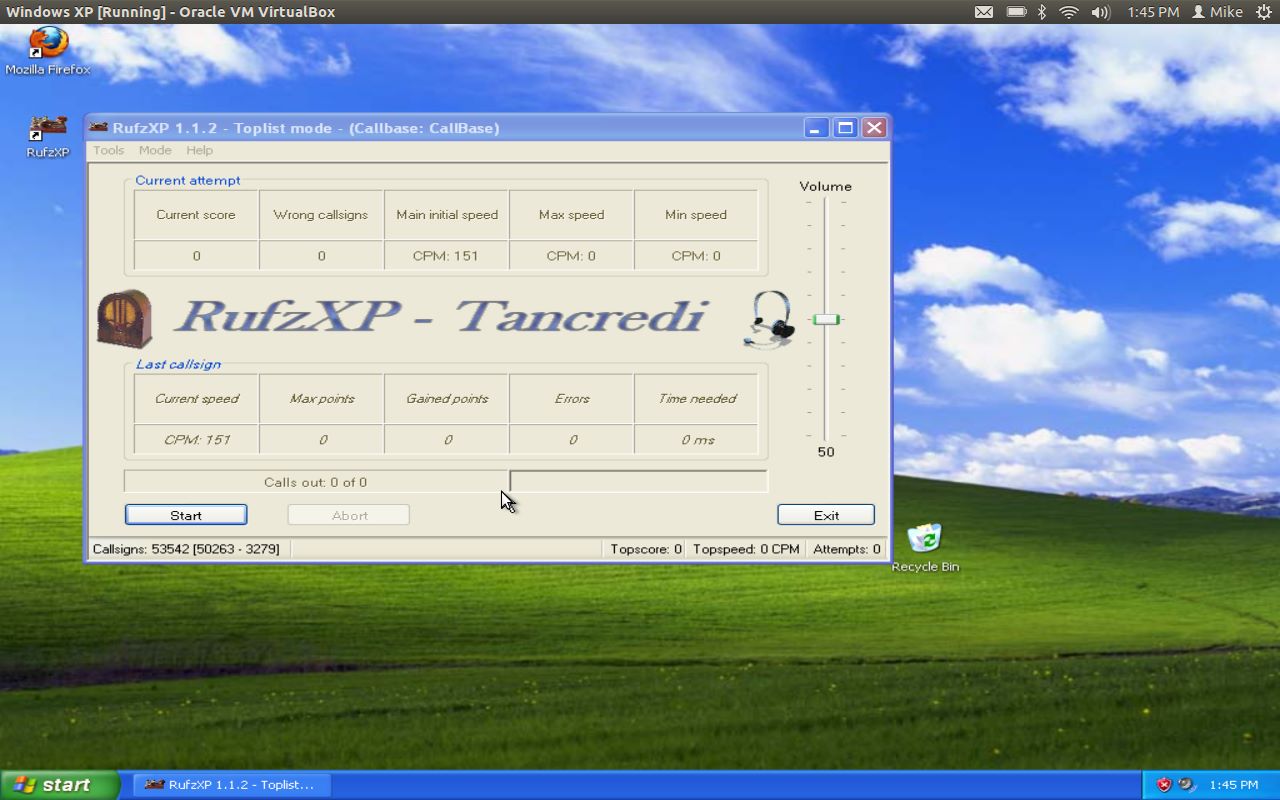 |
| RufzXP happy again |
took the jump and downloaded Virtualbox onto my Ubuntu laptop and installed WinXP. Virtualbox is a great program that allows you to run other operating systems within a "virtual computer" it creates. I now have Windows XP running on my machine and was able to install Netframe 2.0 and RufzXP...all are getting along just fine now.
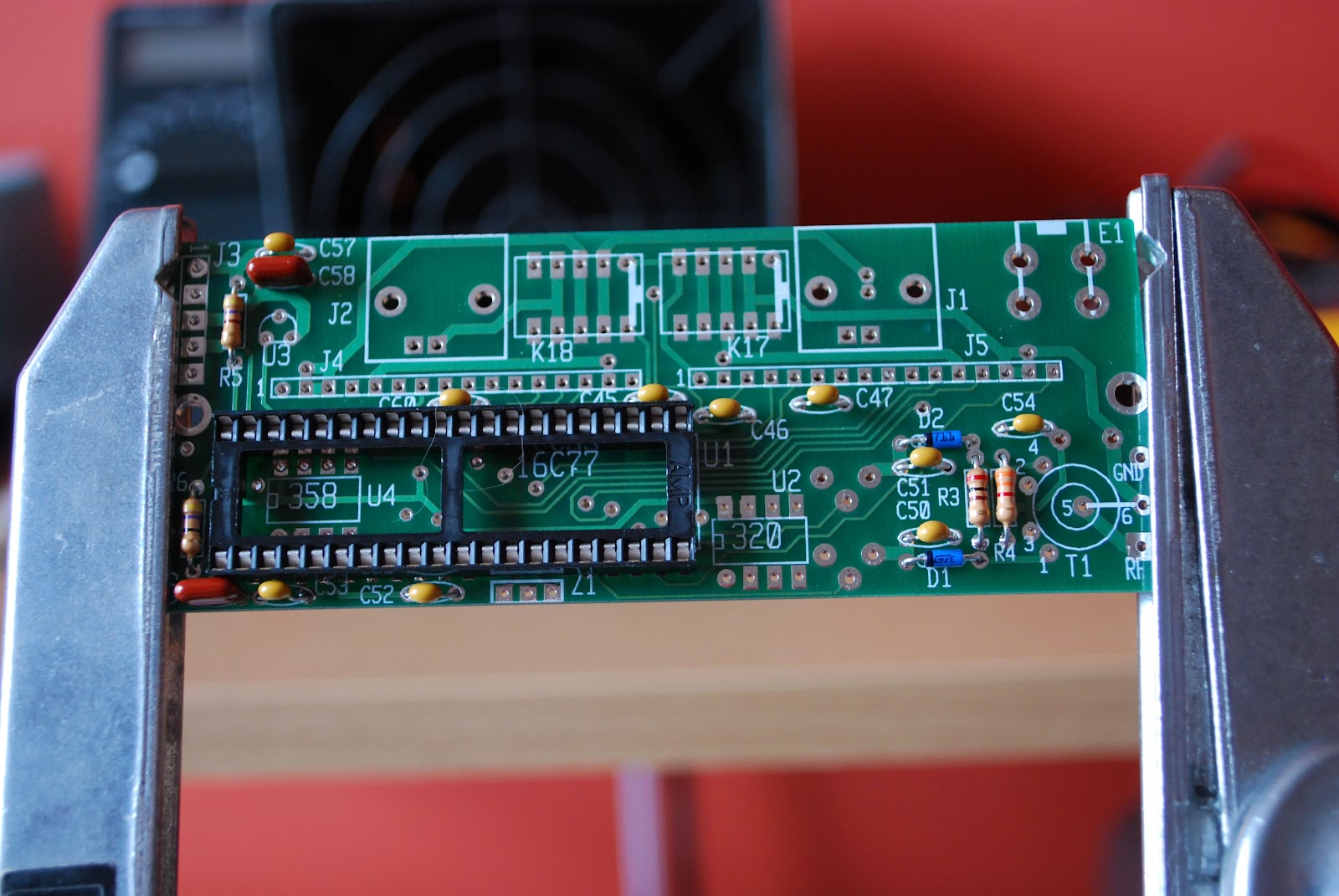 |
| The KAT2 which also has a "cat" hair |

Kindley advise me
I’ve been thinking about buying an Amazon Kindle. But I’m not sure if it will really be useful for what I want or whether it will just end up sitting on a shelf like my Eee PC and other gadgets of the month.
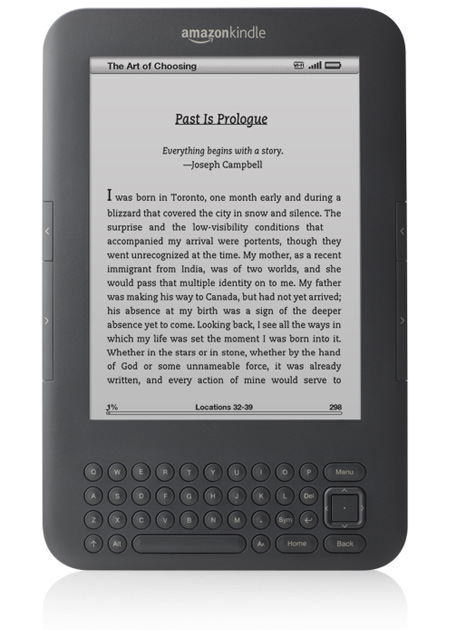
I know that the real purpose of the Kindle is for reading electronic books purchased from Amazon.com. However I don’t see myself using it for that very much. What I am interested in is reading ham radio and electronics publications that are increasingly being made available in electronic format. Are these magazines viewable on a Kindle or do they use some proprietary format only supported by a special application that needs a PC or Mac?
One of the publications I’d probably use it for is CQ, as I’m not sure it is really worth the international postage. Then there is World Radio, which is only available in electronic form, which I have never read due to the inconvenience of having to use a PC to do it. Now ARRL is bringing out an electronic version of QST. I still look forward to the printed magazine landing on the doormat but I do pay quite a premium for that.
I’d be interested to learn from Kindle users what formats the device supports. A couple of months ago the back issues of the now defunct 73 magazine and Ham Radio were put online. I downloaded the Kindle application for Windows and was disappointed with the results. The magazines were available in Kindle format but it looked as if they had been badly scanned using an OCR system and half of the content was in Greek! The PDFs were huge files and looked more like a poor quality FAX. The best format appeared to be one called Deja Vue. I downloaded a reader for it. Does the Kindle support that?
My eyes might find it easier reading on a device that lets you zoom in and enlarge the font. Does the Kindle let you do that?
How well does the Kindle support PDF files? I expect I would use it for those a lot. With a Kindle could I read PDFs I’ve downloaded and stored on a drive on our network or a memory stick? I’ve often considered, for nostalgic reasons, ordering some electronic back issues of Radio Communication (now RadCom) from the years when I first got interested in ham radio, though so far I have always changed my mind when I see the cost!
So over to my readers. Your thoughts on this, if you would be so kind!














