 |
 VLF field test tomorrow
 20 April 2015 | by
 Today I adjusted the turns ratio on my 8.976kHz VLF QRSS3 and 10wpm CW 5W beacon to better match my earth electrodes. At this QTH they look much greater than 50 ohms, which I measured at the “old” QTH and optimised for.
On the way I managed to blow up a TDA2003 IC, which I had to replace. The whole exercise was far more exhausting than I was expecting. It seems that after about 10-15 minutes of physical or mental effort I am done in. Before my cerebellum brain bleed everything today would have been trivial. Now trivial tasks feel like climbing mountains! Although I can see progress in my recovery there is still a long way to go. One of my aims (among many) is to be able to resume field tests as before, but time will tell if I am really up to this: it is quite hard when your brain is still foggy a lot of the time. Oddly, when sitting down at home or when driving things are fine. It is when I do something requiring real physical or mental effort that I get tired. I guess the radio work today was hard as I had not done this sort of thing for some time.
Anyway, the good news is that I hope to do a VLF field test tomorrow. Everything is ready and tested. It will not be until late afternoon as both my wife and I are busy before then. The XYL will be there at the test site if I get really tired. Setting up the gear will be especially tiring in my current state. The test site is not too far from home. I have soak tested the TX and it should be fine on QRSS3 using my loop and Spectran at the RX end. I shall report results tomorrow. This will be my first VLF field test in over 18 months. How I have looked forward to this. If the loop is successful I may try the E-field probe.

Roger Lapthorn, G3XBM, is a regular contributor to AmateurRadio.com and writes from Cambridge, England.
Series Eight Episode Eight – The RSGB Inspire Report (19 April 2015)
Series Eight Episode Eight of the ICQ Amateur / Ham Radio Podcast has been released. In this episode, Martin M1MRB / W9ICQ is joined by Ed Durrant DD5LP, Martin Rothwell M0SGL, and Chris Howard (M0TCH) to discuss the latest Amateur / Ham Radio news. Colin M6BOY rounds up the news in brief, and this episodes feature is - The RSGB_Inspire report (growing our Hobby)
- Teachers Wireless Lessons to Meet STEM Challenge
- Ofcom Agree 70.5-71.5 MHz
- Two New UK Repeaters
- International Marconi Day at Sandford Mill
- Amateurs and Vehicular Radars Can Play Nicely Together
- HB9AW Beacon Report
- International Achievement Award for Radio Ham
- Open Source CubeSat Projects
- UK Mobile Trading Regulations
- Nanaimo Club Celebrate Founding
Colin Butler, M6BOY, is the host of the ICQ Podcast, a weekly radio show about Amateur Radio. Contact him at [email protected].
Series Eight Episode Eight – The RSGB Inspire Report (19 April 2015)
Series Eight Episode Eight of the ICQ Amateur / Ham Radio Podcast has been released. In this episode, Martin M1MRB / W9ICQ is joined by Ed Durrant DD5LP, Martin Rothwell M0SGL, and Chris Howard (M0TCH) to discuss the latest Amateur / Ham Radio news. Colin M6BOY rounds up the news in brief, and this episodes feature is - The RSGB_Inspire report (growing our Hobby)
- Teachers Wireless Lessons to Meet STEM Challenge
- Ofcom Agree 70.5-71.5 MHz
- Two New UK Repeaters
- International Marconi Day at Sandford Mill
- Amateurs and Vehicular Radars Can Play Nicely Together
- HB9AW Beacon Report
- International Achievement Award for Radio Ham
- Open Source CubeSat Projects
- UK Mobile Trading Regulations
- Nanaimo Club Celebrate Founding
Colin Butler, M6BOY, is the host of the ICQ Podcast, a weekly radio show about Amateur Radio. Contact him at [email protected].
Hendricks Kits
These days, with dirt cheap kits from China often with free airmail, it is sometimes a wonder that any USA or UK kit companies exit at all. One of these I have mentioned before is Hendrick Kits, which always has a good selection on their website. These are best value if you live in the USA. Several kits are shown as “retired” which I guess means they did not sell well or they had problems with reproducibility. One favourite is the derivative of the BitX SSB design from Ashlan Farhan in India. This uses easily obtainable parts and has been a well proven design. Hendricks sell versions for 20m or 17m.
See http://www.qrpkits.com/bitx20a.html .
It looks like they have just moved so there might we a little delay until early May.
The power out, around 10W, should ensure plenty of contacts. These 2 bands are usually good even when the sun is quiet, so make a good choice. You have to choose either 20m or 17m SSB. I am sure Western kit companies would really value our business. “Use it or lose it”, is a phrase often used about bands. In this case it apples to amateur radio kit suppliers. If we don’t buy from them they will close their doors and cease trading. I am as guilty as anyone having recently bought a 40m Pixie kit from China.
From the Hendricks Kit website:
“The BitX20A and BitX17A are complete SSB kits with board, all parts, digital display and custom powder coated and punched case that is based on the BitX20 that was designed by Ashlan Farhan. The original version was built ugly construction, and you had to source all the parts. I discovered the BitX20 site on Yahoo in 2007, and decided that the BitX20 would be a neat kit for Hendricks QRP Kits. The problem was that it did not have a pcb. A team of Dan Tayloe, Jim Kortge and Arv Evans have worked countless hours making sure that the pcb version was stable and would meet United States F.C.C. Specs. We had to go through several revisions to get it right, and we are happy with the result, even though it took a long time. Some things just take time. The kit includes a commercial quality plated through, silkscreened, solder masked board, and all board mounted parts, plus the polyvaricon tuning capacitor, digital dial, custom powder coated and punched case, knobs and controls. Everything you need to build the kit is provided.
I encourage you to check out the BitX20 users group on Yahoo. They have agreed to provide support for the kits. There are hundreds of messages on there about the history and development of this kit. Our kit puts out about 10 watts, features dual IRF510’s as finals in a push-pull arrangement. The schematic is available at the Bitx20 site on Yahoo. Cost of the kit is $180.00 plus shipping and handling.“
The BitX looks a nice, useful radio. For a beginner it is just about all you need to get started.

Roger Lapthorn, G3XBM, is a regular contributor to AmateurRadio.com and writes from Cambridge, England.
Persistent Cycle 24
 |
| courtesy: http://sdo.gsfc.nasa.gov/ |
Our Sun's latest rotation is showing several new large sunspot groupings, all very capable of unleashing a new round of solar flares and associated disruption ... if nothing else, Cycle 24 is persistent!
 |
| courtesy: http://sdo.gsfc.nasa.gov/data/ |
 |
| courtesy: http://www.swpc.noaa.gov/ |

The software gurus at NOAA have been busy once again, this time revamping several of their visual models to an 'animated' mode. The Ovation Auroral map is particularly interesting when run in this mode as it shows the auroral field's activity visually over the past 24 hours. The display gives one a new appreciation for the dynamics of such large scale events:
 |
| courtesy: http://www.swpc.noaa.gov/communities/radio-communications |
 |
| courtesy: http://www.dxmaps.com/ |
Steve McDonald, VE7SL, is a regular contributor to AmateurRadio.com and writes from British Columbia, Canada. Contact him at [email protected].
Talking Back To Home
Having an EchoIRLP node here at home allows me the option of communicating with the XYL (who holds a Tech license) when I am on the road. I found this very useful when I was stationed in Korea. With the time difference, the end of my day was the beginning of hers. I could check APRS to see when she started her morning commute and then connect to my home node. This allowed me to check in with her as well as saying “Hi” to the kids.
With the Summer Trip, the XYL will not be with us the whole time. Therefore, IRLP may well offer a solution.
Time change will not be a significant factor – which means the best times to schedule IRLP QSOs with the XYL would be during the commute times. That should work fairly well because I do not plan to be on the road either too early in the morning or much past the late afternoon.
What is the availability of IRLP nodes along the route I am taking and will they be near our overnight stops? Enter the ARRL’s Repeater Directory. I remember my dad almost always having the shirt-pocket version of this directory by his easy chair along with his HT and a mechanical pencil that he used to make notes. I have consistently followed his lead, although I usually keep a copy in my truck as I am not too much of an HT guy. Another difference is my excitement about the Desktop Edition of the Repeater Directory. I find the shirt pocket edition way too tiny and difficult to use. The Desktop Edition is the Business Class of directories…. spacious, roomy, and comfortable.
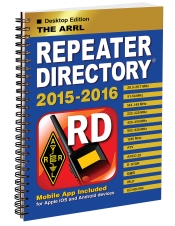
I took advantage of ARRL’s birthday coupon to purchase the 2015-2016 directory and am using that to start my IRLP node research. Without digging up my maps and looking too much at the surrounding areas, here is what I found:
Sioux Falls, SD, IRLP Node #7346, 444.2, 82.5
Gillette, WY, IRLP Node #3307, 449.75, 123
Cody, WY, IRLP Node #7194, 146.85, 103.5
Great Falls, MT, IRLP #7908, 147.3
Great Falls, MT, IRLP #5670, 147.36, 100
Bozeman, MT, IRLP #3692, 448.35, 100
Billings, MT, IRLP #3398, 449.75, 100
What I will probably do is use my home node to connect to these nodes to see if they are in operation and get an idea as to what their coverage areas are.
Scott Hedberg, NØZB, is a regular contributor to AmateurRadio.com and writes from Kansas, USA. Contact him at [email protected].
Amateur Radio Weekly – Issue 57

Navy once wanted the world’s largest antenna in Wisconsin
In the 1960s, US Navy officials concocted an ambitious plan: they wanted to bury a gigantic grid of cables under roughly 41 percent of the state of Wisconsin in order to turn its bedrock into the world’s largest radio antenna.
Vox
FCC proposes to make past Ham address information private
The FCC is seeking comments on a Notice of Proposed Rule Making (NPRM) in WT Docket 15-81 that would restrict routine public inspection of an Amateur Radio licensee’s address history.
ARRL
Norway: first country to shut down FM analog radio
Within two years from now, the shutdown of national FM-networks begins in Norway.
The SWLing Post
ADIF to map Amateur Ham Radio contacts
This web application will read in a ham radio ADIF file and map contacts on a Google map.
K2DSL
Best Android Morse (CW) apps
Determined to finally master the skill, I’m using Android tutors to practice where and when I can.
M0SPN
Using WebSDRs worldwide for the ISS
Martin Ehrenfried G8JNJ describes how he uses WebSDRs to listen to ISS transmissions on 145.800 and 145.825 MHz. The SUWS SDR at Farnham can even receive the 143.625 MHz ISS comms channel.
AMSAT UK
How to
DIY open source reflow oven
Turn a household toaster oven into a soldering reflow oven for surface mount components.
Make:
Video
SSTV images from the International Space Station
I used my Arrow Antenna dual band J-Pole antenna, FT-817, Signalink USB interface and MMSSTV software.
K7AGE
Slow Scan TV in 1973
On a 1973 Israeli TV show, Aaron 4X1AG (ex 4Z4AG) demonstrated amateur radio Slow Scan Television (SSTV), which in the pre-PC era was displayed using a long persistence tube.
Southgate
Podcasts
Fo Time! The Other Ham Radio Podcast
Fo Time is a new podcast, aimed at the ‘younger’ Ham Operator and those interested in learning more about the hobby.
Fo Time!
QSO Today Podcast
I hope that you will sign up and join me for my weekly exploration of ham radio, my QSO, with these accomplished ham radio operators.
QSO Today Podcast
Amateur Radio Weekly is curated by Cale Mooth K4HCK. Sign up free to receive ham radio's most relevant news, projects, technology and events by e-mail each week at http://www.hamweekly.com.
 Ham Radio Deluxe |
 W5SWL Electronics |
 Ham Radio Prep |
 KB3IFH QSL Cards  Hip Ham Shirts  HamRadioAuctions HamRadioAuctions Reliance Antennas Reliance Antennas Enigma Shop Enigma Shop |  morseDX  Ni4L Antennas  R&L Electronics R&L Electronics antennas.us antennas.us QRV QRV |
- Matt W1MST, Managing Editor
