 |
 About Those Drive Up SOTA Summits
 21 May 2021 | by
 The Summits On The Air (SOTA) program was designed with hiking/climbing in mind but some SOTA summits have roads that go to the top. Some notable ones that come to mind are Pikes Peak (W0C/FR-004), Mount Scott (W5O/WI-002), Mount Coolidge (W0D/BB-012), Sandia Crest (W5N/SI-001), Mount Greylock (W1/MB-001) and Mount Mitchell (W4C/CM-001). There are also summits that have trams, trains and chairlifts that provide easy access.

Some SOTA activators dismiss drive-up summits as not being the real SOTA experience. Everyone is entitled to their point of view and can choose their summits accordingly. I am too pragmatic (read: lazy) to worry about that. If there’s a road to the top, I am probably going to use it, whether it’s a serious 4WD road or a well-paved surface.
The Rules
The specific terminology used in the various SOTA Association Reference Manuals (ARMs) may vary a bit so I will refer to the Colorado (W0C) ARM:
The SOTA General Rules state that the method of final access to the radio operating location must be nonmotorized. The General Rules do not specify the distance, either vertical or horizontal, that this final access must cover. The use of non-motorized vehicles (e.g. bicycle) or pack animals to enter the Activation Zone (AZ) is permitted. Operations must not be in, or in the close vicinity of a motor vehicle, cannot use a permanent electrical power source, nor use a fossil fuel generator in any fashion. No part of the station may be connected in any way with the motor vehicle. All equipment must be operated from portable power source (batteries, solar cells, etc).
The intent of the rules is quite clear: SOTA is not a motorized activity…you need to operate independently of a motor vehicle. Like most rules though, there are shades of grade on the interpretation. Just how independent do we need to be? Unless you started your hike from your home location, all SOTA activations have some form of mechanized transport involved. It is just a question of how far you ride and how far you walk.
Some SOTA Associations used to suggest or require a qualifying hike for drive-up summits. This means that you hike down from the summit for some minimal vertical distance (100 feet or so) and then hike back up to “qualify” your activation. This idea seems to be on the way out and this language was removed from the W0C ARM some years ago. However, your Association may still encourage it or you could just decide that it is a practice that you want to do. (You can find ARMs here.)
Some new SOTA activators look at the rules and suggest they are too restrictive. They argue that people with limited mobility should be allowed to operate from a vehicle. These requests have been heard before and are immediately rejected. I do think the SOTA Management Team has crafted a workable approach that keeps SOTA oriented towards backpack portable operating while still allowing for minimal mobility.
Our Approach
The guiding principle that we use on our drive-up or tram-up summits is to use our normal backpack-portable SOTA station. However we get to the summit, everything goes into a pack which is carried for some minimal distance away from the vehicle, tram or chairlift. This keeps the drive-up SOTA station configured just like the hike-in variety: compact, lightweight, no chairs, no tables (unless they fit into our packs.) This avoids the “Field Day” style set up with lots of gear carried from the vehicle via multiple trips to create a Big Portable Station. Sometimes the drive-up summits are overrun with people, so a short hike away from the crowds can get you to a quieter spot.
That’s how we do it. What are your thoughts?
73 Bob K0NR
The post About Those Drive Up SOTA Summits appeared first on The KØNR Radio Site.
Bob Witte, KØNR, is a regular contributor to AmateurRadio.com and writes from Colorado, USA. Contact him at [email protected].
LHS Episode #413: The Weekender LXXII

It's time once again for The Weekender. This is our bi-weekly departure into the world of amateur radio contests, open source conventions, special events, listener challenges, hedonism and just plain fun. Thanks for listening and, if you happen to get a chance, feel free to call us or e-mail and send us some feedback. Tell us how we're doing. We'd love to hear from you.
73 de The LHS Crew
Russ Woodman, K5TUX, co-hosts the Linux in the Ham Shack podcast which is available for download in both MP3 and OGG audio format. Contact him at [email protected].
LHS Episode #412: WFView Deep Dive

Hello and welcome to the 412th episode of Linux in the Ham Shack. In this episode, we have a fantastic interview with Elliott, Phil and Roeland, developers of the WFView project. WFView is an open source rig management application which implements rig control, network access, audio transport, full display view and more. It's open source and cross platform and available for download today. We hope you check out the project and enjoy the podcast.
73 de The LHS Crew
Russ Woodman, K5TUX, co-hosts the Linux in the Ham Shack podcast which is available for download in both MP3 and OGG audio format. Contact him at [email protected].
AmateurLogic 156: Radiogram
AmateurLogic.TV Episode 156 is now available for download.
What’s a Shortwave Radiogram? OpenWebRX v1.0 Update. UBLOX7 Winlink and Time Sync using GPS.
1:04:56
George Thomas, W5JDX, is co-host of AmateurLogic.TV, an original amateur radio video program hosted by George Thomas (W5JDX), Tommy Martin (N5ZNO), Peter Berrett (VK3PB), and Emile Diodene (KE5QKR). Contact him at [email protected].
Spotted down under on 40m
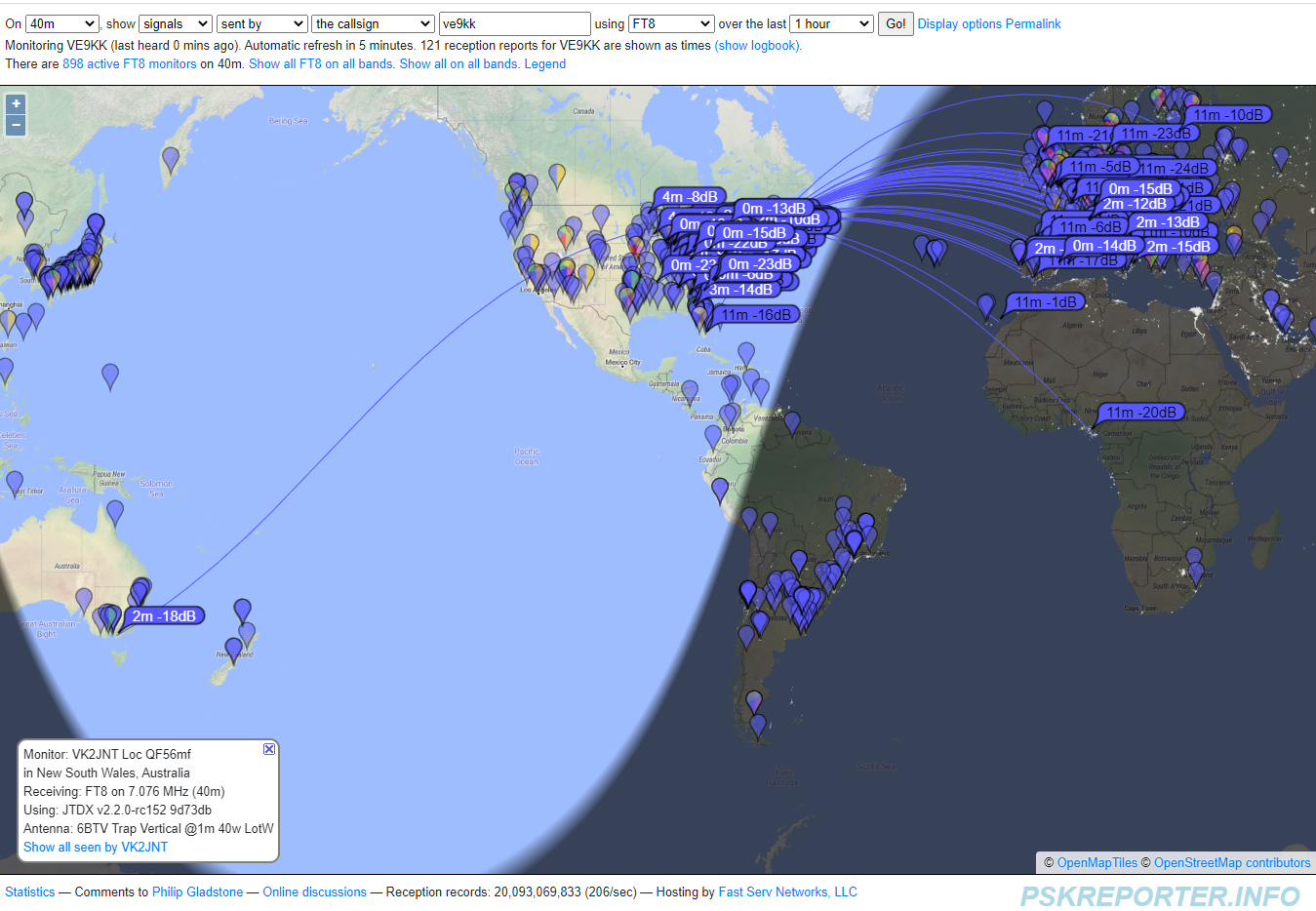
I was on 40m using FT8 this evening and I checked PSKreporter after being on for only a short time and was pleasantly surprised with a spot in Australia.
Mike Weir, VE9KK, is a regular contributor to AmateurRadio.com and writes from New Brunswick, Canada. Contact him at [email protected].
LHS Episode #411: We Named the Dog Indiana
Hello and welcome to the 411th installment of Linux in the Ham Shack. In this short-topics episode the hosts discuss youths on the air, operations on rare IOTA sites, the future of Audacity, LibreOffice, the continued existence of OpenSolaris, cheap CubeSats, Fedora 34 and much more. Thank you for listening and have a great week!
73 de The LHS Crew
Russ Woodman, K5TUX, co-hosts the Linux in the Ham Shack podcast which is available for download in both MP3 and OGG audio format. Contact him at [email protected].
Mac and cheese me off!
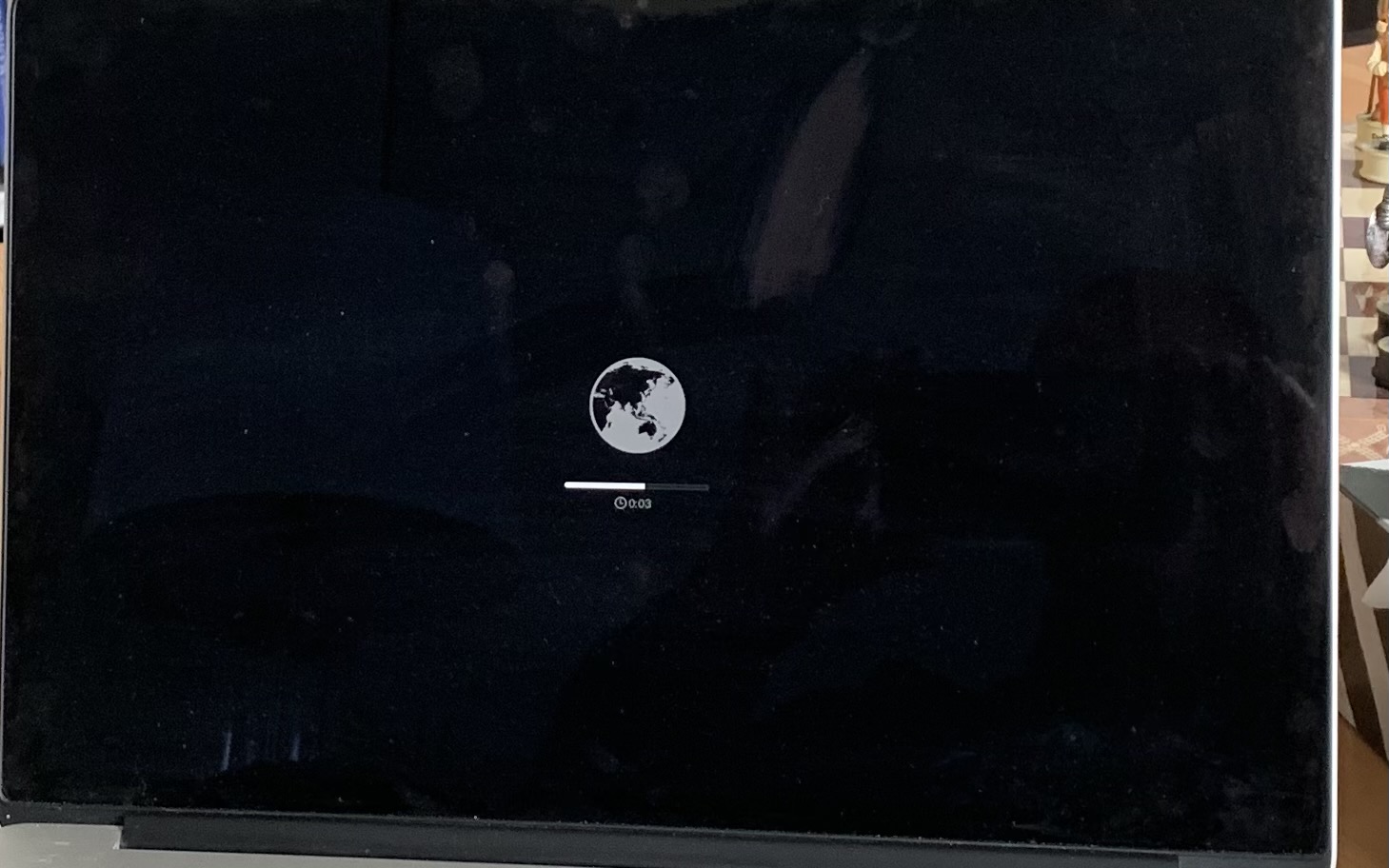 |
| A failed attempt and the adventure begins! |
As the contest season approaches, I wanted to once again warm up my CW contesting abilities. One of my go-to programs is Morse Runner and now it's available for Mac as well as Windows. About 6 months ago my faithful Mac PC informed me there was an OS upgrade I could do call Big Sur. Soon after the upgrade I found out that some programs no longer worked under this OS. One program that failed to work was Morse Runner. I did some online reading about the steps to downgrade to a previous Mac OS X and at the time I just did not want to end up spending hours at the PC trying to get things working again as these adventures I have found never end up being fast and easy.
Well this weekend I found myself looking at the non functioning Morse Runner desktop icon on my Mac and I decided to take the plunge and downgrade! I decided to try what seemed to me to be the easy way which was to restart the Mac while holding down Option + Command + R keys and wait for a "spinning world globe" on the screen. Well the globe showed up and it was spinning with the words "internet recovery" I sat back and thought I was on my way. After a long time of globe spinning I was given the message "internet recovery failed" I tried again and was given the same message and I thought "here we go....."
It was time to take the full plunge into the dark waters of erasing the hard drive......what could go wrong??? So off, I went to restart the Mac and held down the Command + R keys and I was greeted with the Mac OS utilities screen. I mouse clicked all the way through the hard disk erase process and then restarted the PC. I was greeted with a black screen (a black screen is never a good thing) with a do not enter symbol under that was a link for Apple support. I restarted again just hoping that would do the trick but the same screen greeted me. I was told this screen (via the internet) is informing me I either have a damaged hard drive or my Mac is unable to boot up.

It was time to go on my Windows PC and search the internet for answers. I did locate many posts of people who encountered the same result as me. Apparently I did not complete some important steps when I erased the drive. It was time to restart the PC and hold down Command + R keys again to get back to the Mac OS utilities. I then had to choose the disk utilities tab I then had to choose file formate (APFS) and choose partition map (GUID) and then finally under partition I chose 1. I then clicked continue and everything was ok.
It was time to move onto the next step and install the OS, to this it was time to restart AGAIN while holding Command + R keys and then when the Mac OS utilities popped up choose "Reinstall Mac OS" and see what happens. This time I was greeted with the Mavericks OS and it was in the process of installing. Finally all done.........well not really!
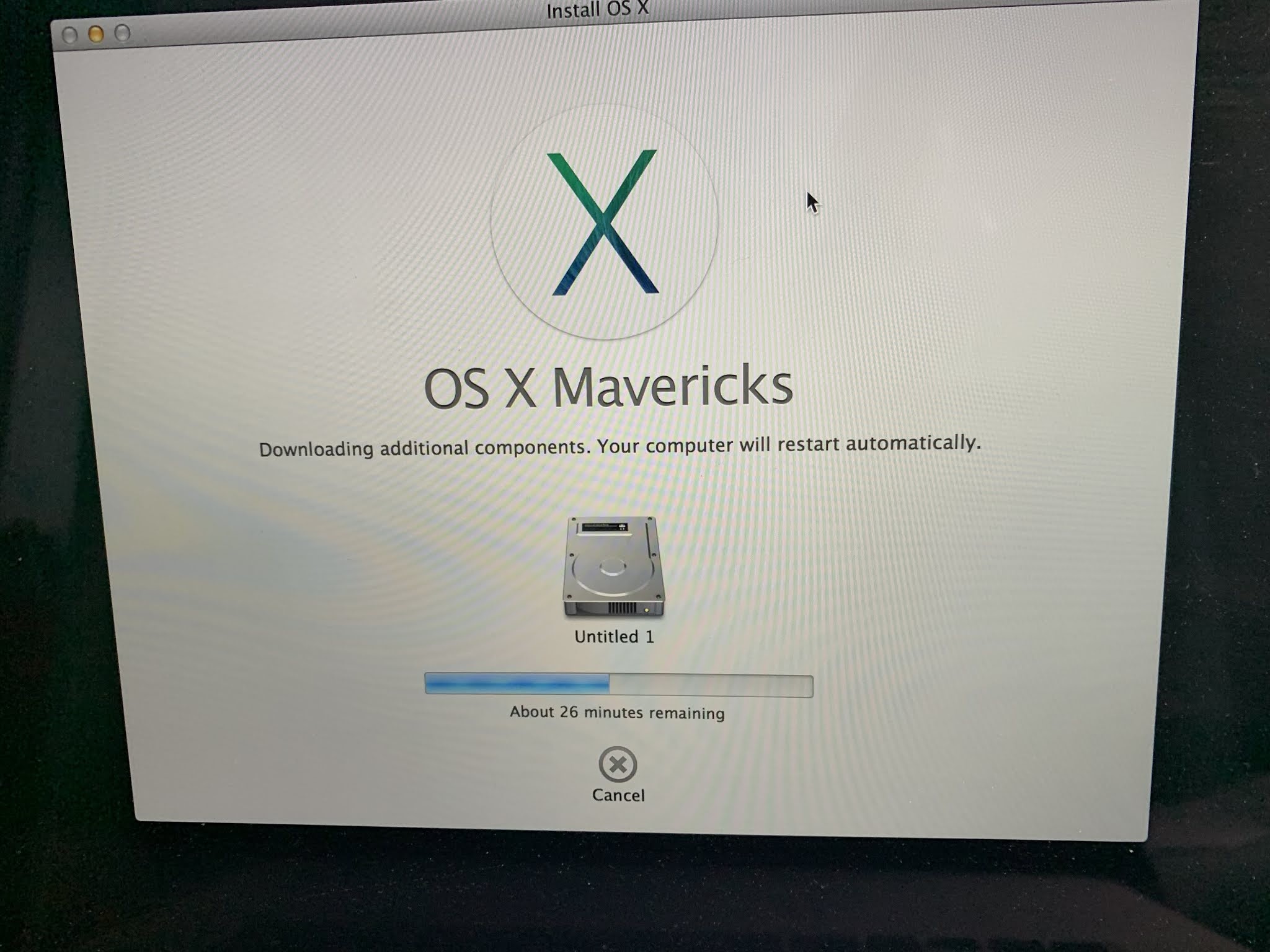
Once I entered all my information when prompted the OS finally started and I began to load my programs. The first was the antivirus and I was told the Mac OS version was out of date and the antivirus would not be installed. Great, another road block......The scuttlebutt on the internet informed me to go to the Apple Apps store and look for the OS I wanted to install then click on it and it will install. Well the only OS I could find was Big Sur and for sure I did not want to go down that road again!
I found a link to the OS Catalina and I tried that but it eventually failed to download. I then found the Mojave OS and it too failed to load. After some internet searching I finally found a link to the Mojave OS that according to user feedback was working as of just a few days ago. I tried it and it worked so I have Mojave 10.14.6 on my PC. I am happy to report that all my programs are happy now and my copy of Morse Runner for Mac OS now works just fine.
Mike Weir, VE9KK, is a regular contributor to AmateurRadio.com and writes from New Brunswick, Canada. Contact him at [email protected].
 Ham Radio Deluxe |
 W5SWL Electronics |
 Ham Radio Prep |
 KB3IFH QSL Cards  Hip Ham Shirts  HamRadioAuctions HamRadioAuctions Reliance Antennas Reliance Antennas Enigma Shop Enigma Shop |  morseDX  Ni4L Antennas  R&L Electronics R&L Electronics antennas.us antennas.us Ears to Our World Ears to Our World |
- Matt W1MST, Managing Editor
