Author Archive
 New 28MHz beacon from Gibraltar
 April 9th, 2013 |
  Author:
 Via Ronald ZB2B comes news of a new 28MHz beacon from Gibraltar on 28.170
This should be very useful for us here in the UK – I’m looking forward to hearing it!
WSJT-X: It works, it works (or Julian is a genius)
It’s always good to hear from Julian, G4ILO. However, an email received today was of immediate interest. I’d posted a couple of weeks ago that I was having problems getting WSJT-X to work, on account of the stuttering audio.
Julian kindly emailled this morning to ask whether I’d got it going yet, because he’d heard of someone else having the same problem. And better still, he related how the person had fixed the problem, changing the output audio device to Direct-X.
I received the email at work today and frankly was tempted to remote control to my PC at home and have a play, but alas it was a busy day. However, this evening, I popped up to the shack after supper and had a look.
Sure enough, I had a ‘Direct X’ output available for my audio, so I mapped WSJT-X’s output to that and wondered. And hoped.
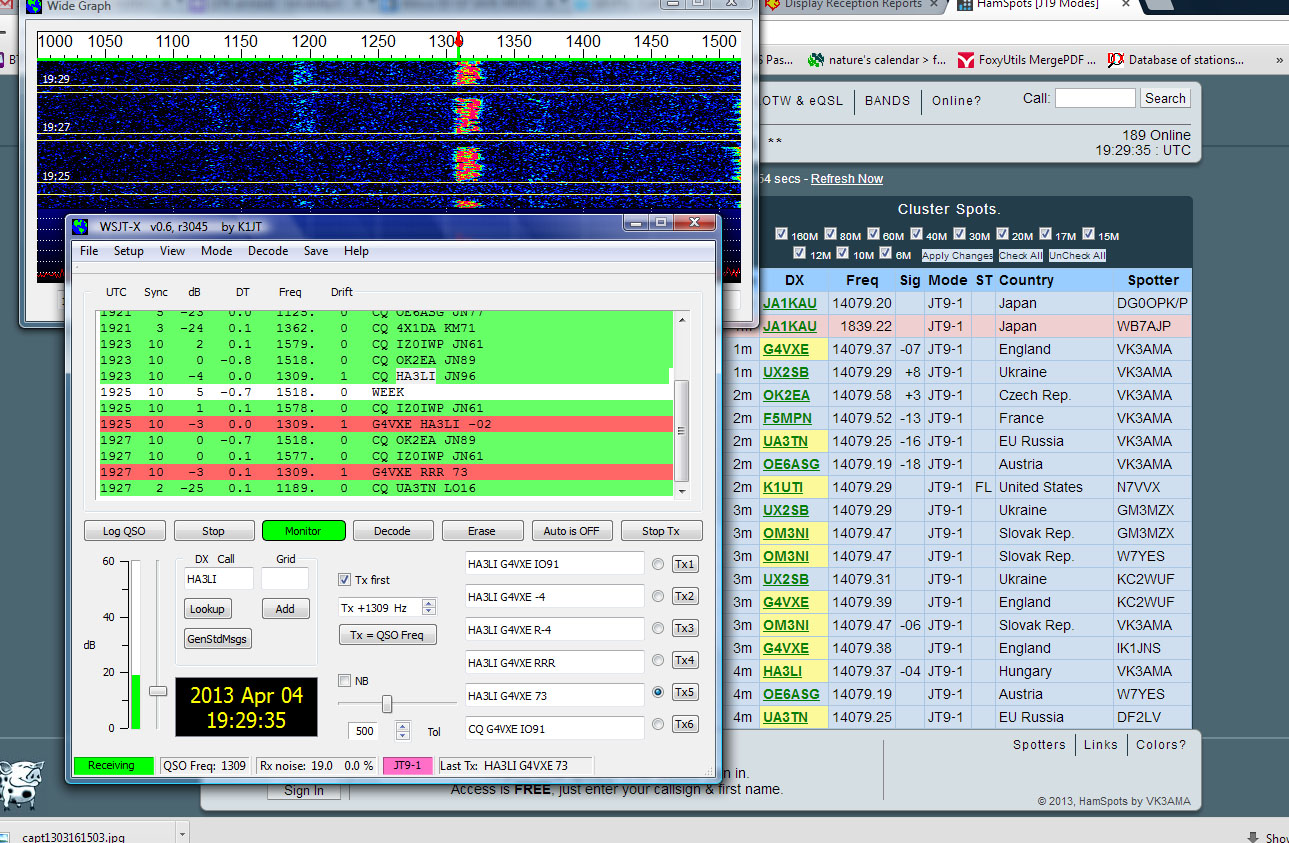
I called HA3LI who was calling CQ with a huge signal on 14MHz JT9-1. It sounded good on my monitor receiver. No stuttering…. And then, magic of magic,HA3LI came back and we completed an easy QSO.
Just as good, looking at the HAMSPOTS site, my signal was also copied by VK3AMA and KE5SSH.
It looks like I am in business. I am so pleased! Thank you Julian!
It’s funny where the mind leads sometimes: Remembering Nose KH6IJ
Over the last couple of days I’ve been playing some 28MHz JT65A in the late afternoon and early evening. The band hasn’t been great but there have been plenty of reports from South America and good to see some other stations too.
I was looking at the PSK Reporter website and the mapping of stations that had heard me and those I’d heard. As I looked at the Pacific Ocean, where I haven’t been heard in the last few days, my mind went back to my first QSO with Hawaii on 28MHz.
It was probably back in the late 1980s or maybe early 1990s. I was living in Cheltenham in a house with a garden around 9 feet wide by 20 feet long. I had a Butternut vertical up (26 feet tall). I had to retreat into the house to get it to an angle such that I could then walk out into the garden and get it to the vertical plane!
At the time I was very active on CW on HF. Late one afternoon, I heard an individual sounding morse signal on the bottom end of 28MHz. It was Nose KH6IJ. Nose was probably the most famous operator from Hawaii at the time and I was thrilled to hear him. Even more thrilled and surprised when he came back to my call. We had a brief QSO – a really nice one.
I doubt I have worked Hawaii on 28MHz from the UK since – I don’t chase these things anymore. But it’s always a thrill to work half way around the world.
Wind forward to this evening. I googled KH6IJ and I found a really fascinating article about him, with lots of facts that I didn’t know before. I hope you enjoy the article as much as I did!
A low power FM transmitter with your Raspberry Pi
After seeing the piece about making the Raspberry Pi into a WSPR transmitter, I was also intrigued that it could be made to be an FM transmitter using the PiFM code.
Sure enough it can! I followed the instructions on the Imperial College Robotics website then downloaded the code and compiled it up. The default sound file that’s transmitted is a simple tone, but you could easily record a WAV file announcing your callsign!
What a clever bit of code by Oliver Mattos and Oskar Weigl! I’m not a bad programmer, but I wouldn’t have known where to start with this!
I didn’t even bother putting an aerial on the GPIO pin – I wasn’t looking for DX! The RF signal was strong enough to be detected by handheld receivers on the desk.
Great fun! Just the sort of thing for a snowy March day.
.JPG)
I am so pleased with the Raspberry Pi. What fun I have had with it, since I got it at Christmas. Unwisely, I have agreed to do a talk about ‘Life of My Pi’ at the Harwell Amateur Radio Club on April 9th. I’d better get around to preparing it, but there’s certainly going to be plenty of material.
A Raspberry Pi as a WSPR beacon
Thanks to the Southgate Amateur Radio news, I’ve just seen that Guido, PE1NNZ has turned a Raspberry Pi into a 10mW WSPR transmitter that works up to 250MHz. Just a low pass filter and an antenna are required in addition to the Raspberry Pi and the software.
The code is available here
The Readme file at Github says the following:
Makes a very simple WSPR beacon from your RasberryPi by connecting GPIO
After spending £2.19 I still can’t get WSJT-X to work!
The new USB soundcard arrived today and I was hopeful it would resolve the problem I am having with WSJT-X. I installed it simply, tested it on PSK and JT65A and then fired up WSJT-X hopefully.
My replies to loud CQs, as before, went unanswered! I am certain that the stations just aren’t decoding me. But why? I am decoding others’ signals easily.
This evening I completely uninstalled and reinstalled WSJT-X. I think the next step will be to try a different computer. Remembering that I have so far tried two different rigs, two interfaces, two soundcards – the only thing left in common is the computer. But I don’t see what the problem should be.
Fascinating, puzzling and a little frustrating in similar measures….but I am sure in the end I shall get it working!
Update! After chatting to Charle M0PZT about it I recorded the signal off air. It didn’t decode for me. Listening to the tone direct from the computer it sounded clicky and horrible, regardless of the audio level. This must be why. Now, what to do…
WSJT-X: Why won’t it work for me?
Over the last month or two, I’ve been watching the development of WSJT-X and the increase of activity on the mode. In fact I tried it quite early on, on 3.5MHz with Mark, M0DEV. However, although I could get it to receive and transmit, Mark couldn’t decode me.
Mark looked at my signals and there seemed to be some sort of artefact with the audio. We wondered if that was the problem. Time came and went and I didn’t have a chance to look at it properly.
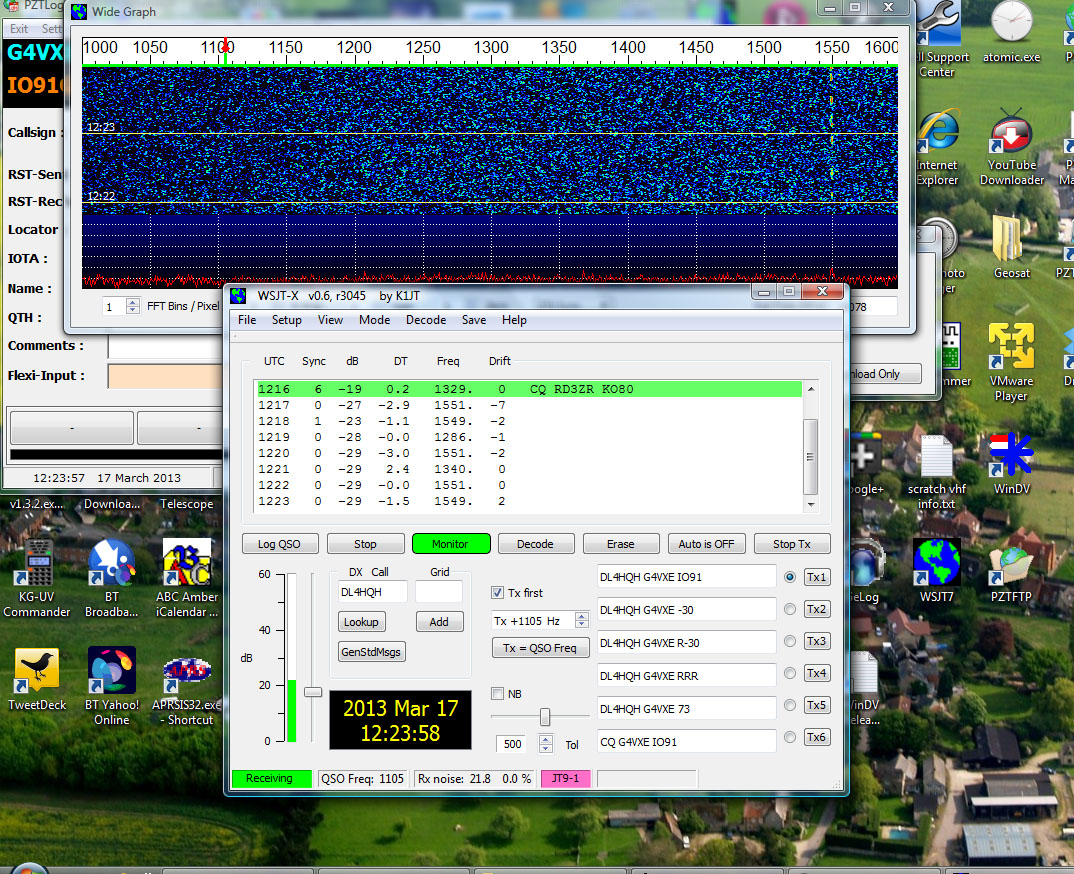
New versions of the software have come out and seeing Julian G4ILO’s post at RTTY and JT9 earlier this week, I thought it would be fun to try it again. Although this morning, I have tried two different rigs and two different interfaces, no one has yet decoded me! Of course, that could be sheer bad luck – but no decodes on PSK Reporter either.
I’ve tried reducing the audio output as much as I could in case there was anything causing an issue.No! Bear in mind that I can use exactly the same setup on JT65A and pretty much any other data mode that you care to shake a stick at. It’s all rather puzzling.
The next experiment will, I think, be to try a different USB soundcard and see if that makes a difference.
It’d be great to get it going, as it looks an interesting and a useful mode.













