Posts Tagged ‘Computers’
 A new use for old technology
 August 25th, 2010 |
  Author: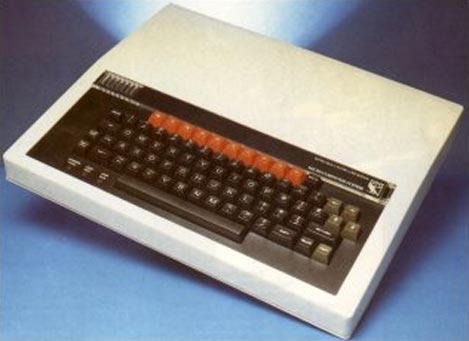
The National Museum of Computing at Bletchley Park has found a use for 30-year-old BBC Micros – teaching students how to write programs. One ICT teacher said: “The computing A-level is about how computers work, but if you ask anyone how it works they will not be able to tell you. Modern computers go too fast. You can see the instructions happening for real with these machines. They need to have that understanding for the A-level.”
I often think back wistfully to the days of programming early microcomputers where each instruction or subroutine you wrote had a direct effect on the hardware. Even the way things appeared on the screen were a direct result of my own coding. Today, Windows manages all input and output and actually prevents the programmer from directly accessing the hardware. In modern programming you never see a machine instruction. It’s all done using high-level language commands to set the properties of “objects” – software “black boxes” that simplify and speed up complex programming tasks but hide the mechanics of their operation. You couldn’t write modern software the old way, but I still miss the simplicity of early computing.
I have pretty similar reasons for being concerned at what developments like SDR and D-Star will do to the ham radio hobby. The technology is so complex that the average amateur will have no understanding of how they work, only how to use them. I miss the days when you could open a schematic and follow the path of a signal from one end to the other.
Of course, you can still buy kits to build simple radios. I hope that there will always be a place in our hobby for simple, analogue radios that the average amateur can understand, and I don’t mean just in a museum.

The Windows Genuine Disadvantage
If you visited a shop whose owner appeared to suspect you of being a thief and sometimes insisted on searching your bags before you left, you would probably take your custom elsewhere. And that’s pretty much how I feel about Microsoft. Several times in the last few years since the company developed its obsession with software piracy I have been subjected to heart-stopping moments when, instead of working normally when started up in the morning, one of my computers decided that my copy of Windows wasn’t genuine and I had to waste time jumping through hoops to prove that it was.
The latest occurrence was this morning when I switched on the shack computer – an HP mini-tower – in order to start my APRS gateway, Microsoft Security Essentials popped up a message saying “You may be a victim of software counterfeiting” and stating that it would stop working in 30 days unless I did something about it. It offered a link to check the system. This opened in Firefox where I was requested to download a plug-in. After that I was asked to click a Continue button which was supposed to run the validation check. Nothing appeared to happen. Eventually I tried the second option provided for browsers on which the first one wouldn’t work, which downloaded an .hta file to my desktop. With no other instruction as to what to do next, I clicked on it – all the time wondering if this wasn’t some clever software hoax to trick me into installing malware on my system. Fortunately it wasn’t. I was informed that, hoorah, hoorah, my copy of Windows supplied by HP was indeed genuine after all. Thank you, Microsoft, that’s ten minutes of my life you just wasted. But by the by, if you must be so anal about pirate copies why do you have to make the checks so intrusive and complicated?
The previous time something like that happened was the trigger for me to dump Windows and install Linux on my shack computer. However, as I have written previously, I found Linux forced me to make too many sacrifices which is why in the end I went back to Windows. Linux the OS is fine, it’s the lack of high quality applications (particularly in the ham radio sphere) and the decision by many hardware manufacturers not to provide Linux drivers that makes it frustrating. Having said that, most of the programs I regularly use are either available in Linux versions (like Fldigi) or will run on it under wine (like APRSIS32.) But the truth is, the older I get the more I feel that life is too short for faffing around with computers.

Up the Amazon
The September issue of PC Pro (a British computer magazine) arrived today. Featured on the front cover was an article exposing the rip-off prices charged by music download sites. Madonna’s Celebration (which I presume is a popular music album) would set you back £11.18 at MSN Music or £11.99 at Spotify but would cost you only £2.98 from Amazon.
Included with the magazine was a DVD which contained a free copy of Paragon System Backup 2010. As I didn’t have any backup software for 64-bit Windows I thought this was fortuitous, so I decided to install it. But after handing over my email address in exchange for a free registration code it failed to install. The developers had used the ridiculously overpriced, overcomplicated and error-prone InstallShield (programmers will know what I mean) to create the setup wizard and only a few seconds into the install it threw up an error message about being unable to initialize the Javascript runtime and died.
I tried the obvious things like checking that Java was installed, running the installer in administrator mode, and even Googling the error message and trying the suggested remedy of registering the Javascript DLL, all to no avail. So I decided that I was not going to rely on backup software from a company that could not even produce an installer that would run on a brand-new computer, and consigned Paragon to the Recycle Bin (both literally and virtually.)
I spent a couple more hours downloading, being unimpressed by and then uninstalling a number of other free backup programs. I even discovered that there was a backup program included with Windows, but for some reason the version that comes with Windows 7 Home Premium has been hobbled by only being able to back up to writeable DVDs or removeable hard drives, not my network attached backup server. After being advised that the backup would take 6 or 7 DVDs I decided against it.
In the end I decided to stump up for a copy of Acronis, which most people seem to regard as hands-down the best backup software you can get. It can create disk images from which you can restore even if Windows won’t run and it has a continuous backup option that backs up your files while you work so you can revert back if you mess up a file. It even has a “Try and Decide” sandbox that lets you safely try out software you aren’t sure about to see if it will do anything nasty to your hard drive.
The Acronis website informed me that this paragon (small p) of backup software would cost £39.95. After checking some reviews, in my usual lazy fashion I typed “acronis trueimage” into the Google search box to find my way back to the website, and Google helpfully included three “shopping results” in its list of related sites. Included there was an offer of Acronis TrueImage Home 2010 from Amazon for £17.99.
Eh? I can buy online and pay £40 for an electronically delivered product the manufacturing and delivery costs of which are near zero, or I can have a physical product that has been mastered onto CD and put into a printed box, possibly with a manual, which has then been driven to a warehouse and stored waiting for me to buy, after which it will be put into a cardboard mailer and sent through the post to be delivered to my door, for less than half the price (with SuperSaver free delivery.) Sorry, I don’t see the logic in that, but thanks very much Google and Amazon.

Android envy
I’m suffering from a severe case of Android envy. I was just checking the latest post in Jeff KE9V’s excellent blog (glad you haven’t forsaken the blogosphere in favour of podcasts, Jeff) which mentions in passing that Google has just released AppInventor, a free simple application builder for the Android platform.
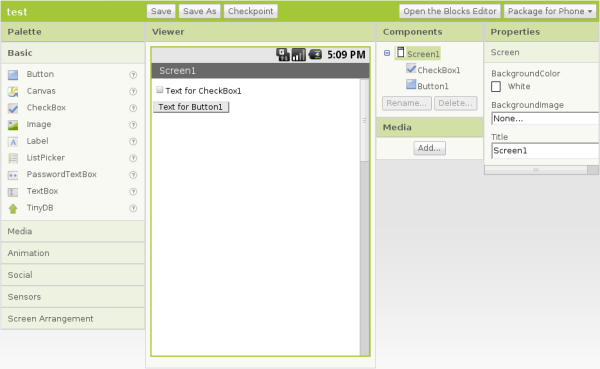 What piques my interest particularly is that AppInventor includes building blocks that allow you to talk to things like the GPS, so you can write location-aware apps, perhaps even apps that are APRS related.
I own a Windows Mobile smartphone. I also own a currently uninstalled copy of Microsoft Visual Studio, which can create apps for the phone. I once wrote an app to sync the clock to an internet time server. But like everything to do with Windows it’s all just too darn complicated and my ageing brain doesn’t feel like getting to grips with it.
The AppInventor approach looks much easier and more fun. I see an Android in my life before too long.

Inspirational
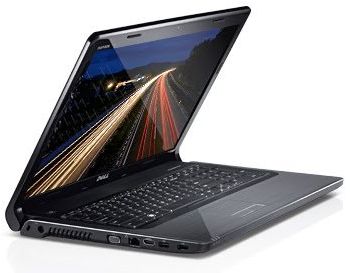 My new work laptop came this morning. It’s a Dell Inspiron 1764 with an Intel i3-350M(2.26GHz) Mobile CPU, 3GB of RAM and a 250GB SATA hard drive. It isn’t the most portable laptop, having – like the Toshiba it replaces – a full-sized keyboard and a 17.3in. widescreen display. It looks and feels absolutely gorgeous, the screen is superb, the keyboard perfect for my fat fingers, and it’s blisteringly fast. Click on the Firefox icon and the browser is there in a second or two.
What’s more, the Dell doesn’t cause any RF interference that I’ve noticed. The old Toshiba caused an increased level of hash that broke the squelch on my 2m FM receiver unless I cranked the knob round quite a way. Since I started receiving HF APRS I noticed that the Tosh caused a 3 S-point noise level on 30m as well, which all but prevented reception of any packets. So I am delighted with the new PC for that reason as well. I can now leave my radio station running all day as a VHF and HF APRS gateway while I work.
The old Toshiba had Linux installed on it early on in its life for security reasons plus the fact that Linux has some good web development tools. I was going to buy a PC with Linux preinstalled but I couldn’t find what I wanted so I resigned myself to paying the Microsoft Tax. The Dell came with 64-bit Windows 7. I thought that I should try it under Windows for a few days just in case there was a fault and I had to send it back. But to be honest I think I may stick with Windows. It looks more polished than Linux, it’s fast and I’ve already started to find replacements for the Linux tools I used. Firefox, which I spend most of the day using, looks and works exactly the same on both platforms, of course.
I certainly wouldn’t choose Windows 7 64-bit for a shack PC as there are too many compatibility problems with popular hardware and ham radio applications. But for what I need to do to keep the business running it looks like being a good choice.

Undesired attention
I wish Murphy, the patron saint of things that don’t work, would leave me alone. It’s a bit frustrating reading on other blogs that someone spent a weekend and ended up with some perfect working piece of gear while I spent several hours just trying to get a computer to talk to a radio.
Although APRSIS32 now supports transmit and receive using AGW Packet Engine which can use a soundcard as a modem I have never decoded a single packet, nor have my beacons been reported as heard by anybody. I started to wonder whether my cheap USB dongle – one of those things about the size of your thumb with a USB plug on one side and two 3.5mm stereo jacks on the other, that cost next to nothing – was up to the job. It had worked acceptably well for Echolink, but although my braaaps sounded to me like packet, they might not sound enough like packet to someone else’s decoder.
My computer’s on-board soundcard is in use by my K3 so there was no point in trying that. But I did have another slightly better USB audio dongle being used for PC sound, so I decided to swap them over. I removed the cheaper dongle in order to better access the audio sockets and when I replaced it I received a message from Windows that “One of the USB devices attached to the computer has malfunctioned” and it disappeared from the system.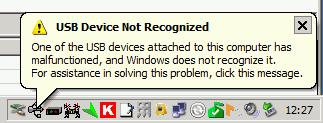 Giving up on computer sound for the moment I proceeded to try to test APRS packet transmission using the other dongle. But although I was receiving audio OK and keying the transmitter I was not transmitting any audio!
I fished the interface out from behind the rigs – a trying task ever since I installed the new shelving – in order to test it with my netbook and FT-817. It worked perfectly with Fldigi. Perhaps a bad connection? Back in position connecting the Icom to the shack computer and still no transmit audio, even though I could plug the computer speakers into the headphone output and hear the braaps being generated by the software!
Eventually it finally dawned on me that the AGWPE soundcard software only generates audio on the left channel. My radio interface was wired to the right channel! The cheapo USB audio dongle (that was now malfunctioning) presumably had a mono output so I was getting audio on both channels. The better one was generating proper stereo so there was no output on the channel I was using. D’oh!!
Fixing this ought to have been simple. Just open up the interface and switch the wires so the one from the left channel provides the input instead of the right one. But of course, it wasn’t. Even though the cable from the stereo jacks used in this interface had no less than four insulated wires within the screening, only one was connected to anything – the tip (right channel) of the plug. The ring was unconnected. So I had to take another audio patch lead, cut it in half, and use that to make new audio cables for the interface using the left hand channel.
Finally, it appears to be working, though I have still to decode an APRS packet. But now I have no computer audio because the other USB dongle is still broken and the connecting cable was cut in half to get the interface working. I came this –><-- close to saying "the hell with all this" and ordering a Signalink USB interface this morning.

Noises off
Show me a tidy shack and I’ll show you the shack of someone who doesn’t spend much time tinkering with equipment, or someone who has been nagged by his XYL to make the shack tidy and curses every time he needs to connect or disconnect something – which at G4ILO seems to be several times a week.
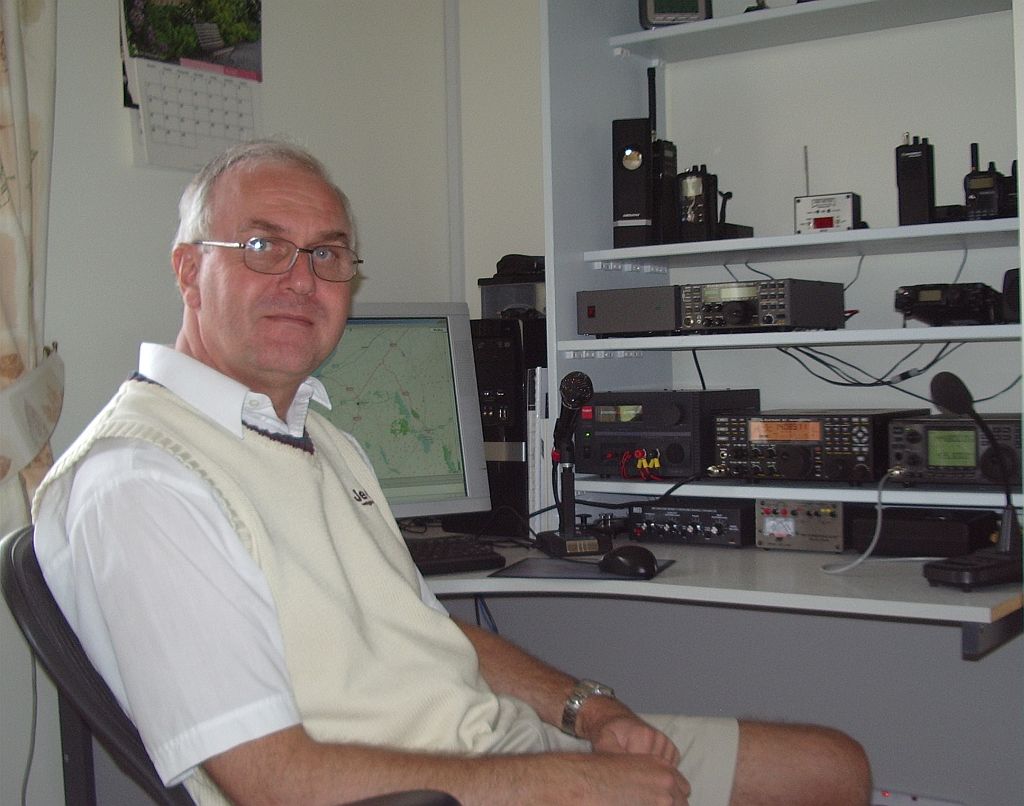 When I switched on the computer this morning there appeared to be a Sporadic-E opening building on 2m to the south east so I switched on the IC-910H and turned the SuperMoxon in that direction. Nothing was heard, so I switched to the vertical instead and was puzzled as to why the band noise was so much greater on the beam than the Slim Jim.
The opening passed, as all such openings have this year with nothing heard or worked, and I decided to investigate. I switched the computer off and the noise fell to the same level as on the vertical. Eventually, after much trial and error and cursing because the cables can only be reached by groping blind (with the aid of a shaving mirror or a picture of the back of the rig) behind the equipment I established that the problem was the serial cable providing PTT control to the interface connecting the 910H to the computer. Even when it was disconnected from the radio, plugging it in to the serial port on the computer caused the noise level to jump up.
This was a cheap interface I’d bought some time ago for the FT-817. The serial cable supplied wasn’t screened, but I’d shortened it to use with a USB to serial adapter without a lot of spare cable lying around. This had resulted in it being too short to use with a real serial port, so I had replaced the cable. I had used screened cable for the replacement, but although I had connected the copper shield to the GND pin of the RS-232 port, it wasn’t connected to the body or shell of the plug, which in any case was plastic.
I managed to solder to the metal flange of the plug, the bit that pushes on to the socket on the PC, and connect a short wire from that to the GND pin and the shield. That seemed to do the trick, and the noise level is now the same when the beam is pointing towards the shack as it is on the vertical. Problem solved, for once! Nevertheless I do sometimes wonder if computers are worth all the trouble they cause to us radio enthusiasts.












