Posts Tagged ‘amateurradio.com’
 My APRS broadcasts received by the ISS
 October 18th, 2013 |
  Author:
 I screen capped the evidence from the website http://ariss.net which documents Amateur Radio data digipeated by the ISS. In order to appear on the page, a position report in a valid APRS format must be received and then digipeated through the ISS system, then be heard by an internet gateway station, which then forwards it on to the APRS Internet System.
Okay it sounds a bit more impressive when put like that ;-)
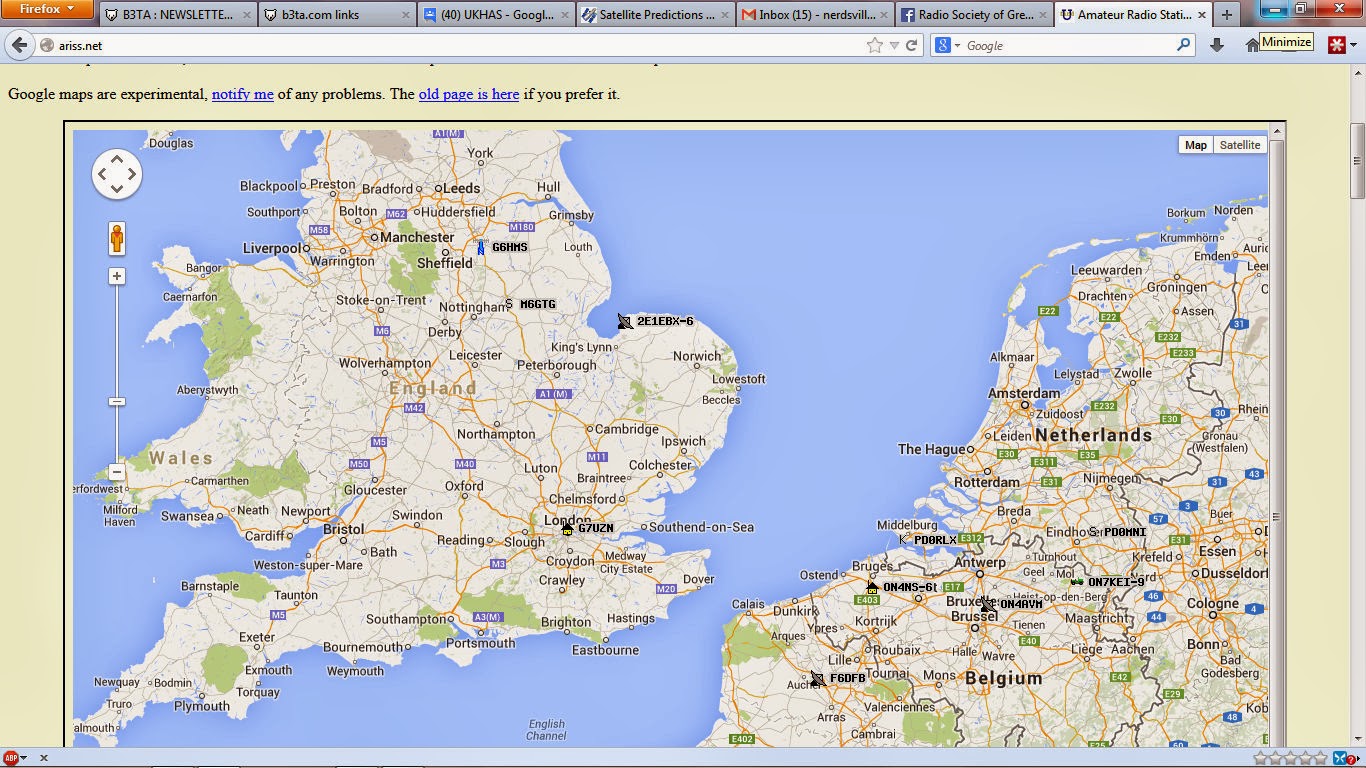 |
| The map showing received stations, M6GTG is me! |
 |
| The detail of my report |
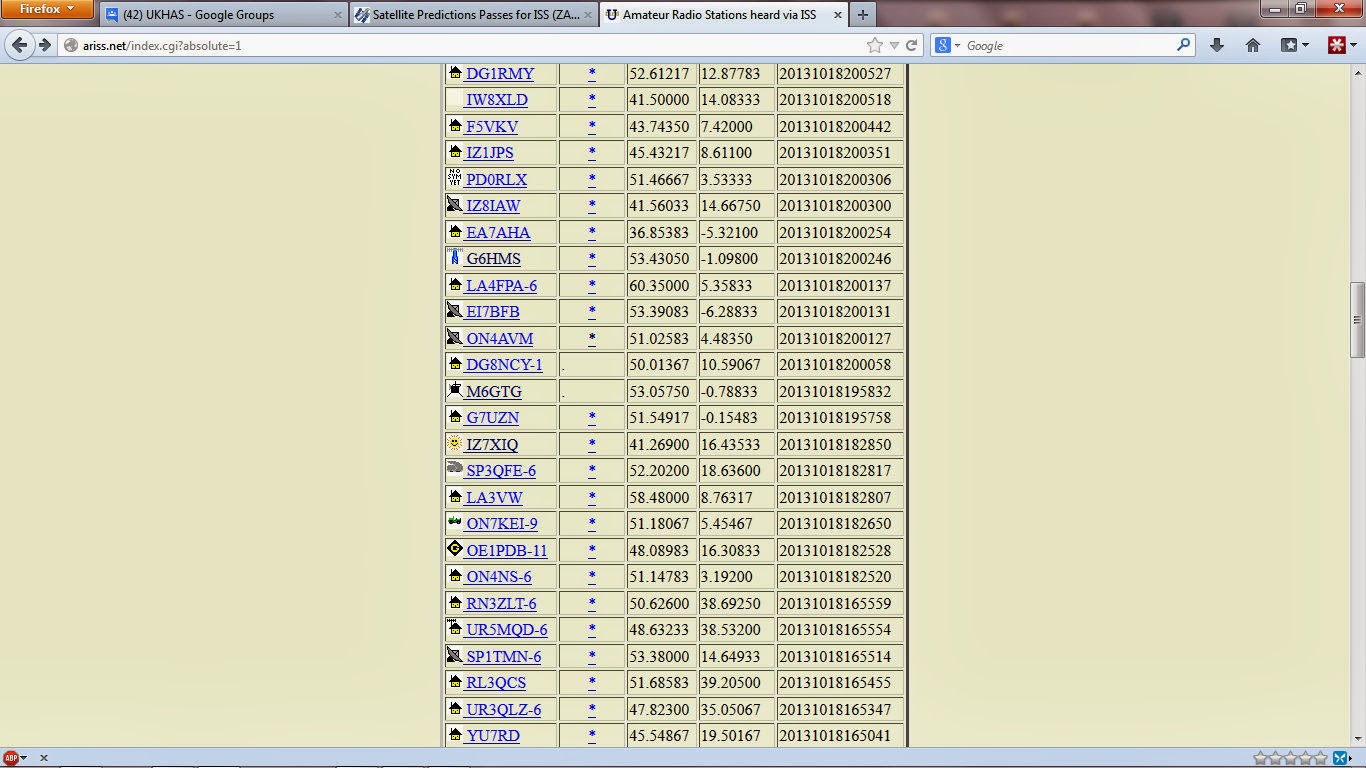 |
| List of stations with time stamps, showing me! |
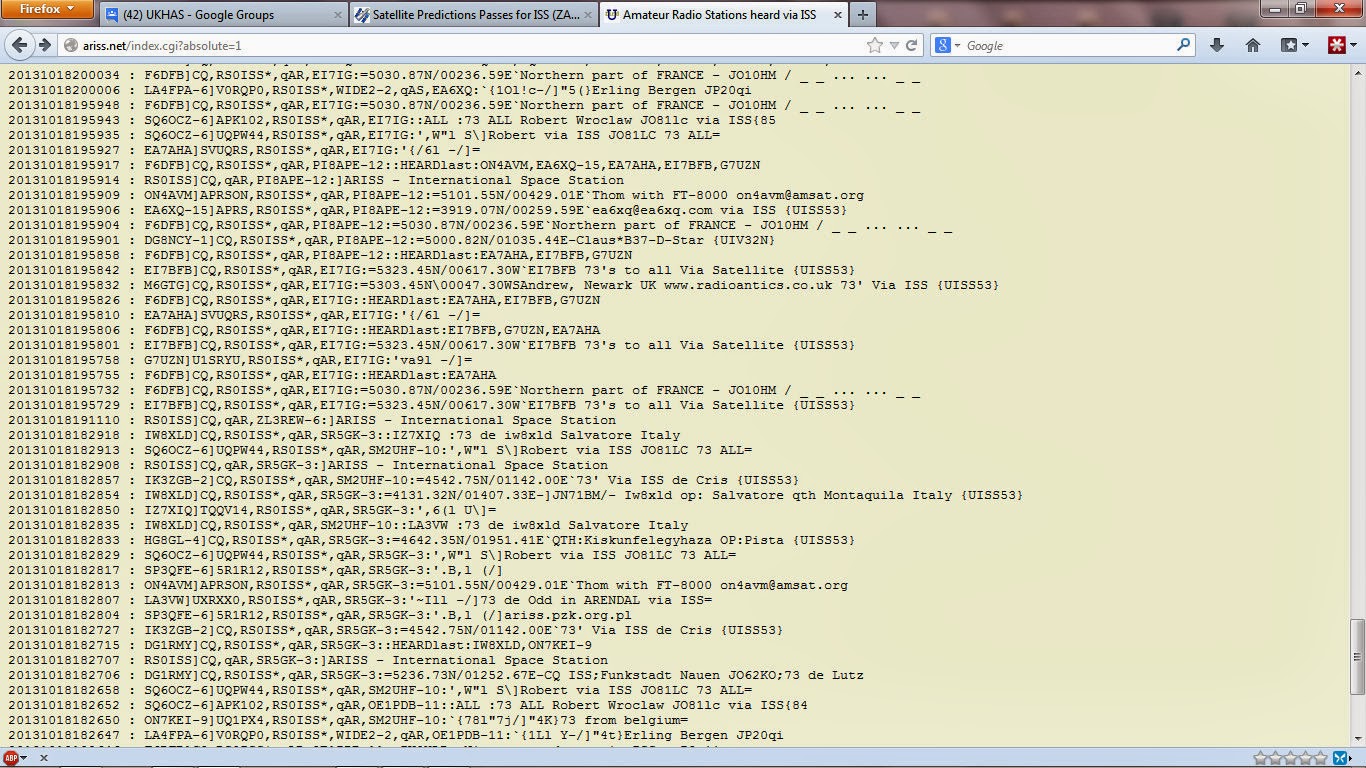 |
| List of digirepeated messages |
It consists of a small embedded PC running embedded XP, the sound card output was connected to the microphone input of my Baofeng UV-5R+ operating in VOX mode set to 145.825MHz. The radio was connected through my power/SWR meter in to the X-50 antenna. I used the UV-5R+ instead of the UV-3R since it has a little more power and better audio. I had a SWR of around 1:1.2 and outputting 4W.
The software I used was UISS from ON6MNU and the AGWPE packet engine. It has taken a little time to work out how to setup UISS into auto-beacon mode and putting in the time of the next decent pass (approx 45 degrees elevation) I set it to broadcast position and text data messages every 30 seconds.
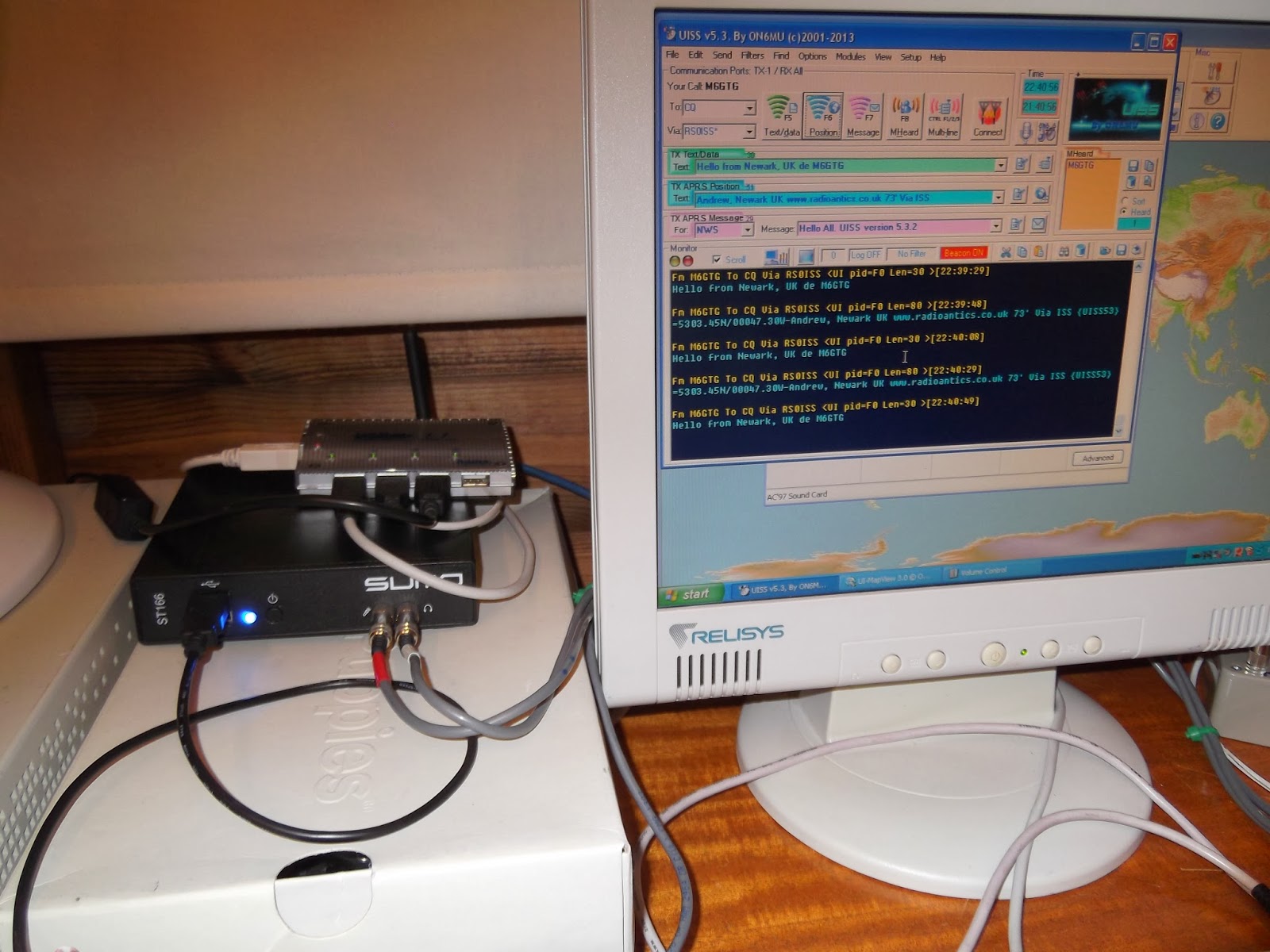 |
| The embedded PC running UISS |
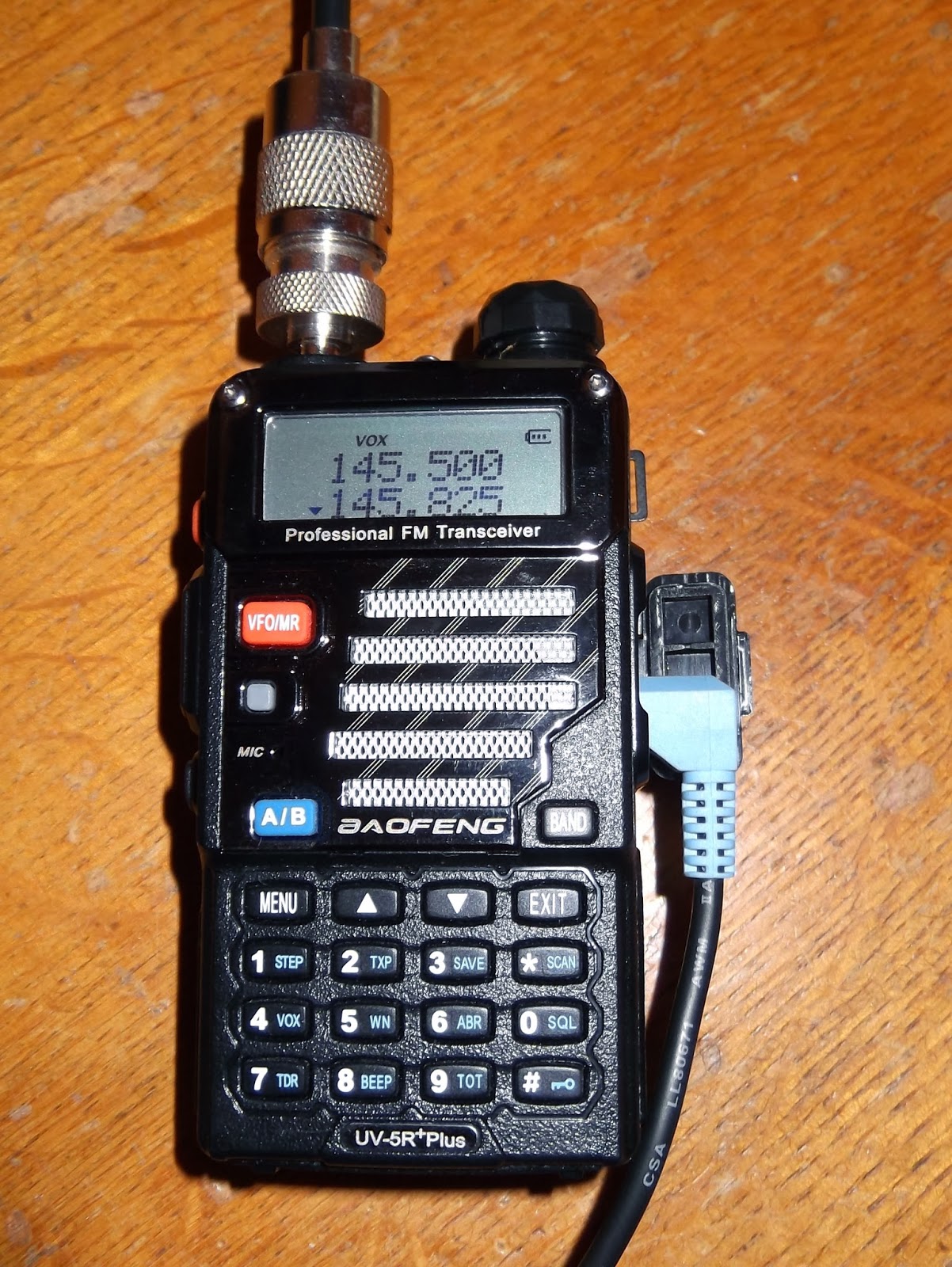 |
| UV5R+ in VOX mode on 145.825MHz |
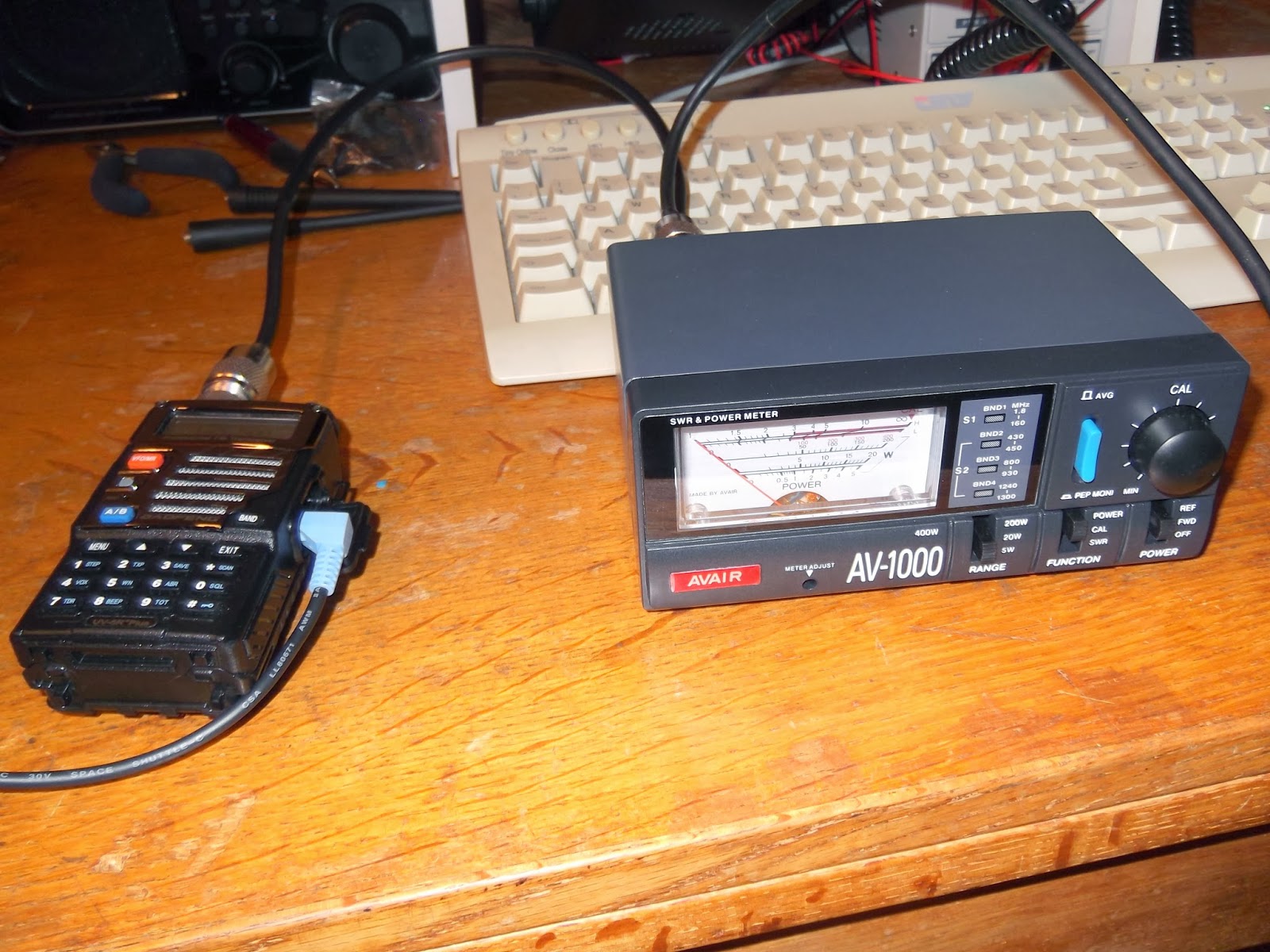 | ||
| The power meter showed 4W output, SWR about 1:1.2 |
I stood out in the dark, hoping to see the ISS pass over but the cloud cover was too thick and monitored using a handheld scanner. I heard my transmissions obviously and the ISS broadcasts as it repeated received messages, but I didn't know if any were mine till I got back to the PC.
At 522,000,000 miles per watt, Voyager 1 might be the ultimate in QRP.
At 522,000,000 miles per watt, Voyager could be the ultimate in QRP … if you have the right antenna.
From Backblocks To High Seas
I came across this great piece of history via the Google+ page of Cristian YO8TNB and had to share it here for others to enjoy. I have a soft spot for New Zealand, being so close to my country of birth, and I particularly noticed the carefully cultured accent of the announcer. On a more serious note, this video is an invaluable record of the wired and wireless technology used in 1939 and the procedures for transmitting a message from land to sea.
Philco Tropic Model 3012
Last weekend I attended the Houston Vintage Radio Association holiday dinner & picked up a Philco Tropic Model 3012 during the fundraiser auction. I had let a few other radios go without placing a bid and was beginning to think I might go home empty handed when I saw the Philco “on the block”. A few seconds later I was the proud owner of this vintage receiver.
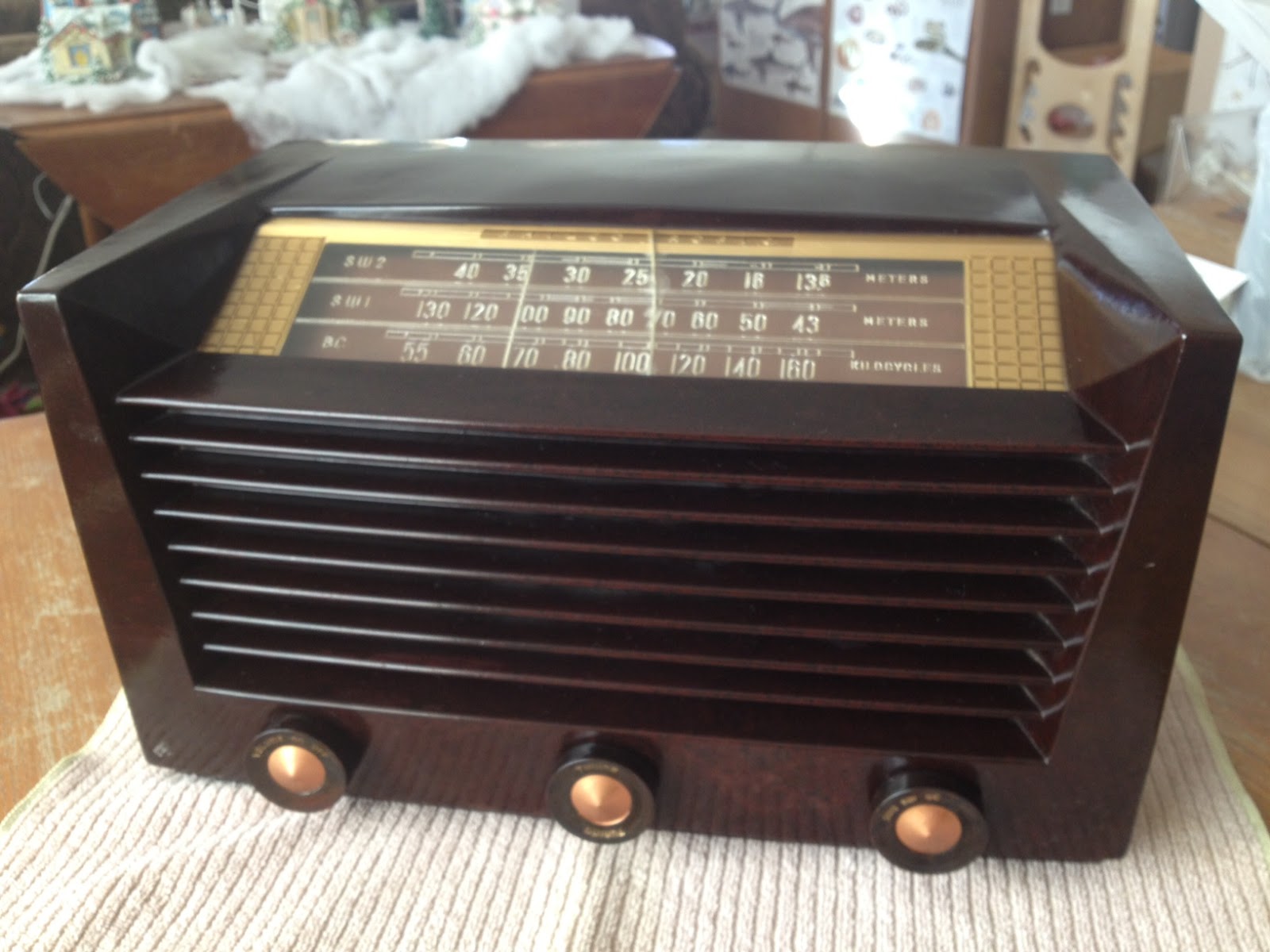 |
| Philco Tropic 3012 |
Information on this model seems a little scarce, however the style of case was introduced by Philco in 1951 and used in their line of AM/FM receivers for many years after that. This particular example is a transformer-less AC/DC set with a potentially live chassis and the unusual (to me) lineup of 14Q7, 7B7, 14B6, 35A5 & 35Y4 vacuum tubes.
What prompted me to bid on this particular radio was the inclusion of two shortwave bands in addition to the typical AM broadcast band. The dials are marked off in meters which also appealed to the ham radio side of my interests.
After attaching a short length of wire as an antenna I was able to pick up signals across the two SW1 & SW2 bands so I’ll be interested to see what it can receive with a long wire antenna at night.
After a gentle cleaning with dilute mild detergent to remove dirt I rubbed in some beeswax polish to restore the original gloss. Sadly the plastic dial is cracked in the middle but I can look past that given its a little more unusual than the typical All American Five receiver.
Being over fifty years old I wonder what this radio has been used to listen to and what stories it could tell. Perhaps it gave some youngster his or her first taste of ham radio, listening to shortwave stations and AM QSOs until they received the final demand to, “Switch that radio off and GO TO BED!”
Get your head in the cloud.
Even though my day job is completely centered around Information Technology I still miss changes and shifts in technology that happen practically under my nose. As much as I hear vendors speak about “The Cloud” I haven’t had much time to investigate and discover if this “new technology” is something I can put to use.
If you already know what “The Cloud” is then you can skip the following paragraph, otherwise please read on:
The easiest way to understand the cloud is to think of it as a utility, like electricity. When you plug a device into a wall outlet, electricity flows. You didn’t generate the electricity yourself. In fact, you probably have no idea where the electricity was generated. It’s just there when you want it. All you care about is that your device works. Cloud computing works on the same principle. Through an internet connection (the equivalent of an electrical outlet), you can access whatever applications, files, or data you have opted to store in the cloud–anytime, anywhere, from any device. How it gets to you and where it’s stored are not your concern (well, for most people they’re not).
There is no end to the stream of interesting projects that are being developed “in the cloud” and its hard to keep track of them all. Some projects have turned into things that we’re all familiar with; Flickr, Facebook & Twitter are a few examples. Some appear and vanish like the proverbial “Flash in the pan” and, since you generally lose access once they run out of steam, it can be disappointing if you have invested any time in those applications.
I’ve collected a few cloud based applications/services here that might be of interest to the radio amateur and/or experimenter. They look like they should stick around for a while and have already reached a fair level of maturity:
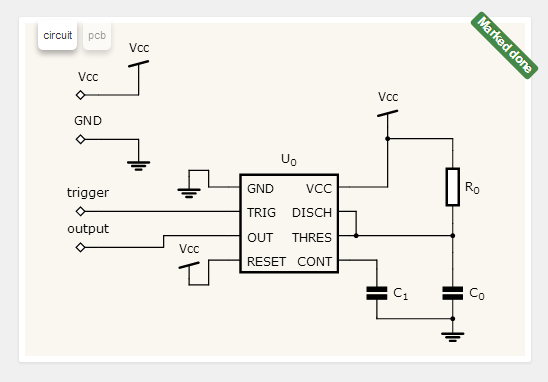
circuits.io: Described as a free circuit editor in your browser, it is actually a lot more. You can not only design practically any kind of circuit using just a web browser, you can turn that circuit into a printed circuit board and then BUY that PCB board online. Several different technologies had to come together to make this into an effective tool. This tool is fairly new but is becoming very popular. Hopefully it will stick around and continue to mature into something great.
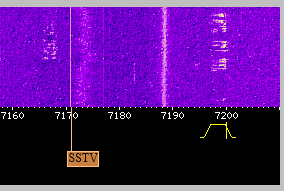
WebSDR: While arguably not a “cloud application” it does allow you listen to software defined radios, using a web browser, from anywhere you have internet access.
There are multiple sdr receivers located across the globe using a variety of receivers and antennas. Some are tuned to the HF bands while others cover VHF & UHF bands.
This is an invaluable free service provided by institutions and individuals at their own cost.
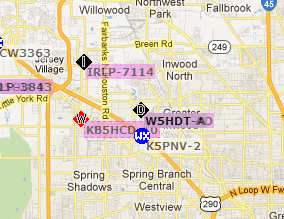
APRS.fi: The distributed network of Automatic Packet Reporting System stations, repeaters, clients and map servers could be considered to be “of the cloud” before the cloud even existed. With an APRS equipped radio you can log your position from a GPS, over the air & through another ARPS receiver. This is then sent out (usually) across the internet to other systems which in turn can map your location or update other APRS clients or radios. APRS has also been extended to include the ability to text message which is particularly useful in locations where cell phone SMS messages or email are not possible!
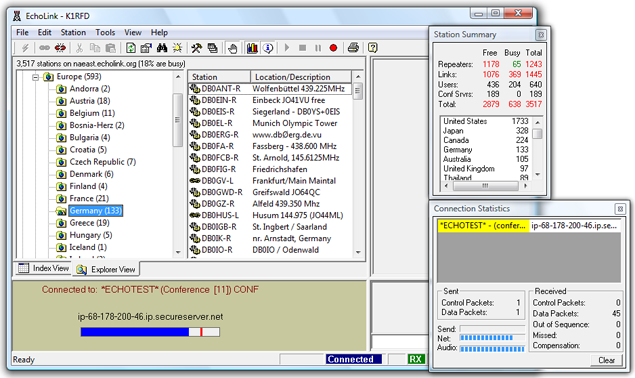
Echolink: Like APRS, Echolink links the Internet to amateur radio. However Echolink links the audio and PTT (push to talk) signals from a radio or software client to a radio in another physical location. If you’re stuck in a hotel room or another location without access to a radio you can still “get on the air” using an Echolink client on your Windows, Linux, iOS or Android computer & handheld device. Most Echolink connected stations are VHF/UHF but there are HF stations connected as well. Echolink is not designed to replace radio to radio communications but instead increases the connectivity of amateur radio operators and allows hams, who otherwise would not be able to operate, the pleasure of getting on the air.
As you can see, some of these “cloud apps” pre-date the idea of cloud computing by quite a while. Just another example of amateur radio folks being ahead of the curve without even realizing it.
Busy, Busy: ARES Incorporation and My Son’s Enrollment in an Electrician AAS Program
It’s been too long since I’ve posted; for those waiting for my next post on the ARRL Radiogram, please pardon the delay. The last couple of weeks have been unusually busy. More important matters have largely taken precedence over ham radio and blogging, but ham radio has by no means died at the QTH of NØIP and KAØCEM!
ARES® has been thriving here. On July 5, Yellow Medicine County ARES®, Inc. was incorporated. We filed our articles of incorporation with the MN Secretary of State and also obtained vanity call sign WØYMC (Yellow Medicine County) from the FCC! Two nights ago, the board of directors held their organizational meeting at which they adopted bylaws, elected officers, etc. Now we are ready to make application for 501(c)(3) status with the IRS. Hopefully I will get to that next week.
We had one emergency operation in July, though I sort of backed into it. After I received a phone call from a friend, my son and I assisted in searching for a missing girl. At first I wasn’t even thinking in terms of ARES. Intending to just help our friends, I told my son to throw on his ARES vest to be more visible, I grabbed mine, and we brought our HT’s so we could communicate. Upon arrival at the scene we found ourselves in the midst of many similarly-clad firefighters and EMS personnel as well as police officers and deputies. Long story short, by the time the search was concluded, many more firefighters would be involved as well as local K9, bloodhounds from Watertown, SD and the MN State Patrol Helicopter. Thanks be to God, the girl eventually turned up safe.
The weekly Yellow Medicine County ARES Training Net continues. In July I covered the ARRL radiogram, an introduction to the Incident Command System, and spent one session discussing lessons learned in the search for the missing girl. Thus concludes the latest ARES news from Yellow Medicine County.
And on the home front it appears that by elmering my son Antonio, KAØCEM, I have unwittingly steered him toward a career as an electrician! This past Wednesday he was admitted to the Electrician AAS program of MN West Community College, Canby, as a PSEO (Post-Secondary Enrollment Option) student in his last two years of highschool/homeschool. He surprised me a couple months ago by asking about this, and now he’s all registered for classes and already has a pile of books to study.
That’s all I have time for right now. After dashing this off it’s back to work for me. Hopefully I’ll get back to regular posting next week.


The ARRL Radiogram, Part 2
In this post I’ll describe how to compose a basic radiogram. I won’t wax on about everything involved here — if you want to learn more just click here. Here’s an example that I’d like to explain piece by piece. (Thank you to the Oregon ACES program for sharing a fillable PDF of the radiogram; I used it to create what you see here.)

The four main parts of the radiogram are the preamble (at the top), the address block (just below the preamble on the left), the text (the main body of the message), and the signature (just below the text). For now I’ll ignore the part at the bottom where it says “REC’D” and “SENT” as well as the box just below the preamble on the right where it says “THIS RADIO MESSAGE WAS RECEIVED AT,” since those are just for record-keeping.
Preamble:

Notice that a couple of the boxes are blank. I’ll still explain them, but because they’re optional and often not used I’ve left them blank. The preamble has eight boxes:
- NUMBER: This is whatever number the originating station chooses. (If you are the first station to send this radiogram, then you are considered the “originating station.”) Typically you start with “1″ on the first radiogram of the year and number each subsequent radiogram sequentially. Just make sure that it’s a number with no letters and that it doesn’t start with a zero.
- PRECEDENCE: Either R, W, P, or EMERGENCY. The first three letters stand for Routine, Welfare, and Priority, but “EMERGENCY” is always spelled out. Unless you’re dealing with a disaster, your radiogram is probably Routine, so put “R” in this box.
- HX: This is for one or more of seven optional handling instructions: HXA, HXB, HXC, etc. You don’t have to put anything in this box unless you have some special need, like to authorize a collect call for delivery, hold delivery until a certain date, etc. To learn more, click here.
- STATION OF ORIGIN: Your call sign, if you’re the first station to send the radiogram.
- CHECK: The number of words in the text of your message. If there is an ARL code used in your message, then put “ARL” in front of the check number. Later I’ll say more about ARL codes — and a dangerous trap that some operators fall into with this box when delivering a radiogram.
- PLACE OF ORIGIN: The location of the person who actually authored the text of the message. If you as the originating station are the one and only person composing it, then this would be your location. But if you’re not, then it may be some other location. Say for instance that your non-ham friend wants you to send a message of his own by radiogram. The place of origin would be your friend’s location, not yours.
- TIME FILED: This is optional (unless you have entered special handling instructions in “HX” that require it) and is often left blank for routine messages. If you do enter a time, enter the time you (the originating station) created the message. Use 24 hour format followed by an indicator of the time zone, e.g. 1730Z (UTC), 1730L (Local time).
- DATE: The three-letter abbreviation for the month followed by a number for the day. This is assumed to be UTC unless you have indicated a different time zone in “TIME FILED.”
Address block:

Enter the address of the person the radiogram is intended for. Don’t neglect the phone number (and remember to include the area code!) since usually radiograms are delivered by telephone once they make it to a ham who lives close enough to place a local call. I’ve put dashes in the phone number, which I should point out is technically incorrect but I’ll probably keep doing it.
Text and signature blocks:

Notice that there are five rows, each row containing five blanks? Each blank is for one word. The rows of five are to make it easier to count the words to compare with the “CHECK” box in the preamble. Instead of counting every word, you can just count by fives for every row that is full. This makes it easier for stations in the NTS to rapidly check for missing/extra words after they have copied a message. Here are a few notes on this part of the radiogram:
- Punctuation: Don’t use any punctuation marks. At the end of a sentence where a period would normally go, write “X” on a blank (it counts as a word and is pronounced “X-RAY” when read over the air). Don’t write “X” at the end of your last sentence, though. For a question mark, write “QUERY” on its own blank line (it also counts as a word).
- ARL Codes: ARL codes are a handy way to say a lot with only two or three words. For a listing of all the ARL codes, click here (it’s toward the end of the document). “ARL FIFTY” means, “Greetings by Amateur Radio,” and that’s what the recipient will hear when finally a ham calls him and reads the radiogram to him. Note that the number “FIFTY” is spelled out, and both “ARL” and “FIFTY” each count as a word. If you used, say, “ARL FIFTY ONE,” that would count as three words. Warning! Don’t confuse the “CHECK” in the preamble with the ARL code you are trying to send. In the example I’ve shown here, “ARL 15″ is in the “CHECK” box, but all that means is that 1) there is an ARL code in your message 2) there are 15 words total in your message. Frankly I wish we didn’t have to put that “ARL” in the check box because it’s confusing and can be disastrous. Just read the story in the Operating Manual about the time a poor ham delivered a radiogram and mistakenly interpreted “ARL 13″ in the “CHECK” box for “Medical emergency situation exists here” (the meaning of ARL THIRTEEN, if it were actually in the text of the message). After the family received this botched radiogram, they threatened to file a lawsuit!
- Wording: Be concise. The fewer words the better, as long as it still makes sense.
- Closing: Closing words like “sincerely,” “love,” etc. should be included in the text of the message, not the signature.
- Signature: The name of the person(s) writing the text. The signature goes just below the text as shown. At first this is a bit confusing when you’re staring at a blank radiogram form because it’s not obvious that the top border of the REC’D/SENT boxes doubles as the line for the signature. But that’s where it goes — above that top border, not below it. It has nothing to do with “REC’D/DATE/TIME” or “SENT/DATE/TIME,” which are for record keeping as the radiogram is sent and received. Note: the signature does not count toward the number in the “CHECK” box of the preamble.
I hope this is helpful! In my next post about the ARRL Radiogram I’ll discuss how to send it using a voice mode like SSB.