 |
 Android on an HTC Touch Pro
 7 July 2013 | by
 My Motorola Droid has been sent away for repair (requiring a part from China, a two week wait and a cost of over £50.) As I am therefore without a phone, I thought that I would try to install XDAndroid on my old HTC Touch Pro. I tried it once before about 3 years ago and it worked well enough to convince me that Android was a better phone operating system than Windows Mobile 6.1, but not well enough to be usable as an everyday phone.
This time I hoped that there would have been some updates to make Android more stable. The installation process seemed easier than I remembered. I thought I would document it, not just for others but for my own benefit in case I want to repeat the procedure for a third time.
You will need a blank microSD card. 4GB is plenty big enough. Then download the XDAndroid package from the repository at http://htcandroid.xland.cz/. I chose GBX0C_Full_Bundle_2012.04.24.zip because it was the newest.
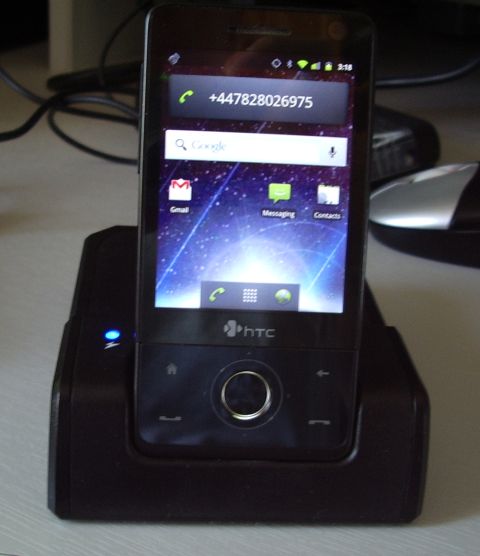
Unzip the package to a temporary folder. The result is a folder named after the bundle,containing the files. Copy all the files (but not the folder itself) to the root directory of the microSD card.
The next step is to identify your model of phone. There is a long string of letters and numbers under the battery near the serial number stickers in tiny print. It will be 4 letters and a number. Mine said RAPH100: Raphael is the code name for the Touch Pro.
Having determined the code name, look in the files you unzipped for a folder named Startups. It contains several folders with names to match the phone. In the RAPH folder was another folder named RAPH100. That folder contains a file named startup.txt. Copy this to the root directory of the microSD card along with the other files. Now you can put the microSD card in the phone, replace the battery and switch it on.
Using the WinMo file manager look in the root of the storage card. There should be a file named Haret.exe. This is a Windows program. Run it. You should see a window that says “Booting Linux” which quickly changes to a console screen with tiny writing scrolling up the screen (I needed the extra strength reading glasses I use for fine electronic work.)
Watch the boot process carefully. It should stop at one point and ask you to perform the screen calibration. When I did this before, I recall that the the script displayed boxes on the screen that I had to tap with the stylus. This time there were no boxes displayed, so I had to guess the positions. The first time I guessed wrong: the result was an installation of Android that was insensitive to my touches.
I tried again after watching a YouTube video of the process which showed the screen calibration and saw that the tap points were: top left, top right, screen centre, bottom left and bottom right. After you have tapped the five points the boot process then carries on for several more minutes after which you should see an Android opening screen. Swipe the lock to the right and away you go!
In Windows Mobile you can create a shortcut to the program Haret.exe in your Start Menu which will make it easier to start Android next time. Do be certain that you create a shortcut not a copy because Haret has to be run from the root of the microSD card.
This version of XDAndroid seems a bit more stable than the one I installed three years ago. It’s good enough for an emergency phone, which this is, but it runs slowly and functions like Bluetooth and GPS don’t work reliably. Development of this Android port ceased a year or so ago so there won’t be any updates. Interest in running Android on HTC Windows Mobile devices ebbed away as the users got themselves real Android phones. But it will do for now. It whiled away an afternoon and resulted in something I can use until my Droid returns from repair.
Julian Moss, G4ILO, is a regular contributor to AmateurRadio.com and writes from Cumbria, England. Contact him at [email protected].
/MM QRP on Hermit Lake

Hanz and I went canoeing on Hermit Lake this morning. We made a QSO with NC while /mm and then we stopped on an island and made a few more… it was all makeshift because I forgot a tuner!
It was 85 degrees on Hermit Lake… hot and humid, but with a nice breeze. We set out about 10:30 with an FT-817, a bit of wire and hopes for a great adventure. That’s when things started going wrong…
As I began to raise the 14 foot fiberglass pole, I broke off the tip and had to rethink my strategy for attaching a wire. I knotted the wire around the tip and pretended everything was fine. I reached for the tuner, only to discover I had left it behind in a last minute gear switch. I thought the adventure was over… but recovered quickly. Oh well… who needs a tuner? We’ll just find the band with the lowest SWR and hope for the best.

After putting up the antenna, I stuffed the wire into the center conductor of the SO239 on the back of the rig. I didn’t even use a counterpoise. I turned the rig on 17 meters and there was K2J, the 13 Colonies Special Event Station from North Carolina, calling CQ with an S9 signal. I called him signing /MM. He came right back to me. Hanz and I grinned from ear to ear. I told the operator I was on a lake in New Hampshire and thanks for the contact! Then I realized I had forgotten to switch on the external battery. I was running with 2 1/2 watts on the internal AAs with no tuner. And all that with a few feet of wire wrapped around a 14 foot pole lashed to the canoe with rubber bands… and no counterpoise. To make things worse, the bands were clearly very poor. Geepers!

We floated around for a while but there wasn’t a lot of activity. At one point we heard KG4TO in Guantanamo Bay. He heard us and tried coming back to the /MM, but he couldn’t quite get our call. We headed for an island to get
out of the wind a bit.
Once there, we decided to land and set up a dipole cut to frequency. We grabbed the gear, and headed up a short but steep hill. At the top was a clearing with some tall trees. We heaved a wire over a branch and pulled up 33 feet of wire and laid a counterpoise over the tops of some bushes, and listened around. 20 meters sounded like the best bet. We had to shorten the wires a bit to lower the SWR, but quickly made contact with Paul, KW7D in NM. Paul gave me a 579 and we were thrilled. Hanz took the key.

Hanz worked K2G, the 13 Colonies station in Georgia. Tim gave us a 599. We figured we’d beaten the odds of an outing with no tuner and called it quits.

Jim Cluett, W1PID, is a regular contributor to AmateurRadio.com and writes from New Hampshire, USA. Contact him at [email protected].
QRP portable at Luther Marsh
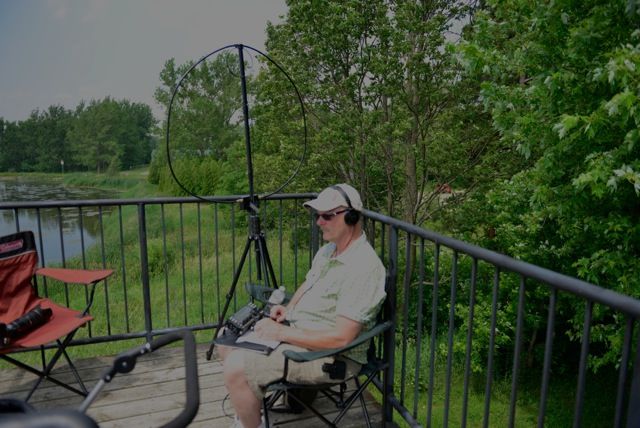 |
| QRP at Luther Marsh... note one of Julies cameras |
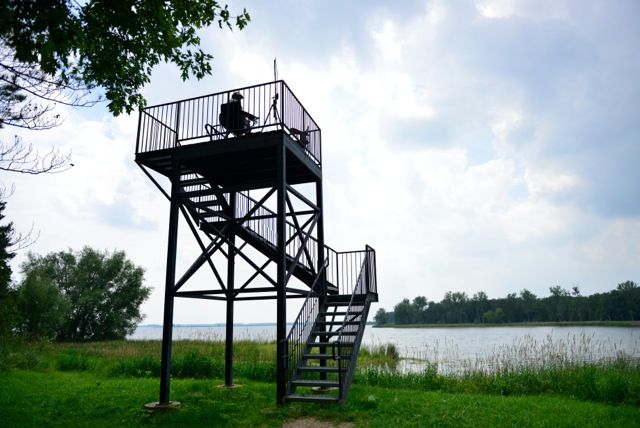 |
| A view from below |
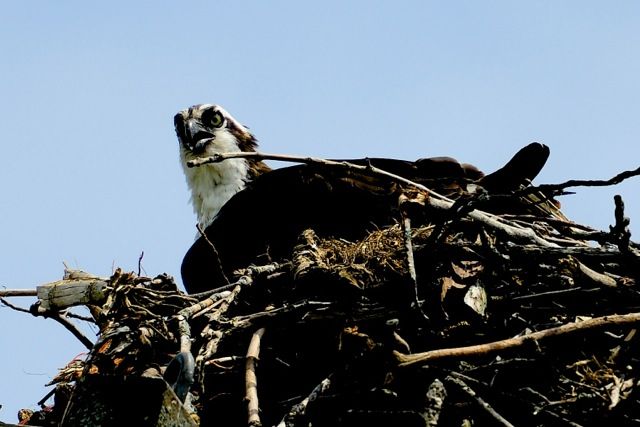 |
| Julie's shot of the day an Osprey |
I took with me my Elecraft KX3, Alexloop, tripod and a spare battery. It was great, there was no noise level at all on the KX3 and one would wonder if the rig had a receive problem. I started to call CQ and it was not long before VE1AB in Nova Scotia came back to me. John gave me an RST of 559 and we had a nice long CW chat it seemed that John had been to Luther Marsh several times when in Ontario. I did have to say 72 to him as my batteries had to be changed in the KX3. I then called CQ again on 20m and WW2SUB came back to me.......hey guess where he was???? This was the first time EVER I had contacted a Submarine . He was on the USS batfish. I thought my CW was off and it was supposed to be copied as battleship. When I got home and did a QRZ.COM search....it was in fact called the USS Batfish!
 |
| Camera and ham gear stroller (mainly camera gear) |
Mike Weir, VE9KK, is a regular contributor to AmateurRadio.com and writes from New Brunswick, Canada. Contact him at [email protected].
Waited a long time for this!
72 de Larry W2LJ
QRP – When you care to send the very least!
Larry Makoski, W2LJ, is a regular contributor to AmateurRadio.com and writes from New Jersey, USA. Contact him at [email protected].
My New SOTA Portable Station
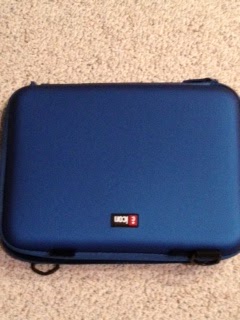
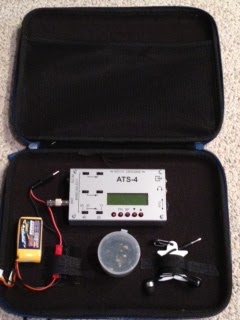
I purchased an ICON portfolio designed to carry an iPad or similar notebook. It is hard sided and the inside lining can hold on to velcro.
Mike Crownover, AD5A, is a regular contributor to AmateurRadio.com and writes from Texas, USA. Contact him at [email protected].
QRP ARCI Summer Homebrew Sprint
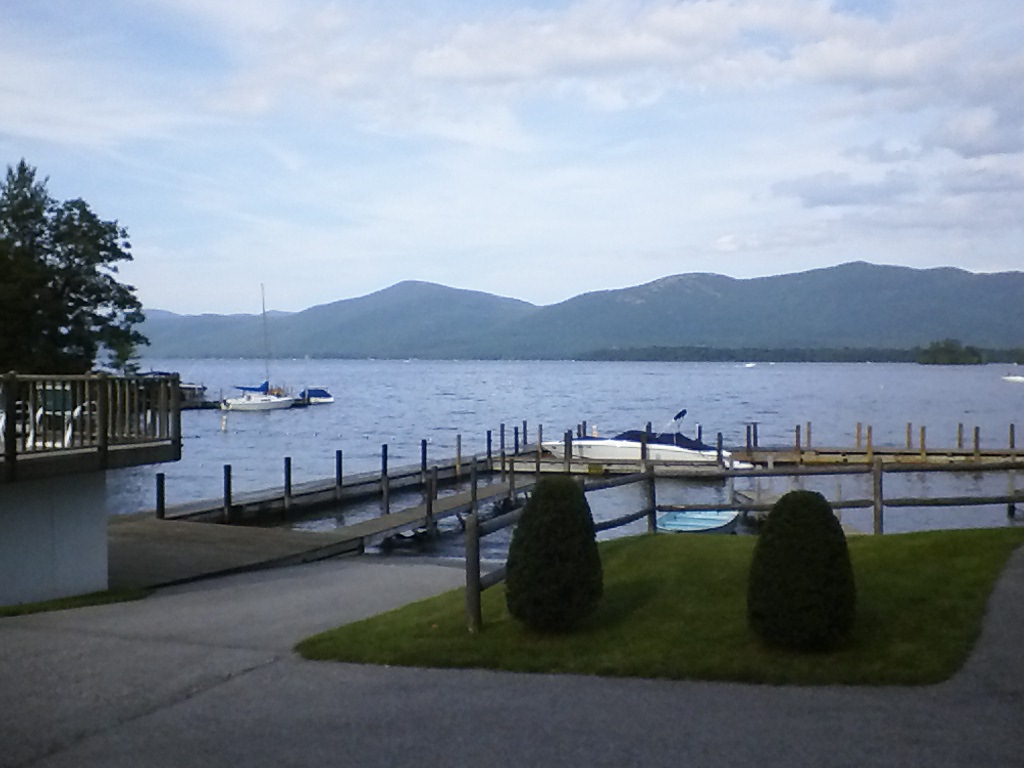
Is this coming Sunday from 20:00 to 24:00 UTC. That’s from 4:00 to 8:00 PM EDT for those of us here on the East Coast. I will have to participate as W2LJ/2 (technically), as I won’t be home. Tomorrow we’re leaving for our yearly sojourn to Lake George, NY.
Of course, the KX3, Buddistick, and PAR ENDFEDZ 40/20/10 will be accompanying me. Not sure if I’ll operate from near the cabin with the Buddistick, or perhaps from a park, or even from a nearby mountaintop with the PAR.
In any event, I am looking forward to some well deserved R&R. I anticipate a lot of reading, and a lot of radio in addition to all the fresh mountain air and cool lake breezes.
I have some good books loaded on my kindle, including James Rollins’ new one, “The Eye of God”. If this Sigma Force novel is as good as his others, I should burn through it in two or three days. For the past several years, I have been able to read two books during our time up north. In addition to Rollins’ new one, I also have several of David Baldacci’s novels loaded on the kindle.
FYI, any requests for Skeeter numbers will be processed when I return. So if you send me an e-mail, I will acknowledge it, and I may even issue you a number. However, I won’t be able to update the online roster until I return.
72 de Larry W2LJ
QRP – When you care to send the very least!
Larry Makoski, W2LJ, is a regular contributor to AmateurRadio.com and writes from New Jersey, USA. Contact him at [email protected].
How to Save Ham Radio – Parts 4 & 5 – N1IC – The Easiest Two!
How to Save Ham Radio – Parts 4 & 5 – N1IC – The Easiest Two!
So first of all let me say that I had a started 4 and 5 a long time ago when I was writing this series but due to some personal challenges with my health I had to take a step back from blog posting and this series … with that said I wanted to close it out. 4 and 5 as I started writing them were both serious topics but I wanted to combine them since one will be a little more controversial than the other and hopefully 5 will help bring everyone back from their thoughts on the 4th part 🙂
http://nicktoday.com/how-to-save-ham-radio-parts-4-5-n1ic-the-easiest-two/
Nick Palomba, N1IC, is a regular contributor to AmateurRadio.com and writes from Florida, USA. Contact him at [email protected].
 Ham Radio Deluxe |
 W5SWL Electronics |
 Ham Radio Prep |
 KB3IFH QSL Cards  Hip Ham Shirts  HamRadioAuctions HamRadioAuctions Reliance Antennas Reliance Antennas Enigma Shop Enigma Shop |  morseDX  Ni4L Antennas  R&L Electronics R&L Electronics antennas.us antennas.us QRV QRV |
- Matt W1MST, Managing Editor
