 |
 Weekly Propagation Summary – 2015 Dec 07 16:10 UTC
 7 December 2015 | by
Here is this week’s space weather and geophysical report, issued 2015 Dec 07 0214 UTC.
Highlights of Solar and Geomagnetic Activity 30 November – 06 December 2015
Solar activity was at low levels. Regions 2458 (N10, L=356, class/area Dao/160 on 24 Nov), 2462 (N09, L=216, class/area Hax/40 on 04 Dec), 2463 (S11, L=205, class/area Dao/130 on 05 Dec) and 2464 (S12, L=189, class/area Axx/10 on 05 Dec) each produced C-class flares. The largest event of the period was a C4/Sf at 1702 UTC on 04 December. No Earth-directed coronal mass ejections were observed during the period.
No proton events were observed at geosynchronous orbit.
The greater than 2 MeV electron flux at geosynchronous orbit was normal levels on 30 November and reached moderate levels on 01 December. High levels were observed from 02-04 December before returning to moderate levels for the remainder of the period.
Geomagnetic field activity was quiet to active with an isolated minor storm period from 0600-0900 UTC on 30 November due to effects from a positive polarity coronal hole high speed stream (CH HSS). Quiet to active levels were observed on 01 December as HSS influence continued. Predominately quiet conditions were observed from 02-04 December with some unsettled periods on 02 and 04 December. Quiet to active levels returned on 05 December due to effects from a co-rotating interaction region (CIR) ahead of a second positive polarity CH HSS. Unsettled to active conditions dominated 06 December with an isolated minor storm period observed from 0900-1200 UTC.
Forecast of Solar and Geomagnetic Activity 07 December – 02 January 2016
Solar activity is expected to be at very low to low levels throughout the forecast period.
No proton events are expected at geosynchronous orbit.
The greater than 2 MeV electron flux at geosynchronous orbit is expected to be at normal to moderate levels for the majority of the period with high levels likely on 08-09 December, 11-15 December and 29-31 December following anticipated recurrent CH HSS events.
Geomagnetic field activity is expected to reach minor storm levels on 07 and 08 December due to continued effects from a positive polarity CH HSS. Predominately unsettled to active conditions are expected to from 09-13 December with minor storm periods possible as HSS effects persist. Mostly quiet levels are expected from 14-26 December. Quiet to active conditions are likely on 27 and 28 December due effects from a second recurrent CH HSS followed by quiet to unsettled conditions on 29 December as influence subsides. Quiet conditions are expected on 30-31 December. Unsettled to active conditions are expected on 01 January with minor storm levels likely on 02 January as a third recurrent CH HSS moves into a geoeffective position.
Don’t forget to visit our live space weather and radio propagation web site, at: http://SunSpotWatch.com/
Live Aurora mapping is at http://aurora.sunspotwatch.com/
If you are on Twitter, please follow these two users: + https://Twitter.com/NW7US + https://Twitter.com/hfradiospacewx
Get the space weather and radio propagation self-study course, today. Visit http://nw7us.us/swc for the latest sale and for more information!
Check out the stunning view of our Sun in action, as seen during the last five years with the Solar Dynamics Observatory (SDO): https://www.youtube.com/watch?v=zXN-MdoGM9g
We’re on Facebook: http://NW7US.us/swhfr
Visit, subscribe: NW7US Radio Communications and Propagation YouTube Channel
USB – Simple idea of attachment
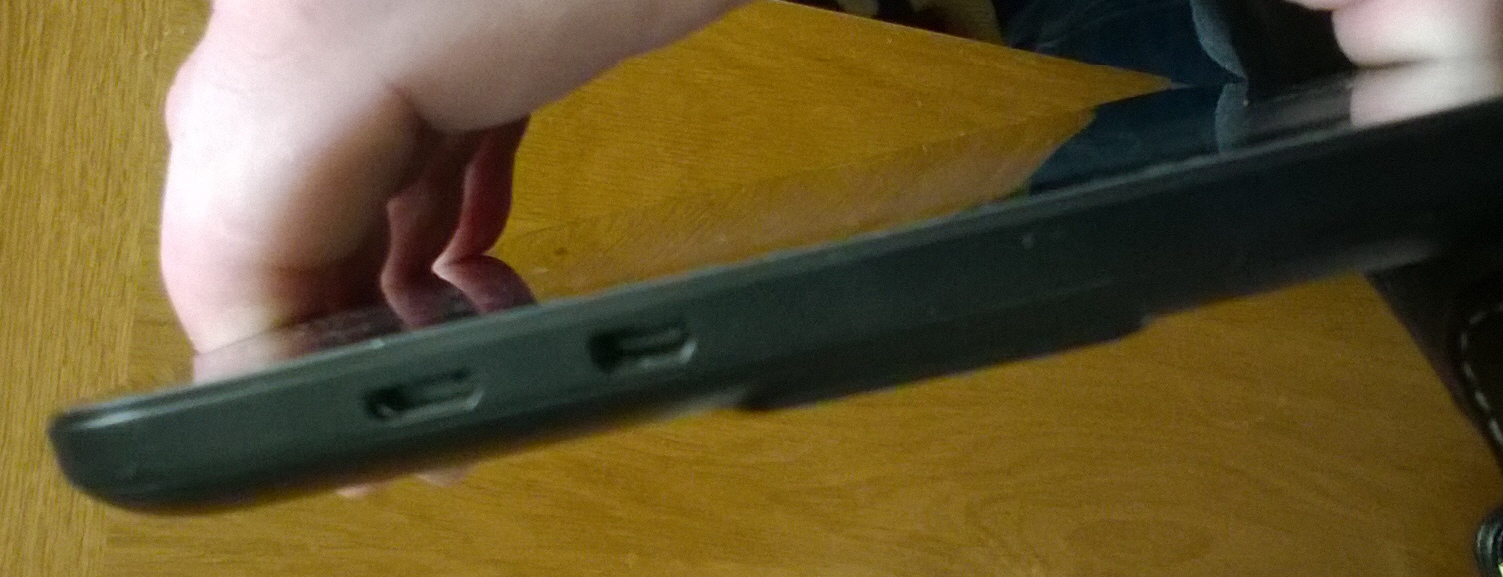
The One and only micro USB socket is not only used for data, but also for charging the device. A lot of excess daily wear and tear, plugging in and out, switching between USB devices. Of course the idea of cutting down to one socket is to help keep costs down in production, but how long can the socket possibly last before something gives?
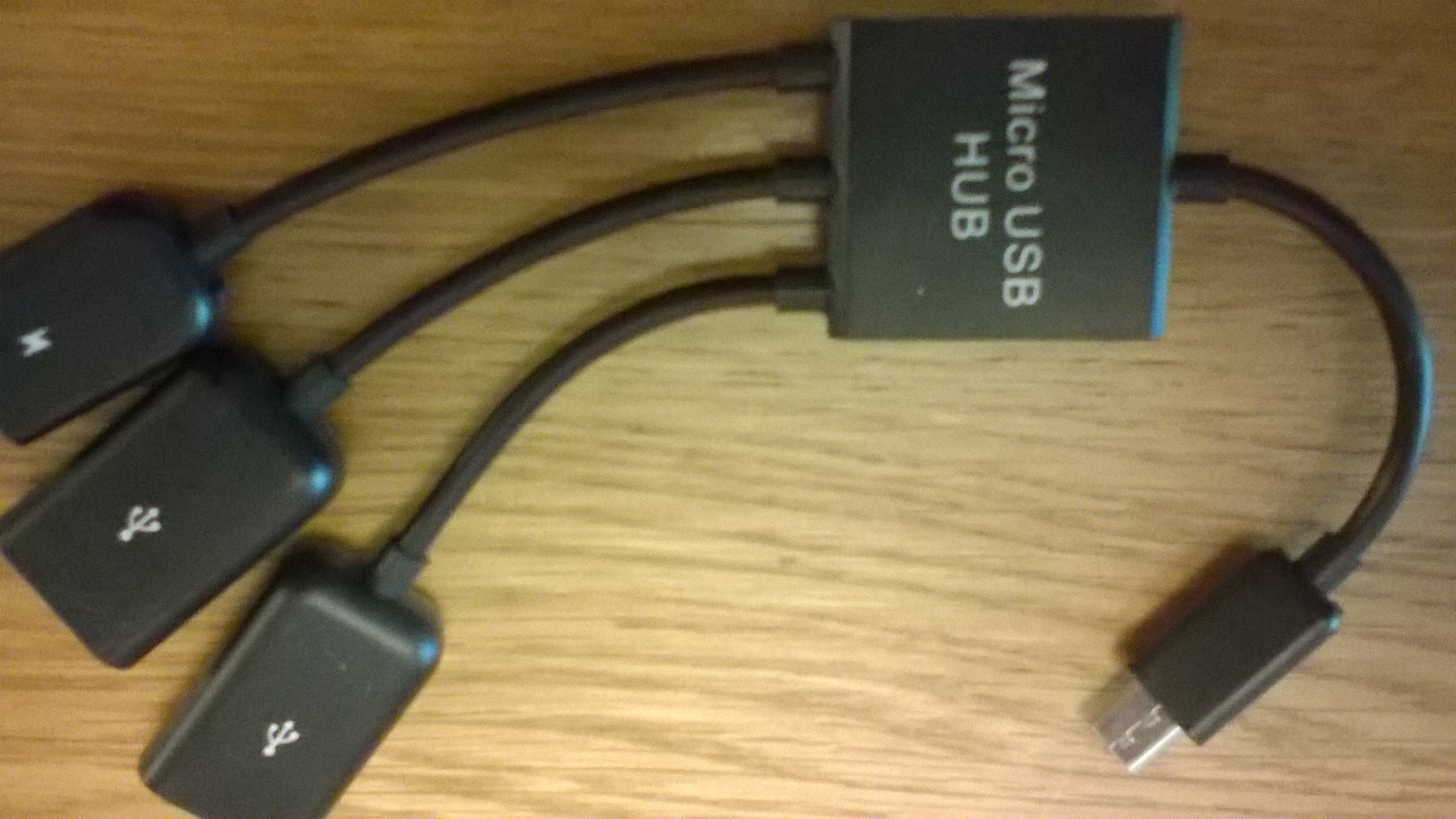
The best way is to expand by using a cheap USB Hub, and there are quite a few different types available for a couple of Pounds. These also allow conversion back to standard USB for other devices, and a seperate power feed via another micro USB socket which can be used to charge the device while the hub is connected in theory anyway, read on:
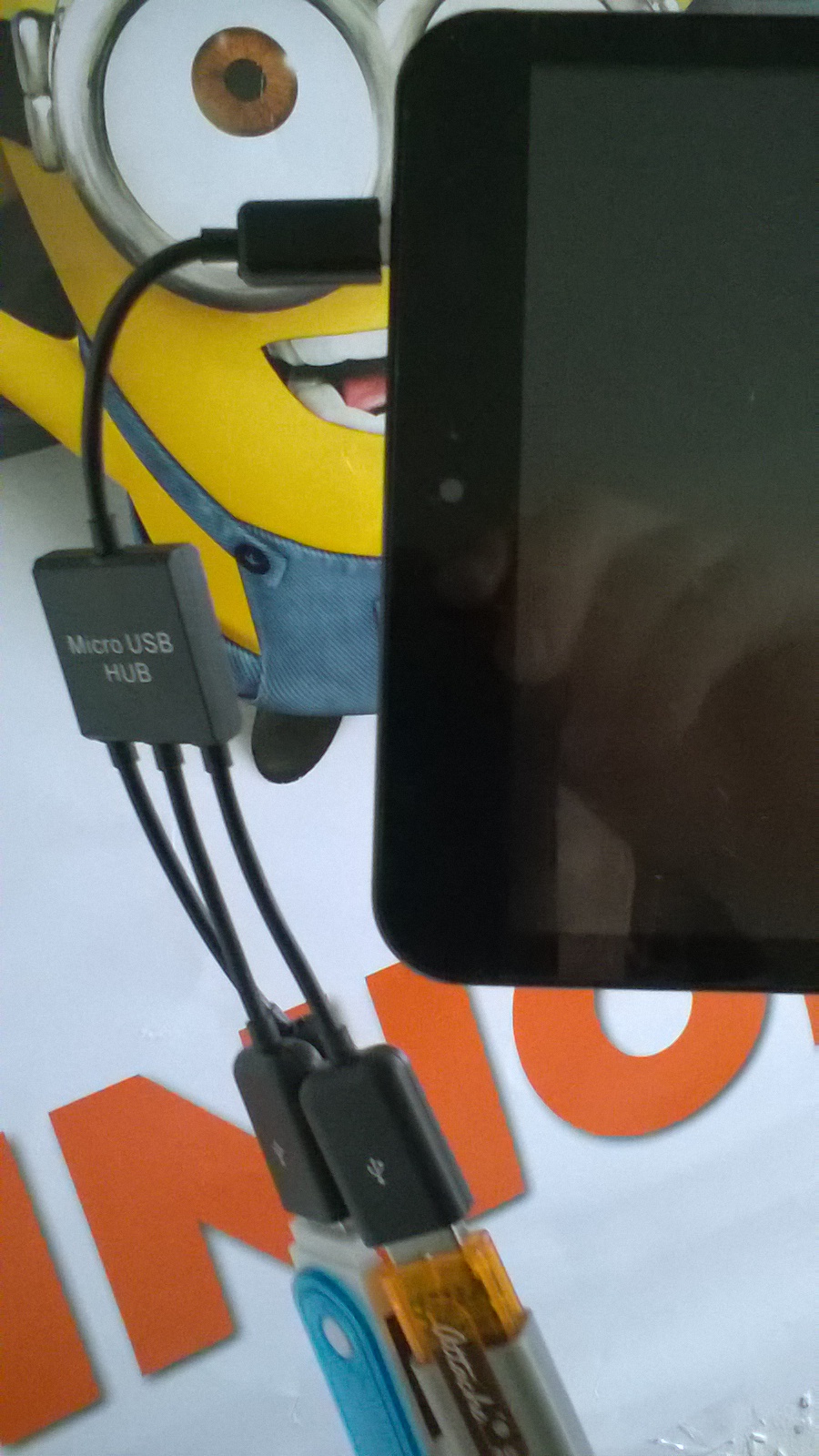
Although this solves the problem of USB connection. There is another problem with this arrangement, the weight of the hub and devices hanging on the end of the Tablet, putting unwanted stress on the USB micro socket on the side of the Tablet, there has got to be a be a better way of fixing this and tidying it all up.
I was lucky, I had a case that came with a USB Keyboard, could I work out some sort of method of attaching the hub to the case? I had an idea!
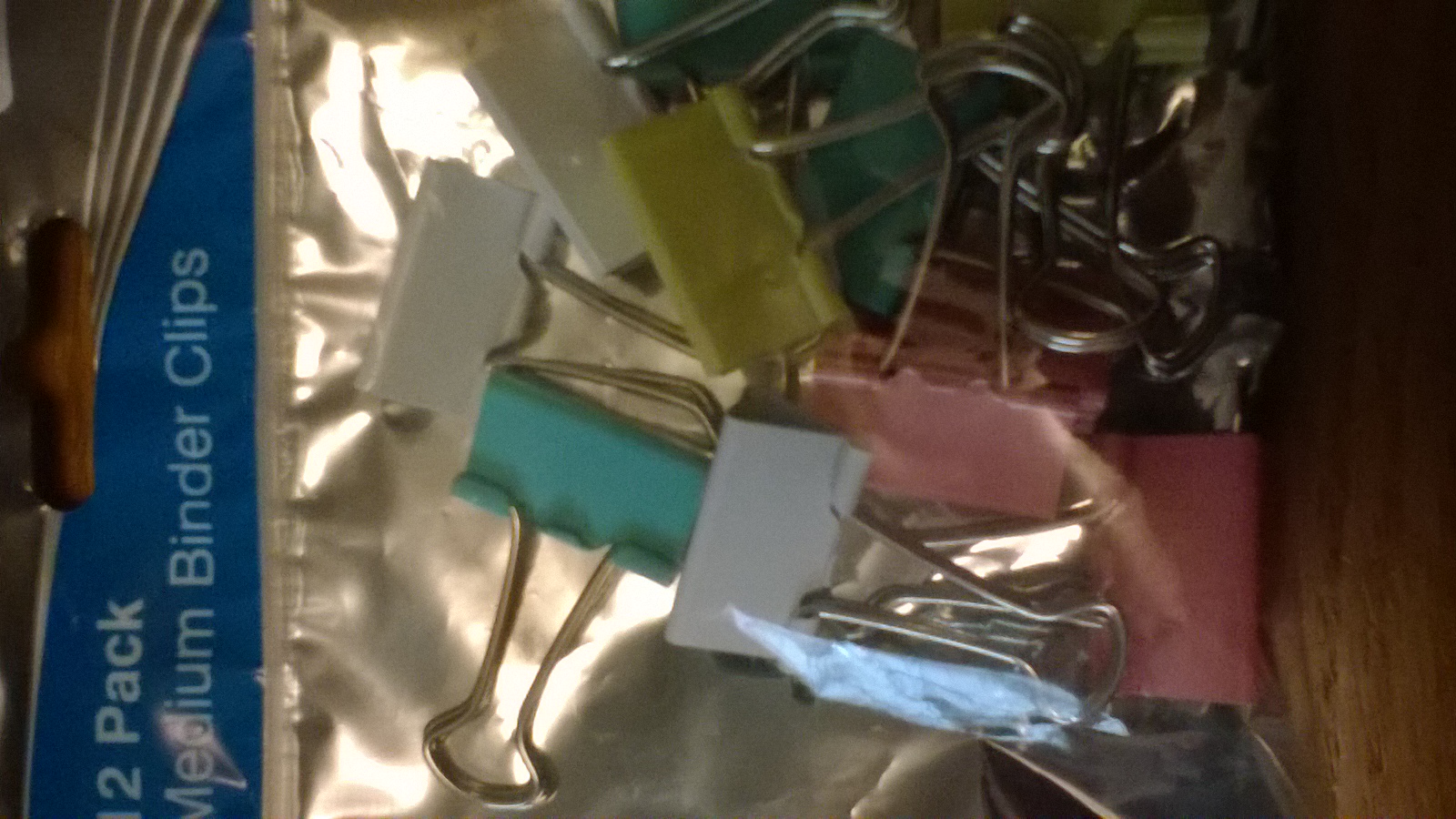
A visit to a discount stationary shop while I was in town, I came across a packet of medium sized binder clips. The sort you use for holding files of paper together and hanging up on a hook for reference. The clips came in a pack of twelve for 69p making the fix less than 6 pence!
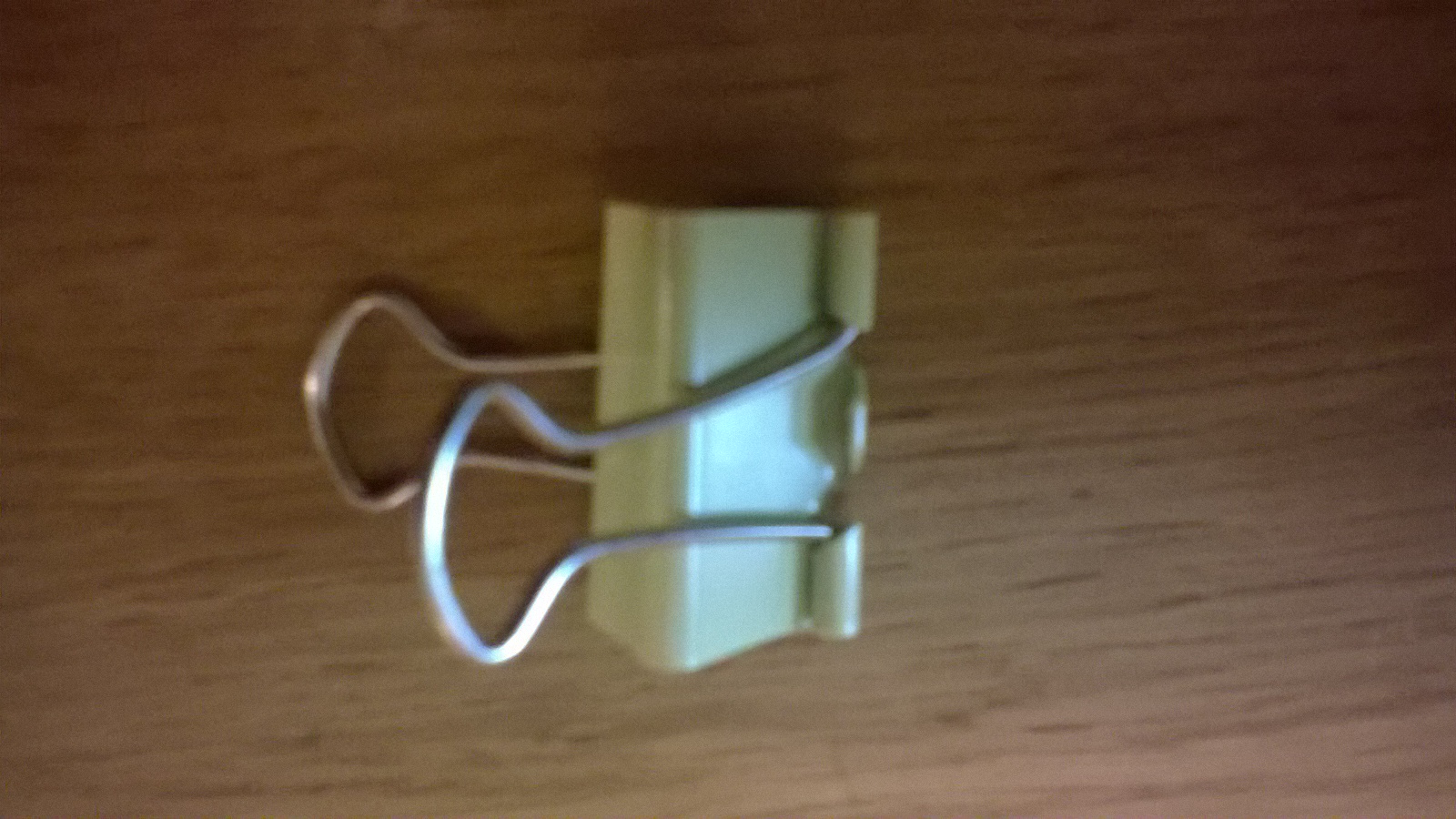
The clip provides an excellent amount of force suitable for the job of trapping the hub to the rear of the case. There is no movement and it is quite secure:
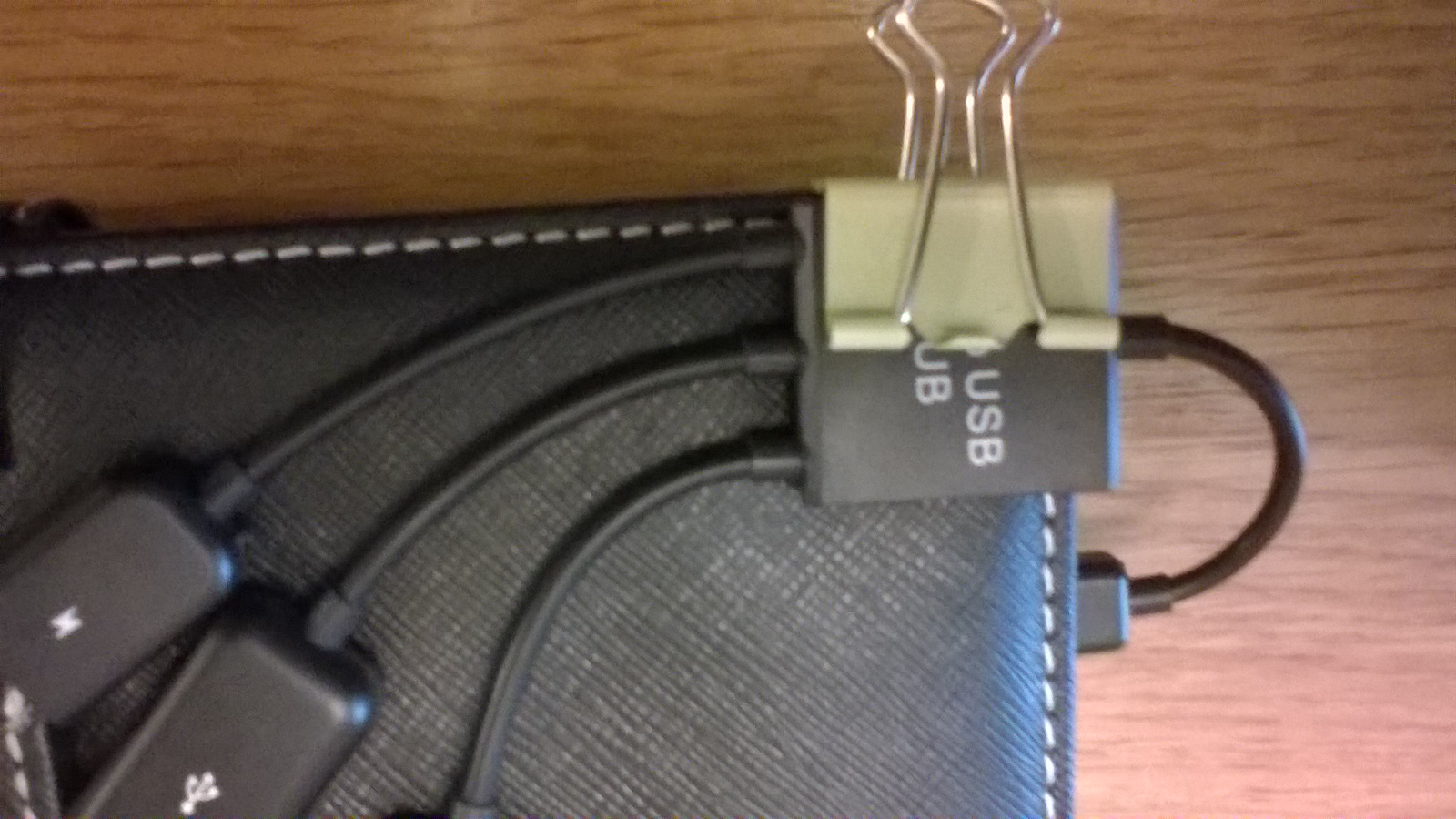
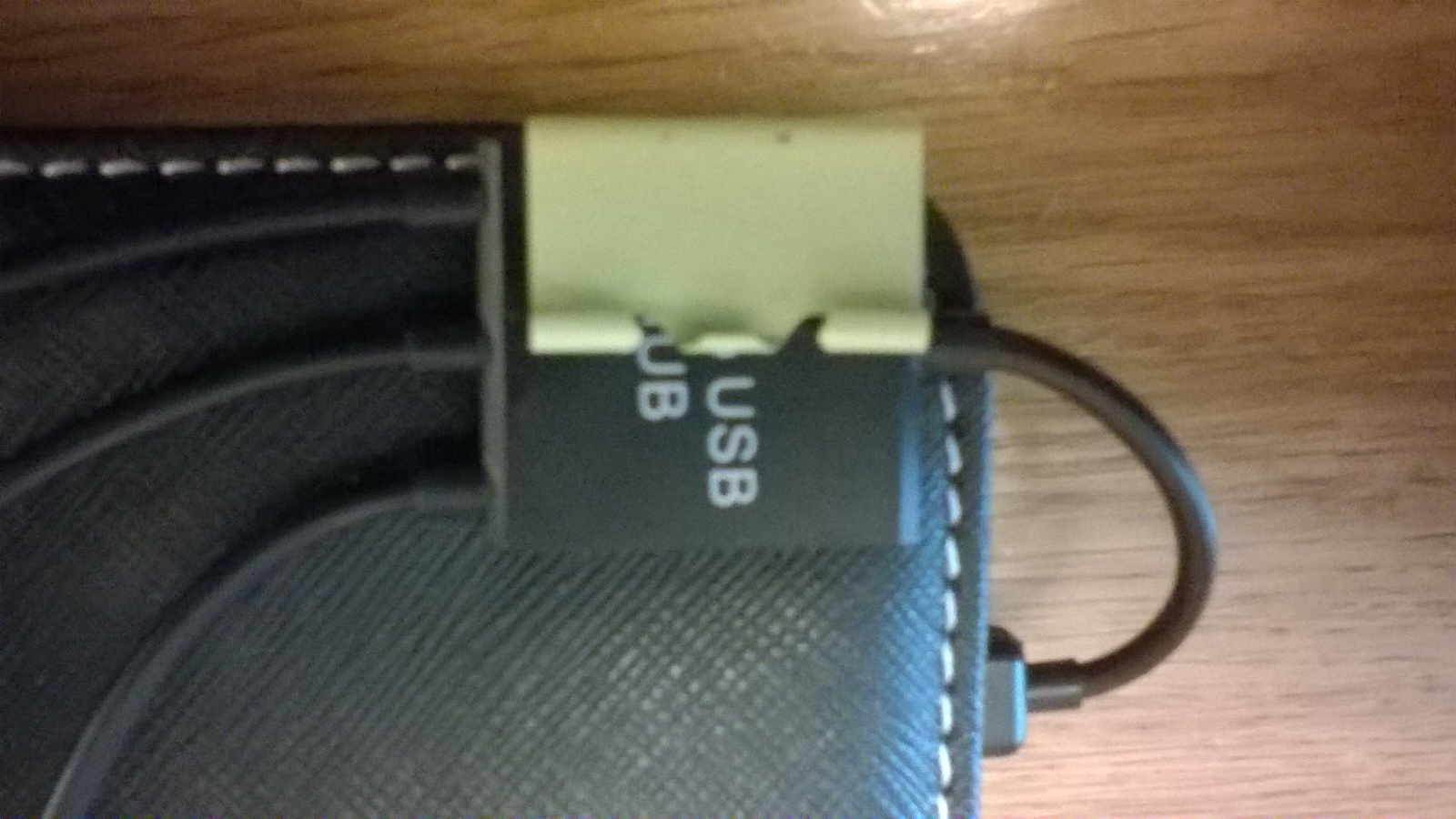
Once happy that it is square and fixed to the rear of the case, the two leverage arms, hooks or whatever you wish to call them can be detached from the main body of binder clip and discarded.
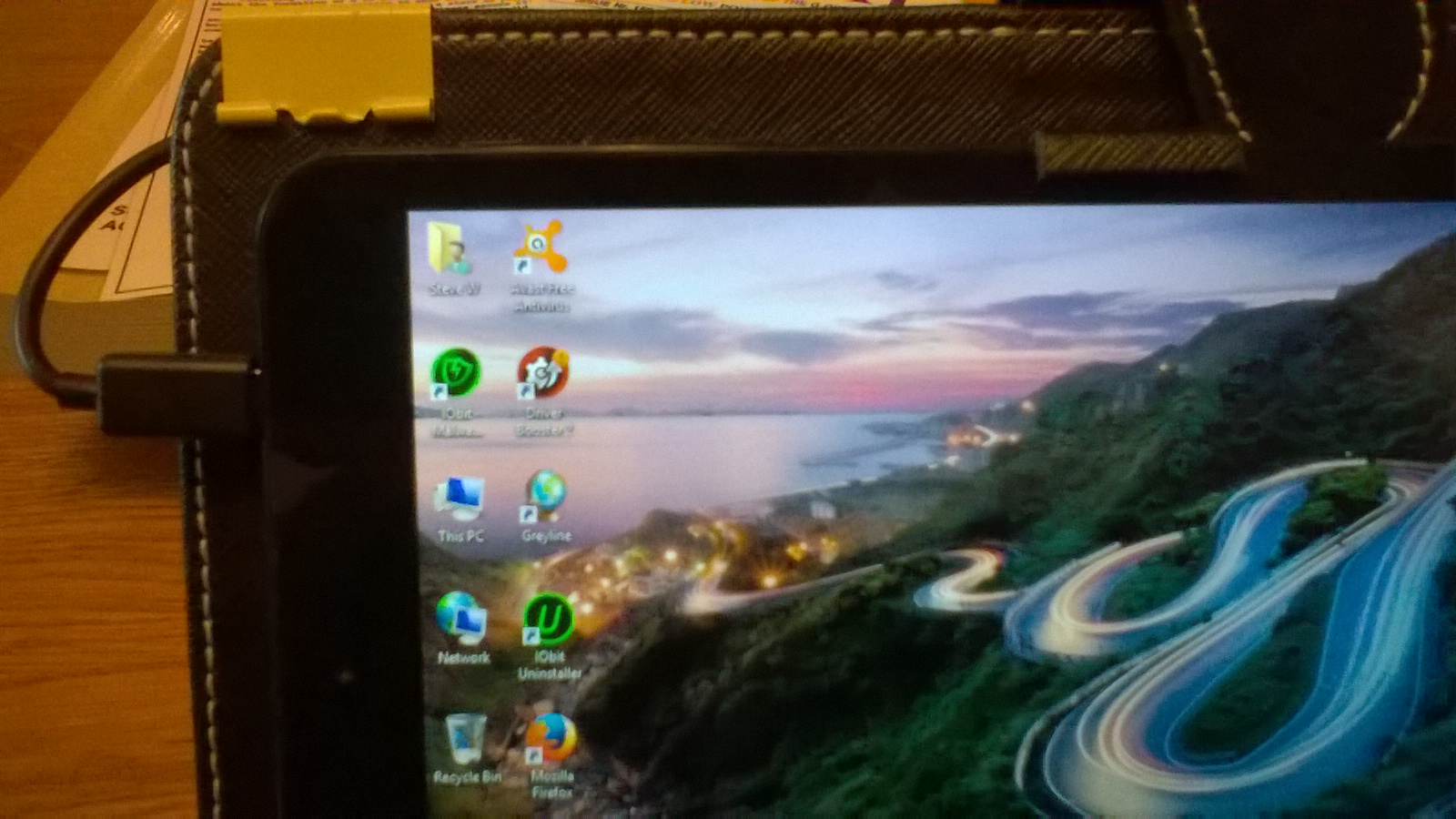
This provides the solution, and as you can see all the weight and stress is removed off the main cable and the micro USB socket on the tablet. With the sockets happy and tidy on the back of the case ready for use:
All seemed ok? I could then use the hub with various USB devices, but when I came to charge the tablet via the micro USB charging socket on the hub, this was found not to work? I came to the conclusion it was not wired into the hub or faulty in someway, I contacted the ebay dealer for a replacement he offered me $1, so I had to use the ebay tools to force his little Chinese hand to give me my full refund.
Shortly after, I found what looked to be a better USB hub from another "reliable" ebay dealer. This type has a switch to change between charge, or data, plus an extra USB Port:
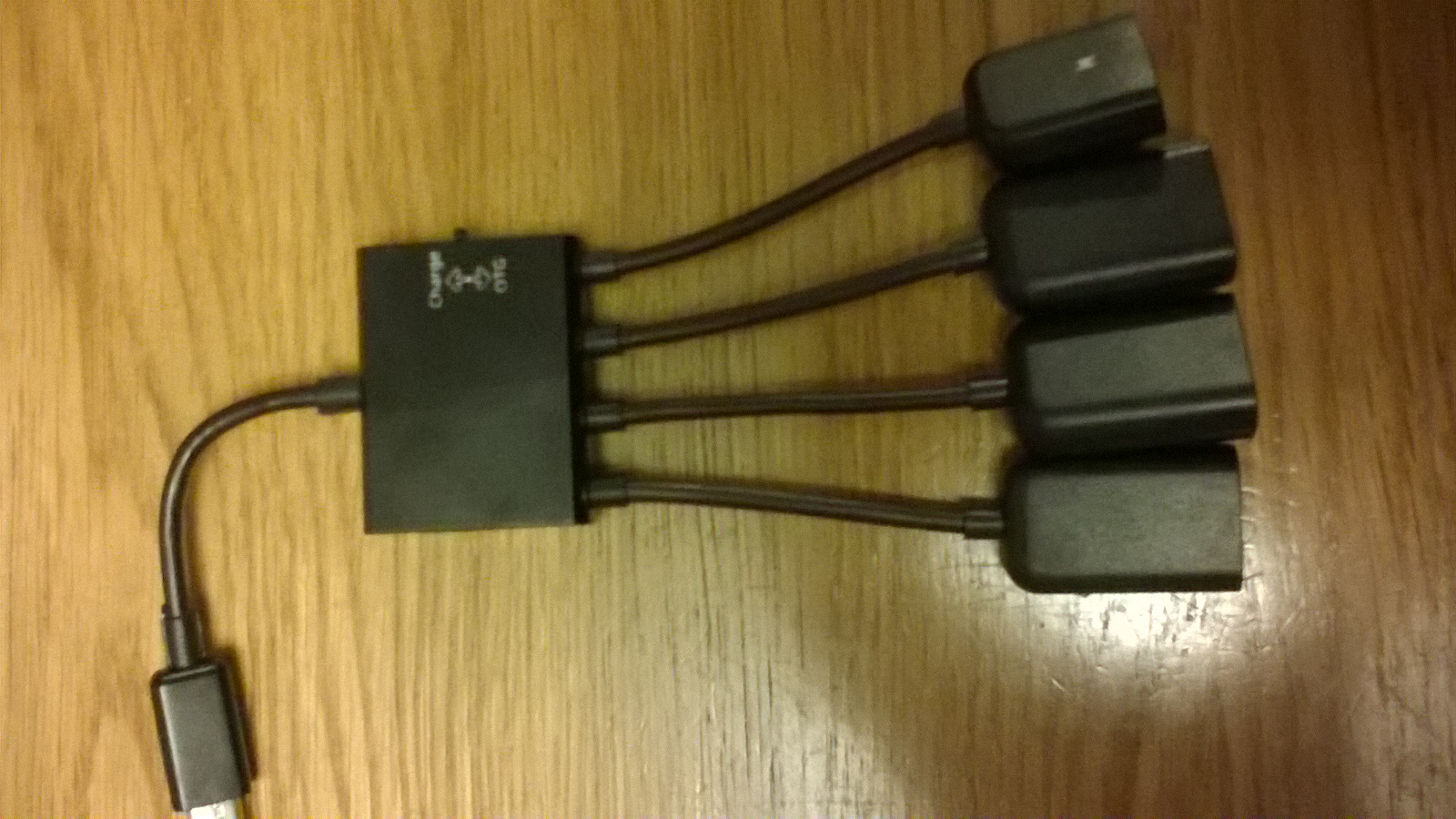
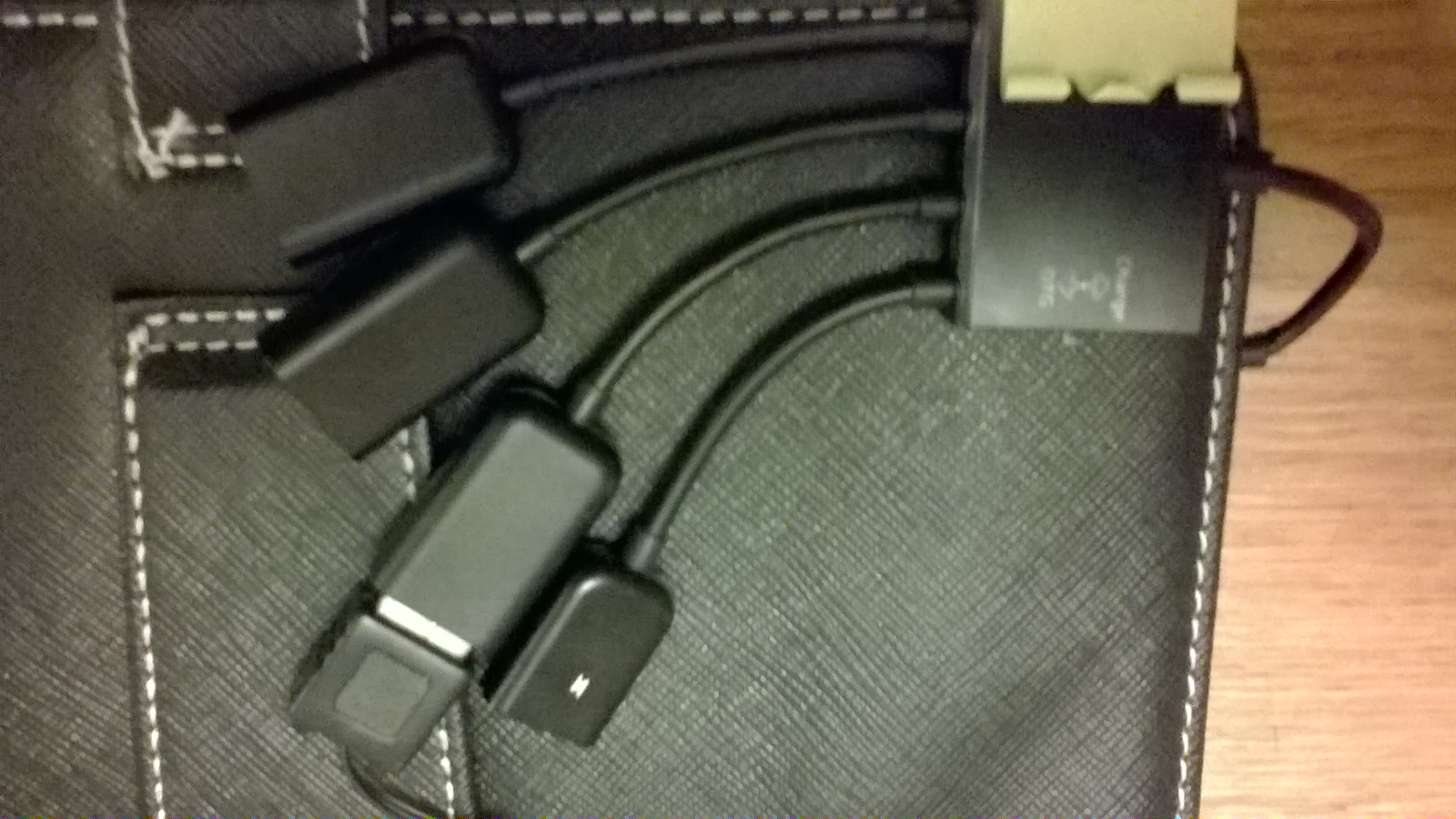
This was a tighter fit under the binder clip due to the hub casing being slightly thicker, but all is now well, I can now charge the tablet without removing the micro USB from the side of the tablet, plus I have three USB sockets at hand, one which is taken up with the USB keyboard in the case:
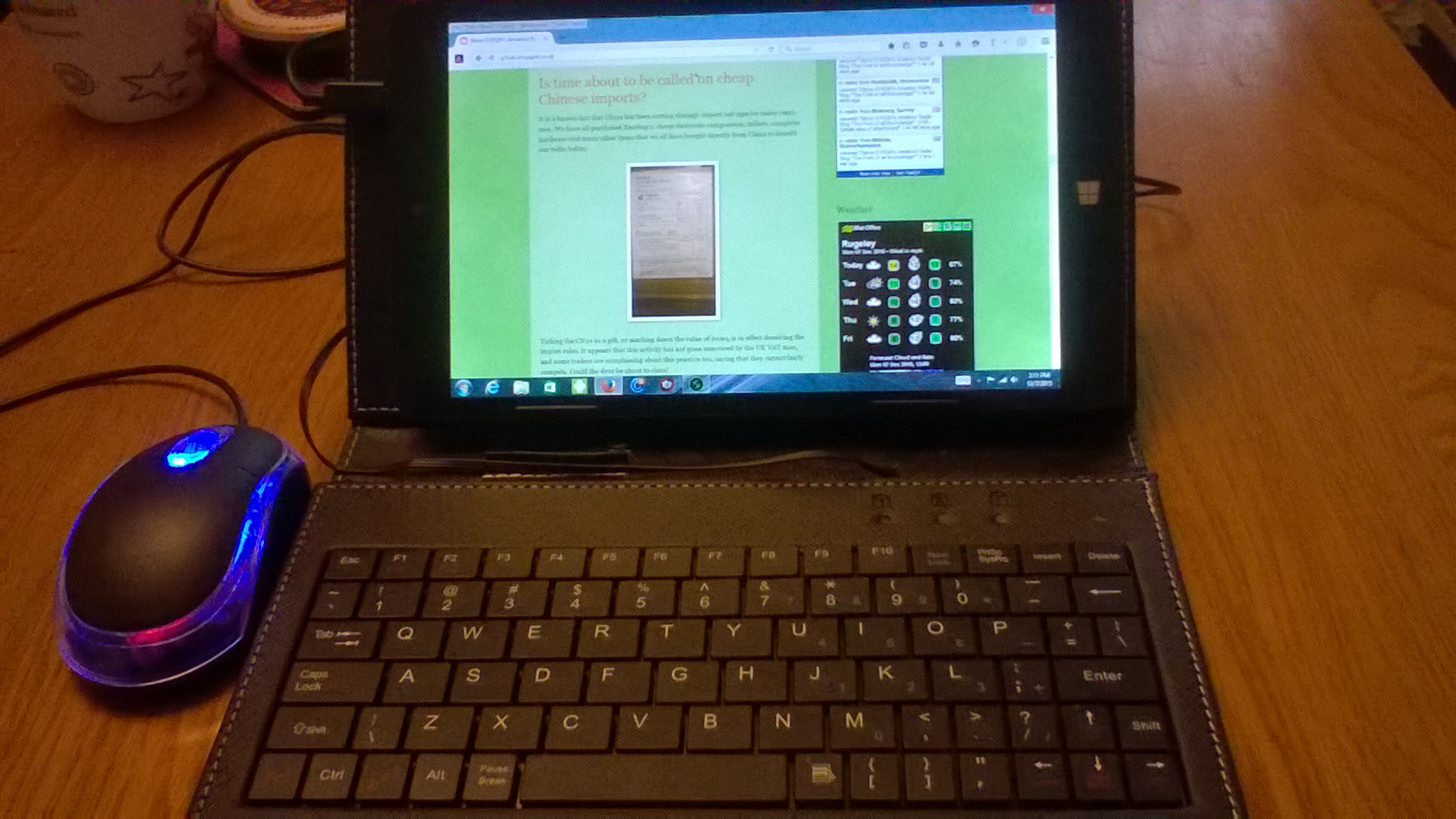
Problem sorted and all put to good daily use using keypad and mouse, all fed by the USB hub attached to the rear of the case:
Ref Cases with keypads:
http://www.ebay.co.uk/itm/Micro-USB-Keyboard-PU-Leather-Stand-Case-For-7-8-9-10-inch-Android-Tablet-Cover-/331700602824?var=&hash=item4d3ae587c8:m:m5pToynDbevJvNqycuFaZAA
Steve, G1KQH, is a regular contributor to AmateurRadio.com and writes from England. Contact him at [email protected].
USB – Simple idea of attachment
The One micro USB socket is not only used for data, but also for charging the device. A lot of excess daily wear and tear, plugging in and out switching between USB devices. Of course the idea of cutting down to one socket is to help keep costs down in production, but how long can the socket possibly last before something gives?
The best way is to expand by using a cheap USB Hub, and there are quite a few different types available for a couple of Pounds. These also allow conversion back to standard USB for other devices, and a seperate power feed via another Micro USB socket which can be used to charge the device while the hub is connected in theory anyway, read on:
Although this solves the problem of USB connection. There is another problem with this arrangement, the weight of the hub and devices hanging on the end of the Tablet, put unwanted stress on the USB Micro socket on the side of the tablet, there has got to be a be a better way of fixing this and tidying it all up.
I was lucky, I had a case that came with a USB Keyboard, could I work out some sort of method of attaching the hub to the case? I had an idea!
A visit to a discount stationary shop while I was in town, I came across a packet of medium sized binder clips. The sort you use for holding files of paper together and hanging up on a hook for reference. The clips came in a pack of twelve for 69p making the fix less than 6 pence!
The clip provides an excellent amount of force suitable for the job of trapping the hub to the rear of the case. There is no movement and it is quite secure:
Once happy that it is square and fixed to the rear of the case, the two leverage arms, hooks or whatever you wish to call them can be detached from the main body of binder clip and discarded.
This provides the solution, and as you can see all the weight and stress is removed off the main cable and the micro USB socket on the tablet. With the sockets happy and tidy on the back of the case ready for use:
All seemed ok? I could then use the hub with various USB devices, but when I came to charge the tablet via the micro USB charging socket on the hub, this was found not to work? I came to the conclusion it was not wired into the hub or faulty in someway, I contacted the ebay dealer for a replacement he offered me $1, so I had to use the ebay tools to force his little Chinese hand to give me my full refund.
Shortly after, I found what looked to be a better USB hub from another reliable ebay dealer which had a switch to change between charge, or data, plus an extra USB Port:
This was a slightly tighter fit under the binder clip due to the hub casing being slightly thicker, but all is now well, I can now charge the tablet without removing the mini USB from the side of the tablet, plus I have three USB sockets at hand, one which is taken up with the USB keyboard in the case:
Steve, G1KQH, is a regular contributor to AmateurRadio.com and writes from England. Contact him at [email protected].
ARRL 160 CW / ’29 QSO Party
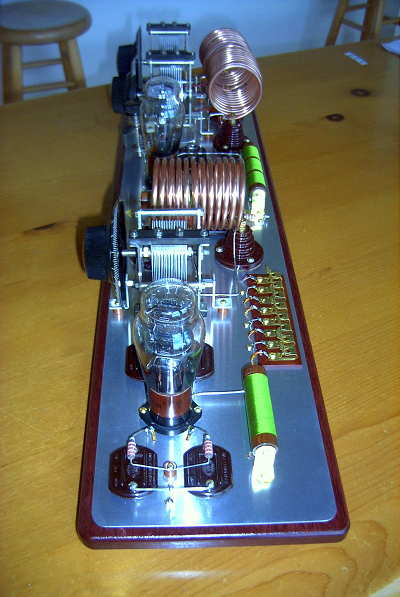 |
| '29 MOPA |
I spent about five hours last night in the ARRL 160 CW contest, working 321 stations in 74 sections. Conditions were excellent, with my 150W sustaining long runs and big pileups. It reminded me very much of the old F2 days on 6m, running huge pileups of JA's. Unfortunately I'll not be able to continue tonight because of the conflict with the '29 QSO Party.
In reality, I may not be in that one either, as right on schedule the winds have picked up once again, with gusts to 83 km/h predicted throughout the day ... I'll be lucky if the power stays on for the QSO Party tonight. As well as doing their best to blow my antennas around and make my already shaky '29 signal sound even worse, these high winds all too often result in long power outages here in the Southern Gulf Islands ... my fingers are crossed, as they are every year at this time.
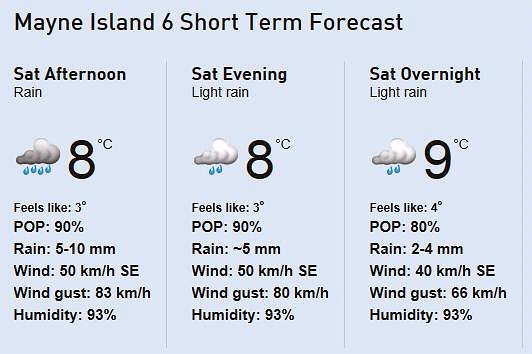 |
| courtesy: http://www.theweathernetwork.com/weather/canada/british-columbia/mayne-island-6 |
If I'm lucky enough to still have power, this will be the inauguration of my newly-constructed MOPA '29 rig ... a two-tube, Master Oscillator Power Amplifier. This rig will be much more 'wind-proof' than my previous mainstays, a single-tube TNT or the Hull Hartley. Both of these self-excited oscillators sound overly 'melodic' when directly coupled to an antenna swinging, or more often, blowing like crazy, in the wind.
If you ever wondered what the ham bands may have sounded like back in 1929, have a listen this Saturday as well as next Saturday night. You will hear some amazingly good signals being generated by these '29 state-of-the-art transmitters as well as some pretty awful sounding ones. It was the pretty awful-sounding ones that led to the crackdown for amateur radio in 1929 as hams were forced to clean up their act or suffer the consequences.
Activity will gather around 3550-3580 kHz and 7100-7125 kHz ... the second weekend will see some meet on the very low end of 160m for an hour, probably around 0400z. I hope some of you will be joining the fun as well, with your newly-constructed 'old' rig!
Steve McDonald, VE7SL, is a regular contributor to AmateurRadio.com and writes from British Columbia, Canada. Contact him at [email protected].
Amateur Radio Weekly – Issue 88

2015 SKYWARN Recognition Day
SKYWARN operators visit NWS offices and contact other radio operators across the world.
NOAA
Ten-Tec sold to mystery owner
I had a discussion with the new owner last night, and I wanted to relay some information.
amateurradio.com
Santa Claus Arctic Circle Team active during December
OH9SCL has been on the air each holiday season for the past 30 years.
ARRL
See the invisible wireless signals around you
The app offers an augmented-reality experience: spin your iPhone or iPad around you, and your device will act like a window into a previously invisible world.
The Verge
Operating from downtown San Francisco: A compromise
Living on the eighth floor of an apartment building in downtown San Francisco isn’t an ideal environment for an amateur radio station.
Fine.Business
Now online: A new WebSDR in Iran
Ham Radio club EP2C has just put a WebSDR online in Iran–perhaps the first in this part of the world.
The SWLing Post
Rock ‘N Radio — QRP style
Operating QRP can mean operating from a “Quiet Restful Place.”
N4PBQ
Video
ISO-TIP 7700 Cordless Solder Iron review
This is my video review of the ISO-TIP #7700 rechargeable battery soldering iron.
ToddFun.com
Sneak peak: VK9WA Willis Island DXpedition 2015
A short video of beautiful Middle Cay, Willis Islets, Coral Sea, Australia – the home of the VK9WA amateur radio DXpedition.
YouTube
and finally…
Antenna cannon
The easy (dangerous) way to string an antenna through a tree.
YouTube
Amateur Radio Weekly is curated by Cale Mooth K4HCK. Sign up free to receive ham radio's most relevant news, projects, technology and events by e-mail each week at http://www.hamweekly.com.
My New Paddle
The key is wonderful and it looks good on the desk. It is still available on the ARRL website.
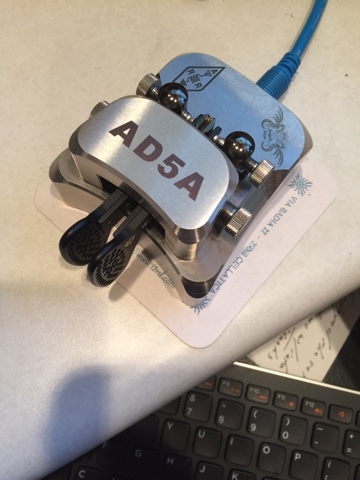
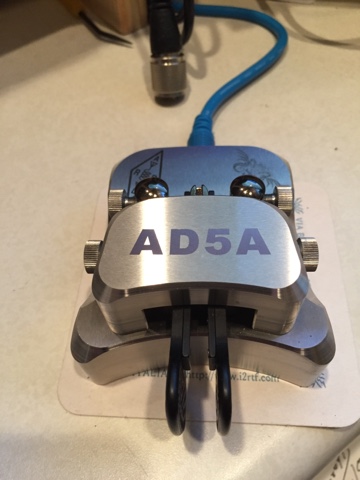
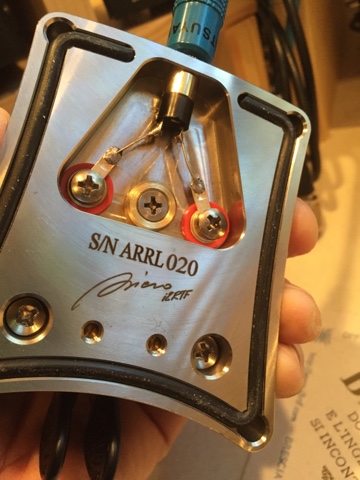
Mike Crownover, AD5A, is a regular contributor to AmateurRadio.com and writes from Texas, USA. Contact him at [email protected].
My New Paddle
The key is wonderful and it looks good on the desk. It is still available on the ARRL website.
Mike Crownover, AD5A, is a regular contributor to AmateurRadio.com and writes from Texas, USA. Contact him at [email protected].
 Ham Radio Deluxe |
 W5SWL Electronics |
 Ham Radio Prep |
 KB3IFH QSL Cards  Hip Ham Shirts  HamRadioAuctions HamRadioAuctions Reliance Antennas Reliance Antennas Enigma Shop Enigma Shop |  morseDX  Ni4L Antennas  R&L Electronics R&L Electronics antennas.us antennas.us QRV QRV |
- Matt W1MST, Managing Editor
