 |
 Episode 202 – Become a Ham in a day with Dan Romanchik KB6NU
 10 January 2016 | by
 In this episode, Martin M1MRB / W9ICQ is joined by Leslie Butterfield G0CIB, Matthew Nassau M0NJX, Andy Mace 2E0IBF and Edmund Spicer M0MNG to discuss the latest Amateur / Ham Radio news. Colin M6BOY rounds up the news in brief, and this episodes feature is an interview with Dan Romanchik KB6NU regarding one day licencing courses.
- Realtime Band Conditions Website
- Australian Radio Ham Celebrates 105 years
- ARRL Lodges Glow Light Complaint
- Global Wind Pattern Indicator
- Retirement of RSGB General Manager
- No 60m Operation Possible in VK
- Amateur Radio Club Train School Pupils
- RSGB Contest Committee Changes
Colin Butler, M6BOY, is the host of the ICQ Podcast, a weekly radio show about Amateur Radio. Contact him at [email protected].
Episode 202 – Become a Ham in a day with Dan Romanchik KB6NU
In this episode, Martin M1MRB / W9ICQ is joined by Leslie Butterfield G0CIB, Matthew Nassau M0NJX, Andy Mace 2E0IBF and Edmund Spicer M0MNG to discuss the latest Amateur / Ham Radio news. Colin M6BOY rounds up the news in brief, and this episodes feature is an interview with Dan Romanchik KB6NU regarding one day licencing courses.
- Realtime Band Conditions Website
- Australian Radio Ham Celebrates 105 years
- ARRL Lodges Glow Light Complaint
- Global Wind Pattern Indicator
- Retirement of RSGB General Manager
- No 60m Operation Possible in VK
- Amateur Radio Club Train School Pupils
- RSGB Contest Committee Changes
Colin Butler, M6BOY, is the host of the ICQ Podcast, a weekly radio show about Amateur Radio. Contact him at [email protected].
Pedestrian Mobile by the Moscow River

This Saturday me and my friend Stan UA3LMR (also RD2A) tried to work as pedestrian mobile (/PM) for the first time. We took my FT-817nd (running 5 W output power) and his AlexLoop Walkham antenna, and walked to the park near Moscow river.
Despite cold and windy weather of minus 16C, we had luck to make 11 QSOs with 6 DXCC countries (UA, UA9, G, F, I, OE) during an hour and a half. We used SSB QRP frequency on the 20-meter band (14285 kHz), hf-pack frequency on the 17-meter-band (18157.5 kHz), and one very popular among ex-USSR HAMs frequency for mobile and portable operations on the 40-meter-band, i.e. 7175 kHz.
Peter Dabizha, R2ABT, is a special contributor to AmateurRadio.com and writes from Moscow, Russia. Contact him [email protected].
Open Web RX
If, like me you have an rtl dongle, there is another ‘thing’ you can do with them that I bet you never knew. Ok you did but I’ll bet all of you didn’t know. Its called OpenWebRX

You can also arm yourself with one of those old netbooks you’ve got loafing about in the corner and put it to use into the bargain.
To tell the truth I’d not heard about it until Daniel, 2E0DNX mentioned something in passing as I was driving him back from the club night last Monday. I can’t remember what started it but we got onto the subject of putting receivers on the web a la WebSDR and the well known Hack Green SDR. This time, as we are both cheapskates, it was around the use of the cheapo dongles.
So, after downloading a copy of Lubuntu (A lightweight ubuntu distro) I installed it onto an old netbook. I thought I followed the instructions on the website and but I hadn’t and after a false start with some rubbish spelling had a receiver running on the local host. I did get some pretty speedy support from the developer though who helped to narrow down my incompetence.
Getting it on line is a little more complicated and needs a bit of fettling. In order to get it listed on the site it needs a web presence. To get that you can pay for it and host it or you can be a cheapskate and use a service like N0-IP. Guess which route I went? They provide a web address that you can use and some really handy instructions for linux installations, if, like me, its not a natural environment to work in but you can largely follow instructions.
After all instructions followed correctly (there are no spelling mistakes in your config file  ) then the last thing to do is make sure your router lets the traffic through (port forwarding). This can be a pain if you’re on BT like me and can lead to no end of frustration that was eventually fixed with a new, non BT router. I’ve got my head round this and will now look to set up a more permanent installation, perhaps with a RPi2 if its got the right mojo.
All in all you’ve got to hand it to people who set out these environments as they are becoming a great way of distributing amateur radio to a wider audience. Thanks Andras, HA7ILM and well done!
Alex Hill, G7KSE, is a regular contributor to AmateurRadio.com and writes from Cumbria, UK. Contact him at [email protected].
Needing some help with JT65-HF
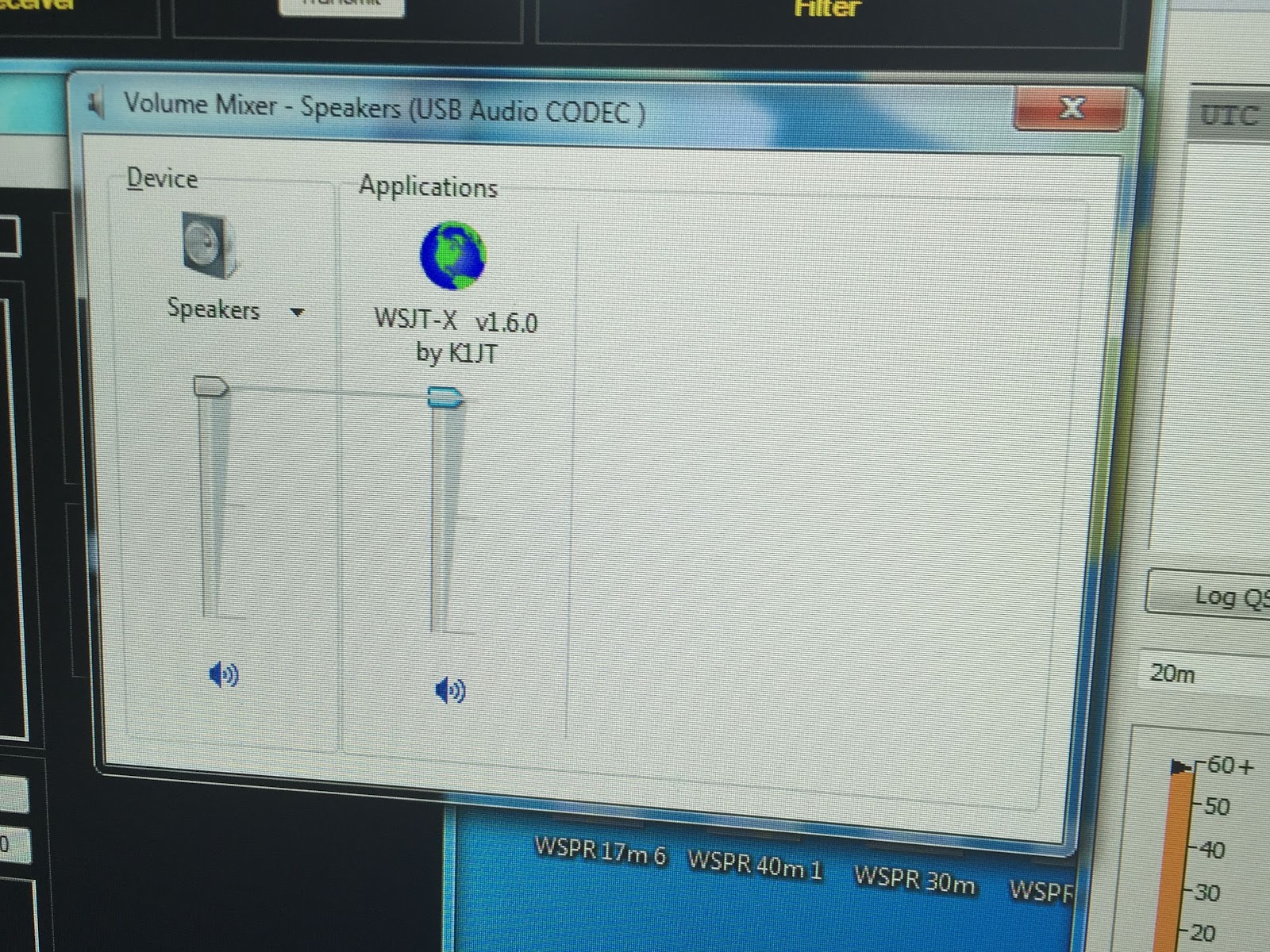 |
| Reset sound setting? |
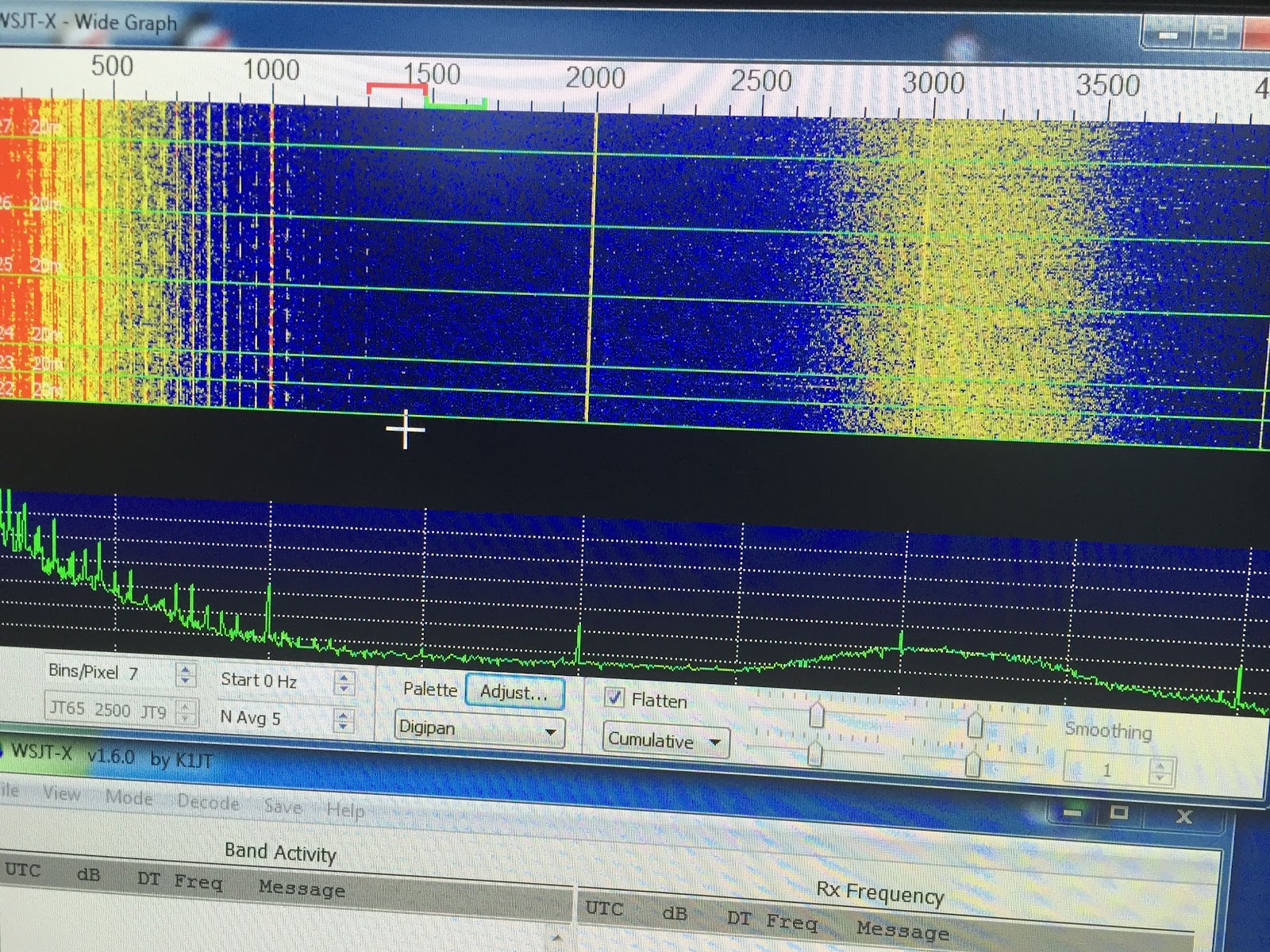 |
| PIC-1 |
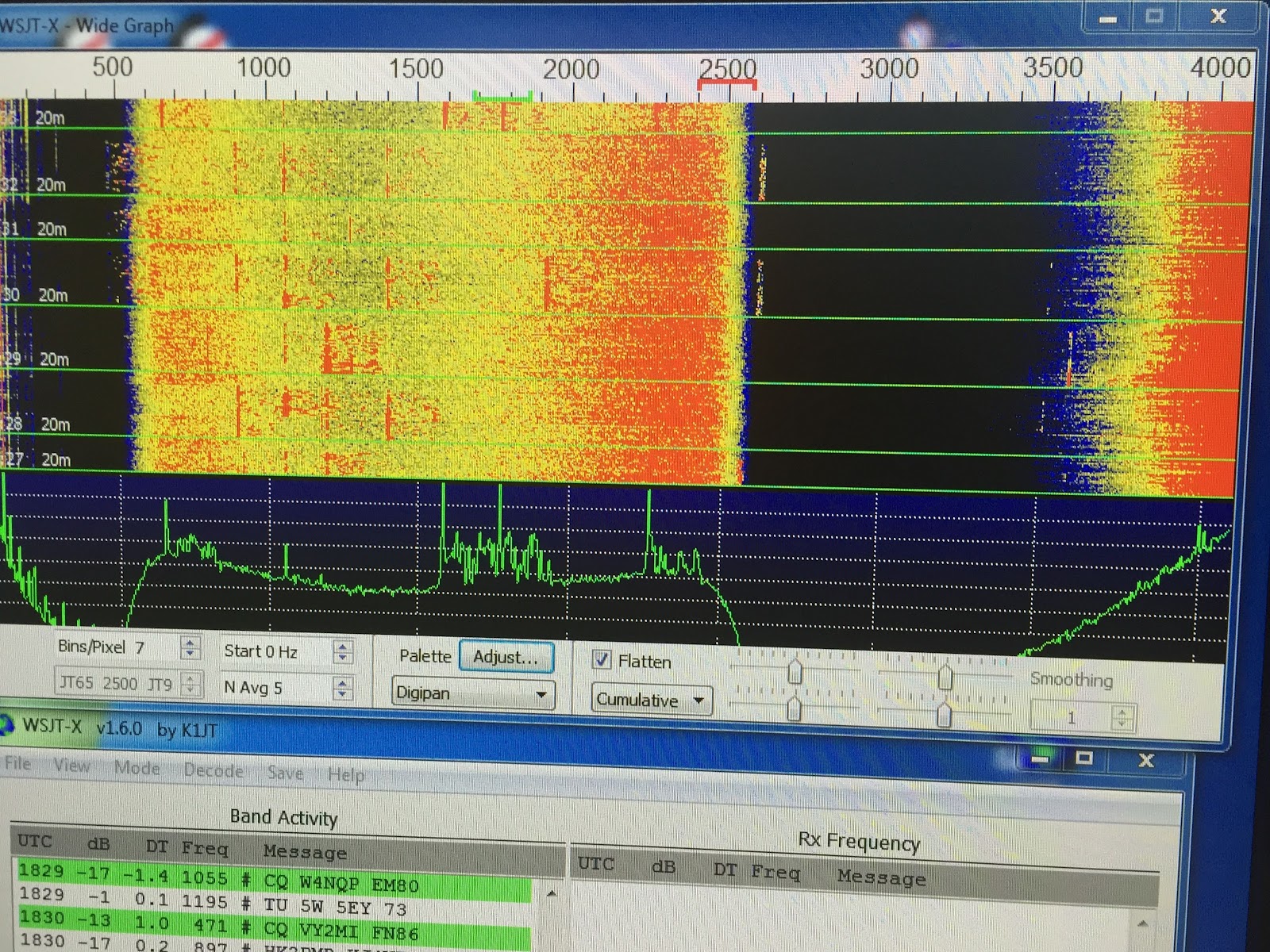 |
| PIC-3 |
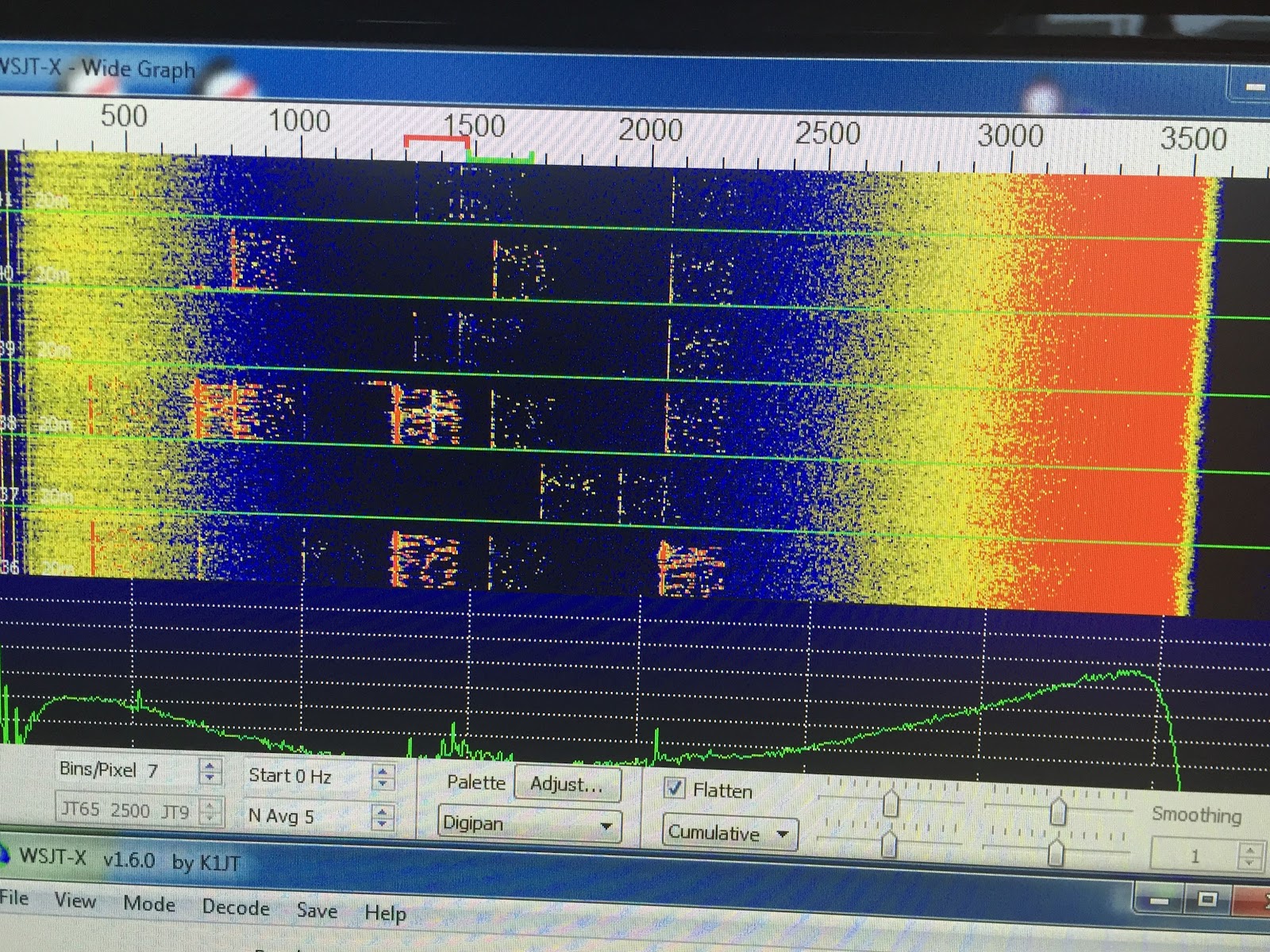 |
| PIC-2 |
Mike Weir, VE9KK, is a regular contributor to AmateurRadio.com and writes from New Brunswick, Canada. Contact him at [email protected].
ISO-TIP 7700 Soldering Iron Review
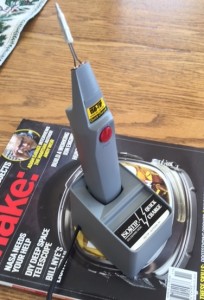
Model 7700 soldering iron
I recently had the opportunity to try out a new ISO-TIP 7700 soldering iron. This is a rechargeable soldering iron without a lot of extra features but it is plenty capable for small soldering tasks. Here’s a few specs from the ISO-TIP web site:
– Fully recharges in 3.5 to 4.0 hours
– Partially charged battery to full capacity in one to two hours
– Up to 125 soldering joints per charge during continuous use
– Withstands high-rate charging without damage
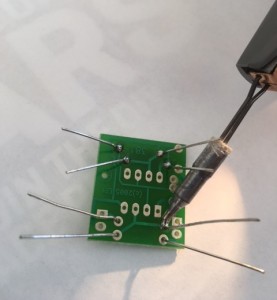
Soldering iron in action
Here’s a short video of the circuit blinking away, proving that I can solder together a simple circuit: Video of circuit blinking Yes, the circuit did work the first time.
The post ISO-TIP 7700 Soldering Iron Review appeared first on The KØNR Radio Site.
Bob Witte, KØNR, is a regular contributor to AmateurRadio.com and writes from Colorado, USA. Contact him at [email protected].
Amateur Radio Weekly – Issue 93

Ten Tec: 2016 and Beyond
Ten Tec’s new owner outlines expectations going forward.
AmateurRadio.com
National Parks on the Air gets off to strong start
During the first three days of NPOTA, “Activators” were on the air from 78 of the 483 NPOTA Units.
ARRL
So sad
If that’s the definition of a “real Ham” then I’m not one, either.
W2LJ
Low noise yagis explained
If designed correctly, the Yagi will present an excellent SWR curve over a given operating range when directly fed.
G0KSC
Shortwave pirate radio 2015 – a year in review
As one might expect, Saturday and Sunday are the big winners, with Friday in third place.
30 Below
Time station CHU in The Empire Strikes Back
Here’s the clip from The Empire Strikes Back, Battle of Hoth: listen at 25 seconds and at 40 seconds.
The SWLing Post
LED lights in the shack
If you have been wondering how much RFI LED lamps might be producing, you may find these findings of value.
VE7SL
File RFI complaints directly with FCC
The FCC has made it easier for hams to file their own RF interference and other complaints.
ARRL
How to
Using the RFSpace Cloud-IQ with CuteSDR on the Raspberry Pi 2
I have been playing with CuteSDR on Linux and Mac and came to think, would this work on a Raspberry Pi?
OZ9AEC
Fixing the Ten-Tec Century/21 sidetone
The sidetone volume on the C21 is adjustable but the pitch is not.
Ham Radio QRP
Video
Building a simplex repeater
I explain the concept of a simplex repeater and how to assemble one out of an Argent Data ADS-SR1 and a Motorola Maxtrac.
The Life of Kenneth
Listening to the International Space Station
I show how easy it is to listen to the ISS using nothing more than a handheld radio.
M0TGN
Amateur Radio Weekly is curated by Cale Mooth K4HCK. Sign up free to receive ham radio's most relevant news, projects, technology and events by e-mail each week at http://www.hamweekly.com.
 Ham Radio Deluxe |
 W5SWL Electronics |
 Ham Radio Prep |
 KB3IFH QSL Cards  Hip Ham Shirts  HamRadioAuctions HamRadioAuctions Reliance Antennas Reliance Antennas Enigma Shop Enigma Shop |  morseDX  Ni4L Antennas  R&L Electronics R&L Electronics antennas.us antennas.us QRV QRV |
- Matt W1MST, Managing Editor
