 |
 The VE3OT 630m Beacon
 19 February 2016 | by
I suspect there are probably a lot of Canadian amateurs still thinking that our new 630m is not very practical for anything other than local two-way contacts.
During the winter 'DX season', this is definitely not the case, as 630m shares many, if not all, of the propagation characteristics found in the lower end of our AM broadcast band. As well, a quick tune through the even lower NDB band on a normal night will reveal dozens of 25-watters, often from over a thousand miles away and with very robust signals.
With no 630m amateur activity yet coming from VE6, VE5 or VE4, it is difficult to get a sense of just how interesting the band could become on these normal nights, or how great it would be on a really good night of propagation. My recent CW contact with the nearest out of province station, VE3OT (Mitch), on a normal night, demonstrates that there is a lot of potential for some really effective two-way work over long distances.
So ... what do signals sound like between here and Ontario? Here is Mitch's CW beacon as heard here on the evening of February 11th, at around 2300 hours local time, using my 10' x 20' loop. I have heard Mitch at even higher levels than this, but his beacon is usually audible here on most undisturbed nights, sometimes as early as 2000 hours local time. His beacon signal runs 200 watts to a 340' circumference loop, from his London, Ontario, suburban backyard.
Even if you are not able to hear Mitch's signal audibly, it should be fairly easy to copy in one of the QRSS CW modes, such as QRSS3 or QRSS10 ... both of which could yield a reasonably quick two-way contact.
Judging from the reliability of the VE3 signal, any activity from the prairie provinces should be even easier to hear. Should any of you in the prairies take up the 630m challenge, I can assure you that you'll be very, very popular out west ... every night!
This blog also provides an opportunity for my initial use of the 'tunestotube' web site. It provides a nice online interface for posting audio files to Youtube, along with an image, or a slideshow. It seemed to work seamlessly and will save me having to link to audio files stored on my own web site, which really eat up what little space I have left.
Steve McDonald, VE7SL, is a regular contributor to AmateurRadio.com and writes from British Columbia, Canada. Contact him at [email protected].
1 Watt and a Wire… in the Attic
You can't always get what you want, but you try sometimes...
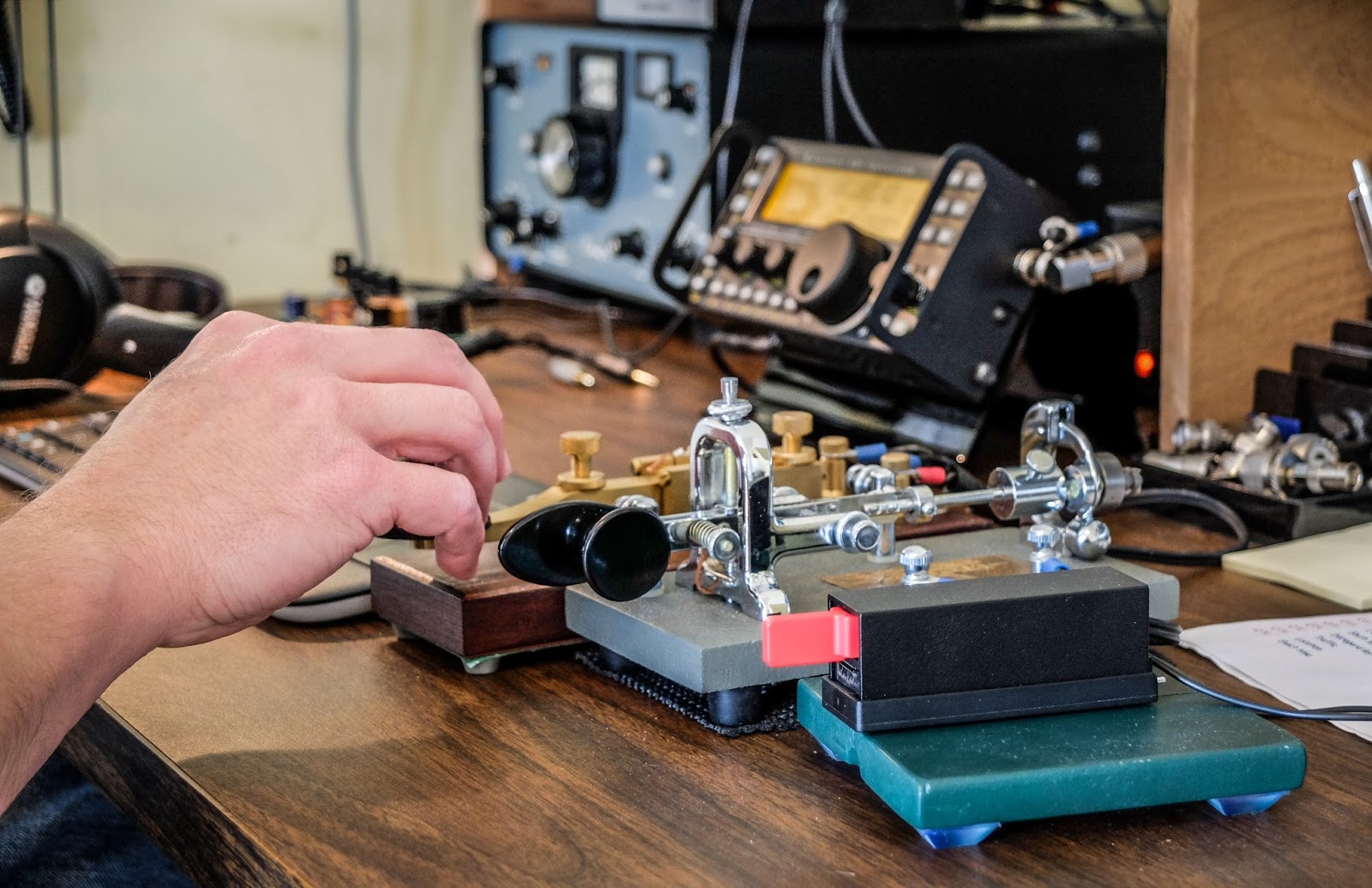 |
| Key lineup... Palm Single (paddle), Vibroplex Bug (circa 1970s), Kent Hand key |
It only seems pointless until you try
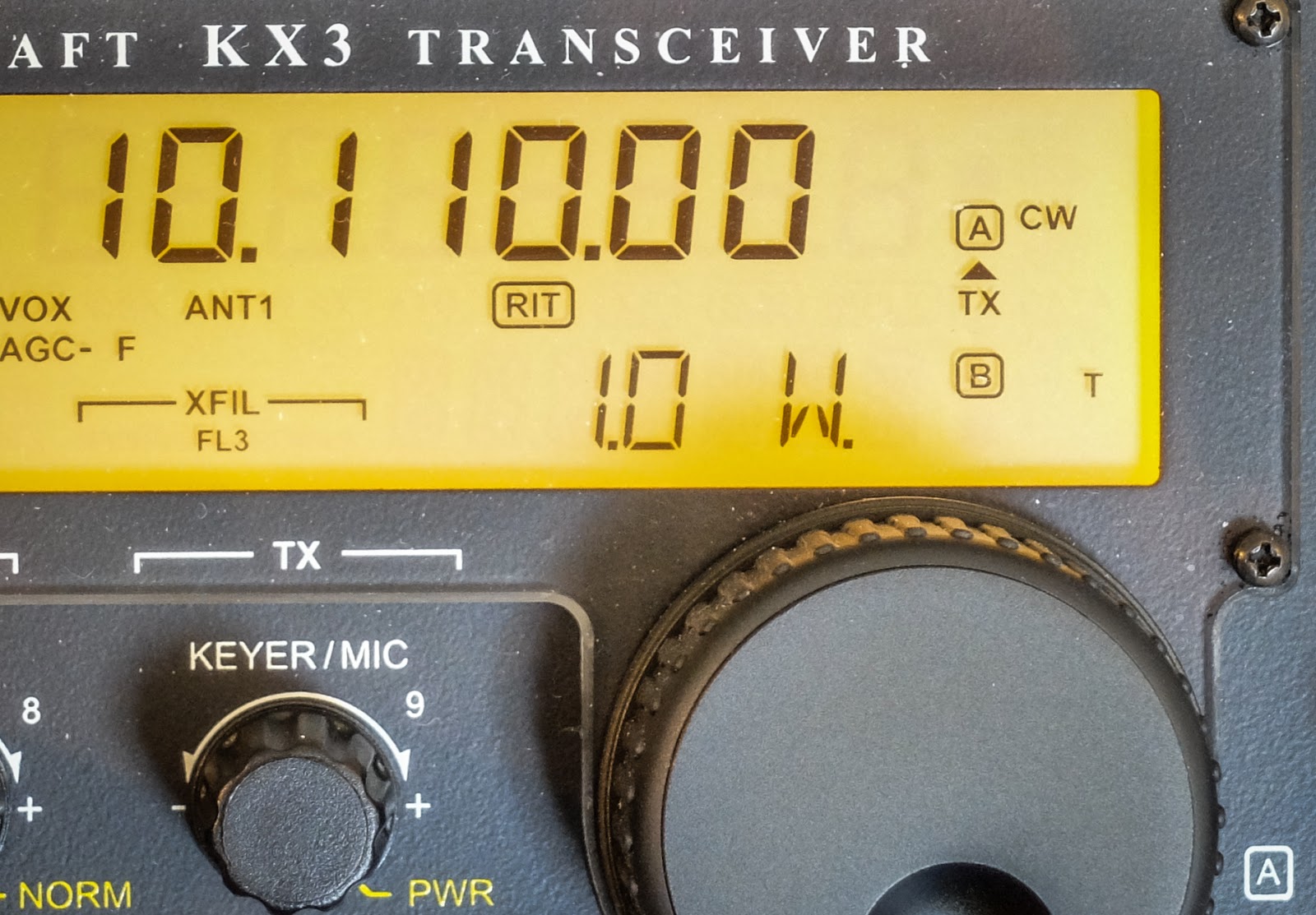 |
| 1 mighty watt |
My assumptions are often incorrect
 |
| http://www.hamqsl.com/solar.html |
Video
Richard Carpenter, AA4OO, is a regular contributor to AmateurRadio.com and writes from North Carolina, USA. Contact him at [email protected].
speed = distance over time

Speed does = distance over time. In terms of CW my speed is currently around 12wpm with a character speed of around 20wpm. I have been at a distance from a qso for over a month now and I am experiencing what is called a plateau. Or is this my natural speed?
If I go for a run, I know I can run at a certain pace for a certain distance. Nowadays no amount of training will get me down to what I could once do when I was in my teens (back then I could do around 1 to 2 minutes quicker for a mile). This was the same back then. I have a capacity and I know it well. Is the same true for CW?
Can I only do a certain speed?
How do I find a natural speed and maintain it? (Overtraining is a crime!)
My normal excuse is I need a new pair of trainers. Surely I need a new morse key, right?
Alex Hill, G7KSE, is a regular contributor to AmateurRadio.com and writes from Cumbria, UK. Contact him at [email protected].
Doctor and patient are doing fine

Yesterday, I went out again, and this time the KX3 wouldn't turn on. No problem, I thought to myself, the battery was probably on its way out, as it has been a while since I have given it its last drink. So last evening, while I was attending a CERT class on animal handling during declared emergencies, I had the battery plugged in at home, charging.
When I got home, around 10:00 PM, I tried reconnecting the battery to the KX3 to see if everything was OK. Still no sign of life - my KX3 was still flat lining.. Hmmmmmm ........ could the battery have gone totally bad?
I carried the radio down to the shack 13.8V power supply. Viola! It turned on!
And then immediately turned off.

My brain went into over drive. What the %(#@*#$ was going on ?!?
I dread sending stuff out for repair. Don't know why, I just do. I was in the professional photographic electronics repair biz for over 20 years. I have fixed studio strobes costing well over $12,000.00. I have taken apart digital camera backs that cost more than a Mercedes Benz. I have stared down banks of charged capacitors storing up enough electrons to supply 6,400 Joules of energy in one pop - certainly I should be able to figure out a relatively minor KX3 repair? Right?
I rolled up my sleeves and got down to it. Obviously, this was a power problem. But why was the rig shutting down so quickly? Internal short? Bad connection somewhere? Then I noticed that if I wiggled the power plug a certain way, the radio would stay on. My mind immediately flashed back to the battery falling incident from the other day. I must have done something to the power socket.

The advantage of building the KX3 (if that's what you want to call it) is that you know how it goes together, so you're not frightened at the prospect of taking it apart. You've seen it in all its naked glory and you lovingly put it together at least once, right? So what's the big deal in taking it apart?
Well, when you built it roughly five years ago, some of the finer details of how it went together get muddled up in the old memory banks. That's why it's good to never toss the build manual! Within about 5 -7 minutes I had it apart and had the display circuit in my hand. A little extra light and a lot of extra magnification from a magnifying glass confirmed my suspicion.
The power socket is a surface mount device, just about like everything else on that display/control circuit board. The weight of the battery tugged the socket enough to unmoor it from its assigned, tinned pads. When I would wiggle the connector "down" towards the circuit board, everything worked. As soon as I let downward pressure go, the connector would break contact from the circuit board again and the radio would appear dead.
I ran upstairs for a pair of scrubs and to wash my hands to prep for surgery. NO! Just kidding!

I changed my soldering station tip to the skinniest one that I have for when I work on SMD devices and I re-soldered that connector onto its pads. I took great care to add just a little "extra" solder just to make sure the connection is good, solid and won't come apart so easily in the future.
I hastily (I'll get back to that in a minute) put everything together and fired the radio up. Fixed! Problem solved! High fives and happy dances all around!
I will have to go back sometime over the weekend to remove the front plexiglass display window, though. In my haste, I wasn't so careful about finger prints. I'll have to go back and clean that up. Yes, I know ...... call me anal. I can't help it!
But as this blog post says - the patient (and more importantly, the doctor) are doing just fine! And even more importantly - no return trip to Aptos!
PROGNOSIS: Excellent! Today's lunchtime QRP session netted the following:
N0TA - SOTA peak W0C/PR-082 (Squaw Mountain) in CO on 20 Meters.
VP5/AC0W - Turks and Caicos Islands on 20 Meters
CT9/OM3RM - Madeira Island on 20 Meters.
PJ2/NF9V - Curacao on 15 Meters.
I chased KH7Y in Hawaii who was absolutely booming into NJ on 15 Meters, but could not make myself heard. Just goes to show, you can't win them all!
72 de Larry W2LJ
QRP - When you care to send the very least!
Larry Makoski, W2LJ, is a regular contributor to AmateurRadio.com and writes from New Jersey, USA. Contact him at [email protected].
Doctor and patient are doing fine
Yesterday, I went out again, and this time the KX3 wouldn't turn on. No problem, I thought to myself, the battery was probably on its way out, as it has been a while since I have given it its last drink. So last evening, while I was attending a CERT class on animal handling during declared emergencies, I had the battery plugged in at home, charging.
When I got home, around 10:00 PM, I tried reconnecting the battery to the KX3 to see if everything was OK. Still no sign of life - my KX3 was still flat lining.. Hmmmmmm ........ could the battery have gone totally bad?
I carried the radio down to the shack 13.8V power supply. Viola! It turned on!
And then immediately turned off.
My brain went into over drive. What the %(#@*#$ was going on ?!?
I dread sending stuff out for repair. Don't know why, I just do. I was in the professional photographic electronics repair biz for over 20 years. I have fixed studio strobes costing well over $12,000.00. I have taken apart digital camera backs that cost more than a Mercedes Benz. I have stared down banks of charged capacitors storing up enough electrons to supply 6,400 Joules of energy in one pop - certainly I should be able to figure out a relatively minor KX3 repair? Right?
I rolled up my sleeves and got down to it. Obviously, this was a power problem. But why was the rig shutting down so quickly? Internal short? Bad connection somewhere? Then I noticed that if I wiggled the power plug a certain way, the radio would stay on. My mind immediately flashed back to the battery falling incident from the other day. I must have done something to the power socket.
The advantage of building the KX3 (if that's what you want to call it) is that you know how it goes together, so you're not frightened at the prospect of taking it apart. You've seen it in all its naked glory and you lovingly put it together at least once, right? So what's the big deal in taking it apart?
Well, when you built it roughly five years ago, some of the finer details of how it went together get muddled up in the old memory banks. That's why it's good to never toss the build manual! Within about 5 -7 minutes I had it apart and had the display circuit in my hand. A little extra light and a lot of extra magnification from a magnifying glass confirmed my suspicion.
The power socket is a surface mount device, just about like everything else on that display/control circuit board. The weight of the battery tugged the socket enough to unmoor it from its assigned, tinned pads. When I would wiggle the connector "down" towards the circuit board, everything worked. As soon as I let downward pressure go, the connector would break contact from the circuit board again and the radio would appear dead.
I ran upstairs for a pair of scrubs and to wash my hands to prep for surgery. NO! Just kidding!
I changed my soldering station tip to the skinniest one that I have for when I work on SMD devices and I re-soldered that connector onto its pads. I took great care to add just a little "extra" solder just to make sure the connection is good, solid and won't come apart so easily in the future.
I hastily (I'll get back to that in a minute) put everything together and fired the radio up. Fixed! Problem solved! High fives and happy dances all around!
I will have to go back sometime over the weekend to remove the front plexiglass display window, though. In my haste, I wasn't so careful about finger prints. I'll have to go back and clean that up. Yes, I know ...... call me anal. I can't help it!
But as this blog post says - the patient (and more importantly, the doctor) are doing just fine! And even more importantly - no return trip to Aptos!
PROGNOSIS: Excellent! Today's lunchtime QRP session netted the following:
N0TA - SOTA peak W0C/PR-082 (Squaw Mountain) in CO on 20 Meters.
VP5/AC0W - Turks and Caicos Islands on 20 Meters
CT9/OM3RM - Madeira Island on 20 Meters.
PJ2/NF9V - Curacao on 15 Meters.
I chased KH7Y in Hawaii who was absolutely booming into NJ on 15 Meters, but could not make myself heard. Just goes to show, you can't win them all!
72 de Larry W2LJ
QRP - When you care to send the very least!
Larry Makoski, W2LJ, is a regular contributor to AmateurRadio.com and writes from New Jersey, USA. Contact him at [email protected].
Amateur Radio Parity Act… Amendments?
On February 11, the House Subcommittee on Communications and Technology (chaired by Greg Walden W7EQI) voted to send HR 1301, the Amateur Radio Parity Act, forward to the full Energy & Commerce Committee. Yay! A major step, because if they’d voted it down, it would have been toast for this session (and maybe forever, if it got beat bad enough).
They passed it on a voice vote, and it appeared to be unanimous. Also Yay!
But hold on. There was one Committee member, Rep. Anna Eschoo from California, who has been wary of, if not opposed to the bill, based on lobbying she’s received from an association of HOAs (the CAI – Community Associations Institute). Her comments in the session, and those of Chairman Greg Walden and the bill’s Sponsor, Rep. Adam Kinzinger of Illinois, all referenced the need to compromise on some amendments before the bill arrives at the parent committee, and noted that there hadn’t been time to prepare new language for this “markup session” (when a bill is voted up or down).
I don’t know who’s involved in the negotiations. They’ll certainly involve the Representatives and their staffs, and probably the ARRL and CAI.
I do have a clue about what they’ll be negotiating, though. At a January 12 hearing, both ARRL and CAI filed letters with the Subcommittee, although neither group had anyone testifying in person or answering questions. The CAI’s letter contained 7 specific amendments they requested. I marked up their document with some highlighting and comments (but didn’t change or delete any of their text), and you can see it here.
So the list of amendments had been hanging around for a month, but the Subcommittee didn’t get to them before the markup session. That’s too bad, I guess. Might have been interesting to see the points discussed or debated in the Subcommittee. Instead, the discussion won’t see a lot of sunshine until the result surfaces, possibly in the full Committee. (I will be asking some questions before then. Answers?)
Here in HamRadioNow Episode 245, I’ve got video clips of the markup vote and comments by all the principles, and clips of all the Parity Act discussion from the January hearing. And I review the CAI’s document and discuss the amendments.
73, Gary KN4AQ
Gary Pearce, KN4AQ, is the host of HamRadioNow.tv. If you enjoy this and other HamRadioNow programs, help keep them 'on the air' with a contribution. Contact him at [email protected].
The need for speed in CW
CW QSO speed statistics...
 |
| I was a kid in the 1970s when Speed Racer was a popular cartoon |
The need for speed
Statistics show 25wpm is the magic number
So based on those calculated CW speed statistics from RBN data if I can reach the point where I am comfortable in a 25wpm ragchew I should be content (for a while)
Richard Carpenter, AA4OO, is a regular contributor to AmateurRadio.com and writes from North Carolina, USA. Contact him at [email protected].
 Ham Radio Deluxe |
 W5SWL Electronics |
 Ham Radio Prep |
 KB3IFH QSL Cards  Hip Ham Shirts  HamRadioAuctions HamRadioAuctions Reliance Antennas Reliance Antennas Enigma Shop Enigma Shop |  morseDX  Ni4L Antennas  R&L Electronics R&L Electronics antennas.us antennas.us QRV QRV |
- Matt W1MST, Managing Editor
