 |
 Amateur Radio Weekly – Issue 234
 23 March 2019 | by
Artist to transmit art via SSTV and HAARP
Amanda Dawn Christie will use the world’s most capable high-power, high-frequency transmitter to send art around the world and into outer space.
Concordia University
2 meter square loop antenna
Get on 2m SSB in style with this neat and sturdy plumber’s delight RF projector.
Ham Universe
Part 3 of Ham Radio and condo life
If you have an attic, the best antenna could be the Alpha Delta DX-EE fan dipole.
VE3WDM
Photos from the 2019 Charlotte Hamfest
I was very impressed with the turnout–indeed, it was one of the busiest regional hamfests I’ve attended in ages.
The SWLing Post
Radio Hams help isolated settler
IARU Region 2 reports on a short story with a happy ending.
Southgate
FT8 growing as DX mode in an era of waning propagation
The number of Club Log users uploading at least one FT8 contact to the site grew from 8,000 in 2017 to 14,200 in 2018.
ARRL
This SDR uses a tube
The tube acts as both an oscillator and mixer, so the receiver is a type of direct conversion receiver.
Hack A Day
2019 State of the Hobby Survey
This benchmark can help us determine what is working and what is not in the ham radio community. This can involve participation, recruitment, mentoring and licensing. It can also help identify new and emerging trends in amateur radio. Please take a few minutes to complete the survey and share with others in the hobby.
N8RMA
Video
Receiving Cosmonaut Alexey Ovchinin on Soyuz MS-12
Using an SDR to listen to Soyuz communications.
YouTube
The first geostationary satellite for Ham Radio
Here we take a look at the Ham Radio transponders of the new Es’Hail 2 Satellite.
YouTube
Get Amateur Radio Weekly in your inbox.
Sign-up here
Amateur Radio Weekly is curated by Cale Mooth K4HCK. Sign up free to receive ham radio's most relevant news, projects, technology and events by e-mail each week at http://www.hamweekly.com.
How to Get Into DMR … Without a Radio!
Are you a licensed ham who is interested in Dstar or DMR – but without the cost of expensive radios?
Here are three steps you can take to accomplish the task. This applies to the three most popular protocols.
It begins by acquiring a special USB Dongle that contains an analog to digital and digital to analog IC chip reffered to as an AMBE3000. They
sell for about $100 but that’s still only 1/4 the cost of an Icom IC-51HT or DV4HOME V2 SDR.
http://nwdigitalradio.com/product/thumbdv
Because only licensed hams are permitted on each system, registration is required.
For Dstar go to:
https://regist.dstargateway.org/Dstar.do
(Login then click REGISTER, it takes 10+- days).
For DMR registration go to:
https://www.radioid.net/cgi-bin/trbo-database/register.cgi
You can confirm your DStar Registration later at:
http://dstar.info/query.html
For software I recommend the free BlueDV Windows client:
http://software.pa7lim.nl/BlueDV/BETA/Windows/BlueDV-09548-preBETA.zip
(note: expand the BlueDV-09548-preBETA.ZIP and RUN the contained .MSI installer).
and here for the latest changes to build 9548:
http://www.pa7lim.nl/bluedv-windows-changelog/
When you plug in the ThumbDV it should create a new “virtual” serial port. Look under Control Panel, Device Manager, Com & LPT . You must note the new COM port# it creates and use that COM# when setting up the BlueDV setup software. Also remember the ThumbDV™
Dongle works at 460800 baud (older models are at 230400).
Be aware that BlueDV build 9548 is BETA, although the Dstar and DMR operations are very stable, Fusion has yet to be fully implemented, currently limited to receive only.
I quote from David, the author: “Press CTRL+1 to activate C4FM (Fusion) on BlueDV but it currently only works in receive mode. I find BlueDV software to be superior to WinDV.
As always, install any software you download online at your own risk. Every computer configuration is different and not all software will be compatible with all systems.
Youtube Help and setup video for BlueDV:
73 & Happy Digitizing!
Mike Raymond, K5HUM, is a special contributor to AmateurRadio.com and writes from Louisiana, USA. Contact him at [email protected].
Hunting For NDBs In CLE242
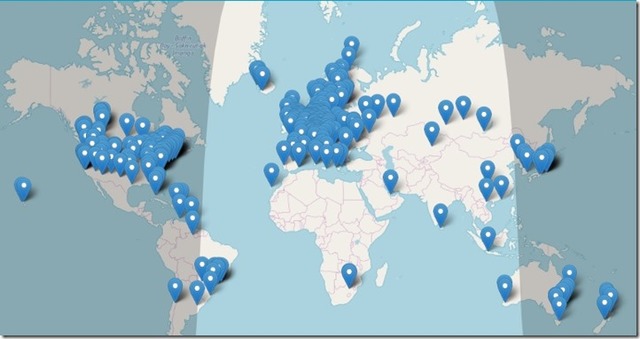 |
| Online KiwiSDR Network |
CLE242 runs this weekend and is a bit different than most. This time, listeners are required to use an online remote receiver to do their beacon-hunting.
There are many parts of the world where beacons have yet to be recorded to the database and this will be a great opportunity to find and report them.
Over the past few years, the number of online SDRs has grown immensely, as has their ease of use. Although there are several online systems, my favorite is the KiwiSDR network, where one can normally find over 400 receivers available at any time. As well, every one of them has the same familiar intuitive interface ... figuring out how to tune them and make them behave the way you want only takes a few moments.
When tuning for NDBs, put your receiver in the CW mode and listen for the NDB's CW identifier, repeated every few seconds. Listen for U.S. NDB identifiers approximately 1 kHz higher or lower than the published transmitted frequency since these beacons are modulated with a 1020Hz tone approximately.
For example, 'AA' near Fargo, ND, transmits on 365 kHz and its upper sideband CW identifier is tuned at 366.025 kHz while its lower sideband CW ident can be tuned at 363.946 kHz. Its USB tone is actually 1025 Hz while its LSB tone is 1054 Hz.
Often, one sideband will be much stronger than the other so if you don't hear the first one, try listening on the other sideband.
Canadian NDBs normally have an USB tone only, usually very close to 400 Hz. They also have a long dash (keydown) following the CW identifier.
All NDBs heard in North America will be listed in the RNA database (updated daily) while those heard in Europe may be found in the REU database. Beacons heard outside of these regions will be found in the RWW database.
From CLE organizer Brian Keyte, G3SIA, come details via the The NDB List Group:
Hello all
Our 242nd listening event starts this Friday. The last time everyone
listened via remote receivers was 40 CLEs and over 3 years ago. Since
then the receivers have improved enormously – easier to use, better
design and a much greater choice of sites Worldwide for you to use.
If you don’t like the idea of remote listening we urge you to at least
please give it a try. I predict that several of us who ‘have a go’ in this
CLE will be very pleased to discover a fascinating new world of NDBs.
You only need a modest PC and a slow internet connection - and the
ability to read slow Morse! (Even a tablet is sufficient, though a bit
difficult to use without a mouse)
Days: Friday 22 March - Monday 25 March
Times: Midday on Friday to Midday on Monday, local time AT THE REMOTE RX
QRG: Normal LF/MF frequencies (190 - 1740 kHz)
NDBs: A MAXIMUM of 100 normal NDBs (not DGPS, Navtex, Amateur)
(that’s not intended to be a target to reach!)
Choose any ONE receiver, remote from you, for all your CLE listening.
Remember that reception conditions will depend on the local time of
day/night at the receiver (no through-the-night listening for us this time?)
The ‘biggest and best’ of the remote receivers is probably still the SDR
at the University of Twente at Enschede in the east of Holland.
Several hundred listeners use it, all at the same time and all unaware
of each other. Its PA0RDT mini-whip aerial high above the metal roof
of the building allows it to receive well on the NDB range of frequencies.
Just enter http://websdr.ewi.utwente.nl:8901/ into your browser.
In seconds you should see details of the receiver and advice on how to
use it.
If you want to choose a different location, or an easier-to-use receiver
with fewer facilities, the Kiwi receivers are also SDRs. They are mostly
in radio enthusiasts homes and they usually only support a handful of
simultaneous users.
Go to https://sdr.hu
To display the Worldwide map use the button on the right side of the screen
- experiment with (multiple) use of the + and – buttons.
Some sites of any kind have aerials that are quite unsuitable for NDB
listening, but others are excellent. Some of our members have been busy
recently researching them and their suggested ‘best ones’ are listed below.
For each receiver, whatever its kind, do read the helpful advice carefully
before using it. There is no charge and you don’t register or 'log in', but
you may be invited to type your chosen identification in a 'Name’ or
‘Callsign' box. There may be a time limit for each user (e.g. 2 hours in
any 24 hours) and ‘late comers’ may temporarily have reduced facilities.
Seeklists? The REU/RNA/RWW Website can help a lot if you enter the
Locator of your chosen receiver in the From GSQ box there.
To avoid getting details of thousands of NDBs, initially set the DX limit
to something small and/or enter one or two nearby states or countries.
LOGS (Please read CAREFULLY):
Please show the LOCATION details and the TYPE OF REMOTE RECEIVER
clearly (and your own location to help us identify you).
Include on EVERY LINE of your log:
# the UTC date - e.g. ‘2019-03-22' (or just '22')
and UTC time (the day changes at 00:00 UTC).
# kHz - the nominal, published, frequency.
# Call Ident.
Show those main log items FIRST. Any other, optional, details such as
the NDB's location, etc., must go LATER on the same line.
You could include any UNIDs - e.g. separately if you already have 100
identified loggings.
As this is a special CLE, any extra comments in your log on your listening
experience (whether good or not!) will certainly be of interest.
Please post your log to NDB List, preferably as a Plain Text email
(not in an attachment) using 'CLE242' and ‘FINAL’ in its title. We will
send the usual 'Any More Logs?' email at about 21:00 UTC on Tuesday
so you can check that your log has been found OK.
(NB: that is 3 hours later than usual)
Do make sure your log has arrived on the List by 09:00 UTC on Wednesday
27 March at the very latest. Joachim and I hope to finish making the main
combined results later on that day or soon after.
REMINDERS:
Only ONE remote receiver of your choice.
Not more than 100 loggings
Start and End at midday at the receiver.
Enjoy!
Brian
--------------------------------------------------------------------------
From: Brian Keyte G3SIA ndbcle'at'gmail.com
Location: Surrey, SE England (CLE Coordinator)
--------------------------------------------------------------------------
To help you with your choice of a remote receiver, below are recommendations
and/or advice provided by from some of our members:
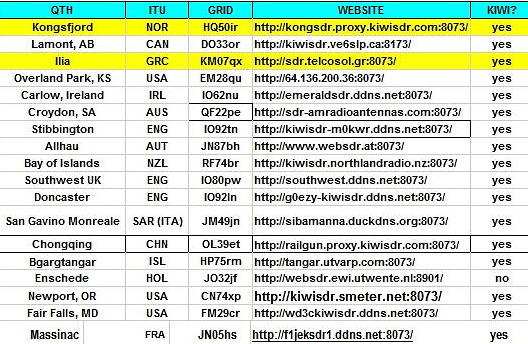
they can still be used and are still excellent stations.
Advice about their own and other Kiwis have been given in emails to NDB List,
mostly in the last few days:
Roelof B: His KiwiSDR is making all four channels available for the CLE
Tony C: Has added his openwebrx NDB receiver to SDRHU. 3 or 4 users
Bill S: Email to NDB List on 4 Feb (A list of USA and CAN SDR's that may
be useful, compiled by Dave AB5S and posted on the Boatanchor List)
Joe N5PYK: The West Texas KiwiSDR welcomes CLE participants.
We are grateful to all the above.
Any further advice about suitable remotes will be welcome.
Do you fancy using something really basic for the CLE? The Global Tuners
still exist – we used 6 of them successfully in CLE202. There are usually
about 50 of them on-line and many are older traditional receivers that
support only one user and are seldom suitable for the NDB frequencies.
But there might still be a gem or two among them:
https://www.globaltuners.com/ (You need to sign up for a free account
and provide an email address for a password to be sent to you)
- determine, worldwide, which beacons are actually in service and on-the-air so the online database can be kept up-to-date
- determine, worldwide, which beacons are out-of-service or have gone silent since the last CLE covering this range
- will indicate the state of propagation conditions at the various participant locations
- will give you an indication of how well your LF/MF receiving system is working
- give participants a fun yet challenging activity to keep their listening skills honed
The NDB List Group is a great place to learn more about the 'Art of NDB DXing' or to meet other listeners in your region. There is a lot of good information available there and new members are always very welcome. As well, you can follow the results of other CLE participants from night to night as propagation is always an active topic of discussion.
You need not be an NDB List member to participate in the CLEs and all reports, no matter how small, are of much value to the organizers.
Remember - 'First-time' logs are always VERY welcome!
Reports may be sent to the NDB List Group or e-mailed to CLE co-ordinator, Brian Keyte (G3SIA), whose address appears above. If you are a member of the group, all final results will also be e-mailed and posted there.
Please ... give the CLE a try ... then let us know what NDB's can be heard from your location! Your report can then be added to the worldwide database to help keep it up-to-date.
Have fun and good hunting!
Steve McDonald, VE7SL, is a regular contributor to AmateurRadio.com and writes from British Columbia, Canada. Contact him at [email protected].
LHS Episode #276: Logical Volume Management Deep Dive
Hello and welcome to Episode 276 of Linux in the Ham Shack. In this episode, the hosts take a relatively in-depth look at the world of Logical Volume Management under Linux. LVM is a method for creating redundant, scalable and highly available disk volumes that can span multiple physical drives and media types. The topic is more immersive than could be covered in one episode but this should be a good initial primer for anyone looking to explore what LVM can offer. Thanks for listening.
73 de The LHS Crew
Russ Woodman, K5TUX, co-hosts the Linux in the Ham Shack podcast which is available for download in both MP3 and OGG audio format. Contact him at [email protected].
ICQ Podcast Episode 289 – UHF/VHF Weekender Transceiver Kit Review
In this episode, Martin M1MRB is joined by Chris Howard M0TCH, Martin Rothwell M0SGL and Frank Howell K4FMH to discuss the latest Amateur / Ham Radio news. Colin M6BOY rounds up the news in brief and this episode’s feature is a review of the UHF/VHF Weekender Transceiver Kit by Martin M1MRB.
ICQ AMATEUR/HAM RADIO PODCAST DONORS
We would like to thank our monthly and annual subscription donors for keeping the podcast advert free. To donate, please visit - http://www.icqpodcast.com/donate
- Radar makes 5 MHz Band 'Useless'
- Neil G0WPO - SOTA Mountain Goat
- Free Foundation Training Books for Australian Amateur Radio Students
- Radio Ham Takes on Department of Justice
- ITU Strengthening Emergency Telecommunications in the Americas
- GQRP Club Founder the Rev. George Dobbs, G3RJV, SK
- State of the Hobby Survey 2019
- BYLARA Launches New Bulletin Publication
- RSGB AGM Online Voting
Colin Butler, M6BOY, is the host of the ICQ Podcast, a weekly radio show about Amateur Radio. Contact him at [email protected].
AmateurLogic 128: Windows 10 on Raspberry Pi
AmateurLogic.TV Episode 128 is now available for download.
George runs the full Windows 10 Pro (not IOT Core version) on the Raspberry Pi. Emile visits the W5DDL Hamfest in Rayne, LA. Tommy builds an Arduino Battery Monitor/Alert.
1:22:25
George Thomas, W5JDX, is co-host of AmateurLogic.TV, an original amateur radio video program hosted by George Thomas (W5JDX), Tommy Martin (N5ZNO), Peter Berrett (VK3PB), and Emile Diodene (KE5QKR). Contact him at [email protected].
Part 3 of ham radio and condo life
 |
| Failed Hy-gain tape dipole |
Let me begin by saying this segment on antennas assumes you are looking for something that is either hidden or looks like something it's not.
Most (but not mine) town homes have a garage and driveway to-which you park a car in. I have found a very simple way to get on the air is to put an antenna on your car and run coax out to it. Now having said that you don't want to run around town with a huge antenna on your car (maybe you ...but not me) There are many fast connect/disconnect mounts on the market. As for the antenna I have seen and did have a multi-band HF antenna. I did operate my home HF radio with a multi-band antenna.....yes I did say I had no driveway or garage but more on that in a minute. The antenna I used was something similar to the Comet UHV-6 mounted on my car. There is also the Hustler triband adapter to allow 3 Hustler resonators to be used at the same time. With these types of antennas or similar ones you can run coax out to your car in the driveway connect to the antenna and your on the air.
In my case my townhouse at the time did not have a driveway or garage it was a common car parking lot. So what I did was I buried LMR 400 in plastic tubing out to where my car was. I terminated the coax to an SO-239 in a small plastic box. The box was in a small bush and unseen. When I wanted to go on the air I connected a small jumper of coax from the box to my car antenna. I was able to use this for about 3 years.
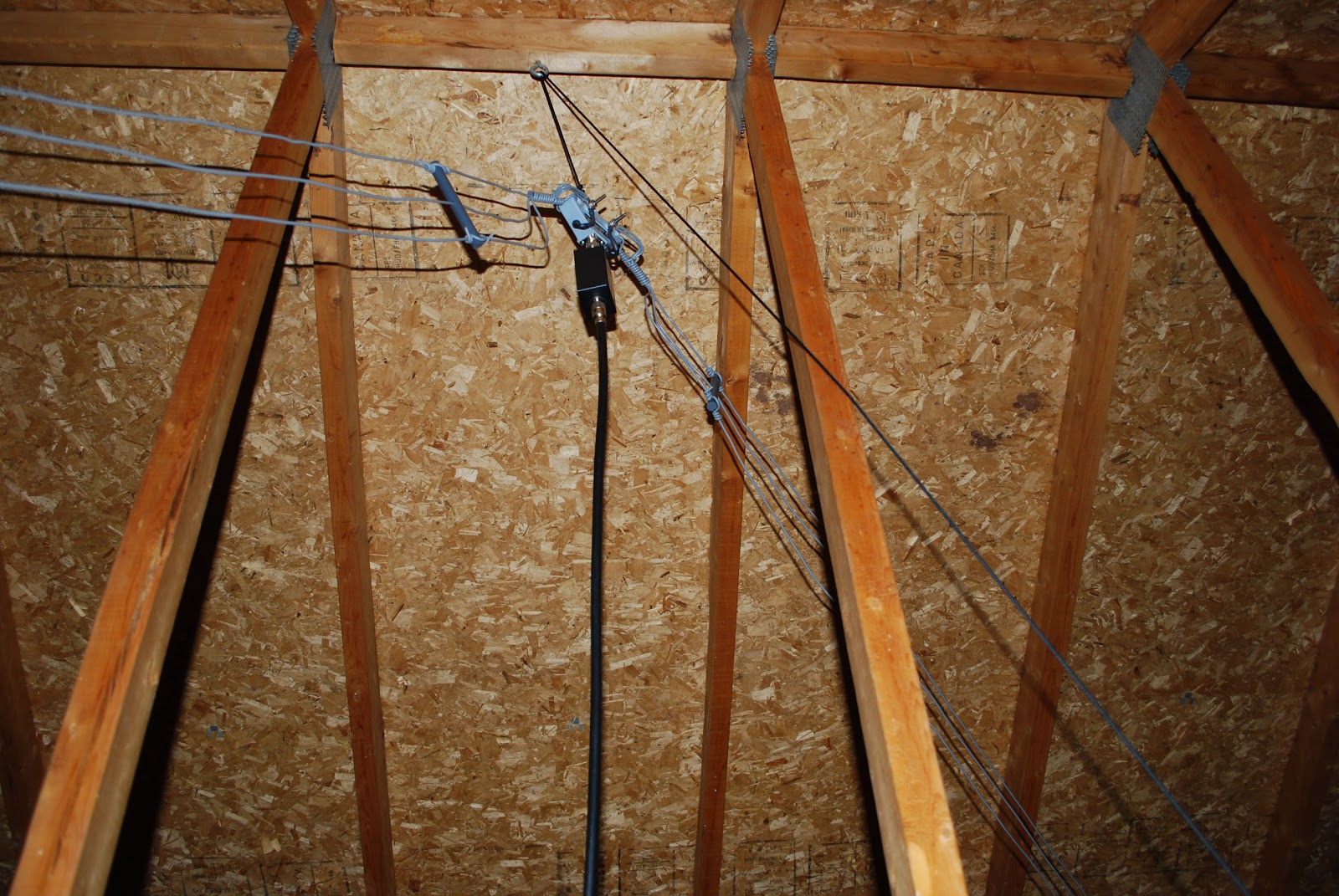 |
| Attic DX-EE |
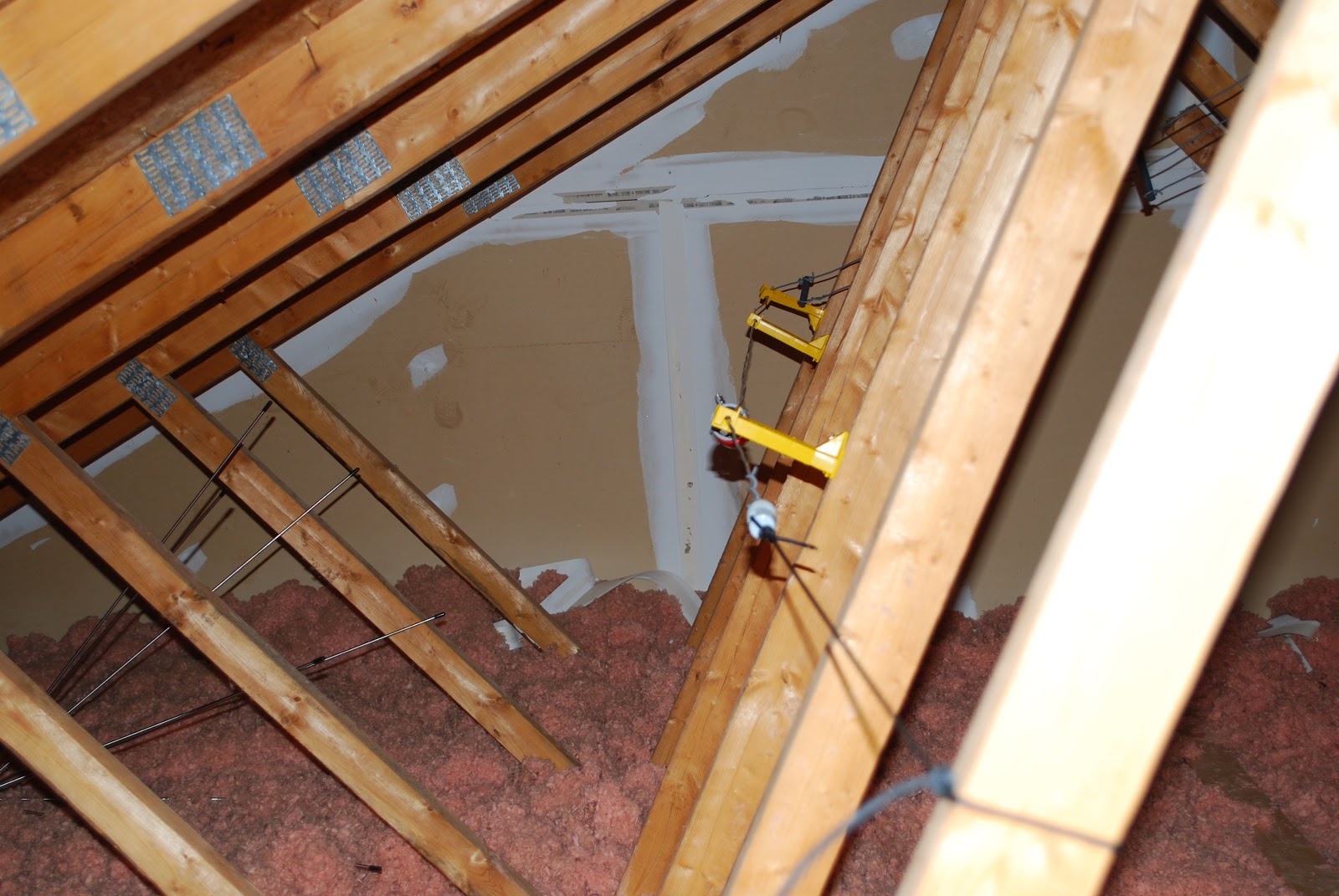 |
| DX-EE stand offs |
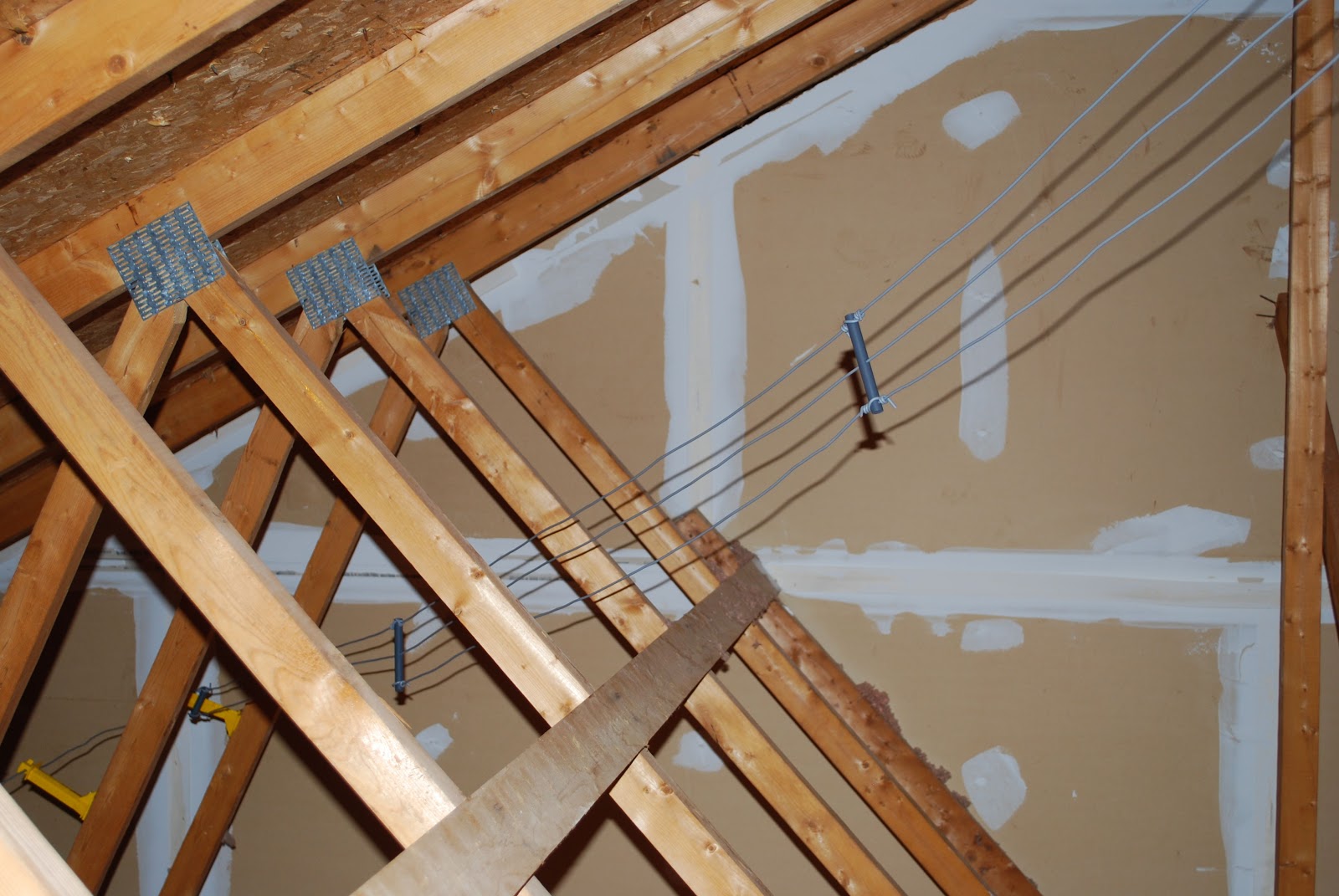 |
| Weaving between rafters |
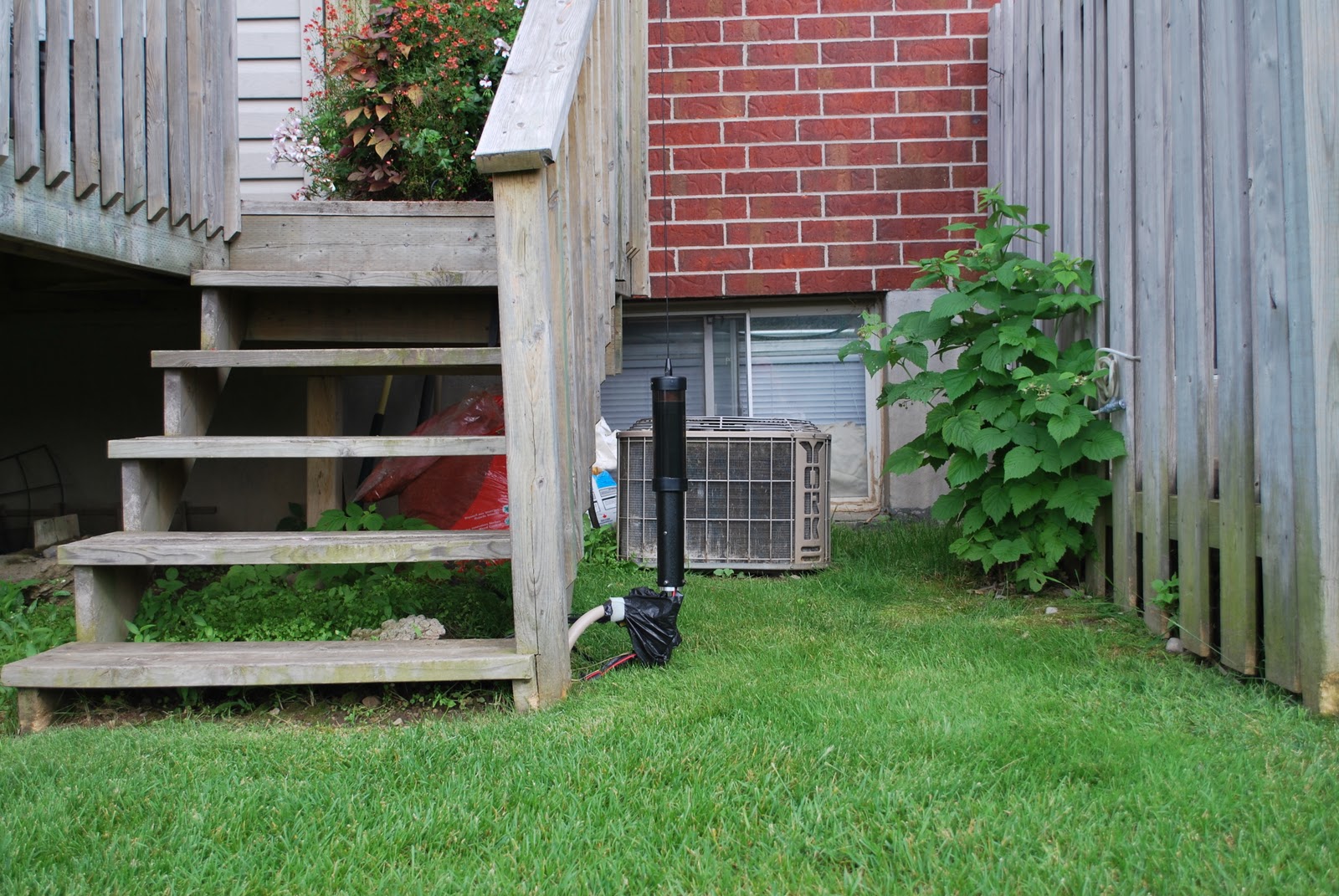 |
| Backyard side kick |
I did end up mounting the High Sierra sidekick antenna in the backyard close to our deck. It was in a very hard spot to see and I was able to remove the antenna when not in use and bring it in the house. I was able to conspicuously bury some radials and was able to get a decent SWR.
 |
| High Sierra attic attempt |
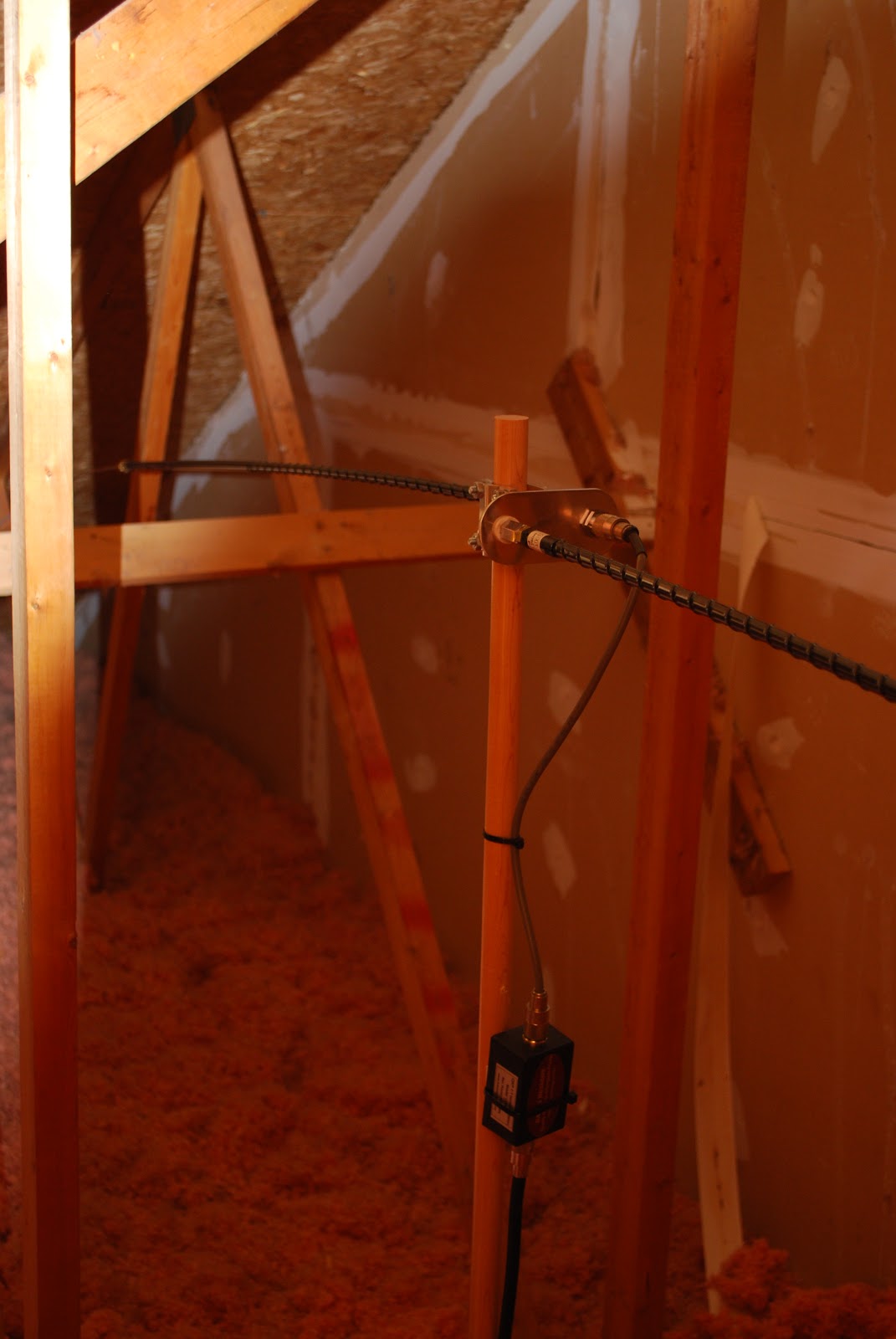 |
| Mobile whip dipole |
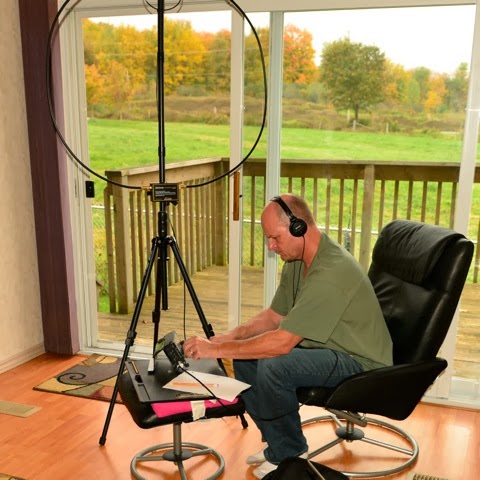 |
| Alex loop in living room |
Mike Weir, VE9KK, is a regular contributor to AmateurRadio.com and writes from New Brunswick, Canada. Contact him at [email protected].
 Ham Radio Deluxe |
 W5SWL Electronics |
 Ham Radio Prep |
 KB3IFH QSL Cards  Hip Ham Shirts  HamRadioAuctions HamRadioAuctions Reliance Antennas Reliance Antennas Enigma Shop Enigma Shop |  morseDX  Ni4L Antennas  R&L Electronics R&L Electronics antennas.us antennas.us Ears to Our World Ears to Our World |
- Matt W1MST, Managing Editor
