 |
 The Mail Bag
 3 February 2013 | by
 I received two e-mails, that I’d like to share – the first is from Andreas, IZ3NYT:
“Hi dr om,
I built a new beacon on 30 meters, I would like your participation, I hope you have fun. receive the signal if I’d like your QSL card.
the frequency is 10139,2 khz cw wpm 8, power 100mw.
The layout and the pictures you can see on my site http://iz3nyt.altervista.org/.
73 de Andrea IZ3NYT”
Keep a listen out for Andreas’ beacon – this would be an excellent way to know if the band is open to Europe
The second e-mail was from Blaine KØONE, pointing me towards a new Website : MorseFusion.com. They are touting themselves as a new way to learn Morse Code:
“You begin by listening to a novel (over 20 available) spelled out in English (not in code). Then you select which letters, numbers, and punctuation marks you want to gradually start hearing in code. Proper character speed and word rate are maintained during all stages of training.”
and
“Throughout the learning process you focus your attention entirely on listening to a novel, NOT on learning Morse code. Learning takes place gradually and in the background.”
Interesting concept – but not cheap. A subscription of $19.95 per month is involved. But, if all other methods of learning the Morse Code have failed for you, this might be something you could look into.
I have to admit, the list of novels that have is intriguing. Classics such as “Pride and Prejudice”, “Moby Dick”, “The Picture of Dorian Gray” (had to read that in High School) and books that are a bit more fun, such as “War of the Worlds” and “Tom Swift and his Wireless Message”.
The Tom Swift and Hardy Boys books were staples of my youth.
72 de Larry W2LJ
QRP – When you care to send the very least!
Larry Makoski, W2LJ, is a regular contributor to AmateurRadio.com and writes from New Jersey, USA. Contact him at [email protected].
144Mhz UKAC contest
After the unsuccessful Christmas cumulative contest I thought I’d have another go at the UKAC 144Mhz contest. I will be portable again from one of the local hills that I can get access to easily from the car and without having to drive for miles. I better sort that out tomorrow before its too late. Last time I operated from a farm track near a water pumping station with enough metal furniture around to ‘help’ propagation no end. Its a toss up between there and somewhere near Whitehaven that is just as quick to get to. Lets hope its not as cold as last time.
Alex Hill, G7KSE, is a regular contributor to AmateurRadio.com and writes from Cumbria, UK. Contact him at [email protected].
No QSOs
I spent all of Saturday monitoring the FreeDV suggested frequencies but so far I haven’t heard a thing. I am really surprised. Whenever a new data mode is announced the main problem is usually QRM as too many people pile eagerly on to the recommended frequencies. FreeDV is a development that is potentially as revolutionary for the hobby as the advent of SSB in the 1960s. I would have thought that more hams would want to be in at the start, especially as there is no cost apart from the time taken downloading the software.
Perhaps people just don’t know where to go. Since my last post I have discovered the FreeDV QSO Finder. This is a tool to enable potential users of FreeDV to find out where others are. Suggested frequencies are: 14.236, 7.190 and 5.4035, though I’ve seen people using other frequencies. This weekend’s contest will probably put the kibosh on attempts to set up contacts for now, but I hope for better luck next week when the bands are quieter.
Julian Moss, G4ILO, is a regular contributor to AmateurRadio.com and writes from Cumbria, England. Contact him at [email protected].
A new battery charger……………
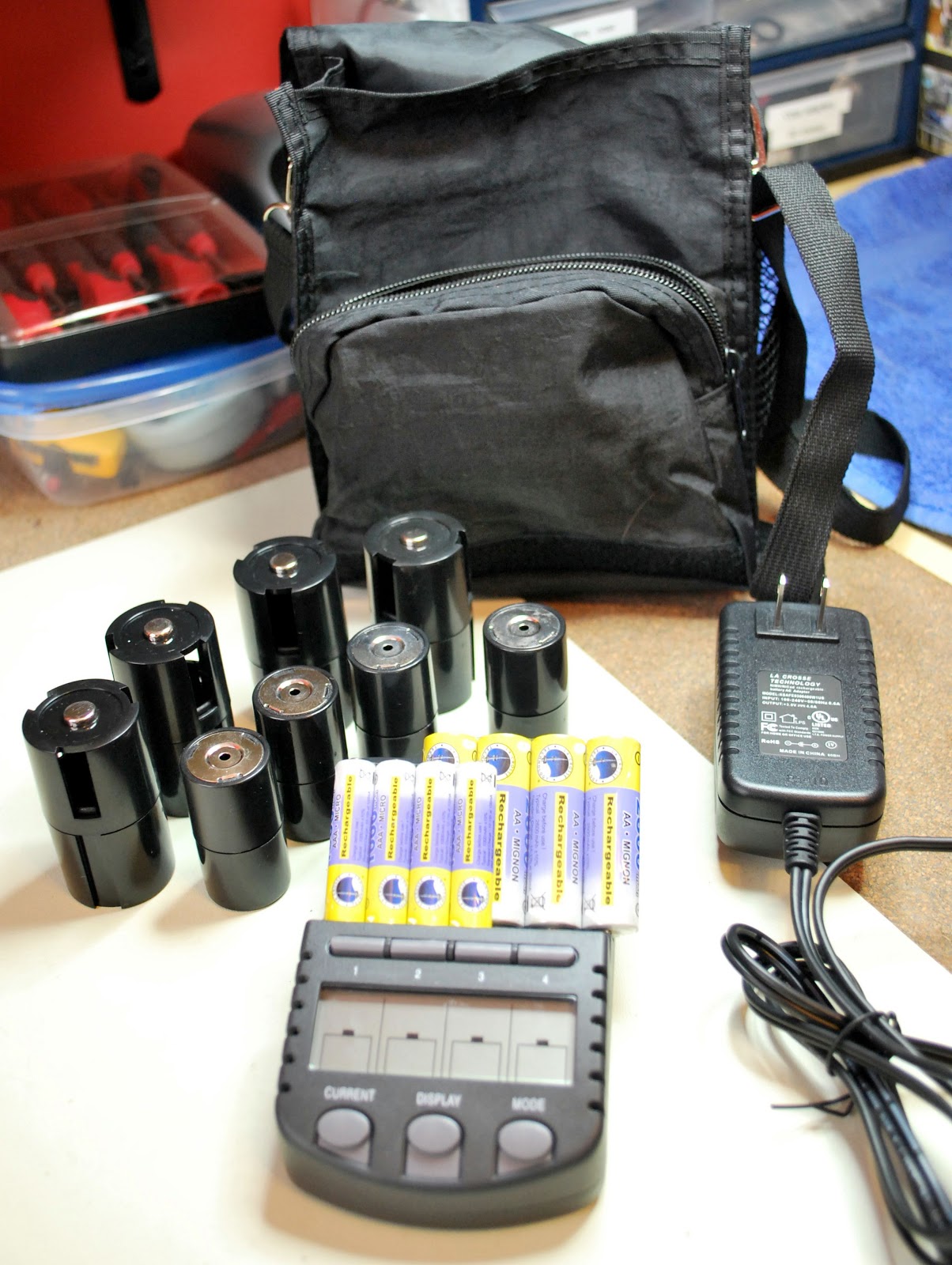 |
| It came with all this |
unit....not bad for 60.00 and 2 day shipping to boot.
So what is so great about this charger, each cell can be charged, discharged/charged, refresh/charge or finally test/charge. Each cell can have it's own custom type of charge done to it. The charging rates can chosen from 200mA to 1800mA and again each cell can have it's own charge rate. The unit will let you
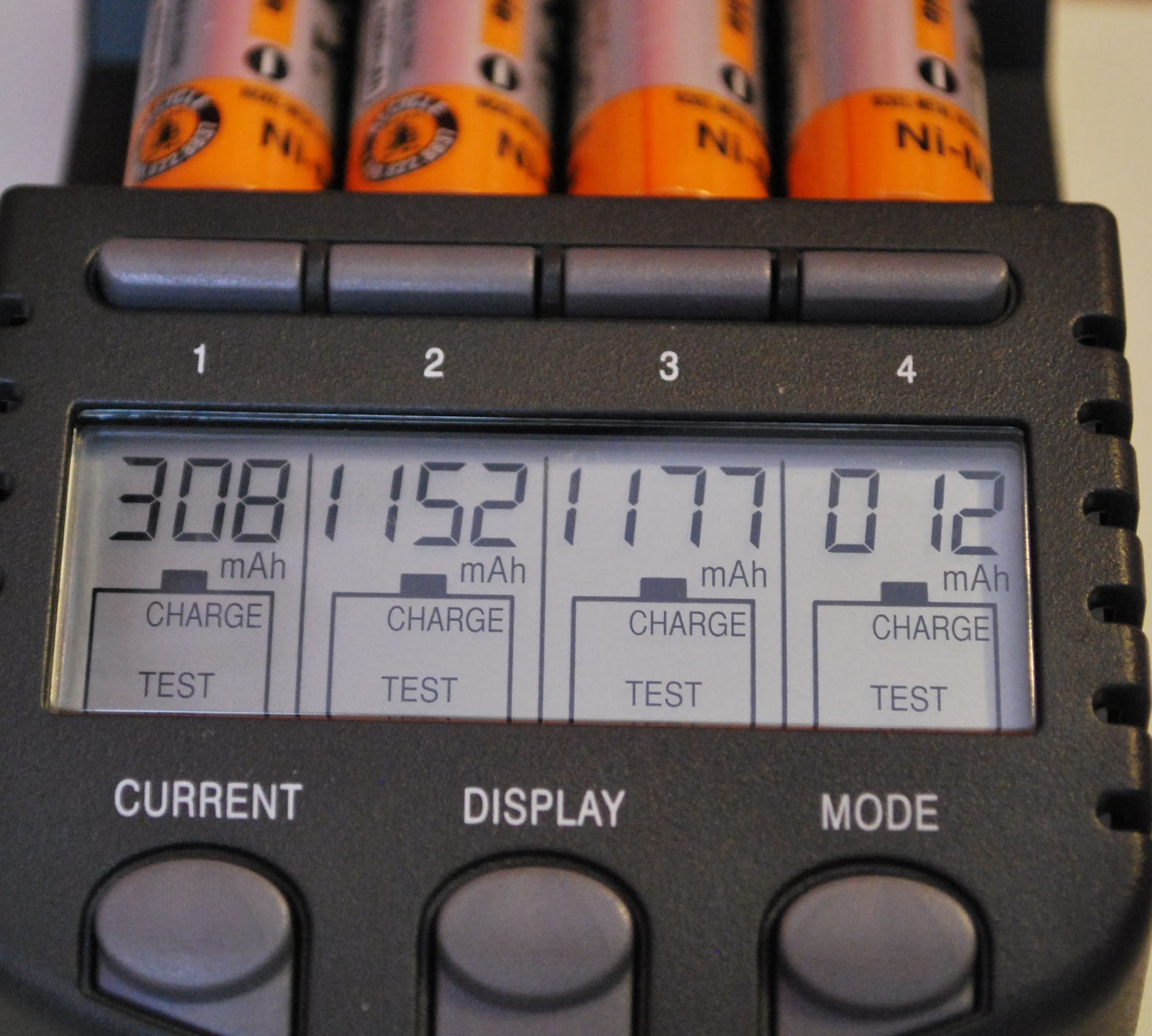 |
| Charge and test mod results |
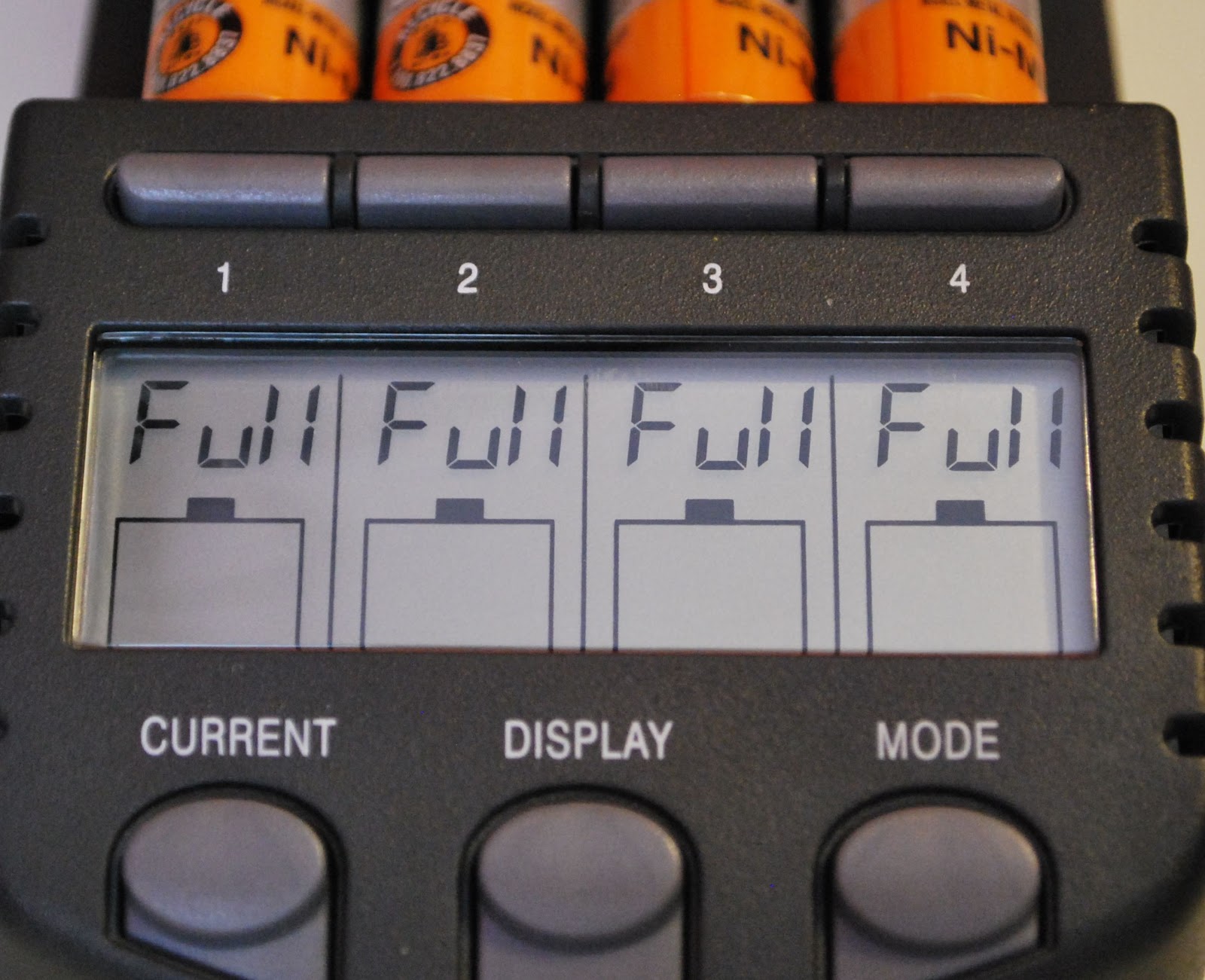 |
| TEST/CHARGE complete |
With this charger you are able to get the most out of your not so cheap rechargeable batteries and make your hard earned money go as far as it can.
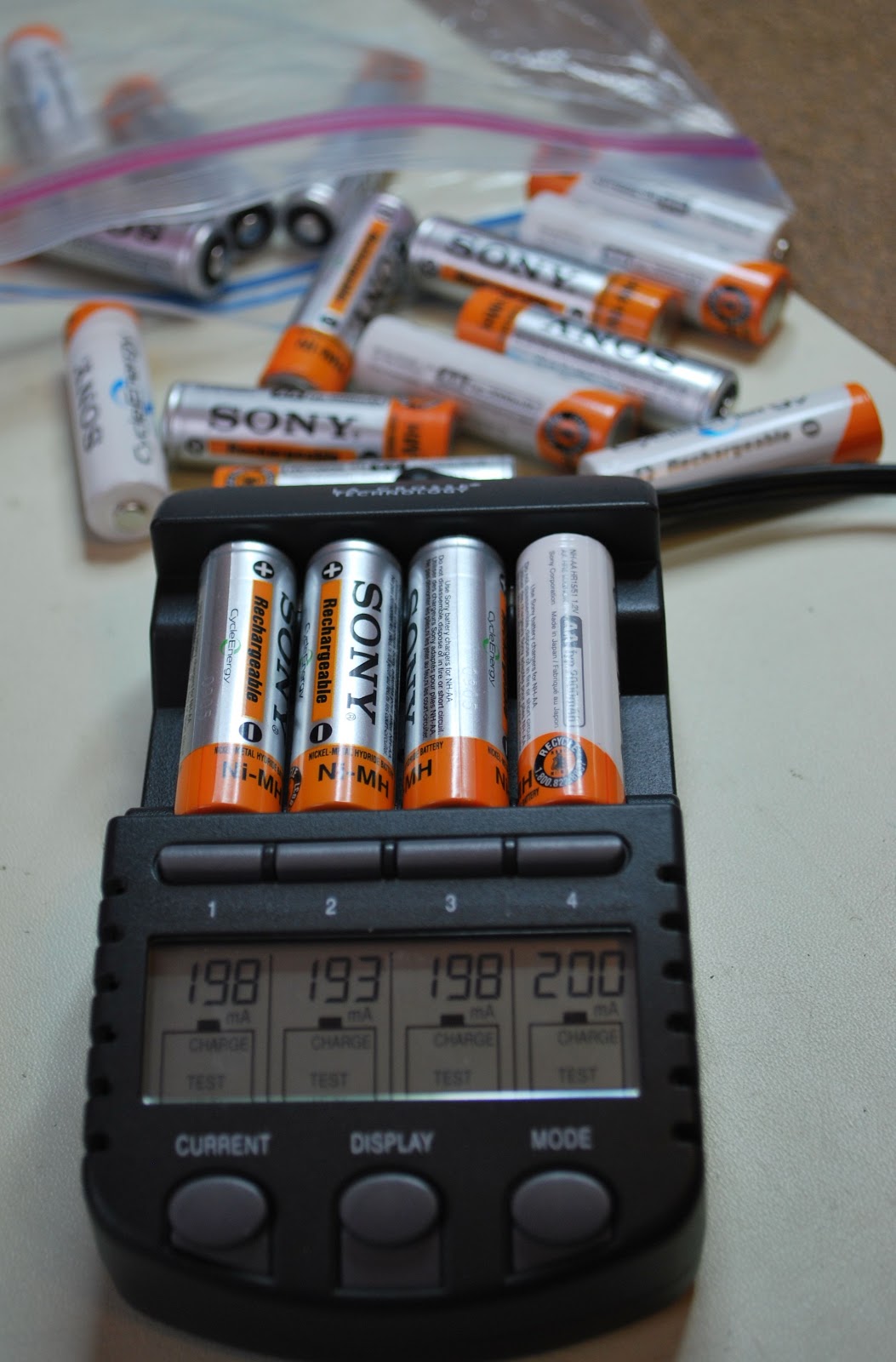 |
| And the testing goes on |
Mike Weir, VE9KK, is a regular contributor to AmateurRadio.com and writes from New Brunswick, Canada. Contact him at [email protected].
Raspberry Pi + DVAP Dongle = a nice little DSTAR hotspot
A few weeks ago, I overhead a QSO talking about using a Raspberry Pi and a DVAP as a hotspot for DSTAR. Like a lot of things, it lodged in my brain, but I didn’t do anything about it immediately!
.JPG)
Googling around a little, I found lots of references, but the best suggestion seemed to be to join the pcrepeatercontroller group on Yahoo groups, where there was some good documentation on how to go about it in the Files/Documentation folder.
It turns around that thanks to the hard work of Mark, WD9JEN, Dave, K9RUF and Brian GW6WTK as well, of course, as the software author Jonathan G4KLX, the process is quite easy.
I got a new SD card (actually there was a slight false start as I discovered that not all SD cards work well in the Raspberry Pi). I downloaded the image for the Raspberry Pi of the operating system, Debian, with ircDDBGateway and DVAPNode already installed. You can download it from this link
Most of the instructions I read about copying the image to the SD card talk about using Win32diskimager, however, I could not get it to work with my internal SD card reader on the Dell laptop. I used a utility called Flashnul which worked fine. If you run into the same issues, you can grab Flashnul here
Once the image was written, I checked to see if I could boot the Pi with it and was delighted to find that I could. Following that, it was just a question of following WD9JEN’s instructions and substituting my call for his. I did a slight false start and found that though the DVAP node software was working alright, it wouldn’t link to anything. I discovered that I had inadvertantly entered a password in the ircDDB tab in ircDDBGateway. I removed that and it all started working.
My Raspberry Pi’s network connection is via WiFi but this seems fine and adequate for connectivity, though perhaps it would be even more reliable to take a cable directly to the router.
I have enjoyed some nice QSOs this afternoon, with Peter G0BZX, Dave M0NEY, Ian 2E0VTM (also experimenting with a Pi and a DVAP) and Bob MW0RBL.
Since I can leave the hotspot running without tying up the main computer, perhaps this will result in a few more DSTAR QSOs being made!
Tim Kirby, G4VXE, is a regular contributor to AmateurRadio.com and writes from Oxfordshire, England. Contact him at [email protected].
Digital voice on HF
I was going to title this post “D-Star’s nemesis” but I thought that would be too provocative and premature! But the much talked-about Codec2 open source voice codec has just surfaced in usable form, in the shape of an easy to use bit of software called FreeDV.
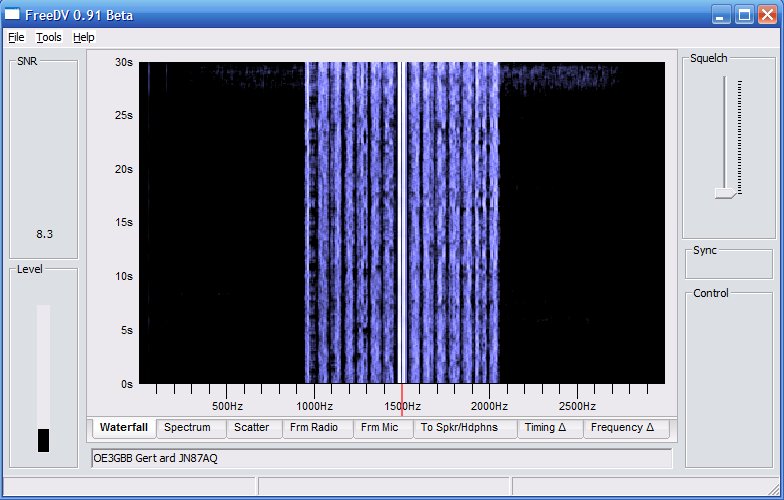 |
| FreeDV running on Windows |
FreeDV is available for Linux, Windows and Mac. I installed the Windows version, which is just a matter of extracting the files from a zip archive into a folder.
If you’re set up to run digital modes on HF then you’re half way there already. FreeDV uses the same sound card as your digimode software and the same audio levels. As with PSK31 you just need to make sure you aren’t driving the transmitter into ALC.
You’ll need a second sound card for the receive and transmit audio. Assuming that you aren’t using one sound card for both digimodes and computer sound, this will be the one you use for Windows noises. On my shack PC that’s one of those el cheapo eBay USB sound card dongles. You’ll also need a microphone or a computer headset.
There’s no VOX (perhaps that will come in a later version of FreeDV) so you have to click a button to toggle PTT. Before you can do that you need to set up PTT using a com port. In my case the same serial port used for CAT control and updating the firmware of my K3 was used. The rig went straight into transmit until I ticked the RTS +V check box.
The main challenge is finding other people who are using FreeDV. At the moment the frequency 14.236MHz on 20m seems to be the only calling frequency. It would be nice to have some centres of activity on other bands, but no doubt that will come in due course. There’s a Digital Voice Google Group which will probably become the meeting place for FreeDV users.
A FreeDV transmission is 1.1kHz wide, less than half of the bandwidth of an SSB signal. The audio is best described as telephone quality. It’s a bit boxy, but there is an equalizer called “Filter” in the software that can be used to brighten up both the transmit and receive audio. A nice feature of the software is a button that lets you instantly switch between analogue and digital so you can easily make comparisons. I wish I could include a clip of the audio recorded off air but I couldn’t figure out how to do it.
Right now I’m sitting on 14.236MHz waiting for someone else to come on the frequency. Hopefully as the word gets out more people will get on the air with FreeDV and contacts will be easier to come by.
Julian Moss, G4ILO, is a regular contributor to AmateurRadio.com and writes from Cumbria, England. Contact him at [email protected].
80 Meter Fox hunt fun
We had two very good QRP ops serving Fox duty tonight. Dave N1IX in New Hampshire and another Dave, AB9CA in Alabama. Double barrel Daves!
As the hunt began, my gut instinct was to listen for N1IX first. I mean, go figure, right? New Jersey to New Hampshire — 80 Meters — in the Winter and at night. No brainer, right?
Right! But even though Dave N1IX was a relatively easy catch, he wasn’t as loud as I thought he would be. I was expecting 599 or better. He ended up being 569/579 at best. But I did get his pelt in my bag, so it was off to hunt for Alabama Dave.
I found him, rather easily, also. However, his signal swung wildly. He was either 559 at best, or was completely in the mud. I ended up having to turn the K3’s AGC off so I could hear him decently. The static crashes did wonders for my bleeding ears!
Even though I was able to hear Dave AB9CA throughout, it seemed he just wasn’t hearing me. I kept switching between the HF9V, the W3EDP and the EDZ, but no matter which antenna, nothing seemed to be working. I was considering lighting a signal flare, but that would not have been Kosher.
And Dave must have been having receiving problems also. He went back to several stations, only to have them fade away on him, and forcing him to send them a “nil”. And he was also changing his listening frequency often, probably to get away from local QRM and QRN on his end. In all, it made for an interesting time.
But luck was on my side, and with about 15 minutes left in the hunt, Dave finally picked me out of the muck. Conditions were bad enough that I had to repeat my half of the exchange for him once. But in the end, I got a “TU”, so all’s well that ends well.
QRP – patience and perseverance DO pay off!
72 de Larry W2LJ
QRP – When you care to send the very least!
Larry Makoski, W2LJ, is a regular contributor to AmateurRadio.com and writes from New Jersey, USA. Contact him at [email protected].
 Ham Radio Deluxe |
 W5SWL Electronics |
 Ham Radio Prep |
 KB3IFH QSL Cards  Hip Ham Shirts  HamRadioAuctions HamRadioAuctions Reliance Antennas Reliance Antennas Enigma Shop Enigma Shop |  morseDX  Ni4L Antennas  R&L Electronics R&L Electronics antennas.us antennas.us QRV QRV |
- Matt W1MST, Managing Editor
