 |
 Digital voice on HF
 1 February 2013 | by
 I was going to title this post “D-Star’s nemesis” but I thought that would be too provocative and premature! But the much talked-about Codec2 open source voice codec has just surfaced in usable form, in the shape of an easy to use bit of software called FreeDV.
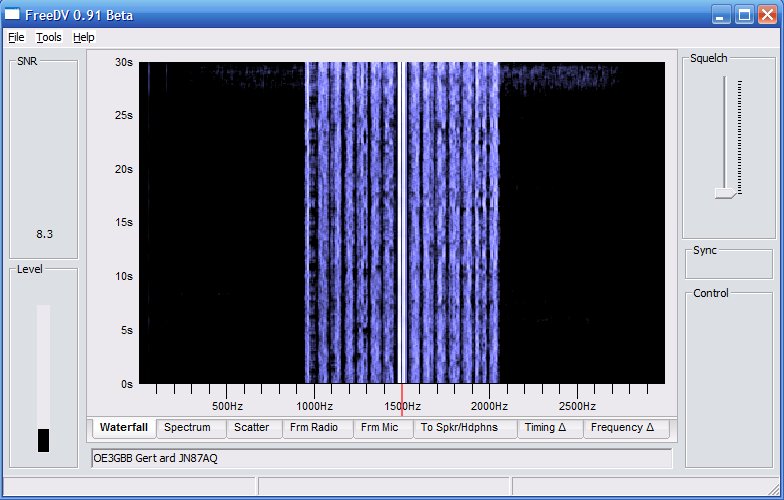 |
| FreeDV running on Windows |
FreeDV is available for Linux, Windows and Mac. I installed the Windows version, which is just a matter of extracting the files from a zip archive into a folder.
If you’re set up to run digital modes on HF then you’re half way there already. FreeDV uses the same sound card as your digimode software and the same audio levels. As with PSK31 you just need to make sure you aren’t driving the transmitter into ALC.
You’ll need a second sound card for the receive and transmit audio. Assuming that you aren’t using one sound card for both digimodes and computer sound, this will be the one you use for Windows noises. On my shack PC that’s one of those el cheapo eBay USB sound card dongles. You’ll also need a microphone or a computer headset.
There’s no VOX (perhaps that will come in a later version of FreeDV) so you have to click a button to toggle PTT. Before you can do that you need to set up PTT using a com port. In my case the same serial port used for CAT control and updating the firmware of my K3 was used. The rig went straight into transmit until I ticked the RTS +V check box.
The main challenge is finding other people who are using FreeDV. At the moment the frequency 14.236MHz on 20m seems to be the only calling frequency. It would be nice to have some centres of activity on other bands, but no doubt that will come in due course. There’s a Digital Voice Google Group which will probably become the meeting place for FreeDV users.
A FreeDV transmission is 1.1kHz wide, less than half of the bandwidth of an SSB signal. The audio is best described as telephone quality. It’s a bit boxy, but there is an equalizer called “Filter” in the software that can be used to brighten up both the transmit and receive audio. A nice feature of the software is a button that lets you instantly switch between analogue and digital so you can easily make comparisons. I wish I could include a clip of the audio recorded off air but I couldn’t figure out how to do it.
Right now I’m sitting on 14.236MHz waiting for someone else to come on the frequency. Hopefully as the word gets out more people will get on the air with FreeDV and contacts will be easier to come by.
Julian Moss, G4ILO, is a regular contributor to AmateurRadio.com and writes from Cumbria, England. Contact him at [email protected].
80 Meter Fox hunt fun
We had two very good QRP ops serving Fox duty tonight. Dave N1IX in New Hampshire and another Dave, AB9CA in Alabama. Double barrel Daves!
As the hunt began, my gut instinct was to listen for N1IX first. I mean, go figure, right? New Jersey to New Hampshire — 80 Meters — in the Winter and at night. No brainer, right?
Right! But even though Dave N1IX was a relatively easy catch, he wasn’t as loud as I thought he would be. I was expecting 599 or better. He ended up being 569/579 at best. But I did get his pelt in my bag, so it was off to hunt for Alabama Dave.
I found him, rather easily, also. However, his signal swung wildly. He was either 559 at best, or was completely in the mud. I ended up having to turn the K3’s AGC off so I could hear him decently. The static crashes did wonders for my bleeding ears!
Even though I was able to hear Dave AB9CA throughout, it seemed he just wasn’t hearing me. I kept switching between the HF9V, the W3EDP and the EDZ, but no matter which antenna, nothing seemed to be working. I was considering lighting a signal flare, but that would not have been Kosher.
And Dave must have been having receiving problems also. He went back to several stations, only to have them fade away on him, and forcing him to send them a “nil”. And he was also changing his listening frequency often, probably to get away from local QRM and QRN on his end. In all, it made for an interesting time.
But luck was on my side, and with about 15 minutes left in the hunt, Dave finally picked me out of the muck. Conditions were bad enough that I had to repeat my half of the exchange for him once. But in the end, I got a “TU”, so all’s well that ends well.
QRP – patience and perseverance DO pay off!
72 de Larry W2LJ
QRP – When you care to send the very least!
Larry Makoski, W2LJ, is a regular contributor to AmateurRadio.com and writes from New Jersey, USA. Contact him at [email protected].
Rem K6BBQ flashes us
Well, not really!
But as a reminder that this Saturday is Freeze Your Buns Off, he treats us to a flashback of the Flight of the Bumblebees from 2012.
Hey Rem …… how about a video of the Skeeter Hunt for 2013? (Hint, hint, hint, HINT!!!!!)
72 de Larry W2LJ
QRP – When you care to send the very least!
Larry Makoski, W2LJ, is a regular contributor to AmateurRadio.com and writes from New Jersey, USA. Contact him at [email protected].
You call THIS clean ?!?
Yes, as a matter of fact, I do.

Compared to what it was before, the W2LJ basement shack is now pretty organized. About a dozen large green garbage bags went out to the trash. Some was mine; but a lot was some ceramic pieces that I had been storing for my Mom for the last nine years after she moved out of our house and into her apartment. This shelf was totally filled with boxes of paints and ceramics – now it has radio and electronic items on it.
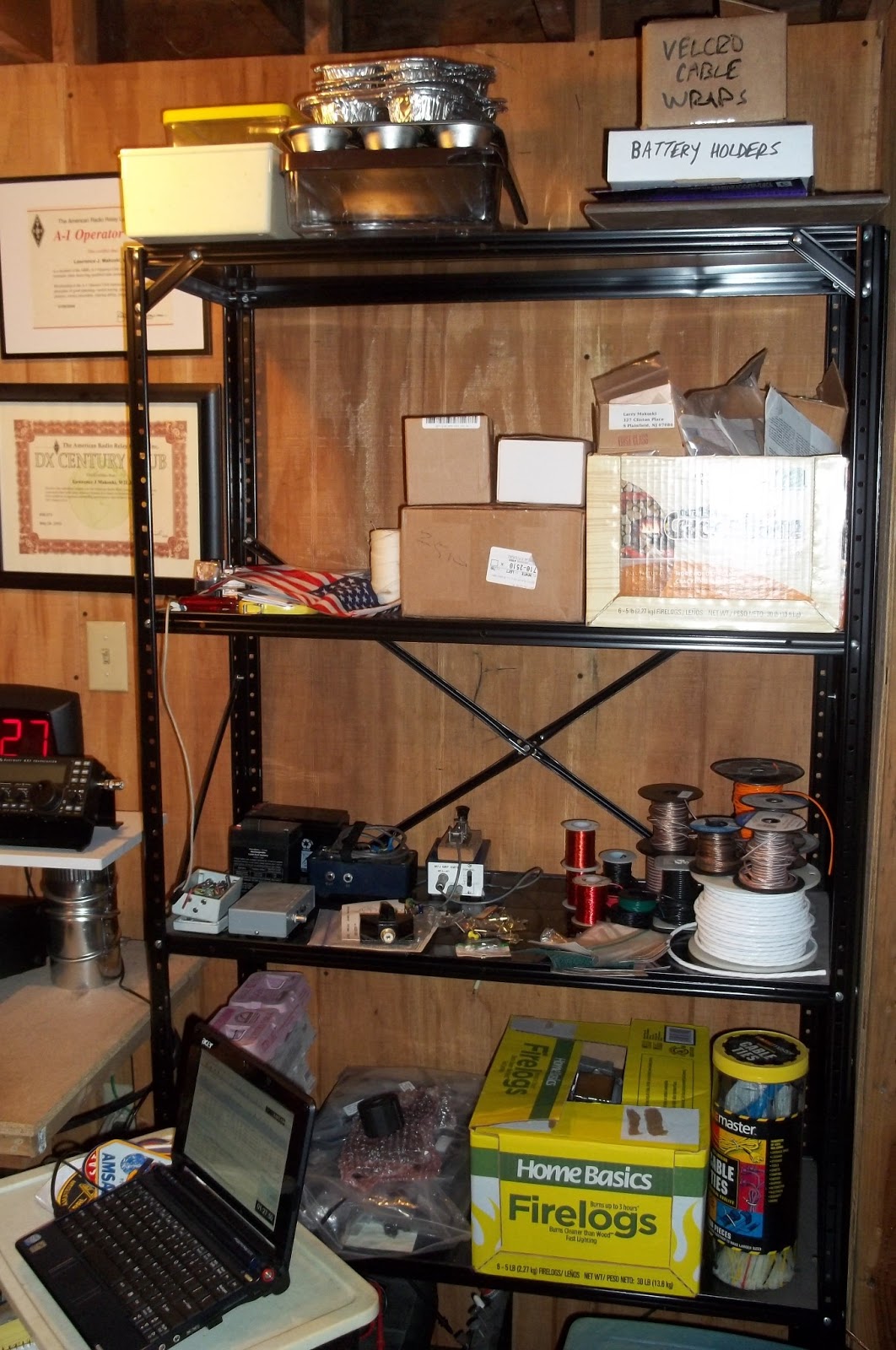
Those empty firelog boxes come in handy. One is holding various empty enclosures that I have collected over the years. The other has my collection of unfinished kits. I have to sort through those and see if there’s any that I want to sell. But parts tins, egg crates, rolls of wire and cable, cable ties, various parts and pieces all have a neat home now.
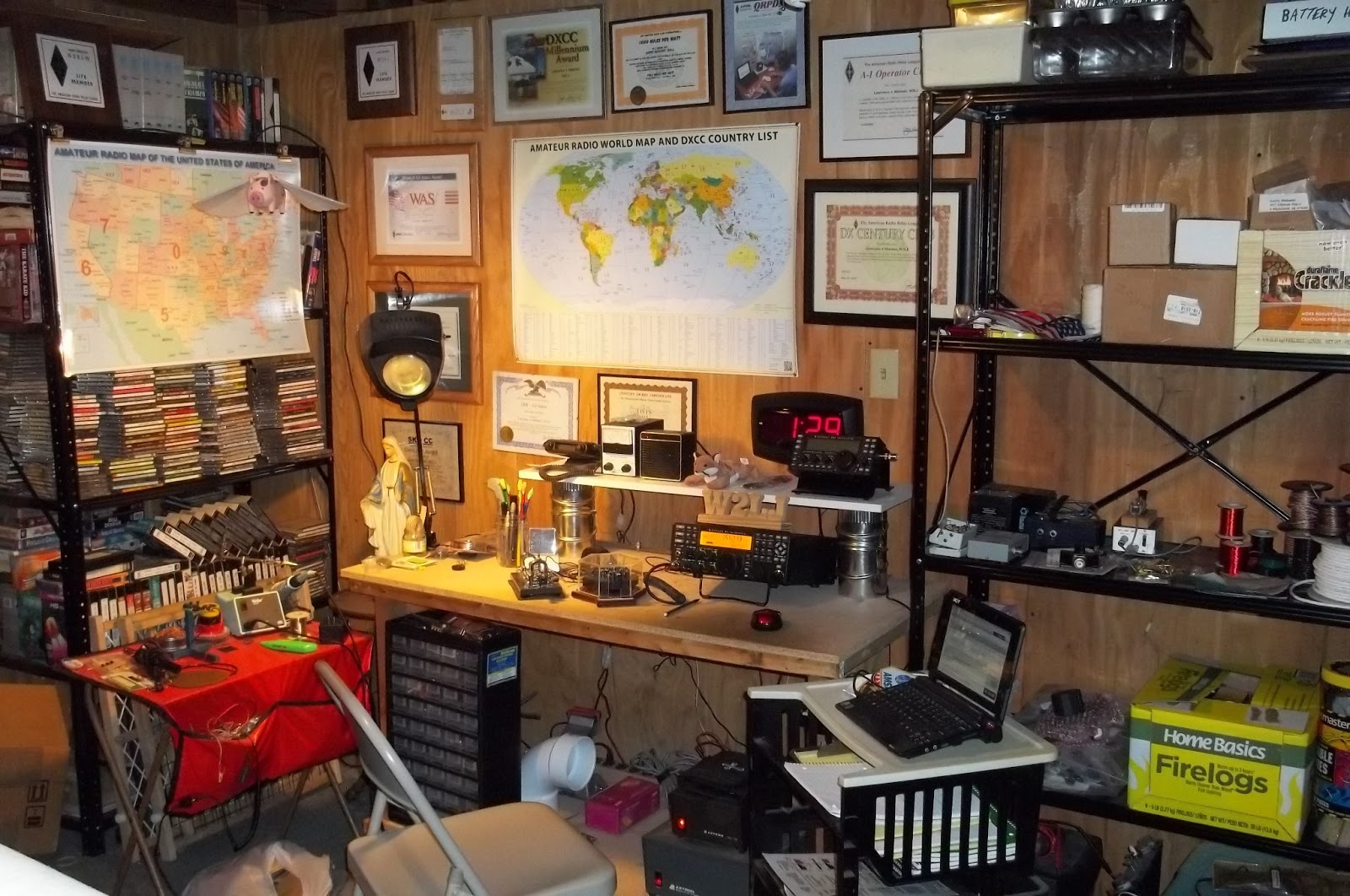
I have a relatively uncluttered operating space now; and my little tray table that I use for building is now uncluttered and very usable. The World Map is new (and slightly smaller than the ARRL one that I had) as is the MFJ LED clock hanging on the wall. My old Radio Shack one, which was about 20 years old was starting to lose some segments.
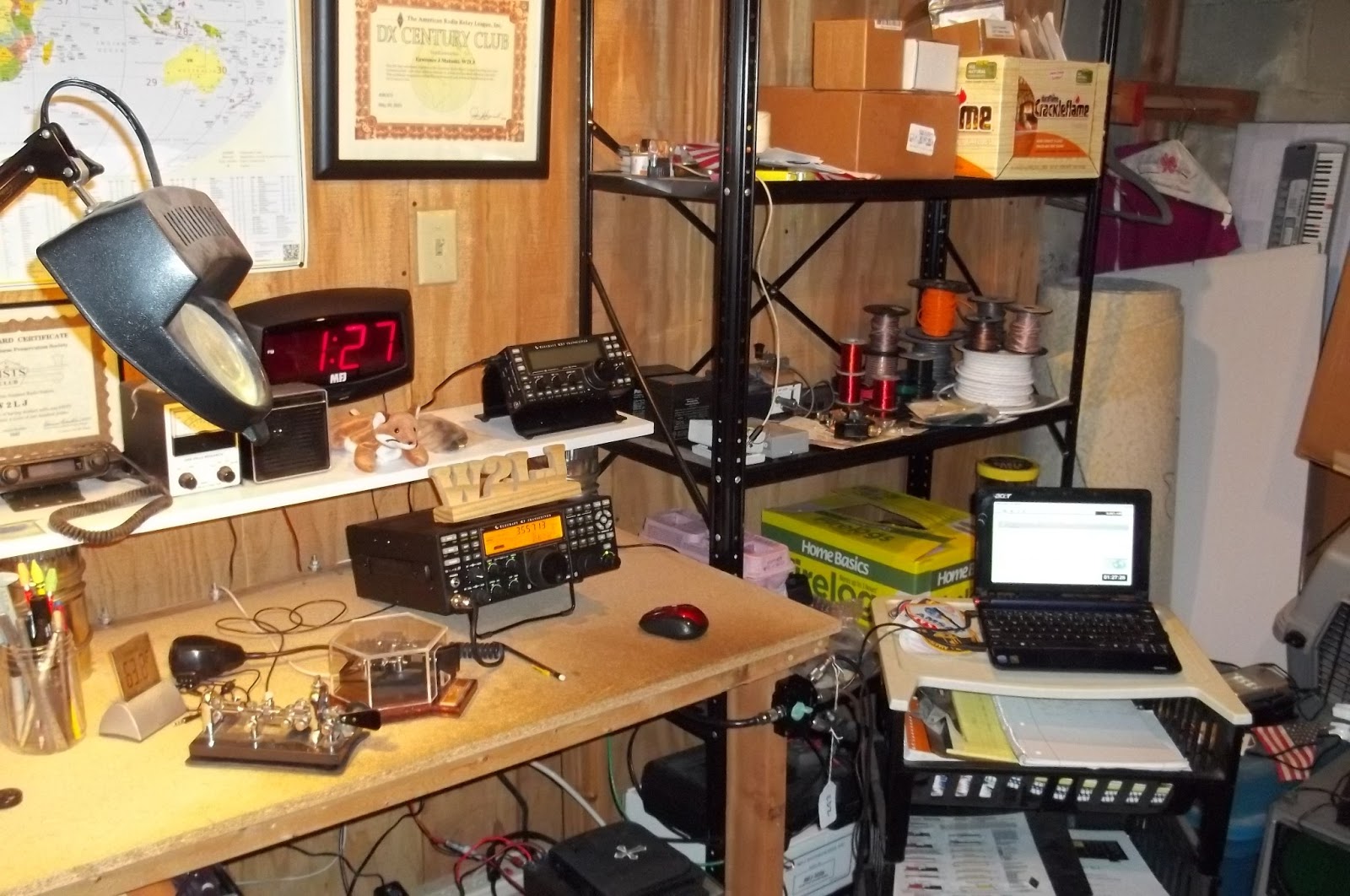
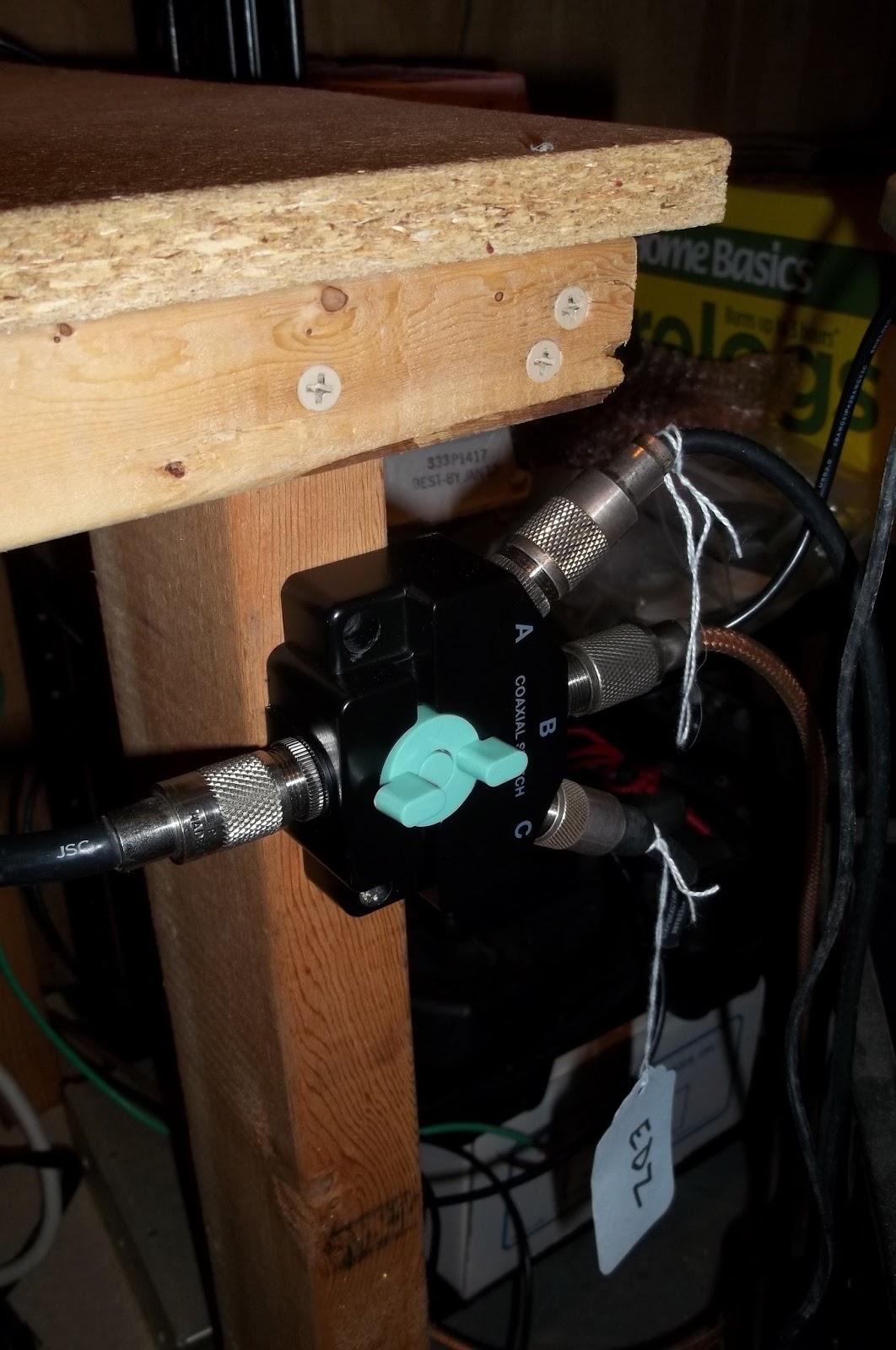
Down on the leg of the table is where I placed the new antenna switch. The old one was on the wall; and I always had to lean forward to make an antenna selection change. This is much better location now.
I would say that I am about 90% complete. I need to go to Harbor Freight this weekend and purchase another 40 drawer storage cabinet like you can see in the lower left of the very top picture. I have a lot of resistors, capacitors, transistors, etc that I have to sort, label and store. That will take a while; but at least I have a functional uncluttered shack in which to do it now.
Before I left the shack for the evening, I disconnected the antennas from the switch. It reached 65F here today; but tonight we are expecting thunderstorms, 2 inches of rain and very gusty winds (maybe up to 60 MPH). I don’t want to take the chance of either radio getting damaged.
73 de Larry W2LJ
QRP – When you care to send the very least!
Larry Makoski, W2LJ, is a regular contributor to AmateurRadio.com and writes from New Jersey, USA. Contact him at [email protected].
handiham – ham radio for people with disabilities 2013-01-30 16:08:00
Pat Tice, WA0TDA, is the manager of HANDI-HAM and a regular contributor to AmateurRadio.com. Contact him at [email protected].
First ham app for Android
 |
| My first Android app |
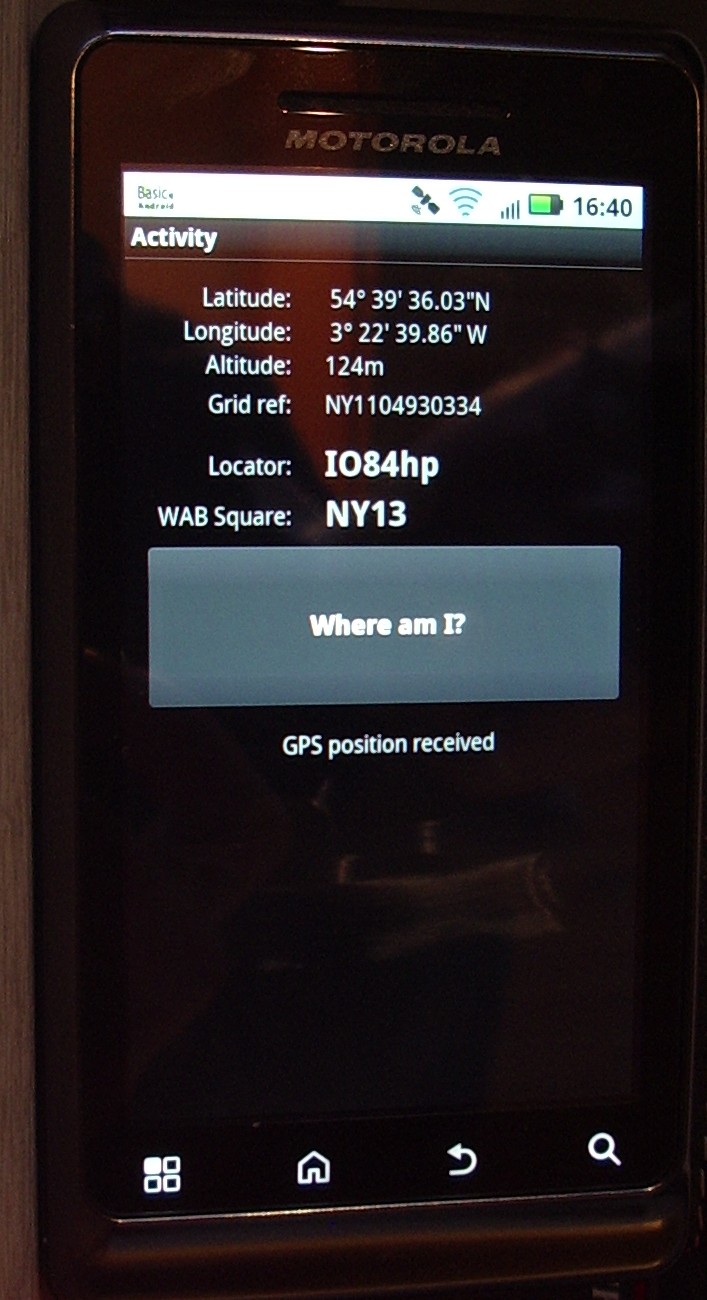
I thought that some of you might be interested to look at the first app I have completed using Basic4Android (B4A) called WhereAmI. It’s no great shakes as an app, and I think there is at least one other in the Android Market that does a similar job. My app’s unique feature is that besides the locator it shows the national grid reference (NGR) as well as the Worked All Britain (WAB) square. WAB is a popular activity on the low HF bands over here.
Because NGR and WAB only cover the UK, my app will not be very useful if you are outside of Great Britain. Indeed the app will probably blow up if you try it outside the UK as I haven’t included any test that the user is within these sceptred isles.
I’d rather not say how long the app took me to complete, but it was far longer than expected given that I had already written code to convert from lat/long to grid locator in VOAProp. That code was in Pascal, and the trouble was caused by the fact that Basic4Android does not have equivalent functions to those in Pascal, or even Visual Basic, so I could not just do a copy and paste. In the end I found a conversion routine written in C++ and converted that to B4A’s dialect of Basic. From there on it was easy, as there is a user-written library in B4A to handle conversions to/from National Grid references, upon which the WAB programme is based.
If I don’t try something else I might have a go at displaying a Google Map centred on my location, as one of the examples that come with B4A does just that.
I don’t plan on publishing any of the apps I create in Google Market (or Google Play as I think they now call it). I am doing this just for fun. Think of this as the programming equivalent of those radio projects knocked together on a breadboard or built Manhattan style, with no expectation that they will get put into a nice box.
If there is any interest I will make available the B4A project files as a zip file so that folks can play with them, hack them about or use them as a starting point for something better.
Julian Moss, G4ILO, is a regular contributor to AmateurRadio.com and writes from Cumbria, England. Contact him at [email protected].
QRPp is just getting really great……

Today I was looking through some recent photos on my PC of my shack setup as I wanted to change the wall paper on my PC at work. I was looking at pic's from yesterdays contact being the most recent pics of my shack. In one of the pic's was a shot of the rig and Hendricks attenuator, as I zoomed in on the attenuator the slider switches used to attenuate were not in the same position as they are right now! I had never repositioned the switches so I got to thinking Hmmmmm when I hit the bypass switch did I move the one attenuate switch that is out of position according the the picture?????. I turned on the K3 and moved the switch back to the position in the picture and took a reading on the meter and it was bouncing between 20 and 14mWs of power as the key sent out dits and dah's.
HOLY COW I did contact F9EI with (lets use the higher output) with 20mW's and I was not reading the meter wrong after all. It was me who inadvertently moved an attenuate switch to off along with the bypass switch. Just to test I checked the output with this attenuate switch in the off position (opposite of the pic I took just after the contact) and low and behold I was getting around 150mW's. Bottom line I really did make a 181,958 miles per watt contact!!!!
Mike Weir, VE9KK, is a regular contributor to AmateurRadio.com and writes from New Brunswick, Canada. Contact him at [email protected].
 Ham Radio Deluxe |
 W5SWL Electronics |
 Ham Radio Prep |
 KB3IFH QSL Cards  Hip Ham Shirts  HamRadioAuctions HamRadioAuctions Reliance Antennas Reliance Antennas Enigma Shop Enigma Shop |  morseDX  Ni4L Antennas  R&L Electronics R&L Electronics antennas.us antennas.us QRV QRV |
- Matt W1MST, Managing Editor
