Author Archive
 DX contact out of the blue!
 November 13th, 2016 |
 Author:
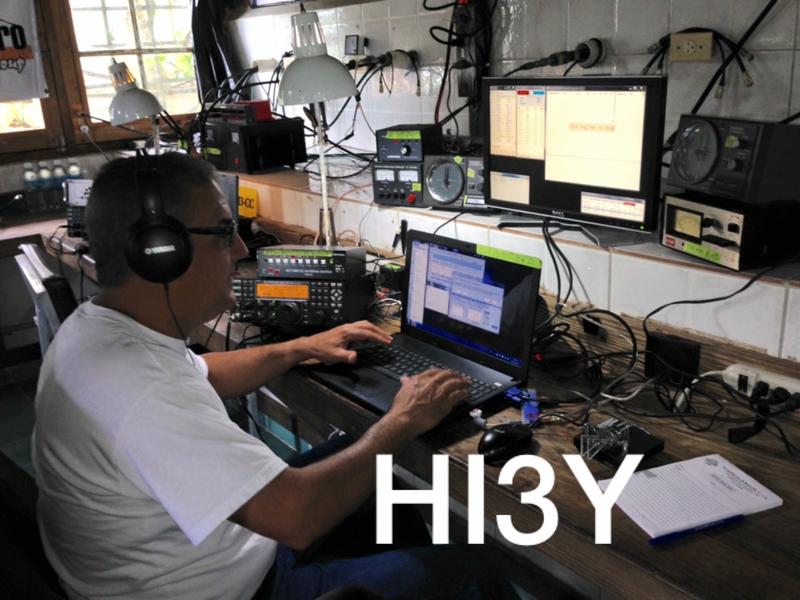
While setting things up I did have the K3 on and the P3 waterfall viewing the 20m band. I did notice TL8AO and the HUGE pileup that was "UP" 2 KHz on the band. Funny thing as I was listening I did find an op more often than not calling on TL8AO's calling freq and not splitting "UP" On the waterfall of the P3 I did notice a new strong CW signal appear so I pointed and clicked over to it. It was HI3Y in the Dominican calling CQ and "UP". I listened as I setup the split and he seemed to be calling without a pileup. I threw my call out there and he came back to me with a report. He was in the books just that easy...now only if my 5 watts could break the pileup with TL8AO that fast! Time to start dinner now.......Tenderloin steak on the BBQ, mini potatoes on the BBQ with butter and rosemary and finally butternut squash........yum!
DX contact out of the blue!
While setting things up I did have the K3 on and the P3 waterfall viewing the 20m band. I did notice TL8AO and the HUGE pileup that was "UP" 2 KHz on the band. Funny thing as I was listening I did find an op more often than not calling on TL8AO's calling freq and not splitting "UP" On the waterfall of the P3 I did notice a new strong CW signal appear so I pointed and clicked over to it. It was HI3Y in the Dominican calling CQ and "UP". I listened as I setup the split and he seemed to be calling without a pileup. I threw my call out there and he came back to me with a report. He was in the books just that easy...now only if my 5 watts could break the pileup with TL8AO that fast! Time to start dinner now.......Tenderloin steak on the BBQ, mini potatoes on the BBQ with butter and rosemary and finally butternut squash........yum!
Comparing two CW decoding programs.
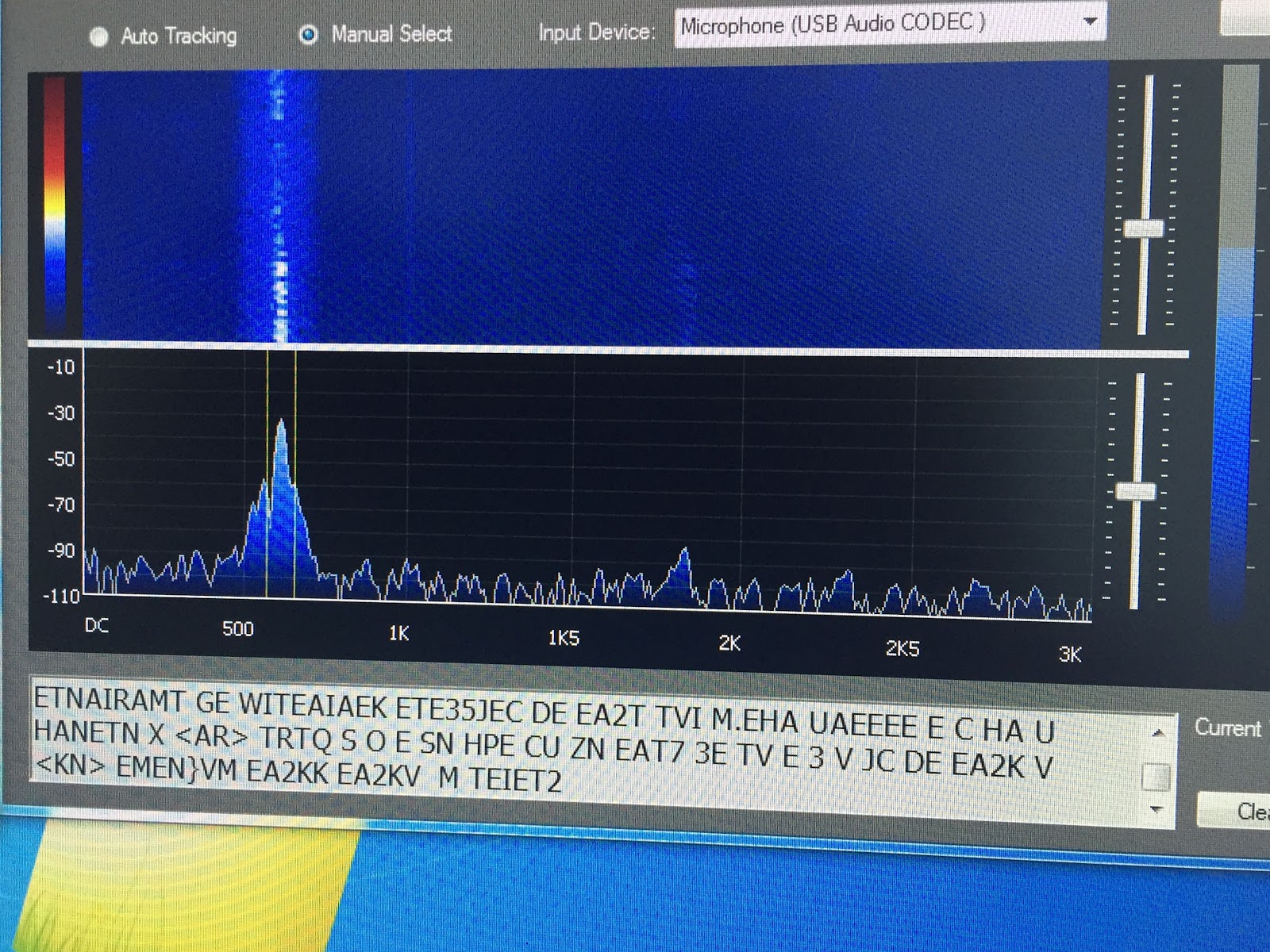 |
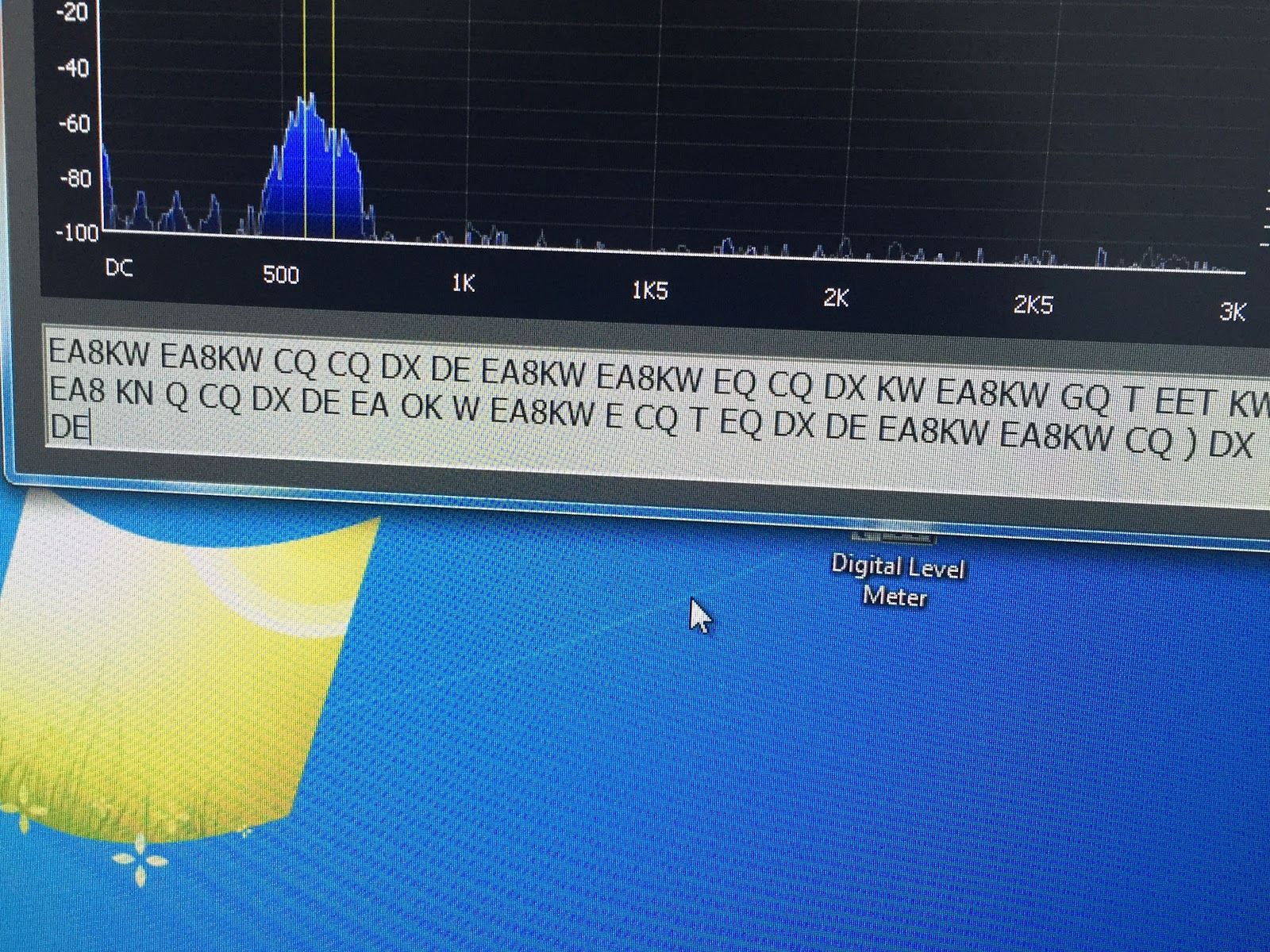
| LY3H CW decoder logic program MRP40 compared to CW decoder logic by LY3H MRP40 CW decoder 1. Decodes all speeds up to 60wpm Decodes but not mention top decode speed. 2. Has good documentation No documentation 3. Auto tracking very smooth Auto tracking hunts between long letter spaces 4. Text formatting-format mode works great Only option is manual or auto decode 5. Will not decode when APF is on Will de-code when using APF 6. Great weak signal decode S1 and below Poor weak signal de-code (not using APF) 7. Great email support Upgrades come out regularly 8. See's noise as code sends radium letters Only sends letters not radium noise as code 9. Does have save QSO but awkward to use. Just added cut and paste QSO to word or clipboard 10. Has “always on top” option Just added “always on top” option. 11. Added a mini log book No log book as of yet 12. You can send code At this time only able to read code A more in-depth look at some of the above comparisons: A) Auto tracking- When wanting to decode a CW signal it helps when the program can lock onto a signal. MRP40 will lock onto a CW signal and stay locked on. CW decoder on the other hand once the CW signal stops or has long gap between letter the program starts to hunt small segments on either side of the CW signal for other CW signals. Once the code starts again CW decoder has to relock onto it and you lose some decoding. If slow code is sent you are in a battle of lock and relock of the code. B) Text formatting options- with MRP40 you have the option on how you want to decode. - Correct word spacing…..this will attempt to add spacing between decoded words even if sender is running them together. - Expand abbreviations…..KN, AR and DE to mention a few. - Expand Q codes…self-explanatory. Both of these programs do the job of decoding CW very well, you have more options and customization option with MRP40. CW decoder logic is very easy to setup and in no time you are decoding CW. I have not had a chance to compare both programs in a CW contest situation. The major drawback to each program is….. MRP40…….no matter what test formatting option I used the program when idling would send radium code as it listened to static were as CW decoder logic would not. CW decoder Logic……when the receiving code stopped the program would start “hunting” for other CW signals. This created two issues, the first being if you are decoding slow code I found the program between letters words would start to hunt. When it does this it bounces back and forth from decoding and hunting and your decode is not reliable. The second is if I second CW op appears close to the op you are decoding the program will bounce between the two QSO’s. The major positive of each program is….. MRP40…..it will decode CW that is almost down at the noise floor and do a great job of it too. CW decoder Logic……it will not send random letters when it is not decoding and does a great job of adding the breaks between words and not running them together. Also this program is free. These code programs will always decode what is sent so you must consider if you are reading odd words and letters it may have to do with poor code sending. CW signals that are close to each other (CW contesting) if your rig cannot filter out the one CW signal your decoder will be confused. CW decoder by LY3H free. MRP40 will cost you 50.00 Euro. 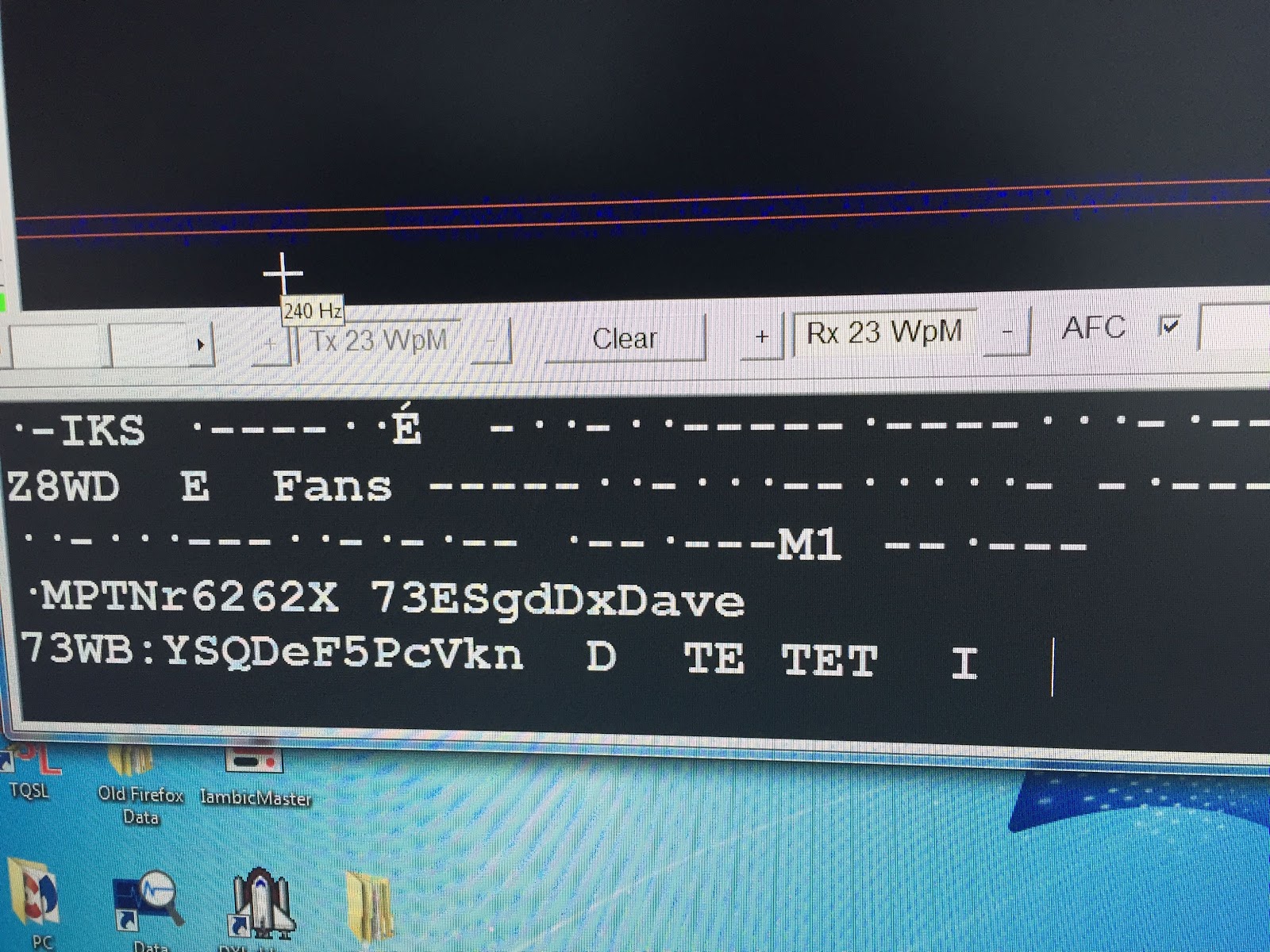 The picture to the left shows MRP40 trying to decode static. |
Comparing two CW decoding programs.
|
| LY3H CW decoder logic program MRP40 compared to CW decoder logic by LY3H MRP40 CW decoder 1. Decodes all speeds up to 60wpm Decodes but not mention top decode speed. 2. Has good documentation No documentation 3. Auto tracking very smooth Auto tracking hunts between long letter spaces 4. Text formatting-format mode works great Only option is manual or auto decode 5. Will not decode when APF is on Will de-code when using APF 6. Great weak signal decode S1 and below Poor weak signal de-code (not using APF) 7. Great email support Upgrades come out regularly 8. See's noise as code sends radium letters Only sends letters not radium noise as code 9. Does have save QSO but awkward to use. Just added cut and paste QSO to word or clipboard 10. Has “always on top” option Just added “always on top” option. 11. Added a mini log book No log book as of yet 12. You can send code At this time only able to read code A more in-depth look at some of the above comparisons: A) Auto tracking- When wanting to decode a CW signal it helps when the program can lock onto a signal. MRP40 will lock onto a CW signal and stay locked on. CW decoder on the other hand once the CW signal stops or has long gap between letter the program starts to hunt small segments on either side of the CW signal for other CW signals. Once the code starts again CW decoder has to relock onto it and you lose some decoding. If slow code is sent you are in a battle of lock and relock of the code. B) Text formatting options- with MRP40 you have the option on how you want to decode. - Correct word spacing…..this will attempt to add spacing between decoded words even if sender is running them together. - Expand abbreviations…..KN, AR and DE to mention a few. - Expand Q codes…self-explanatory. Both of these programs do the job of decoding CW very well, you have more options and customization option with MRP40. CW decoder logic is very easy to setup and in no time you are decoding CW. I have not had a chance to compare both programs in a CW contest situation. The major drawback to each program is….. MRP40…….no matter what test formatting option I used the program when idling would send radium code as it listened to static were as CW decoder logic would not. CW decoder Logic……when the receiving code stopped the program would start “hunting” for other CW signals. This created two issues, the first being if you are decoding slow code I found the program between letters words would start to hunt. When it does this it bounces back and forth from decoding and hunting and your decode is not reliable. The second is if I second CW op appears close to the op you are decoding the program will bounce between the two QSO’s. The major positive of each program is….. MRP40…..it will decode CW that is almost down at the noise floor and do a great job of it too. CW decoder Logic……it will not send random letters when it is not decoding and does a great job of adding the breaks between words and not running them together. Also this program is free. These code programs will always decode what is sent so you must consider if you are reading odd words and letters it may have to do with poor code sending. CW signals that are close to each other (CW contesting) if your rig cannot filter out the one CW signal your decoder will be confused. CW decoder by LY3H free. MRP40 will cost you 50.00 Euro. The picture to the left shows MRP40 trying to decode static. |
The ARRL has done it again!

The ARRL has done it again!
Taking your QRP signal to the next step.
I was reading NY4G's blog a week or two ago and came across a great post that I wanted to share with my readers. I emailed him about reposted it but never heard back so here goes.......It is full of great DXing tips!
DXing Tips For Little Pistols Like Me
OK I admit it I am more often than not a little pistol. More than likely, I am trying to make a contact at 5W.
Keep in mind two things - the heavy lifting is done not by you but by the DX who is trying to dig you out
of the mud. Some are more willing than others. Of course, the second thing is your persistence. If you
don't go away after he has worked stronger stations - chances are he will try to work you.