Author Archive
 Heathkit Art
 April 4th, 2018 |
  Author:
 Heathkit HP-23A and IM-11
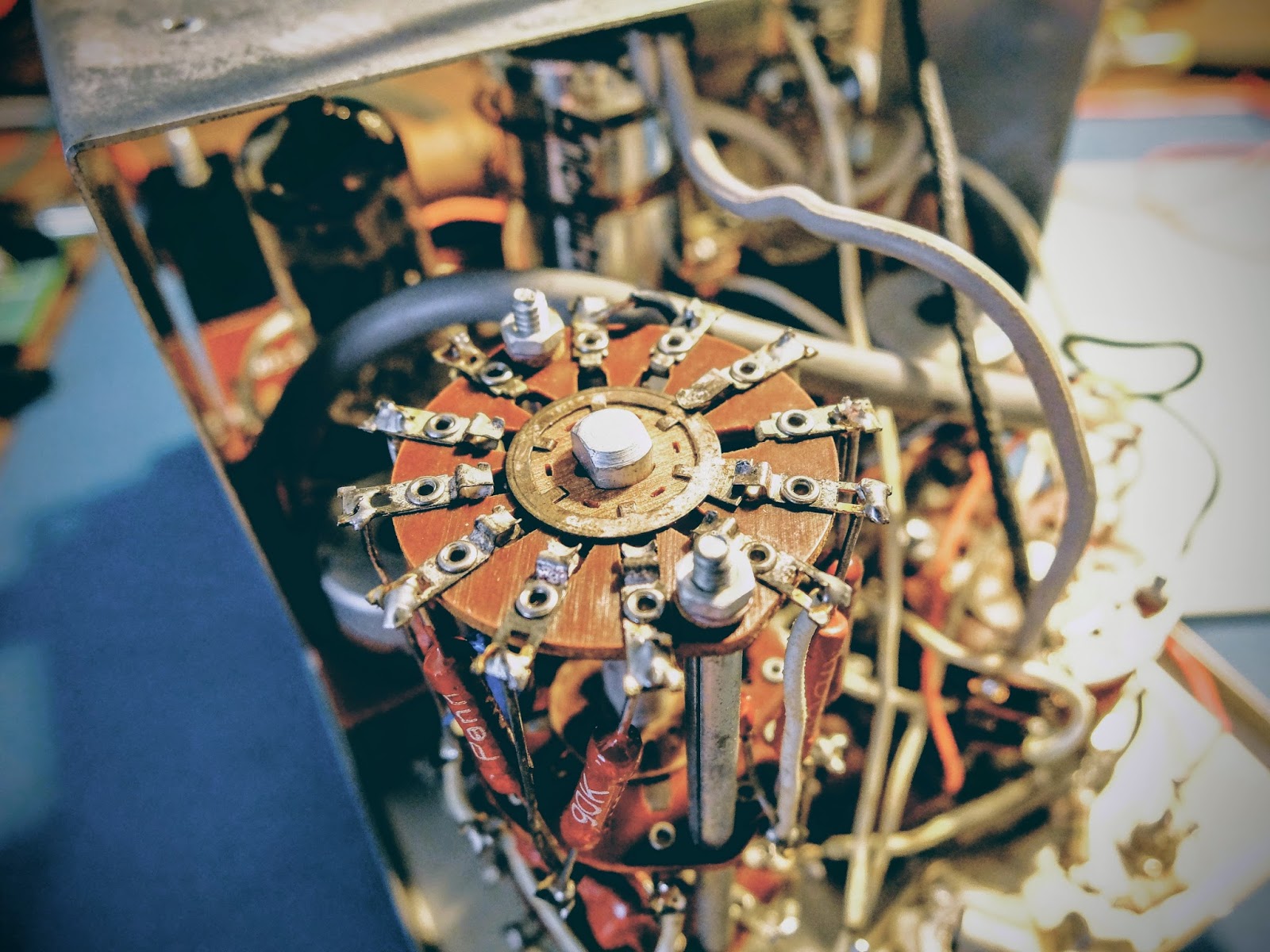
I had just buttoned up a HP-23A, after testing its transformer. A fellow ham gave it to me for parts.
This old stuff looks cool, so I took a pic with the phone and thought I'd share.
Feel free to use as a desktop background, but if you use it in on the web or publish provide proper attribution.

Metering High Voltage on the cheap
🗲 Heathkit VTM model IM-11 🗲
I recently got a taste for restoring and using vintage vacuum tube radio equipment. Using equipment that requires 800+ volts for making QRP transmissions is counter-intuitive to the spirit of QRP ham radio, but it's part of my journey as a ham, so I'm writing about it. Bear with me. Once I receive a near fatal shock I'm sure I'll move back to 12v powered equipment again.
Until then...
One of the first issues I ran into while testing the power supplies I restored for my vintage gear was how to measure voltages beyond the range of my digital multi-meter. Most consumer grade digital multi-meters (DMMs) can only measure up to 500 volts then display an error, or stop working altogether. Previously, I was able to measure voltages over 500V by making a voltage divider out of two 100k 1w resistors and taking my measurement from the middle of the two resistors, but it was precarious in use and added even more danger when working with this old equipment.
I'd looked at getting a DMM capable of measuring high voltage, but the recommended ones, like a Tenma 72-1055 Benchtop Digital Multimeter, start around $100. Used Fluke meters are even pricier. I'm sure buying a more professional DMM would be a wise investment. As I've evidenced many times; wisdom is omitted from my DNA.
So what did hams of yesteryear use?
Behold... Vacuum Tube Volt Meter
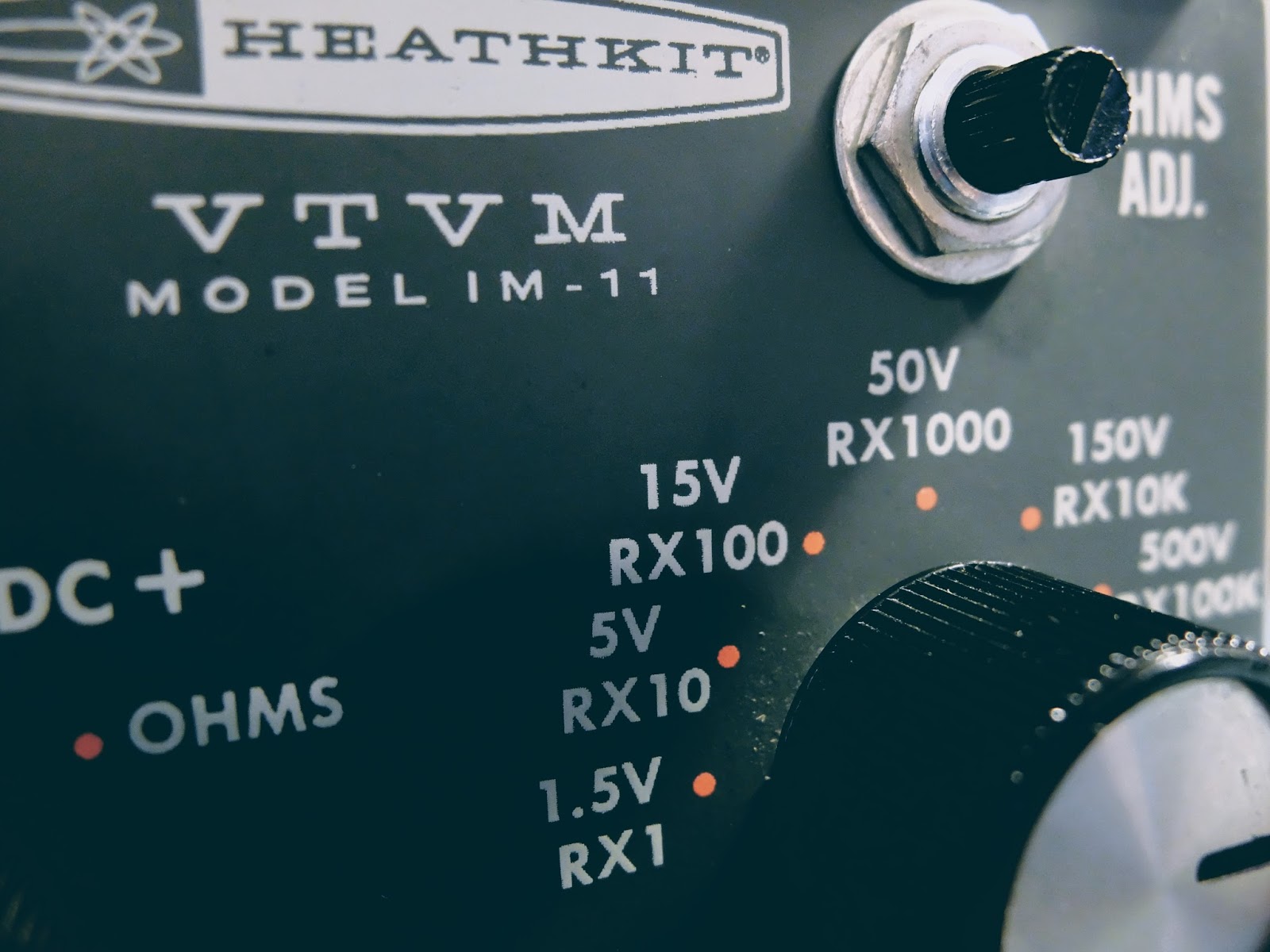
Vacuum Tube Volt Meter
This Heathkit VTVM model IM-11 was available at my local Hamfest (Rarsfest) for 5 dollars.Debugging
Five dollars is not a princely sum, but as with most things purchased from a hamfest, it required some attention.
The 55 year old 16uFd@150V paper, electrolytic power filter capacitor was likely a ticking time bomb so I replaced it with a modern capacitor for safety concerns. The closest one I had was a 33uFd@160V radial electrolytic. I don't think double the capacitance will be a problem for a filter capacitor, it will just make the transformer work a little harder when it's first turned on. I calculated the initial charge time and it's 393ms vs 190ms for the original cap. I think the 10k resistor and transformer can handle the extra 200ms heavy load on power up.
A few wires inside the meter had come loose from some very sparse solder points and a one intermittent connection in the range switch was especially troublesome to track down.
The biggest mystery to solve was oversensitive resistance readings in the Ohms mode. I replaced the C-cell battery in the battery cup and while I had it out I glanced at the + connection for the battery in the cup. I appeared to have oxidized at some point in the past and was discolored. I scraped it off until I saw shiny bits and thought all was good. I spent more time tracing the circuit and thought I had a problem with the switch itself or the 9x resistors in the range circuit, as suggested in the troubleshooting section of the manual. The problem turned out to be that oxidized bolt head that formed the positive battery connection in the battery cup. Scraping it had not provided electrical contact. In fact, when I removed the bolt (after having to disassemble the circuit board from the meter for the 2nd time), I filed down the head of the bolt and could find no conductive metal left. I'm guessing that a former leaky battery had converted the entire head of the bolt to a very hard, yet non-conductive material. I've never seen anything like it before and it proved to be a useful lesson.
I had to find a replacement bolt and that lead to working on my lawn mower and then mowing the yard... not sure how that progression occurred... Eventually I got the new bolt in the cup, the circuit board re-installed. Ohms tested accurately, put it all back together and noticed the #50 pilot lamp had stopped working (sigh). I removed the innards from the case one more time and got the pilot bulb settled (I think it's required to balance the filament circuit). While I had it apart for the umpteenth time, I decided to reconnect the 1/4" plug that a former owner had disconnected while keeping their original modification allowing 1 mega-ohm to be switched in for the outermost probe when DC functions are selected but switched out when AC or Ohm functions are chosen. I wanted to allow use of an original VTVM probe used in the 1/4" plug with its built-in 1 mega-ohm resistor.
Whew!
All-in-all, I probably spent 8 hours getting all the functions on my $5.00 meter to work, replacing old parts, undoing mods and aligning it for proper DC and AC readings. It's a good thing I don't count my time in the cost of these projects, otherwise I could have purchased a couple Fluke meters for the cost of my time.
What's the fun in buying something that works right the first time when you get it home, huh? Are we hams, capable of solving problems, or appliance users? Actually, it would have been nice if it worked without new parts and repairs, but I digress.
The 55 year old 16uFd@150V paper, electrolytic power filter capacitor was likely a ticking time bomb so I replaced it with a modern capacitor for safety concerns. The closest one I had was a 33uFd@160V radial electrolytic. I don't think double the capacitance will be a problem for a filter capacitor, it will just make the transformer work a little harder when it's first turned on. I calculated the initial charge time and it's 393ms vs 190ms for the original cap. I think the 10k resistor and transformer can handle the extra 200ms heavy load on power up.
A few wires inside the meter had come loose from some very sparse solder points and a one intermittent connection in the range switch was especially troublesome to track down.
The biggest mystery to solve was oversensitive resistance readings in the Ohms mode. I replaced the C-cell battery in the battery cup and while I had it out I glanced at the + connection for the battery in the cup. I appeared to have oxidized at some point in the past and was discolored. I scraped it off until I saw shiny bits and thought all was good. I spent more time tracing the circuit and thought I had a problem with the switch itself or the 9x resistors in the range circuit, as suggested in the troubleshooting section of the manual. The problem turned out to be that oxidized bolt head that formed the positive battery connection in the battery cup. Scraping it had not provided electrical contact. In fact, when I removed the bolt (after having to disassemble the circuit board from the meter for the 2nd time), I filed down the head of the bolt and could find no conductive metal left. I'm guessing that a former leaky battery had converted the entire head of the bolt to a very hard, yet non-conductive material. I've never seen anything like it before and it proved to be a useful lesson.
I had to find a replacement bolt and that lead to working on my lawn mower and then mowing the yard... not sure how that progression occurred... Eventually I got the new bolt in the cup, the circuit board re-installed. Ohms tested accurately, put it all back together and noticed the #50 pilot lamp had stopped working (sigh). I removed the innards from the case one more time and got the pilot bulb settled (I think it's required to balance the filament circuit). While I had it apart for the umpteenth time, I decided to reconnect the 1/4" plug that a former owner had disconnected while keeping their original modification allowing 1 mega-ohm to be switched in for the outermost probe when DC functions are selected but switched out when AC or Ohm functions are chosen. I wanted to allow use of an original VTVM probe used in the 1/4" plug with its built-in 1 mega-ohm resistor.
Whew!
All-in-all, I probably spent 8 hours getting all the functions on my $5.00 meter to work, replacing old parts, undoing mods and aligning it for proper DC and AC readings. It's a good thing I don't count my time in the cost of these projects, otherwise I could have purchased a couple Fluke meters for the cost of my time.
What's the fun in buying something that works right the first time when you get it home, huh? Are we hams, capable of solving problems, or appliance users? Actually, it would have been nice if it worked without new parts and repairs, but I digress.
Back to the story
This meter can measure up to 1500 Volts 🗲
The main reason I purchased this is to measure the high voltage in my tube equipment power supplies and 1500 VDC should just about cover it.
Although this meter uses a C-cell battery for measuring resistance, it runs off service mains to power the tubes which control the meter circuitry, so it must be plugged in to be used.
Although this meter uses a C-cell battery for measuring resistance, it runs off service mains to power the tubes which control the meter circuitry, so it must be plugged in to be used.
I love the look of its old "Gran Tran" power transformer inside the VTVM. They just don't make'em like they used to.
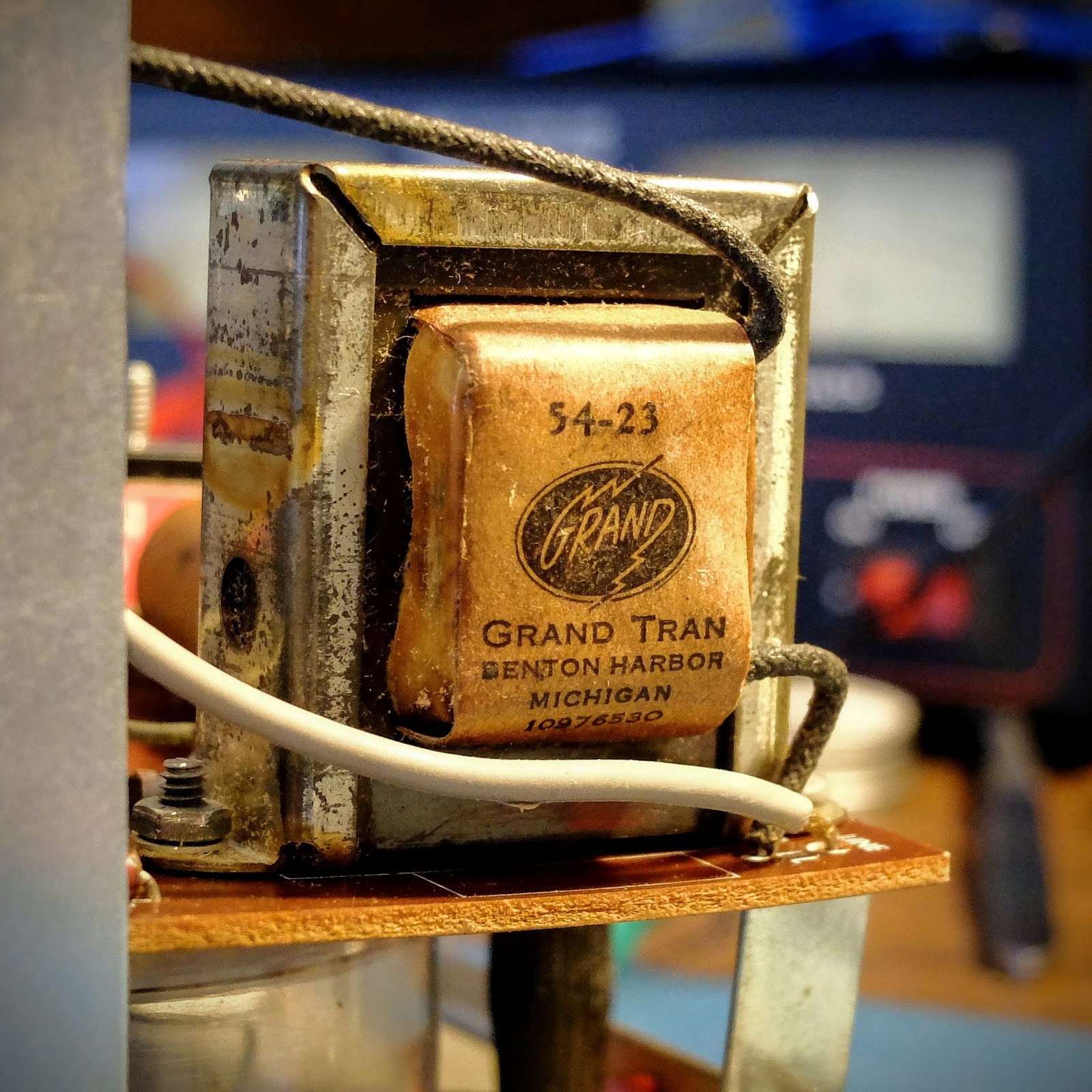
Wiring, lots of wiring
This model was made by Heathkit, from 1961 through 1968, and used typical point to point wiring of the time, making circuit tracing loads of fun.
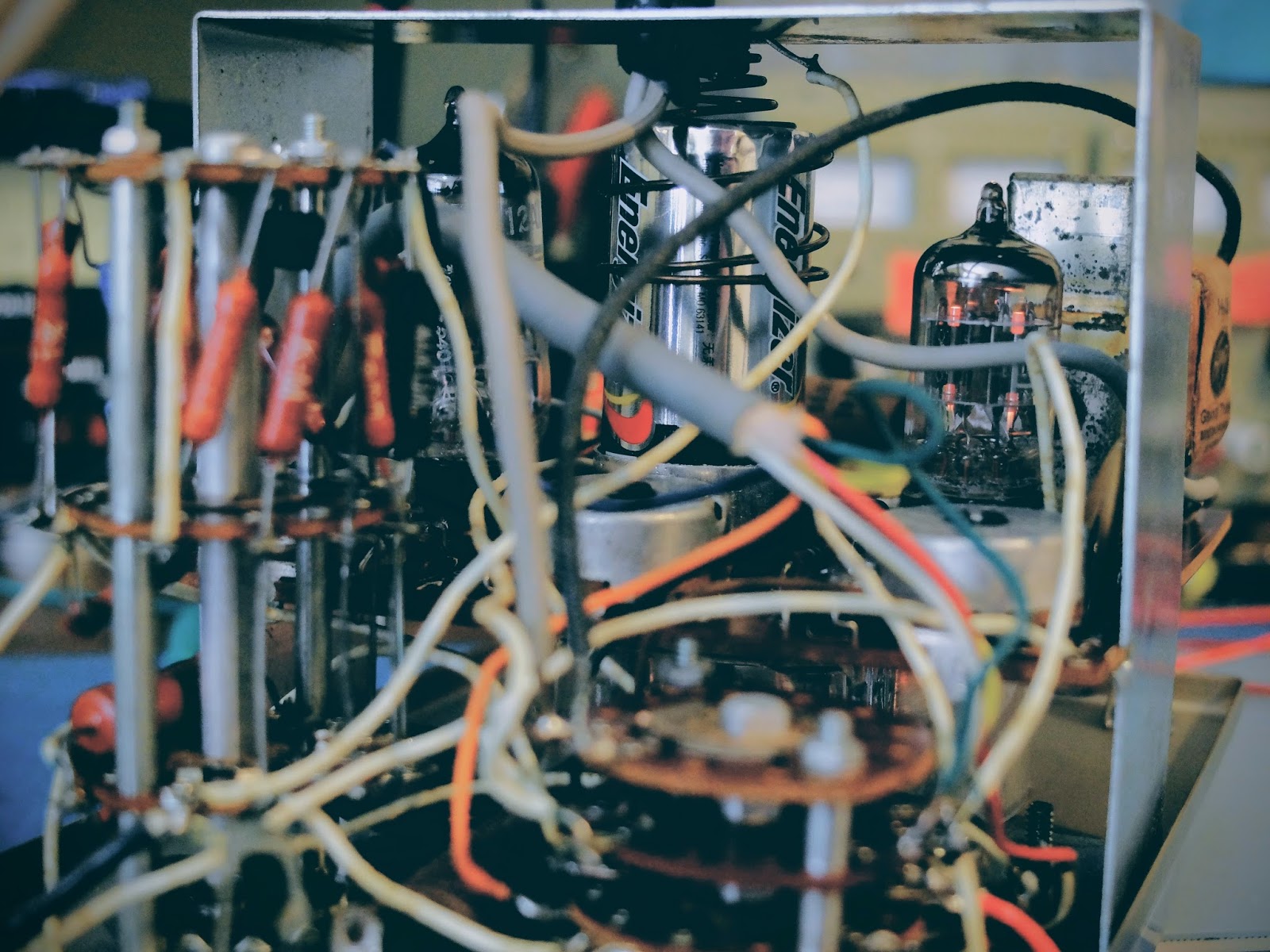 |
| Point to point wiring makes for interesting circuit tracing |
Shiver me timbers, it's got decks
It also refers to "front half" and "rear half". The "half" is referring to a side of the deck, so in the case of "front half" it refers to the side of a particular deck facing the front of the instrument, while the "rear half" is the side of a deck facing back (or toward you).
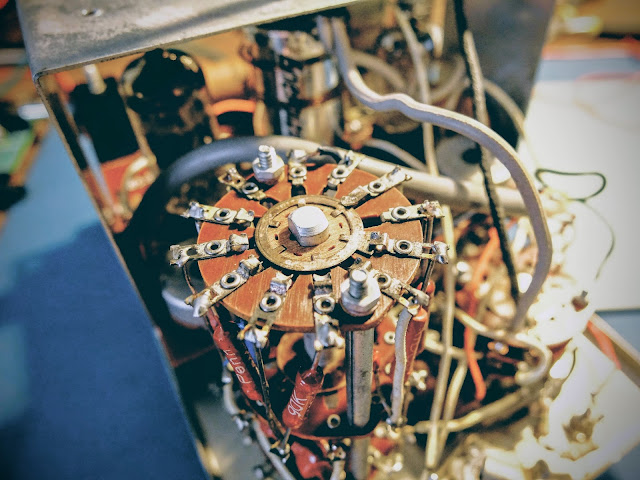 |
| Clever voltage divider circuitry, what could possibly go wrong in this triple stack of wafer switches? |
The left knob controls on/off and meter functions while the right knob controls the rather elegant voltage divider.
A knob for every function and a function for every knob. NOTE: do not plug your headphones into the 1/4" jack on the front unless you want to experiment with personal electro-shock therapy. Better, yet, don't plug your headphones in there.
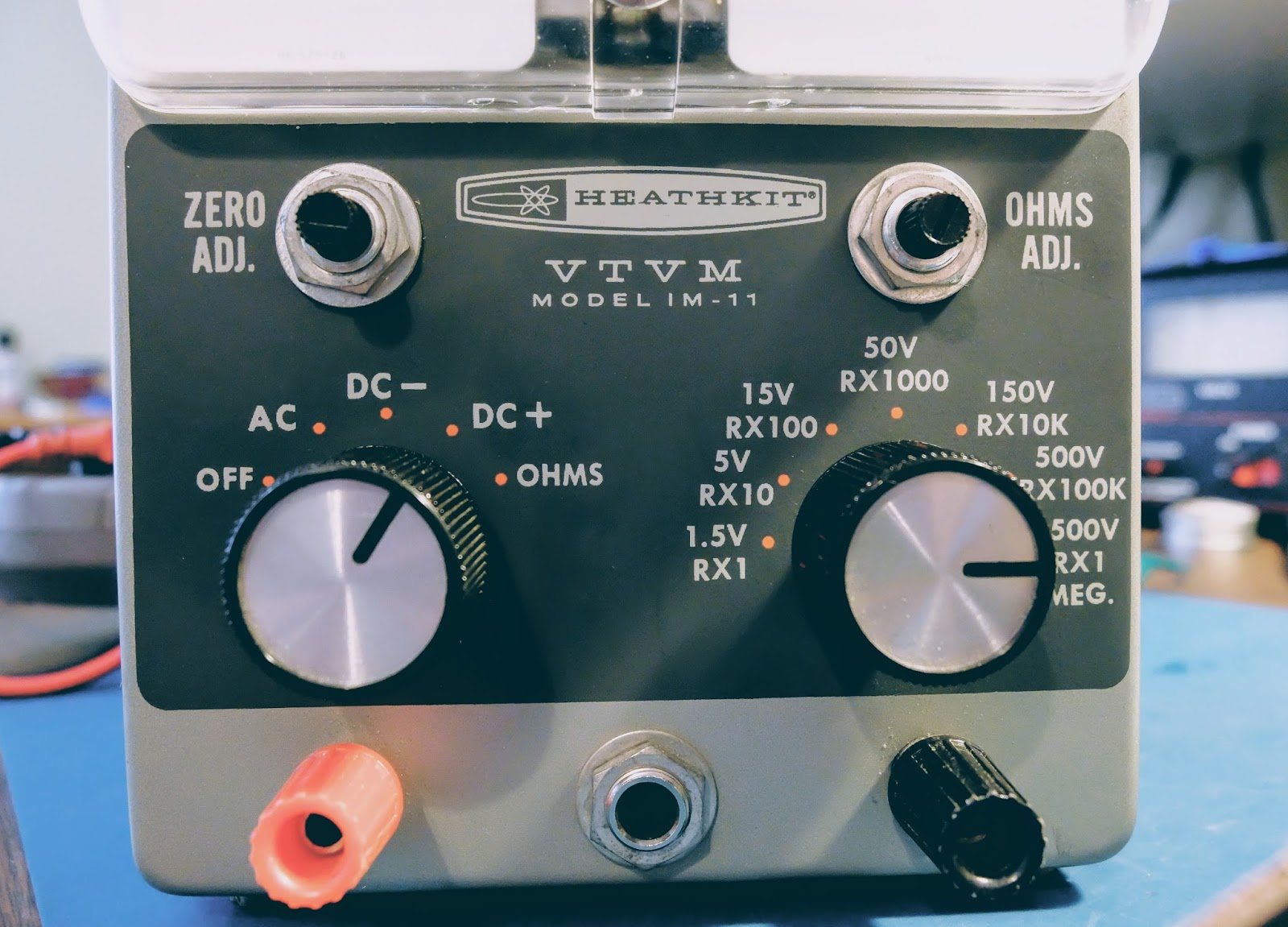 |
| Not clearly shown in this photo, voltage divisions up to 1500 volts supported |
"...Weighed in the scales and found wanting"
Ok, how many of you understand that completely unrelated biblical reference?
I haven't used a meter like this since I used to plan my VFR flights using an E6B. My modern, digital multi-meter is fairly idiot proof in terms of reading the results. My DMM auto-ranges and displays the correct unit of measure along with the reading on its display. It works well for a dummy like me.
A VTVM on the other hand, has a number of scales that must be interpreted based on whether you are reading DC, AC or Ohms. Additionally, you have to pay attention to the range chosen.
 |
| Choose a reading... any reading, just use the correct scale Note: the needle isn't at zero in this photo because I had just plugged it in before taking the picture and the tubes hadn't warmed up. Ah, the joys of vacuum tube powered equipment |
The voltage markings for the range switch refer to the full scale reading. Resistance is the top scale, but let's ignore that because we're talking about measuring voltage... The second scale from the top is Voltage. Even though it appears to refer to DC for the numbers on the top and AC for the numbers on the bottom of that second scale that's not what's going on. The second scale is for both DC and AC. The numbers on the top are when you are using a range that is a multiple of 15, such as 0-1.5V 0-15V 0-150V 0-1500V. The numbers on the bottom of that scale are for the ranges using a multiple of 5, such as 0-5V 0-50V 0-500V. Clever eh?
You have to do a bit of math. For example, if you if you're using the 1.5V range take your reading and move the decimal place one to the left. So, a reading of 8 would represent 0.8V in the 1.5V range, while it would actually represent 8V in the 0-15V range and 80V in the 0-150V range, etc. See, hams were smarter in the 1960s.
Always start with a range larger than what you expect the voltage to be and reduce the range for a more accurate reading if it occurs in the lower 3rd of the range. The voltage divider set by the range knob is protecting the circuits so if you have it in too low a range and apply high voltage, bad things will likely occur.
Old school needle gauge. There's a lot going on behind that needle. It operates very smoothly.

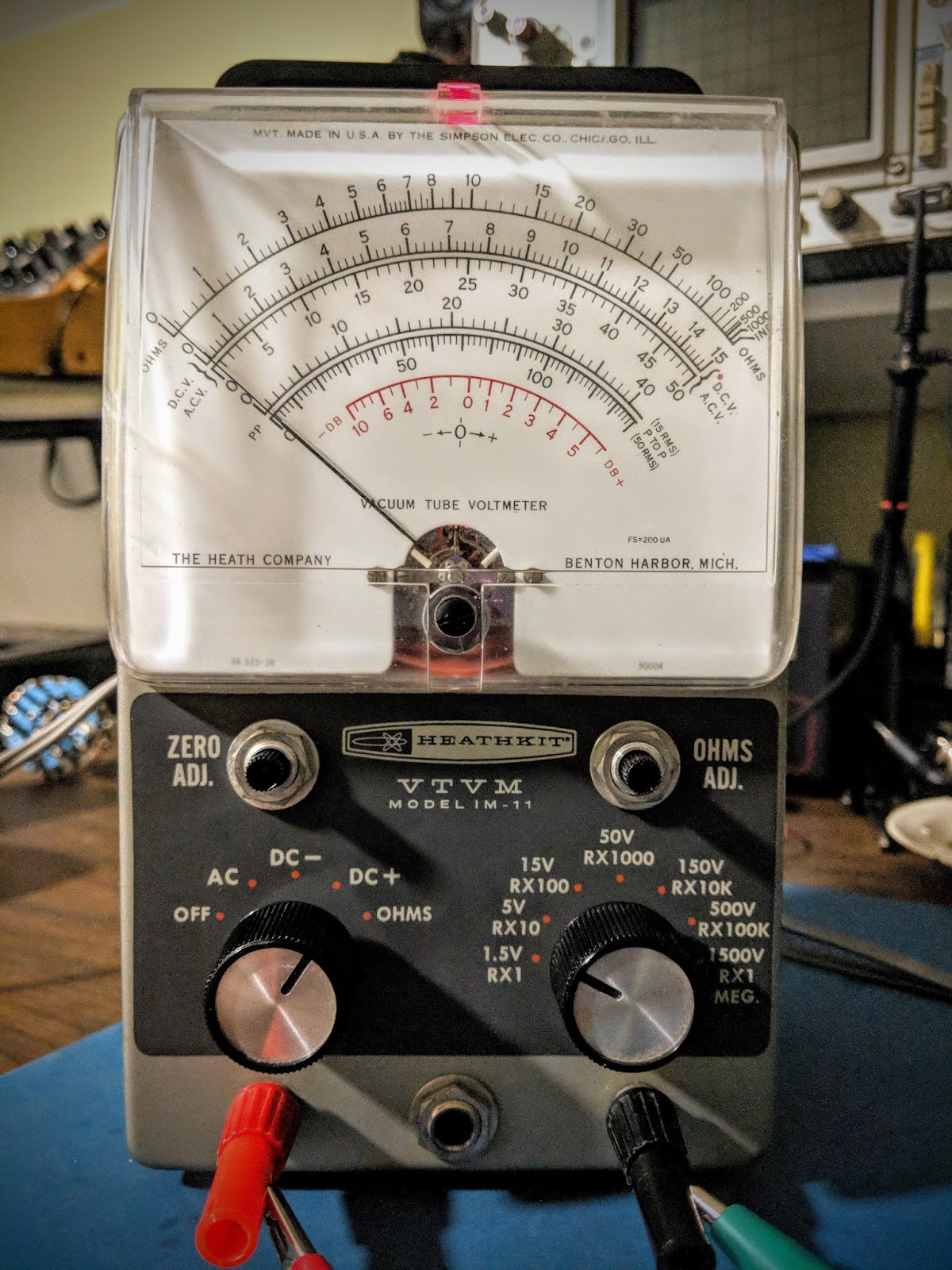 |
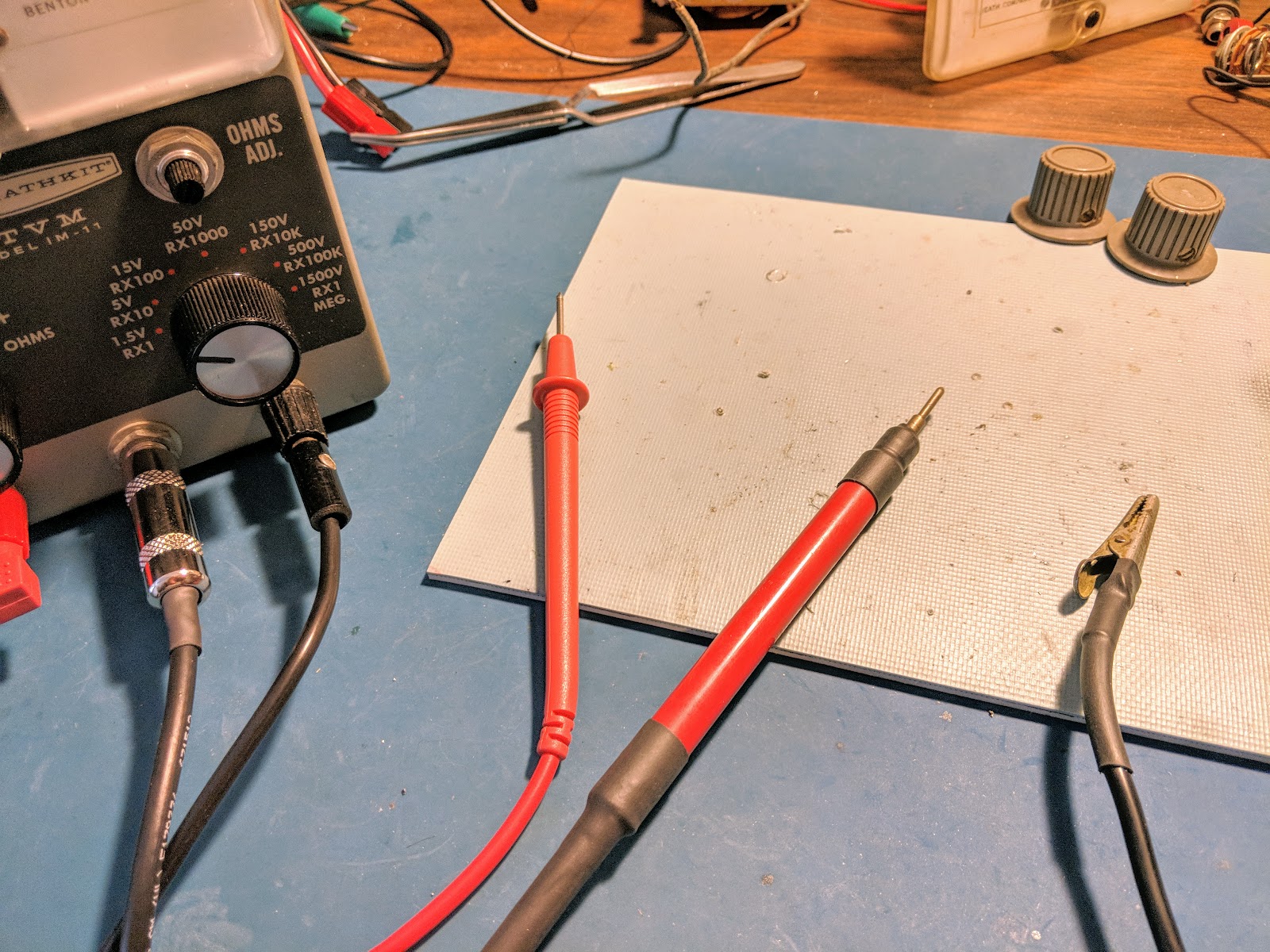
| Sporting some temporary probe hookups |
Making probes
This meter did not come with probes. I bought another older VTVM pretty cheap, for parts from a famous auction site because it was advertised as having a full compliment of probes, but alas, they were not usable. Even the 1/4" plug from those probes was a bust. However they did come with rebuildable probe "ends"
I used a RG-58 cable as the high voltage DC wire using only the center conductor and grounding the shield even though it is not used as the ground return. I also placed a 1/4 watt 1 mega-ohm resistor at the tip of the probe to limit any current through the probe cable. That cable terminates in the 1/4" plug and is wired such that it is out of the circuit in the Ohms position. I secured the cable into the probe body with some glue and used two layers of shrink wrap as a strain relief. I also put some shrink wrap near the probe tip as a bit of extra insurance.
I used a spare DMM cable for the outer positive banana plug feed used by the AC and OHMS circuit and made a heavily insulated cable with an alligator clip for the ground probe that goes to the other banana plug.
The outer probes are used for measuring resistance, AC and low volage DC. The center probe is used only for high voltage DC positive. Both positive probes would not be connected at the same time (as they are in the image below), and would present a shock risk if they were both connected when measuring voltage.
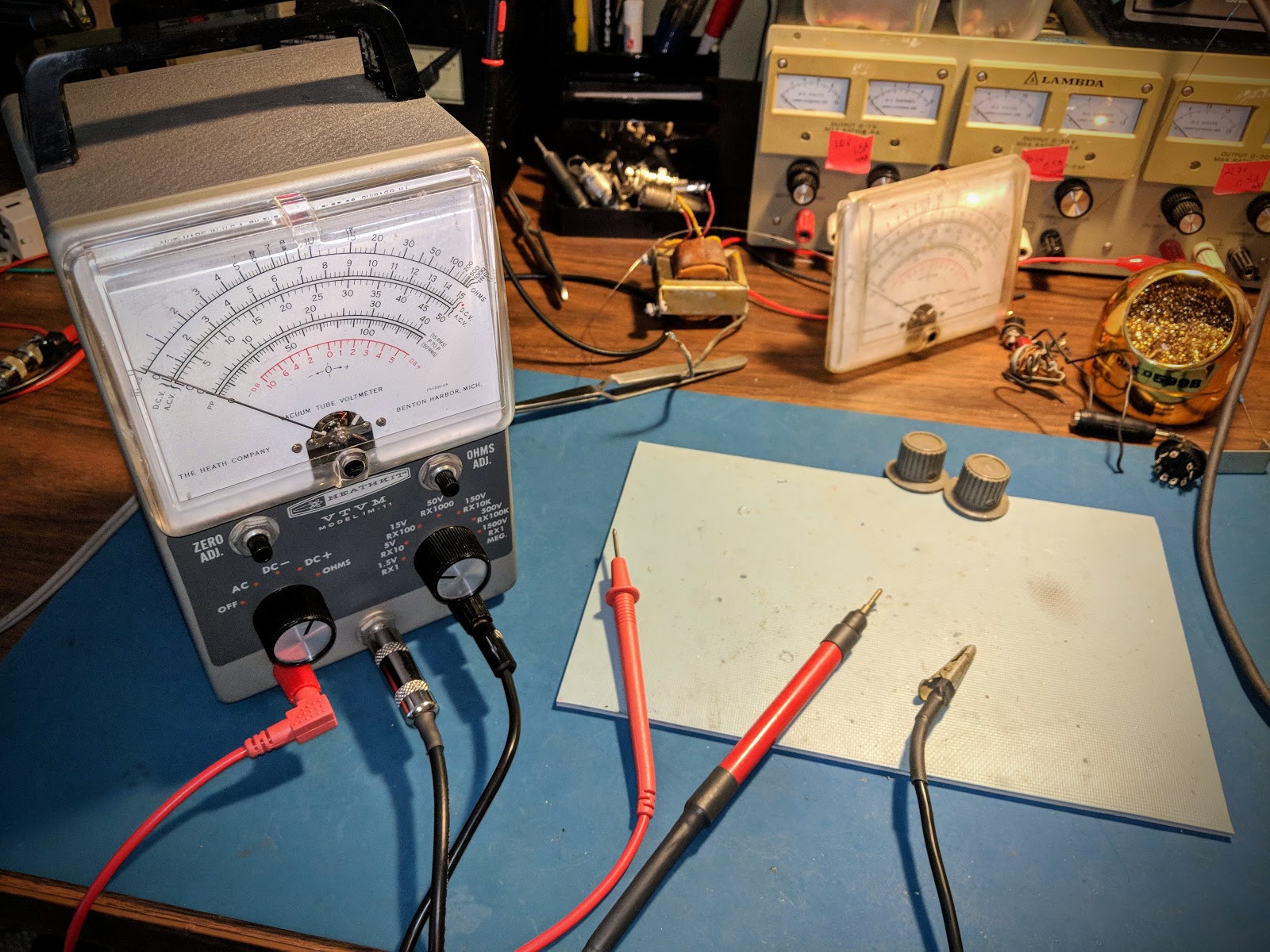
Summary
If you need a way to measure high voltage or are looking for a really eccentric meter to make common measurements harder than they should be get one of these VTVMs. They seem to be commonly available at hamfests and on famous auction sites for under $10.
Dazzle your friends next time they ask you to measure something for them, by whipping this not-so-little-puppy out of your back pocket and powering it up. As you're making your measurements quietly repeat "Mmmm, yes. Mmmm yes, I see now". They'll have no idea what you're referring to and be quite impressed.
That's all for now...
So lower your power and measure it with the low-range on your snazzy Vacuum Tube Volt Meter
72/73
Richard AA4OO
Remote VFO – Knight V-44
Everyone needs a remote VFO from 1955
Late night eBay surfing, and poor judgement led me to bid on a Knight V-44... and unfortunately won it...
The 1955 remote VFO was unique because it had a built-in power supply. It's also interesting that its base oscillation frequency is in the 160m band. Using harmonics from the base frequency means it doubles for each subsequent band (x2 for 80m, x4 for 40m, etc.) That doubling means it also multiplies the drift. Specified drift is 300Hz an hour. That doesn't sound too bad, but multiply that by x6 up in the 10m band and holy-smokes, it's drifting 1800Hz an hour.Note to self: Never browse eBay just before you go to sleep
That's gonna make operating CW like a game of chase, or hide and seek after every exchange.
This is gonna be fun.
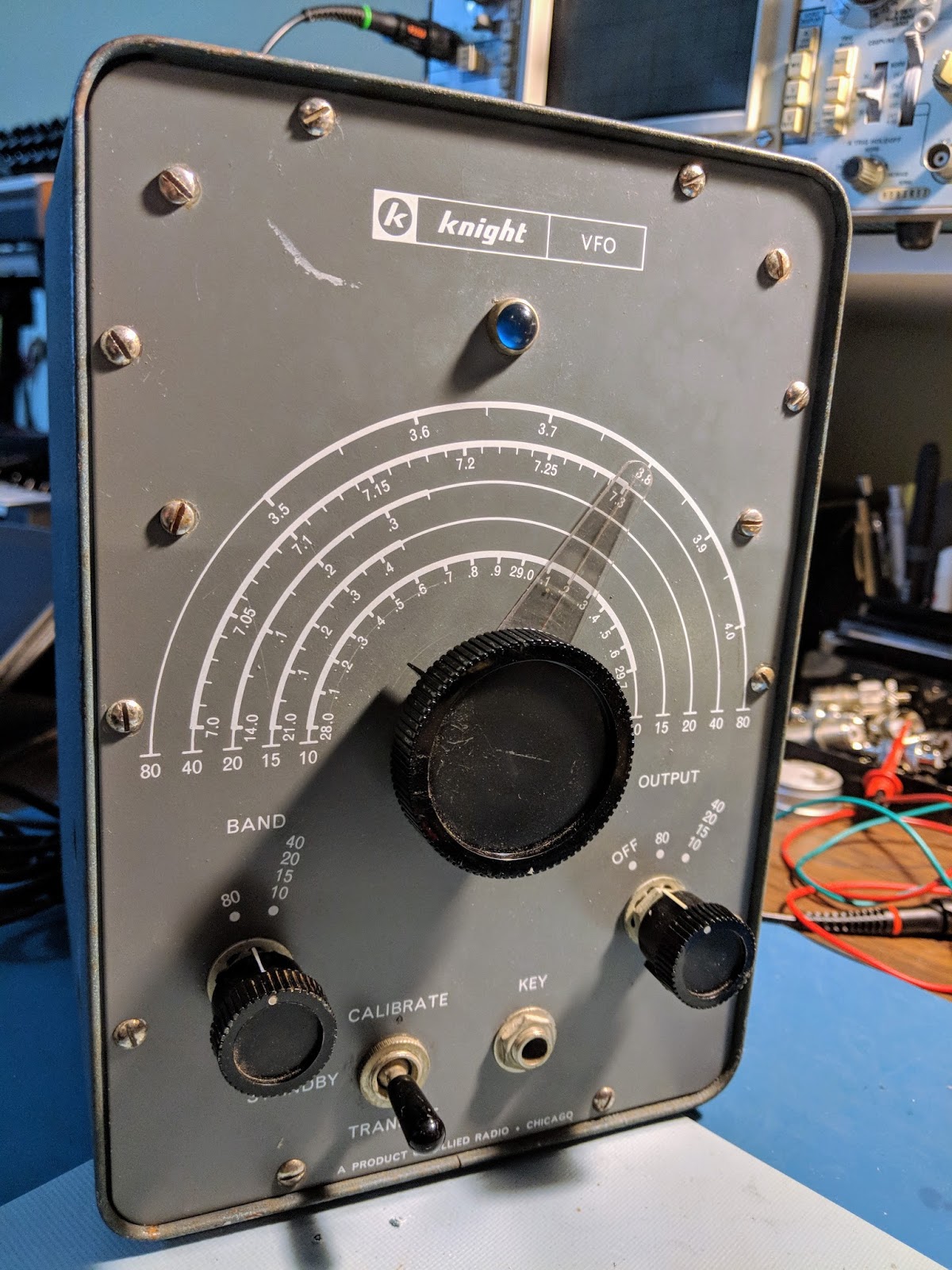 |
| Surprisingly the big dial is actually operating the variable cap through a reduction gear and it's very smooth |
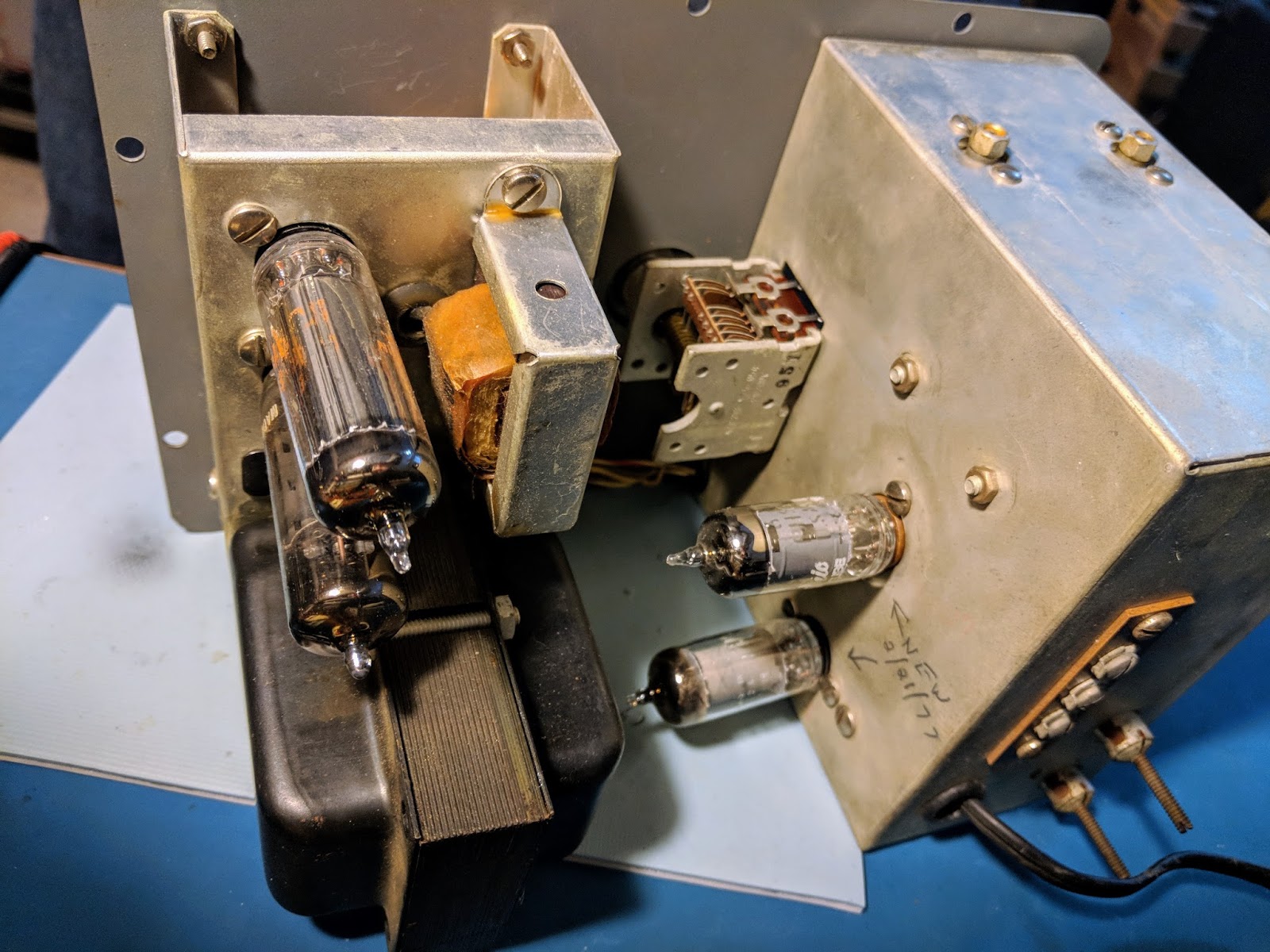 |
| Uses 4 tubes. Power supply up top, VFO circuits in the bottom to minimize impact of heat from the PS. |
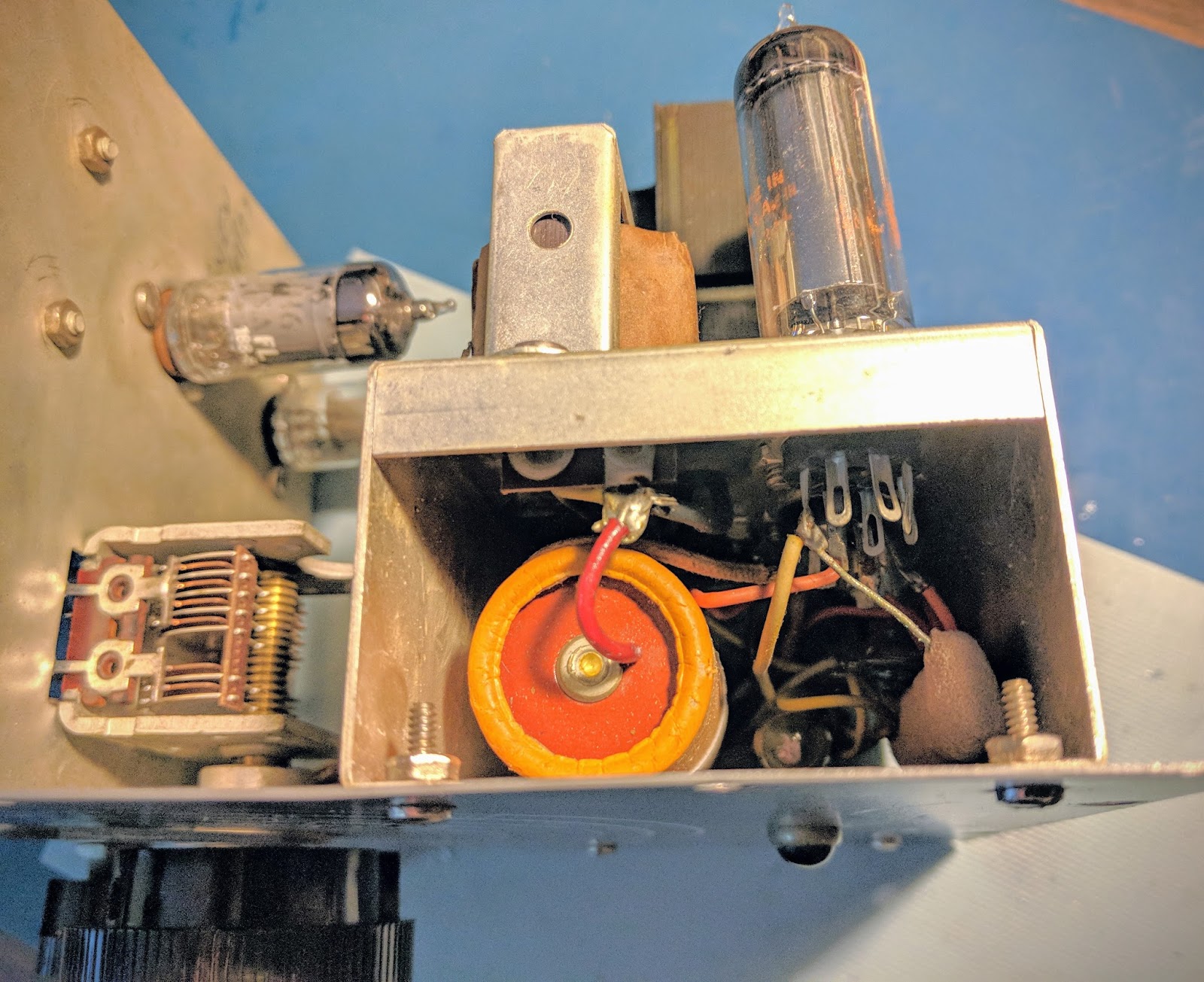 |
| Power supply |
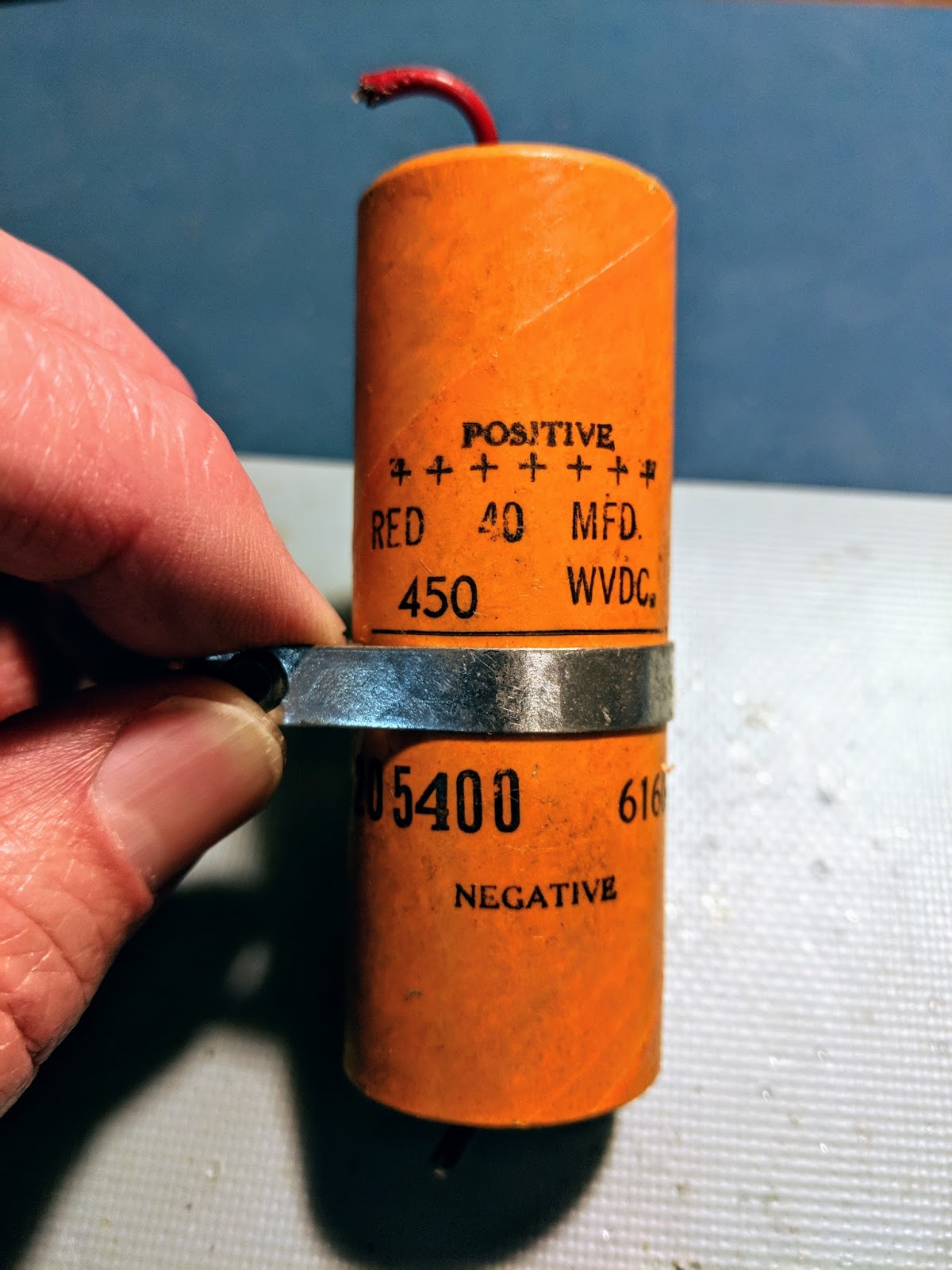 |
| old electrolytic power filter cap must be replaced |
 |
| 10k 7watt resistor had failed |
Replacement bits
The 450v electrolytic cap must be replaced for safety reasons. All the other components measured within 10% of specifications except for the 10k 7w resistor connected to the OA2 tube. It had gone up into mega ohms of resistance, which is likely when the VFO was taken out of use.Handwritten notes inside the chassis indicated the VFO tubes had been replaced in 1977. Until I get the replacement parts for the power supply I won't know the condition of the tubes.
Plans
Surprisingly, it outputs 10 volts of signal, so I may also build an output filter and use it as a QRPp transmitter on its own.
The possibilities are endless.
Update 3/21
Repaired
The replacement parts arrived from Mouser... A 500v 47uF electrolytic capacitor and a 10k Ohm 7-watt resistor. The new high wattage resistor is tiny compared to the giant, defunct resistor that was in there before, and of course the capacitor was about 1/3rd the size of the original. I used some spaghetti on the capacitor leads since the lead lengths were so much longer with the replacement cap. So the power supply section was now repaired.I also replaced the 2-blade, non-polarized, ungrounded, un-fused 1950's power cord with a 3-pin grounded plug and added a 1-amp/250v inline, replaceable fuse. So hopefully there's a reduced risk of death or fire now. Electrical safety didn't seem to be foremost on the minds of kit builders 60 years ago. The size of the 3 wire power cable and it's much thicker insulation didn't fit the opening in the back of the VFO as both the power cable and the VFO output come through the same hole, so I had to remove the insulation and use heat shrink to get things to fit. Additionally the large in-line fuse holder didn't fit well inside the VFO housing so the wiring is quite a bit more cramped in there than it was before.
After the components were replaced and the wiring was complete I plugged it in... no-smoke. Then I flipped the repaired switch (the phenolic disc for the on-off switch was broken in half when I received it), and wallah! The indicator light lit up through its pretty little blue jewel eye. So I knew the transformer was supplying 6.3v for filament. I heard a low hum from the little transformer and then the tubes began to glow. The OA2 was glowing it's pretty violet color, and no bad smells were emanating. I was ready to button it up and begin calibration.
The sparse instructions directed me to back out the tuning slug for the 80m band nearly to the end and screw in the slug for the other bands all the way, so I did so. I set the trimmer caps C1 and C2 to their fully engaged positions.
I carefully re-installed the front face holding the VFO and PS sections it in its heavy-duty case, taking care to get all the new power cord/fuse wiring inside the VFO section from binding up on the sharp edges of the case as it went in. In screwed in the plentiful 10 screws that holds it together and Bob's your uncle. Well, maybe Bob isn't your uncle but I just wanted to say that.
I had already attached an RG-58 coax to the output inside the VFO and run it out the hole with the new power cord, so I then installed a BNC connector on the end of the RG-58 to make hookup easy. I like BNC connectors because they are secure and I have lots of adapters for different connectors. I then connected the VFO output to my Elecraft CP1 RF coupler and terminated the other end with my ugly dummy load. I connected the RF coupled cable to the Oscilloscope and turned everything back on.
Calibration
I let it warm up 20 minutes or so. The cabinet does not get very warm, just about 15 degrees above room temperature. That's actually a good thing, from what I've read. If the VFO is at room temperature then it's more susceptible to the variations of that room temperature. Having the case stabilize above room temp can make the VFO more stable.I had my frequency counter attached to an output from the oscilloscope. In the 80m band setting with the VFO dial set to 3.5 Mhz the freq-counter was reading around 1.75'ish. The VFO primary oscillation roams around the 160m band and generates the first harmonic in the 80m band. The freq counter had trouble tracking due to all the harmonics, and the output on the oscilloscope was not very pretty because it was showing the primary frequency with the first harmonic interfering.
I was unable to properly calibrate the VFO using a frequency counter, due to the interference from the harmonics, so I turned on my SDRPlay, software defined radio. It can display up to 10 mHz bandwidth but for this test I was displaying 2 mHz bandwidth so that I could easily see the harmonic for the band I was calibrating.
That made quick work of calibration. I adjusted the variable capacitor C1 (near the bottom left hand side of the VFO) for the 80m band and adjusted the one above it for the remainder of the bands. I was able to verify that adjusting the VFO dial in the CW portions of the bands was extremely accurate with regard to frequency.
It appears to work like a charm. I hooked up a key and even sent some test messages and listened to them on the SDR. I'd been advised to not key the VFO directly because it tended to chirp but frequency stability was much better than I expected. Over the course of an hour that I was calibrating I saw very little drift after the initial warm-up.
Here's a little video demonstrating the completed calibration...
That's all for now .
So, warm up your Tubes and spray some RF into the air.
73
Richard ,AA4OO
Need a Vacuum Tube?
Superstore for Vacuum Tubes
When I started restoring my Heathkit HW-101 I thought it might be difficult to find replacement tubes. I initially only looked on eBay for tubes but then I was directed in a boat anchor forum to the vacuum tube superstore... findatube.com
Bob Dubush offers tubes at prices well below what you'll find on eBay. When you order from findatube you'll receive NOS (new open stock) tubes in their original boxes and may receive them in a nifty original store display box... Ah I can smell the 1950's
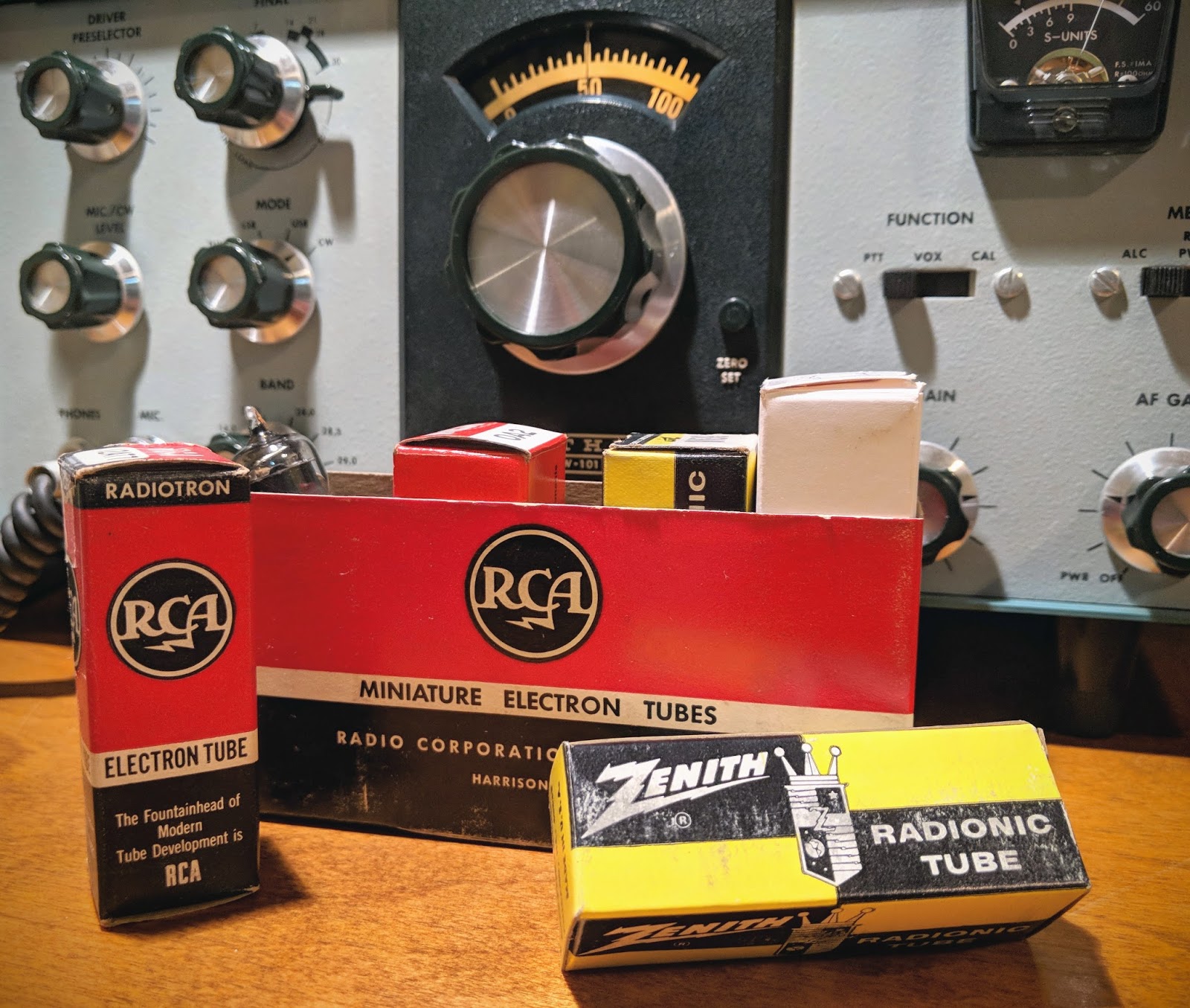
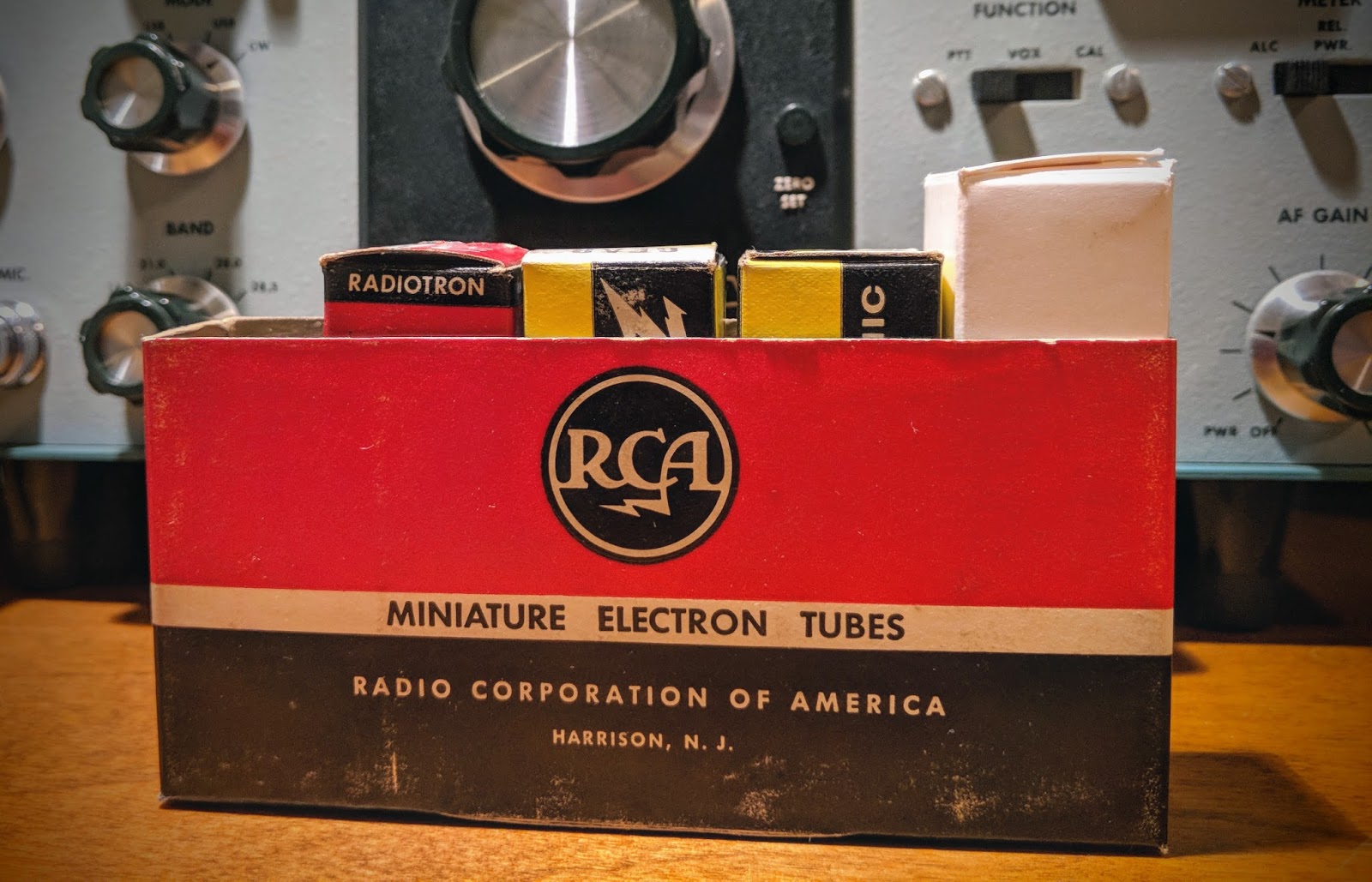
So if you've been looking for a good source for all your classic vacuum tube needs visit...

That's all for now...
So fire up that high voltage power supply and warm your shack the old fashioned way
73
Richard AA4OO
Oscilloscope now on the bench
Tektronix 475 Oscilloscope and Android Signal Generator App
When I was debugging problems with my Ten-Tec Century/21, and especially my problematic one-watter kit, I needed to see more than DC voltages. I carried my problem stuff to my friend Paul to see what his scope and signal generator revealed.
Why would a ham need a scope? Audio and RF are both AC (alternating current) and a voltmeter alone doesn't offer much insight into that world of voltage across time and phase.
I almost bought an inexpensive digital scope last year, then thought better of it. Then I almost bought a featured digital scope and checked my wallet and thought better of it. A good digital scope in the 100 Mhz and up range from reliable sources costs upwards of $500. On the other hand, older professional scopes that have been well maintained and kept in calibration are excellent choices and will last a lifetime. You do give up handy on screen cursors for measurements, so you have to count divisions by hand and do the math. You also don't have digital storage in a digital scope, but smart phone cameras and video can make up for that.
When I saw this recently calibrated Tektronix 475 listed in the classifieds on eHam.net for a nice price, I decided it was time to step into the world of visualized AC.
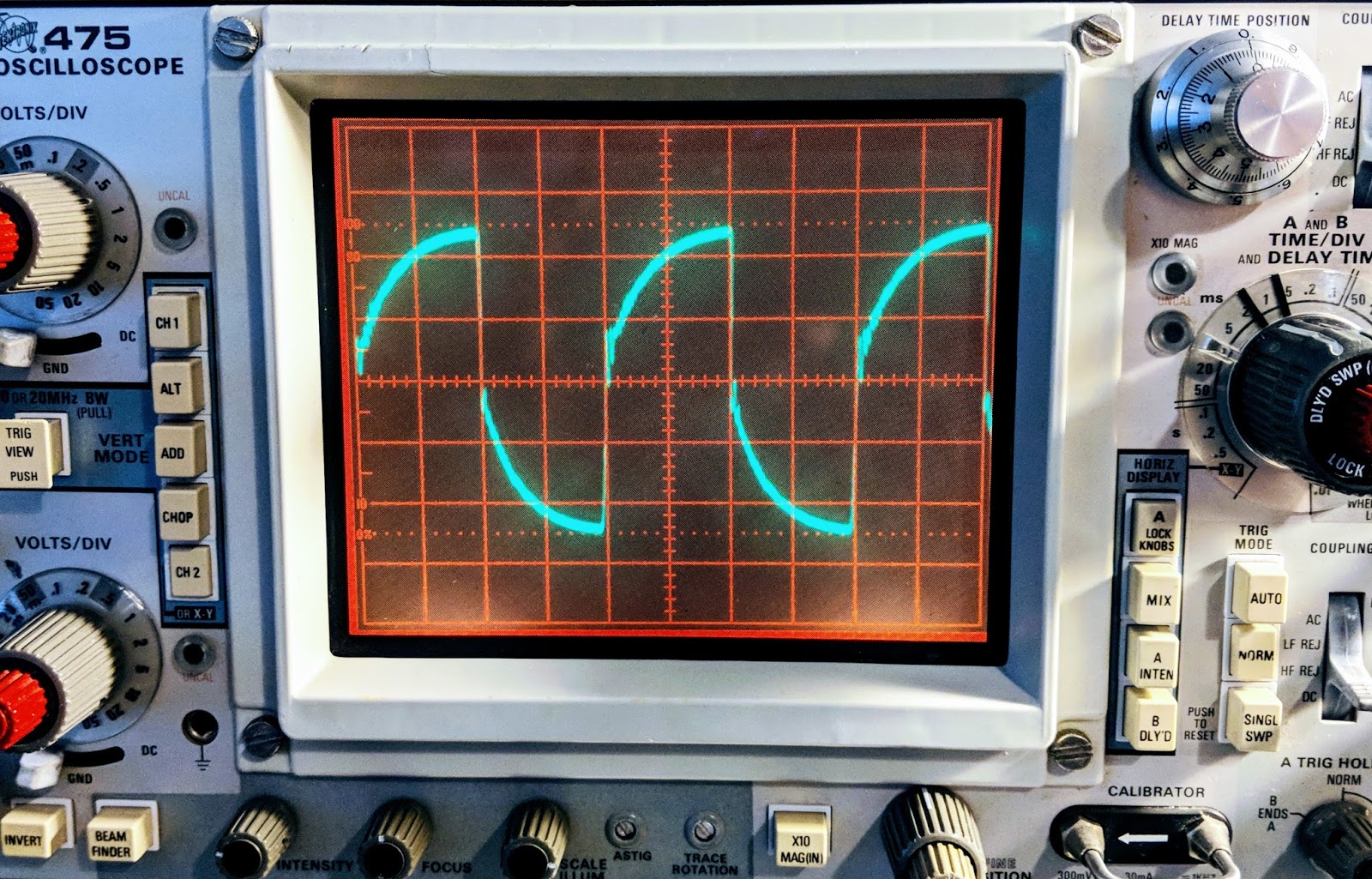 |
| Watching a capacitor charge 250 times a second The lines are a bit wide because the signal source was noisy |
Tek 475 Specs
The Tektronix 475 is a portable (30 lbs), dual-trace oscilloscope with dual time-bases similar to the 465, but with 200 MHz bandwidth and a maximum vertical sensitivity of 2 mV/Div. It is all solid-state except for the CRT. It was introduced in November 1972.
This scope cost $3,000 when it was new. Now you can find them in good condition for less than $200.
- Bandwidth -- 200 MHz (475), AC cutoff 10 Hz, switchable BW limit 20 MHz
- Rise time -- 1.75 ns (475)
- Deflection -- 2 mV/Div to 5 V/Div, 1-2-5
- Cascaded mode -- 400 μV/Div, 50 MHz with CH1 input connected to CH2 VERT SIG OUT
- Time base -- 10 ns/Div to 500 ms/Div, 1-2-5, and ×10 magnifier
- Input impedance -- 1 MΩ // 20 pF
- Triggering -- 0.3 Div (int) or 50 mV (ext) to 40 MHz, increasing to 1.5 Div/250 mV at 200 MHz; AC coupling >60 Hz; LF REJ >50 kHz, HF REJ <50 khz="" li="">
- X bandwidth -- 3 MHz
- Z axis input -- 5 Vp-p, 50 MHz
- Calibrator -- 1 kHz, 30 mA / 300 mV square wave
- Outputs -- CH2 Vert Signal Out, 20 mV/Div into 1 MΩ or 10 mV/Div into 50 Ω; A and B +GATE OUT, +5 V; Probe power jack
- CRT -- 8 × 10 cm², P31 phosphor (P11 opt.)
- Power -- 110, 115, 120, 220, 230 or 240 VAC ±10%, 48-440 Hz, max. 100 W
Real knobs and switches
One advantage of an analog scope is that there is a labeled switch or knob for every function. No need to dig through menus to figure out how to do something. To me this is the a true advantage to finding a well calibrated, analog scope.
An oscilloscope needs a function generator
An scope let's you visualize AC within a circuit, but when you testing something you often need to inject AC into that circuit. That's the role played by a function generator. Function generators allow you to choose a frequency and a wave type (sine, triangle, square, etc.), or sweep across frequencies.
In general, the higher the frequency they support the more they cost.
If you have a mobile device you can get one that uses your headphone jack as output up to 22 kHz for free...
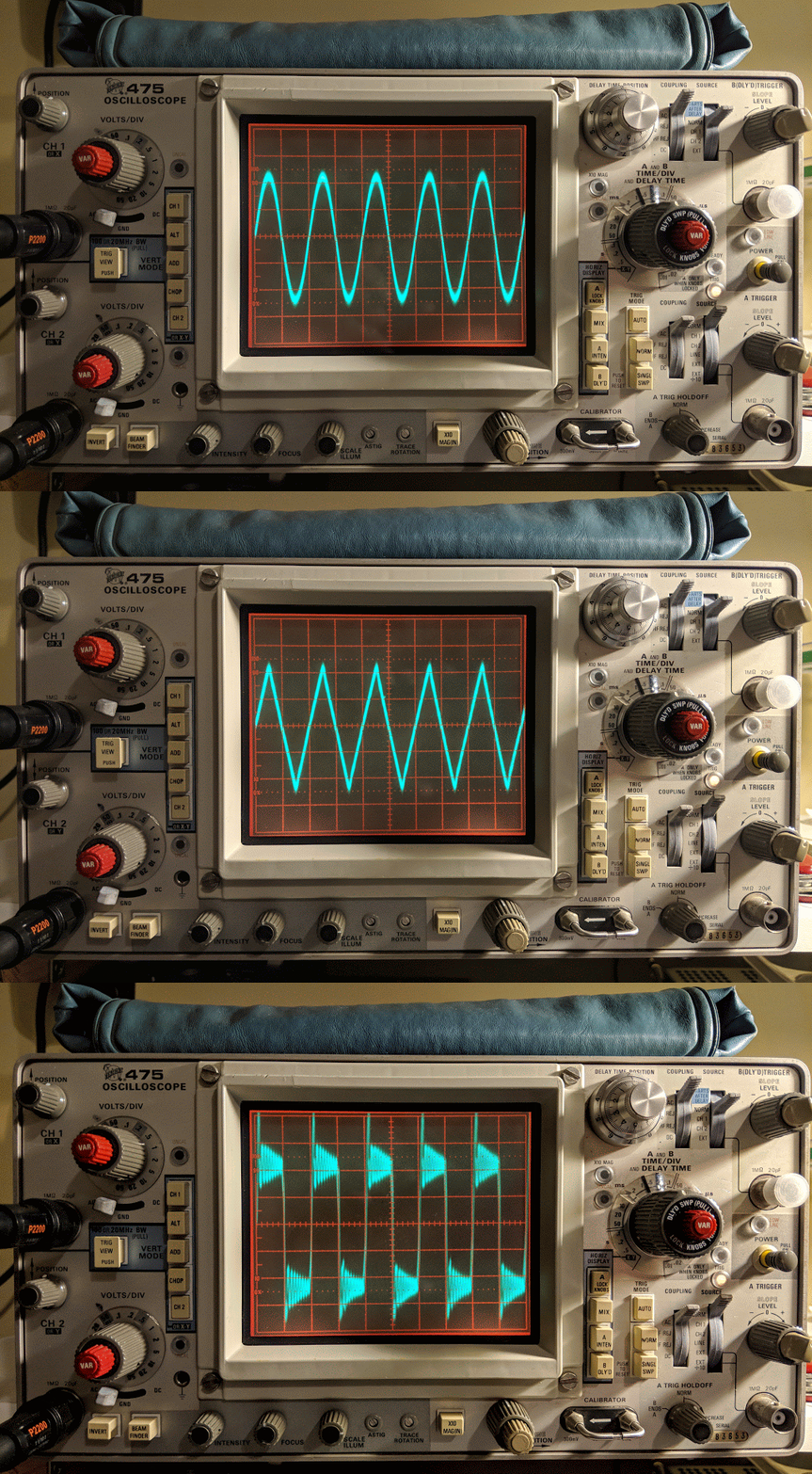
For a free app it is very nice. It outputs sine waves very well, triangle waves are a bit soft pointed and square waves are for entertainment purposes only. But it is free so I won't complain. In the image below you can see the oscillations as it tries to generate a square wave but the audio amplifier of the mobile device just doesn't have that kind of control.
 |
| Frequency Generator App set to 1 kHz |
Square Wave?
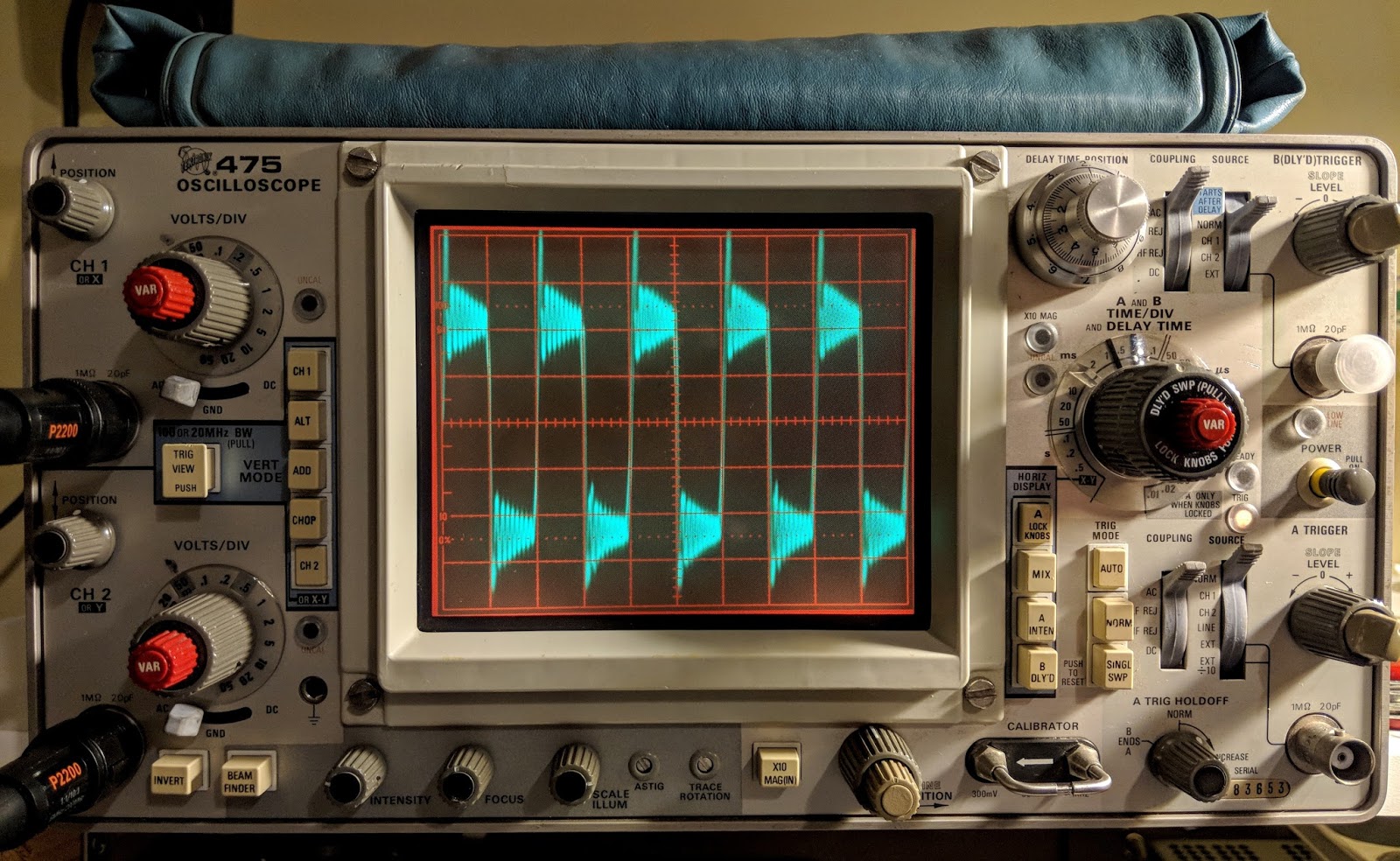 |
| Square waves are not |
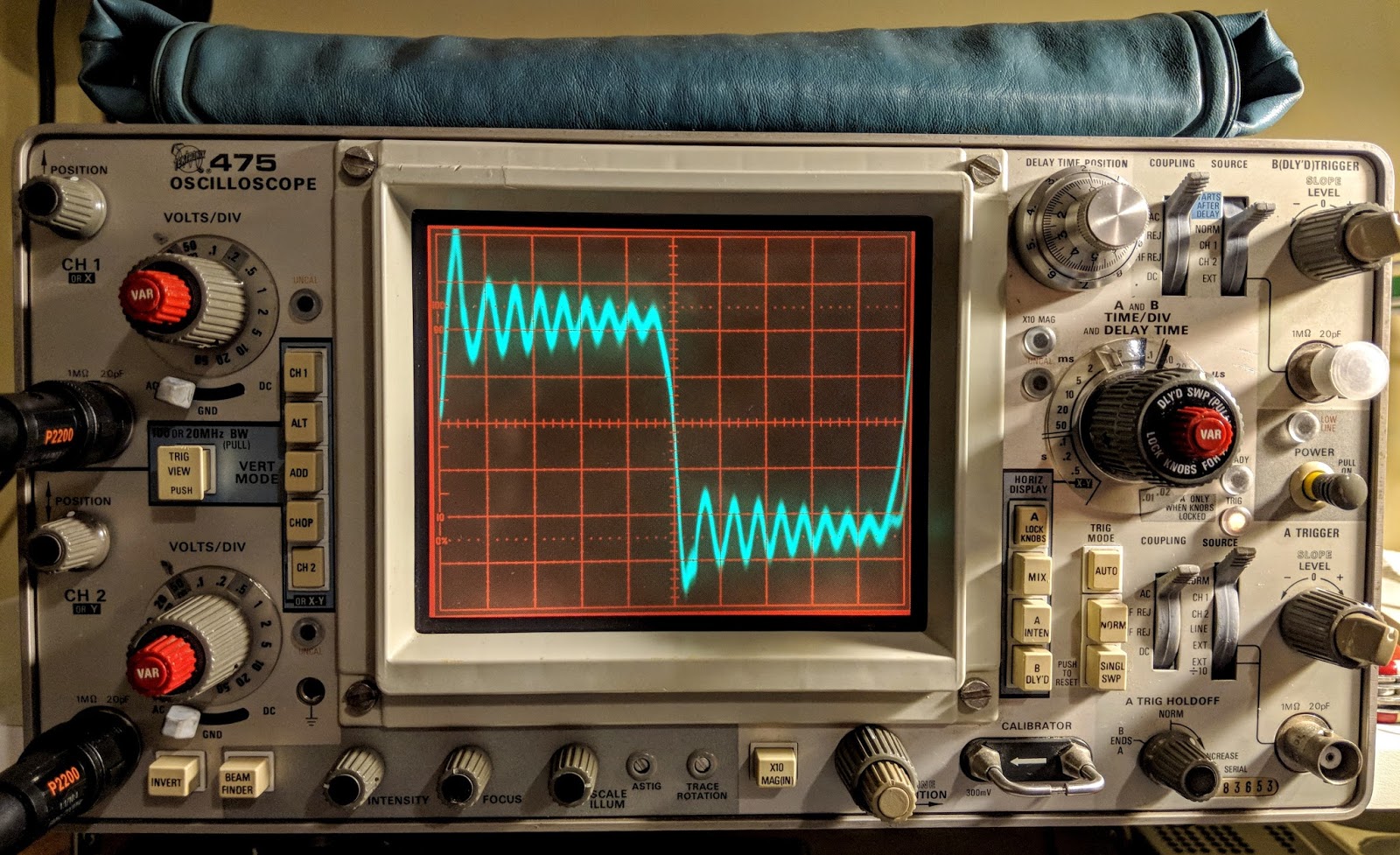 |
| Reduce the time base to zoom in |
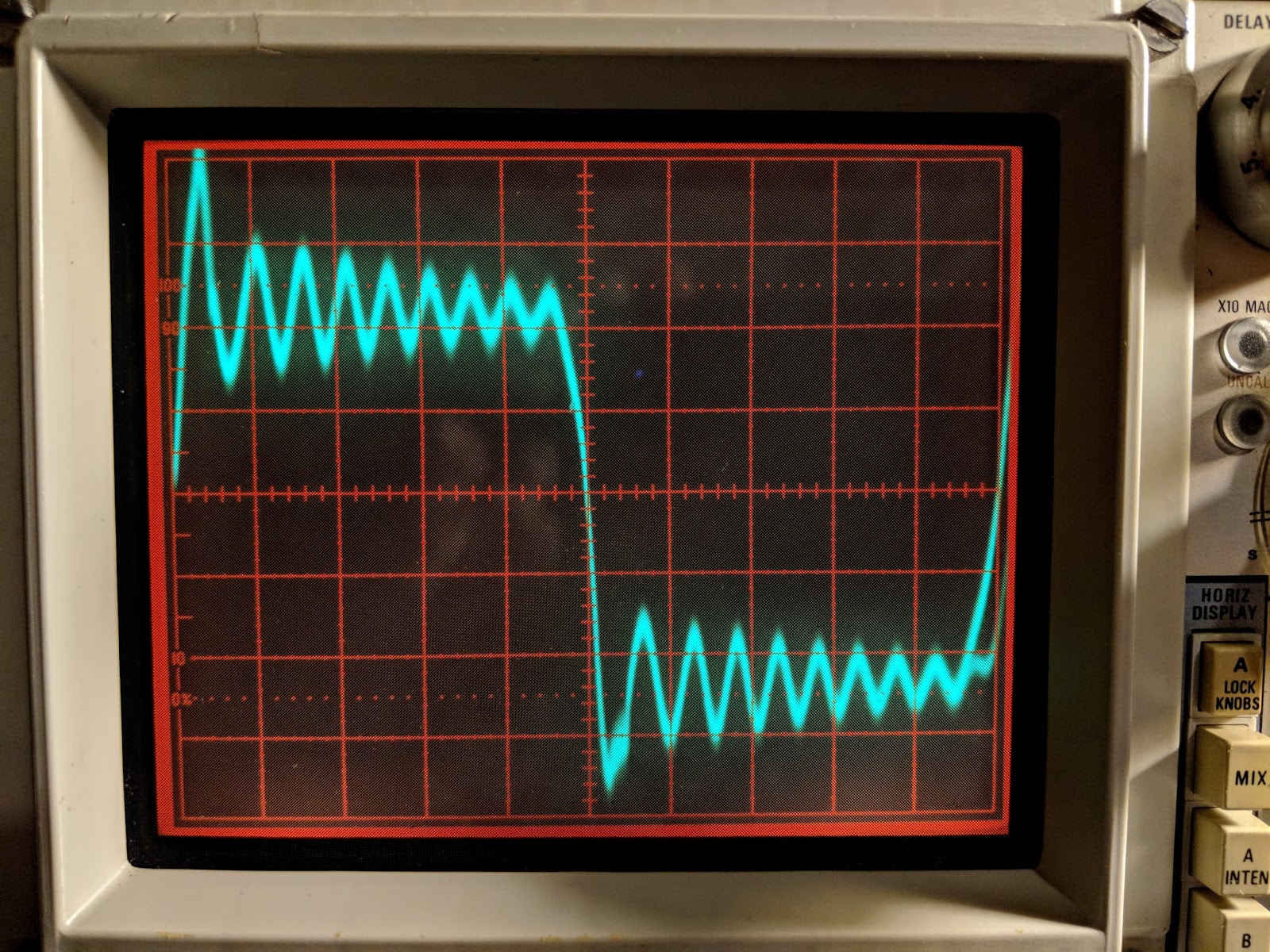 |
| Yea, square wave.... not so much |
The square wave is bad but sine and triangle waves look good until the frequency get's near the top of the range or the amplitude is raised too high.  |
| Sine Waves look good |
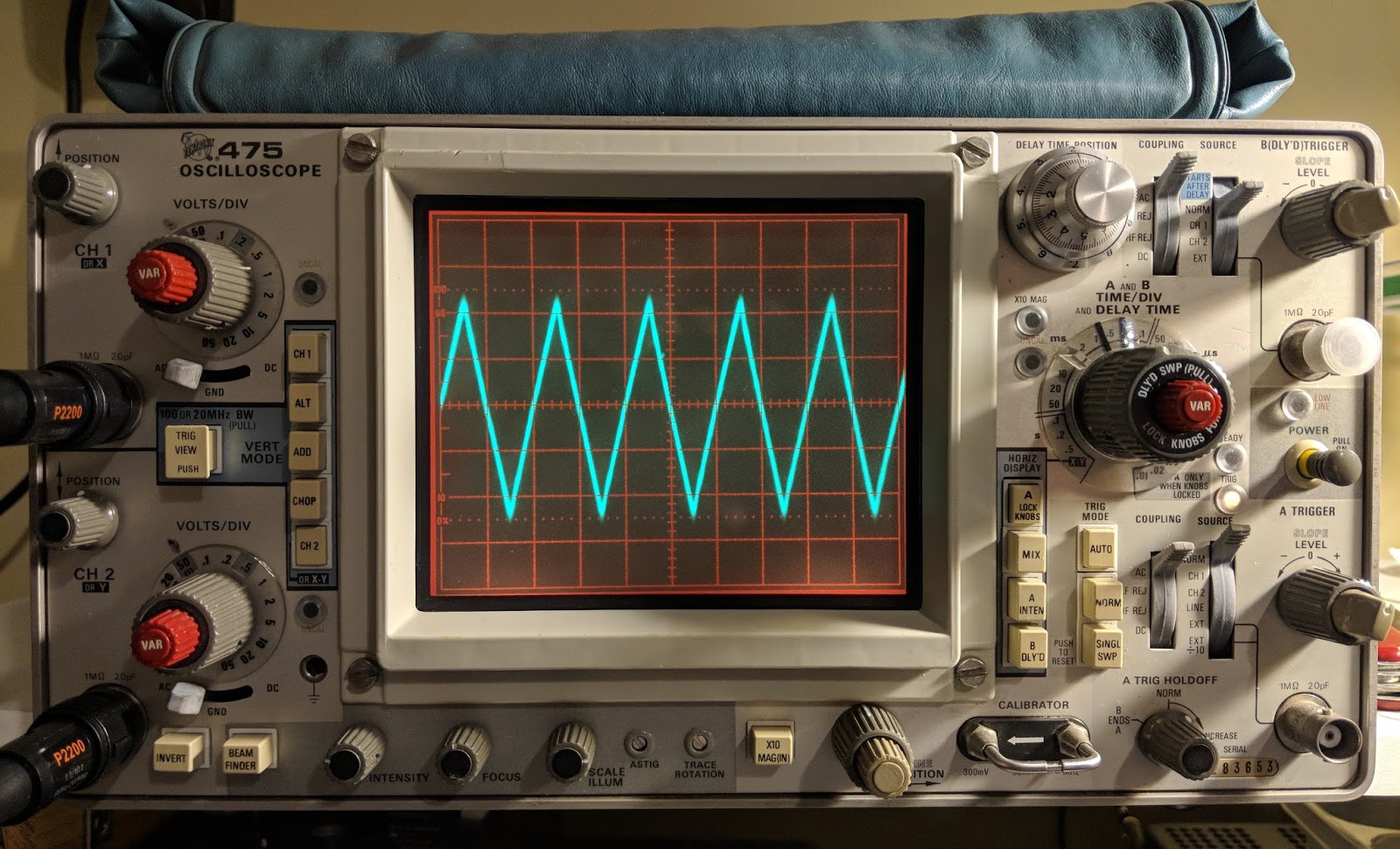 |
| Triangle waves are on as well until you go up in frequency |
The free app is inadequate for bench testing
While I appreciate that this would be a useful, portable signal generator for testing audio circuits, I'll be ordering a purpose-built function generator because generating clean square waves is an important test signal to be clean. I also will need a generator that works above audio frequencies, hopefully up the the IF frequencies of the some of the equipment I'm testing.
Only the beginning
Having an oscilloscope is a new adventure for me. I have another 1-watter kit ready to build that I've been holding off on because I wanted a scope for troubleshooting. In the meantime I'm using the scope to watch transistors trigger and measure the timing circuits I'm building and learning how to control the scope. The Tektronix 475 is a feature-rich analog scope. If you plan to fix your own equipment or do some homebrew electronics work a scope can come in handy.
That's all for now
Sow lower your power and sample it with a scope
72/73
Richard AA4OO
Feeling gassy
Ionization is a beautiful thing
A reader asked me to video the pulsing of the OA2 voltage regulator tube in action.
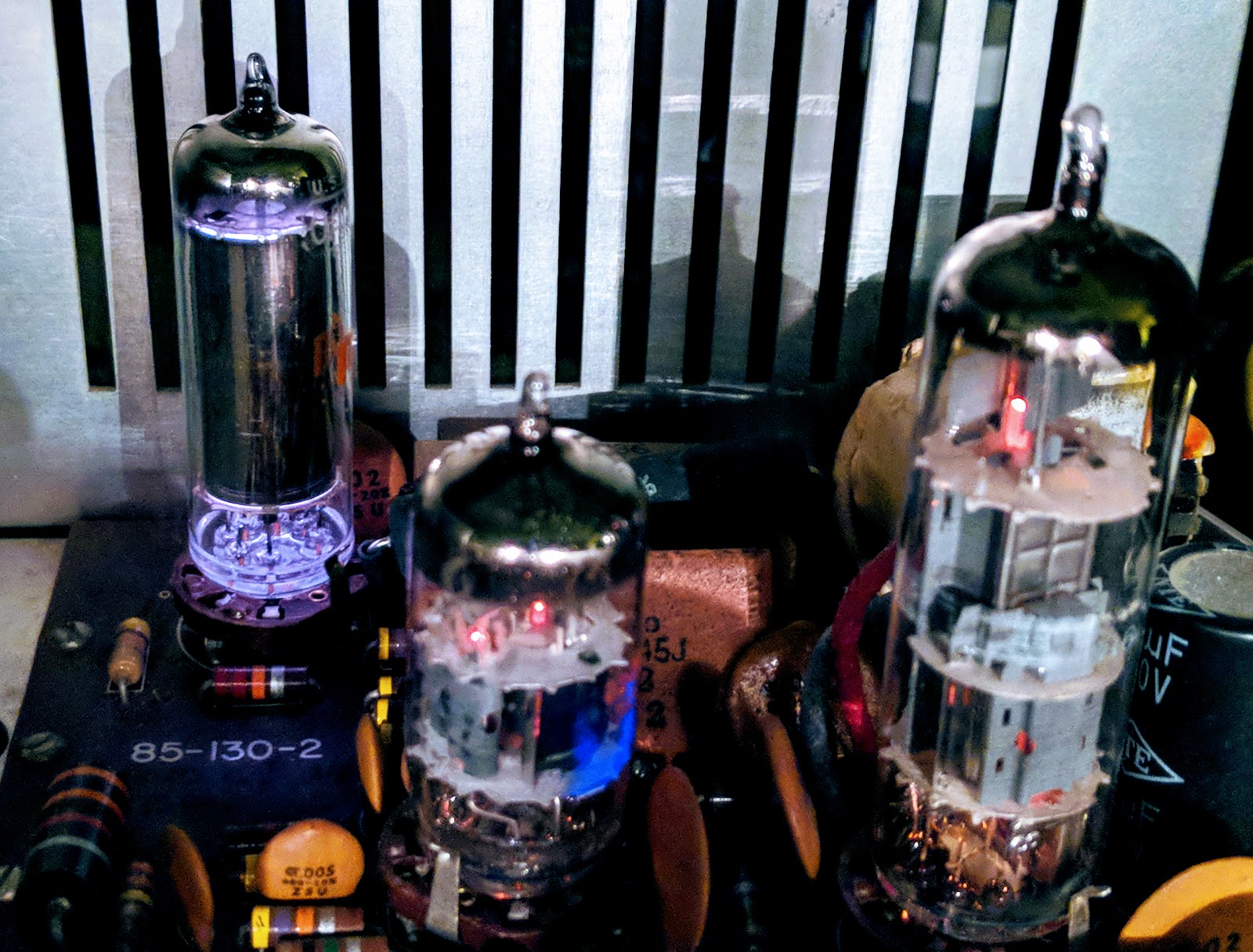 |
| OA2 VR tube glowing beautifully in back corner |
I turned the room lights down to capture the OA2 in its glowing gas glory and noticed a problem with the V15 6EA8 tube that creates the sidetone oscillation and Vox control. A patch inside was glowing a brilliant violet color when the CW switch was engaged. Glowing gas inside a gas filled tube is pretty but glowing gas inside a vacuum tube is a no-no. I've noticed my sidetone volume (which is unadjustable) going a bit soft over the past week and now I understand why. The vacuum tube has developed a leak and has "air" inside. That "air" is mostly nitrogen which ionizes with this brilliant violet color.
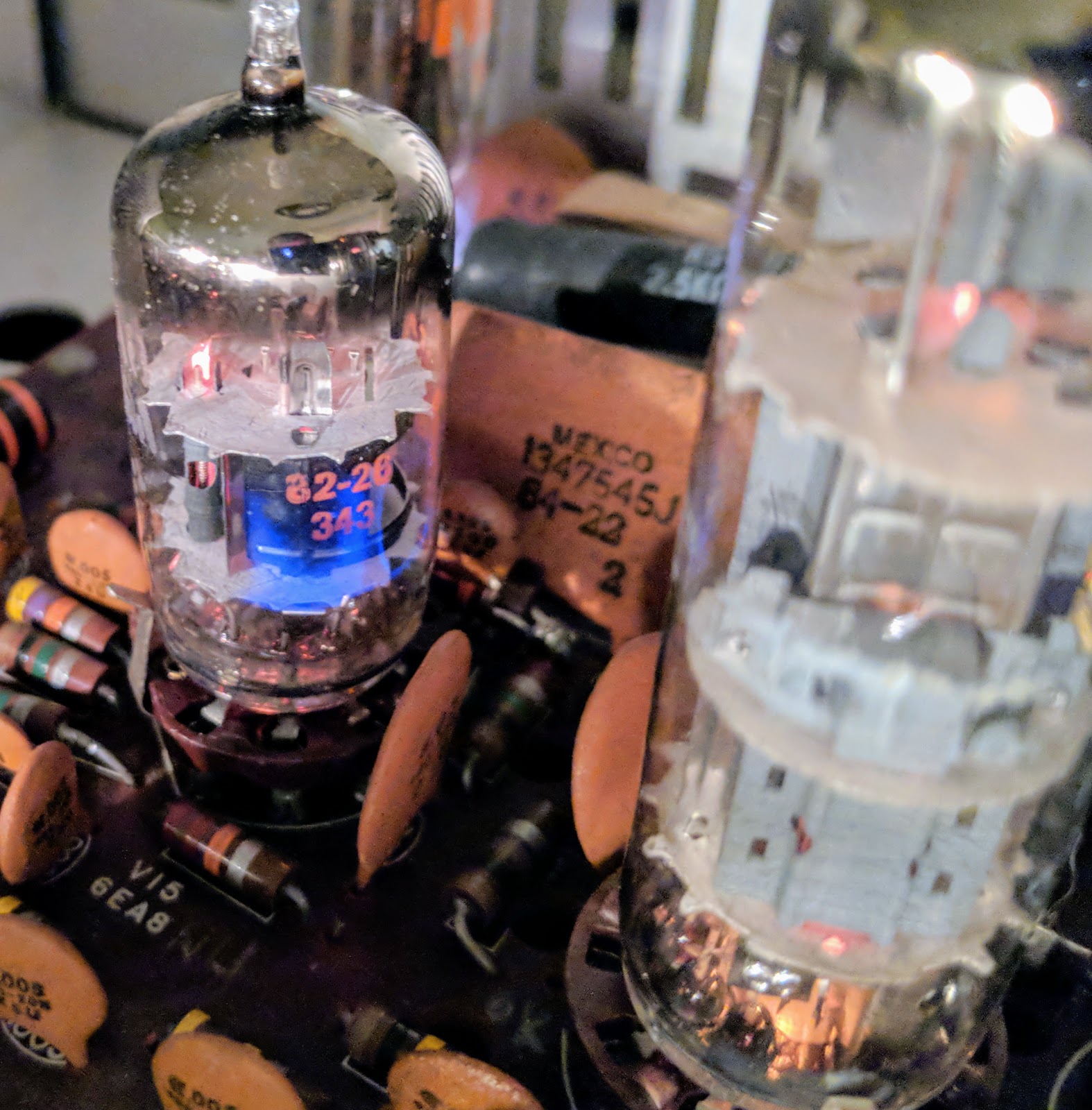 |
| Tbis 6EA8 should not be glowing violet |
Lots of flatulent tubes
After I saw that I started looking and noticed I also have an 12AX7 beginning to go gassy as well so I ordered some new tubes from www.findatube.com
So let's keep the gases where they belong.
Solved a bit of a mystery tonight
I had a problem that I've just tracked down. Most boat anchor guys would probably already have known how to solve this but it a new discovery for me.
My audio was occasionally scratchy with a bit of popping. Sometimes when working CW the other stations signal would jump around slightly in frequency, like 20Hz - 50Hz.
I'd already re-seated most of the tubes, re-tightened screws, DeOxit'd switches, etc.
Then I noticed that V1's tube shield was not bonded to the tube socket finger thingy (sorry don't know what it's called). The other tube shields were soldered and I hadn't noticed that this tube shield was new and looking at the socket spring thing appears it had never been soldered. After pulling that tube and its shield I scraped the paint from the shield where the socket spring presses onto it and cleaned the socket spring as well. Apparently those tubes leak RF and the tube shields catch the stray signals and send them to ground. Without proper bonding the tube is spraying RF around.
That turned out the be the problem, now all is good. Received signals are rock steady and the audio is very clean.
 |
| Tube shield needed to be grounded to the socket spring |
This problem had been periodic and was driving me a little nuts. I'd read that grounding the tube shields was important but somehow I'd missed that this shield was not properly bonded to the finger thingy.
On the positive side, I am growing a tube collection by purchasing replacements that are not needed :)
That's all for now
So lower your atmospheric pressure and raise your B+ voltage
Richard AA4OO
Voltage regulation, tube style
High voltage indeed
The Meter on my Heathkit HW 101 stopped displaying ALC (dropped down to the negative stop). So, I opened up the old rig to have a look. I found that the B+ voltage was reading 33 volts higher at one of the test points than it should. Ultimately that voltage didn't turn out to be the problem with the alc meter instead the meter switch had become dirty and needed to be cleaned. But in the process it got me to studying the way voltage is regulated in the Heathkit and I learned a bit about voltage regulation tubes like the OA2 used by Heathkit.
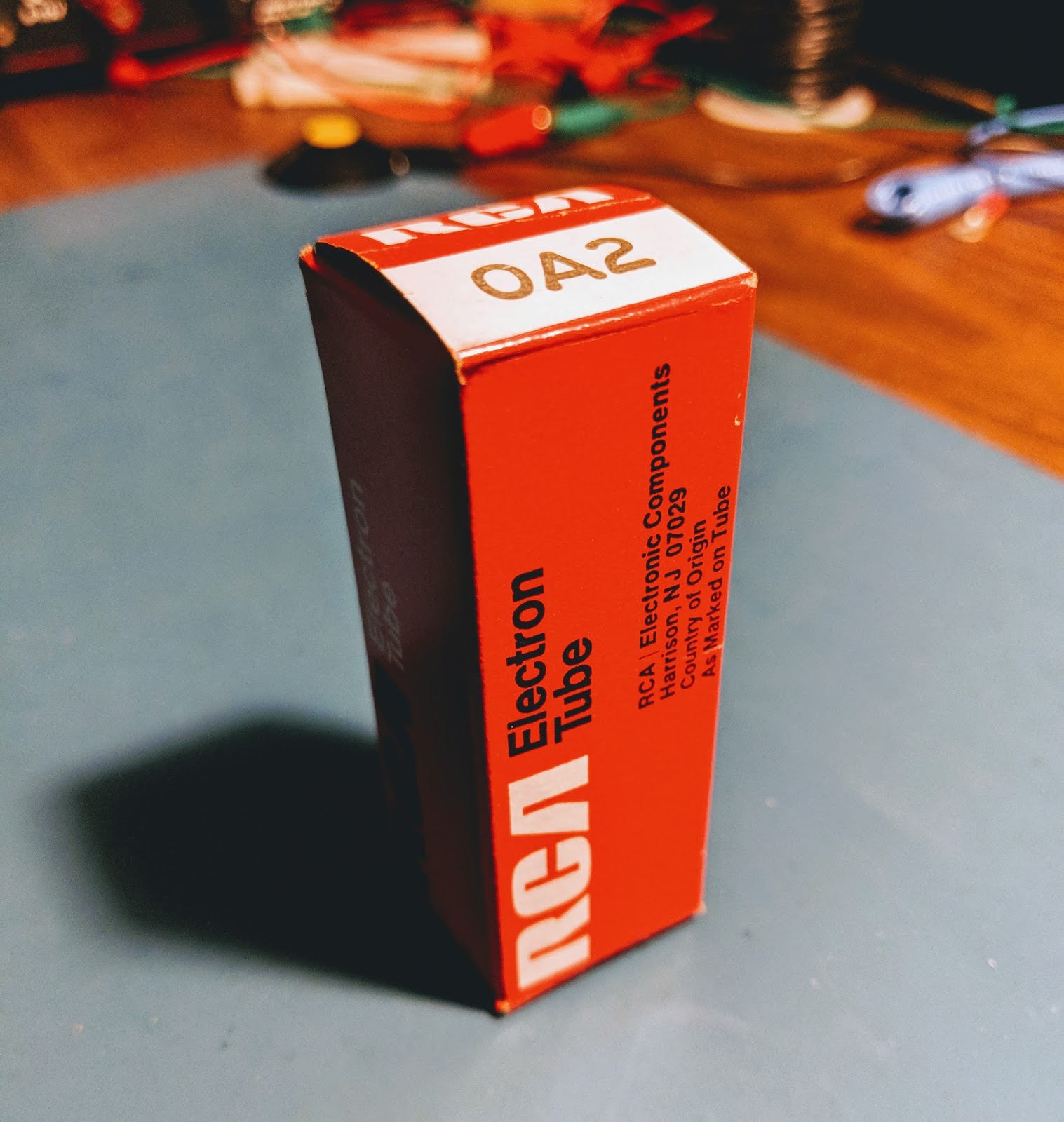 |
| OA2 tube |
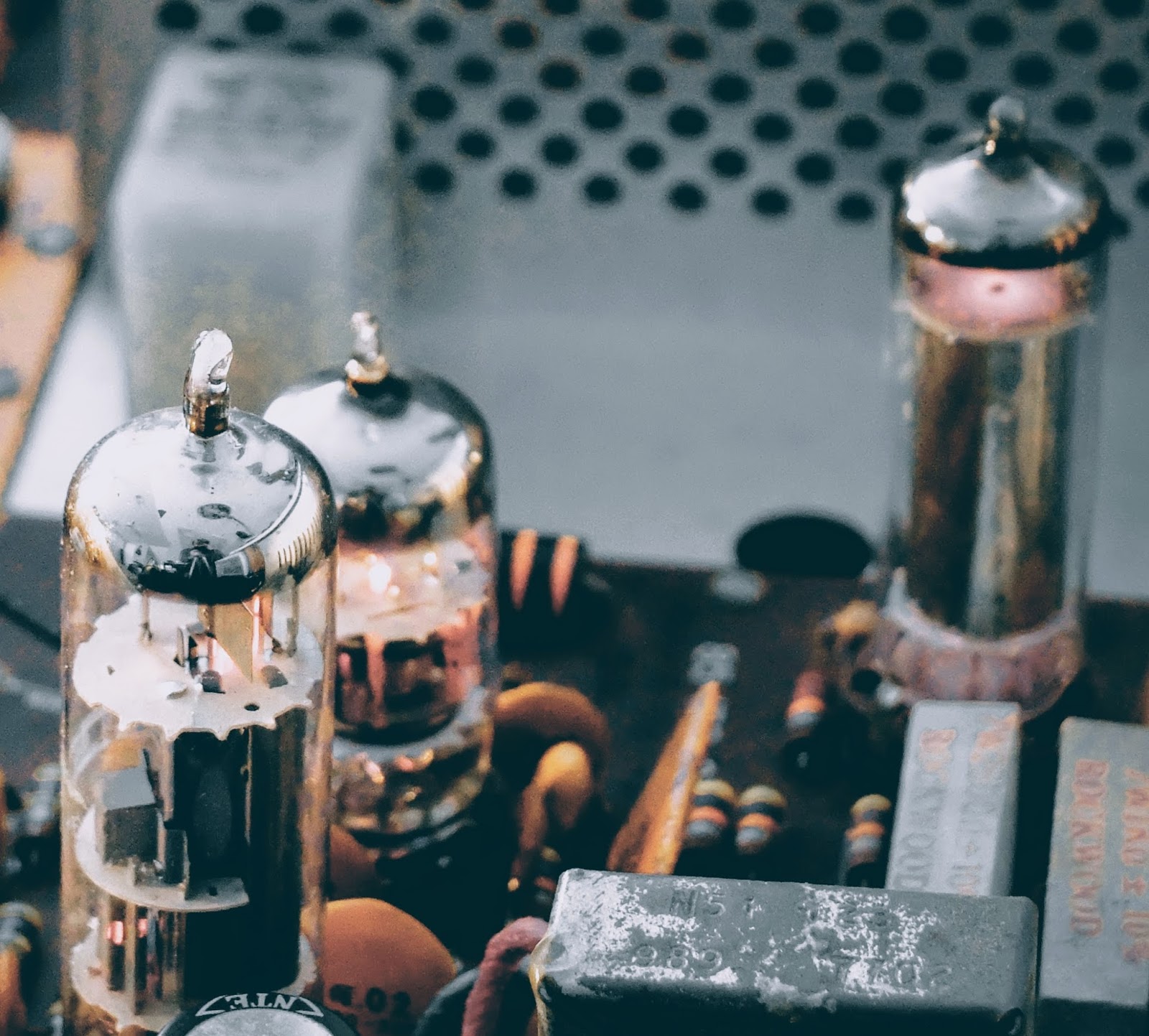 |
| OA2 in action at the right rear of the Audio board, notice the glowing gas inside |
More Glow...
The OA 2 is actually not a vacuum tube it contains a gas that ionizes and in the process of ionization acts as a voltage regulator. In a vacuum tube, if you see glowing gas inside the tube that means it's leaking and has become "gassy", that's a bad thing. In the case of a gas filled tube like an OA2 you expect to see glowing gas and if you do not, then there's a problem.
In this case The OA2 regulates voltage to 150 volts and current is limited by the two high-wattage resistors connected in circuit to that tube (seen beside the OA2 in the photo above). Those resistors are dissipating a lot of heat. I measured over 300F degrees with my IR temperature gauge (ouch).
I emailed one of the members of my local club, Joe WA4GIR to ask about tube testing and he sent me the following, which he gave me permission to post:
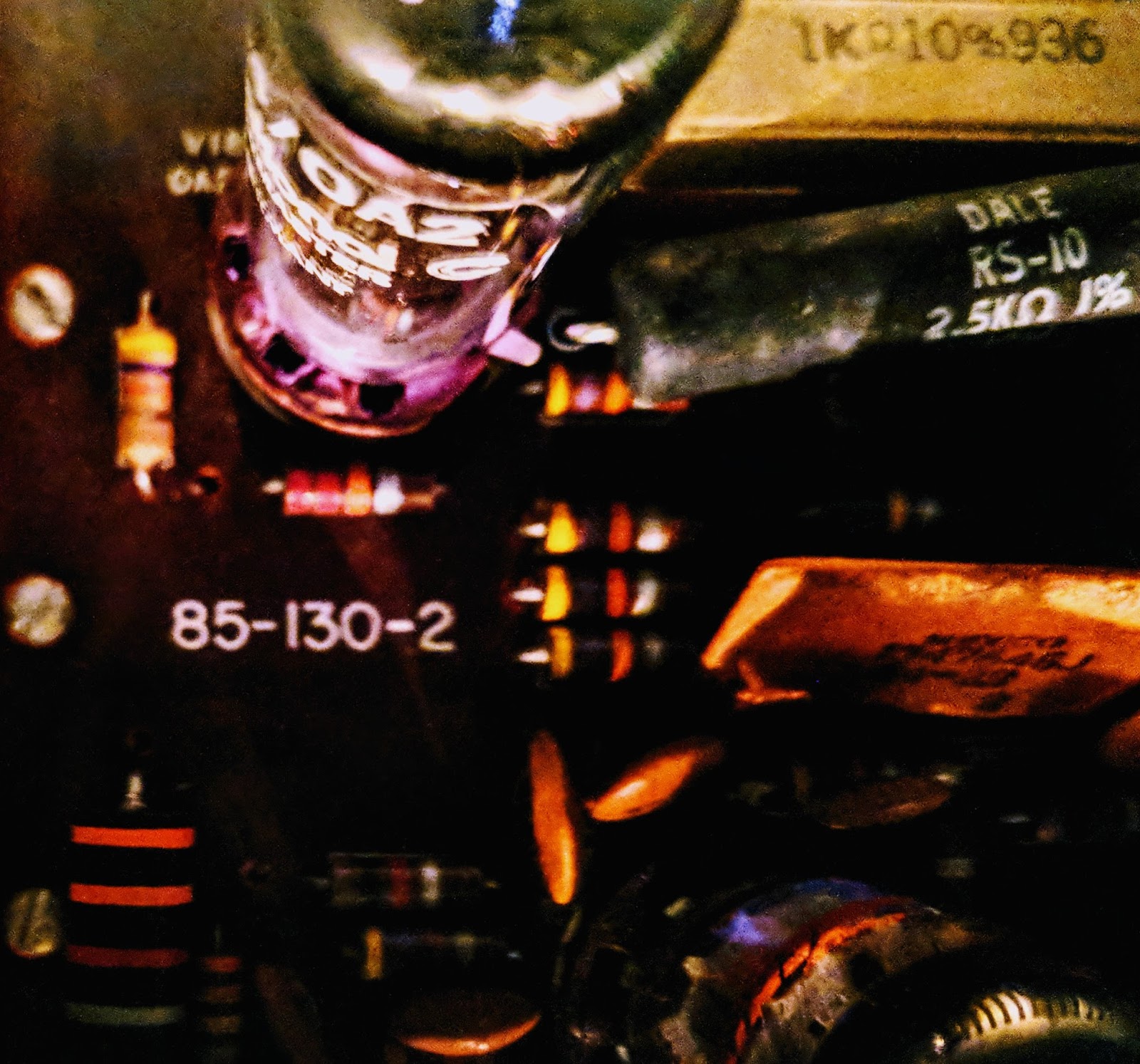 |
| Look at the pretty violet glowing gas in the OA2 |
The OA 2 is actually not a vacuum tube it contains a gas that ionizes and in the process of ionization acts as a voltage regulator. In a vacuum tube, if you see glowing gas inside the tube that means it's leaking and has become "gassy", that's a bad thing. In the case of a gas filled tube like an OA2 you expect to see glowing gas and if you do not, then there's a problem.
In this case The OA2 regulates voltage to 150 volts and current is limited by the two high-wattage resistors connected in circuit to that tube (seen beside the OA2 in the photo above). Those resistors are dissipating a lot of heat. I measured over 300F degrees with my IR temperature gauge (ouch).
Tube Testing without a tube tester?
The lack of a tube tester is not a limitation. You can tell a lot about a tube test by looking at the voltages in the circuit. If the filament goes out, the tube is dark and does not conduct. That one is pretty obvious. If the tube cathode loses it's ability to emit electrons, the voltages dropped across the cathode resistor and any resistors in the plate or screen grid circuits will change (the voltage drops across those resistances will drop). A good tube tester will measure the ability of the tube to vary the plate current for changes in grid voltage, and you can see this with a scope by looking at the AC voltages on those elements, at least for the audio circuitry. Probably not so much for the RF circuits as you are affecting the circuit when you probe it. The best way to check for a suspect tube is to replace it with another. I have 0A2's new in the box. I may have the other tubes pulled from radios but it takes longer to look through those as sometimes the numbers are hard to read. Hint. to bring out a faded number, rub it on the hair on the back of your neck-- better if it's oily.A lot of resistors in old tube-type radios were 20% tolerance so don't expect the voltages to be that precise. Tube rigs had much more variability than modern solid state circuits. For the unregulated voltages, the precise voltage will depend component tolerances, tube health, and line voltage. The line voltage here is about 125 when where I lived in Raleigh it was around 110. You can do the percentages but that alone will account for some of the variation you might see. I don't think that any of your tubes were damaged by overvoltage. If they are drawing too much current, they will get hot, and in severe cases, the plates will glow red. That's a concern. Much less than that, the life might be reduced but I don't think you will see any short term effect. When I've run tubes too hot, you might see signs of the tube going gassy, which is indicated by a blue low in the space inside the tube that is supposed to be a vacuum.If you want to see the plates of a tube glow red, operate the final mistuned so it is drawing too much current. They will glow red, haha.The voltages out of the 0A2 are different -- they should be held pretty closely to 150V. I don't know the exact tolerance. It might be a few percent. So in your radio, 150V supply and any that are derived from it are the only ones that would have a tighter tolerance. The 0A2 has an operating current range of 5 to 30ma, and an operating voltage of 150V. The supply voltage should be at least 185V to get the tube to "fire" but once "on", the voltage feeding will drop to the 150V level and be regulated there by the action of the tube which causes the voltage drop across to change (like zener diode regulators). The regulation comes from the fact that a very small increase in the voltage across the tube results in a significant increase in the current so the resistor values are chosen so that the current through the tube remain in the 5 to 30ma range as the input voltage and the current draw of the regulated circuits varies for whatever reason. Remember the current draw when you first turn on the rig will be low because the tubes don't conduct until the cathode gets heated so the designer must account for that in the selection of the input resistors to that circuit.
More to learn about hollow state
As a young-ish ham I certainly have a lot to learn about old tube radios but I'm enjoying the journey. Just the thought of transistors operating by thermionic emission, tossing their electrons across empty space, being attracted to a plate with more positive voltage is fascinating to contemplate.
That's all for now
So lower your power... or at least regulate it with a OA2... and raise your expectations
73
Richard, AA4OO