Author Archive
 SDR-Radio and Omni-Rig
 January 5th, 2013 |
  Author:
 Yesterday I thought I would set up my Cross Country Wireless SDR-4+ receiver to use for IBP beacon monitoring using Faros. The purpose of this was mainly to reduce the wear and tear on my Elecraft K3 which otherise would have to be on 24 hours a day.
I established that Simon Brown’s SDR-Radio software supported external program control by emulating a Kenwood transceiver. I therefore needed to see if SDR-Radio could be controlled using Omni-Rig, the control mechanism used by Faros.
 |
| SDR-Radio supports CAT control using a virtual serial port. |
I created a linked pair of virtual serial ports, COM8 and COM9, using VSPE, a virtual serial port emulator. Using the serial ports option of SDR-Radio, I assigned the control port to COM8. Then I used a serial port emulator connected to COM9 (I use RealTerm) to verify that SDR-Radio ‘spoke’ Kenwood. It did. In fact it emulated the Kenwood protocol well enough to fool KComm into thinking it was talking to an Elecraft K2. So far so good.
Now to see if Omni-Rig could control SDR-Radio. Omni-Rig uses “rig files” to define the command set of different radios and it includes one for generic Kenwood. Unfortunately it did not work with SDR-Radio: the receiver indicator of Faros turned red to indicate a fault.
I downloaded the rig file documentation and debug tools from Omni-Rig’s site and tried hacking the Kenwood rig file to get it to work with Omni-Rig by trial and error. But no luck. Whatever I did, the program reported an error with the inscrutable message: “RIG1 Status commands already in queue”.
 |
| Error messages reported by Omni-Rig |
So it looks as if I’ve hit a brick wall. Clearly there is something in SDR-Radio’s emulation of the Kenwood protocol that Omni-Rig doesn’t like. If anyone else would like to have a go solving this problem, be my guest.
Tecsun PL-360
 |
| Tecsun PL-360 |
The only item of radio equipment in my Christmas stocking this year was a Tecsun PL-360 FM/MW/SW DSP receiver. These smartly-styled radios in black or silver are widely available on eBay for less than £30 including postage from China. The radio looks and feels a much better quality item than you might expect at that price.
The PL-360 covers medium wave, Band 2 FM (with stereo decoder) and 13 short wave bands from 2300 to 21950 kHz. Unlike most cheap short wave radios that have a frequency counter displaying the frequency of an analogue VFO, the Tecsun PL-360 is a true digital radio having a fully synthesized PLL VFO.
The Tecsun is also a digital radio in that it is DSP based not the usual superhet. The benefits are immediately apparent when you listen to the radio – it has that clear, open sound characteristic of DSP receivers. The internal speaker does not deliver much bass but you really hear the difference, especially listening to FM stereo, when using earphones, of which a Walkman-style pair are included.
For AM use Tecsun supplies a rotatable ferrite rod antenna that plugs in to the top of the radio. This can be used over a frequency range of 150 to 1710 kHZ, though note well that this radio does not have a long wave band. The 7-section telescopic whip antenna is 38cm (15in) long and is used on the short wave and FM bands.
 |
| Showing the rotatable MW antenna |
The tuning control is a click-stopped rotary encoder which tunes the radio in 1 kHz steps on short wave and 9 or 10 kHz steps on medium wave. The radio can be tuned outside the broadcast bands but this is rather a tedious exercise due to the 1 kHz steps – there is no provision for direct frequency entry using a keypad. The Tecsun PL-360 does not demodulate CW or SSB so there is not much point in tuning into the amateur HF bands – a pity, though that is not unexpected at this price level.
For tuning the Tecsun has a neat trick inherited from TV receivers. Called Easy Tuning Mode (ETM) the radio first tunes the entire MW, SW or FM frequency range and stores all the frequencies on which a signal was heard in memory. You can then tune from one signal to the next using the click-stopped tuning control. This makes short wave listening really easy and pleasurable. Doing an ETM scan of the short wave bands takes a few minutes. The feature is a useful tool for checking out HF propagation, though it’s a pity the tuning range stops at 22 MHz.
Power is provided by 3 x AA cells which may be standard alkaline or NiMH rechargeable (not supplied.). A charging circuit is built-in and power may be applied using a mini-USB socket on the side, so you can charge the batteries from a PC (using an appropriate USB cable) or a mobile phone charger. A charger is not included, but you do get a long wire antenna that clips on to the top of the telescopic whip for improved short wave reception, and a nice faux-leather case.
As an alternative to the Easy Tuning Mode the receiver may be tuned manually and frequencies entered into memories, but as mentioned earlier this is quite tedious. There is no programming software that would enable memories to be set up using a computer. There is a built-in clock which is quite accurate and includes an alarm function. The radio also has a temperature sensor and displays both temperature and time even when switched off.
To sum up, the Tecsun PL-360 is a portable radio of surprisingly good quality and performance for the money. Its Easy Tuning Mode makes casual listening a pleasure, the audio quality is excellent and the provision for rechargeable batteries is welcome. At less than £30 it is a real bargain.
Airborne!
I told Tim, G4VXE, about the trouble I was having getting a USB TV dongle to work as a VHF/UHF SDR and he emailed me a couple of files. One of those was an installation script which I suspect is the same one mentioned in the article “Cheap and Easy SDR” in the January 2013 QST which a couple of people mentioned. I had read this article at least twice and then forgotten all about it, which is a shame as it would probably have saved me several hours of abortive messing about.
I ran the script once and it seemed to work but I still could not get anything out of my ezcap dongle. I then used MagiCure to turn back the clock a few days to before I started messing about, and then ran the script again. This time it worked. I ran SDR# and it appeared to be working. I set the frequency to somewhere in the FM broadcast band and within a couple of minutes I was listening to Classic FM on 99.9MHz in stereo.
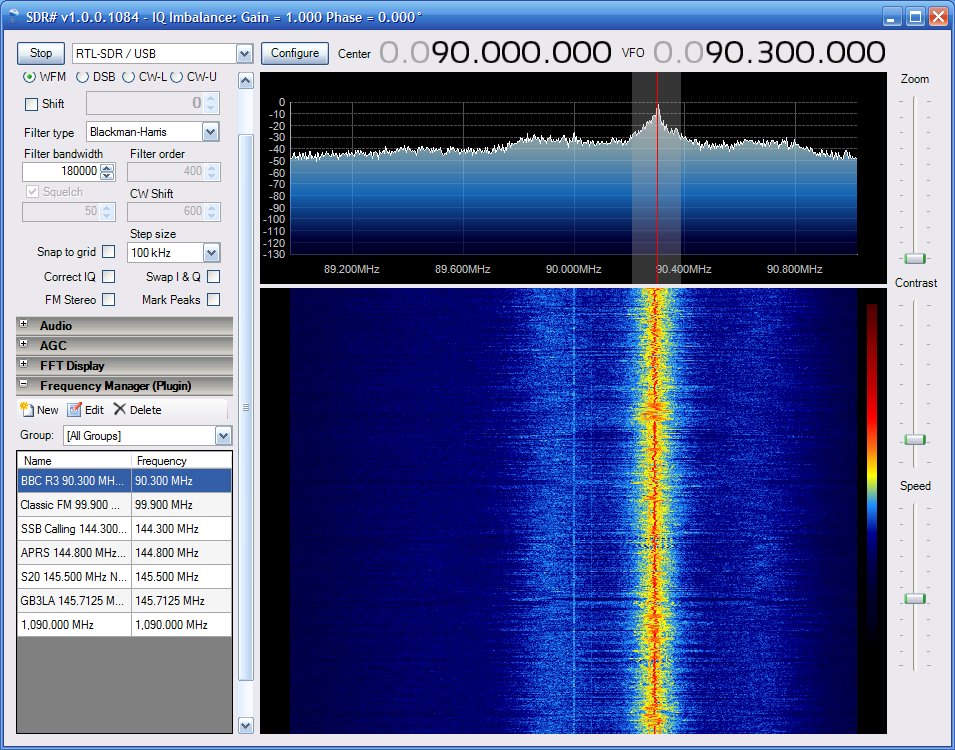 |
| SDR# receiving BBC Radio 3 in the FM broadcast band |
This was all very good, but I have any number of radios able to receive FM radio. I wanted to try receiving ADS-B aircraft beacons. But although both ADSB# and RTL1090 (ADS-B decoders) seemed to work (i.e. didn’t display any error messages) they were not decoding any data. I used SDR# to monitor 1090MHz, the ADS-B frequency, and I could not see or hear any signals, though I have no idea what they are supposed to sound like.
I decided to reinstall the second dongle which had worked as a TV receiver. Then, on a whim, I thought I would try running SDR# to see if it would connect with the other dongle. To my great surprise, it did. What’s more, it seemed much livelier (more sensitive) than the ezcap dongle. I tried both RTL1090 and ADSB#. Both worked and immediately started decoding packets! I started up ADSBScope and within a few seconds aircraft began to appear on the screen!
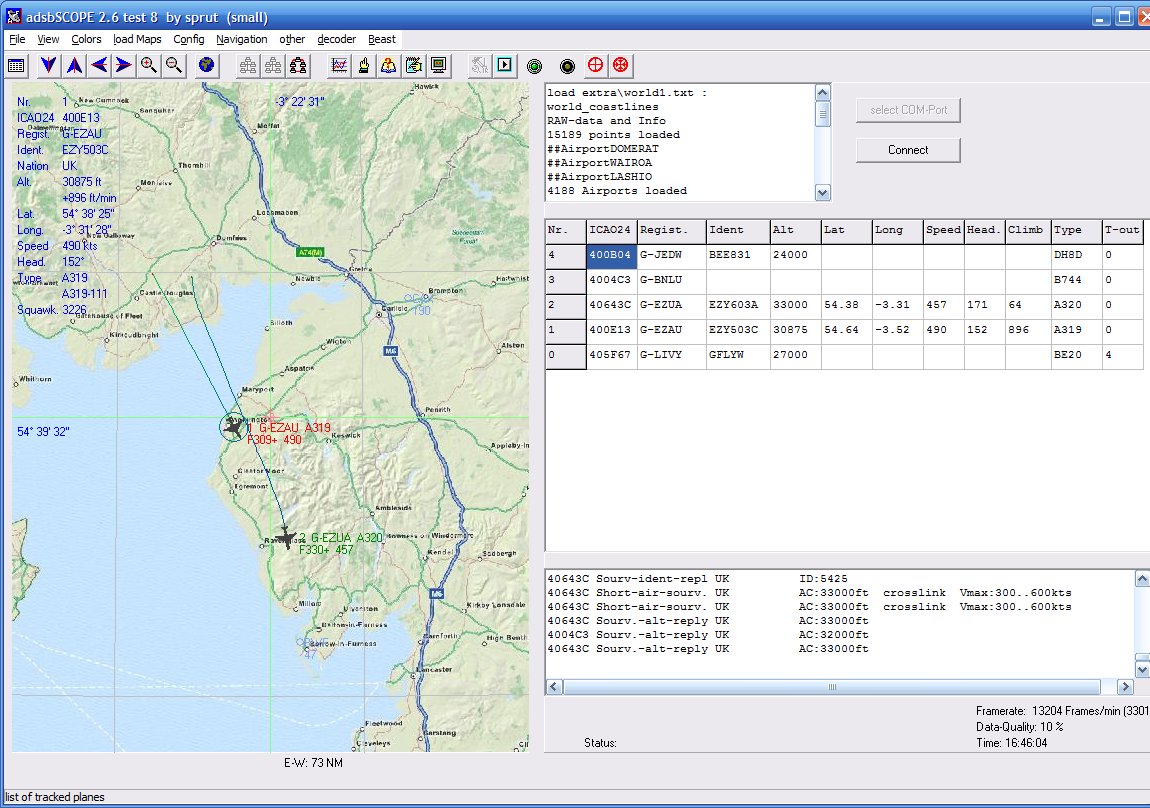 |
| ADSBScope plotting aircraft overhead at G4ILO |
After a while I got cocky and decided to see if there were any other free aircraft-plotting applications I could try, so I downloaded VirtualRadar. After a bit of trial and error I found the right settings to connect with ADSB# and I was soon seeing the aircraft passing overhead plotted on a Google map.
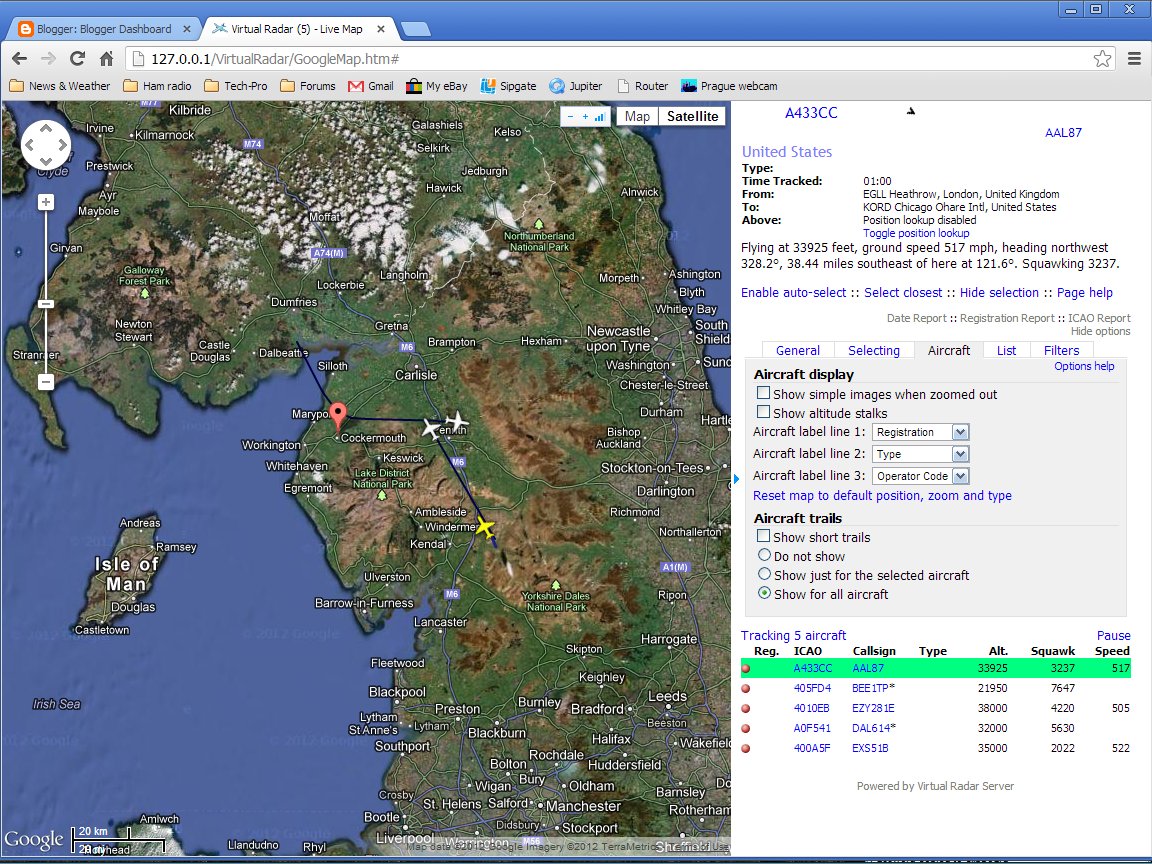 |
| VirtualRadar plotting aircraft overgead at G4ILO |
Strangely enough, both RTL1090 and ADSB# think they are talking to the ezcap dongle! Not surprising I suppose as I have not installed any other drivers. It would be nice to be able to use the equipment as a TV receiver as well but I suspect that would break everything! I should probably quit while I am still ahead.
Both ADSBScope and VirtualRadar are nice applications, and I couldn’t say one is better than the other. VirtualRadar runs as a web server and you have to point a web browser at it to see the display. It shows more information such as the starting and destination locations of many aircraft, which is interesting. But curiously VirtualRadar does not display aircraft callsigns (like G-ADSB) while ADSBScope does.
This is looking to be an academic question as this morning ADSBScope has decided to stop working. It won’t talk to either RTL1090 or ADSB# but complains repeatedly about a “comm error.” Ah well, at least VirtualRadar and SDR# are still working.
Grounded
I hope all of you had a very good Christmas. I was not very well a couple of days before the holiday. Nothing to do with my cancer, I’m glad to say, but possibly a result of all the treatment for it. I’m feeling a lot better now, but have got to have more tests and may have to go into hospital for removal of gallstones or kidney stones – I’m not sure which as I’ve been told I have gallstones but I have had some sharp pain in the kidney area. As a consequence of this I haven’t felt much like getting up at a reasonable hour to start the beacon monitor or HF APRS gateway.
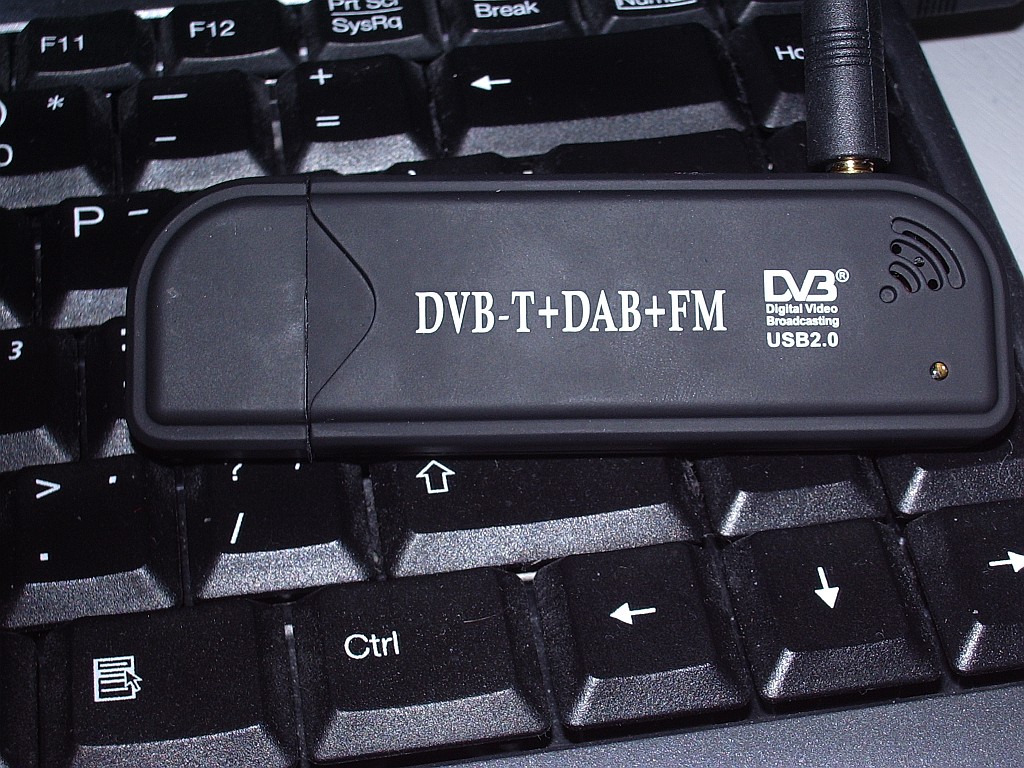 |
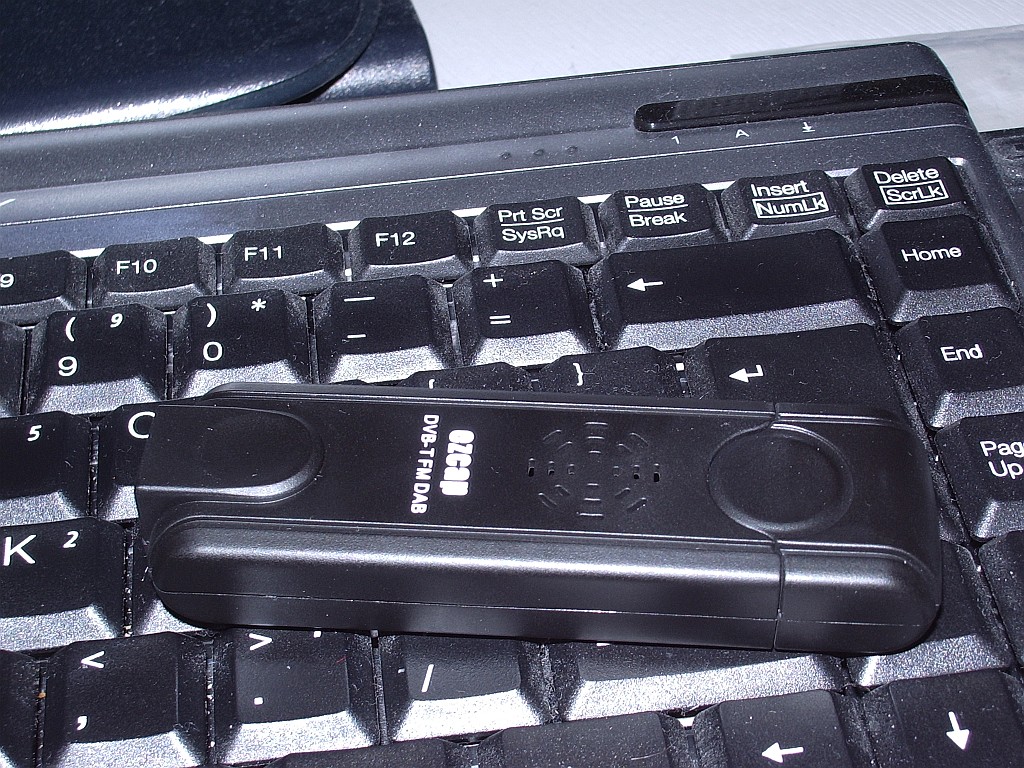
| Creative Design New FM+DAB USB DVB-T RTL2832U+R820T |
Before Christmas my interest was piqued by Tim G4VXE’s adventures using cheap digital TV dongles as receivers for, amongst other things, aircraft spotting. The first dongle I ordered was described as a Creative Design New FM+DAB USB DVB-T RTL2832U+R820T with antenna, and cost just over six quid!
 |
| EZCAP eztv645 RTL2832U / FC0013 USB DVB-T Digital TV Dongle |
After a bit more reading up on the subject I began to doubt that this would be compatible with the software everyone was using so I ordered a second one, described as an EZCAP eztv645 RTL2832U / FC0013 USB DVB-T Digital TV Dongle for WIN7 LINUX SDR which was a massive £8.68 including postage from Hong Kong.
Both arrived yesterday. I tried the ezcap first, but my shack PC didn’t like the mini-disc that came with it so I was unable to test it as a TV receiver. Following the instructions for the aircraft decoders I installed the driver using zadig_xp, then downloaded and ran rtl1090 which is a decoder for the ADSB packets. This seemed to work – no error messages appeared – but nothing else happened. To display the aircraft data that I hoped to receive I downloaded ADSBScope and installed it. I then spent a lot of time trying various options to connect ADSBScope with rtl1090 but got nowhere. I also tried SDRSharp in the hope that I could use the dongle as a VHF/UHF SDR, and ADSBSharp as an alterntive to rtl1090. But neither of them received anything.
After a while I gave up, disappointed. I then installed the Creative Design dongle and its software. A scan for channels found about 55 TV channels with its quarter wave antenna hung in the window. So it was obviously working. Just not with any of the SDR or ADSB software, as I had suspected.
This morning I tried installing the ezcap software CD that my shack PC couldn’t read on another computer. The software installed perfectly on this laptop so I plugged in the dongle and hung the antenna in the window. The software scanned for channels and found precisely nothing. I think this proves conclusively that I have a duff ezcap dongle. Ah, eBay!
Winter blues
I like Christmas, but with that sole exception I hate this time of year. The short days, when it’s dark at breakfast time, dark at tea time, and in between the sun struggles to reach an elevation where it can be seen over the tops of neighbouring houses.
It’s not just the daylight the sun fails to make much impact on. There’s next to no propagation on any of the higher HF bands. I believe that LF band enthusiasts have their best time at this time of year. But I have never been lucky enough to have an antenna for the LF bands. My attic multiband dipole will work on 80 metres but it is shortened so much that the usable bandwidth is barely 60kHz. It is really only usable on the QRP CW frequency and the PSK31 operating frequencies.
Yesterday I thought I would try some digital work on the 30m band. I couldn’t hear any PSK31 at first but I did hear some JT65 so I thought I would try that. I made three QSOs including one with N4ABN which I thought was quite good nfor mid-morning. The trouble with JT65 is that I find it difficult to maintain concentration. It’s 50 seconds before anything is decoded, and during that time my mind has drifted off and I have missed the moment when I should have responded.
Just as an aside, I noticed a quirk with the JT65-HF software. I don’t use CAT control of my K3 (never could get it to work) so I have to set the frequency of the radio and the software manually. But whenever I did this, after a few seconds the frequency would reset itself to 0. I happened to notice that the frequency was being displayed with a comma as the decimal separator. I had left the PC configured like that after testing the fix for the problem with KComm. On a hunch, I reset the separator to a dot (period) and lo and behold the frequency stayed as I set it. I’m surprised that no-one seems to have spotted this but at least we know now how to fix it.
After making a bit of a meal of three JT65 QSOs I decided to switch to PSK31. Although it is not such a good mode for DX, if proof were needed, there were 3 or 4 spots of me on JT65A in the USA but my PSK31 at slightly higher power never penetrated beyond Western Europe.
I do find PSK31 a more rewarding mode to operate, though, because you do usually find out something about the other operator or his station. Having said that, has anyone noticed a trend towards shorter QSOs in PSK31? Quite often now it’s name, report, qth, locator and goodbye. Whilst I can’t say I miss knowing the make and model of the operator’s computer and the colour of the interface cable, I do like to know what power they are running and what antenna they are using.
The accidental QRPer
HF band conditions are not all that good at the moment. I was on 20m (in itself an indication that conditions on the higher bands are poor) and tried to call a couple of US stations but all I got was QRZ? I heard Jarda OK1DMZ calling CQ and he was a strong signal so I replied. Back came a 599 report. It was only when I sent the station details and sent my power that I realized I had it set to 5 watts!
I’ve lost count of the times I’ve found myself accidentally operating QRP because the rig was set to 5 watts after having been WSPRing at that power level. In better conditions I’ve made several contacts before realizing my mistake, which just shows that QRP does not always result in having a weak signal. But when conditions are like they are at the moment, power helps!
What’s up with CS3B?
Looking at my IBP beacon monitor pages over the last couple of days I have noticed an odd thing. I am not receiving the Madeira beacon CS3B on 17m at all.
 |
| Extract from G4ILO beacon observations |
Either my multiband dipole has a very sharp null in that direction (which I think is unlikely as an indoor antenna probably receives enough reflections not to have any sharp nulls) or the beacon isn’t transmitting any signal on that frequency.
A quick check around other beacon monitor pages and I can’t see any spots of CS3B on 17m at all. Should I tell someone?













