Posts Tagged ‘Software’
 Another Doh! moment
 January 16th, 2013 |
  Author:
I have found the solution to a problem that had been bugging me for ages: Omni-Rig did not work with JT65-HF. It was not a major bother for me as it could be worked around by the simple expedient of setting the frequency manually. But after an episode yesterday when I thought I was on 15m and was actually on 20m I decided to look at the issue again.
The solution turned out to be very simple and I stumbled across it by accident. You must start OmniRig before you start JT65-HF! That may seem obvious, but in fact other programs that use Omni-Rig manage to do so without it being run first. Which is why it never occurred to me to try that before. Doh!
Unfortunately the communication between the programs only works one way. JT65-HF can read the frequency from the rig using Omni-Rig but it can’t set it. As I have the JT65-HF source I took a quick look to see if I could fix the problem, but it would not be easy. A major discouragement to tinker with the source code is the fact that the newly-compiled program breaks the link between HT65-HF and JT-Alert. So I am not going to venture down that road. When it comes down to it I’d rather have my alerts than have rig control.
A virtual impossibility
If you have been following my attempts to set up beacon monitoring using a software defined radio (SDR) then you may remember that I had found that Omni-Rig, the radio control software used by Faros, the beacon monitoring software, would not talk to the virtual serial port created using VSPE in order to control the SDR-Radio software. I thought there was a problem with SDR-Radio’s emulation of the Kenwood control protocol. In fact, that turned out not to be the case at all.
A reader asked if I had tried DDUtil, a.k.a. VSP_Manager, a program by K5FR so I got hold of a copy. The instructions made my hair stand on end as it seemed very complicated. But I managed to set up a virtual port pair between COM8, the control port that SDR-Radio was using, and COM9 which would be used by Faros. VSP_Manager threw up a few error boxes but it still seemed to have done what I asked. I then tried setting up Omni-Rig. The first attempt failed, but I decided to try again as the help files actually showed VSP Manager being used with Omni-Rig and sure enough I had Faros changing bands and frequencies of SDR-Radio.
My joy was boundless, but not for long. I fell at the next hurdle which was using a Virtual Audio Cable (VAC) to pipe the audio from SDR-Radio into Faros. VAC also looked complicated to set up, but what I was attempting to do was the simplest application of it. I created a virtual audio port and set the SDR-Radio output to use it. As soon as I connected this to Faros’ input Faros began spitting out “divide by zero” message boxes so fast that I couldn’t close them quick enough to get back to the Settings window to change it back again. Another brick wall.
A separate issue was that of creating a serial port splitter to allow two applications to connect to physical port COM3 used by my Elecraft K3. VSPE could do that easily, but yesterday I discovered that WSPR would not talk to the virtual port created by VSPE. However, VSP_Manager does not seem to enable you to split a real port into a pair of virtual ones anyway, so I did not pursue this avenue any further.
If you are confused trying to follow all this you are not the only one! I have abandoned the idea of using an SDR for beacon monitoring and am breathing a sigh of relief that I never decided to go down the road of buying a Flex or other software defined transceiver. SDR will never catch on until connecting the software defined radio to logging programs or digimode software becomes as simple as plugging in a real cable.
Hamlib and virtual serial ports
Sometimes it seems as if half the posts in this blog relate to trouble with computers.
After I got back from the hospital today I thought I would try some WSPR for a change. Paul PC4T had mentioned that conditions on 80m were good. 80 is not a band I often use so I thought I’d try there. But no sooner than I had tried to change band than the software beeped rudely at me. The console window contained an error message: serial_open: Unable to open COM13 – Invalid argument.
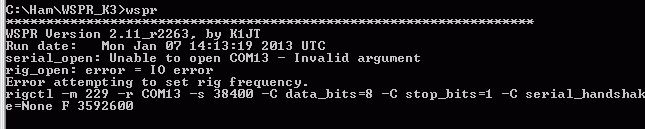
COM13 is a virtual serial port splitter on COM3 which I’d created using Eterlogic’s Virtual Serial Port Emulator, VSPE. I’ve used this utility for years to create virtual serial ports so that more than one program can open my radios’ computer control ports at the same time. I’d used one to try out CW Skimmer with KComm before Christmas. As I’d uninstalled Skimmer I removed the virtual serial port. WSPR, which does its rig control through hamlib, then opened COM3 up just fine.
That’s a temporary solution, but I haven’t given up the idea of running other ham software alongside KComm for good. I think there are other serial port splitters out there (there’s com0com which was far too complicated for me to figure out) but VSPE has always worked for me until now. Don’t you just love computers?
SDR-Radio and Omni-Rig
Yesterday I thought I would set up my Cross Country Wireless SDR-4+ receiver to use for IBP beacon monitoring using Faros. The purpose of this was mainly to reduce the wear and tear on my Elecraft K3 which otherise would have to be on 24 hours a day.
I established that Simon Brown’s SDR-Radio software supported external program control by emulating a Kenwood transceiver. I therefore needed to see if SDR-Radio could be controlled using Omni-Rig, the control mechanism used by Faros.
 |
| SDR-Radio supports CAT control using a virtual serial port. |
I created a linked pair of virtual serial ports, COM8 and COM9, using VSPE, a virtual serial port emulator. Using the serial ports option of SDR-Radio, I assigned the control port to COM8. Then I used a serial port emulator connected to COM9 (I use RealTerm) to verify that SDR-Radio ‘spoke’ Kenwood. It did. In fact it emulated the Kenwood protocol well enough to fool KComm into thinking it was talking to an Elecraft K2. So far so good.
Now to see if Omni-Rig could control SDR-Radio. Omni-Rig uses “rig files” to define the command set of different radios and it includes one for generic Kenwood. Unfortunately it did not work with SDR-Radio: the receiver indicator of Faros turned red to indicate a fault.
I downloaded the rig file documentation and debug tools from Omni-Rig’s site and tried hacking the Kenwood rig file to get it to work with Omni-Rig by trial and error. But no luck. Whatever I did, the program reported an error with the inscrutable message: “RIG1 Status commands already in queue”.
 |
| Error messages reported by Omni-Rig |
So it looks as if I’ve hit a brick wall. Clearly there is something in SDR-Radio’s emulation of the Kenwood protocol that Omni-Rig doesn’t like. If anyone else would like to have a go solving this problem, be my guest.
Airborne!
I told Tim, G4VXE, about the trouble I was having getting a USB TV dongle to work as a VHF/UHF SDR and he emailed me a couple of files. One of those was an installation script which I suspect is the same one mentioned in the article “Cheap and Easy SDR” in the January 2013 QST which a couple of people mentioned. I had read this article at least twice and then forgotten all about it, which is a shame as it would probably have saved me several hours of abortive messing about.
I ran the script once and it seemed to work but I still could not get anything out of my ezcap dongle. I then used MagiCure to turn back the clock a few days to before I started messing about, and then ran the script again. This time it worked. I ran SDR# and it appeared to be working. I set the frequency to somewhere in the FM broadcast band and within a couple of minutes I was listening to Classic FM on 99.9MHz in stereo.
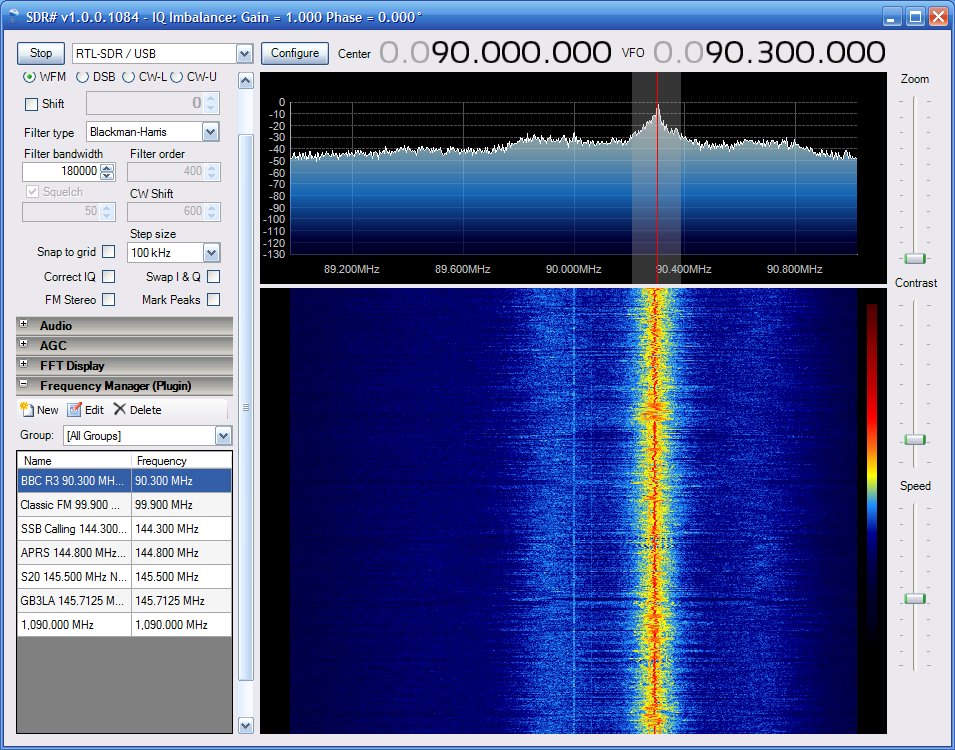 |
| SDR# receiving BBC Radio 3 in the FM broadcast band |
This was all very good, but I have any number of radios able to receive FM radio. I wanted to try receiving ADS-B aircraft beacons. But although both ADSB# and RTL1090 (ADS-B decoders) seemed to work (i.e. didn’t display any error messages) they were not decoding any data. I used SDR# to monitor 1090MHz, the ADS-B frequency, and I could not see or hear any signals, though I have no idea what they are supposed to sound like.
I decided to reinstall the second dongle which had worked as a TV receiver. Then, on a whim, I thought I would try running SDR# to see if it would connect with the other dongle. To my great surprise, it did. What’s more, it seemed much livelier (more sensitive) than the ezcap dongle. I tried both RTL1090 and ADSB#. Both worked and immediately started decoding packets! I started up ADSBScope and within a few seconds aircraft began to appear on the screen!
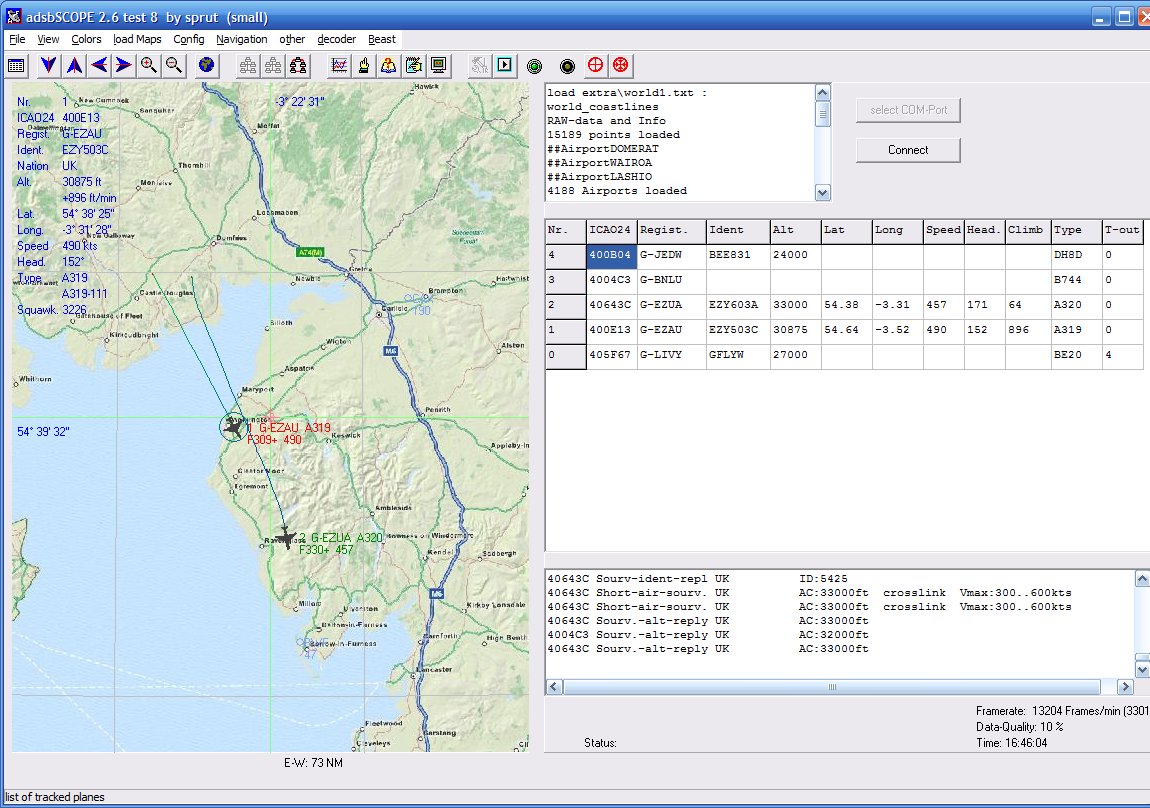 |
| ADSBScope plotting aircraft overhead at G4ILO |
After a while I got cocky and decided to see if there were any other free aircraft-plotting applications I could try, so I downloaded VirtualRadar. After a bit of trial and error I found the right settings to connect with ADSB# and I was soon seeing the aircraft passing overhead plotted on a Google map.
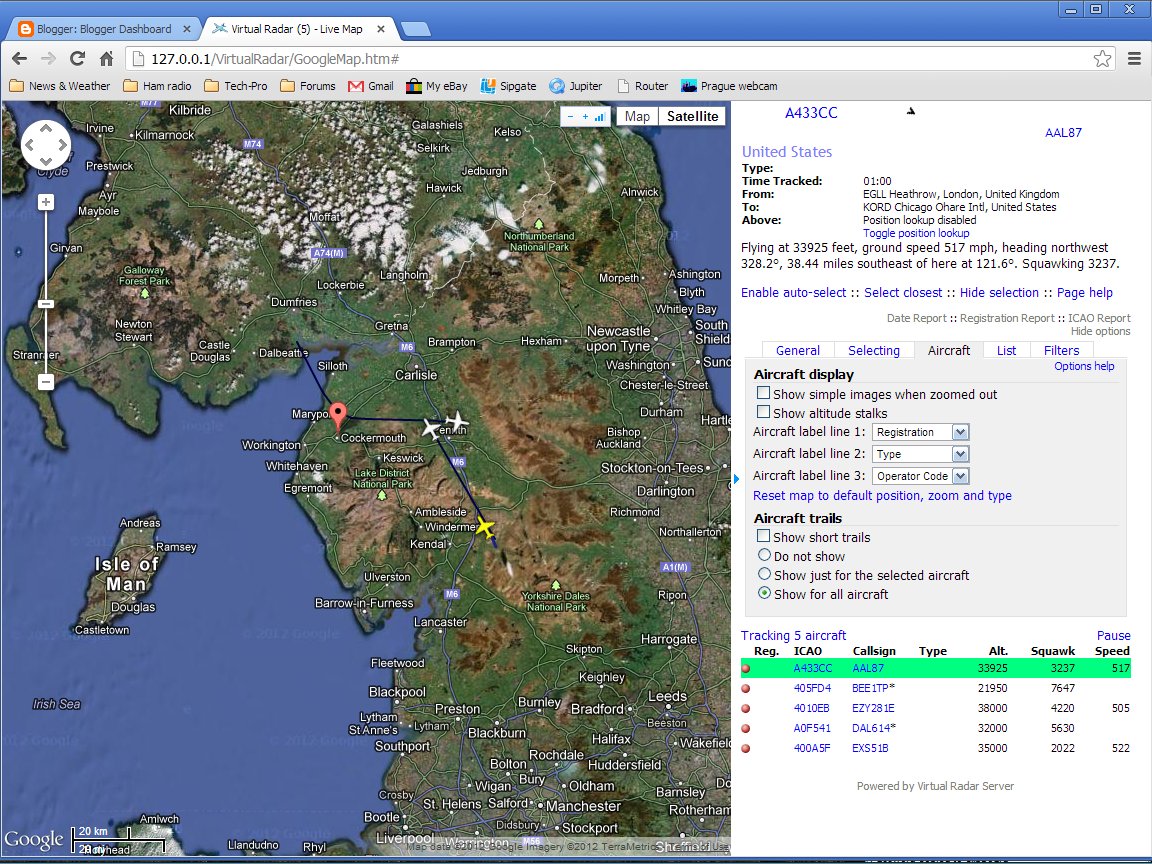 |
| VirtualRadar plotting aircraft overgead at G4ILO |
Strangely enough, both RTL1090 and ADSB# think they are talking to the ezcap dongle! Not surprising I suppose as I have not installed any other drivers. It would be nice to be able to use the equipment as a TV receiver as well but I suspect that would break everything! I should probably quit while I am still ahead.
Both ADSBScope and VirtualRadar are nice applications, and I couldn’t say one is better than the other. VirtualRadar runs as a web server and you have to point a web browser at it to see the display. It shows more information such as the starting and destination locations of many aircraft, which is interesting. But curiously VirtualRadar does not display aircraft callsigns (like G-ADSB) while ADSBScope does.
This is looking to be an academic question as this morning ADSBScope has decided to stop working. It won’t talk to either RTL1090 or ADSB# but complains repeatedly about a “comm error.” Ah well, at least VirtualRadar and SDR# are still working.
Grounded
I hope all of you had a very good Christmas. I was not very well a couple of days before the holiday. Nothing to do with my cancer, I’m glad to say, but possibly a result of all the treatment for it. I’m feeling a lot better now, but have got to have more tests and may have to go into hospital for removal of gallstones or kidney stones – I’m not sure which as I’ve been told I have gallstones but I have had some sharp pain in the kidney area. As a consequence of this I haven’t felt much like getting up at a reasonable hour to start the beacon monitor or HF APRS gateway.
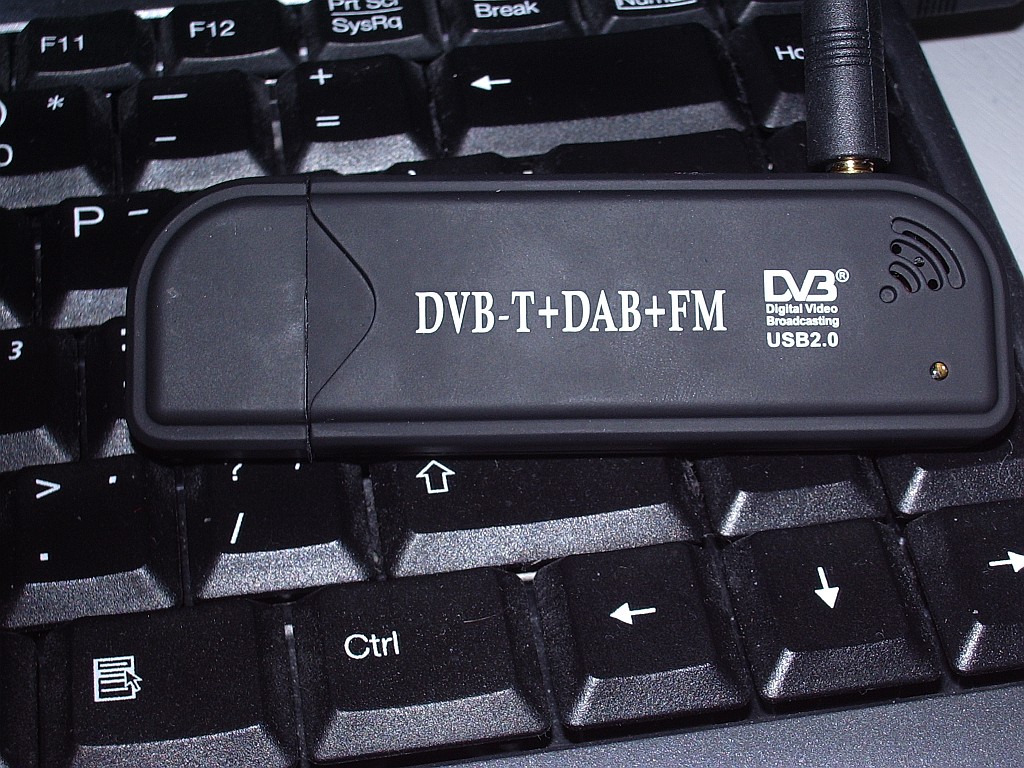 |
| Creative Design New FM+DAB USB DVB-T RTL2832U+R820T |
Before Christmas my interest was piqued by Tim G4VXE’s adventures using cheap digital TV dongles as receivers for, amongst other things, aircraft spotting. The first dongle I ordered was described as a Creative Design New FM+DAB USB DVB-T RTL2832U+R820T with antenna, and cost just over six quid!
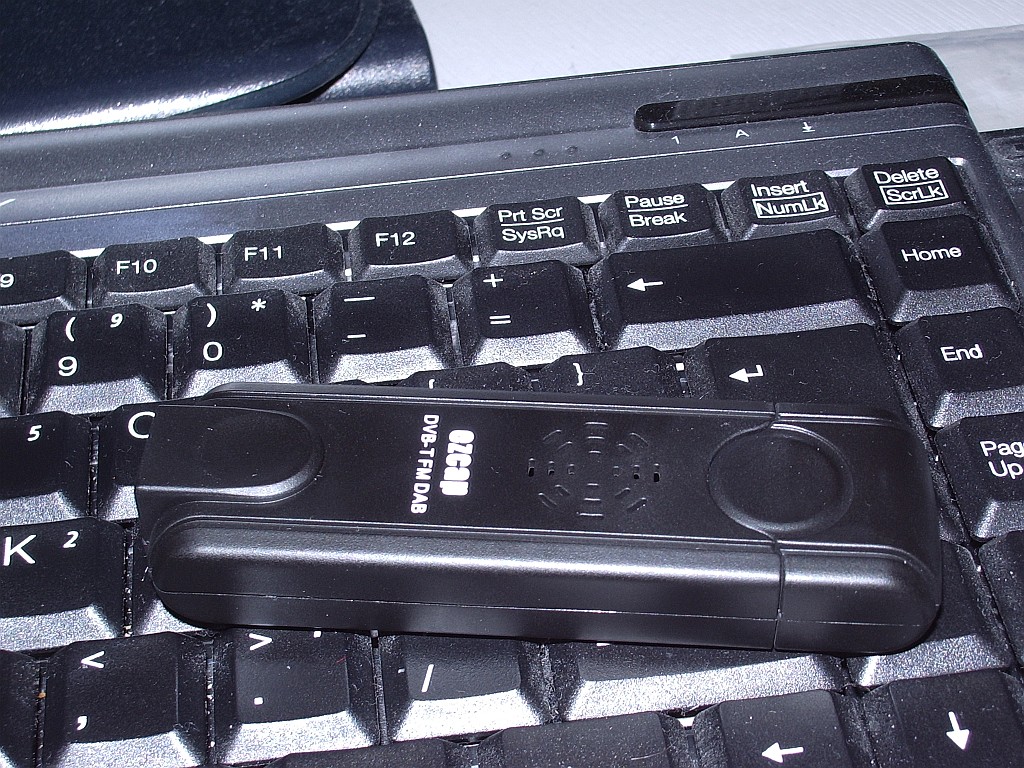 |
| EZCAP eztv645 RTL2832U / FC0013 USB DVB-T Digital TV Dongle |
After a bit more reading up on the subject I began to doubt that this would be compatible with the software everyone was using so I ordered a second one, described as an EZCAP eztv645 RTL2832U / FC0013 USB DVB-T Digital TV Dongle for WIN7 LINUX SDR which was a massive £8.68 including postage from Hong Kong.
Both arrived yesterday. I tried the ezcap first, but my shack PC didn’t like the mini-disc that came with it so I was unable to test it as a TV receiver. Following the instructions for the aircraft decoders I installed the driver using zadig_xp, then downloaded and ran rtl1090 which is a decoder for the ADSB packets. This seemed to work – no error messages appeared – but nothing else happened. To display the aircraft data that I hoped to receive I downloaded ADSBScope and installed it. I then spent a lot of time trying various options to connect ADSBScope with rtl1090 but got nowhere. I also tried SDRSharp in the hope that I could use the dongle as a VHF/UHF SDR, and ADSBSharp as an alterntive to rtl1090. But neither of them received anything.
After a while I gave up, disappointed. I then installed the Creative Design dongle and its software. A scan for channels found about 55 TV channels with its quarter wave antenna hung in the window. So it was obviously working. Just not with any of the SDR or ADSB software, as I had suspected.
This morning I tried installing the ezcap software CD that my shack PC couldn’t read on another computer. The software installed perfectly on this laptop so I plugged in the dongle and hung the antenna in the window. The software scanned for channels and found precisely nothing. I think this proves conclusively that I have a duff ezcap dongle. Ah, eBay!
Windows 8 Presents Opportunity
Brian Boyko, a freelance IT author, created this informational and rather entertaining video on Windows 8.
The video echos a lot of my experiences, albeit brief ones with Windows 8. A few weeks ago I attempted to use a Windows 8 Surface tablet at a mall kiosk and left in frustration. Last week while Christmas shopping I happened to venture into the computer section of a department store and played with a Windows 8 laptop. After ten minutes of trying to make sense of the Metro interface, I again left in frustration. I should mention I’m not a computer newbie. I’ve been using computers for over 30 years, and have worked with them in a professional capacity for over 20. I used Linux before it was sexy and my first GUI based OS was Windows 3.1. I’ve never owned a piece of Mac hardware (I have an iPad and an iPhone), but if you drop me in an Apple store and put me in front of a Mac, I can be web browsing, viewing pictures, and creating documents in moments. I just can’t do it with Windows 8.
User interface changes are always stressful to end users. The last major one Microsoft made was the ribbon bar in Microsoft Office replacing the venerable and admittedly long-in-the-tooth menu bar. At first I hated it and customized all my Office applications to have the buttons I needed in the quick bar which sits up in the title bar. Eventually I got used to the ribbon bar, but being a fan of minimalist interfaces I think the quick bar is much more efficient. But, OK, I admit Microsoft was right with the ribbon bar and it’s a valid step in the evolution of user interfaces.
I won’t repeat everything in Boyko’s video, but he’s absolutely right on all points. The Windows 8 Metro interface is a massive departure from the old interface. The revolutionary change would be a good one if it was actually an improvement. But similar to when Microsoft tried to put a desktop OS on a mobile device (Windows Mobile/CE), now they’re trying to shoehorn a mobile phone and tablet OS on to a PC, and it just doesn’t work.
This video goes into the desktop mode a bit more and shows the discontinuity between Metro and the desktop:
The changes in Windows 8 presents an opportunity for anyone who uses Windows, including amateur radio operators and software authors. While Windows 8 has a compatibility mode that essentially lets you run legacy apps in a legacy pre-Windows 8 style desktop, it’s problematic. If Microsoft doesn’t abandon Metro, they’re likely going to push application authors to the Metro interface, perhaps at some point even eliminating the legacy user interface. With such a revolutionary change to this tool and its steep learning curve, it may be just as easy to migrate to Linux, Mac, or a Chromebook and learn something totally new that is actually going to be productive and useful. With Windows 8, essentially Microsoft has increased the pain of upgrading to the point where it is equal or less pain to migrate to a different platform. I suspect many people will horde old or bootleg copies of Windows 7 and XP, storing them away like a rare wine or expensive cigar, for use when getting a new piece of hardware. It’s going to be interesting.














