Posts Tagged ‘couragecenter’
 Handiham World for 13 July 2011
 July 13th, 2011 |
  Author:
 Welcome to Handiham World!

Photo: Pat, WA0TDA, holds up the the new ARRL 2010 Periodicals on CD-ROM and TravelPlus® for Repeaters CD. Both will be available for our Handiham members to try out at the Radio Camp in August.
Have you ever wondered where you saw that article about the antenna that you could build yourself and that would actually fit into your real estate? What month’s QST was it that had the review of the rig you’re thinking about buying? What’s in QEX, the “Forum for Communications Experimenters”? What about the National Contest Journal?
If you’re anything like me, you probably subscribe to several magazines and don’t really have the time to read every article. I always go through the contents and page through to see what jumps out at me, and in the process I find plenty of interesting articles that I am going to read later or save for reference. Before I know it, the next month’s magazines arrive and I am falling behind in my reading. I’ll have much more time in the winter, so the magazines go on the shelf in my ham shack, ordered by month. Sometimes the articles I wanted to read just never get read, and the reason is that they are too hard to find. It may be that I don’t even recall the title of the article or the author’s name, just the general topic. True, the periodicals search tool on the ARRL website will be helpful, but sometimes I can’t locate the article I want because my shelves are not organized as well as I would like.
I can see to read the print articles. Doing this kind of a search when you are blind can be a much more daunting task. That’s one of the reasons we will be installing the 2010 ARRL Periodicals CD-ROM on a Windows computer equipped with JAWS®, a popular screenreading software program by Freedom Scientific. The upcoming Handiham Radio Camp provides exactly the right opportunity for us to test the accessibility of the Periodicals CD using a screenreading computer operated by experienced blind amateur radio operators. The idea of having an entire year’s worth of QST, National Contest Journal, and QEX, the Forum for Communications Experimenters, available on a single CD with search capability seems a lot better than saving print publications on a shelf – or shoeboxes full of audio tapes or even the new flash memory digital NLS “books”. Most of us just don’t have the space to save more than a couple of year’s worth of old print magazines, and even if we do manage to keep them all in order, finding a particular article can be a chore, so we are looking forward to exploring this ARRL CD during Radio Camp.
One book we have never put onto tape for our blind Handiham members is the ARRL Repeater Directory. Think about it for awhile, and you’ll realize why. Not only would it be like reading the phone book, but it would also be impossibly difficult to use because you could never find anything in it, especially in audio cassette format. Imagine back in the days of books on tape what such a book would be like for a blind user. It would be a box full of cassettes, and one would have to keep them organized carefully. Even then, who wants to listen for hours to find the right spot on a tape that has just the repeater information you need? The lack of an accessible repeater directory for blind hams has been a problem, and even those of us who can see to read a print version can find the lookups of repeaters while traveling a hassle. That’s where the ARRL TravelPlus Repeater Directory on CD comes in handy. While I seldom plan to tote along a notebook computer just for repeater lookups while driving cross country, I do appreciate the pre-trip planning capabilities of the ARRL software. Once can print out a list of repeaters within a user-defined distance along a planned route. That saves the hassle of paging through a print repeater directory during your trip. I find it much more intuitive and easier to use, but what about our blind Handiham members? Would there be some features of the ARRL TravelPlus CD that could prove useful? That is what we are going to find out at Radio Camp in August when we install the software on our JAWS computer and see what we can do with it.
Handiham Radio Camp is August 8 through 13, 2011 at Camp Courage near Maple Lake, Minnesota. The camp repeater, W0EQO-R, is connected to the HANDIHAM Echolink conference and the Vancouver, BC IRLP node 9008. We also plan to have our own experimental low power IRLP node 7051 on the air. The camp station is W0ZSW, and will be operating on the HF bands.
Patrick Tice
[email protected]
Handiham Manager

News of Mumbai bombings arrives on Handiham net
I was surprised to hear about terrorist bombings in Mumbai, India from Vispi, VU2WLL, on today’s Handiham Echolink net. He says that he and his sister are both all right. The news media have conflicting numbers of casualties. There will no doubt be much more information later on today as this story unfolds. In the meantime, our thoughts are with the people of India as they cope with this senseless violence.

Handiham World for 06 July 2011
Welcome to Handiham World!
…And welcome to a new era of challenges for radio clubs.
What do I mean by that?
Well, if you have to ask, you might not be that tuned in to your local club’s activities. Radio clubs provide a means for you and I to get together with like-minded folks who appreciate amateur radio and who enjoy learning new things through club programs, keeping up their operating skills through club nets and activities, socializing with other radio amateurs, or being part of public service activities – to name just a few of the more obvious ones. I know that I have learned a lot about useful things that have helped me out in ham radio, thanks to the presentations at my local radio club.

Pictured: Greg Widin, K0GW, ARRL Dakota Division Director, gives a club program presentation on lightning and grounding.
“A club is an association of two or more people united by a common interest or goal.” Thanks, Wikipedia! Of course we seldom think of clubs in terms of only two people. Usually a radio club is larger – sometimes much larger – and there may be several distinct interest groups within the club. The club may own some equipment, such as special tools for antenna work, a repeater system, a club station, training materials and equipment, and more.
The challenges:
Meeting space. If you have a club of only a few members, this isn’t a big deal. Clubs of a dozen or fewer members have lots of choices, up to and including private homes. Typically, a radio club will have a membership that is too large to be accommodated anywhere but a more formal meeting space, and that means casting about for a venue. With a demographic that includes aging baby boomers, a club definitely wants to have a meeting space that is accessible to those who might use wheelchairs or who are unable to climb stairs. You also want electricity, good lighting, and quiet space. Internet is a bonus, but if it is not available, it isn’t exactly a deal-killer. The challenge is finding the space at an affordable price! Back in the day, meeting spaces were plentiful and free for the asking, especially to small public service or special interest clubs like ham radio groups. Venues might include the local school, church halls, service organization halls, and municipal or county buildings. It is not so easy today. The economy is down. Every venue is looking to raise extra cash, so the days of free meeting space might just be in the rear view mirror! And permanent space with room for a club station – wow, that is REALLY hard to find these days. I know that several clubs have either lost or given up their space for club meetings and stations due to the press for more revenue or other activities related to the needs of the landlord or host organization.
Apathy. This one drives club officials nuts. And it’s nothing new, of course. There have always been club members who would rather jump out a window than put together a club program or write an article for the newsletter. But it’s worse now than ever before, and it’s related to number three on my list, which I’ll tell you about shortly. Suffice it to say that there are all too many hams out there who think it is a major hassle to even join a club, much less actively participate.
Overworked club members. Yes, this one has always been around because some club members take on way more than their share of club duties. But the reason it is worse than ever before goes back to the world economic downturn that started in 2007. As the economic woes gathered, companies and organizations began trimming their workforces. Everyone seemed to be affected, no matter what the industry, and those who were still working felt lucky to have jobs. Those who lost their jobs, ham radio operators among them, tightened their belts and didn’t spend anything extra on their radio hobby. Back at the workplace, those who still had jobs were doing the work of their old job plus that of a co-worker or two, since there were now not enough people on staff to get everything done. That meant longer, harder hours at work, and less time for amateur radio club activities. I have been a ham since 1967, and this is the first time I have been hearing about this phenomenon from other hams who feel too pressed to participate in club activities as they once did.
Recruiting. A club will fade away if it does not attract new members to replace those who die, lose interest, or move out of the area. Yet this aspect of club life is often left on the sidelines, going unnoticed until all of a sudden it seems as if there is no longer a reason to have regular club meetings. Recruiting is challenging in a world of worldwide internet connectivity with VoIP and other activities that mimic worldwide radio communication.
What can be done?
Remember that whatever needs doing, you do not have to do it all yourself. Leverage the manpower you do have by using the resources available at ARRL, which has lots of advice and ideas about clubs, club organization, and recruiting. Let’s take a closer look at each challenge:
A strategy to make meeting space more available is to make your club stand out above and beyond the others who might be competing for the same space. For example, if you are meeting in the county law enforcement center, you can make a better case for meeting space because your club supports emergency communications, Skywarn training and weather spotting, and public service communications. You are making sure that your club’s mission is aligned with that of the meeting space owner! No matter who hosts your meeting space, remember that it is wise to give back to your host in some way. If you are using a church hall for your meetings, perhaps the church needs volunteers for a clean up day or help at the church picnic. If you are lucky enough to get a special meeting room at a restaurant, everyone should buy a meal or at least spend a reasonable few bucks to make sure the restaurant owner turns a profit. The key? Be the best meeting space user you can be, and you will have more choices!
Apathy is hard to cure. In fact, I don’t even care anymore.
Ha, ha, I am just kidding about that not caring part, of course! I look at the programs and activities as the “good stuff” associated with a radio club. The other more pedestrian activities like the business meeting don’t really interest many of us. It’s the program on the DXpedition or the special event station that draws club members to the meetings. If your club has apathy oozing out of every nook and cranny, I’m willing to bet that your club doesn’t host good programs. Finding good presenters isn’t a given; the really good ones make the rounds but have limited time and resources. Most of your club’s programs and activities will ultimately come from within the club itself, and that means finding the right club member – one who is a really enthusiastic and positive go-getter – to do the going and getting. By that I mean they need to observe the membership, noting what areas of interest and expertise there are within the club. Then they have to recruit the guy who knows about antennas to give a talk. Apathy is something you chip away at by slowly building your circle of presenters. The more varied the topics, the better. Like the offerings on a menu at an excellent restaurant, there will soon be something for everyone at the club meetings.
The problem of club members who are stressed out by their work schedules will not be solved at the radio club, but I think it is reasonable for those members who are retired or who have a bit more time to step up to the plate and take on some of those extra club duties. We need to appreciate that those in their working years are trying to stuff 10 pounds of potatoes into a 5 pound bag these days, and are often also raising families with all of the obligations and demands on their time that those things require. Yes, those people are sometimes willing to take on club duties, but they are subject to “burn out” if they don’t get a little help. Next time you are at your radio club meeting and something needs doing, raise your hand. Lead by example.
Recruiting is vital, but how does a club go about it? I have seen several once active and vital radio clubs fade into obscurity and finally disband. Others have been successful in maintaining and growing their membership numbers. What is the secret?
Well, there are several, really. You have to understand the world around you – no small feat, that. What it means is knowing that amateur radio has a lot of competition for hobbyists who want to experiment with electronics. It means understanding that on line video gaming, so-called massively multiplayer online role-playing games (MMORPG), include elements of world-wide communication, cooperation, competition, scoring points, and community-building that are found in traditional amateur radio. There is, in other words, a lot of competition out there. Knowing what you are up against makes it easier to figure out how to package amateur radio and your radio club to better draw people in. If you want to make ham radio attractive to anyone under 100, you’d better start thinking of some interesting activities, outreach to school science teachers, high-profile cooperative ventures with other groups… I think you get the idea. My own local club drew some university students in by participating in tracking high-altitude balloon flights via APRS.
Another recruiting strategy is to offer Technician courses to the general public. We schedule ours right after a Skywarn course in the Spring, just before severe weather season kicks in. The classes are free, but the participants buy their own books. Graduates are invited to join our club. Education is one of the most important indicators of a club’s health. Show me a club without an education program, and I’ll show you a meeting room that will soon be available for a group of rock hounds or stamp collectors. Seriously, you have to offer classes or your club is toast. Again, check out the excellent resources on the ARRL website for tips on teaching and for resources like math help. Most importantly, say “YES!” when asked if you will be part of your club’s education and training team.
Your job? Make getting on the air with amateur radio sound like it’s at least as much fun as World of Warcraft®.
Go get ’em, tiger!

Handiham World for 29 June 2011
Welcome to Handiham World!
Before I mention anything else, I want to thank all of you who expressed sympathy or had suggestions for me and my broken computer. Things are looking up this week, and most everything is back to normal. I did have everything properly backed up. In our radio club, this is called the “belt & suspenders theory”. You wear both to make sure that if one fails, the other will still hold your pants up! It does pay to back up your data, since you just never know when something will quit working, whether hardware or software, in a system as complex as a computer. The idea of having backups extends to other parts of your ham shack, too. Having more than one radio can be a real relief when another has to be repaired at a factory service center a thousand miles away. Having a spare HT battery during a public service event is just plain smart. Engineers call this concept “redundancy”, and there is certainly good reason for it when you need to protect a high-stakes system like the communications system in an airliner or the brakes in a car. Since you have a lot at stake with your personal computer’s many files, you have an interest in protecting it with regular backups.

Turning to Field Day, we have an email from Ken, W6KHS, who came up with the idea of holding our own version of Field Day on the HANDIHAM Echolink conference:
You probably know by now that Field Day operations using the Handiham conference server was a total success. As this entity becomes more and more popular, repeaters and radio links using it will be more likely to receive emergency or life or death messages from situations when cell service is not available. I recommend that there be a twenty second break between transmissions so that there is room for emergency traffic to enter. If this information comes from you, it will be carved in stone, rather than from me. Thanks again for just being there.
73, Ken Schwartz W6KHS
Yes, Ken, you are right about that! Occasional longer pauses are in order considering that we are using a worldwide resource. Susi, WA0DKS, who worked behind the scenes to manage the Field Day event on the HANDIHAM conference and put in considerable time as net control station during the overnight hours, commented on the event, calling it a “rousing success”. Podcast listeners will hear Susi tell them about it herself! Our thanks to Jim, WB4LBM and the other net control stations and participants who made this first-time event possible. In talking with Susi after the event, we concluded that the HANDIHAM conference really gained a lot of exposure worldwide. I just happened to tune in later in the day on Saturday and heard a YL who had been at a local Field Day station here in the eastern Twin Cities Metro area. She was driving back home and heard our net on the N0BVE repeater system. (Thanks, Don!) As I have said many times before, having Echolink or IRLP on a repeater really enhances its value to the community, and will make the difference between a dead, unused system and a vital, much-appreciated community resource.
Even though the contacts made on our system don’t count for points, the whole idea of building our operating skills, making friends, showcasing amateur radio and technology, and building a stronger community while HAVING FUN just somehow seemed more important to me. I’ll bet it did to you, too.

Handiham World for 22 June 2011
Welcome to Handiham World!

One of the movies I remember enjoying was “The Perfect Storm”. A huge storm barreled up the Eastern United States seaboard and all the conditions aligned to turn it into a real disaster. Everything that could go wrong did go wrong.
This week seems a lot like that here in the ham shack. My main Windows computer suffered a failure and the Windows installation could not be repaired without a complete reinstallation. Although I regularly back everything up, reinstalling an operating system is still a huge and very disruptive process. Although you may have documents and the files you have created preserved, you have to reinstall all of your applications. That means all saved settings, passwords, usernames, the lot of it. So I am operating here on an old computer with limited resources. I cannot retrieve all of my old email and many contacts have disappeared. It is a huge mess and it will take a long time to get back to anything like an efficient office day.
But is it a perfect storm? Well, consider that yesterday I had to attend some staff training at our main office at Camp Courage. A thunderstorm had passed through several days before, knocking the W0ZSW remote base offline. That problem was fixed easily enough by restarting the rig control computer and setting the BIOS to always turn the machine on following a power failure. Turning to my main office computer, I found that it had been fried. So now my main office computer and my main home computer on which I produce all audio podcasts, do all audio editing, all my home email, the web publishing, and nearly everything else having to do with my computing life, all both down for the count.
Add to that the fact that we are into the busy season at camp and Courage Center, like other healthcare providers, is worried about an impending State government shutdown, and you can see that this is quite some storm!
So today’s e-letter will have to be shorter. I will do my best to catch up, but ask that emails and phone calls be kept to a minimum.
I know this is disappointing, so to cheer you up, we will hear a special presentation by Matt Arthur, KA0PQW, later on in the audio podcast version of this week’s e-letter. Matt sent me an audio lecture on sporadic-e propagation, and this is a perfect time of year to learn more about it and then look for some sporadic-e yourself!
Patrick Tice
[email protected]
Handiham Manager

Letters

Anne, K1STM, wrote to let us know that TIPSnet is in summer shut down mode and will return on September 13. The final TIPSnet for this past season was yesterday, June 21.
Editor’s note: I have lost a considerable amount of email. I am not sure when it will be recovered. If you have sent me something and it does not get acted upon, that is the reason. Please send only urgent email to [email protected] until further notice.
Troubleshooting 101: No column this week
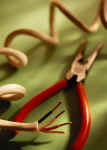
Maybe if I ever figure out my computer problems, I’ll write about that, HI!
Send your ideas about troubleshooting for possible inclusion in this column to:

Handiham World for 15 June 2011
Welcome to Handiham World!

Wondering about this photo of me getting grabbed by a giant alligator? I’ve used it many times before on a variety of occasions, but this time it’s especially apropos because time is flying by and there are some important dates that are approaching a little bit too fast for some of us!
Here we are halfway through the month of June already. That means we definitely have to pay attention to two important ham radio events, ARRL Field Day and the transition to the new The General Class question pool for all examinations after June 30. Field Day happens on the weekend of June 25 – 26. You still have time to volunteer with your local amateur radio club to help with planning, set up, and operation. I have operated many Field Day stations over the years and have had lots of fun. As I have mentioned in past years, what you want to do is find a club or group of other amateur radio operators who share your goals for the contest. If you are highly competitive and want to be in it for the points, you will want to pick a group with a no-nonsense approach to efficient operating. If you are like me and just want to have fun and really don’t care about your score all that much, you are going to be pretty unhappy if you are pressed to work lots of stations instead of having fun socializing or perhaps helping to run the GOTA (get on the air) station. So if you don’t care to rack up the points, be sure to make that clear to your other group members so that you are creating reasonable expectations when Field Day rolls around. The thing about Field Day is that it has always been part contest, part social get together, part emergency communications practice, and often times a good excuse for a family picnic. Since points are also given for getting a story about your Field Day operations in the media, the event also serves as an excellent way to showcase amateur radio to the general public. My own local club, the Stillwater Amateur Radio Association, has decided to locate its Field Day event in a local park and nature preserve. It offers the advantage of easy access and parking for the participants and general public, and it is also in an excellent, air-conditioned wheelchair-accessible building that will allow anyone to get right up to the stations and find out what is going on. Yes, it is true that we are not going to be using emergency power nor are we going to be setting up in an actual field. But our vision of Field Day includes getting as many people as possible to participate and to make it easy for the general public to stop by and see what we are doing. Some of our field locations in the past have been pretty rugged and visits by the general public were few and far between. Of course in those locations we were able to use portable power sources like generators and put up long wire antennas and even towers with beams. The thing about Field Day is that it is such a flexible event that you can pretty much make it what you want to be. So whether you are in it for the points or in it for the fun of just making an occasional contact and showcasing amateur radio, you can plan on having a great weekend of ham radio fun. Following shortly on the heels of Field Day is July 1, the first day on which the new General Class question pool is in effect. If you have been studying for your General Class license, now, and I mean today, is when you have to start looking for a VE session so that you can take your exam under the old question pool. Although it is not a disaster if you miss this deadline and have to test under the new pool, there are new questions in the upcoming pool for which you haven’t studied. It is far better to get the test out of the way ASAP so that you can start looking around for an HF radio and planning your new HF antenna system. If you have put off studying and are not sure whether to attempt the test or not, I suggest that you head for one of the online testing sites such as AA9PW.com and take some practice exams. I would say that if you pass two out of three times, you may be ready to take a chance on the real thing. If you are failing the tests by many points, forget it; you have to hit the books and take the test under the new question pool after you have had sufficient time to prepare. There is one other thing happening on July 1 that probably only affects us here in Minnesota, and that is the prospect of a State government shutdown. We have a divided government here in Minnesota, and the legislature and governor have not been able to agree on a budget. This must be done by June 30, or at least part of the State government will have to shut down. Because our parent organization, Courage Center, provides services for people with disabilities, there will be a definite effect on us as an organization as there will be on other healthcare organizations and nursing homes here in the State of Minnesota. While the Handiham program does not depend on government funding, significant parts of other Courage Center programs do. In the upcoming weeks Courage Center is planning what to do in the event of a government shutdown and loss of funding for a portion of our clients. If you think about it, it makes sense to plan for the worst-case scenario while hoping for the best. It is already quite late and much planning has already taken place, but the fact of the matter is that no one knows exactly what will happen in a State government shutdown. We will keep you posted on anything that affects the Handiham program. Radio Camp will continue as planned, because our Handiham services are not government-funded.
Patrick Tice [email protected] Handiham Manager

Letters
Anne, K1STM, writes about her sudden exit from last night’s TIPSnet session:
In case you’re wondering what happened, a very good friend’s daughter called telling me her mother and guide dog were hit by a car while out for a walk. My friend, Nancy, is fine. Her dog, Simon, broke the bones in his foot and has a tender stomach. He is in the animal hospital, Nancy is home. They were at the end of a driveway near their home when a car suddenly started and backed up fast and hit them, throwing Nancy down and Simon under it. Nancy didn’t have time to finish crossing the driveway and the driver apparently didn’t look. We think Simon saved Nancy’s life. What a night!
Anne, K1STM TIPSnet Manager
Editor’s note: We are sure happy to hear that your friend Nancy and her dog Simon are going to be okay. In some ways, even with the awareness of good pedestrian safety practices and better driver training, pedestrians and wheelchair users are at more risk than ever. There are a lot of distracted drivers out there, busy talking on cell phones or fiddling with the radio. If you drive, make operating your vehicle your first priority. If you are walking or using a wheelchair remember that even though you may have the right of way not all drivers are responsible and careful.
Troubleshooting 101: The junk box – is it obsolete?
In the course of a conversation I had with a Handiham member recently, the topic of spare electronic parts came up. That got me to thinking how the Handiham shop has changed over the years and how the traditional ham radio operator’s junk box has changed right along with it. 20 years ago, when I started with the Handiham program, we had a very well stocked collection of vacuum tubes and discrete electronic components in our electronic repair shop. We had a cadre of around a half dozen dedicated volunteers led by chief volunteer Rex Kiser, W0GLU, and the repair shop was staffed several days a week. Back in those days, donated electronic equipment was usually tube-type and was generally considered to be “repairable” unless it had been dropped from a 10 story building or run over by a truck. Most of the components were discrete, meaning that if a capacitor went bad it was possible to trace it and replace it. The same went for vacuum tubes, a common source of failures in equipment of that vintage. Naturally it was practical and necessary to maintain a well-stocked collection of electronic parts and repair manuals for a variety of common and not so common pieces of amateur radio equipment. The shop volunteers had pretty much “seen it all” and were familiar with all of the common problems in the amateur radio equipment of that era. Some of the donated gear that came into the shop had been modified by its previous owner, but the shop volunteers were pretty much able to figure out just about anything and make it right. The old shop was in the basement of the Courage Center in Golden Valley, Minnesota. Golden Valley is adjacent to Minneapolis and thus was a relatively convenient location for volunteers to get to so that they could work in the shop. I don’t remember exactly how many square feet of space was devoted to the shop, but I can tell you that there was a significant amount of both working space with large, well-let workbenches and another separate area with many shelves to store donated equipment, gear that was in the process of being repaired but waiting for something or other, and equipment that was ready to be sent out in the equipment loan program of the day.
Everything is so much different today. Most of our volunteers, including Rex, have become silent keys. It has been so very hard to lose so many good friends over the past two decades. In some ways, their passing reminds me of my father’s working life and what has transpired since he passed away in the 1980s. Dad was a typewriter repair man, and in the last quarter century since he died, so has the typewriter, at least in any form in which he would recognize it. Technology has changed amateur radio just as radically as it has the typewriter business.
The amateur radio equipment of today is often not considered to be user-serviceable. Tiny integrated circuits and surface mount components are packed onto dual-surface circuit boards. It has become very, very difficult to trace and diagnose problems in this new equipment. When repairs are necessary, one simply packs the equipment up and sends it back to a service center for repair or replacement. Even at authorized service centers repairs usually consist of replacing entire sections of the radio because it is often times not practical to trace problems down to a single bad component. On the plus side, this new equipment with its solid-state surface mount technology is far more reliable than the old equipment and as a result will likely never need repairs.
So the Handiham repair shop has pretty much ceased to exist. About all that can be done these days is to diagnose at a very basic level, and that means simply giving a piece of donated equipment a “thumbs up” if it is working or a “thumbs down” if it is not. It would be impossible to maintain a supply of discrete parts or even modules for all of these new radios. Furthermore, the test equipment available to us is simply too basic to be used in any practical sense to repair serious problems. Since all of this change has happened to the Handiham shop, I think it is reasonable to expect that similar changes have taken place in your own workshop in the basement or the garage! You may have quite a collection of vacuum tubes, radio hardware, and discrete electronic components. I have some of that stuff myself, but I am hard-pressed to think of the last time I made use of any of it. When something needs fixing, it had better be something pretty basic like a dipole antenna or a manual antenna tuner if I am going to actually attempt any repairs myself. I don’t own a single radio with a vacuum tube in it anymore and the radios that I do own have been extraordinarily reliable because of the solid-state design and good engineering decades of improvement have brought to the amateur radio manufacturers. So maybe it is time to take a look at my own ham radio junk box and try to decide what to save and what to get rid of. This, as you might expect, is not going to be an easy task. For one thing, some of the old parts and frankly “junk” that I have collected over the years will simply never be any good to anyone in any practical sense. That means disposing of it, but because we are more aware of environmental consequences these days, one may have to dispose of old electronic parts through an electronics recycler. The days of simply pitching everything into the trashcan are gone forever. Where I live, my local county government has a recycling center that will take electronic parts, so at least I know that if I do a little sorting I can dispose of them without too much hassle.
The hard part is really the sorting. How do you decide what to get rid of and what to keep? If there is one thing I have observed over the years about the typical ham radio operator, it is that most of us think that there will be a use for every single item in our junk box collection at some time in the future. This is where you have to think things through before you start and develop a strategy for the kind of repairs you intend to do in the future. For example, since I no longer own any vacuum tube gear, I am going to get rid of any vacuum tubes that I find in my collection. I probably only have one or two left, so that shouldn’t be any problem. I have several tubs of unsorted oddball hardware. Yes, I could take a week off of work and burn some vacation time sorting through that junk, but why? Like as not, if I have a need for a particular piece of hardware, such as replacement stainless steel nuts and bolts for an antenna project, I am probably going to make a trip to the hardware store anyway rather than spending hours sorting through my tubs of hardware junk. Wire, if it is in actual usable lengths and properly rolled up and stored, can come in useful. You never know when you might want to put up another antenna or use the wire to add ground radials or to repair a dipole system. Coaxial cable deteriorates in the weather, so it never hurts to save a partially-used spool in your collection. That is the sort of practical stuff that one can save without feeling guilty about being a junk collector. On the other hand, those old carcasses of broken radios and military-surplus chassis that you had cannibalized for parts in 1975 really don’t need to be in your parts collection anymore, do they? If you haven’t used something in the last few years, you are probably never going to use it and you should think about getting rid of it. Yes, getting a table at a hamfest is one option, but I have never really understood the practicality of dragging 500 pounds of old junk to the high school gym, putting it on a table for people who don’t need it anymore than you do to look at, and then stuffing it all back into the trunk of the car and hauling it all home again that afternoon. It’s probably better to do some simple networking at your ham radio club meeting to see if anyone wants something from your collection and is willing to take it off your hands. I’ve always felt that it is better to repurpose than throw away, but sometimes the only practical thing to do is to simply make the decision to clean up the junk box and the workshop and be done with it!
What should the workshop and parts collection of the 21st century ham look like?
Well, it’s going to be pretty lean and mean, that’s for sure. You are going to have a good tool collection and some basic test instrumentation, just as you have had in the past. You are not going to have boxes and boxes of assorted electronic junk and hardware that you are never going to use. It is okay to have a few basic components that are actually useful, such as connectors, fuses, and common hardware. Think about it: if you are really going to build one of those projects you see in one of the amateur radio publications, you are going to go to a company like Digi- Key and simply order the parts you need online or by calling on the phone. In fact, that is probably what you have to do already even if you have shelves and shelves and boxes and boxes of old hardware and electronic parts already in your collection, because none of that old junk is going to do you any good in the new project anyway. Furthermore, having lots of old unnecessary junk around can actually get in the way of enjoying building a new project. It is simply a fact that modern technology is going to require fewer repairs than old technology and the repairs that must be done will probably have to be done in a factory service center anyway. Of course there are exceptions to every rule. If you are one of those amateur radio hobbyists who are interested in vintage equipment, it may be practical and necessary to maintain a stock of vacuum tubes. Most of us have newer equipment and, if you are like me, too much old junk lying around that you will never use. I have been an amateur radio operator for over four decades, so I have had plenty of time to collect a sizable junk box. Since at one time I did own vacuum tube equipment and user-repairable radios, it made sense to have a collection of parts. Today those radios are long gone and replaced with modern equipment, but the junk box still has those old parts. I know that I am not alone in having this kind of collection in my workshop. Over the years in my work with the Handiham System I have run into some mind-boggling collections that have taken up entire basements and then some. Some people are just collectors, I guess! I prefer the lean and mean approach to the modern ham radio workshop. That’s why I’ve been paring down my junk collection and concentrating on keeping just what I need to do regular maintenance on my antenna systems and to do simple repairs. If I’m going to build the project I’m going to order new parts and get on with it. That is the practical, modern approach to the ham radio workshop.
Send your ideas about troubleshooting for possible inclusion in this column to:

Handiham World for 08 June 2011
Welcome to Handiham World!
Troubleshooting 101: Your toolkit
Having the right tool for the repair at hand is important. Life being what it is, you never know what you might be called upon to fix, and being an amateur radio operator most definitely opens up possibilities that the average homeowner will not encounter! While a typical household toolkit will include hand tools like a few sets of pliers, a hammer, perhaps a wood saw and a hacksaw, screwdrivers and some wrenches among other simple tools, the ham’s toolkit will add a few tools related to electronics.
When I was growing up, my dad made a living by selling and repairing office machines, particularly typewriters. That work was mostly dealing with mechanical devices, and dad had plenty of tools specific to the job. There were lots of screwdrivers, specialty pliers and other hand tools designed to get at small parts in tight places. Typewriters of the day were both mechanical and electric. Mechanical calculators were such an amazing conglomeration of cogs and tiny moving parts that I still stand in amazement when I think of how the clattering devices could come up with solutions to math problems! Anyway, dad had collected and organized all of his tools and his workspaces to complete diagnoses and repairs on these machines as efficiently as possible.
It takes time and experience to build a workshop and collect the right tools for an activity like amateur radio. I started decades ago with some of my own hand tools, like wrenches, which I needed to do antenna work. I didn’t want to have to borrow my dad’s tools. Not having much to spend as a teenager, I bought a set of “Globemaster” wrenches. They were stamped “Made in India” and I still have some of them today. I couldn’t even begin to guess how many miles they have on them just going up and down towers! Of course I acquired a multimeter from Radio Shack when I felt that I could really afford to splurge. A cheap SWR bridge of the type used with CB radios worked for my antenna needs, and dad helped me choose a soldering pencil and showed me how to correctly heat and flow the solder over a clean joint to make a solid connection. Dad used a propane torch for some of his parts soldering, so I learned how to use that to make outdoor connections, soldering my antenna wires.
Over the years I have collected lots of tools. I have a frequency counter, an oscilloscope, a transistor tester, several multimeters – both analog and digital, SWR meters, a logic probe, a frequency generator with selectable waveforms, lots of hand and power tools, and those old Globemaster wrenches. It’s worth noting that most of these tools really are not what I call “core” tools. Using an oscilloscope is a rare thing for me, but the small hand tools like side cutters and screwdrivers get used all the time. That’s partly because they have to do service in the repair of typical household items. You can get started building your tool collection logically by getting a good set of screwdrivers, nut drivers, and pliers, including needle nose pliers. You will need a couple of side cutters, probably a miniature pair and a larger pair for cutting and stripping wires. A multimeter is a definite plus as an early purchase, because you will use it for household repairs as well as for radio work. Many of them include an audible continuity tester, something that really comes in handy when checking coaxial cables for shorts and open circuits. Good quality electrical tape, such as that made by 3M, is a useful item to have in your toolbox. And speaking of a toolbox, you might want to have several of those as well. I like the smaller plastic ones with a couple of trays to help keep things sorted out. A bigger metal one may be the best bet for tools like hammers, saws, and plumbing tools.
One thing you will learn by experience is which tools to put in a small toolbox to take along on most of your projects. When you get good at doing simple repairs, you likely have gotten the hang of grabbing the right tools before setting out for the garage or back yard, or the Field Day site. If you have ever been working on a Field Day antenna and needed a wrench that you forgot to bring, you know how frustrating a poorly-stocked toolbox can be. Going to Field Day? Why not start a checklist so that you are sure you’ll have all the tools you need?
Don’t forget about safety! Whether you are working on projects around the house or yard or at the Field Day site, you will still sometimes need gloves or eye protection – and yes, even if you are blind you do need eye protection. Some basic safety gear to consider as you build your tool collection might be:
 | Safety glasses or goggles – use for lots of stuff around the house, and for antenna work or during soldering.
|
| Gloves – great for hand protection while gardening or installing masts!
|
| Extension cords with third wire for ground – help to prevent electric shock when using power tools.
|
| Hearing protection – perfect for saving your hearing while vacuuming the carpets or while using power tools.
|
| Hard hat – protects your noggin while trimming trees or while working on a tower project when someone drops a wrench from 30 feet up.
|
| Ground fault interrupters – excellent shock protection!
|
Proceed logically with your tool collecting. Acquire the usual household tools and safety gear first, then add the meters and other less often used gear later on. If your capabilities in tool use are limited, start simple and learn what works for you and what doesn’t. Asking for help through your local radio club is usually an option, and actually makes a lot of sense for anyone, because there will be times when you only need some esoteric and expensive tool once, so why not ask a fellow club member who owns one to help you out? Everyone should have at least one pair of hearing protectors around the house, but it is perfectly understandable if you don’t care to own a chain saw or an oscilloscope.
Know your limitations. If you cannot see to use some power tools safely, you can concentrate on building a collection of hand tools that you can use independently. If you are unable to lift and climb, you are not going to need a climbing harness. This is not rocket science, but it does bear mentioning because we don’t always know our own limitations without trying something first. This is a very individual thing, so I recommend keeping an open mind and trying new things – but with someone experienced in operating that new power tool or doing soldering. Having a spotter available during a project like using a table saw or climbing a tower is essential. I recall one of my ham radio friends who severed his fingers with a power saw. Thankfully there was help nearby! Using tools when you are tired or not feeing well, or – heaven forbid – when you have been drinking alcohol, is a prescription for disaster.
Having a good, basic set of tools that you are comfortable using should be your goal. Now, let’s get out there and fix something!
Send your ideas about troubleshooting for possible inclusion in this column to:
Patrick Tice [email protected] Handiham Manager
Letters
Looking for a TS-480SAT? Here’s your chance!

Tom Behler, KB8TYJ, writes:
I think I’m just about ready here to take the plunge and order a Kenwood TS-590S HF transceiver. Before doing so, however, I am going to have to sell one of my TS480’s. You know: It’s the old “radio in, radio out” principle.
So, here’s what I’ve got, and what I’m proposing:
TS-480 SAT, which includes the mobile mounting bracket and all original accessories plus the VGS1 voice guide, and a 500 HZ CW filter. I also have a number of Braille and electronic documentation files on the radio, including the manual, a key-chart, menu list, and other assorted goodies. I bought this TS480 slightly used back in the Spring of 2008, and it has served me well. It is in good working order, and I’ve never had a problem with it.
I’m asking $900 for the entire package, and that will include shipping within the USA. If the VGS1 is not needed, I’ll take it out of the unit, and drop the price down to $850. I would prefer payment in the form of either a postal money order, or certified cashier’s check. I have advertised the rig in other places, but really would prefer it to go to a fellow blind ham, or other Handiham member who could take full advantage of its great accessibility. If you have questions, or want more specifics, please e-mail me personally at: [email protected]
Blind users: Call for assistance with Elecraft K3 screenreader project

The Elecraft K3 has earned a reputation as an excellent, high-performance 160 through 6 meter rig. Wouldn’t it be great if there was a software program to collect data from the radio and return it in a blind-accessible format? Well, listen to what Mike, NF4L, says:
Dear Handihams,
I’m Mike Reublin NF4L. I have written a program that collects the responses that an Elecraft K3 can return, and puts it on the computer screen, so a user’s screen reader can say it. I’m in late testing, and it was suggested that some of the Handiham members might be interested in helping me test. And to use it when it’s released.
If this is of interest to you, how can I make the request to the sight impaired community?
This has the backing of Elecraft, and it’s free.
73, Mike NF4L
Can you help Mike with this project? If so, he would like to hear from you. Contact him via email at nf4l at nf4l dot com.
Please feel free to share this story with the blind ham community. Let’s get the word out to as many potential beta testers as we can!

Handiham World for 01 June 2011
Welcome to Handiham World!

Last week’s e-letter delivery was a mess, for which we apologize. For reasons still unknown, the Internet hiccupped last Wednesday and the Freelists.org website was unreachable. I am not sure what caused the outage, but I did notice that some other websites were unreachable as well, and that seems to point to some problem with a domain name server, which could be anywhere. Although I had opened the Freelists admin page, everything had quit functioning and the situation did not change for the rest of the day. We decided to extract the email addresses from the web page HTML, which was by then the only option. My son Will, KC0LJL, wrote a small program to do the extraction from a command line, and we set up a new Handiham World mailing list on our own Handiham server. I did run into a glitch, though – it did not seem to be delivering to all of the addresses on the list. Since that problem has not been resolved to date, we are returning this week to the now-functioning Freelists mail server.
Of course when the e-letter does not go out, I start to hear from subscribers. One thing to remember is that announcements about service will be posted on Handiham.org as soon as it is possible to do so. Reading the updates there will be faster than trying to get through to me since the weekly e-letter is always published on the website prior to its release via email. The audio podcast was available on time as usual and was not affected.
Anyway, we hope the Freelists site stays up and running – it has been really reliable, so this past week’s outage was quite unusual – and we will be able to publish according to our usual schedule. Remember, if something does not seem to be working, check the website for possible news. If you do have to report a problem, please email me instead of using the phone. That will help me organize my messages and make sure I get back to you effectively, since I can mark the messages as “tasks” to be completed in Outlook.
And a special note to Avery, K0HLA: Maybe if we offered the e-letter via Morse code, it would get through these adverse Internet conditions!
Patrick Tice
[email protected]
Handiham Manager
Help us win the Dr. Dave Challenge!

Money is tight these days and we desperately need your support. Now, thanks to a generous challenge grant by Dr. Dave Justis, KN0S, we have a chance to help fill the budget gap. Dr. Dave will donate $5,000 to the Handiham System if we can raise a matching amount. That means we need to really put the fund-raising into high gear! If you can help, designate a donation to Handihams, stating that it is for the “Dr. Dave Challenge”. We will keep you posted in our weekly e-letter as to the progress of the fund.
Nancy can take credit card donations via the toll-free number, 1-866-426-3442, or accept checks sent to our Courage Center Handiham address:
Courage Handiham System
3915 Golden Valley Road
Golden Valley, MN 55422
Be sure to put a note saying “Dr. Dave Challenge” somewhere in the envelope or on the note line of the check.
Thank you so much for your support!
Troubleshooting 101: Station list but no connect in Echolink.
It’s happened to virtually all Echolink users when trying to set up the application on a computer for the first time. You get the Echolink application downloaded and installed, you have your log in credentials all squared away with the Echolink administrators, and you are excited to get Echolink logged on for the first time. Up comes the station list, and you are all set to go!
Or are you?
Well, maybe not. Let’s take a look at a typical screenshot. Here we see that Echolink has opened the station list in index view, which is a typical first screen. At this point, we have a station list, and we want to try connecting to one of them to check to see if everything is working.

Now it is time to open the “Find” dialog and search for ECHOTEST. There will be several stations in conference with the test server, so keep repeating your search until you find ECHOTEST on its own line, where it is not shown to be in conference. The keyboard command to open the find dialog is CTRL-F. A complete list of Echolink keyboard commands is listed on the Handiham website:
http://www.handiham.org/node/286

Highlight the ECHOTEST line and press the ENTER key. Echolink will connect to the test server and you will hear a voice welcome and you will be invited to record an audio test. That way you can check your levels and make sure your audio is good before making an actual contact. We won’t go into all of that, because what we want to do is follow through on what happens when ECHOTEST does not connect and instead times out.
One option is to run a test using the Tools menu in Echolink. Open Tools, then go to “Firewall/Router Tester”. Select and run the test, which will probably show something like this “fail” message. It will almost always indicate a UDP test failure. The problem is generally traceable to the firewall in your home network’s router. It will be necessary to go into the administration pages of the router and forward the ports, the instructions for which may be found on the Echolink.org website. The menus and procedures vary from model to model and brand to brand, so the Echolink site will point you to Portforward.com, which has an extensive list of configuration instructions by brand and model.

But, as the Echolink site points out, it may not be possible to access the router. Either you do not have administrator credentials or you do not have the computer skills to make these configuration changes. This is a common problem when using a public WI-FI network. In that case, you should know how to use a public proxy.
Our first step is to open the setup menu with ALT-E or by clicking the little crossed tools icon with the mouse. Here you see my System setup screen.

Use the mouse or your screenreader skills to choose the “Proxy” tab. Here you see that I am connected via “Direct Connect” to the Echolink system and not through a proxy:

I want to try a public proxy, so I will click the “Choose Public Proxy” radio button:

Next, find and press the “Refresh List” button. Once that is done, the pull down menu is used to reveal a list of available public proxies. Choose one by highlighting it and find and press the “Ok” button.

The application will then reload the station list.

Next, find and try connecting to ECHOTEST as before:
If you have connected to a public proxy correctly, the connection to ECHOTEST will now succeed and you can test your audio:

Once you have completed any audio adjustments, you may disconnect from ECHOTEST and begin making real contacts:

Of course we would like to hear you on the Handiham daily Echolink net. Our preferred conference server is HANDIHAM, which you can find with the search function the same way you found ECHOTEST.
Here are some things to know about using public proxies:
 | Just because you connected successfully to a public proxy one day does not mean that it will be available the next day. Another station may have grabbed it before you, or the proxy operator may have taken the proxy down for some reason. That means that you may need to go though the proxy setup each time you get on, but it will be pretty obvious when the Echolink application fails to load the station list. If the proxy you used yesterday is available today, Echolink will connect and load the station list. If it is not available, you will get an error message and you can try a different proxy. I have had times when the same proxy worked several days in a row, and other times when I had to try two or three different ones just to get one that worked. |
| Some proxy owners time-limit connections. After all, this is a public service and it would not be good for one user to hog the proxy all day long. Good operating practice is to use the public proxy only as long as you need it so that another station can have a chance. |
| A public proxy is like a seat on a city bus. You might have a favorite seat if you ride the bus to work every day, but it should not be too surprising if sometimes when you get on the bus “your” seat is already taken! |
| Like the seat on the bus, only one station can use a public proxy at a time. When the station using the proxy disconnects, the proxy is then available for another user. |
| A public proxy bypasses firewalls and is easy to use once you figure out the simple procedure for finding and selecting a new proxy. |
I hope to hear you on the Handiham net soon!
Send your ideas about troubleshooting to [email protected] for possible inclusion in next week’s edition of your weekly e-letter.
Free iBlink Radio application for Android puts radio stations and audio at your fingertips – and it is super-easy!

There is nothing more frustrating than a hard to use mobile application. Some of the “do-everything” audio players have pretty steep learning curves precisely because they try to do everything. Since those applications are designed for the general public, they have to have attractive interfaces – and that can further confuse the user. Wouldn’t it be nice if someone would release an easy to navigate audio application designed for blind and low vision users, or for anyone who might have problems navigating the small touch screen on a mobile device?
Well, they have! It’s from the most excellent folks at Serotek, who make the free SA Mobile application called “iBlink Radio” available on the Android Market. Downloading and installation is a breeze, and the screens come up in easy to read and intuitively navigable plain text links. The default is bold white text on a black background, which is good for reading and saves battery power.
“But”, you say sadly, “I have an iPhone® and not an Android phone, so I must be out of luck!”
No, you are not out of luck! In fact, you can just go to the iTunes App Store and search for iBlink Radio, which is also available for your iPod Touch®, iPhone®, and iPad®! It is also a free app, and please do not confuse it with the “iBlink” app, which is NOT the same as the iBlink Radio app.

The content is designed to be of interest to blind and low vision users, so you will find easy links to ACB Radio and blindness related podcasts, but there is still some time for fun with old time radio. Give it a try, and let our friends at Serotek know how much you like it.














