Posts Tagged ‘amateur radio’

FT-790R, 1W of Forlorn Hope?

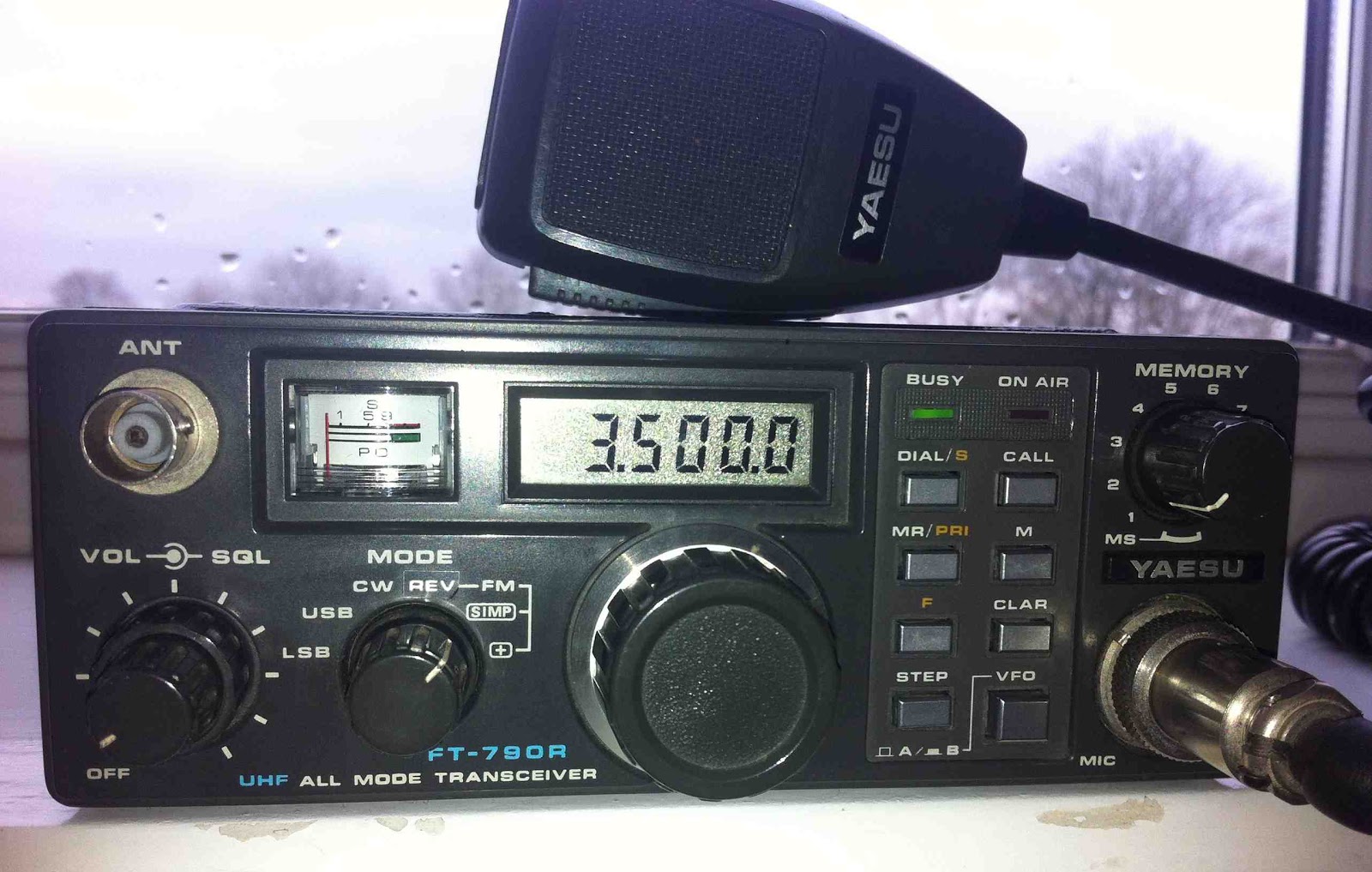
“One Watt! One Watt! What on earth bl***y use is that to you?! I don’t know… (sigh)” exclaimed one local straight-talking OM on 2m FM yesterday. His response to my acquisition of a rather dated Yaesu FT-790R ‘portable’ transceiver was less than encouraging. It’s just as well I’m an optimist then. With a maximum output of one Watt on one band (70cm) I think I’ll need to maintain an upward outlook. But here’s the thing – I always find myself drawn to obtaining the more elusive QSO. You need a certain amount of eccentricity and tendency to self-harm to stand on a hilltop for hours calling out on 23cm FM QRP, for example. I was the first in the area to start calling CQ on DV mode on 2m. It took months before my first simplex QSO and then very little since. The higher bands and modes have their rewards in spades, however. The rush of excitement when you finally make that new or distant contact. The perceived camaraderie knowing someone has gone to the same quirky lengths as you to operate on a lesser used band/mode or from an unusual location. You feel you have made a meaningful and personal connection, at least for the duration of the QSO. Oh, it’s such a far cry from exchanging reports of 5/9 with the fiftieth Italian station running 1kW on 20m you’ve spoken to in one morning. Better still, no QSL cards. Any why the FT-790? Well, at just over £100 it’s one of the few portable internal battery-powered transceivers you come across before taking the small fiscal leap to an FT-817, for example. Either way, it will hold its value if my 2m friend’s prophecy becomes true. Anyway, so far so good. It’s powered up and seems to be fully serviceable. I’ve even managed a short-distance QSO with John GW4ZPL over the Menai Strait in the Caernarfon direction, just a few miles away. I’ll be out and about when the weather improves and will post my experiences here. Will it be too futile, or with a bit of luck will I make that elusive QSO I’m after? Will my single sidebanded plaintive cries of CQ reach a caring ear? Maybe I’ll be happily shouting “One Watt! One Watt!” from a heathery Welsh hilltop.

FT-790, forlorn hope?

Handiham World for 25 April 2012

Welcome to Handiham World.
drawing of transceiver
You can do it!  
Today, just as we did last week,  we are going to begin with Troubleshooting 101 as part of our initiative to help new ham radio operators (and even some of us older ones) learn how to do some basic troubleshooting for ourselves. Yes, it can be tempting to ask someone else to do things for us.  This can become a bad habit when it keeps us from learning new things, especially things that we could – with a bit of practice – learn to do for ourselves.  Knowing these basic things can serve us well in the future when no help is available.  This next simple exercise is one that we will be practicing at this summer’s Radio Camp.  You can do it yourself once you learn a few basics.
Troubleshooting 101
Cartoon guy with toolkit
I have set up my Echolink audio and it worked perfectly, but today when I tried using Echolink, the audio was really low or not working at all.  What can be done?
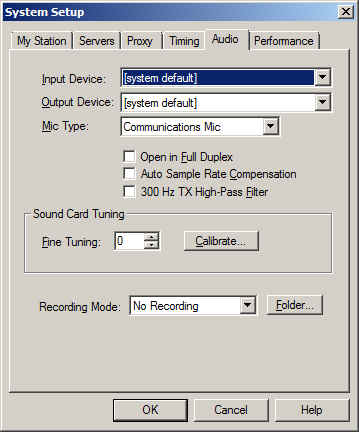
Echolink audio tab in System Setup  Reach system setup with keyboard command ALT-E.
Before we say anything more about this, I have to let you know that you are not alone.  I like Echolink and use it nearly every day, but I still consider it to be a journey, so to speak.  I have not quite arrived yet at the point where Echolink works perfectly each and every time.  Audio problems are common and expected, so we have to learn how to troubleshoot them.
Your first test should be a visit to the Echolink Test Server.  Find the test server by going to the Station menu (Arrow right from the File menu or use ALT-S) and when you hit “Station”, arrow down to “Connect to test server”. You should hear the familiar welcome message.  After the welcome, get focus in the transmit box, toggle transmit with the space bar, and transmit a short test message. Toggle again and wait for your audio to be echoed back to you. If there is no audio, proceed to the “No Audio” troubleshooting.  If there is low audio or too much audio so as to cause distortion, proceed to the “Audio Level” troubleshooting.
No Audio
If there is no audio at all, there are several things to check.  
Volume:  Is the volume turned up?  Are your computer speakers powered up?
Microphone: Is the microphone plugged in?  If there is an external microphone, whether USB or the 3.5 mm plug, it may have been unplugged by another user in the family, or you may have unplugged it and forgotten to plug it back in. Some microphones have their own mute buttons.  Check to make sure the microphone is not muted. If you are using a microphone headset with 3.5 mm audio plugs, make sure that the headphone plug and the microphone plugs are not reversed. If you use a USB headset, plug it into the same USB port on your computer each time so that the machine does not search for USB drivers each time you plug it in. 
Audio Mixer: The audio mixer in your operating system (usually Windows for Echolink users) might have the microphone either muted or the wrong audio input is selected. Windows users need to go to the Windows Mixer recording settings.  Getting there is different depending on your version of Windows.  We will not explore this, but it is something you should learn about your own computer and operating system. In the recording mixer settings, unmute the microphone and run the slider up if it is set at zero. Repeat the test server test and it should work fine.  You can usually get to the mixer settings via the Echolink application itself. Go to the Tools menu, then arrow down to “Adjust sound device” and choose “Recording”.  This is an easy way to find the recording mixer!
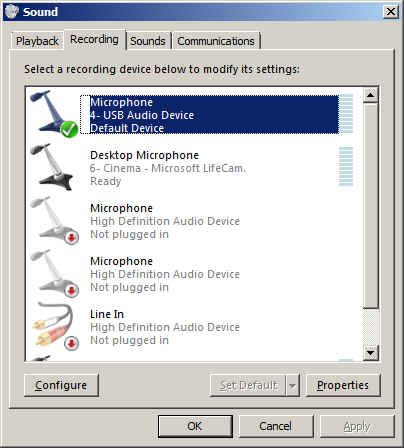
Multiple audio inputs: As we mentioned, the wrong input may be selected in your Windows mixer.  Be sure the correct input for the microphone you want to use is selected as the default device.  Again, how you do this may vary depending on your operating system.  You should learn how to use your operating system’s mixer.  
Echolink sound selection:  The Echolink application has its own selection of audio input devices available from a pull down menu.  You will find it on the audio tab in System Setup.  The choices are “Input Device” and “Output Device”. If the microphone selection is to be checked, the one you want to pull down is the “Input Device”.  If you have more than one input device, they should all be listed in the pull down.  However, the first item listed is always “system default”.  That is the one you should select, because if you followed the directions we just gave you, you have already set the preferred microphone to “default device”.

Recording device list in Windows 7 with default device selected.

So why do we recommend using “default device” instead of one of the other selections?  It is because selecting the recording device via the Echolink pull down does not always result in the correct device actually being used for audio input.  This is a real mine field for users who have lots of audio devices.  A computer could have a TV tuner, more than one microphone, a webcam with a built-in microphone, a line in device, and even a USB audio line to a transceiver.  Don’t laugh – I have had all of these things, and sometimes Echolink reported one microphone being the input when instead the audio was coming from the HF rig connected via USB.  It is safer to set your preferred microphone up as the default device in Windows, then always choose the default device as the Echolink input via the Setup menu.

Final test: If you have followed the directions and everything is set up as described, repeat the test server test.  Adjust levels if necessary.  If there is still no audio, you may have to look further.  There could be a fault in your microphone, usually with the cable or plug, or with the computer hardware or sound card drivers. 
Low Audio
Microphone selection and positioning: As we already discussed, you must be sure that you are using the correct device. One fellow I know was puzzled by a low transmit audio condition.  When I talked with him on Echolink, his audio sounded like he was far away from the microphone, yet he was wearing a headset microphone combo.  The diagnosis was that the sound was being picked up by his laptop’s built in microphone, which had been selected as the default audio input device.   If you are simply too far away from the microphone it can have exactly the same effect. Position the microphone closer to your mouth, keeping it slightly to the side.  If the mic element must be very close to your lips, as is the case with headset microphones, use a foam wind screen to prevent puffs from making loud noises as you speak.
Beware of other software that takes over mixer settings:  Voice dictation software can change your mixer settings to some predetermined level that is ideal for speech input computing.  You may have your Echolink levels just perfect, then you open Dragon NaturallySpeaking®, enjoy a session of typing with your voice, and think nothing of it.  But the next time you want to use Echolink, the microphone audio may be very low.  This happened to me all the time, because I liked using my USB headset for both voice dictation and Echolink. Dragon would reset the mixer every time, unchecking the microphone AGC boost and changing the slider level. It might be best to select different input devices for these two software applications so one does not fight it out with the other for mixer level settings. 
Mixer settings continued: Most of us will not use anything but the built-in software mixer, but there may be some users who use external hardware mixers.  These can be great for those who like to really be in control of their audio.  If you have an external mixer, be sure the microphone is plugged in and selected as the input device. Check the sliders to adjust the level.  If the device uses external power, be sure it is powered up! 
Every computer system is different.  It is difficult for someone else to help you with your system, especially on the phone.  So I have some “homework” for you.  I want you to learn how to use the audio mixer in your own computer, and learn it well enough to set input and output levels.  Some computers (probably most these days) have some kind of keystroke combination or actual dedicated keys on the keyboard to raise and lower the volume or mute the audio.  Some laptops have a volume control that operates by spinning a wheel or holding down a specific key. You need to learn these controls and learn them well, because they will be used for lots of other applications like taking voice notes, doing voice dictation, playing music, listening to audio books or Internet audio streams, and much more.  Wouldn’t it be nice to learn the mixer settings so that you don’t have to ask for help on these things as well as with Echolink?  
Sure, it would!  And you can do it.  
Email me at [email protected] with your questions & comments.  
Patrick Tice, WA0TDA
Handiham Manager

Are We There Yet?

Can you say road trip?  I love to promote what others are doing in the hobby of amateur radio.  Please do me a favor and visit, bookmark and subscribe to the brand new blog site of Connie Bird, NR4CB.  Connie is about to embark on a summertime journey that most of us can only dream about.  Connie’s blog site is titled Are We There Yet?  The site will serve as her written journal as she travels over 6000 miles through two countries, two Canadian provinces, one district (DC), twenty-three states and as many ham radio QSO’s as she can manage.

When I was a teenager, my uncle (K5SOR) and I would embark on similar journeys as we traveled and explored the western US.  It was on these trips when I realized I truly wanted to one day call Colorado home.  Of course, this was well before my time in amateur radio.  But I do recall my uncle working CW mobile and while camping he would typically throw a wire in a tree and check into his HF nets. 

Again, please visit Connie’s site.  Bookmark and subscribe to the RSS feed.  Her journey will begin in late May/early June.  She plans to kick things off by presenting a forum titled “On Air, Online, and Eyeballs: The Social Side of Ham Radio”, at the Atlanta Ham Fest on Saturday, 2 June.  She then plans to travel up through the eastern portion of the US making her way up to the Boston area for her brothers wedding taking place on Field Day weekend. Of course it doesn’t stop just there.  She hopes to operate as a guest operator at W1AW and onboard the USS Yorktown later in the summer. 

I would personally like to thank Connie (in advance) for sharing her experiences and her journey with all of us.  Of course, I also wish her the best of luck and very safe travels.  You may also follow Connie on Facebook and Twitter.  Perhaps I can convince Connie to take 30-45 minutes out of her journey and provide the listeners of the Practical Amateur Radio Podcast an update later this summer.

Until next time…

73 de KDØBIK

Loving My Alinco DJ-G7
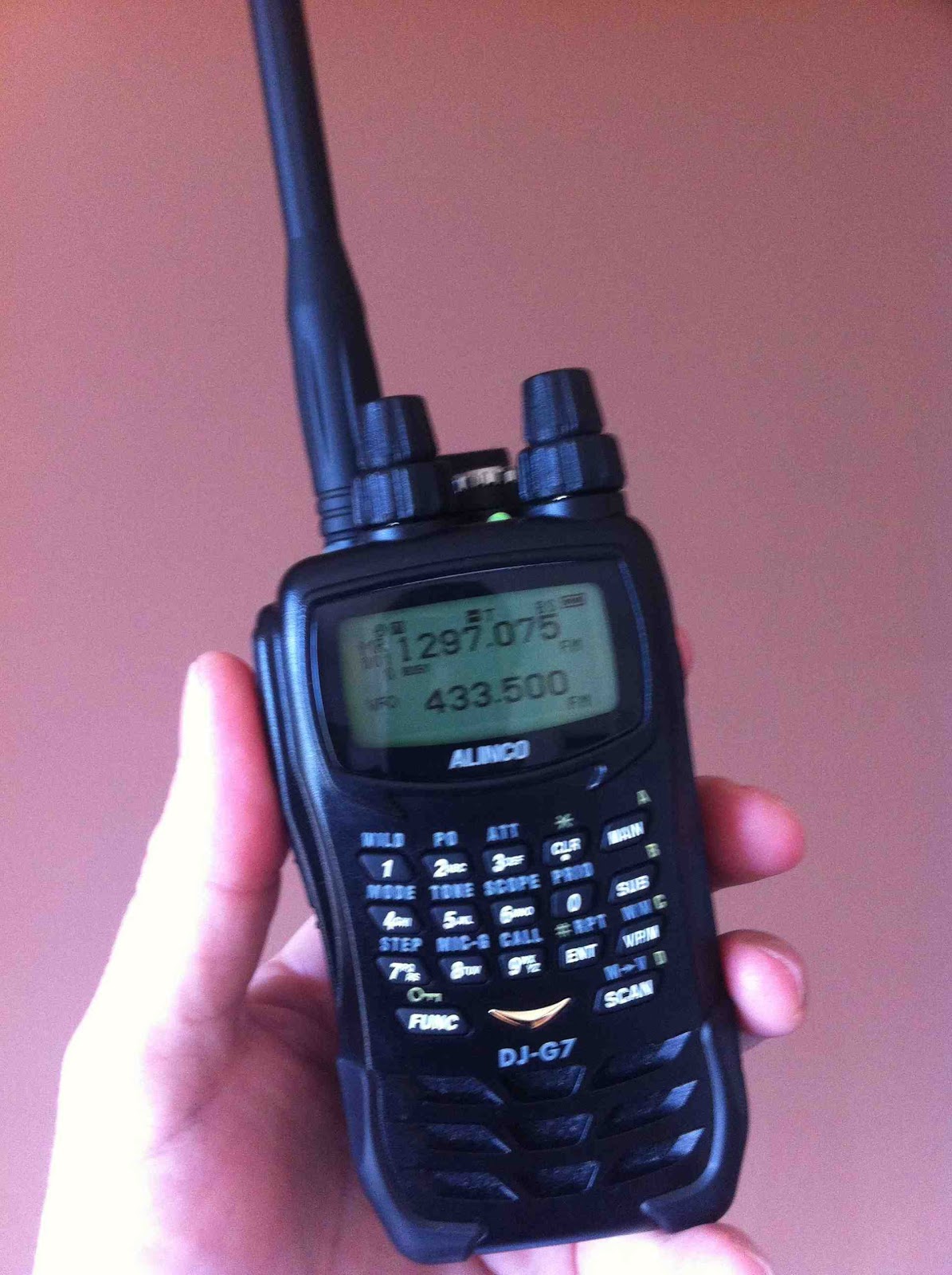

Alinco DJ-G7
There are many reviews on the internet already about this cracking little 23cm-capable transceiver. In fact, it's the only 23cm handheld currently manufactured, which begs the question when will the Chinese fill the obvious gap in demand?

I'd like to add a couple of comments to help G7 owners get the most out of their cherished handsets:

Firstly, you'll find that programming the frequency offsets for 23cm repeaters may involve two minutes rotating one of the knobs. So, before you do this, set the tuning steps to 1MHz and not 25kHz, for example. You'll be able to dial a 20MHz offset in no time.

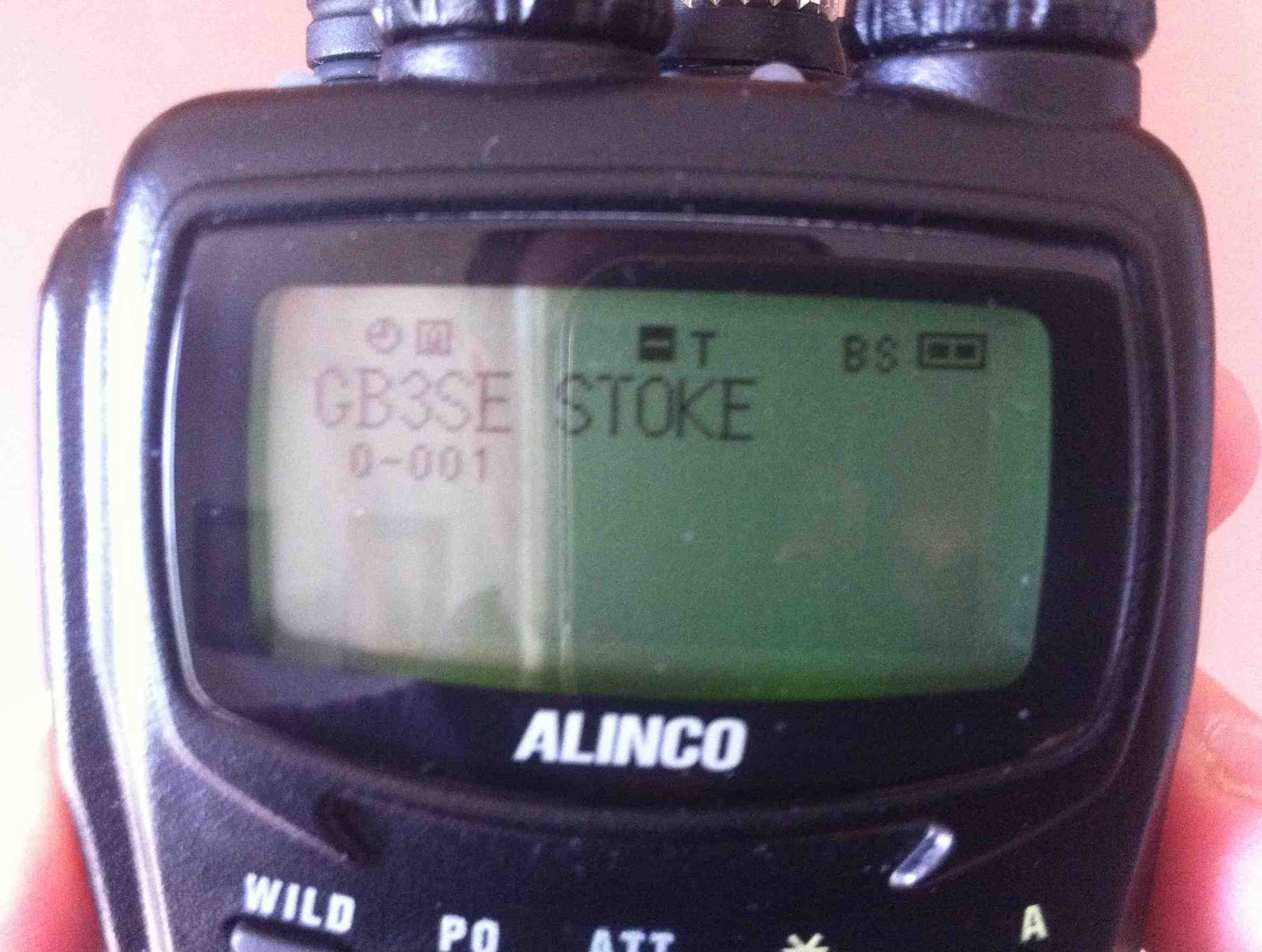
Secondly, make full use of the large alphanumeric display. This is the only radio I have where there are enough characters to enter a repeater call sign AND its location as shown to the right.

Alphanumeric display
If you're thinking of trying 23cm FM with one of these, I'd urge you to go ahead! I've had so much fun working good distances with just 300mW from a local hilltop. The top power on 23cm is 1W with 5W on 2m and 70cm, of course. The audio quality is crisp and clear and QSO's are very rewarding. Is there activity? Well, not a prodigious amount, of course. Try monitoring the SOTAwatch website for hilltop activity or put out a call on 2m or 70cm asking for stations QRV on 23cm to respond. Note that some stations may have horizontal beams for SSB - simply turn your antenna on its side when needed. Do some research on homebrew bi-quad antennas as they're really easy to construct and will give you immediate gain without sacrificing portability. Again, there is plenty of excellent information on the net. I used this design here: Hybrid Quad Directional Antenna

Check your licence terms, though, as Foundation holders don't have access to this band. Otherwise I look forward to working you soon!

Read Ross G6GVI's excellent review here: G6GVI Alinco DJ-G7


Update - here's a list of stations worked in my first week QRV on 23cm:


GW4ZPLJohnCaernarfon
G7IEIShaunBolton
G6AOSSteveBlackpool
G6ODUBobOrmskirk
2E0DDDRobStoke
2E0XYLKarenWirral

D-STAR Makeover

I had a surprising and slightly emotional experience on DV mode last week. I was in QSO with a mobile station who temporarily lost the repeater for a couple of seconds. Not unusual, but get this - instead of vanishing permanently in to vast digital abyss, he came right back as the system re-synced and locked-up. This happened again and he was re-acquired and all was well. Remarkable.

No longer will your beautiful, eloquent, flowing QSO be 'bumped' abruptly and permanently off the air by a random mobile station the other side of the world 'pinging' his local repeater for a few milliseconds. You can now even QSY to a 'chat' module and not hog the repeaters of an entire nation while you discuss your passion for North Korean tractor parts for three hours.

The advent of DCS reflectors, hand-in-hand with the German DV-RPTR boards shipped all over the world, is going to save the mode from extinction, no less. Witness the used D-STAR radios in the graveyard of Ebay as testament to the disillusioned DPlus users.

If only they'd have waited.
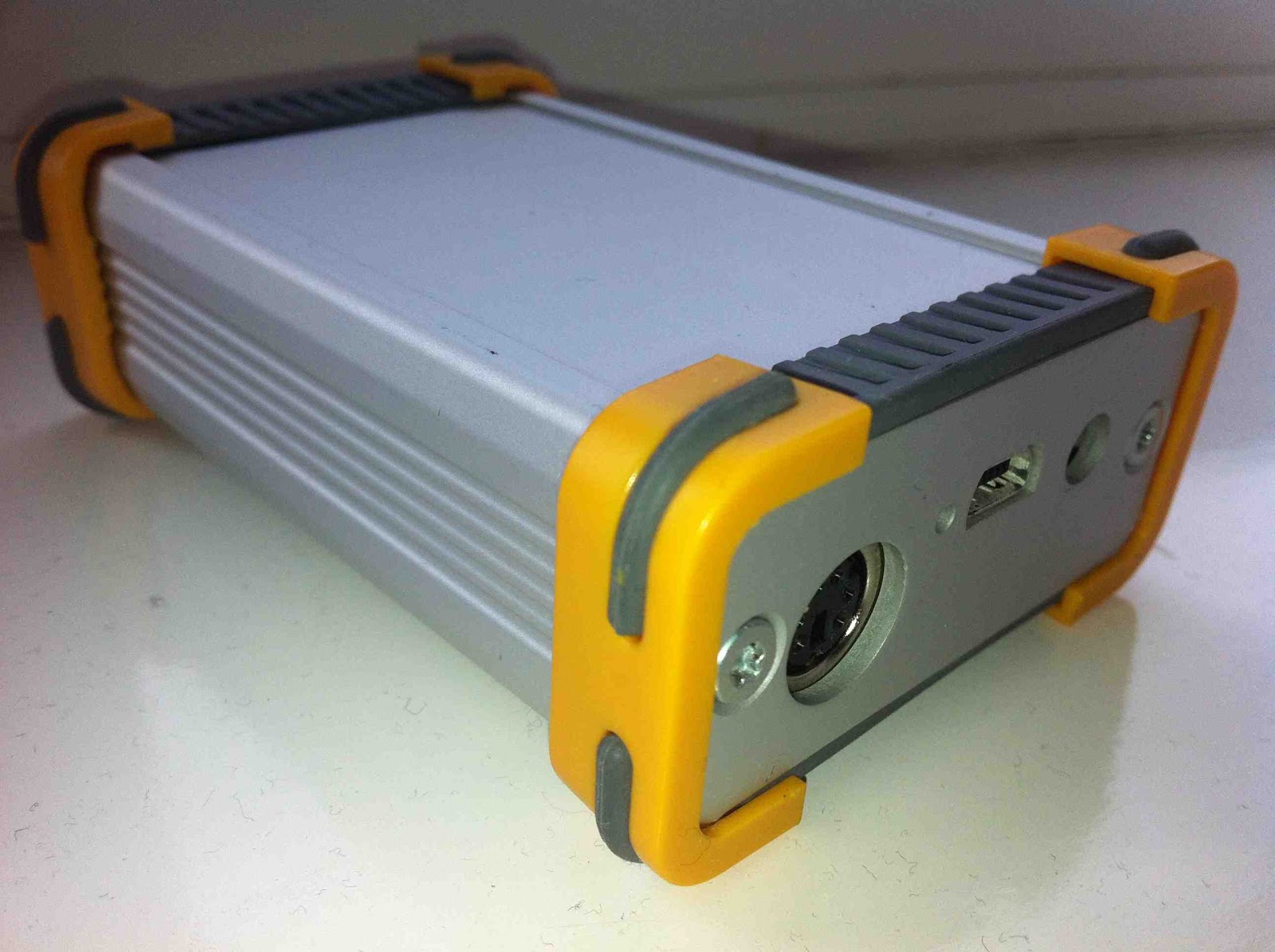
The DV-RPTR unit in its housing


*UPDATE 24th April 2012: Looks like the Dplus system has been suddenly revamped to include the routing information with the voice packets in the same way as DCS. Shame it took seven years of dysfunctional communications and a rival system to prompt this. I'll be staying on the DCS system - but enjoy whichever system you use and enjoy the mode!

Foundation for Life?

Nobody would doubt that the RSGB initiative to bring a new crowd of entry-level operators into the hobby was a 'good thing'. The young, the old, dabblers and people of varying abilities are able to enter the hobby with nearly all the operating capabilities of an advanced licence holder. Ten Watts on nearly all the bands really is 'enough to work the world'.

But should that be the end of their radio adventure? I am wondering if there should be a nominal time limit that encourages the foundation licence holder to progress to the next level or the licence is rescinded. Does this sound harsh? Well, there are plenty of analogies - think of your teenager's moped licence.

Should you be able to remain aspirationally dormant at this level for life? Perhaps if you are visually impaired, for example, or face other similar restrictions, then this should be an absolute entitlement.

But has the proliferation of long term M3's and latterly M6's downgraded the quality of the hobby to some extent? For example, take two metres, with fewer of the 'older gentlemen of the air' as I like to call them, taking an active part in daily communications, has the lead example of how to behave been lost? I would say to an extent, yes. More senior operators still monitor two metres and will bemoan inwardly the way that newer operators seem to be making up their own rules of how to behave on the air without any mentoring or peer influence. Yes, I know there are examples of senior operators behaving appallingly, but I really would not want any young aspiring radio amateur to listen to some of the inane, irrelevant and wholly inappropriate conversations floating around the bands in my area - and we're in a comparative Narnia here in north Wales.

I admit to feeling my heart sink when I heard about a five year old girl passing the Foundation Exam recently. This is not an example of how clever the girl is, is it? Likewise the blood drained when I heard of the Belgians giving their novices fifty, yes fifty Watts to play with. Unless I've been reading this incorrectly, the RSGB have been reporting all this as 'good' news.

So where do we set the balance? Where is the incentive to learn, progress and perfect?

Suggestion: Foundation for five years, Intermediate for ten, Advanced for life. Too severe, or the only way to keep any credibility and dignity in the hobby?

Comments please.

Sandpiper 23cm 19 Element Yagi

My relatively new Sandpiper beam is now performing well after a shaky start. It's a misnomer to sell it as anything else other than an antenna kit, to be truthful. It really does arrive as a bag of bits and two rough photocopied pages of sketchy instructions.

It didn't help that the elements were supplied in the wrong sequence with a couple of 'wild card' elements from another antenna design altogether. Marc, the manufacturer, was extremely apologetic and helpful in sending me the antenna measurements straight away by email. However, it meant the additional purchase of a metal rule and measuring callipers from our local excellent ironmonger to get cracking.

After what seemed an afternoon of measuring and re-measuring, the beam started to take form. This involved discarding one element and chopping down another to size. In the initial construction the reflector ended up as the first director. What was supposed as a reflector must have come from a 70cm design. No wonder the thing worked better sideways.

But now, all is well. Coupled with my 1W Alinco DJ-G7 I worked Stoke on Trent (2E0DDD) simplex from a local Anglesey hilltop thanks to a slight tropospheric enhancement. It seems to offer the best combination of gain and beam width. This means your calls will be heard reasonably widely with enough gain (17.1dBi). You won't be losing out too much due to de-pointing either. Its size also means that it can be supported by a modest pole/guys or tripod without offering too much windage.

I think it's possibly the most optimal solution for hilltop and portable operating.
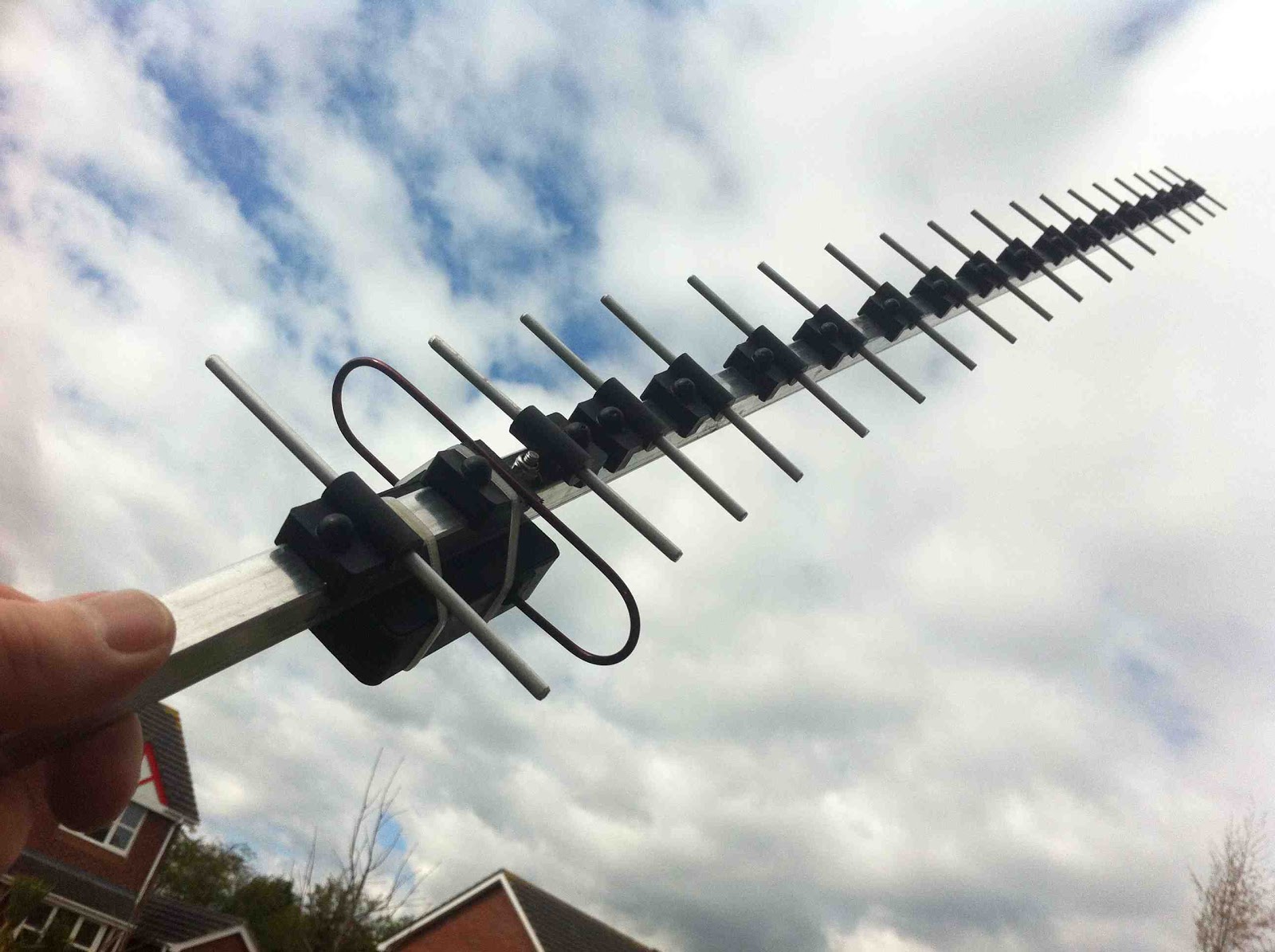
The completed 19 element 23cm Sandpiper yagi


Subscribe FREE to AmateurRadio.com's
Amateur Radio Newsletter

 
We never share your e-mail address.


Do you like to write?
Interesting project to share?
Helpful tips and ideas for other hams?

Submit an article and we will review it for publication on AmateurRadio.com!

Have a ham radio product or service?
Consider advertising on our site.

Are you a reporter covering ham radio?
Find ham radio experts for your story.

How to Set Up a Ham Radio Blog
Get started in less than 15 minutes!


  • Matt W1MST, Managing Editor