Posts Tagged ‘amateur radio’
 Ham Radio Operating Ethics and Operating Procedures
 November 16th, 2019 |
  Author:
 In 2008, John Devoldere, ON4UN, and, Mark Demeuleneere, ON4WW, wrote a comprehensive document entitled “Ethics and Operating Procedures for the Radio Amateur.” The purpose of this document was for it to become a universal guide on operating ethics and procedures.
This document was accepted by the IARU (International Amateur Radio Union) Administrative Council as representing their view on the subject. During subsequent Regional IARU meetings it was emphasized that the document be made available to the Amateur Radio Community via all available means, at no cost, and in as many languages as possible.
The document has since been translated into more than 25 languages. In some countries, the document is also offered in printed format and many Amateur Radio websites have a link to the document. Our most sincere thanks go to all our friends who spent hundreds of hours to take care of these translations.
To achieve easier access to all of the existing versions and languages of the document, the authors have set up the Ham Radio Ethics and Operating Procedures web site at:
https://www.hamradio-operating-ethics.org/versions/
It contains a listing of all versions/languages, sorted by country, where you can download the translations in any of the following forms:
*PDF or Word documents from various countries
*Directly from the different Radio Societies’ web sites
*A downloadable PowerPoint Slideshow Presentation (available in one of three languages–English, French and Dutch)
John, ON4UN, and Mark, ON4WW
Review – BTech DMR-6X2
by John ‘Miklor’ K3NXU


Several Dual Band DMR handhelds have been introduced into the market in the past few months. Having owned most of them, I would have to place this one toward the very top of the list. The DMR-6X2 is both VHF and UHF, Tier II DMR digital as well as FM analog with most features geared strictly toward ham radio use.
Important Note: The BTech DMR-6X2 is Not made by Baofeng. (see note below). That being said, let’s see what’s…
In the Box
Included with the radio are the:
– Two (2) Li-Ion Batteries (2100 and 3100 mAh)
– Two (2) Belt clips
– Hand Strap
– 37 page User Guide – English
– Charger base & AC adapter
– Antenna – 6.25″ (16cm)
– Programming Cable
– Earphone / Microphone
General Description
– DMR / FM
– VHF / UHF Dual Band
– Size: 5.1 x 2.4 x 1.5″ (129 x 61 x 39mm)
– Weight: 9.9oz (282g) w/ant & 2100 mAh battery
– Weight: 10.8oz (306g) w/ant & 3100 mAh battery
– 136-174 400-480 MHz
– CTCSS/DCS DTMF/2TONE/5TONE
– Digital Simplex Repeater
– <1.0w / 6.0w transmit
– 4000 channel
– 250 Zones (up to 250 channels per zone)
– 10,000 contacts
– 150,000 DMR Database Contacts
– Part 90 compliant – 2AGND-DMR6X2
– N0GSG Contact Manager Compatible
Basic Description (additional features)
The heart of the 6X2 is the proven Anytone D868. Under contract with Anytone, BTech had several addition features exclusively added to the 6X2.
Some of the additional features exclusive to the 6X2 include:
– Multiple Scan Groups
– Priority Scan
– Change TG via Keypad (Adhoc) with Unlimited Hold Timer
– Display Color Options
– Digital Simplex Repeater
– Analog Squelch Level Adjustment
– Start Up Code Plug Compatibility
– Display Hold
– Multiple Scan Groups in Same Channel
The 6X2 allows multiple scan lists to be entered per channel. You are no longer limited to one scan group entry per channel. The scan groups can include and mix of DMR or analog channels.
– Priority Scan
When developing a scan list, up to 2 channels can be assigned as priority. This allows the priority channels to be interwoven in the scan list. As an example:
– Channel 1
– Priority Channel 1
– Channel 2
– Priority Channel 1
– Channel 3
– Priority Channel 1
– Change Group via Keypad (“Unlimited” hold timer)
This is specially nice when using a hot spot. By setting a key function to “Dial” or “Long Press 0”, and the Group Call Hold time to “Unlimited”, you can enter a Talk Group using the number pad and it will remain permanently or until the channel is changed. No longer is the hold time set in seconds or minutes.
– Display Color Options
There are two display color options available. They are White on Black background, and Black on a Powder Blue background. (shown below). They are selectable by either software or keypad menu.
– Analog Squelch Level Adjust
The analog squelch level can now be adjusted using one of the programmable keys.
– Start up Code Plug
To assist with start up, the software was written to initially accept an Anytone D868 code plug. I’ve had a 868 since they first came out, and this was a huge time saver. Everything transferred and I was ready to play radio in minutes.
Note: Due to the extra features in the code plug, a 6X2 CP cannot be transferred back to a D868.
– Digital Simplex Repeater
Not to be confused with a standard repeater, this feature allows the DMR-6X2 to function as a Store and Forward Simplex Repeater. The 6X2 records a transmission and stores it in memory. Immediately after the incoming signal is dropped, the transmitter keys and re-transmits the recorded audio. The re-transmission can be either on the same or different frequency (not necessarily on the same band).
This feature allows the 6X2 to be used as a relay point during events such as marathons, races, etc. where a central relay method is needed and there is no local repeater.
– Display Hold
When a signal is received, the data image (name, call, location, etc) remains on the screen until the next signal is received rather than drop back to a standby screen. There is a Call End indicator at the bottom, but the data remains.

The Technical Side of the 6X2
The Transmitter
The frequency range of the DMR-6X2 is both VHF 136-174 and UHF 400-480 MHz. Along with DMR, the radio also supports analog FM (Wideband and Narrowband)
The power levels hold pretty close to the specifications. There are four power levels with a high of 5.0W and a Turbo mode of 6.5W. I personally run mine in 5W mode. Turbo isn’t going to Make or Break the signal, but it helps the battery.
What I do like is the low power mode is less than 1W. I run a hotspot here and if the power was only 0.3W I would be happy.
My audio reports have been excellent both through a DMR hotspot and the local repeaters. There is a five level microphone gain parameter that allows you to select the microphone gain level that best suited for your voice. I use level 3 (mid-level) for a full smooth audio response. I tried level 5 and found the audio was way too hot.
Power levels are listed below and were taken using a calibrated Bird Termaline wattmeter.

Enclosure
The DMR-6X2 case has a good solid feel and weight, and fits the hand well. It weighs in at 9.9oz (282g) with the standard battery attached and 10.8oz (306g) with the high capacity battery. Battery removal requires a simple push of the release slide located at the top of the battery. No battery sliding or pushing is required.
I found the keypad buttons a bit larger than most with a lighted keypad layout of three across and four down. This puts the zero (0) at the bottom of the keypad where I believe it belongs. The PTT button requires only a light pressure that doesn’t tire the finger to press.

Antenna
The included dual band antenna is 6.25″ which is a fairly common size for a handheld. I found that there was a slight improvement of about 2db by using an NA-771. The 771 is 10″ longer, so a difference would be expected, but I’ll probably stay with the stock antenna.


Receiver and Audio
The receiver sensitivity is very good on both digital and analog. I found the receive audio is amazing with wide and smooth frequency range.
The volume control range is adjustable with the software. Level 1 sets the full range of the volume control to a soft level, even at full volume. Level 8 sets the volume range to very loud at the top end. My preference is level 3 to 5 which is plenty loud, even for mobile operation.
Display
The radio has a two multi-color display options. The high contrast White on Black, and the softer is a Powder Blue with multi-color icons. The color is selectable via software or as a keypad menu option. The screen size is 1.1″ x 1.4″ with excellent resolution .
There are multiple sites where the current DMR User Database can be downloaded. There are various formats available allowing you to view name, call, location, user ID, license class, etc.

.
Software
Along with entering data in the conventional manner, the software allows you to import and export data to ‘csv’ files. Loading in a contact (TG) list, channel list, database, etc. is relatively simple.
I found being able to export to a ‘csv’ file has several advantages. I like having my channel list in sequence. With most software, you can only add new channels to the bottom of the list. Now I can sequence the list so it’s easy to view then load it back into the code plug.
Adding a new repeater can be done in minutes. I just cut and paste a copy of an existing repeater, change the frequencies, and load it back.
Note: The BTECH 6X2 can import a code plug (.rdt) from an Anytone D868UV directly. This is a great way to get your 6X2 on the air. Once loaded, however, due to the expanded parameters, the D868 is not capable of reading a 6X2 code plug.
CSV transfer Caution
Adding large amounts of data, updating and re-sequencing via CSV files is a major plus, but should always be done with Caution. For instance, Talk Group data must always be loaded before or at the same time as the Channel data. If not, improper data attachment may not occur.
Always backup your current code plug before modification.
Firmware
As additional features and future enhancements are developed, the radio can be updated to latest model. A firmware upgrades can be done with a Windows computer in about 5 minutes.
Note: The DMR-6X2 firmware is specific to this radio. It cannot be uploaded to a different model in hopes of adding new features.
Programming Cable
The DMR-6X2 comes with the necessary programming cable. The UART chip inside the radio, so the cable itself is straight through. There is no circuitry inside the cable itself. The driver will load automatically when the cable is attached.
For reference, although the cable appears to be the same as some that have the chip in the cable, those cables are not compatible.


The charger base requires a standard 12vdc wall wart (included). The LED on the front of the charger base is Red when charging, and Green when either fully charged or no radio in the cradle. The battery easily charges to full capacity with an overnight charge.
Battery and Charger
There are two batteries included with the 6X2, a 2100mAh and a high capacity 3100mAh. With battery save on, I can get 2 to 3 days out of the 3100mAh battery before needing a charge.
There are also USB charging cables available with output of 12V. These can also be used in place of the included Wall Wart.

Conclusion
If you think the BTECH DMR-6X2 very closely resembles a D868UV, you are correct, but as shown above, it is definitely not simply a rebadged Anytone. There are features and enhancements that set these two radios apart. I think BTECH was wise to wait for the bugs to be ironed out before introducing the 6X2 to the market.
If you’re waiting for this radio to drop in price, don’t hold your breath. Its features and performance make it well worth the price.
The obvious pros are the following:
– True Tier II DMR
– Same Band and Cross Band digital simplex repeater
– Dual Band VHF/UHF operation
– Multiple Scan Groups per Channel
– Priority Scan
– On the Fly Talk Group Entry
– Built-in Voice Recorder
– 2TONE and 5TONE decoding
– 150K user database capacity
– FCC Part 90 certified for commercial use
– N0GSG Contact Manager Compatible
There are plenty of options geared more for hams than commercial use. It performs well and makes a nice addition to the ham shack.
Available from:  and Amazon
For Clarification
BTech (BaofengTech) is not a division of Baofeng. They are an ODM that partners with OEM manufacturers to spec and build to their own requirements, whether from scratch (UV-5X3) or from an existing product. This 6X2 is an Anytone at heart with additional unique features found only in that model.
Here’s a comparison chart showing the major differences.
Click to enlarge.

Evaluating 9 of the Best Single Board Computers for Modern SDR Systems
This past August I had the privilege of attending and video-recording the TAPR Digital Communications Conference in Albuquerque, NM. For several years past, this conference was recorded by Gary Pearce from HamRadioNow, but Gary has since retired from making Ham Radio videos (the series was handed off to David Goldenberg, W0DHG, who is doing a great job with new episodes). In lieu of this fact, I spoke with Gary and with Steven Bible, the administrator of the DCC, and was permitted to take up the mantle of recording all of the forums and putting them on YouTube.
With this first forum, Scotty Cowling, WA2DFI, presents his findings for 9 of the best Single Board computers for modern SDR systems. Among these boards are, of course, the Raspberry Pi, but several others are also discussed. I thought this information was valuable and useful to those of us who want to do Amateur Radio projects. This applies not only to SDR Receivers and Transceivers, but also for dozens of other projects in our hobby.
As Scotty states in the video, lots of time and research was put into this presentation because the information he gathered isn’t readily available in one place. He spent quite a bit of time digging for the information about SBCs to present in this forum.
I hope that you enjoy watching this forum as much as I did.
[embedyt] https://www.youtube.com/watch?v=4mMtzyydLPA[/embedyt]
On Learning Humility; a POTA Evening with Bugs in Florida
Monday April 30 I set up at Hobe Sound Nature Preserve, KFF-02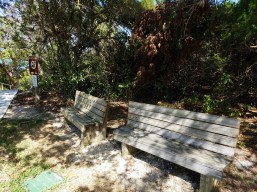 41, to activate on 40 and 20 meters. I waited till late in the day, arriving on site about 5:30pm EDT to set up and get ready for 40m to wake up as the sun goes down. Took my time walking the entire area to scout a good spot. Was previously here two weeks ago in a
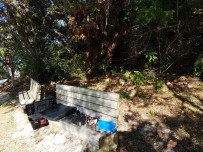
time-pressured situation and hurriedly set up at the first thing I found, a simple park bench. Not that much from which to choose here as this is principally a minimally-developed natural resource area, appealing to fishermen, hikers and nature-lovers, and not as well furnished with picnic areas like a State Park.
Got a eleven or twelve qso’s that day with the Link Dipole arranged up only a dozen feet in the beloved inverted vee style. Not the best operating position, but sufficient.
Here I am on the original activation, looking optimistic despite the ominous smoke on the horizon (just a controlled burn, actually).
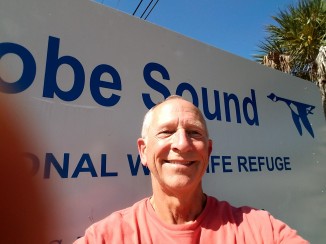

After an outrageously successful activation of Jonathan Dickinson State Park, only a few miles from here, this past weekend, I just knew I could return to Hobe Sound Preserve and catch many more Q’s to make my 44 needed to earn the coveted WWFF recognition. At JD I got 23 qso’s Saturday but needed more to make the grand total of 44 so went back Sunday and got on the air a little
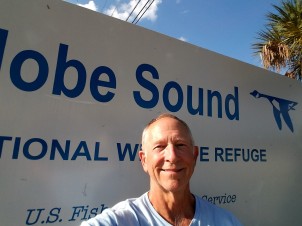 past seven on 40m, receiving a total of 49 more in under an hour! Wow, I said; Gosh, I even had a little pileup going a few minutes at a time. “Oh Baby, That’s a What I Like,” (with a Hatlo Hat Tip to the Big Bopper). Couldn’t wait to do that again at Hobe Sound today.
Confidently, I left the house 5pm to head to the site. Sorry I don’t have a picture of me confidently driving my car but just look how confident I’m still looking upon arrival; who wouldn’t want to work a ham like this one?
Took my time to walk most of the trails to scout the best location to set up and found this tranquil spot: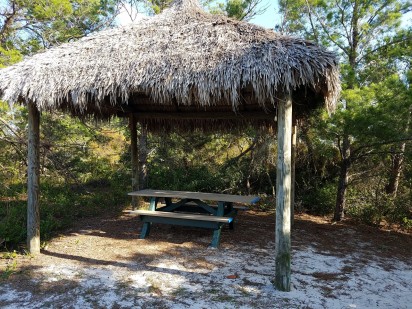
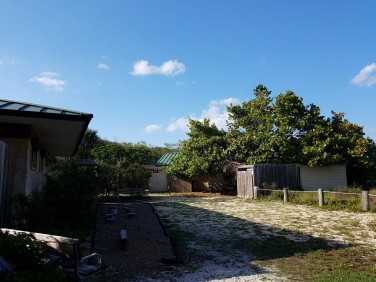
No cooperating trees in vicinity, so let’s set up a tower.s Below’s the view from the idyllic picnic table and thatched roof. The open area is to the North-NorthWest, ideal aiming direction for Southeast coast of Florida. Same orientation as yesterday – good omens.
I’ve learned how to erect a tower alone; step one is to lay out the antenna (EndFedz in this case) to judge where to place the tower and its guy lines. Lay the tower down, tie on the guy lines and provisionally place your tent stakes. Remember to attach the antenna and attach your coax to said antenna (this is the voice of experience speaking) before pushing up the tower. This is the dicey part, when having an assistant would be helpful, but in the spirit of self reliance, you can do this if you’ve guessed well where to place the tent stakes. Something I’ve started to say to the Curious, especially when the Curious is a Park Ranger, when they ask what you’re doing, say “I’m setting up a radio station in a simulated emergency situation.” They will eat this up.
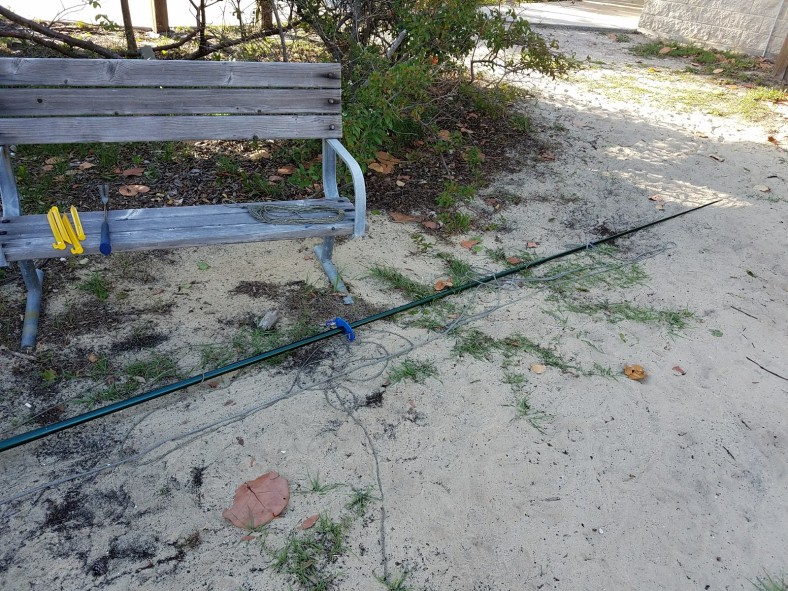
After some fumbling, your tower will finally look like this:

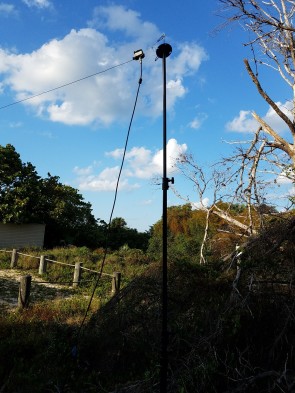
This tower tip is at 22-23 feet; yesterday, same time, same antenna, and same band, I was up 35′ thanks to a handy tree. But still, this looked really good so I expected similar if not better results, qso-wise. Here’s the low end of the EndFedz on a photographer’s lighting tripod, up ten feet and guyed.
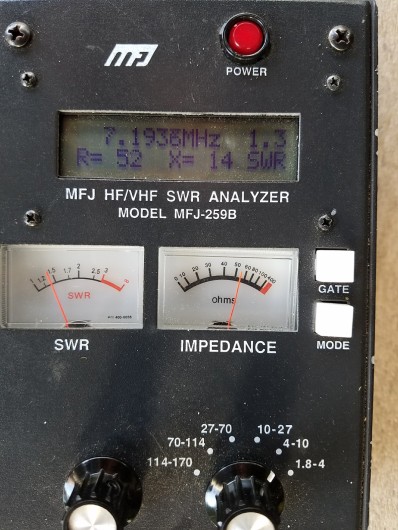
Bodacious good SWR as you can see in image below. All’s well, it seems.
Eager and self-assured, about 6:30 I begin calling CQ, ready for the inevitable pileups. Quickly I stumbled into a net and was invited to check in, so I did. Not POTA, but
a start. A next contact happened 2-3 minutes later. These always start slow, right? Twenty-seven minutes pass, my confidence dwindling, before getting another contact, AA5UZ, whom I worked yesterday. I’m going, “what’s wrong?” This same setup yesterday was causing pileups; I could hardly write down the call signs fast enough. I fiddled with the antenna, getting it higher, but no improvement in qso rate.
So what is it? Is it Monday versus Sunday, are the bands that different one day to the next, is it that I the antenna location is that much different to limit results? I kept at it, watching the sun go down and aware I failed to pack a table lamp or a decent flashlight but wanting the darkness to come and boost results. Had a few small stretch when I got 4-5 contacts in quick succession, and heard others trying me that I just could make out, but nothing like yesterday.
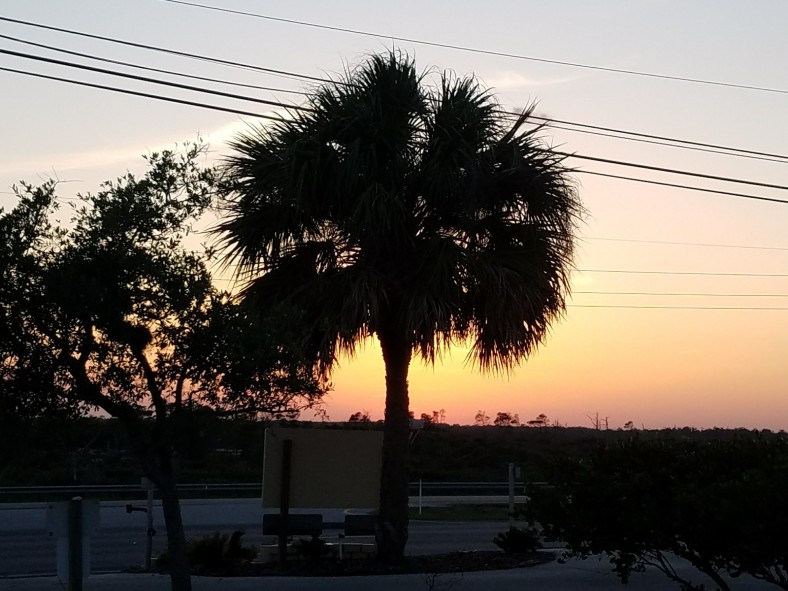
I dunno; packed up at 8:17 (end of civil twilight), and it was pretty dark when I finally departed, rather deflated. This was a lot of work for eleven qso’s, and I’m still only half way to the magic forty four. From the time I left the house to when I returned, it was over four hours invested. As an experiment, I will return to the happy spot at JD State Park where I got the 49 in an hour, and try again there to see if similar results occur at the same time, same band, same antenna setup. Stay tuned!
But for now, it’s time for ice cream; that usually makes me feel better. Thanks for listening; you’re in the log. De k4wk, Wayne, http://www.hamdom.com
Vanity Calls – More practical than vain
When I was a Grasshopper Ham, and somehow stumbled my way through the 20 wpm code requirement then in effect to become an Extra Class, I wanted something more than KT4QK. I wanted my initials (vainly, but in vain), because K4WR or W4WR were not available when the vanity calls came out in the nineties. Living in the South, I wanted a “four” call so I did limit myself that way.
In truth, it seemed that one of those calls might be available as it had expired and not been renewed by an older ham in Alabama. It wasn’t really up for grabs yet as less than two years had passed since expiration, so I surmised he had passed on to the land of ham radio nirvana (you know, then one where there’s no qrm or qrn and the sun spots are always hot and the DX always hears you), but I felt funny trying to reach his widow or family to see if he’d died so I didn’t do it. Instead, I settled on K4WK (Wayne K Robertson is my name) and I love it; dandy for CW.
WA4YNE was available at the time and momentarily tempted me as something clever, but as one who operates CW more than Phone, felt it would be kind of messy, a sort of morse code tongue-twister.
WA4YNE has now been claimed by a ham named Thomas but his middle initial is W so maybe that’s for Wayne, and W4WR is now owned by someone who’s initials match, so I hope everyone’s happy and radioactive.
This is Wayne, k4wk, http://www.hamdom.com. Thanks for listening; you’re in the log.
How I Reunited Two Devils Brigade Canadian and American Veterans of World War Two
In the 1990s while living in eastern Montana, I had the amazing experience of reuniting two soldiers that served in the Devil’s Brigade. They both trained near Helena, Montana.
One day, I was operating on the amateur radio shortwave Ten-Meter band, and a gentleman answered my, “CQ, CQ, CQ, this is N7PMS in Montana, Over”. I took notes of our conversation.
The next day, when again I called for any station to answer my call for a conversation, another fellow, from Canada, answered me. I learned something amazing: Both of these two men mentioned that, during World War Two, they both were in the same special forces unit, training near Helena, Montana.
One of these Veterans served in the Canadian Armed Forces, and the other in the American Armed Forces. Listen to my story, for the full details of this amazing experience I had as an amateur radio operator.
Jump to 3:22 if you wish to skip my introduction to the story, during which I give some background on when and so on:
https://youtu.be/YFMplHjxy6s?t=3m22s
This certainly was one of the most memorable moments in my amateur radio hobby experience! The joy of reuniting friends is good.
From https://en.wikipedia.org/wiki/First_Special_Service_Force:
The 1st Special Service Force (also called The Devil’s Brigade, The Black Devils, The Black Devils’ Brigade, and Freddie’s Freighters), was an elite American-Canadian commando unit in World War II, under command of the United States Fifth Army. The unit was organized in 1942 and trained at Fort William Henry Harrison near Helena, Montana in the United States. The Force served in the Aleutian Islands, and fought in Italy, and southern France before being disbanded in December 1944.
The modern American and Canadian special operations forces trace their heritage to this unit. In 2013, the United States Congress passed a bill to award the 1st Special Service Force the Congressional Gold Medal.
Thank you for watching, and sharing. Comments are welcome: do you have a memorable moment in your radio hobby experience on the air?
73 de NW7US
Radio Virgin: the First QSO
My first QSO (and, yeah, it was with Morse code) was petrifying and…
What’s your story of your first QSO?
73 de NW7US













