 |
 ICQ Podcast S06 E15 – Improving your Handy Talkie (28 July 2013)
 27 July 2013 | by
 Series Six Episode Fifteen of the ICQ Amateur / Ham Radio Podcast has been released. The latest news, Listener Mailbag, North American report from Frank Howell, K4FMH and Martin Butler (M1MRB & W9ICQ) improves your handy talkie.
- Radio hams get access to 18m EME dish
- The dangers of lithium batteries
- Special event station - PA1813A
- 70-year-old Radio Ham's epic voyage
- EMCOMMWEST 2013 cancelled
- HAARP facility shuts down
- Australian Remembrance Day Contest 2013
- Ham radio couple in Ghana
- Ham Radio satellite operation from Guernsey
- Radio Communication Exam Syllabuses
Colin Butler, M6BOY, is the host of the ICQ Podcast, a weekly radio show about Amateur Radio. Contact him at [email protected].
A Little Mountaintop Video
While digging through the archives, I came across some previously unseen video from the 2012 Colorado 14er Event. Joyce KØJJW and I operated from Mount Sneffels (SOTA W0/UR-001) and this video shows a radio contact with Mark KTØAM on Mount Shavano.
The 2013 event will be held August 4th, see www.14er.org.
Bob Witte, KØNR, is a regular contributor to AmateurRadio.com and writes from Colorado, USA. Contact him at [email protected].
Series Six Episode Fifteen – Improving your Handy Talkie
Series Six Episode Fifteen of the ICQ Amateur / Ham Radio Podcast has
been
released. The latest news, Listener Mailbag, North American report from Frank Howell, K4FMH and Martin Butler (M1MRB & W9ICQ) improves your handy talkie.
- Radio hams get access to 18m EME dish
- The dangers of lithium batteries
- Special event station - PA1813A
- 70-year-old Radio Ham's epic voyage
- EMCOMMWEST 2013 cancelled
- HAARP facility shuts down
- Australian Remembrance Day Contest 2013
- Ham radio couple in Ghana
- Ham Radio satellite operation from Guernsey
- Radio Communication Exam Syllabuses

Colin Butler, M6BOY, is the host of the ICQ Podcast, a weekly radio show about Amateur Radio. Contact him at [email protected].
When simple turns to exhausting
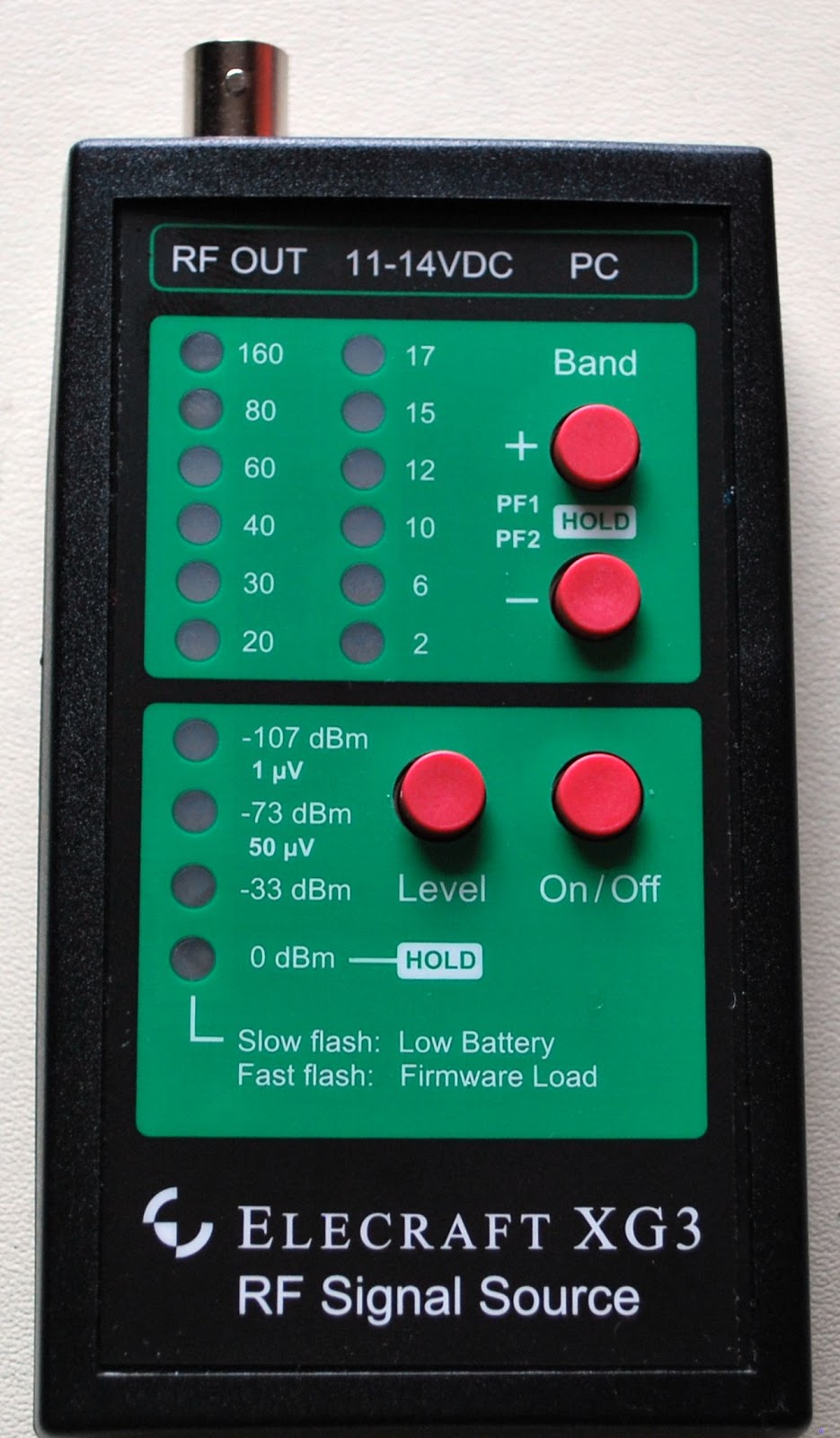
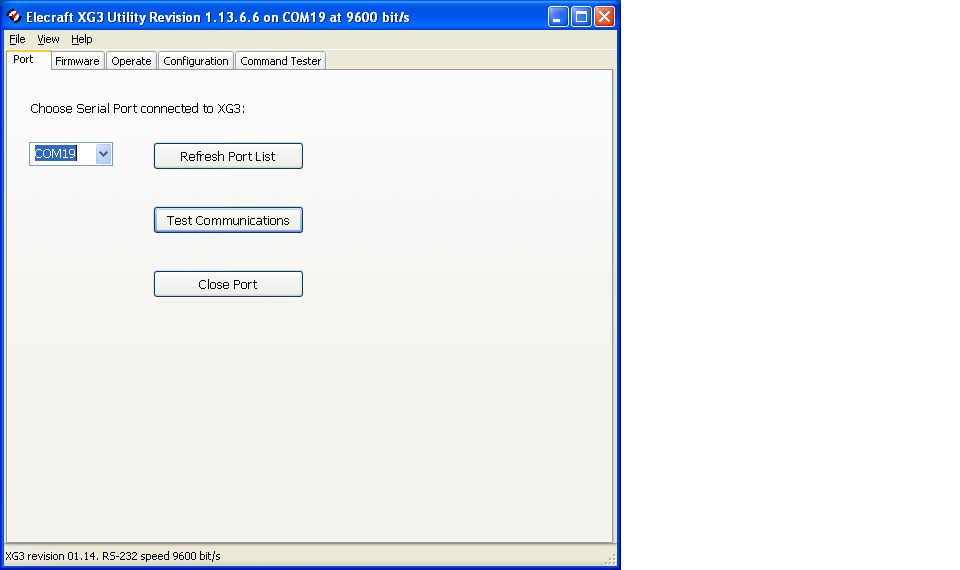 |
| So far so good but Murphy shows up! |
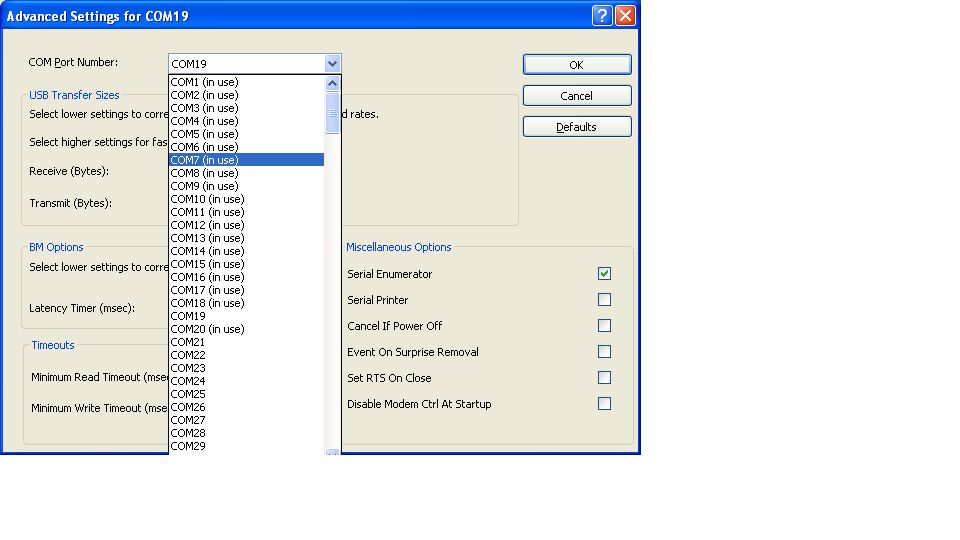 |
| Not able to use available com ports |
Mike Weir, VE9KK, is a regular contributor to AmateurRadio.com and writes from New Brunswick, Canada. Contact him at [email protected].
Busted the pileup!
My lunchtime QRP session stalled for a day. I went out to the car yesterday, and could not get the KX3 to tune the Buddistick. If I twisted the coax near the radio connector, it would intermittently tune, but would not stay tuned. A SWR of 25:1 is certainly not desirable.
I brought my magmount into the house when I got home. With some time to kill before the 20 Meter QRP Foxhunt, I checked out the PL-259 with my VOM, and found an intermittent short between center connection and shield. So I snipped the cable back a few inches and soldered on a bright and shiny new PL-259. Viola`! Problem solved! And this is exactly the reason why, that one of my yearly purchases at some local hamfest is a small bag containing PL-259s. You never know when the need for one will arise.
Today, my results were like night and day. The Buddistick tuned today with not even a blip of the KX3’s autotuner. I had 1:1 matches on both 20 and 15 Meters. 20 Meters yielded two nice QSOs, one with John K9DX down in Lakeland, FL and the other with Scotty KG3W in PA. Scotty and I have worked many, many times before. A few rag chews but mostly brief QRP Sprint QSOs. It was good to spend a few minutes with him.
The coup de grace, came on 15 Meters however, after I had finished up with Scotty. There was an extremely loud PY0F/PP1CZ on 21.023 MHz with quite a pile up chasing him. He was soooo loud, though, that I knew if I could figure out the split he was using, I stood a good chance. Trying to figure out the split can be tricky on 15 Meters, though, because you can’t always hear the station the DX is working. If you’re patient and give it enough time, sooner or later the DX station is going to work someone that you can hear, too.
That was the case today. I waited long enough until I heard him go back to a European station that I was also able to hear. I figured out the split and within a few minutes, I had Fernando de Noronha in my log. Worked with 5 Watts to a Buddistick plopped on the roof of my Jeep. Don’t let ANYONE tell you that QRP doesn’t work!
By the way, did you know that tomorrow is “Respect the QRP Frequencies Day”? The QRP Respect Committee (an Italian organization) is running a day long QRP QSO Party tomorrow. A non-competetive event on or about the QRP Watering Holes. Check out their Webpage here.
So spend some time around those frequencies tomorrow if that’s not something you already do. You just might find more DX than you might otherwise expect!
72 de Larry W2LJ
QRP – When you care to send the very least!
Larry Makoski, W2LJ, is a regular contributor to AmateurRadio.com and writes from New Jersey, USA. Contact him at [email protected].
Homebrew Engine
Here’s a cool little video from HowToLou.com (I’m guessing this guy is named Lou) with a third prototype of a homemade engine made strictly from hardware store parts. It’s not quite working yet, but it’s rather interesting and I think he’s on the right track.
I’m more electronically inclined than mechanical and have some ideas on how to make the timing of the spark and the exhaust valve better, using electronics. But I probably couldn’t do it with just hardware store parts, unless perhaps the hardware store sells radios that I can scrounge parts from.
One of these homebrew engines coupled with a homebrew generator connected to a QRP rig would make a nifty little project to show at your local ham club or field day.

Anthony, K3NG, is a regular contributor to AmateurRadio.com.
WSJTX v1.1 – JT65A and JT9 in the same package
A week or two ago, Julian G4ILO blogged about a new version of WSJTX that he’d been testing with Joe K1JT (incidentally, great to see that Joe will be at the RSGB’s Convention later in the year) that supported both JT65A and JT9 modes. At the time of Julian’s blog posting, the program wasn’t publically available, but when I checked earlier this week, it was there and available.
The rather nice idea is that if you have a receiver with a filter that’s 4khz wide or so, you can place your receiver strategically so that it can receive both JT65A (say around 14.076Mhz) AND JT9 (up around 14.078). You can decide whether you will monitor both modes or just one. And when you double click to reply to someone, the program determines which mode they were on and transmits accordingly.
I downloaded the program yesterday and had it monitoring away happily in rather poor HF conditions.
More great software from K1JT!
Tim Kirby, G4VXE, is a regular contributor to AmateurRadio.com and writes from Oxfordshire, England. Contact him at [email protected].
 Ham Radio Deluxe |
 W5SWL Electronics |
 Ham Radio Prep |
 KB3IFH QSL Cards  Hip Ham Shirts  HamRadioAuctions HamRadioAuctions Reliance Antennas Reliance Antennas Enigma Shop Enigma Shop |  morseDX  Ni4L Antennas  R&L Electronics R&L Electronics antennas.us antennas.us QRV QRV |
- Matt W1MST, Managing Editor
