 |
 Amateur Radio Newsline Report 1902 January 24 2014
 24 January 2014 | by
 - Two meter DXCC comes to a ham in South Africa
- A ham radio news service takes issue with UK licensing figures
- Canadian newspaper says ham radio is the right fit for emcomm
- NCDXFannounces grant to the upcoming Tromlin Island DXpedition
- the ARRL releases its 100th anniversary video
- Russia ends an era of long-wave broadcasting
New QRZ.com log book
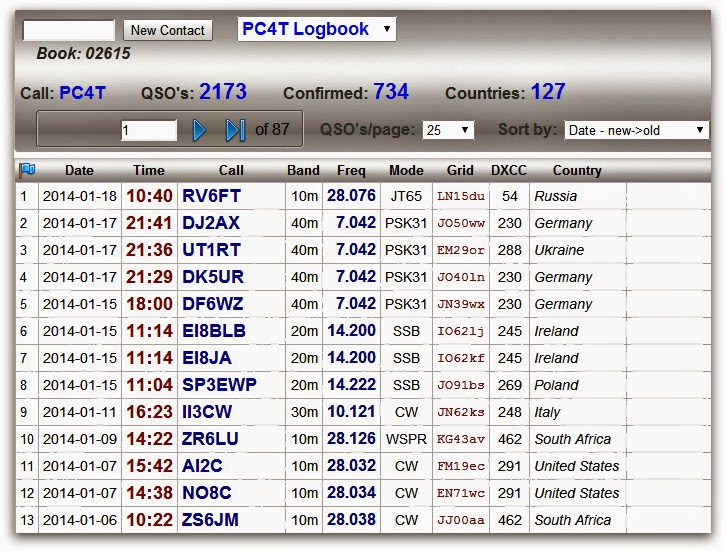
What about the new log book of QRZ.com? It looks good and what I like most: it shows the worked DXCC (countries) I started the QRZ.com log book in October 21 , 2009. 127 DXCC, while my own record is 130 since I started after a very long period of absence in 2008. Never mind, I am no real DXCC chaser after all.
This morning I was WSPR-ing on 6 meters, for perhaps winter Es. But no spots on 6 meter today.
Paul Stam, PC4T, is a regular contributor to AmateurRadio.com and writes from the Netherlands. Contact him at [email protected].
Arduino Rotator
The little project I have to homebrew an Azimuth and Elevation rotator has moved on a little. After spending countless hours researching the project I came across a couple of really useful resources. Firstly the Radio Artisan website has simply done the hard stuff with the codes and secondly Anthony Stirk, M0UPU has made a shield / board for easy interfacing.
I’ve ordered a board and will see what I can do with it once it arrives. Next weekend is SOS Radio Week so I’ll be hamming it up at St Bees Lifeboat station so I doubt I’ll get a chance to do anything but we’ll see.
Alex Hill, G7KSE, is a regular contributor to AmateurRadio.com and writes from Cumbria, UK. Contact him at [email protected].
Morse Code Ring Tones for Your iPhone
 I recently came across this iPhone app that generates Morse Code ring tones called…wait for it…Morse Code Ringtone. I’ve used some other methods for generating Morse ring tones but I’ve found this one to be particularly easy to use. The app costs $1.99 so it is quite affordable.
Well, there is one thing that is kind of tricky: actually getting the ring tone onto your iPhone. It appears that Apple has not made this very easy for app programmers, so it is a little tricky to do. The method I found to work is 1) use the app to create the ring tone on the iPhone 2) email it to my computer 3) save it somewhere on the computer 4) import it into iTunes using “File” “Add File to Library”. At this point, the ring tone should appear in iTunes and will be transferred to your iPhone the next time you sync.
After playing around with Morse Code tone and speed, I found that I really liked the sound of a 700 Hz tone sent at 30 wpm. My code speed is a somewhat reliable 15 wpm, so 30 wpm is well above my normal copy speed. Still, I like the sound of this quick burp of CW. I set up these short Morse bursts to indicate various messages:
CQ CQ  - default ring tone
TXT    - text message
VM     - voice mail
MAIL   - email message
You can play these ringtones by clicking on the name above, or do a right-click to download them to your PC. Windows Media Player can play these files, but it gave me an error when I tried it. I just clicked through and it worked fine.
But you should really get the app and create some ring tones of your own.
73, Bob K0NR
Bob Witte, KØNR, is a regular contributor to AmateurRadio.com and writes from Colorado, USA. Contact him at [email protected].
The MFJ 1788 loop arrives!
 |
| Ready for inspection |
 |
| Capacitor |
 |
| Control box test |
1. Send the control box back to either MFJ or DX Engineering for repairs?
2. Ask MFJ if it's possible to make the repair myself if they were to send me the part?
I settled on option 2 as I could still use the control box until the switch arrived and not be put on hold until control box was repaired or replaced. (note: I purchased DX Engineering's last unit)
 |
| Stepper motor |
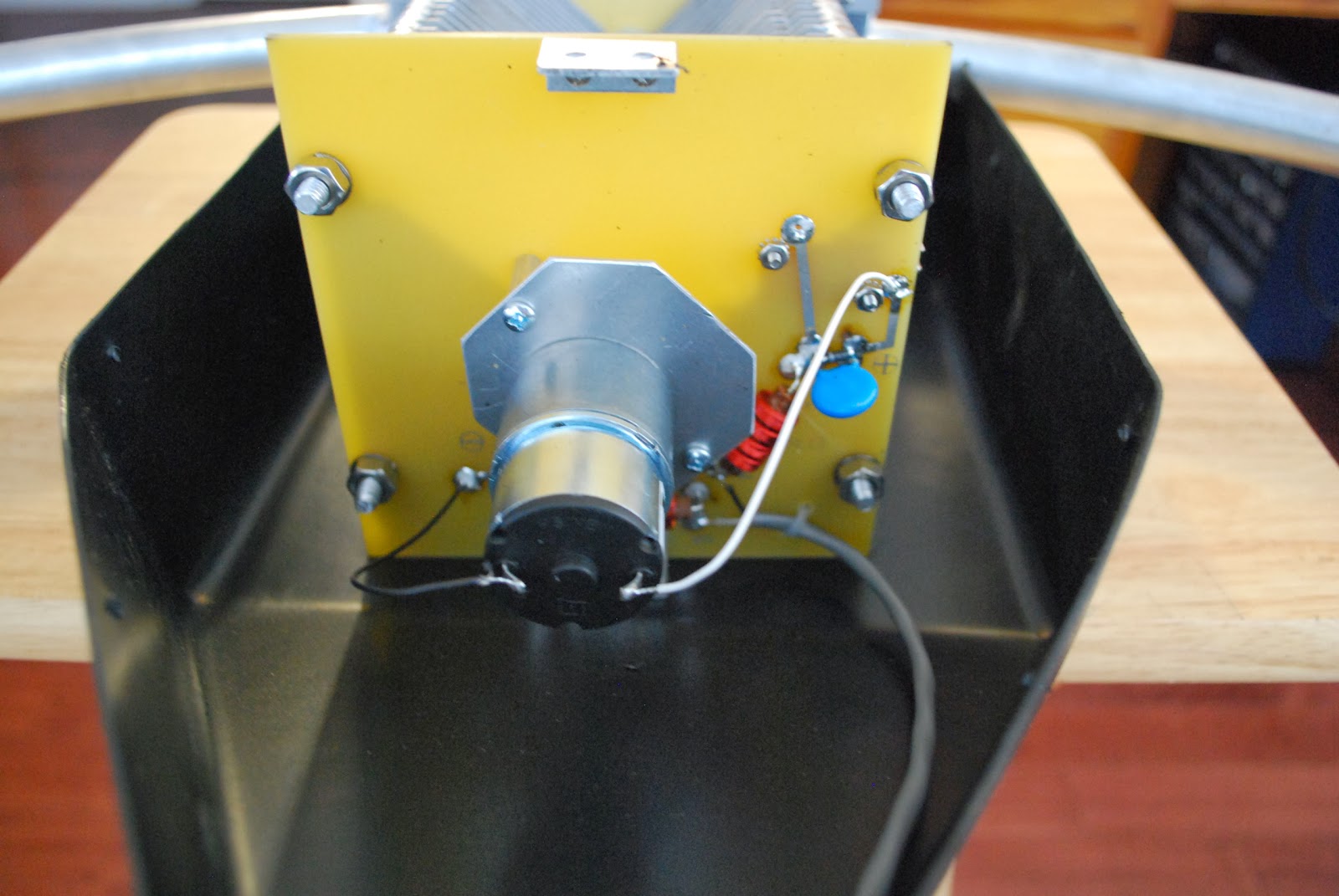
All was going well until the capacitor was rotating counter clockwise and it just stopped! I then rotated the capacitor in the clockwise direction and back counter clockwise and it worked just fine. After many back and forth rotations the capacitor never acted up…..maybe this was a one off. I emailed MFJ regarding the switch and they are going to mail one to me so I can do the repair. Next is to mount the antenna and see how it performs stay tuned!
Mike Weir, VE9KK, is a regular contributor to AmateurRadio.com and writes from New Brunswick, Canada. Contact him at [email protected].
My First CL Contact in Cuba
I’m working a bunch of local stations with the little Vibroplex Code Mite Key. It’s taking some patience to keep my speed down, and keep correct spacing at this speed, but also quite satisfying to hear slow code again and carry on actual conversations with hams.
I’ve been hanging around the 7.055 MHz SKCC frequency.
I was surprised to work a new station in Cuba last night. I’ve made at least twenty contacts on this island previously, but this was my first “CL” contact. I was happy to work CL8CF in Baracoa, Guantanamo Cuba. The previous contacts have always been on 20-17- or 30 meters. I worked this station on 40 meters!
Apparently, this is a new band which is open to a new generation of hams in Cuba and they’re limited to 10 watts of power.
I listen to Arnie Coro (CO2KK) on the Short Wave bands and his “DX’ers” program in the winter months. A few years ago, I came close to working him and wrote him about the contact. He mentioned it on his SWL program and I have a recording of it on a cassette tape, but it’s a very poor quality. Although I could hear him, he couldn’t copy my entire call sign.
I like the percussion rhythms of Cuban music and consider all music to be a “universal language”. I chose the above video because of the music.
I can’t find much information on the web about Ham Radio in Cuba; but found the above video and wanted to share it with my readers. I no longer find the call signs of the previous Cubans stations I’ve worked on the normal data bases. I assume those stations are tightly controlled and difficult to retain. The most common call I now hear from there is CO8LY.
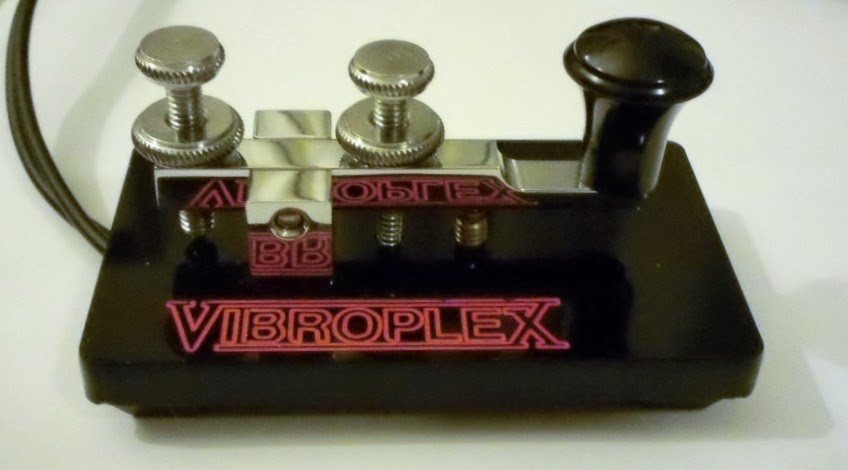
The new small “key” is working well. I’ll be hanging around the slower portions of the bands and enjoying QSO’s until the DX bug returns. I’m glad I found this key. I’ll use it in the field because it’s so small and lightweight. Despite it’s small size, it’s functional.
John Smithson, Jr., N8ZYA, is a regular contributor to AmateurRadio.com and writes from West Virginia, USA. Contact him at [email protected].
uLog – a new, simple logging program from M0PZT
For the last year or so, I’ve been using PZTLog written by Charlie, M0PZT, which I have found excellent and a pleasure to use.
Charlie has just released uLog (Micro log). As its’ name suggests, it’s a stripped down logging program for people who don’t want anything complicated.It seems to do just that! I downloaded it (like PZTLog, it is free) and installed it in seconds.
It is compatible with the PZTLog database too – so I found that I could point it at my existing PZTLog database file and log QSOs successfully. I checked, too, that I could go back in and use PZTLog – it’s all fine. Some of the database fields used in PZTLog are not populated in uLog – but remember – the point is simple logging!
I like the simplicity of the logging window – which you can just have running – and tab over to the application from whereever you were, when you need to log a QSO.
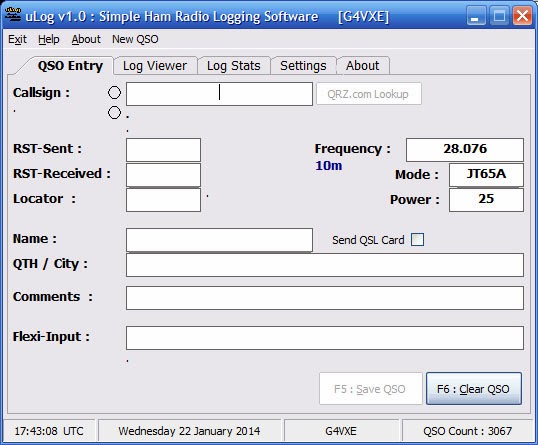
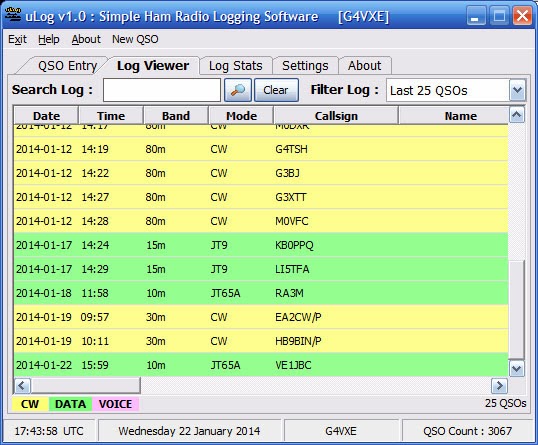
Update In normal, super-responsive Charlie style – he took a look at the issue I mentioned regarding the Flexi-input and the locator/WAB issue and has amended it. Thanks, Charlie!
Tim Kirby, G4VXE, is a regular contributor to AmateurRadio.com and writes from Oxfordshire, England. Contact him at [email protected].
 Ham Radio Deluxe |
 W5SWL Electronics |
 Ham Radio Prep |
 KB3IFH QSL Cards  Hip Ham Shirts  HamRadioAuctions HamRadioAuctions Reliance Antennas Reliance Antennas Enigma Shop Enigma Shop |  morseDX  Ni4L Antennas  R&L Electronics R&L Electronics antennas.us antennas.us QRV QRV |
- Matt W1MST, Managing Editor
