 |
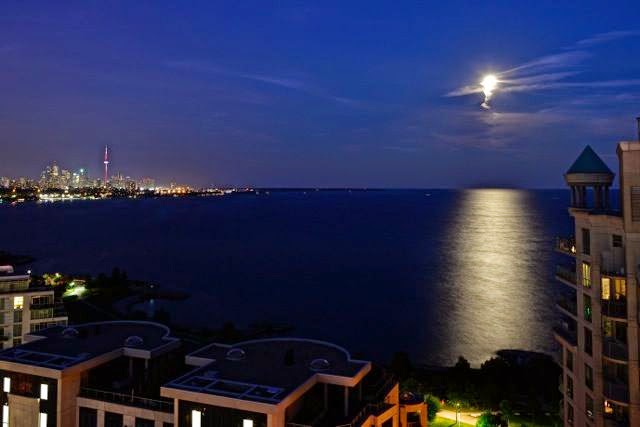
 Supermoon photos
 11 August 2014 | by
 |

Mike Weir, VE9KK, is a regular contributor to AmateurRadio.com and writes from New Brunswick, Canada. Contact him at [email protected].
2014 NJQRP Skeeter Hunt
First off, I don’t know who was hunting who. I thought I was hunting Skeeters, but I think they had other ideas – and I was the hunted:

And that was nothing compared to my legs! I didn’t think the little buggers would be so active during the day, so I didn’t bring my OFF wipes with me. I’ll remember this for next year!
I set up in my favorite park here in South Plainfield – Cotton Street Park. There are plenty of 50 – 60 foot trees which just beg to have wire strung through them. It’s a quiet park and there’s not the overwhelming amount of traffic that Spring Lake Park (our Field Day site) gets. There were people walking through and playing, but no one came over to investigate what I was doing. I guess I’ve become a fixture – “Hey, it’s that crazy guy with the radio again!”

Off to the right, you can see the coax going up , up , up. Here’s a better shot:

Today, I ended up using the PAR END FEDZ. I stayed on 20 and 40 Meters only, so it turned out to be the ideal antenna for the event. The antenna launcher worked flawlessly again, and I would dare say that the end of the wire was up at the 60-65 foot level. I don’t know if it was just me, but there was bad QSB and it seemed like one second, a station would be 599 and ESP the next second. As far as stations worked per band, I ended up with almost a 50/50 split between 20 and 40 Meters. I listened briefly on 15 Meters, but it seemed like it was dead.

The equipment was the usual, but you might take notice of the new paddles. That’s a set of Pico Palm paddles that I recently bought from Rick K7MW. The magnets hold the paddles securely to the Velamints tin that I use to store my earbuds. They worked flawlessly! If there were any CW mistakes (and there were) it was my fault, not the paddles. They feel and work just as nicely as any full sized set of paddles.
I ended up working 41 different stations. 35 Skeeters, 6 Non- Skeeters, no DX, 19 different S/P/Cs, and I did work enough stations to spell out “SKEETER” for the 100 point bonus. I ended up with 5,876 points. The loudest stations I heard were K3LRR, KX9X, N0SS and WA0ITP. I worked my bud, Bob W3BBO and he was about 569. Later in the day, I heard him again on the same band, this time working WB3T. Bob’s signal had increased to an honest 589/599. Tha bands seemed a little crazy today.
I’d like to thank not only the stations I worked, but ALL of you who participated. This is so much fun for me – not only the event itself, but the planning and the corresponding back and forth with all of you. You guys really make this event worthwhile. My mailbox is already filling up with log summaries and I will work on those during the coming evenings.
There WILL be a Skeeter Hunt in 2015! Hey, what better way is there to spend a beautiful Summer day than by being outside with your radio, making contacts with all your friends?
72 de Larry W2LJ
QRP – When you care to send the very least!
Larry Makoski, W2LJ, is a regular contributor to AmateurRadio.com and writes from New Jersey, USA. Contact him at [email protected].
Special 630m Activity Night This Fall
"Special Event Planned this Fall on 630 Meters
Experimental operators on 600/630 meters will conduct a special event operation October 31-November 2. The Maritime Radio Historical Society (MRHS), which maintains the KPH/KSM commercial coast stations, will take part in the event.
“This event marks the 106th anniversary of the Berlin Treaty that created the international distress frequency at 500 kHz,” said ARRL 600 Meter Experimental Group Coordinator Fritz Raab, W1FR. “This will be a CW event.”
Raab said some stations will operate beacons on the experimental band, transmitting anniversary messages, while others will simulate the sort of maritime communication that once occurred in this part of the medium-wave spectrum. They will call CQ on a designated calling frequency and then change frequency to complete the contact. Silent periods will be observed.
The activity will occur between 465 and 480 kHz and between 495 and 510 kHz. “Different licensees have different frequency authorizations,” Raab noted. “The designated calling frequencies are 475 kHz for the lower band, and 500 kHz for the upper band.”
Raab noted that this may be the last such event that includes operations on 500 kHz itself. “This band is not being included on new experimental licenses, as it is supposedly reserved for a new maritime-data service,” he explained. He said he anticipates that more information will be released as the event draws closer. "
Not seeing any mention for Canadian activities in the event, I contacted the organizer and ARRL 600m Experimental Group Coordinator, Fritz Raab (W1FR). I asked Fritz if it would be possible for the three active Canadian 630m stations (VE7BDQ, VO1NA and myself) to 'officially' become part of the planned activities. I suggested to Fritz that the three of us could offer the chance for amateurs in both Canada and the U.S. to actively communicate with some of the 630m Canadian stations by working in the 'crossband' mode. Each of the three stations would have their own assigned transmit frequency and, following CQ's, would listen on specified HF frequencies for any answering stations. Fritz was delighted to add us to the program and the next '630 m Activity Night' announcement will include all of the details including exact frequencies.
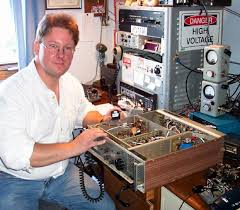 | |||
| Joe - VO1NA |
VO1NA will be transmitting from Torbay, Newfoundland and should be very well heard throughout eastern North America. Joe will be listening for replies on both 80 and 40m CW.
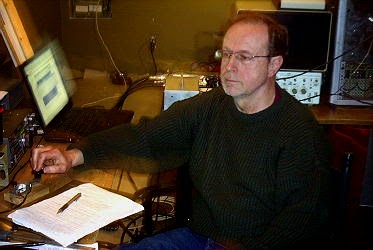 |
| John - VE7BDQ working 2200m - 160m crossband at VA7LF |
VE7BDQ will be transmitting from Delta, B.C., south of Vancouver. John will be listening for callers on 80m CW only. Being a retired Canadian Coast Guard RO, John has many years of experience manning the 500kHz watch when 600m maritime activity was in its prime.
VE7SL will be transmitting from Mayne Island B.C., midway between Vancouver and Victoria, on Vancouver Island. Like Joe, I plan to listen for callers on both 80 and 40m CW.
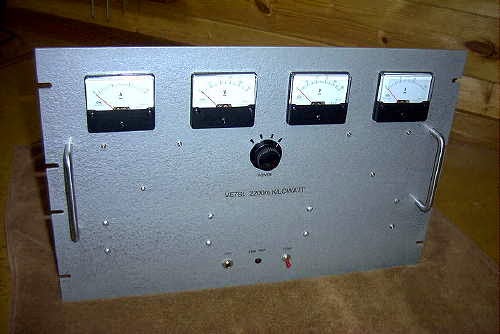 |
| VE7SL - 2200m / 630m TX |
All three Canadian stations are able to muster the maximum allowed eirp for 630m and with the improved propagation of late October, the opportunity for some interesting crossband contacts should be realized on both ends of the continent.
There will be more details well before the event but hopefully you can become part of the fun by giving some of the crossbanders a call on their HF 'QSX' frequencies....and if you know of anyone that might like to participate, please let them know about the upcoming event as, like so many on-the-air activities, the more the merrier!
Steve McDonald, VE7SL, is a regular contributor to AmateurRadio.com and writes from British Columbia, Canada. Contact him at [email protected].
Pursuit of Happiness
The Amateur Radio Parity Act of 2014, is a congressional effort to direct the FCC to extend the “reasonable accommodation” provision for ham radio antennas to include all types of land-use regulation, including deed restrictions and restrictive covenants. I predicted this would die a swift death, and while I still expect it to fail to become law, the “swift” part may not come to pass as the bill continues to gain co-sponsors.
So while that works its way through the political maze in Washington, it has sparked a more interesting debate in the world of amateur radio. Most of us might expect the fraternity to embrace any regulation that benefits us, yet a few cracks of dissension have started to show. Beginning with an appearance on HamRadioNow (#158) by Mike Alexander, N8MSA who cited his libertarian view that the government shouldn’t get involved in private contracts.
While his is far from the prevailing view, I’ve been surprised by the number of hams who have adopted it as their own and are reciting it in online forums, mailing lists, and social media.
Though I have my own reservations about shoving ham radio down the throats of muggles via government legislation, I also find a chuckle or two in the notion that this is a desirable libertarian cause. I mean come on, ham radio inhabits a swath of radio spectrum that can only be used by federally licensed devotees. The entire notion of a select group of citizens being exclusively handed publicly owned radio spectrum is anti-libertarian. For the true zealot, the proper view would be that the airwaves belong to “we the people”, not the federal government, who should auction it off to the highest bidder and get out of the business of regulating it altogether.
You might have a more difficult time finding any supporters for that kind of political correctness among the rank-and-file radio hobbyists.
What this really comes down to is decisions, choices, compromise, and the pursuit of happiness. One fellow’s 70-foot tower and antenna brings him happiness but ruins it for his neighbor. Another fellow wants his kids to go to the best schools, be near the amenities of city life — while abiding in a Norman Rockwell painting neighborhood — but he doesn’t want to agree not to plant an antenna farm in that Nirvana. Or worse, he does agree and signs on the dotted line, but now wants Uncle Sam to bail him out of his poor decision.
I understand the broader issue is much more complicated than that, but it’s tough to get much sympathy from those of us who made the decision to live outside the confines of fancy neighborhoods in favor of owning a home with no land-use restrictions.
But you can’t throw the baby out with the bath water. In a vacuum, local governments are as bound to overreach as the feds. Without legal protection, whose to say that some local tin-horn dictator won’t slap antenna restrictions on places that have never before heard of them? I like to think that PRB-1 provides that protection, but who knows?
It all feels a lot less reassuring when you read how an HOA expert interprets these things.
Filed under: Ham Radio Tagged: hoa, hr4969, prb1 


Jeff Davis, KE9V, is a regular contributor to AmateurRadio.com and writes from Indiana, USA.
Series Seven Episode Sixteen – Youngsters on the Air and GA14CG (10 August 2014)
Series Seven Episode Sixteen of the ICQ Amateur / Ham Radio Podcast has been released. The latest news, Martin (M1MRB & W9ICQ) and Colin (M6BOY) discuss the usage of the 60m band in Europe and Martin (M1MRB & W9ICQ) interviews Adam (MM0KFX) regarding the recent Youngsters on the Air event and GA14CG Special Event Station.
- Ofcom looking at 2.4 and 5GHz Amateur Radio Bands for Internet of Things
- Hiker thanks ham radio operators and rescuers
- EURAO Party Summer 2014 - “Give Youth a Chance”
- 434 MHz balloon goes around the world
- GB100ZZ
- Panama Canal Special Event
- GB2VJ special event station marks V-J Day
- Amateur Radio Satellite Ground Station in Ghana
Colin Butler, M6BOY, is the host of the ICQ Podcast, a weekly radio show about Amateur Radio. Contact him at [email protected].
Series Seven Episode Sixteen – Youngsters on the Air and GA14CG (10 August 2014)
Series Seven Episode Sixteen of the ICQ Amateur / Ham Radio Podcast has been released. The latest news, Martin (M1MRB & W9ICQ) and Colin (M6BOY) discuss the usage of the 60m band in Europe and Martin (M1MRB & W9ICQ) interviews Adam (MM0KFX) regarding the recent Youngsters on the Air event and GA14CG Special Event Station.
- Ofcom looking at 2.4 and 5GHz Amateur Radio Bands for Internet of Things
- Hiker thanks ham radio operators and rescuers
- EURAO Party Summer 2014 - “Give Youth a Chance”
- 434 MHz balloon goes around the world
- GB100ZZ
- Panama Canal Special Event
- GB2VJ special event station marks V-J Day
- Amateur Radio Satellite Ground Station in Ghana
Colin Butler, M6BOY, is the host of the ICQ Podcast, a weekly radio show about Amateur Radio. Contact him at [email protected].
AmateurLogic 9th Anniversary Sweepstakes
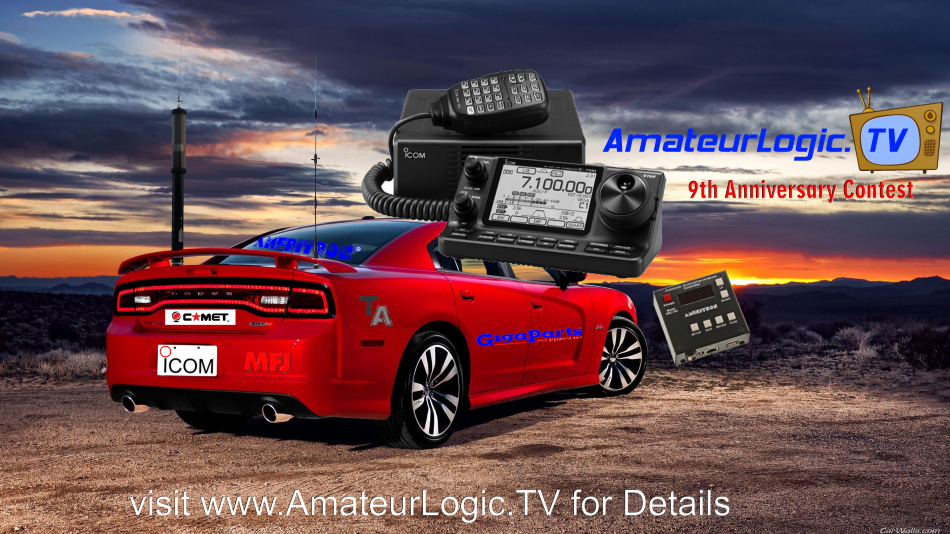
We are celebrating the 9th Anniversary of AmateurLogic.TV with a great mobile sweepstakes. Come register to win an Icom IC-7100 HF/VHF/UHF/DSTAR Radio with touchscreen. You are going to need antennas with that so we’ve teamed up with MFJ, Tarheel, GigaParts and Comet. The winner will receive a Little Tarheel HD Screwdriver Antenna with Ameritron SDC-104 Auto Tuner and Comet CA-2x4SR Broadband VHF/UHF antenna. To mount these we’ve got some great Comet CP-5M and HD-5 3/8-24 Universal antenna lip mounts.
It’s the ultimate mobile setup and some lucky AmateurLogic viewer is going to be very happy. Visit www.amateurlogic.tv/contest for details. The contest is opened to licensed amateurs in the United States and Canada.
Visit www.amateurlogic.tv/contest for details.
George Thomas, W5JDX, is co-host of AmateurLogic.TV, an original amateur radio video program hosted by George Thomas (W5JDX), Tommy Martin (N5ZNO), Peter Berrett (VK3PB), and Emile Diodene (KE5QKR). Contact him at [email protected].
 Ham Radio Deluxe |
 W5SWL Electronics |
 Ham Radio Prep |
 KB3IFH QSL Cards  Hip Ham Shirts  HamRadioAuctions HamRadioAuctions Reliance Antennas Reliance Antennas Enigma Shop Enigma Shop |  morseDX  Ni4L Antennas  R&L Electronics R&L Electronics antennas.us antennas.us QRV QRV |
- Matt W1MST, Managing Editor
