 |
 Raspberry Pi2 up and running; DUMP1090, Piaware, GPredict as well as browsing the web
 7 February 2015 | by
 The Raspberry Pi2 was delivered very quickly – thank you CPC! However, owing to a bit of silliness on my part I didn’t get it running until today. I’d assumed – always a dangerous thing – that the Pi2 used an SD card for its storage, like the Pi. Oh no it doesn’t! It uses a micro SD card. I didn’t discover this until I went to plug the SD card in!
Ah well. A quick Amazon order later and a micro SD card and an adapter was on the way. Those arrived here this morning, so I quickly prepared the micro SD card.
I had a bit of fun getting decent video on my rather old monitor in the shack and was starting to think I wasn’t going to find something better than VGA! However, a setting of hdmi_group=2 and hdmi_mode=16 gave me a reasonable compromise between getting a decent amount on the screen and being able to read it without green and yellow flashing in the background.!
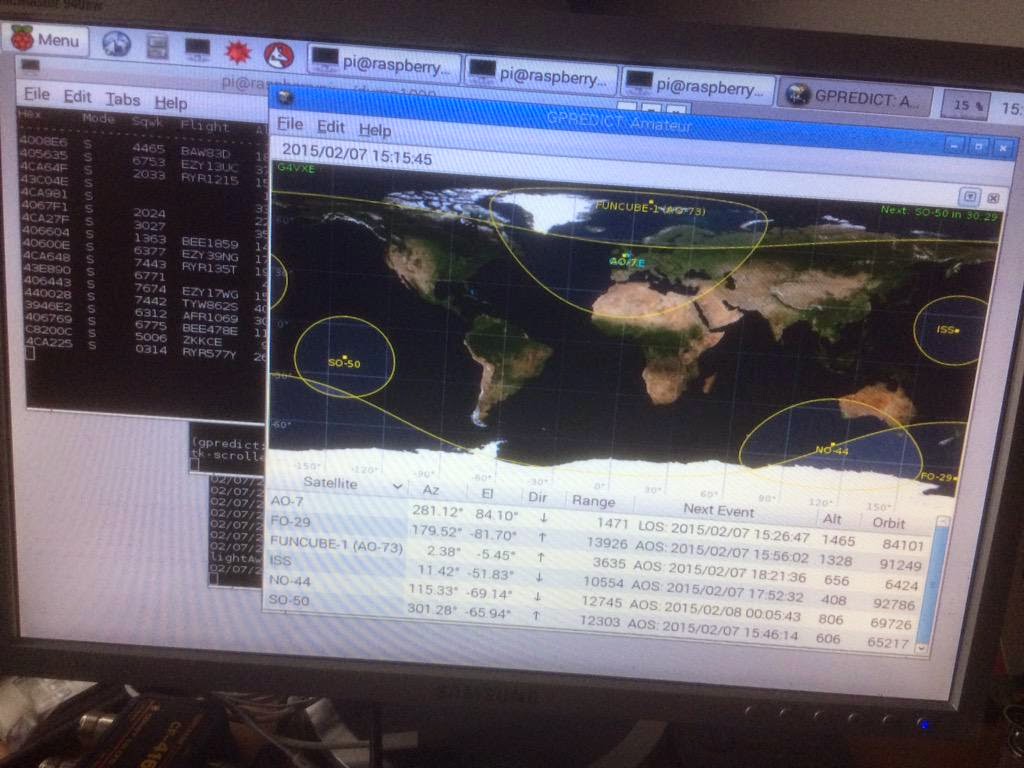
The first bit of software I installed was the Gpredict satellite prediction program. It’s nice to have the map running in the shack. That went well and only seemed to be taking a very small percentage of CPU.
Then I installed RTLSDR and tested it, without any problems. I installed DUMP1090 – the ADS-B decoder as well as the Piaware software which uploads the ADS-B spots to Flightaware. Those programs run quite happily at the same time as Gpredict and use around 7% of CPU.
I fired up the Epiphany web browser and went to Twitter – again, the CPU was quite happy.
This looks very useful. I think I’d better order it a case!
Tim Kirby, G4VXE, is a regular contributor to AmateurRadio.com and writes from Oxfordshire, England. Contact him at [email protected].
Raspberry Pi2 up and running; DUMP1090, Piaware, GPredict as well as browsing the web
The Raspberry Pi2 was delivered very quickly – thank you CPC! However, owing to a bit of silliness on my part I didn’t get it running until today. I’d assumed – always a dangerous thing – that the Pi2 used an SD card for its storage, like the Pi. Oh no it doesn’t! It uses a micro SD card. I didn’t discover this until I went to plug the SD card in!
Ah well. A quick Amazon order later and a micro SD card and an adapter was on the way. Those arrived here this morning, so I quickly prepared the micro SD card.
I had a bit of fun getting decent video on my rather old monitor in the shack and was starting to think I wasn’t going to find something better than VGA! However, a setting of hdmi_group=2 and hdmi_mode=16 gave me a reasonable compromise between getting a decent amount on the screen and being able to read it without green and yellow flashing in the background.!
The first bit of software I installed was the Gpredict satellite prediction program. It’s nice to have the map running in the shack. That went well and only seemed to be taking a very small percentage of CPU.
Then I installed RTLSDR and tested it, without any problems. I installed DUMP1090 – the ADS-B decoder as well as the Piaware software which uploads the ADS-B spots to Flightaware. Those programs run quite happily at the same time as Gpredict and use around 7% of CPU.
I fired up the Epiphany web browser and went to Twitter – again, the CPU was quite happy.
This looks very useful. I think I’d better order it a case!
Tim Kirby, G4VXE, is a regular contributor to AmateurRadio.com and writes from Oxfordshire, England. Contact him at [email protected].
Update on Solar banner problem

Mike Weir, VE9KK, is a regular contributor to AmateurRadio.com and writes from New Brunswick, Canada. Contact him at [email protected].
Amateur Radio Newsline Report 1951 February 6 2015
- Radio Shack Inc. files for Chapter 11 bankruptcy
- The K-One-N, Nevassa Island DXpedition takes to the airwaves
- The ARRL makes public its legislative agenda for 2015
- The Raspberry Pi Foundation announces its latest system on a chip
- A popular ham radio-based radio program of the 1990's is coming back via an Internet archive.
THIS WEEK'S NEWSCAST
40m Pixie from AliExpress
From my bank statement I see my 40m Pixie kit from China, that has shipped, cost a little over £7. This includes all parts including crystal and PCB. At this price it would be hard to buy the individual parts. I very much want to build this as it will be the first amateur radio construction here in a very long time. It is sufficiently simple and low cost that I should manage it, even if I am a little clumsy still with the soldering iron.
No doubt Andrew G6ALB (3km) will help with a first test.

Roger Lapthorn, G3XBM, is a regular contributor to AmateurRadio.com and writes from Cambridge, England.
UK National Grid status link
Again, from Steve G1KQH, a link that may well be of interest to UK readers:
Did I send you this one Roger?73 Steve
http://www.g1kqh.talktalk.net/
Many times we hear that closing old and polluting power stations is putting us at risk of power blackouts. Check the electricity capacity yourself.
In the left hand corner you can also check for France.

Roger Lapthorn, G3XBM, is a regular contributor to AmateurRadio.com and writes from Cambridge, England.
It’s dead, Jim.
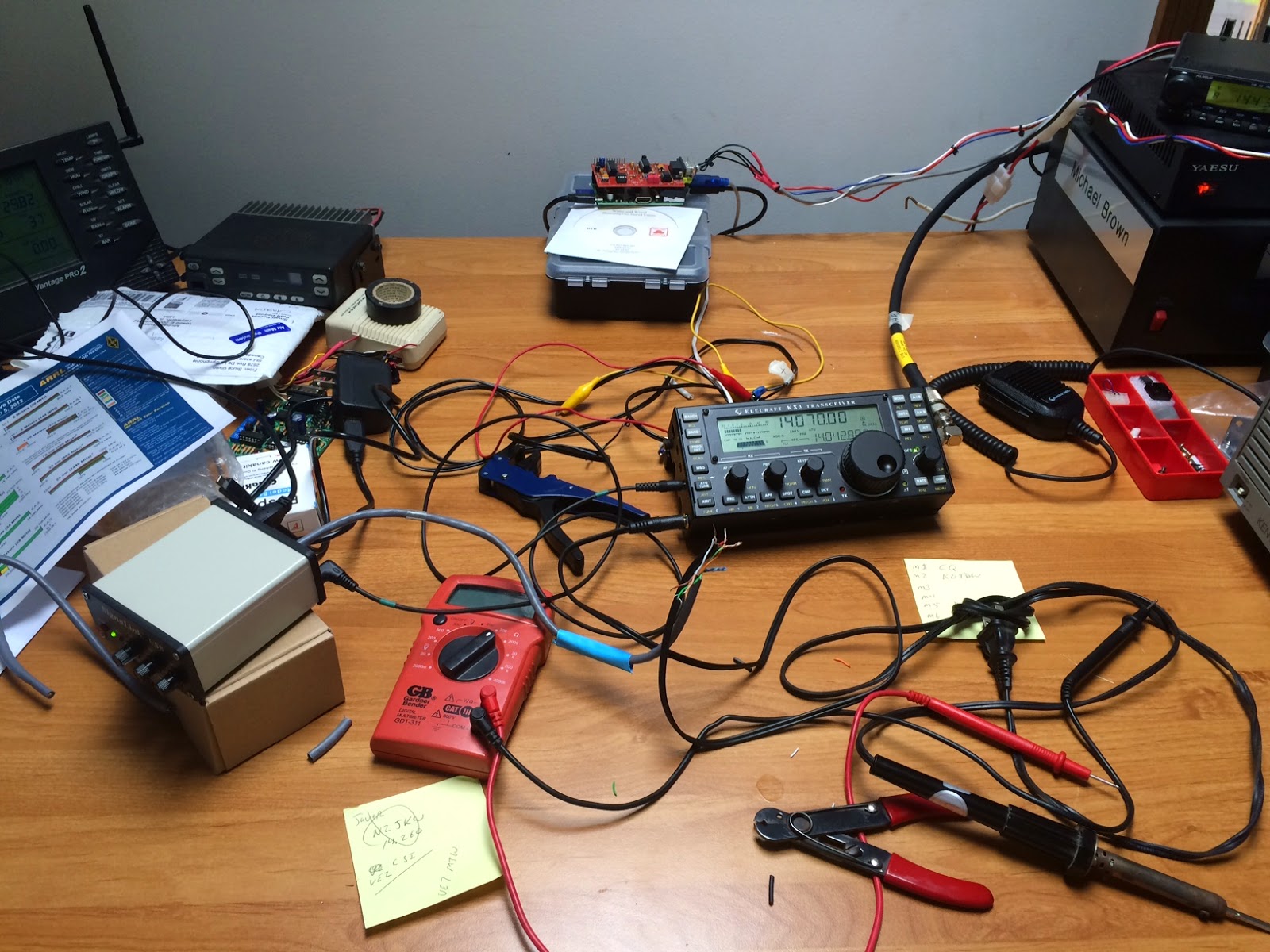 |
| My “first” KX3 during its early days at KG9DW. |
I heard back from Elecraft yesterday, and my KX3 is officially toast. You see, it wasn’t ever designed to have 120VAC applied to the external power connector. As I feared, the current transitioned through the control board, wiped out some components, traveled across the leads to the RF board, took out multiple components, and then exited through the well grounded antenna connection.
Talking through the options, fixing it is cost prohibitive. The guys at Elecraft are working on an option for me, so I’m hopeful I’ll have a working KX3 back in the shack in the next couple of weeks. In the meantime, I’ve got a loaner radio from a buddy in the shack. It transmits fine but its receiver is so, so deaf compared to the KX3. It’s like going from an iPad Air to a Palm Pilot.
In the comments of my last post about this mistake, the suggestion of fusing along with a diode was brought up. I’ll definitely be putting more thought into my power supply cables after this costly error.
Michael Brown, KG9DW, is a regular contributor to AmateurRadio.com and writes from Illinois, USA. Contact him at [email protected].
 Ham Radio Deluxe |
 W5SWL Electronics |
 Ham Radio Prep |
 KB3IFH QSL Cards  Hip Ham Shirts  HamRadioAuctions HamRadioAuctions Reliance Antennas Reliance Antennas Enigma Shop Enigma Shop |  morseDX  Ni4L Antennas  R&L Electronics R&L Electronics antennas.us antennas.us QRV QRV |
- Matt W1MST, Managing Editor
