 |
 Radio taken a back seat
 17 December 2016 | by
 I’ve finished work for the remainder of the year and its a good time to take stock. I had a lot of plans, most of which didn’t happen as a result of some over optimism on the planning front so what went wrong. Well not much in fact when it comes to radio. I did however sneak a little progress here or there but its been barren for a few months. Before we get into new years resolutions I think its worth noting what did go on….
- I bought a MTR-5B rig which has had a few outings and a couple of QSO’s. Lovely bit of kit by the way.
- Practiced my CW a lot off air. Not so much on air.
- I acquired a TS-850 as well. Very nice
- I spent a bit of time perfecting the Raspberry Pi / RTL Dongle iGate. Pleased with that because I’m not that great with Linux.
- I am typing this on a PC loaded with Ubuntu. In an attempt to learn a bit more about Linux.
- Bought a FT-817. I really missed the old one for VHF contesting (get which section I prefer)
- Built a towbar mounted decorating pole mast. Well prototyped one at least.
- Attempted to programme an Arduino to display a load of GPS data. This is definitely in the work in progress tray.
- Did programme an Arduino to decode morse
- Wrote a piece for RSGB on the SatNOGS project we did at the club. May or may not get published
………….hang on this list is getting longer than I though it would
I suspect I’m not alone in this but looking back in the log I have not had a QSO in a few months other than on a repeater or as part of a contest. I thought that this meant I hadn’t really done much. But the reality is that, probably like quite a few, there are a more pressures on your time than you think there are. It just so happened that when this relaxed and I turned the rig on, conditions were down the khazi.
So Happy Christmas, Happy New Year and all that. Remember hams don’t just make QSO’s.
Alex Hill, G7KSE, is a regular contributor to AmateurRadio.com and writes from Cumbria, UK. Contact him at [email protected].
Amateur Radio Weekly – Issue 138

Chinese Over-the-horizon radar QRMing 40 meters
IARU reports that one of China’s HF Over-the-Horizon radars has been transmitting on 6.999 MHz.
ARRL
Ham Radio: What are we millennials and younger doing?
We’re being hackers, engineers, leaders, developers, creators, and designers.
N0SSC
Portable antenna options for HF
For all the choices, it’s surprisingly hard to find a portable antenna for HF that is affordable and practical.
Off Grid Ham
GMRS: The other UHF band
GMRS is a licensed radio service but does not require a technical exam so it works great for basic personal communications.
K0NR
Review: WSPRlite WSPR Beacon
A small, light, & super portable WSPR beacon that transmits a WSPR signal on 20 or 30 meters.
K5ACL
Morse Toad, a Morse Code game
Morse Toad is an educational app that teaches you morse code through a series of simple lessons and exercises.
Ham Radio QRP
SSTV images received from MIR space station
April 16, 2000
N7CXI
Tracking down sources of radio noise
Yet another !&*%$! noise source…
The SWLing Post
Video
New UHF ISS Digipeater
Recently, the old VHF Ericsson handheld used for the digipeater on the ISS died and it was replaced with an equivalent UHF one. This is my first time digipeating through it.
YouTube
Amateur Radio Weekly is curated by Cale Mooth K4HCK. Sign up free to receive ham radio's most relevant news, projects, technology and events by e-mail each week at http://www.hamweekly.com.
Thursday’s Moonrise

I couldn't hold out any longer! The sight of a full-moon rising over the ocean a few nights ago was just too difficult to resist ... I would have to spark-up my 2m mini moonbounce system and see what was happening.
The QSLs are now all in from my last eme adventures in the early summer, bringing my total number of contacts to 80.
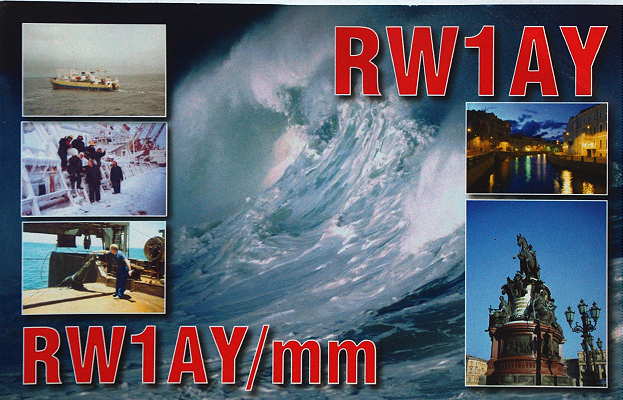 |
| RW1AY used an 8 x 15el cross-polarized array |
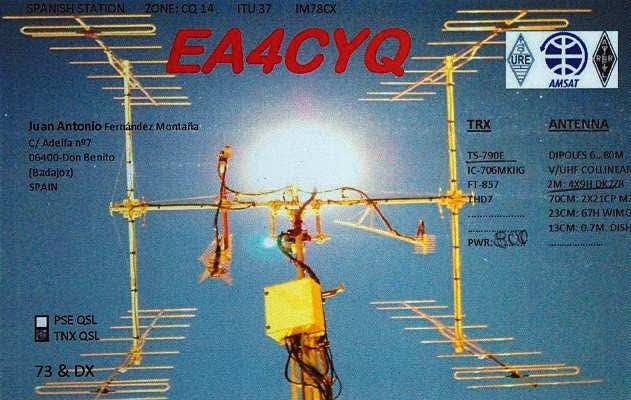 |
| EA4CQ's 4 x 9el DK4ZB yagis |
 |
| YU7AA's 8 x 13el nested array |
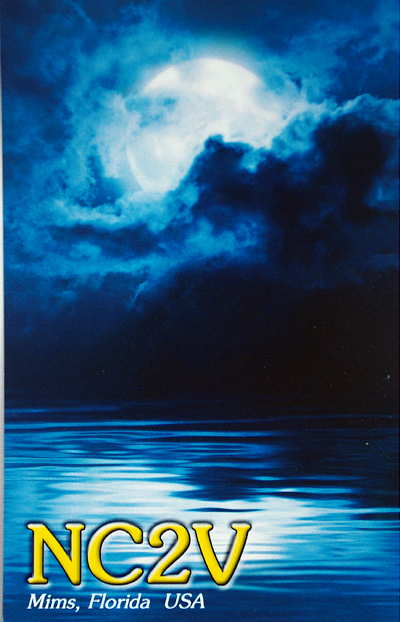 |
| NC2V used a 4 x 20el cross-polarized array |
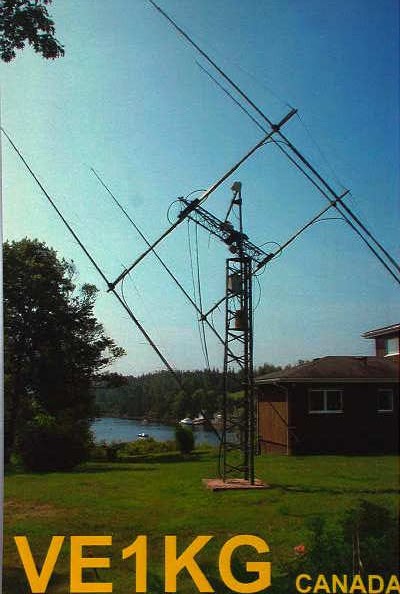 |
| VE1KG's 4 x 17el yagi array |
 |
| DK5SO used four 20' long yagis and 750W |
My simple system uses a single 9el m2 yagi and an old third-hand 140W brick amplifier and built-in GaAsFET preamp. The yagi is mounted atop my 50' tower and fed with about 100' of RG-213 cable, along with its 2+ db of loss.
Looking directly out over the saltwater of Georgia Strait seems to provide the near theoretical 'sea-gain' of 6db, making the little yagi behave more like a box of four in terms of gain. As well, there are no noise sources when pointing out over the water at the rising moon. Not being able to elevate the antenna means 'moonrises' only, and usually gives me about 90 minutes per session before the moon gets too high.
Last night was surprisingly active, mostly with U.S. stations, as it was still early evening here but there were also several early-rising Europeans on the band.
One outstanding signal was from a station I had not worked before, OK1DIG, who was running a 4 x 15 element yagi array. I called him a few times when his signal was easily audible (-15db) but he seemed to only hear me later, replying to one of my 'CQ's, with his signal starting to drop here. This is often the case on 2m eme as a reciprocal two-way path is not always the rule. He was my only contact of the evening (#81) but also heard were K9SLQ, UT3MD, PA3FYC, all of whom I have yet to work.
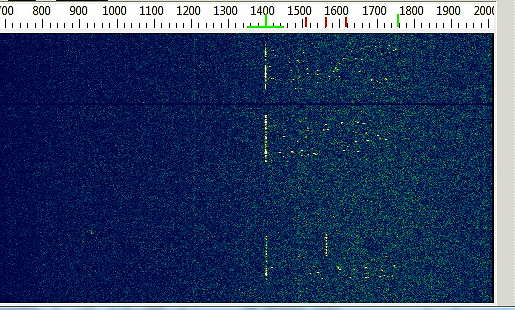 |
| OK1DIG's audible JT65B CQs |
Steve McDonald, VE7SL, is a regular contributor to AmateurRadio.com and writes from British Columbia, Canada. Contact him at [email protected].
Thursday’s Moonrise
I couldn't hold out any longer! The sight of a full-moon rising over the ocean a few nights ago was just too difficult to resist ... I would have to spark-up my 2m mini moonbounce system and see what was happening.
The QSLs are now all in from my last eme adventures in the early summer, bringing my total number of contacts to 80.
|
| RW1AY used an 8 x 15el cross-polarized array |
|
| EA4CQ's 4 x 9el DK4ZB yagis |
|
| YU7AA's 8 x 13el nested array |
|
| NC2V used a 4 x 20el cross-polarized array |
|
| VE1KG's 4 x 17el yagi array |
|
| DK5SO used four 20' long yagis and 750W |
My simple system uses a single 9el m2 yagi and an old third-hand 140W brick amplifier and built-in GaAsFET preamp. The yagi is mounted atop my 50' tower and fed with about 100' of RG-213 cable, along with its 2+ db of loss.
Looking directly out over the saltwater of Georgia Strait seems to provide the near theoretical 'sea-gain' of 6db, making the little yagi behave more like a box of four in terms of gain. As well, there are no noise sources when pointing out over the water at the rising moon. Not being able to elevate the antenna means 'moonrises' only, and usually gives me about 90 minutes per session before the moon gets too high.
Last night was surprisingly active, mostly with U.S. stations, as it was still early evening here but there were also several early-rising Europeans on the band.
One outstanding signal was from a station I had not worked before, OK1DIG, who was running a 4 x 15 element yagi array. I called him a few times when his signal was easily audible (-15db) but he seemed to only hear me later, replying to one of my 'CQ's, with his signal starting to drop here. This is often the case on 2m eme as a reciprocal two-way path is not always the rule. He was my only contact of the evening (#81) but also heard were K9SLQ, UT3MD, PA3FYC, all of whom I have yet to work.
|
| OK1DIG's audible JT65B CQs |
Steve McDonald, VE7SL, is a regular contributor to AmateurRadio.com and writes from British Columbia, Canada. Contact him at [email protected].
The Spectrum Monitor — December, 2016
 Stories you’ll find in our December, 2016 issue:
The Coast Guard Cutter Courier: “A Cold War-era Battleship without Guns”
By John Schneider W9FGH
The Voice of America operated a unique shipboard radio broadcasting facility on the medium wave and shortwave bands in the Mediterranean Sea from 1952 to 1964. The US Coast Guard Cutter Courier was a seagoing Cold War shipboard broadcaster, which preceded the famous pirate radio ships of the 1960s and 70s and was the home to the most powerful transmitter ever operated aboard a ship. But, it was not always smooth sailing. There were complications with the 900-foot balloon-tethered medium wave antenna and constant jamming from Russian-based transmitters.
Experiences of a (Relatively) Young Ham with Vintage Radios
By W. Eric McFadden WD8RIF
While the author has been a licensed ham for 38 years, he’s relatively young. And, since most of his operating gear is modern, he’s fairly new to vintage radio. He writes that he wanted to experience what the hobby was like for earlier generations and he felt the contagion of many of his close amateur radio friends who are quite into vacuum tube-era gear. He’s apparently a quick study because now he has some good-looking vintage gear in his shack, including a Heathkit HW-16 and a Drake 2-NT transmitter and 2-C receiver as well as tube-fired 6-meter gear. He’s definitely hooked!
Beware the Mods: Drake 2NT Transmitter
By Rich Post KB8TAD
Longtime vintage radio guru, Rich Post KB8TAD, helps Eric McFadden restore his Drake 2-NT transmitter and shows the rest of us some of the things he does to give vintage radio gear new life. Here’s a hint: It’s not easy and it helps to have good diagnostic equipment, skills to operate that equipment and many decades of understanding the variables of tube-technology.
Shortwave Listening with the “Old-Timers”
By Eric Beheim
Growing up in the 1950s and listening to his grandfather’s 1936 23-tube Scott All-Wave console shortwave radio was a pretty good start for young Eric Beheim. That’s why today, Eric likes to listen to the shortwave bands on number of vintage shortwave radios, including a 1936 Hallicrafters S-20R Sky Champion and a 1942 Zenith model 7G605 Transoceanic “Clipper” among others. Listening is not as easy as you might think. Eric writes, “Most older radios lack the sensitivity, selectivity, and stability that we take for granted in our modern sets. But that’s what makes monitoring with the ‘old timers’ both challenging and exciting.”
A Salute to the Esteemed Regenerative Receiver
By Richard Fisher KI6SN
Fifty years ago, a teenage Richard Fisher, sporting his Novice call, WN1DWL, found he was at loose ends during his high school winter break. What better way to pass the time than to build a regenerative receiver that he could use to cover the ham bands from 160 through 10 meters? It was a project financially within reach of “a broke 16 year-old.” Years later, while he still had the rig, it had fallen victim to the ravages of time and “parts scrounging.” Now, Richard thought, what better way to celebrate the 50th anniversary of that little radio than to restore it to its full regenerative glory?
Scanning America
By Dan Veenaman
Federal Wavelengths
By Chris Parris
Holiday Radio Logs
Utility Planet
By Hugh Stegman NV6H
Russia to Activate Arctic OTH Radar in 2017
Digital HF: Intercept and Analyze
By Mike Chace-Ortiz AB1TZ/G6DHU
What Digital HF Signals can you Hear and Decode Today?
HF Utility Logs
By Mike Chace-Ortiz and Hugh Stegman
Digitally Speaking
By Cory Sickles WA3UVV
Holiday Wish List
VHF and Above
By Joe Lynch N6CL
ARISS: A Brief Flyover and My Experiences with ARISS QSOs
Amateur Radio Insights
By Kirk Kleinschmidt NT0Z
The Hows and Whys of DIY Open-Wire Feed Line
Radio 101
By Ken Reitz KS4ZR
Getting Started with Free-to-Air Satellite TV
Radio Propagation
By Tomas Hood NW7US
Plasma Bullets
The World of Shortwave Listening
By Rob Wagner VK3BVW
On the Road with a Tecsun PL-680
The Shortwave Listener
By Fred Waterer
Christmas Around the World on Shortwave
Amateur Radio Astronomy
By Keith Baker KB1SF/VA3KSF
Amateur Radio Satellite Operating Protocols
The Longwave Zone
By Kevin O’Hern Carey WB2QMY
Resources: What’s On Your Bookshelf?
Adventures in Radio Restoration
By Rich Post KB8TAD
The Heathkit Laboratory-type Signal Generators: LG-1 and IG-42
Antenna Connections
By Dan Farber AC0LW
Sunspot Maybe: Surviving without Upper HF
The Spectrum Monitor is available in PDF format which can be read on any desktop, laptop, iPad®, Kindle® Fire, or other device capable of opening a PDF file. Annual subscription is $24. Individual monthly issues are available for $3 each.
Ken Reitz, KS4ZR, is publisher and managing editor of The Spectrum Monitor. Contact him at [email protected].
Hygge DX
Just read about Scandinavian versions of untranslatable concepts (like German’s gemütlich or Portuguese’s saudade) at Quartz.
One example is the Danish word hygge (pronounced ‘hooga’)…
There’s no direct English translation for hygge, but the word evokes both coziness and togetherness. “It’s not just cozy with a blanket and a glass of wine,” Kurtz tells Quartz. “It’s also interpersonally cozy—so having a few people with you talking about issues and things you care deeply about. Having some candles lit, maybe a nice warm drink in your hand. Feeling safe and content.”
The Norwegian equivalent is koselig.
Psychologists working at the University of Tromsø have found that those further north in Norway have more positive wintertime mindsets. Kari Leibowitz wrote a piece for The Atlantic explaining how people flourished there during winter.
It all helps explain the popularity of Dxing and SWL as a group activity as written about here a while ago.
I just checked and four of these Norwegian radio friends spent another week or so over October and November DXing, and eating and drinking the best the planet has to offer enjoying their QRM-free QTH with views out over the Barents Sea! Analysis of their reception recordings continues over here.
That’s a sustained radio bliss!
My Favorite Contest

A few blogs back, I briefly touched upon my favorite contest of the year ... the 160m Stew Perry Contest, or more affectionately noted as the 'Stew' or 'SP'.
The contest is named in honor of W1BB, one of the earliest and most dedicated proponents of 160m in its earlier days, as well as being the first amateur to earn 160m DXCC #1, in 1976.
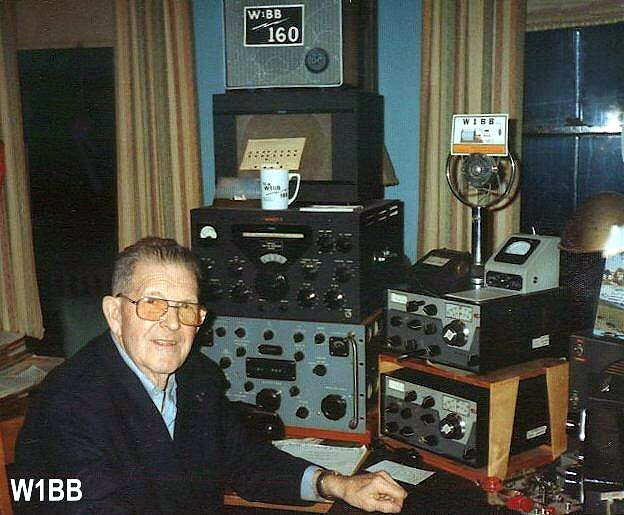 |
| courtesy: http://www.k1zm.com/w1bb |
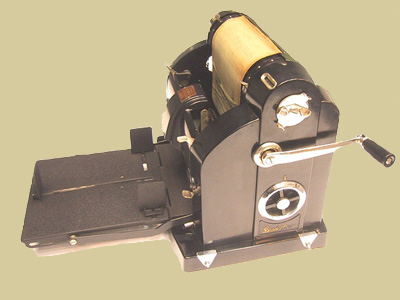
These bulletins were chalk-full of DX reports, station information, and antenna-building hints. It was hard not to get excited about the Topband after reading one of Stew's bulletins!
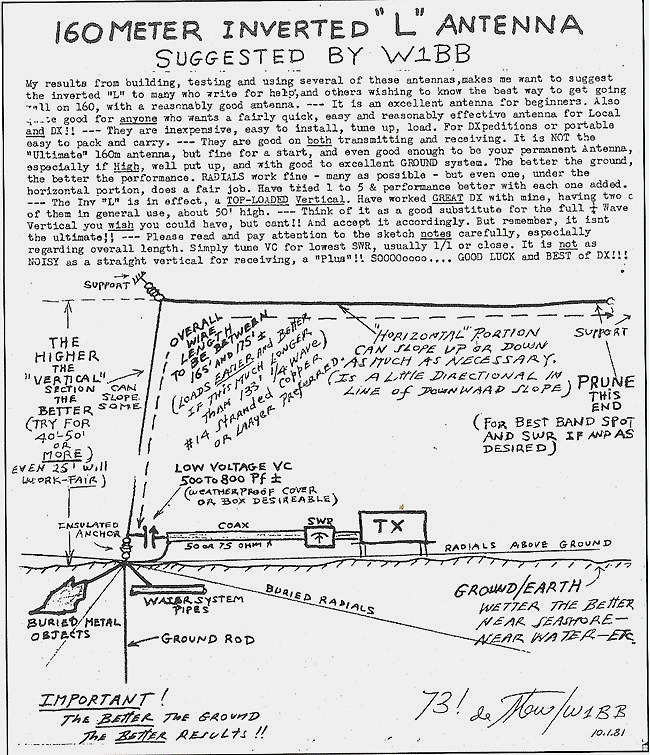
This was largely back in the day when very few commercial transmitters had a 160m position on the bandswitch. If it did, it was most likely a hernia-making DX-100 or a similar E.F. Johnson biggy ... seems most 160m ops were he-men back in the early days.
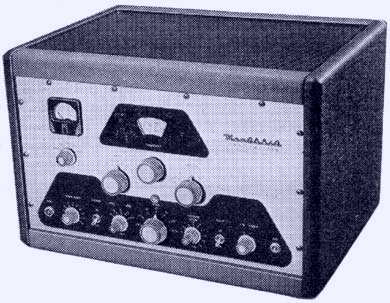 |
| Heathkit DX-100 |
The 'Stew' is just a short 24 hour affair but often packs the CW band from end to end with a ton of activity, including lots of DX. It seems that most 160m diehards will jump at any opportunity to get on their favorite band, especially when conditions are as good as they have been of late.
The 'SP' is somewhat unique in that its system of scoring is probably the fairest of any contest around. The number of points earned for any QSO is determined by the distance between the two stations, with your computer contesting software dutifully making the needed calculations automatically from the exchange of Grid Square information, rather than the ubiquitous '599'.
Such a system gives stations in the western half of North America a chance to compete, on equal grounds, with the much higher activity levels found back east. With most contests awarding fixed points per QSO, it is much easier for eastern stations to rack-up big scores by working the multitude of other easterners ... this is just not possible out west where activity levels, and population densities, are so much smaller.
Contest PR-man ... Lew, W7EW, on behalf of the Boring (Oregon) Amateur Radio Club sponsorship, has sent a heads-up via the Topband reflector, which is reproduced below in case you wish to learn more.
Greetings Radio Ruffians with a TopBand Bent,
The anticipation is palpable as time draws near for the
start of the 21st Running of The Stew Perry TopBand DX
Challenge sponsored by the multitude of Amateurs who
make up The Boring Amateur Radio Club. The contest is Dec
17/18. That is this weekend coming up, for those of you
that need reminders like to remember an anniversary, put
gas in the vehicle or to breathe.
The rules for this contest are different. Please navigate to
http://www.kkn.net/stew/ and see how they are different.
Another unique aspect of The Stew is that The Boring
Amateur Radio Club does not specify categories to win
handsome plaques. You, the combatants do that. Yes,
anyone who thinks up a stellar category and remits $60 or
$63 to us will join the radio stalwarts listed below who are
stoking the fires of competition.
KL7RA Top # of QSOs by a S/O
N0TT Top Score, S/O, <21Y/O, > 200 QSOs
K7CA Longest DX, S/O, Low Power from Zone 3
K7CA Top Score S/O CQ Zone 19,24,25,27,28 or China
KH6LC VK/ZL Challenge- Top S/O VK-ZL
AA6VB Top Score Big City >50K, Little Pistol <100W
AA6VB Top Score Base Loaded Vertical < 60' tall
N6TQ/A25TQ California Dreaming- Top # of QSOs with Cal
VK0EK Stations by a non-California station
Rochester DX Assoc Top Score,S/O, L-P, Outside N. America
UX1UA Top # NA + SA QSOs by Zone 16 station
K7FL Top Score 100% Search and Pounce
K9JWV/WC7S Top QRP Score,West of Mississippi,wire antennas
Dr. Beldar-L1AR Top Score,S/O, Temporary Antenna erected > Dec.3
(All parts of temporary antenna including radials must be
installed after Dec. 3, 2016. This antenna must be the only antenna
for TopBand at the station and may be left erected because as we
all know "temporary" means "until I die")
KR2Q Golden Log Award
K2PO Top Score, S/O, Low Power, Zone 3
N6TR Top Score,S/O, Hi Power from CN Grid Field
W2GD Team Top # QSOs, NA/SA by EU Station
K6ND K6SE Memorial- Top Score, S/O, World
WA6CDR N5IA Memorial- Top # of Grids Worked
WA8WZG Top Score, S/O, by a 6 character call (Example- KA2BFD
or WD6XYZ)
W7RH Top Score, Low Power Asia
K1EP Top Score (>100QSOs) by YL or XYL
VE9AA Yr Trees Ants? If you have your TX wires in the trees or even
attached to 1 tree and your adjudicated score is closest one to
tree tree tree tree (3,333), then you win this plaque
VK6VZ VK6HD Memorial- Top Score by N. hemisphere station working S.
hemisphere stations.
Winner gets a new, fresh Flying Doctors of VK baseball hat
This list grows but will become even longer after you dream up a
contesting category. Just email me with the particulars so we may flesh it
out as some prior plaque proposals were too obtuse, couldn't be performed
by any one of our species or just a tad obscene.
There will be one or two more postings of the categories and sponsors
right up until and through the start of The Stew so don't delay! Also those
who haven't sent off their check or PayPals for their plaque sponsorship yet should not delay either.
Also follow Stalwart's VK6VZ's example and go fire up your system
tonight so you won't be modally morose when the only thing that happens
when you call CQ is that you open and close the neighbor's garage door
with a distinctive cadence.
73 and I remain,
Lew w7ew
The Boring Amateur Radio Club Committee on Participation
[email protected]
If you have a few hours of free time this Saturday night, why not give the 'Stew' a look, especially if you've never operated on the Topband. If you can load-up that old longwire on 160, I'll guarantee you'll have fun as well as be surprised at what you can work ... hopefully I'll see many of you this weekend in the best contest of the year!
Steve McDonald, VE7SL, is a regular contributor to AmateurRadio.com and writes from British Columbia, Canada. Contact him at [email protected].
 Ham Radio Deluxe |
 W5SWL Electronics |
 Ham Radio Prep |
 KB3IFH QSL Cards  Hip Ham Shirts  HamRadioAuctions HamRadioAuctions Reliance Antennas Reliance Antennas Enigma Shop Enigma Shop |  morseDX  Ni4L Antennas  R&L Electronics R&L Electronics antennas.us antennas.us QRV QRV |
- Matt W1MST, Managing Editor
